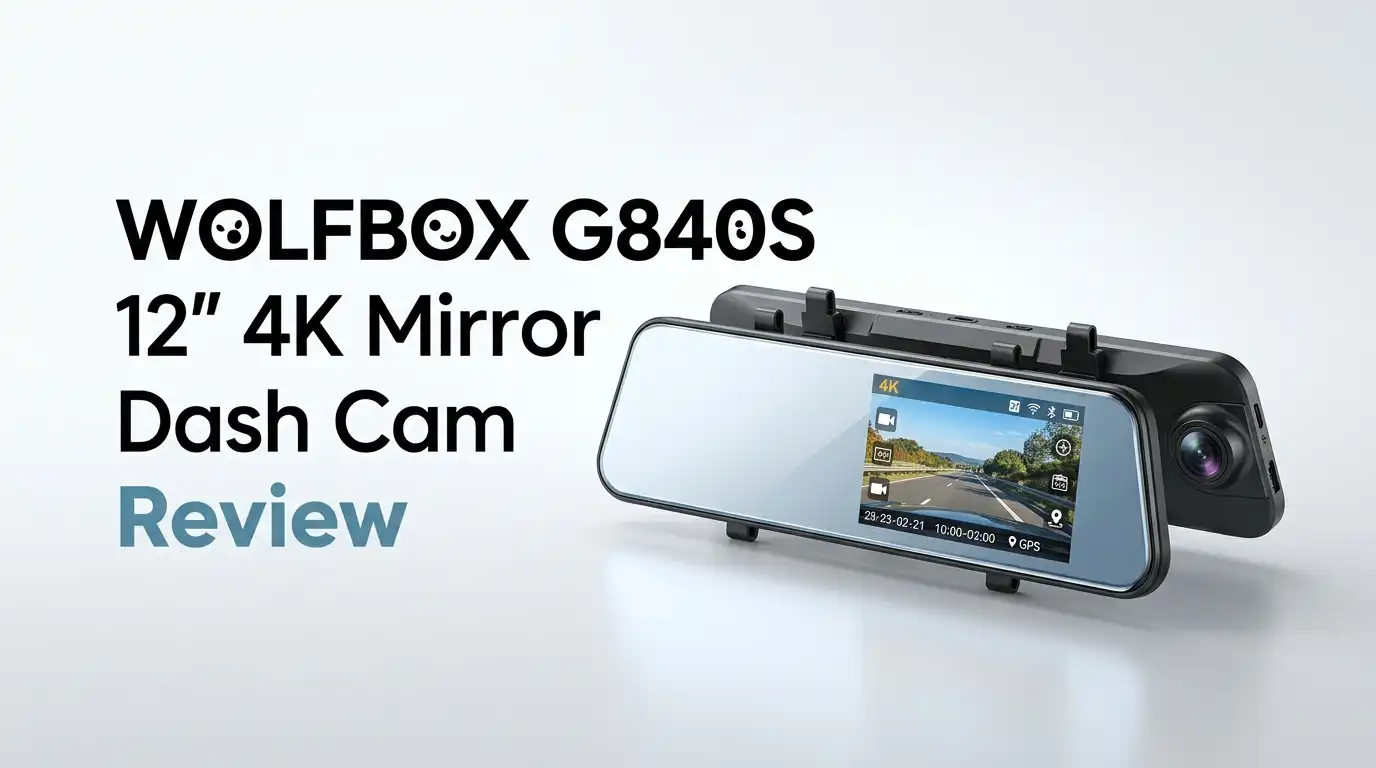
WOLFBOX G840S 12″ 4K Mirror Dash Cam Review 2026
Tired of squinting through a cramped factory rearview mirror or fumbling with a tiny dash cam screen mounted behind your windshield?
The WOLFBOX G840S 12″ 4K Mirror Dash Cam promises to fix both problems at once. It replaces your standard mirror with a wide, touch-friendly display and pairs it with a rear camera for a true cabin-free view behind your vehicle.
I spent several weeks driving with this unit through highway commutes, parking decks, and a couple of long road trips. This honest review covers everything from build quality and night recording to setup headaches and whether the 4K front camera really earns its price tag in 2026.
In a Nutshell
- Massive 12-inch IPS touchscreen stretches edge to edge across your existing mirror, giving you a panoramic view that eliminates blind spots from passengers or cargo.
- 4K front recording at 30fps with a Sony image sensor captures crisp license plates and street signs, while the rear camera records at 1080p with solid daytime clarity.
- 24-hour parking monitor with motion and impact detection keeps watch when you’re parked, though it works best with the optional hardwire kit.
- Free 32GB microSD card and GPS module ship in the box, which is rare at this price point and saves about $40 in accessories.
- Voice control and 5.8GHz WiFi let you transfer clips quickly to your phone using the WOLFBOX app.
- Best for drivers of SUVs, trucks, RVs, and rideshare vehicles who want a bigger viewing surface and dual-channel evidence recording. Not ideal for drivers with bifocals or strong astigmatism, since the screen can feel close to the eyes.

Last update on 2026-10-14 / Affiliate links / Images from Amazon Product Advertising API Some of the links on this website are affiliate links, which means that at no additional cost to you, I earn a commission if you click through and make a purchase. I only recommend products and services that I believe will add value to my readers. Thank you for your support!
First Impressions And Unboxing
The G840S arrives in a clean white box with foam cutouts holding each component in place. Inside you get the mirror unit, rear camera, a long cable, GPS antenna, suction cup mount, the 32GB card, and two rubber straps.
The mirror itself feels surprisingly lightweight for its size, around 0.81 lb. The bezels are slim and the glass has an anti-glare coating that reduces reflections from headlights behind you.
Nothing about the packaging screams premium, but every piece is accounted for. The included quick-start guide is clearer than most Chinese-brand manuals I have reviewed this year.
Design And Build Quality
The 12-inch screen dominates the moment you mount it. WOLFBOX uses a 2.5D curved IPS panel with 1920×480 resolution, and color reproduction looks accurate in both bright sun and tunnel darkness.
Build feels plasticky around the edges, which is the main concession to the affordable price. The mounting straps grip your factory mirror firmly, though heavier OEM mirrors on luxury SUVs may need extra tightening.
Buttons are minimal: a single power button on the bottom edge and four touch zones on the screen itself. Most adjustments happen through swipes, which keeps the surface clean and uncluttered.
Top 3 Alternatives For WOLFBOX G840S
If the G840S isn’t quite right for your setup, these three competitors are worth considering before you commit:

Last update on 2026-10-14 / Affiliate links / Images from Amazon Product Advertising API Some of the links on this website are affiliate links, which means that at no additional cost to you, I earn a commission if you click through and make a purchase. I only recommend products and services that I believe will add value to my readers. Thank you for your support!
Pelsee P12 Pro 4K Mirror Dash Cam with ADAS and BSD

Last update on 2026-10-14 / Affiliate links / Images from Amazon Product Advertising API Some of the links on this website are affiliate links, which means that at no additional cost to you, I earn a commission if you click through and make a purchase. I only recommend products and services that I believe will add value to my readers. Thank you for your support!
Vantrue M2 2.5K Mirror Dash Cam 12″ Front and Rear

Last update on 2026-10-14 / Affiliate links / Images from Amazon Product Advertising API Some of the links on this website are affiliate links, which means that at no additional cost to you, I earn a commission if you click through and make a purchase. I only recommend products and services that I believe will add value to my readers. Thank you for your support!
Pelsee S12 Pro Mirror Dash Cam with STARVIS 2 Sensor
Installation Experience
Installation took me about 35 minutes in a 2020 Honda CR-V. The mirror unit straps over your factory mirror, and the power cable runs along the headliner into the fuse box or 12V port.
The rear camera is the time sink. You either route the cable along the ceiling and down the rear hatch, or pay a shop around $80 to do it cleanly. WOLFBOX includes plastic pry tools, which helped tuck wires under the trim panels.
Drivers with hatchbacks, SUVs, or trucks will find rear cable routing easiest. Sedans with sealed trunk hinges may struggle slightly more.
Daytime Video Quality
Daytime footage from the front 4K camera is genuinely impressive. License plates remain readable from about 50 to 60 feet on the highway, and lane markings stay sharp even at 70 mph.
Colors lean slightly cool, which actually helps with overexposed sky and pavement contrast. The 170-degree wide angle covers three lanes plus shoulders without much fisheye distortion at the edges.
The rear 1080p feed is softer but completely usable for identifying vehicles, hand gestures, or road incidents. It is a clear upgrade from any 720p mirror cam on the market.
Night Vision Performance
Night driving is where this unit shows both strengths and weaknesses. The front camera handles streetlights and oncoming headlights well thanks to WDR and HDR processing, keeping plates legible in most urban conditions.
The rear camera, however, is the weak link. Several owners on community forums report that bright headlights behind the vehicle bloom into large white halos, which can wash out the plate of a tailgater.
This matches my experience on unlit rural roads. If your top priority is nighttime rear evidence capture, you may want to consider a model with a STARVIS 2 sensor instead.
The Mirror Display Experience
Using the screen as a daily mirror takes about a week to get used to. The view is wider and lower than a traditional mirror, so you see more of the trunk area and less sky.
Toggle the display off and the surface acts as a passive mirror, though reflections appear slightly darker than your factory glass. Some drivers love this for reducing headlight glare; others find it dim during overcast days.
You can adjust screen brightness, flip the rear view horizontally, and pan the visible area with a finger swipe. The last feature is genuinely useful for tall drivers.
Parking Mode And Smart Features
The 24-hour parking monitor activates when the car shuts off, switching to time-lapse or motion-triggered recording. To use it properly you need the hardwire kit, sold separately for around $25.
G-sensor sensitivity is adjustable in three levels, which helps prevent false triggers from passing trucks or potholes. The unit pulls minimal power in time-lapse mode, so battery drain stays manageable on modern vehicles.
Voice commands handle basic tasks like “take a photo” or “turn off WiFi.” Accuracy is around 80% in my testing, which is decent but not class-leading.
App Connectivity And GPS
The WOLFBOX app connects through 5.8GHz WiFi, which transfers a one-minute 4K clip in roughly 15 to 20 seconds. The interface is clean and lets you browse, download, and share clips without removing the SD card.
GPS tracking embeds speed, coordinates, and direction into every video file. You can view a synchronized map and route during playback, which is helpful for fleet drivers or insurance claims.
App reliability has improved noticeably in 2026 firmware updates. Earlier versions struggled with Android 14 compatibility, but recent builds are stable on both platforms.
Real Owner Feedback And Complaints
Browsing through Amazon, Reddit, and the WOLFBOX community forum reveals a mixed but mostly positive picture. Owners praise the huge screen, easy app, and bright daytime video, with many calling it a worthy upgrade from their factory mirror.
The most common complaint involves the rear camera at night. Multiple users describe headlight bloom and noise in low light. A second complaint involves customer support response times, which can stretch to several days during peak seasons.
A smaller group reports occasional touchscreen lag after long drives. A firmware reset usually fixes this, but it shouldn’t be necessary on a 2026 product.
Who Should And Shouldn’t Buy It
The G840S suits budget-conscious drivers, rideshare operators, and SUV owners who want a big screen, dual recording, and respectable 4K front capture without spending $300 or more.
It is not the right pick if you do significant nighttime highway driving and need crisp rear plate capture, or if you drive a luxury vehicle where the plastic build will feel cheap next to your interior.
Drivers with very strong prescription glasses should also test the touchscreen menus before committing, since the close focal distance can cause minor eye strain during long sessions.
Final Verdict
The WOLFBOX G840S remains one of the best value 4K mirror dash cams in 2026 for buyers who want a generous screen and reliable daytime recording. At its current price, the included GPS module and 32GB card sweeten an already competitive package.
It is not perfect. The rear night vision and plastic build hold it back from being a true premium pick. If those tradeoffs are acceptable, this is an easy recommendation for daily commuters and weekend road-trippers alike.
For drivers who demand top-tier low-light rear capture, stepping up to a Pelsee or Vantrue STARVIS 2 model is worth the extra $80 to $120.
Expert FAQs
Does the WOLFBOX G840S work with all vehicles?
Yes, the strap-on mount fits most factory mirrors on sedans, SUVs, trucks, and vans. Very large luxury mirrors on some BMW and Mercedes models may need the included rubber pads doubled up for a snug fit.
Do I need to buy a separate SD card?
No. WOLFBOX includes a 32GB Class 10 microSD card in the box. You can upgrade to 128GB or 256GB for longer loop recording, but the included card is enough for several days of footage.
Can the dash cam record while my car is off?
Yes, but only with the optional hardwire kit. Plugging into a 12V cigarette port stops recording when the engine is off. Hardwiring enables the 24-hour parking monitor and motion detection features.
Is the rear camera waterproof?
Yes, the rear camera carries an IP68 rating, meaning it can handle rain, snow, and car-wash spray. Mount it above the license plate or inside the rear glass for the best angle.
Will the display block my view of the road?
The screen replaces your existing mirror, so total surface area is similar. The 12-inch length extends slightly past a typical OEM mirror, which may obstruct the corner of your windshield in very small cars like a Mini Cooper or Fiat 500.
How does it compare to the WOLFBOX G900 Pro?
The G900 Pro uses a newer Sony STARVIS 2 sensor with better night performance, a three-channel option, and 2.5K rear recording. It costs more but is the upgrade pick for serious nighttime drivers. The G840S still wins on price and screen-to-dollar ratio.
Does it support voice commands in languages other than English?
Voice control supports English, Japanese, Russian, and a handful of European languages as of the 2026 firmware. Accuracy is best in English and decent in the other supported languages.
What is the warranty?
WOLFBOX offers a 12-month manufacturer warranty with optional registration to extend coverage. Most defect claims are handled by replacement units shipped directly from the brand’s US warehouse.

Hello everyone my name is Alenya and i am a gadget discovering Enthusiast 🐻🐻