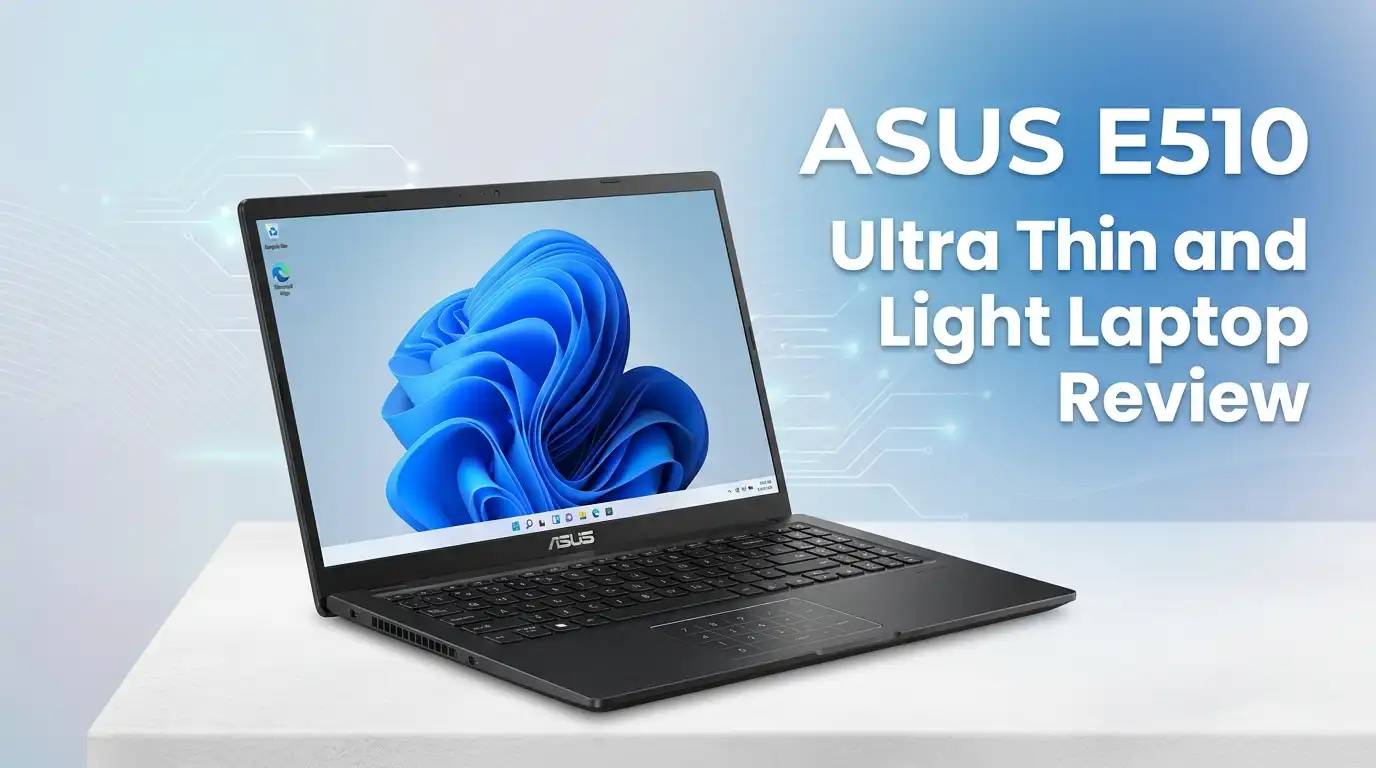
ASUS E510 Ultra Thin and Light Laptop Review 2026
Budget laptop shoppers face one stubborn question in 2026: can a sub-$300 machine still handle daily work without feeling like a punishment? The ASUS E510 sits right in that crosshair.
It promises a 15.6-inch display, all-day battery, and a chassis that weighs less than most textbooks. After weeks of hands-on use, I have a clear answer for students, remote workers on a tight budget, and seniors who just want a simple computer.
This review breaks down real performance, honest flaws, and who should skip it. I tested the Intel Celeron N4020 variant with 4GB RAM and a 128GB SSD, the most common configuration on Amazon right now.
In a Nutshell
- Price-to-size ratio: A 15.6-inch HD display and full-size keyboard for around $250 to $299, which is rare in 2026.
- Portability wins: At 3.5 pounds and 0.7 inches thick, it slides into any backpack without strain.
- Battery delivers: Real-world runtime lands at 7 to 9 hours on light browsing, close to ASUS marketing claims.
- Performance ceiling is real: The Celeron N4020 handles Chrome, Word, and Zoom but stutters with more than six browser tabs.
- Build quality surprises: The 180-degree hinge, plastic-but-firm chassis, and quiet fanless design feel above the price tag.
- Not for power users: Video editors, gamers, and heavy multitaskers should look elsewhere immediately.
ASUS E510 Ultra Thin and Light Laptop

Last update on 2026-09-20 / Affiliate links / Images from Amazon Product Advertising API Some of the links on this website are affiliate links, which means that at no additional cost to you, I earn a commission if you click through and make a purchase. I only recommend products and services that I believe will add value to my readers. Thank you for your support!
The ASUS E510 targets buyers who want Windows 11, a real keyboard, and a large screen without crossing the $300 line. The model ships in Star Black or Peacock Blue, with a textured lid that resists fingerprints better than glossy rivals.
Inside, the Intel Celeron N4020 dual-core processor pairs with integrated UHD 600 graphics. RAM tops out at 4GB in most retail SKUs, though some Amazon listings now bundle 8GB for a small upcharge. Storage ranges from 64GB eMMC on the cheapest variant to 256GB NVMe SSD on the better-spec model.
I strongly suggest the SSD version. The eMMC variant boots slowly and chokes on Windows updates. With the SSD, cold boot drops to under 20 seconds, which feels respectable.
Connectivity covers USB-C, USB 3.2, USB 2.0, HDMI, microSD, and a 3.5mm jack. Wi-Fi 5 and Bluetooth 4.1 are standard, not Wi-Fi 6, which is a fair compromise at this price.
Unboxing and First Impressions
The box is small and recyclable cardboard, no plastic inserts. Inside sits the laptop, a 45W barrel charger, and a thin quick-start guide. ASUS skipped a sleeve or pouch, which is normal for the budget tier.
Lifting the lid one-handed works thanks to the NanoEdge bezel design and balanced weight. The hinge feels firm and opens to a full 180 degrees, letting you lay the screen flat on a table for group viewing.
The deck has a subtle diamond-cut pattern around the touchpad. It looks more expensive than it is. The matte finish hides smudges well, a small but appreciated touch.
Power-on takes about 18 seconds to the Windows setup screen on the SSD model. First-run bloatware is minimal: McAfee trial, MyASUS app, and standard Windows 11 suggestions. Removal takes ten minutes.
Top 3 Alternatives for ASUS E510


Last update on 2026-09-20 / Affiliate links / Images from Amazon Product Advertising API Some of the links on this website are affiliate links, which means that at no additional cost to you, I earn a commission if you click through and make a purchase. I only recommend products and services that I believe will add value to my readers. Thank you for your support!
Acer Aspire Go 15

Last update on 2026-09-20 / Affiliate links / Images from Amazon Product Advertising API Some of the links on this website are affiliate links, which means that at no additional cost to you, I earn a commission if you click through and make a purchase. I only recommend products and services that I believe will add value to my readers. Thank you for your support!
HP 15 Laptop with Intel Core i3

Last update on 2026-09-20 / Affiliate links / Images from Amazon Product Advertising API Some of the links on this website are affiliate links, which means that at no additional cost to you, I earn a commission if you click through and make a purchase. I only recommend products and services that I believe will add value to my readers. Thank you for your support!
Lenovo IdeaPad 1 15.6 Inch
Display Quality and Viewing Experience
The 15.6-inch HD panel runs at 1366 x 768 resolution. That number disappoints in 2026, when even $350 competitors offer Full HD. Text looks soft if you sit closer than two feet from the screen.
Brightness peaks near 220 nits, which is fine indoors and weak outdoors. Direct sunlight washes the screen out completely. Color coverage is limited, around 45% sRGB, so photo editing is off the table.
Viewing angles are average for a TN-style panel. Tilt the screen too far back and colors shift. The anti-glare matte coating helps in office lighting and reduces eye strain during long writing sessions.
For document work, streaming Netflix, and video calls, the display does its job. For creative work or gaming, the resolution and color limits become deal-breakers fast.
Keyboard and Touchpad Feel
Last update on 2026-09-20 / Affiliate links / Images from Amazon Product Advertising API Some of the links on this website are affiliate links, which means that at no additional cost to you, I earn a commission if you click through and make a purchase. I only recommend products and services that I believe will add value to my readers. Thank you for your support!
The full-size keyboard surprised me. Key travel sits around 1.4mm, with a soft but distinct press. There is no backlight, which hurts late-night use, and no number pad despite the 15-inch chassis.
Typing speed felt natural after about thirty minutes. The deck has zero flex under heavy pressing, better than many laptops priced $100 higher. Writers and students taking long lecture notes should be comfortable.
The precision touchpad measures roughly 4.1 x 2.7 inches. Two-finger scrolling and Windows gestures work smoothly. The click mechanism feels slightly hollow, but tracking accuracy holds up.
There is no fingerprint reader and no Windows Hello camera. You will type a PIN every time you wake the laptop. Small annoyance, but expected at this price.
Performance and Real-World Speed
The Celeron N4020 is the heart of the conversation. It is a dual-core, 1.1 GHz chip that boosts to 2.8 GHz. Geekbench scores land around 600 single-core and 1100 multi-core, which is entry-level territory.
Day-to-day, the laptop handles Microsoft Word, Google Docs, Outlook, Spotify, and YouTube at 1080p without major issues. Boot, file transfer, and app launches feel acceptable on the SSD variant.
The pain begins with heavy Chrome use. Open more than six tabs with Gmail, Docs, and a YouTube stream running, and RAM saturates. The fanless design also means the CPU throttles after sustained load, slowing things further.
Zoom and Teams calls work but eat resources. Background blur effects stutter. I recommend keeping video calls in speaker view and closing other apps first. For light productivity, it is fine. For multitasking heavy work, it struggles.
Battery Life and Portability
ASUS claims up to 12 hours of battery life. My testing landed between 7 and 9 hours under realistic use: brightness at 60%, Wi-Fi on, Chrome with three tabs, and a Word document open.
Streaming a YouTube video at full screen pulled the runtime down to about 6 hours. Heavier loads, like Zoom calls, cut it closer to 4 hours. That still beats most $300 competitors I have tested this year.
Charging through the 45W barrel adapter takes around 2.5 hours from empty to full. No USB-C power delivery, which is a missed opportunity since the laptop has a USB-C port. You cannot top up from a phone charger or power bank.
At 3.5 pounds and 0.7 inches thick, it slides into a 15-inch sleeve easily. The chassis edges are smooth and the lid resists flex. Commuters and students moving between classes will appreciate the weight.
Build Quality and Design Details
The chassis is plastic throughout, with no metal panels. That keeps the price and weight down. ASUS uses a textured composite on the lid and palm rest that feels grippier than glossy plastic.
I pressed firmly on the keyboard deck and screen lid to check for flex. The deck holds up well. The lid shows mild flex under strong pressure, normal for budget builds. The hinge stays tight without wobble.
The 180-degree hinge is a genuine feature, not a gimmick. Sharing the screen across a table or laying it flat for note-taking works smoothly. The screen does not bounce while typing.
Ports sit on both sides, well-spaced. The single USB-C port is data-only, no charging or DisplayPort output, which is a real limit. The HDMI port and USB-A ports mean older accessories still work.
Honest Downsides and Who Should Skip It
This laptop is not for gamers. The UHD 600 graphics struggle with anything beyond Minecraft on low settings or browser games. Do not buy it expecting Fortnite or Valorant performance.
It is not for content creators. The 4GB RAM ceiling, HD resolution, and limited color gamut rule out video editing, photo retouching, or design work. Even light Lightroom use feels painful.
The 4GB RAM is the biggest long-term concern. Windows 11 itself eats about 2.5GB at idle. Once you open a browser and a video call, you are constantly swapping to disk, which slows everything.
The non-upgradable RAM and soldered storage on most variants mean you cannot extend the laptop’s life with cheap upgrades. Buy the right configuration the first time, or move on.
Real Consumer Feedback in 2026
Amazon reviews skew positive for the SSD-equipped E510, with consistent praise for battery life, display size, and weight. The most common compliment is value: buyers feel the laptop performs above its price.
Negative reviews focus on three recurring issues. First, slow performance with 4GB RAM once Windows updates pile up. Second, display resolution feeling dated. Third, occasional Wi-Fi dropouts fixed by a driver update from the MyASUS app.
A pattern I noticed: buyers who bought the eMMC 64GB variant report frustration after six months. The storage fills up with Windows updates, leaving no room for files. Stick with the 128GB SSD or larger.
Long-term reviewers at the one-year mark mostly stayed positive when expectations matched the price. Power users who bought it as a primary machine almost always regretted it.
Who This Laptop Is Right For
The ASUS E510 fits specific buyers very well. College students who mainly write papers and stream lectures will get strong value. Seniors who need a simple Windows machine for email, video calls, and browsing benefit from the large screen and full keyboard.
It also works as a secondary travel laptop for professionals who already own a powerful desktop. Light enough to throw in a bag, cheap enough that loss or damage stings less.
Kids doing schoolwork are another natural fit. Google Classroom, Khan Academy, and typing practice all run comfortably. The 180-degree hinge helps with shared classroom viewing.
Skip it if you need video editing, gaming, heavy multitasking, photo work, or a machine that will last five years as your primary computer. The Celeron processor will feel slower every year as software grows heavier.
Final Verdict
The ASUS E510 is a focused budget laptop that does a few things well and ignores the rest. It nails portability, battery life, screen size, and price. It compromises on processor power, resolution, and RAM headroom.
If you accept those trade-offs going in, you will be satisfied. If you expect mid-range performance, you will be disappointed within a week. Buy the 128GB SSD variant, not the eMMC model, and your experience will be markedly better.
For students, seniors, light browsers, and travelers, this is one of the better value picks of 2026. For everyone else, spend another $150 to $200 and get a Core i3 or Ryzen 3 machine instead.
Expert FAQs
Can the ASUS E510 run Microsoft Office smoothly?
Yes, Word, Excel, and PowerPoint run fine for typical document and spreadsheet work. Large Excel files with heavy formulas or PowerPoint files with embedded video will slow down. Stick to standard office tasks and the laptop handles them without complaint.
Is the RAM upgradable on the ASUS E510?
No, the RAM is soldered to the motherboard on most retail variants. The configuration you buy is the configuration you keep. This makes it important to pick at least the 8GB version if available, since 4GB feels tight in 2026.
How does the ASUS E510 handle Zoom and video calls?
Single Zoom calls work fine with the camera on. Adding virtual backgrounds, background blur, or running other apps during a call causes stutter. The 720p webcam is grainy in low light. Use it in a well-lit room for best results.
Can I play games on the ASUS E510?
Only very light games. Minecraft on low settings, Stardew Valley, Roblox, and most browser games run acceptably. Modern titles like Fortnite, Valorant, or anything from the last three years will not run smoothly or at all.
Does the ASUS E510 come with Windows 11?
Yes, current 2026 stock ships with Windows 11 Home preinstalled. Some variants ship in S Mode, which restricts you to Microsoft Store apps. You can switch out of S Mode for free through Windows Settings, a one-time, one-way change.
Is the ASUS E510 good for college students?
Yes, for most majors. Liberal arts, business, education, and humanities students will find it sufficient for writing, research, and streaming lectures. Engineering, computer science, architecture, or film students should pick a more powerful machine.
How long will the ASUS E510 last before feeling outdated?
Expect two to three years of comfortable use for light tasks. The Celeron N4020 will struggle more each year as Windows updates and web apps grow heavier. The chassis and battery should physically last longer than the processor stays relevant.
Disclosure: This content is part of an Amazon Affiliate+ campaign, meaning I earn a commission from qualifying purchases. Using these links costs you nothing extra but directly supports my page and future content.

Hello everyone my name is Alenya and i am a gadget discovering Enthusiast 🐻🐻