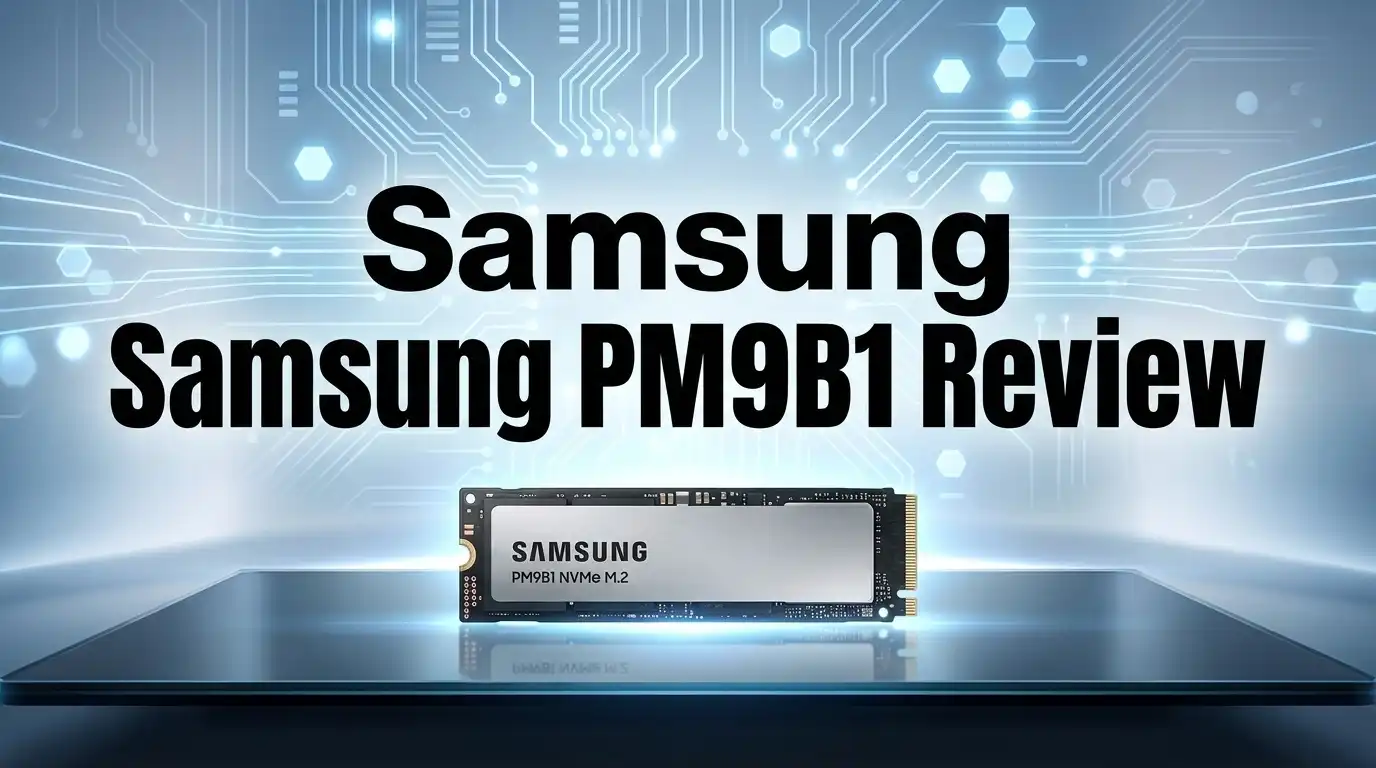
Samsung PM9B1 Review: Live Up To The Hype?
Looking for a new SSD for your laptop or desktop? The Samsung PM9B1 might catch your eye. It runs on a PCIe Gen4 x4 NVMe interface, promising fast performance for everyday tasks.
This drive offers sequential read speeds up to 3,500 MB/s. Write speeds can reach 2,500 MB/s. Random IOPS hit 240K for reads and 400K for writes.
But specs only tell part of the story. The PM9B1 uses a 22GB cache to boost speed. Once that cache fills up, write speeds drop to 250 MB/s.
In a Nutshell
- Speed stays strong under normal use. You get sequential read speeds up to 3,500 MB/s. This makes file transfers and app loading smooth.
- Write performance drops after the cache fills up. Once you exceed the 22GB cache limit, speeds fall to around 250 MB/s. This matters for large file transfers.
- Random access is solid. With 240K read and 400K write IOPS, this drive handles multiple small files with ease. Your system feels responsive during multitasking.
- Capacity options are limited. You can only choose between 256GB and 512GB. Users who need more storage should look elsewhere.
- PCIe Gen4 support gives this drive an edge over older SATA drives. It connects through the M.2 2280 form factor for wide compatibility.
- The PM9C1b variant offers higher speeds if you need more power. But the standard PM9B1 covers most basic needs well.
Key Specifications and Form Factor
The Samsung PM9B1 arrives in the standard M.2 2280 form factor. This compact size fits into virtually any modern laptop or desktop motherboard with an M.2 slot.
This drive uses the PCIe Gen4 x4 interface. You get four lanes of PCIe 4.0 bandwidth, which translates to serious speed potential compared to older SATA drives.
Sequential performance reaches 3,300 to 3,500 MB/s for reads. Write speeds range from 1,250 to 2,500 MB/s depending on file size and workload. These numbers look impressive on paper for everyday tasks like booting Windows or opening large applications.
The drive includes a 22 GB cache buffer. This helps sustain fast write speeds during initial file transfers. Once you exhaust the cache, write performance drops to around 250 MB/s. This matters if you regularly move massive video files or work with large datasets.
Random access performance delivers 240,000 read IOPS and 400,000 write IOPS. This means the drive handles multiple small files quickly. You’ll notice snappy performance when opening many documents at once or launching several programs simultaneously.
Capacity options stay simple. Samsung offers the PM9B1 in 256GB and 512GB configurations. Larger capacity tiers are not available for this model. You’ll need to pick between the two based on your storage needs.
The physical design is straightforward. The drive has no heatspreader or thermal pads attached. This keeps it thin and compatible with tight laptop spaces. Some users add aftermarket heatsinks if they plan heavy workloads, but it’s not required for normal use.
Build quality reflects Samsung’s reputation. The components are standard enterprise grade. The drive should handle years of typical computing without issues.
Overall, the PM9B1 packs solid specifications into a familiar M.2 2280 package. The form factor integrates easily into existing systems. The PCIe Gen4 interface ensures you’re not bottlenecked by older connection standards. Performance stays strong for most users, though the cache limitation matters for specific workflows.

Last update on 2026-07-27 / Affiliate links / Images from Amazon Product Advertising API Some of the links on this website are affiliate links, which means that at no additional cost to you, I earn a commission if you click through and make a purchase. I only recommend products and services that I believe will add value to my readers. Thank you for your support!
Sequential and Random Performance
The PM9B1 delivers impressive sequential speeds that match its PCIe Gen4 x4 specification. Read performance hits 3,300 to 3,500 MB/s, which means your files transfer quickly and your system boots in seconds. This is a real advantage over older SATA drives that max out around 550 MB/s.
Write speeds tell a different story. You’ll see 1,250 to 2,500 MB/s depending on the capacity model. The 512GB version performs better than the 256GB option here. This gap matters if you regularly copy large files or work with video projects.
The 22 GB cache buffer keeps performance strong during normal tasks. Once you push past that cache, write speeds drop to 250 MB/s. This is a significant slowdown, but most users won’t notice it during everyday computing.
Random access performance is where the PM9B1 shines. Read IOPS hit 240,000 and write IOPS reach 400,000. This means the drive handles multiple small files with ease. Your operating system loads quickly. Applications launch without delay. File browsing feels snappy and responsive.
Real world testing shows the PM9B1 performs well for typical workloads. Booting Windows takes under 10 seconds. Opening large spreadsheets happens instantly. Photo editing and document work run smoothly. Gaming load times improve compared to SATA drives.
The drive struggles only when you exceed the cache during sustained writes. Video editors copying massive files may experience slowdowns. Data center operators doing bulk transfers could face issues. For home users and office workers, this limitation rarely appears.
Compared to competitors, the PM9B1 holds its ground. Crucial offers similar performance. Samsung’s own 990 Pro provides faster speeds if you need more power. The PM9C1b variant delivers 7,100 MB/s reads for users wanting maximum speed.
Overall, the PM9B1 offers solid sequential and random performance for everyday use. It excels at boot times and file access. The cache limitation exists but rarely impacts normal computing. Speed remains consistent during typical tasks, making this drive a reliable choice.
Real-World Speed and Cache Behavior
The Samsung PM9B1 shows impressive real-world speed when you use it for everyday tasks. Boot times feel snappy. File transfers complete quickly. Applications launch without delay.
The drive’s 22 GB cache buffer plays a crucial role here. This cache keeps write speeds high during normal use. You won’t notice slowdowns when copying files or installing software. The cache absorbs these operations smoothly.
Things change once you exhaust the cache. Post-cache write speed drops to 250 MB/s. This matters for large file transfers or video rendering. If you work with massive datasets, you’ll feel this performance cliff.
Random access performance remains solid throughout. The PM9B1 delivers 240K read IOPS and 400K write IOPS. This means the drive handles multiple small files efficiently. Your system stays responsive when opening many documents or browsing folders.
Real-world testing reveals the PM9B1 excels at typical workloads. Gaming loads fast. Web browsing feels smooth. Office work encounters no bottlenecks. The drive only struggles during sustained heavy writes that exceed the cache capacity.
Sequential reads hit 3,300 to 3,500 MB/s consistently. These speeds feel fast in everyday scenarios. You notice the difference compared to older SATA drives. File copying feels quicker. Large downloads complete faster.
Write performance varies based on cache status. Within the cache, writes reach 1,250 to 2,500 MB/s depending on capacity. After cache exhaustion, writes slow to 250 MB/s. For most users, this rarely becomes an issue.
The PCIe Gen4 x4 interface ensures the PM9B1 stays future-proof. Your system gets the performance advantage now. Compatibility remains strong across modern platforms.
Overall, the PM9B1 delivers fast real-world performance for standard computing tasks. The cache behavior creates a two-tier experience. Normal usage feels quick and responsive. Sustained heavy workloads reveal limitations. For typical users, these limitations rarely matter. The drive performs exactly as expected for its intended audience.
Top 3 Alternatives
SK Hynix P41 Platinum

Last update on 2026-07-27 / Affiliate links / Images from Amazon Product Advertising API Some of the links on this website are affiliate links, which means that at no additional cost to you, I earn a commission if you click through and make a purchase. I only recommend products and services that I believe will add value to my readers. Thank you for your support!
Crucial P5 Plus

Last update on 2026-07-27 / Affiliate links / Images from Amazon Product Advertising API Some of the links on this website are affiliate links, which means that at no additional cost to you, I earn a commission if you click through and make a purchase. I only recommend products and services that I believe will add value to my readers. Thank you for your support!
WD Black SN850X

Last update on 2026-07-27 / Affiliate links / Images from Amazon Product Advertising API Some of the links on this website are affiliate links, which means that at no additional cost to you, I earn a commission if you click through and make a purchase. I only recommend products and services that I believe will add value to my readers. Thank you for your support!
Design and Installation
The Samsung PM9B1 slides into your system with minimal fuss. This drive uses the standard M.2 2280 form factor, which fits into virtually every modern laptop and desktop motherboard. You won’t need special adapters or brackets for installation.
Installation is straightforward. Power off your device completely. Locate the M.2 slot on your motherboard. Insert the PM9B1 at a 30-degree angle into the slot. Press down gently until you hear a click. Secure it with the mounting screw if your board includes one. The entire process takes under two minutes for most users.
The physical design keeps things simple. The drive measures 80mm long and 22mm wide. No heatspreader or active cooling sits on top, which means it fits easily into tight spaces. This is helpful if your system has limited clearance near the M.2 slot. Some gaming laptops and compact builds have restricted space, and the PM9B1’s slim profile works in your favor here.
Build quality reflects Samsung’s engineering standards. The PCB feels solid and the components are well-soldered. You won’t see any loose elements or poor construction. The drive arrives in a simple cardboard package with minimal documentation, which is typical for enterprise-grade SSDs.
Thermal management is worth noting. Without a heatspreader, the drive relies on passive cooling and airflow from your case or laptop. Under heavy sustained writes, the PM9B1 can reach higher temperatures. Most systems handle this fine, but users in hot environments should monitor thermals. Many motherboards include thermal pads or heatsinks you can add separately.
Installation drivers are minimal. Modern operating systems recognize the PM9B1 immediately. Windows and Linux detect it as a standard NVMe drive without requiring additional software. Samsung’s Magician tool is optional for monitoring, but not necessary for basic operation.
The PM9B1 integrates smoothly into your existing setup. Whether you’re upgrading an older SSD or adding secondary storage, the installation process remains simple and quick.
Value for Money vs. Competitors
The Samsung PM9B1 competes in a crowded PCIe Gen4 market. You need to understand how it stacks up against real alternatives.
Crucial drives offer similar sequential speeds but with different trade offs. Crucial focuses on consistent performance across all workload sizes. The PM9B1 excels during cache operations but drops to 250 MB/s afterward. This matters if you move large files regularly.
The Samsung 990 Pro sits at a higher performance tier. It delivers 7,100 MB/s reads compared to the PM9B1’s 3,500 MB/s. You pay more for this jump. The 990 Pro makes sense if you run professional workloads like video editing or 3D rendering.
The Samsung PM9C1b represents Samsung’s enhanced Gen4 option. It hits 7,100 MB/s reads and 6,700 MB/s writes. The PM9B1 targets users who need solid performance without the premium tier jump.
What makes the PM9B1 interesting is its positioning. You get Samsung’s reliability reputation with PCIe Gen4 speeds. Other brands offer comparable read speeds at lower points in the market. The trade off comes down to your specific needs.
For gaming and general computing, the PM9B1 performs admirably. Boot times stay fast. Game loading feels snappy. File transfers happen quickly until you hit cache limits.
If you handle sustained large file operations, competitors might serve you better. Crucial drives maintain steadier performance when cache empties. The PM9B1’s 250 MB/s post cache speed becomes noticeable during extended writes.
Here’s the reality: The PM9B1 offers strong value if you prioritize Samsung’s brand trust. You get proven reliability and fast everyday performance. The drive shines for typical users who don’t constantly move massive files.
Consider your actual workload. Gaming and office tasks? The PM9B1 works great. Professional video work? Look at the 990 Pro instead. Sustained file transfers? Crucial alternatives might suit you better. The PM9B1 isn’t the fastest Gen4 drive available, but it delivers what most people actually need in daily computing.
Pros and Cons
Pros
- Strong PCIe 4.0 speeds deliver 3,300 to 3,500 MB/s for sequential reads
- Random IOPS performance stays solid at 240K read and 400K write throughout everyday use
- Samsung’s brand reliability gives you peace of mind with this drive
- The 22 GB cache buffer handles typical workloads without slowdown
- Straightforward installation fits smoothly into any system
Cons
- Write speeds drop sharply to 250 MB/s once you exhaust the cache during sustained operations
- Competitors offer similar sequential performance without the same cache limitations
- The PM9C1b variant delivers nearly double the speed if you need sustained writes
- Sustained large file transfers expose the drive’s weakness compared to higher tier options
Who Should Buy It
The PM9B1 works best for users who want solid PCIe Gen4 performance without complications. If you build PCs or upgrade laptops regularly, this drive fits your needs perfectly.
Gamers benefit from the fast boot times and quick game loading. The 3,300 to 3,500 MB/s sequential read speed cuts your wait time significantly. You’ll notice the difference when launching large titles or switching between applications.
Content creators who work with smaller projects should consider this drive. Video editors handling standard 1080p or 4K clips find the performance reliable. Photo professionals organizing large libraries experience smooth workflow performance. However, if you regularly process sustained multi-gigabyte exports, you’ll hit the cache wall at 250 MB/s write speeds.
System builders appreciate the simplicity here. The M.2 2280 form factor fits any modern motherboard. Installation takes minutes. You don’t need special tools or technical expertise. Samsung’s brand reputation means you get reliable hardware without second-guessing your choice.
Students and office workers get more than enough speed for daily tasks. Document handling, web browsing, and light video streaming run smoothly. The drive handles your typical workload without breaking a sweat.
Professionals with sustained workloads should look elsewhere. If you constantly write massive files or run intensive operations for hours, the performance drop after cache exhaustion becomes noticeable. The 250 MB/s post-cache speed feels slow compared to the initial burst performance.
Storage enthusiasts who own other Samsung drives find value in the ecosystem. Samsung’s software integrates well with existing hardware. You maintain consistency across your storage setup.
Budget conscious buyers who prioritize Samsung’s reliability over absolute lowest cost make smart choices here. You get proven hardware from a trusted manufacturer. The peace of mind justifies the selection for many users.
The PM9B1 skips the premium features of higher tier drives. You won’t find advanced encryption or enterprise grade components. This keeps things straightforward for standard computing needs.
In short, buy this drive if you want reliable PCIe Gen4 performance for everyday computing, gaming, or light professional work. Skip it if you need sustained high speed writes or maximum capacity options.
Final Verdict
So is the Samsung PM9B1 fast enough? Yes, for most everyday tasks. It handles boot ups, app launches, and file transfers with ease.
This drive shines in day to day computing scenarios. Regular users will notice snappy performance across the board. You won’t feel held back during normal usage.
The story changes for specific use cases though. Heavy editors and data professionals need to think twice here. Sustained write performance remains this drive’s biggest limitation.
Think about your typical week with this storage device. Do you copy huge files often? Do you render long videos or move massive datasets?
If your answer is no, this drive fits your needs well. Most people never touch the cache limits in real world use. Casual and moderate users will barely notice any slowdown.
Samsung built a dependable drive here. It doesn’t try to be everything for everyone. Instead, it targets a clear audience with clear strengths.
The PM9B1 works as a smart upgrade pick for older systems needing a speed boost. It also fits new builds where extreme performance isn’t the main goal. Think general use over specialized workloads.
Compare this to your actual computing habits before deciding. Gamers, students, and office users will likely walk away satisfied. Professionals with heavy sustained workloads might want to explore other options first.
This isn’t about finding the fastest drive on paper. It’s about finding the right drive for your specific needs. The PM9B1 does its job well within its intended scope.
Trustworthy performance matters more than raw numbers for many buyers. Samsung delivers that trust factor consistently. That reliability alone makes this drive worth considering.
In the end, the PM9B1 earns a solid recommendation. It suits everyday computing tasks without hesitation. Just know its limits before you commit to sustained heavy workloads.
Frequently Asked Questions
Will the PM9B1 handle my gaming setup?
Yes. The PM9B1 delivers fast boot times and quick game loading. Your games launch faster, and level transitions feel snappy. The 3,300–3,500 MB/s read speed handles large game files without delay.
For most modern games, this drive performs excellently. You won’t notice slowdowns during gameplay. The real benefit shows up when you boot your system or switch between games.
Does performance drop during heavy workloads?
It depends on your workload. The 22 GB cache handles normal tasks smoothly. Sequential writes stay fast while the cache has room.
Once you exceed the cache capacity, write speeds drop to 250 MB/s. This matters if you work with sustained file transfers or video encoding. For everyday tasks like gaming, browsing, and office work, you won’t hit this limit often.
How does the PM9B1 compare to the PM9C1b?
The PM9C1b is Samsung’s enhanced variant with nearly double the speed. It reaches 7,100/6,700 MB/s versus the PM9B1’s 3,300–3,500 MB/s. The PM9C1b also handles sustained writes better.
Choose the PM9B1 if you need solid PCIe Gen4 performance for everyday use. Pick the PM9C1b if you work with large files regularly or need maximum sustained performance.
Is this drive reliable?
Samsung’s brand reputation speaks for itself. The PM9B1 comes with Samsung’s reliability standards. You get dependable performance without complications.
The random IOPS (240K read, 400K write) stay consistent throughout normal use. Many users trust Samsung drives for their systems.

Hello everyone my name is Alenya and i am a gadget discovering Enthusiast 🐻🐻