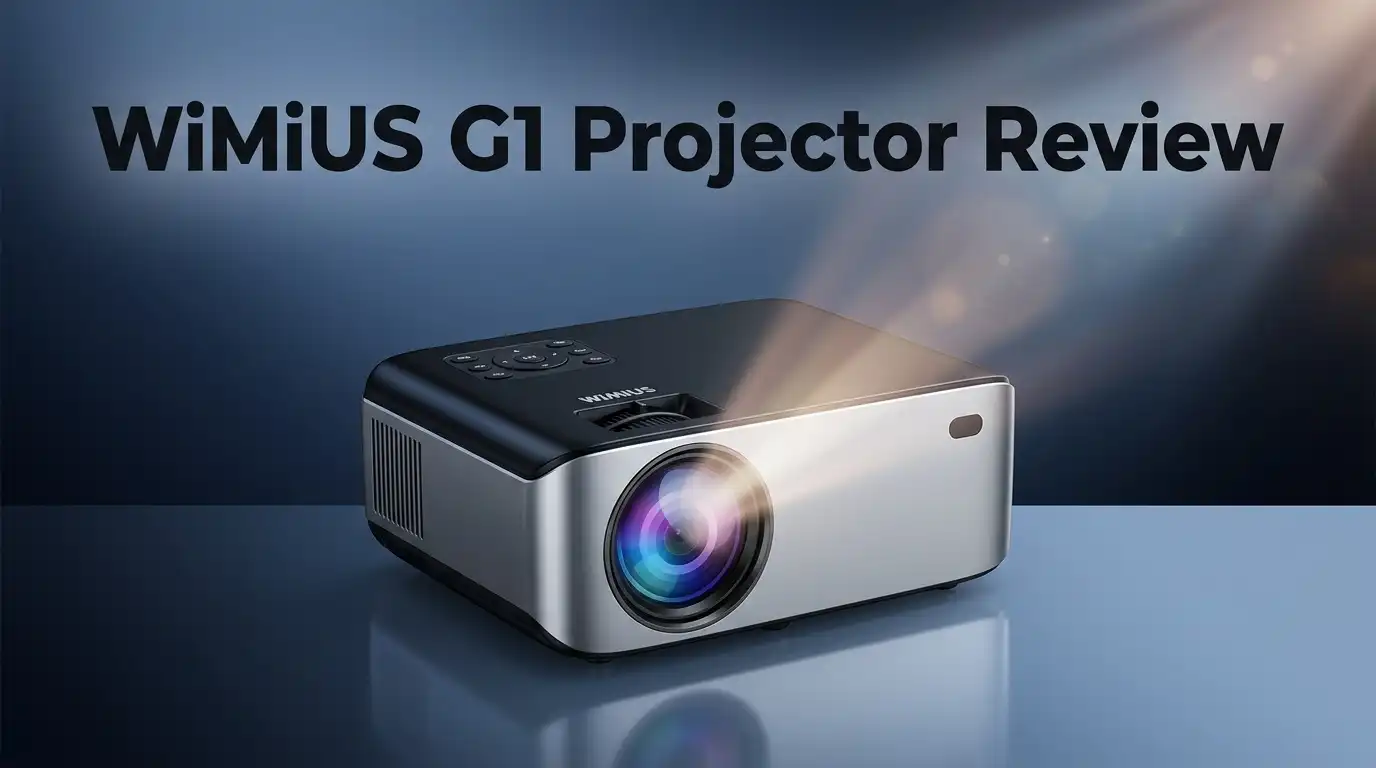
WiMiUS G1 Projector Review: Worth the Price Tag?
Looking for a home theater upgrade that just works? The WiMiUS G1 Projector might catch your eye. It packs some serious features into one device.
This projector supports 4K content and brings 1000 ANSI lumens to your screen. That means clear, sharp pictures for movie nights.
Here’s what makes it stand out. The G1 has built-in Google TV. You skip the hassle of extra streaming devices. Just plug in and start watching your favorite shows.
In a Nutshell
- Smart features built in. It runs on Google TV, so you get streaming apps without extra devices. This makes setup simple for most users.
- Clear focus without the hassle. The auto-focus function saves time. You won’t need to adjust the lens manually every time you move the projector.
- Sound that gets the job done. The dual 10W speakers handle casual movie nights well. You may still want external speakers for larger rooms.
- Connectivity covers the basics. WiFi and Bluetooth let you connect phones, tablets, and other devices easily. Wireless streaming feels smooth most of the time.
- Daylight use has limits. This projector shines best in dark rooms. Bright spaces reduce image clarity noticeably.
- Brand trust varies. Some users raise concerns about long term reliability. Others report smooth performance over time.
Key Features and Specifications
The WiMiUS G1 brings several standout capabilities to the table. Let’s explore what makes this projector function effectively in home settings.
4K Support and Display Quality
This projector handles 4K content, which means sharper images when you stream from compatible sources. You get crisp detail on larger screens compared to standard 1080p projectors. The 1000 ANSI lumens output provides solid brightness for evening viewing sessions.
Smart TV Integration
Built in Google TV eliminates the need for external streaming devices. You access Netflix, YouTube, and other apps directly from the projector. No extra boxes or cables clutter your setup. Remote control becomes your single point of contact for entertainment.
Auto Focus Technology
The auto focus feature adjusts image sharpness automatically. You don’t manually tweak focus settings each time you power on. This saves setup time and keeps the image crisp as you move or adjust the projector position.
Audio Performance
Dual 10W speakers deliver sound suitable for casual viewing. Movie nights don’t require external speakers for basic audio needs. The speakers handle dialogue clearly and provide adequate volume for small to medium rooms.
Connectivity Options
WiFi and Bluetooth connectivity give you flexibility. Stream from your phone or tablet wirelessly. Connect gaming consoles, streaming sticks, or laptops via standard connections. The projector fits into modern home networks seamlessly.
Projection Range
The WiMiUS G1 projects images up to 321cm in size. This means large screen experiences in living rooms or basement setups. Dark environments allow you to see the full brightness potential of this projector.
Practical Considerations
The feature set works well for home theater enthusiasts who watch primarily in evening hours. Each component functions reliably for typical household use. The combination of smart TV, auto focus, and decent speakers creates an all in one solution for entertainment needs without requiring additional purchases.
![[Official Google TV]Smart Projector 4K Supported with WiFi & Bluetooth, Built-in Official Apps, GoogIe Voice, Outdoor Movie Projector with DoIby Audio, Auto Focus, Home Theater Proyector WIMIUS G1](https://devicediscoveries.blog/wp-content/plugins/aawp/public/image.php?url=YUhSMGNITTZMeTl0TG0xbFpHbGhMV0Z0WVhwdmJpNWpiMjB2YVcxaFoyVnpMMGt2TlRFMU5WcENNR1J5TkV3dVgxTk1NVFl3WHk1cWNHYz18MTc4NzM1NDc4OQ=)
Last update on 2026-07-28 / Affiliate links / Images from Amazon Product Advertising API Some of the links on this website are affiliate links, which means that at no additional cost to you, I earn a commission if you click through and make a purchase. I only recommend products and services that I believe will add value to my readers. Thank you for your support!
Brightness and Image Quality
The WiMiUS G1 delivers solid brightness for its category. At 1000 ANSI lumens, this projector performs best when you turn off the lights and close your curtains.
Dark room viewing shines here. The projector can display images up to 321cm across, and the brightness level keeps those large screens visible and sharp. Movie nights in your basement or dedicated home theater space work wonderfully. You get clear colors and good contrast in evening viewing sessions.
Daylight performance tells a different story. If you want to use this projector during the day or in rooms with windows, expect limitations. Sunlight washes out the image, and you’ll struggle to see details on the screen. This projector simply wasn’t built for bright spaces.
Image clarity relies on auto-focus technology. The WiMiUS G1 adjusts focus automatically, so you don’t spend time tweaking settings. This feature keeps images sharp without manual adjustment. The 4K support means compatible content displays with good detail, though actual sharpness depends on your viewing distance and screen size.
Color accuracy is adequate for casual viewing. The projector handles streaming services, movies, and games without major issues. You won’t get cinema-level color grading, but the image quality suits home entertainment well. Built-in Google TV means you stream directly from the projector without extra boxes or cables cluttering your setup.
Contrast performance is reasonable for the category. Dark scenes show detail, and bright scenes don’t wash out completely. The balance works fine for most content types. Sports broadcasts, documentaries, and action films all display without major problems.
The real takeaway: this projector excels in controlled lighting conditions. Plan your viewing space around dark or dimly lit rooms, and the WiMiUS G1 delivers good image quality. Try using it in bright spaces, and you’ll feel disappointed. Match the projector to your room setup, and brightness and image quality become genuine strengths.
Built-in Smart TV and Connectivity
The WiMiUS G1 comes with built-in Google TV already installed. You don’t need to buy a separate streaming device or media player.
Google TV gives you access to thousands of apps. Netflix, YouTube, Prime Video, and other services work directly from the projector. You simply log in and start watching.
The operating system feels smooth and responsive. Navigating menus happens quickly. Finding your favorite shows takes just a few taps on the remote.
WiFi connectivity lets you stream content without cables. The projector connects to your home network easily. Bluetooth support adds another layer of flexibility for audio and device pairing.
You can mirror content from your phone or tablet to the screen. This works great for sharing photos, videos, or presentations. Wireless casting means no messy cables running across your room.
The dual 10W speakers handle audio output on their own. You get sound without needing external speakers for casual viewing. For serious movie nights, you can connect a soundbar or receiver through HDMI or audio outputs.
Auto-focus technology adjusts the image sharpness automatically. When you move the projector or change the projection distance, the focus updates without manual adjustment. This saves time and frustration during setup.
The projector supports 4K content streams. Services that offer 4K movies and shows display with sharp detail and clarity. You see more information in every frame compared to standard resolution.
Image size reaches up to 321cm diagonally. At this size, the built-in speakers provide adequate sound for most living rooms. Larger spaces may benefit from external audio.
The connectivity features work well for streaming and casual entertainment. The built-in smart platform eliminates the need for external devices. WiFi and Bluetooth give you multiple ways to access content.
This setup suits people who want simplicity. Everything you need sits in one unit. No extra boxes, no extra remotes, no extra hassle.
The system performs best when you have a stable internet connection. Weak WiFi signals can cause buffering. A strong network ensures smooth streaming and quick app launches.
Top 3 Alternatives
Anker Nebula Capsule

Last update on 2026-07-24 / Affiliate links / Images from Amazon Product Advertising API Some of the links on this website are affiliate links, which means that at no additional cost to you, I earn a commission if you click through and make a purchase. I only recommend products and services that I believe will add value to my readers. Thank you for your support!
ASUS ZenBeam Latte

Last update on 2026-07-28 / Affiliate links / Images from Amazon Product Advertising API Some of the links on this website are affiliate links, which means that at no additional cost to you, I earn a commission if you click through and make a purchase. I only recommend products and services that I believe will add value to my readers. Thank you for your support!
Epson EF-12 Projector

Last update on 2026-07-28 / Affiliate links / Images from Amazon Product Advertising API Some of the links on this website are affiliate links, which means that at no additional cost to you, I earn a commission if you click through and make a purchase. I only recommend products and services that I believe will add value to my readers. Thank you for your support!
Auto-Focus and Ease of Setup
The WiMiUS G1 handles setup in a straightforward way. Auto-focus technology does the heavy lifting for you. When you power on the projector, it adjusts image sharpness automatically. You don’t need to manually twist focus rings or fiddle with settings. This feature saves time, especially if you move the projector between rooms.
Getting started takes just a few minutes. The projector connects to your WiFi network quickly. Once connected, Google TV appears on your screen immediately. You can sign into your streaming accounts and start watching right away.
The setup process feels intuitive for most users. You place the projector where you want it, plug in the power cable, and turn it on. The auto-focus feature kicks in and locks onto your screen or wall. Image clarity improves without any manual adjustment needed.
One practical benefit: the auto-focus adapts if you change the projection distance. Move the projector closer or farther from your screen, and the image stays sharp. This flexibility matters if your viewing space isn’t permanent or if you like adjusting screen size.
The WiFi connectivity works smoothly during initial setup. The projector finds your network, connects without errors, and loads Google TV without delays. Bluetooth pairing also happens quickly if you want to connect wireless speakers or headphones.
Physical setup requires minimal effort. You don’t need special cables or complicated mounting hardware to get started. The projector sits on a table or shelf, and you’re ready to use it. Cable management stays simple since most content streams wirelessly.
The auto-focus system performs reliably in controlled lighting. It adjusts focus accurately in dark rooms where the WiMiUS G1 performs best. In brighter spaces, focus still works, though image brightness becomes the limiting factor rather than sharpness.
Overall, setup and auto-focus work together to make the WiMiUS G1 approachable for people new to projectors. You spend less time configuring and more time watching content. The automatic features reduce frustration and let you enjoy your entertainment quickly.
Audio Performance and Speaker Quality
The WiMiUS G1 comes equipped with dual 10W speakers built into the projector itself. This means you get sound output without needing external speakers or a separate audio system. The speakers deliver adequate volume for casual viewing in small to medium rooms.
For everyday use like streaming movies or watching TV shows, the audio performs well. Dialogue comes through clearly, and background music stays balanced. The speakers handle action sequences without distortion at normal listening levels. You won’t experience tinny or hollow sound quality that plagues cheaper projectors.
However, the audio has real limitations. If you love immersive sound or plan to watch action films regularly, these speakers won’t satisfy you. The dual 10W setup cannot match dedicated soundbars or home theater systems. Bass response remains shallow, and the soundstage feels narrow. Surround effects disappear completely since the speakers face forward only.
The Bluetooth connectivity opens a workaround option. You can pair wireless speakers or headphones to the projector if you want better audio. This flexibility lets you upgrade sound quality without replacing the projector. Some users add a soundbar separately for enhanced listening, which works smoothly through Bluetooth pairing.
For casual entertainment in bedrooms or dorm rooms, the built-in speakers work fine. They suit people who watch streaming content, play casual games, or enjoy light movies. Background audio for presentations also functions well.
The real takeaway: don’t expect cinema quality sound from this projector. The dual speakers provide functional audio for general purposes. If audio matters deeply to your viewing experience, plan to add external speakers. The Bluetooth option makes this upgrade simple and practical.
The speakers remain one of the WiMiUS G1’s practical strengths for basic use. They eliminate the need for additional audio equipment in simple setups. Just understand their boundaries before purchasing if premium sound matters to you.
Pros and Cons
Pros
- Built-in Google TV means you skip buying a separate streaming device
- Auto-focus adjusts image sharpness automatically when you move the projector
- 1000 ANSI lumens delivers solid brightness for darker rooms and reaches up to 321cm screen size
- Dual 10W speakers provide functional audio for casual viewing without extra equipment
- Simple setup process gets you watching content within minutes
Cons
- Brightness drops significantly in daylit spaces, limiting daytime use
- Chinese brand reliability raises concerns based on user reports
- Built-in speakers lack cinema quality and may need external audio for serious movie watching
Who Should Buy It
The WiMiUS G1 works best for specific types of users and viewing situations. Understanding who benefits most helps you decide if this projector matches your needs.
First time projector buyers gain real value here. The auto-focus system removes guesswork. Setup takes minutes instead of hours. You don’t wrestle with complex menus or external streaming boxes. Google TV comes built in, so you access Netflix, YouTube, and other apps immediately.
Students and young professionals living in dorms or apartments find this projector practical. The compact size fits small spaces easily. You can move it between rooms without heavy equipment. The 1000 ANSI lumens brightness works well in darker environments like bedrooms at night.
Content creators and casual streamers appreciate the simplicity. If you host watch parties in low light rooms, the projector delivers. The 321cm maximum screen size creates an immersive experience for group viewing. Dual 10W speakers handle background audio without needing separate equipment initially.
People who value convenience over premium features should consider this model. The Google TV integration eliminates the need to buy a Roku, Fire Stick, or Apple TV separately. One less device means one less cable and one less remote control cluttering your space.
However, certain users should look elsewhere. If you need daylight viewing capability, this projector disappoints. Brightness drops significantly in lit rooms. Outdoor use or bright living rooms require a different solution.
Serious movie enthusiasts should skip this option. The built-in speakers lack depth and power. You’d need to purchase external audio equipment. The projector itself prioritizes convenience over cinema quality performance.
Users concerned about long-term reliability may hesitate. Chinese brand history shows mixed durability records. If warranty support matters greatly to you, established brands might feel safer.
The WiMiUS G1 targets people who want straightforward, hassle-free projection for casual entertainment. It shines when used in dark rooms for streaming content. It struggles in bright spaces and with demanding audio needs. Matching your actual use case to what this projector delivers determines whether it becomes a good fit for you.
Final Verdict
The WiMiUS G1 delivers a smart, no fuss projection experience. It combines 4K support, auto-focus, and a built-in Google TV system into one simple package. This makes it a strong pick for anyone new to home projectors.
Its 1000 ANSI lumens rating handles dark room viewing well. You get a sharp picture without fumbling with extra streaming boxes or cables. That kind of simplicity matters for everyday use.
Still, this projector has clear boundaries. Daylight performance remains weak, so bright rooms will disappoint you. If you need an all day, any room device, this isn’t it.
Some users also flagged reliability concerns tied to the brand’s manufacturing origin. This doesn’t mean the unit fails often. It just means you should manage expectations around long term durability.
Who should buy the WiMiUS G1? Think of anyone setting up a first home theater corner. Think of students who want one device that streams, plays, and connects without hassle. This projector suits that lifestyle perfectly.
Who should avoid it? Home theater purists who chase perfect color accuracy and daylight brightness need a different tier of projector. This model won’t compete with premium branded units built for that purpose.
In simple terms, the WiMiUS G1 fits a specific niche well. It rewards buyers who want convenience, smart features, and decent picture quality in low light. It doesn’t try to be everything.
Compared with refurbished units from bigger names, the G1 holds its own on features alone. You get modern smart capabilities without hunting for compatible accessories or older interfaces.
Overall, the WiMiUS G1 earns its spot among practical, entry level projectors. It won’t replace a dedicated theater setup. But for casual streaming, gaming nights, or dorm room movie sessions, it performs its job well.
If your viewing habits match this profile, the WiMiUS G1 makes a sensible addition to your setup.
Frequently Asked Questions
Does the WiMiUS G1 work in bright rooms?
No, this projector struggles in daylit spaces. The 1000 ANSI lumens rating works best in dark environments. If you plan to use it during the day or in rooms with lots of windows, you will see a dim image. This projector shines when you control the lighting.
Can I use this projector without buying extra speakers?
Yes, you can. The dual 10W speakers built into the G1 handle casual viewing just fine. You won’t need external audio equipment right away. However, the speakers lack cinema quality. If you watch movies seriously or want immersive sound, add external speakers later.
Is the auto-focus feature easy to use?
Very easy. The auto-focus adjusts your image sharpness automatically when you move the projector. You don’t need to fiddle with manual focus knobs. This convenience helps first-time users get a sharp picture quickly without frustration.
What size screen can the WiMiUS G1 project?
The G1 reaches up to 321cm screen size in dark rooms. The actual image size depends on how far you place the projector from your wall. Measure your space first to see what works for you.
Should I buy the WiMiUS G1 if I’m new to projectors?
This is a solid choice for beginners. The built-in Google TV means you skip buying a separate streaming device. Setup takes minutes, not hours. However, if you worry about long-term reliability or want daylight performance, explore other options first.

Hello everyone my name is Alenya and i am a gadget discovering Enthusiast 🐻🐻