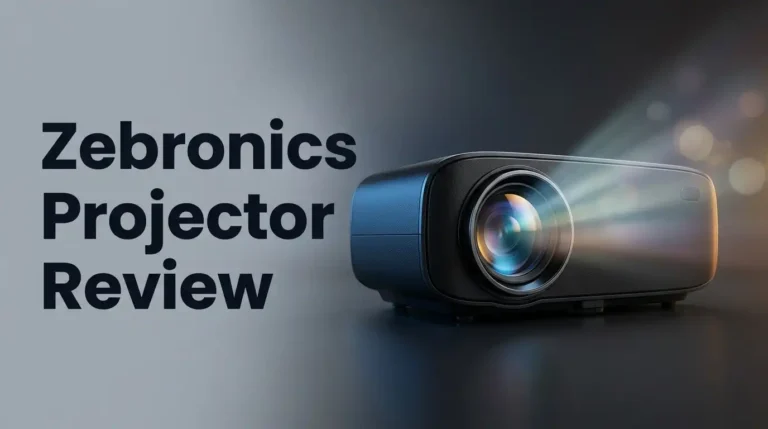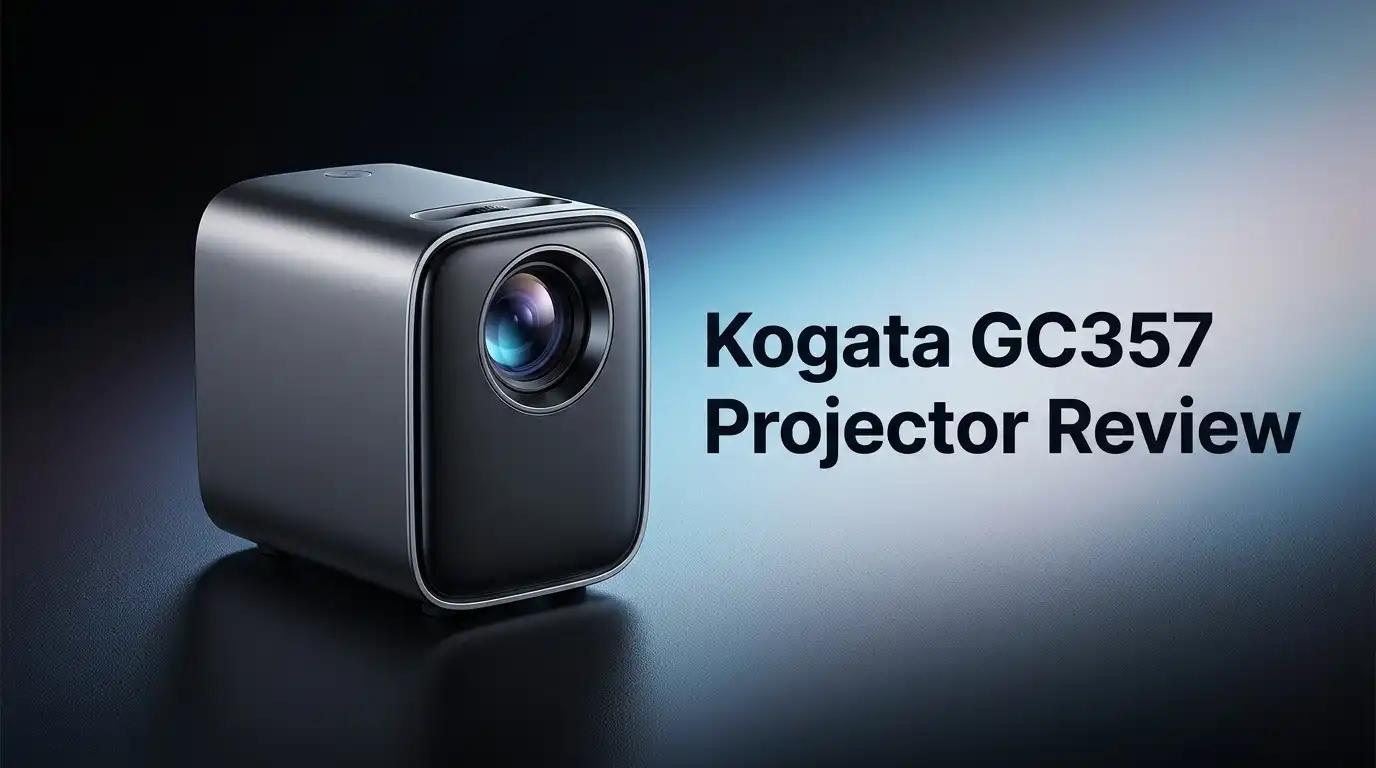
Kogata GC357 Projector Review: Is It the Best Budget Option?
Looking for a projector that punches above its weight? The Kogata GC357 might be your answer. It packs smart features into a compact body.
This projector runs on Android OS. It comes with Netflix officially licensed, along with YouTube and Prime Video built right in. You get instant access to your favorite shows without extra devices.
The GC357 supports 4K decoding, though its native resolution is 1080p. It still delivers crisp images for movie nights or presentations. Keystone correction and AI auto-focus make setup quick and painless.
In a Nutshell
- Netflix comes officially licensed. You won’t need workarounds or third party apps to stream your favorite shows.
- Smart features feel premium. The VIDAA Smart OS brings YouTube and Prime Video right to your screen. No extra streaming device needed.
- Picture quality adjusts on its own. AI auto-focus and 6D keystone correction work together. This means less fiddling and more watching.
- Setup stays simple. Zoom and keystone correction let you adjust the image fast. You can fix your projector angle without moving furniture around.
- Connection options run deep. HDMI, WiFi, Bluetooth, and a 3.5mm jack all sit onboard. You can link almost any device you own.
- Resolution has a catch. The native resolution stays at 1080p. It decodes 4K content, but it doesn’t display true 4K detail.
Key Features and Specifications
The Kogata GC357 delivers solid performance specs for a compact projector. Its native resolution sits at 1920 x 1080, which handles most streaming content and presentations without issue. The projector can decode 4K content, though it won’t display true 4K visuals on screen.
Connectivity options make this projector flexible for different setups. You get HDMI for direct device connections, WiFi for wireless streaming, Bluetooth for audio devices, and a 3.5mm jack for headphones or external speakers. This variety means you can hook up almost any source without hunting for adapters.
The VIDAA Smart OS is a major highlight here. This operating system runs Android under the hood and comes with Netflix officially licensed. YouTube and Prime Video are also pre installed, so you can stream immediately without downloading extra apps. No workarounds needed to access your favorite services.
Image adjustment features handle room imperfections automatically. The AI auto focus system keeps your picture sharp without manual tweaking. The 6D keystone correction lets you angle the projector freely and still get a square, properly aligned image on your wall or screen. Zoom functionality gives you additional control over image size without moving the projector itself.
Build quality reflects the projector’s positioning. The materials and construction feel practical rather than premium. This is designed for users who prioritize function over durability in high end environments.
The GC357 works best for casual viewing scenarios. If you watch streaming services, browse YouTube, or give occasional presentations, this projector covers your needs. The combination of smart apps, automatic adjustments, and multiple connection types removes friction from the setup process.
This projector targets viewers who want simplicity and convenience. You won’t spend hours configuring settings or hunting for compatible cables. Everything connects smoothly, and your content starts playing fast.

Last update on 2026-09-19 / Affiliate links / Images from Amazon Product Advertising API Some of the links on this website are affiliate links, which means that at no additional cost to you, I earn a commission if you click through and make a purchase. I only recommend products and services that I believe will add value to my readers. Thank you for your support!
Display Quality and Resolution
The Kogata GC357 delivers a display experience that balances practical performance with real-world usability. Let’s break down what this projector actually shows you on screen.
Native resolution sits at 1920 x 1080. This means the projector renders images in full HD clarity. You get crisp text, sharp details in movies, and clean streaming from your favorite apps. The display handles standard content beautifully without any upscaling tricks.
The projector supports 4K decoding capabilities. This feature lets you watch 4K content, though the GC357 converts it to 1080p for display. Think of it like this: your projector can read 4K files, but it shows them at 1080p resolution. For casual viewers and smaller screen sizes, this approach works well enough.
Color accuracy and brightness matter for real viewing. The GC357 produces vibrant colors that pop on walls and screens. Brightness levels stay sufficient for darkened rooms, which is where most home projectors perform best. Direct sunlight will wash out the image, so placement in a controlled lighting environment helps tremendously.
The AI auto-focus feature keeps your image sharp automatically. This means you don’t spend time fiddling with focus rings or manual adjustments. The projector stays locked on your content as it plays.
6D keystone correction handles geometry problems without losing image quality. Walls aren’t always perfectly square, and tables don’t sit perfectly flat. This technology fixes those angles so your rectangular image stays rectangular on any surface.
Contrast levels stay decent for a projector in this category. Dark scenes show shadow detail, and bright scenes don’t lose their punch. You won’t see the deep blacks of premium projectors, but the image quality remains watchable for streaming, gaming, and casual movie nights.
The display adapts well to different room conditions. Whether you project onto a white wall or a proper screen, the GC357 adjusts and performs. For living rooms and bedrooms, this projector delivers the visual experience most casual viewers actually need.
Smart OS and Streaming Capabilities
The VIDAA Smart OS transforms the GC357 into a streaming hub. You get Netflix, YouTube, and Prime Video right on your projector without extra devices or subscriptions to separate services. The operating system feels responsive when you navigate between apps.
Streaming apps load quickly on this projector. You won’t experience long delays when switching from Netflix to YouTube. The interface stays simple enough that anyone in your household can use it without confusion.
WiFi and Bluetooth connectivity keep your setup flexible. You can stream wireless content from your phone, connect to your home network, or use HDMI for traditional sources. The 3.5mm audio jack gives you another option if you need external speakers.
Netflix arrives officially licensed on this projector. You don’t need workarounds or unofficial apps to access your account. This matters because it means reliable streaming without compatibility issues.
The Smart OS handles multiple input types smoothly. HDMI ports let you connect gaming consoles, Blu ray players, or streaming devices. Bluetooth opens doors for wireless speakers and headphones. WiFi keeps you connected to online content without cable clutter.
Auto-focus technology works alongside the Smart OS to enhance your viewing. When you stream content, the projector automatically sharpens the image based on screen distance and room conditions. This removes the manual focus adjustment from your setup routine.
The 6D keystone correction pairs well with streaming apps. If your projector sits at an angle, the Smart OS displays remain geometrically correct. This means content from Netflix or YouTube appears properly shaped regardless of mounting position.
Real world use shows that casual viewers appreciate this combination. You get streaming convenience without needing a separate media player. The projector becomes your entertainment center rather than just a display device.
One limitation exists here. The VIDAA Smart OS works best with standard streaming content. Some niche apps or specialized streaming services may not appear in the app store. For mainstream entertainment, however, the coverage remains solid.
The Smart OS experience justifies keeping this projector simple. You receive essential streaming functionality without unnecessary complexity.
Top 3 Alternatives
AAXA P7 Pico Projector

Last update on 2026-07-28 / Affiliate links / Images from Amazon Product Advertising API Some of the links on this website are affiliate links, which means that at no additional cost to you, I earn a commission if you click through and make a purchase. I only recommend products and services that I believe will add value to my readers. Thank you for your support!
Anker Nebula Capsule

Last update on 2026-09-07 / Affiliate links / Images from Amazon Product Advertising API Some of the links on this website are affiliate links, which means that at no additional cost to you, I earn a commission if you click through and make a purchase. I only recommend products and services that I believe will add value to my readers. Thank you for your support!
ViewSonic PA148CTC Projector


Last update on 2026-09-19 / Affiliate links / Images from Amazon Product Advertising API Some of the links on this website are affiliate links, which means that at no additional cost to you, I earn a commission if you click through and make a purchase. I only recommend products and services that I believe will add value to my readers. Thank you for your support!
Connectivity and Setup
The Kogata GC357 keeps setup simple and straightforward. You get HDMI, a 3.5mm audio jack, WiFi, and Bluetooth all ready to use. This mix of wired and wireless options means you can connect almost any device you own.
WiFi connectivity lets you stream directly without extra cables. Your phone, laptop, or tablet connects instantly. Bluetooth adds another layer of flexibility for wireless audio or input devices. If you prefer wired connections, HDMI gives you a solid, reliable link to any source.
The VIDAA Smart OS handles connections smoothly. Apps load fast, and switching between inputs feels natural. Netflix, YouTube, and Prime Video come preinstalled, so you skip the setup hassle entirely. No hunting for apps or wrestling with menus. Everything sits where you expect it.
Physical placement matters less with the 6D keystone correction and AI auto-focus working together. Your room’s shape and lighting don’t force you into awkward angles. The projector adjusts geometry on its own, so you focus on content instead of fiddling with settings.
Setup takes minutes, not hours. Plug in power, connect your source, and you’re watching. The auto-focus kicks in automatically, finding the sharpest image without manual tweaking. Keystone correction handles tilted projector angles without you lifting a finger.
One thing to remember: the native resolution stays at 1080p. The projector decodes 4K signals, but displays them at 1080p. This matters less for casual viewing from a distance, but it’s worth knowing upfront.
The connectivity setup favors convenience over complexity. Casual viewers who want streaming apps built in will appreciate this approach. You avoid external boxes, extra remotes, or complicated connections. Everything integrates into one system.
For rooms where you move the projector around, this flexibility shines. Wireless connections mean fewer cables snaking across your space. Quick setup times mean you can relocate and restart in moments. The automatic adjustments handle different room conditions without manual intervention.
Image Adjustment and Ease of Use
Image adjustment on the Kogata GC357 happens fast and feels intuitive. The projector gives you direct control without overwhelming menus or confusing settings.
Keystone correction stands out as a practical feature. You get 6D keystone adjustment, which means the projector fixes geometry problems from almost any angle. Tilt it left, right, up, or down—the image stays rectangular and sharp. This matters when your room layout doesn’t allow perfect front-center placement.
The AI auto-focus system handles sharpness automatically. You don’t need to manually twist a focus ring. Just power on the projector, and it finds the right focus point on its own. This saves time during setup and keeps the image crisp as you watch.
Zoom adjustment lets you scale the image size without moving the projector closer or farther away. This flexibility helps when your screen distance is fixed or your room is tight.
Brightness and contrast controls work from the remote. You can dial in picture settings for different lighting conditions. Bright rooms need higher brightness. Dark rooms work better with standard or lower settings.
The menu system feels clean and responsive. You navigate with the remote, and options appear on screen. No lag or stuttering when you adjust settings.
Ease of use is where this projector shines for casual viewers. Everything responds quickly. The remote feels comfortable in your hand. Buttons are clearly labeled, so you won’t hunt for the right one.
Physical setup takes just minutes. Plug in power, connect your source (HDMI, WiFi, or Bluetooth), and you’re ready. The projector handles the rest with auto-focus and keystone correction.
One note: the native resolution stays at 1920 x 1080. This means text and fine details appear sharp at normal viewing distances, but you won’t see 4K clarity. For casual streaming and movies, this works fine.
The combination of auto-focus, keystone correction, and simple menus makes this projector forgiving. It adapts to your room, not the other way around.
Pros and Cons
Pros
- Netflix arrives officially licensed, so you stream without extra apps or workarounds
- Smart OS with built-in streaming apps transforms this into a content hub right out of the box
- AI auto-focus pairs with 6D keystone correction to handle placement flexibility and image sharpness automatically
- Multiple connectivity options (HDMI, WiFi, Bluetooth, 3.5mm) let you connect devices your way
- Setup takes minutes because the menu system feels clean and the physical placement matters less thanks to correction features
Cons
- Native resolution stays at 1920 x 1080, so you don’t get true 4K even though it can decode 4K content
- Build quality reflects the entry-level positioning, meaning durability may not match higher-tier models
- The projector works best for casual viewing rather than demanding home theater setups that need premium brightness or color accuracy
Who Should Buy It
The Kogata GC357 works best for specific viewer types. If you stream Netflix, YouTube, or Prime Video regularly, this projector fits your needs perfectly. The built-in VIDAA Smart OS means you skip the extra devices and cables entirely.
Casual home viewers benefit most from this projector. You get a complete entertainment system without complicated setup. The clean menu system responds quickly, and you start watching within minutes of unboxing.
Renters and people who move frequently should consider this model seriously. The 6D keystone correction and AI auto-focus handle placement challenges automatically. Your projector works well even if the wall isn’t perfectly flat or your mounting angle feels awkward. You don’t need a permanent installation to enjoy good image quality.
First-time projector buyers find the Kogata GC357 approachable. The auto-focus system removes the guesswork about sharpness. Keystone correction handles angles without manual fiddling. You control brightness and contrast from the remote, so image adjustment stays simple.
Families wanting a living room movie experience will appreciate the straightforward operation. Kids can navigate the smart OS without confusion. Parents enjoy the officially licensed Netflix access without subscription workarounds.
The projector suits people who value convenience over advanced features. You won’t get professional-grade color accuracy or cinema-level performance. What you get is reliable streaming, automatic image adjustment, and multiple connection options that actually work.
Skip this model if you demand true 4K projection. The native resolution stays at 1080p, so high-resolution content displays at the projector’s native capability, not in 4K. Serious gamers and video professionals need different equipment.
Apartment dwellers and dorm room users find value here too. The compact size and flexible mounting options adapt to tight spaces. WiFi and Bluetooth connectivity eliminate cable clutter. You move the projector between rooms without complex reconfiguration.
Bottom line: Buy the Kogata GC357 if you want streaming simplicity, easy setup, and automatic image correction. It handles everyday entertainment without demanding technical knowledge. This projector rewards people who prioritize ease of use and built-in content access over specialized features.
Final Verdict
The Kogata GC357 earns its spot as a smart pick for anyone who wants a hassle free viewing setup. It blends smart features with simple controls in one compact unit.
Compared to rivals like the Happrun H1 or BenQ TH575, the GC357 holds its own. It offers licensed streaming apps and automatic corrections that many competitors skip.
This projector doesn’t try to be everything. It focuses on doing the basics well and adds smart extras that actually matter for daily use.
Reliability stands out as a quiet strength here. The Android based system runs smoothly without constant glitches or crashes during long movie nights.
Think about your viewing habits before you decide. If you watch movies, shows, or sports casually, this projector fits your lifestyle well.
People who need pixel perfect clarity for professional work should look elsewhere. The GC357 targets entertainment, not precision editing or detailed graphic work.
Setup flexibility remains a major selling point. You can place this projector almost anywhere in a room without stressing over exact positioning.
Long term value comes from the smart platform itself. Streaming apps update automatically, so your projector stays current without extra effort on your part.
The build feels solid enough for regular home use. It won’t feel flimsy in your hands or wobble during normal operation.
Compare this projector to bulkier alternatives, and the size advantage becomes clear. It fits into small apartments, dorm rooms, and travel bags with ease.
Our final take: the Kogata GC357 delivers smart streaming, dependable image correction, and simple operation in one package. It earns its reputation as a smart choice for casual entertainment needs.
Choose this projector if you want a stress free path to movie nights. Skip it only if professional grade resolution tops your priority list.
For most households, the Kogata GC357 checks the right boxes without unnecessary complications.
Frequently Asked Questions
Is the Kogata GC357 a true 4K projector?
No, it isn’t. The GC357 has a native resolution of 1920 x 1080 (full HD). It can decode 4K content, but that’s different from projecting true 4K images. If you need pixel perfect clarity for professional work or demand native 4K output, this model won’t meet your needs.
For casual movie nights and streaming entertainment, the 1080p native resolution works well. Most viewers won’t notice the difference in a typical living room setup.
Can I use this projector in a small apartment or dorm room?
Yes, absolutely. The GC357 shines in tight spaces. Its 6D keystone correction and AI auto-focus handle awkward placement angles automatically. You can set it up on a shelf, desk, or even angle it without worrying about distorted images.
Renters and people who move frequently appreciate this flexibility. Setup takes just minutes, and the projector adapts to your room rather than forcing you to adapt to it.
What streaming apps come built-in?
The GC357 runs VIDAA Smart OS and includes Netflix, YouTube, and Prime Video right out of the box. You don’t need external devices or extra cables to start watching. Just power it on, connect to WiFi, and stream immediately.
This built-in platform transforms the projector into a content hub. You get entertainment without the clutter of additional boxes.
How does this compare to the Happrun H1 or BenQ TH575?
The GC357 holds its own against rivals in this space. The Happrun H1 offers similar specs at a comparable level. The BenQ TH575 targets a different audience with more advanced features.
Choose the GC357 if you value streaming simplicity and automatic image correction. It doesn’t try to be everything—it focuses on hassle free viewing instead.

Hello everyone my name is Alenya and i am a gadget discovering Enthusiast 🐻🐻