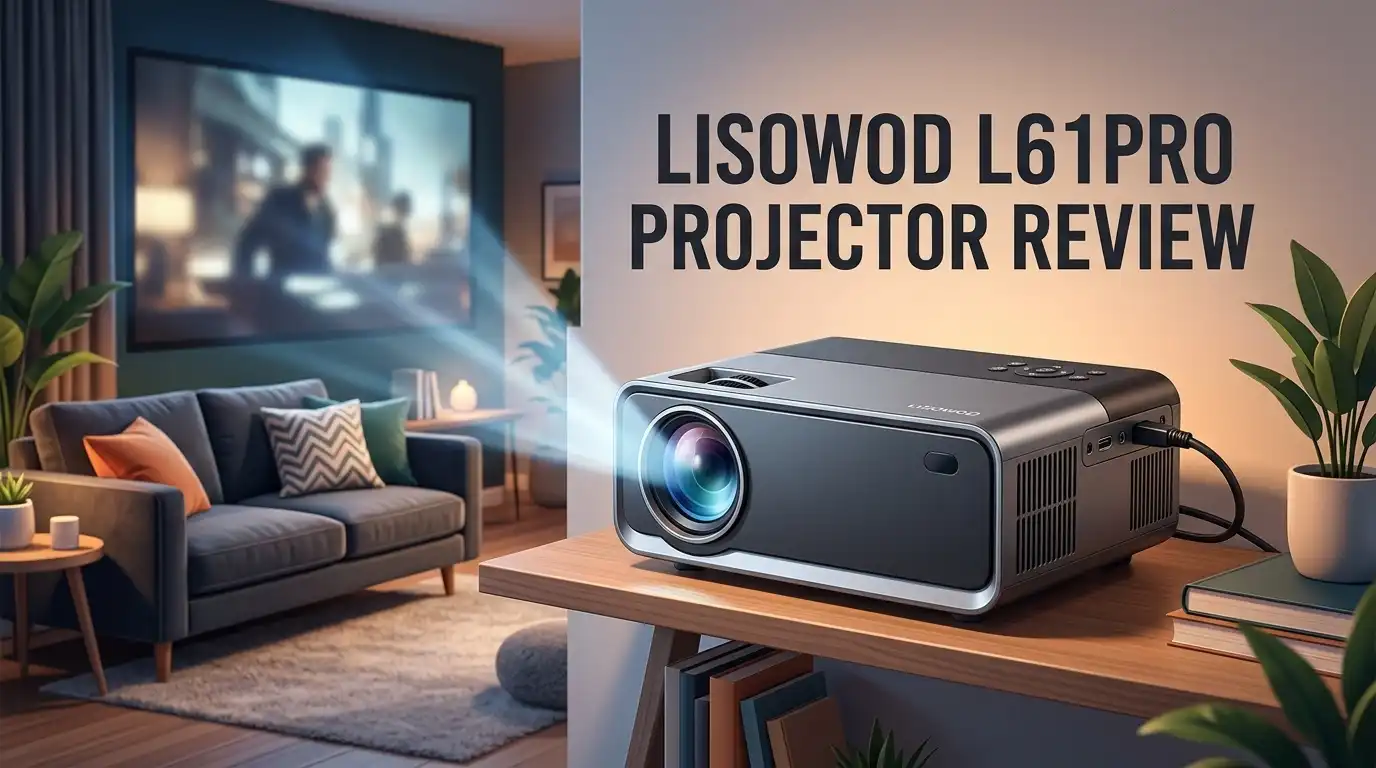
Lisowod L61Pro Projector Review: Worth the Splurge?
Picture this. You want a big screen movie night at home. You do not want to spend hours setting up wires and boxes. That is where the Lisowod L61Pro steps in.
This projector promises sharp picture quality and easy streaming. It packs Netflix and Prime Video apps right inside. No extra devices needed for most shows.
The L61Pro also brings HDR10+ support and 50W Dolby Audio. That means bright colors and clear sound come standard. It even supports 4K decoding, though the native resolution stays at 1080P.
In a Nutshell
- Streaming made simple: The projector comes with built in apps like Netflix and Prime Video. You can start watching shows right away. No extra streaming device needed for most content.
- Compact and portable: This projector fits almost anywhere in your home. Its sleek design makes it easy to move between rooms. You can set it up for movie night in minutes.
- Solid audio performance: The 50W Dolby Audio delivers clear sound. You may not even need external speakers for casual viewing. Dialogue and music come through nicely.
- Good brightness for indoor use: With over 800 ANSI lumens, the picture stays visible even with some ambient light. It works well for evening viewing in a typical living room.
- Connectivity options: WiFi 6 and Bluetooth let you stream and pair devices smoothly. This helps reduce lag during playback.
- Some rough edges remain: The resolution tops out at 1080P, not true 4K. A few users also reported connectivity hiccups and weak USB power output for streaming sticks.
Resolution and Image Quality
When you power on the L61Pro, the first thing you notice is its native 1080P resolution. This is the projector’s actual output capability, and it delivers sharp, detailed images for most viewing scenarios. The picture quality holds up well for movies, TV shows, and streaming content on screens up to around 100 inches.
The projector supports 4K decoding, which means it can process 4K signals from your devices. However, it scales them down to 1080P for display. Think of it like this: your projector understands 4K input but shows you a 1080P picture. For casual viewers, this makes little difference. For 4K enthusiasts, this is an important limitation.
HDR10+ support makes colors pop and contrast shine. You get deeper blacks and brighter highlights, which adds life to compatible content. Streaming apps like Netflix and Prime Video often include HDR titles, so you’ll see the benefit regularly. The color accuracy appears solid across different genres and lighting conditions.
Brightness reaches over 800 ANSI lumens, which matters for image sharpness. A brighter projector cuts through ambient light and keeps details visible. This means you can watch during daytime or with some lights on without losing picture quality. The L61Pro handles this well for an indoor projector.
One thing to note: sharpness depends on your throw distance and screen size. The projector works best when positioned 8 to 15 feet from your screen. Closer distances may show some softness at the edges. Using a quality projection screen (not a white wall) also improves clarity and color accuracy significantly.
The bottom line is straightforward. The L61Pro delivers sharp 1080P images with good brightness and color support. It won’t satisfy 4K purists, but it performs admirably for everyday streaming and movie watching. The HDR support elevates the viewing experience beyond basic 1080P quality. For most home theater setups, the image quality hits the mark.

Last update on 2026-07-28 / Affiliate links / Images from Amazon Product Advertising API Some of the links on this website are affiliate links, which means that at no additional cost to you, I earn a commission if you click through and make a purchase. I only recommend products and services that I believe will add value to my readers. Thank you for your support!
Brightness and Contrast Performance
The Lisowod L61Pro delivers solid brightness and contrast that work well for typical home viewing. With over 800 ANSI lumens, this projector maintains visibility even when you have some ambient light in the room. The picture stays clear and bright without washing out colors or details.
Contrast performance shines with HDR10+ support. This feature enhances dark blacks and bright whites separately. You get deeper shadows in action scenes and more vibrant highlights in landscapes. The difference becomes obvious when you watch content that supports HDR10+ natively.
However, brightness alone does not guarantee sharp output. Your throw distance matters just as much. Place the L61Pro too close to your wall, and the image loses focus and clarity. The projector works best at distances where it can project a stable, well defined picture. Most rooms handle this easily given the 8 foot throw range capability.
Native 1080P resolution affects sharpness directly. While the projector decodes 4K signals from your devices, it displays everything at 1080P. This means you see the decoded image at lower native resolution. Text and fine details appear slightly softer than true 4K projectors would show. For movies and casual streaming, this limitation rarely bothers viewers. For text heavy presentations, you might notice the difference.
Contrast handling performs consistently across different content types. Dark scenes maintain shadow detail without crushing blacks. Bright scenes avoid blooming or halo effects around light sources. The balance feels natural and engaging for entertainment purposes.
One practical note: brightness performance depends on your screen size and room setup. Larger screens need more lumens to maintain the same perceived brightness. Darker rooms let you enjoy the full contrast range without needing maximum brightness. Lighter rooms with windows benefit from the 800+ ANSI lumens output.
The bottom line on brightness and contrast: The L61Pro handles both competently for a compact projector in this category. You get enough brightness for flexible room placement and solid contrast that makes HDR content look appealing. The 1080P limitation prevents it from reaching premium sharpness levels, but everyday viewing remains satisfying.
Audio and Connectivity Features
The Lisowod L61Pro packs impressive audio and connectivity features that make it stand out for a compact projector. Let’s explore what you actually get when you connect this device to your entertainment setup.
Audio Performance matters more than many people realize. The projector includes 50W Dolby Audio built right in. This means you get clear, immersive sound without needing external speakers for casual viewing. The audio quality handles dialogue, music, and action scenes well. You won’t experience tinny or hollow sound that cheap projectors often deliver.
WiFi 6 connectivity gives you fast, stable streaming. This technology handles multiple devices in your home without lag. Netflix, Prime Video, and other apps load quickly. Bluetooth support lets you pair wireless headphones or speakers instantly. This flexibility matters if you want to watch late at night without disturbing others.
Built in streaming apps come pre loaded on the L61Pro. Netflix and Prime Video launch directly from the projector’s menu. You skip the hassle of connecting external devices. This convenience appeals to people who want simple setup and quick access to their favorite shows.
One connectivity issue users have reported involves the USB power supply. The USB port does not provide enough power for TV sticks or other demanding devices. You’ll need to use the projector’s main power outlet instead. This limitation matters if you planned to run multiple accessories simultaneously.
Signal stability is something to monitor. Some users reported occasional connectivity hiccups with WiFi. These issues appear rare but worth knowing about. A strong router placement near your projector helps prevent problems.
The audio and connectivity package works well for most home entertainment needs. The 50W Dolby Audio delivers satisfying sound for movies and shows. WiFi 6 and Bluetooth keep your devices connected smoothly. Built in apps eliminate extra steps in your viewing routine. Just remember the USB power limitation when planning your setup. Overall, these features give you a complete entertainment experience right out of the box.
Top 3 Alternatives
Anker Nebula Capsule

Last update on 2026-07-24 / Affiliate links / Images from Amazon Product Advertising API Some of the links on this website are affiliate links, which means that at no additional cost to you, I earn a commission if you click through and make a purchase. I only recommend products and services that I believe will add value to my readers. Thank you for your support!
ASUS ProArt A1


Last update on 2026-07-28 / Affiliate links / Images from Amazon Product Advertising API Some of the links on this website are affiliate links, which means that at no additional cost to you, I earn a commission if you click through and make a purchase. I only recommend products and services that I believe will add value to my readers. Thank you for your support!
BenQ LU9715

Last update on 2026-07-27 / Affiliate links / Images from Amazon Product Advertising API Some of the links on this website are affiliate links, which means that at no additional cost to you, I earn a commission if you click through and make a purchase. I only recommend products and services that I believe will add value to my readers. Thank you for your support!
Design, Portability, and Setup
The Lisowod L61Pro measures 7.8 x 6.5 x 3.2 inches, making it genuinely portable for a projector. You can carry it from room to room without strain.
Its sleek, compact design appeals to people who want a projector that doesn’t dominate their space. The body feels solid and looks modern. Setup takes just a few minutes once you unbox it.
Placement flexibility matters here. The projector works well with an 8 foot throw range, so you have options for where to position it. A bedroom, living room, or even a small office works fine. You don’t need a dedicated cinema room to get results.
Getting started is straightforward. Connect power, turn it on, and access the built in streaming apps immediately. Netflix and Prime Video load without extra steps. You skip the hassle of connecting external devices if you don’t want them.
WiFi 6 connectivity keeps things smooth and fast. Streaming feels responsive, and buffering stays minimal. Bluetooth pairing also works without drama when you want to connect phones or tablets.
One practical consideration involves the USB power supply. It cannot handle TV sticks or demanding external devices. Stick with the included power source for the projector itself, or use a separate outlet for accessories.
The compact design does come with trade offs. The projector sits lower than some alternatives, which affects screen positioning. You may need to angle it upward or use a stand to hit your screen properly. This takes seconds to adjust but matters for comfort during long viewing sessions.
The overall setup experience feels user friendly. No complex menu diving or confusing calibration steps slow you down. Within minutes, you project content onto your wall or screen. The physical footprint stays small enough for shelves, tables, or projector stands.
For anyone wanting a portable solution without sacrificing ease of use, this projector delivers on simplicity and convenience.
Built-in Apps and Streaming Capability
The Lisowod L61Pro comes with built-in streaming apps pre-loaded, so you can start watching immediately. Netflix and Prime Video are ready to go right out of the box.
WiFi 6 connectivity gives you fast, reliable streaming. Your content loads quickly, and buffering becomes less of a problem. Bluetooth support adds another layer of flexibility for connecting wireless speakers or headphones.
Signal stability matters for smooth streaming, and most users report good performance with WiFi 6. However, some users have mentioned occasional connectivity hiccups. These typically resolve by restarting your router or the projector itself.
The projector’s USB power supply has a limitation you should know about. It doesn’t provide enough power for TV sticks like Roku or Fire TV. If you want to use external streaming devices, you’ll need a separate power adapter. This isn’t a deal breaker, but it’s worth planning for.
The 50W Dolby Audio system complements your streaming experience nicely. Shows and movies sound clear and immersive without needing external speakers, though adding a soundbar can enhance the experience further.
Streaming app performance runs smoothly on the L61Pro. Apps open quickly, and navigation feels responsive. You won’t experience the lag that sometimes happens on budget projectors with slower processors.
The compact design means you can move the projector between rooms easily. This portability works well if you stream different content in different spaces. Just connect to your WiFi, and you’re ready to watch.
One practical tip: position your projector within reasonable range of your router. WiFi 6 has solid range, but walls and obstacles can weaken the signal. Most living rooms won’t have issues, but larger homes might need a WiFi extender.
Overall, the streaming setup feels straightforward and user-friendly. Built-in apps eliminate the need for extra devices, and WiFi 6 keeps everything running smoothly. The USB power limitation is minor if you stick with the built-in apps or use a simple workaround for external devices.
Pros and Cons
Pros
- Native 1080P resolution delivers sharp, clear images for most viewing situations
- Brightness exceeds 800 ANSI lumens, so you get a bright picture even in partially lit rooms
- 50W Dolby Audio system produces strong, immersive sound without external speakers
- Built in streaming apps let you start watching Netflix and Prime Video right away
- Compact 7.8 x 6.5 x 3.2 inch design moves easily between rooms and fits tight spaces
- 8 foot throw range gives you flexible placement options in your room
Cons
- Native resolution stops at 1080P, so it does not offer true 4K picture quality
- USB power supply cannot handle TV sticks and some external devices reliably
- WiFi connectivity issues have been reported by some users during streaming sessions
Who Should Buy It
The Lisowod L61Pro works best for specific types of users. If you watch streaming content regularly, this projector suits you well. Built-in apps mean you skip extra devices and start watching immediately.
Home entertainment enthusiasts benefit from the strong 50W Dolby Audio system. You get immersive sound without buying separate speakers. The brightness over 800 ANSI lumens handles partially lit rooms easily.
Students and young professionals find value here too. The compact design fits dorm rooms and small apartments. You can move it between spaces without hassle. The 8 foot throw range offers flexible placement options.
If you care about sharp, clear images, the native 1080P resolution serves you well. Most streaming content looks excellent at this resolution. You won’t feel disappointed with everyday viewing.
People who value setup simplicity appreciate this projector. WiFi 6 connectivity keeps things straightforward. Getting started takes minutes, not hours. No complex configuration needed.
The L61Pro suits anyone with a reasonable router setup. Signal stability matters for smooth streaming, and WiFi 6 handles this effectively. Position your projector within normal range of your router for best results.
Gamers should consider their needs carefully. Native 1080P resolution works fine for casual gaming. Serious gamers wanting true 4K might look elsewhere.
This projector fits small to medium spaces best. The compact 7.8 x 6.5 x 3.2 inch design doesn’t dominate your room. Placement flexibility matters here.
One important note: avoid connecting TV sticks directly. The USB power supply cannot handle them reliably. Use WiFi streaming apps instead for best performance.
You should skip this projector if you need true 4K resolution. If you demand absolute cutting edge picture quality, native 1080P won’t satisfy you. Users seeking 4K capability should explore other options.
The L61Pro shines for casual viewers who want convenience and good sound. It’s perfect for Netflix nights, sports viewing, and movie marathons in smaller rooms. If this describes your situation, this projector deserves your attention.
Final Verdict
The Lisowod L61Pro delivers a well rounded package for everyday viewing. It combines clear visuals with strong sound in a body that fits almost any room.
This projector shines brightest for casual streaming and movie nights. It handles the basics well and rarely leaves you wanting more from a picture quality standpoint.
Some buyers may run into occasional connectivity hiccups. These issues do not happen constantly, but they are worth knowing before you set up your first watch party.
If you want a simple, no fuss projector for streaming, the L61Pro checks that box. It works right out of the setup process without extra gadgets or complicated wiring.
Frequent movie watchers and casual gamers will likely feel satisfied here. The projector handles typical entertainment needs without fuss or confusion.
However, this is not a projector for people chasing true 4K clarity. Its native 1080P panel serves most rooms well, but detail seekers may want to look elsewhere.
Think about your daily habits before deciding. If you stream often and enjoy relaxed movie nights, this projector fits your lifestyle nicely.
If you need heavy duty use with external streaming sticks, plan ahead. The USB power limitation means you will need a separate power source for some devices.
Overall, the Lisowod L61Pro earns its place among solid home entertainment options. It focuses on doing a few things well instead of trying to do everything at once.
Simplicity, sound quality, and easy setup stand out as its biggest strengths. These qualities make it a dependable pick for anyone who wants stress free movie nights.
In short, this projector rewards buyers who value ease of use over cutting edge specs. It performs reliably within its intended purpose, and that consistency counts for a lot in daily use.
Frequently Asked Questions
Does the L61Pro produce sharp images?
Yes, the L61Pro delivers sharp images at its native 1080P resolution. You get clear detail and crisp text when watching movies, shows, and presentations. The projector handles standard HD content very well.
However, if you expect true 4K sharpness, this projector will disappoint you. The native resolution caps at 1080P. The projector can decode 4K signals, but it downscales them to 1080P output. For casual viewing and streaming, sharpness remains solid.
Can I connect a TV stick to this projector?
You can connect a TV stick, but you’ll face a power problem. The USB port on the L61Pro cannot supply enough power for most TV sticks and external devices. You’ll need a separate power adapter to run them.
This limitation matters if you plan heavy streaming stick use. Plan ahead and get an external power solution. Otherwise, the built in streaming apps handle Netflix and Prime Video directly without extra devices.
Is the audio good enough?
Yes. The 50W Dolby Audio system produces strong, immersive sound. You don’t need external speakers for casual viewing and movie nights. The audio quality stands out as a real strength of this projector.
What room size works best?
The L61Pro shines in small to medium spaces. Its 8 foot throw range gives you flexible placement options. Brightness over 800 ANSI lumens keeps images visible even in partially lit rooms.
Large rooms or very bright spaces may not suit this projector as well.
Will I have connectivity problems?
Some users report occasional WiFi and Bluetooth hiccups. The WiFi 6 connection generally works smoothly, but occasional signal issues happen. A strong router setup helps prevent most problems.

Hello everyone my name is Alenya and i am a gadget discovering Enthusiast 🐻🐻