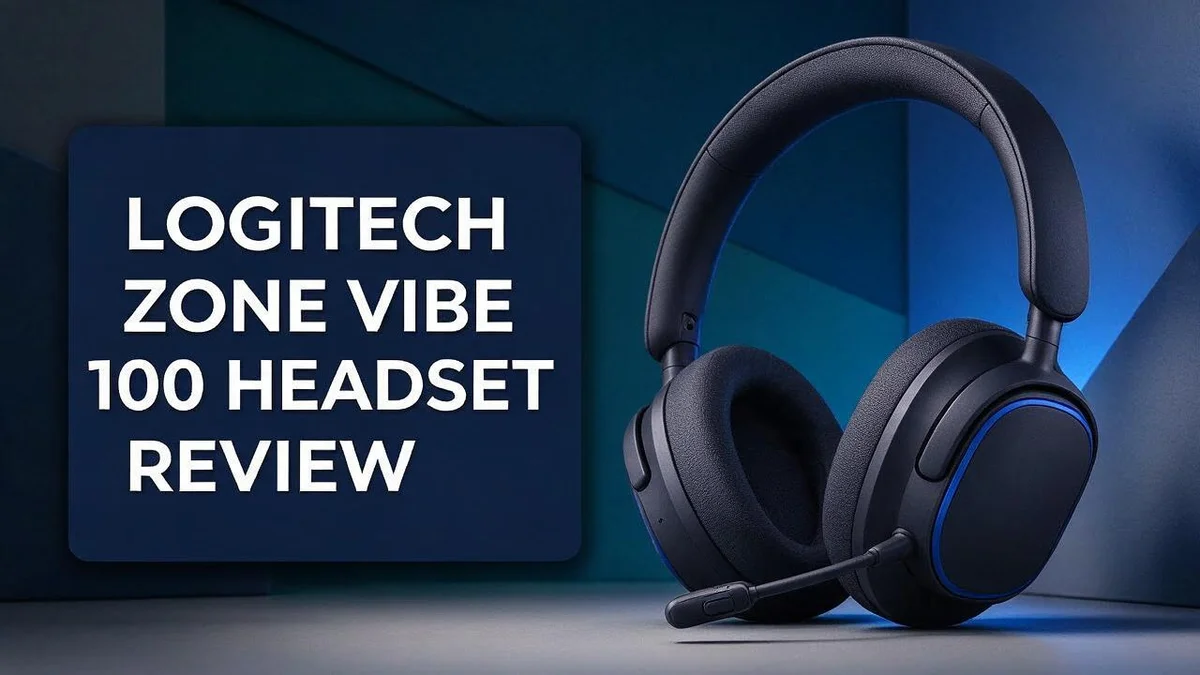
Logitech Zone Vibe 100 Headset Review: Worth the Price?
Looking for a headset that works well for both calls and music? The Logitech Zone Vibe 100 might be the answer you need. This wireless Bluetooth headset feels light on your head. It stays comfortable through long workdays and video meetings.
Inside, you get 40mm drivers for full bodied bass. The audio stays clear and low on distortion. Its noise canceling microphone blocks out background noise. Your callers get a clear voice on every call.
Battery life reaches up to 20 hours. Multipoint Bluetooth lets you switch between two devices with ease. It also works with Microsoft Teams and Google Meet. Keep reading to see if this headset suits your daily routine.
In a Nutshell
- Connects to two devices at once. Multipoint Bluetooth lets you switch between your laptop and phone without any hassle. This comes in handy when you jump between work calls and personal music.
- Works well with work apps. It supports Microsoft Teams and Google Meet, so your video meetings run smoothly. Many office workers will find this a big plus.
- Gives you room to move. The 98.4 ft range keeps the connection steady. You can walk across a room or step away from your desk.
- Delivers clear sound both ways. Low distortion audio keeps your music crisp. The binaural design also gives you balanced sound during every call.
- Adjusts to fit your head. The headset adapts to different head sizes. Its fit stays comfortable during long workdays.
- Not built for gaming. Skip this model if you want a dedicated gaming headset. Also check that your Bluetooth dongle works first, since some outside dongles may not connect.
Sound Quality and Bass
No products found.
Sound quality often decides whether a headset earns a permanent spot on your desk. Clear audio makes long days easier.
Bass does more than add thump. It also gives warmth to voices, podcasts, and video calls. When the low end sounds smooth, the whole mix feels more natural.
Many headsets push bass so hard that vocals get buried. The Logitech Zone Vibe 100 keeps low tones smooth rather than muddy, so singers and speakers stay easy to follow.
This balance matters most during long listening sessions. Heavy bass can tire your ears, but a controlled mix feels easier to enjoy for hours.
Music genre makes a big difference. Pop, hip hop, and electronic tracks reveal the bass most clearly, so they make a good first test.
Acoustic songs and podcasts depend more on midrange detail. Here you hear natural voices and clean instruments without much effort.
Try a quick test with songs you already know well. Play one track with deep bass, then one with mostly vocals. This simple check shows how the headset handles both.
Volume control matters too. Keep the level moderate so bass stays full without overwhelming your ears.
Fit affects sound as well. A snug seal helps the drivers deliver more bass, while loose ear cups let sound escape. Adjust the headband until the cups feel secure.
Balanced sound also helps during calls. Your voice sounds more natural when the audio mix stays even. One reviewer found callers hard to hear, so test your mic before important meetings.
Strong noise cancellation helps you notice subtle bass details in busy spaces. A quieter environment lets the low end come through more clearly.
Gamers may want more punch from explosions and footsteps. This headset focuses on everyday listening, so set your expectations before you play.
Compare this headset with your current pair. Listen to the same song on both. Notice where the bass feels heavy and where the vocals sound brighter.
In the end, sound comes down to personal taste. If you value full bass and clear voices, this headset deserves a spot on your shortlist.
Comfort and Fit
Comfort decides whether a headset stays on your head all day. Many people remove their headsets after an hour because the pressure becomes uncomfortable. Here is how the Logitech Zone Vibe 100 handles comfort in daily use.
The headset connects over Bluetooth, so there is no cord to pull. You can stand up, walk around, or shift in your chair. That freedom feels great during long video meetings.
Clamping force plays a big role in how a headset feels. A grip that feels too tight can cause soreness at the top of your head. Research describes this model as comfortable, so it suits longer stretches of wear.
Ear cushions matter just as much as the headband. Soft padding spreads pressure evenly around your ears. Pay attention to any hot spots or sharp edges during your first try.
Weight is one factor, but the way a headset sits matters too. Even a light headset can feel heavy if it keeps sliding. A secure fit keeps it in place without extra effort.
Glasses wearers should check the fit carefully. Thick frames can push against the ear cups and break the seal. Try the headset with your glasses on before you use it every day.
Movement changes comfort, too. If you pace or stand during calls, a headset that stays put matters most. If you sit still at a desk, a gentle grip usually works well.
Here is a simple check you can run. Wear the headset for thirty minutes during a call. Note any pressure, heat, or slipping. Small issues often show up after the first half hour.
Adjust the headband until the cups sit snugly without squeezing. Small changes can make a big difference. Take a moment to set the fit before every long session.
A comfortable fit helps you focus on the conversation instead of your headset. When you forget you are wearing it, the headset is doing its job well.
Microphone and Call Performance
Your microphone matters as much as your speakers. Your colleagues only hear your voice through that small mic, so its quality matters a lot.
The Zone Vibe 100 uses a noise canceling microphone. It works to filter out background sounds like keyboard clicks, fans, and street traffic. That helps your voice stand out during busy calls.
Clear voice pickup is the goal here. Many users want their words to come through without sounding thin or distant. The mic aims to keep your speech clean even when you move around a room.
Video meetings put extra pressure on audio quality. The headset supports Microsoft Teams and Google Meet, so you can join calls with less setup. Pick the headset as your input device, then start talking.
Some reviewers report a problem. One review says callers sometimes struggle to hear the wearer clearly. This matters if you take calls in noisy places or speak softly.
Mute yourself when you are not speaking. This keeps background noise out of the call. Most apps show a mute icon, so check it before you talk.
Test your mic before an important call. Open a voice recorder or the test tool in your meeting app.
Speak at a normal volume, then play the recording back. Listen for muffled tones, echo, or background hum.
Tip: Keep the microphone facing your mouth. Even a small change in angle can alter how your voice sounds to others.
Background noise matters too. A quiet room helps the mic do its best work. Closing a door or moving away from fans can improve your call quality.
Overall, the microphone works well for everyday office calls. It may fall short for people who need top tier voice clarity in loud spaces.
Good mic habits make a big difference. Small habits often matter more than the gear itself.
Try these steps during your next video call. Test it with a few colleagues before you rely on it for big presentations.
Top 3 Alternatives
If you want a different option, these three headsets are worth a look. Each one offers clear sound and comfort for calls and music.
Jabra Evolve2 65


Last update on 2026-11-26 / Affiliate links / Images from Amazon Product Advertising API Some of the links on this website are affiliate links, which means that at no additional cost to you, I earn a commission if you click through and make a purchase. I only recommend products and services that I believe will add value to my readers. Thank you for your support!
Jabra Evolve2 65 is a strong pick for busy offices. It uses active noise cancelling to block background noise.
The microphone picks up your voice clearly. Colleagues hear you well on every call.
Its battery lasts through a full workday. The headset also folds flat for easy travel. Many people use it for hours without discomfort.
Sony WH-CH720N

Last update on 2026-11-26 / Affiliate links / Images from Amazon Product Advertising API Some of the links on this website are affiliate links, which means that at no additional cost to you, I earn a commission if you click through and make a purchase. I only recommend products and services that I believe will add value to my readers. Thank you for your support!
The Sony WH-CH720N suits people who enjoy music and calls alike.
It offers noise cancelling that works well on trains and planes.
The lightweight design feels comfortable during long listening sessions. You can also reach your voice assistant with one tap on the headset. Its compact case makes it easy to carry.
Anker Soundcore Q20i

Last update on 2026-09-19 / Affiliate links / Images from Amazon Product Advertising API Some of the links on this website are affiliate links, which means that at no additional cost to you, I earn a commission if you click through and make a purchase. I only recommend products and services that I believe will add value to my readers. Thank you for your support!
The Anker Soundcore Q20i focuses on everyday comfort and simple use.
Its adjustable noise cancelling helps you focus at home or in a shared space.
Soft ear cushions keep you comfortable for hours at a time. Many users appreciate the long battery life and easy controls. It pairs quickly with phones and laptops.
Choose the headset that fits your daily routine best. Try a few options in person if you can. Comfort matters most on long days.
Battery and Wireless Range
Battery life matters more than most people think. The Logitech Zone Vibe 100 can run for up to 20 hours on a single charge. You can work through a long day without searching for an outlet.
Real use often differs from lab tests. Your battery may drain faster when you play loud audio or take many calls. Plan a charge before a big meeting day.
Battery drain depends on how you use the headset. Listening at high volume uses more power than soft background music. Turning off the headset when you leave your desk saves charge.
Set a routine for charging. Plug it in during lunch or overnight. This habit keeps the headset ready for your next call.
Keep a charging cable in your bag. A short top up before you leave the house can keep you going during a busy day.
Now let’s talk about range. The headset works up to 98.4 feet from your device. That distance covers most desks, home offices, and small meeting rooms.
Walls and furniture can weaken the signal. Metal objects and thick walls may cut the connection. Keep your device in sight when possible.
Range also affects sound quality. A weak signal can cause dropouts or crackling. Stay within range to keep audio clear.
Your phone and laptop can both stay linked. Multipoint Bluetooth lets the headset connect to two devices at once. Switching between them takes little effort during a busy workday.
Some outside Bluetooth dongles may not work with this model. Check compatibility before you add an adapter. Your computer’s built in Bluetooth is a good place to start.
Test your range before an important day. Walk around your workspace while on a call. Note where the audio starts to break up. Then pick a spot where you can sit comfortably.
Good battery life and good range make this headset easy to use. Charge it often, keep your device close, and enjoy calls without interruptions.
Pros and Cons
Pros
- Works smoothly with Microsoft Teams and Google Meet calls.
- Low-distortion audio keeps voices sounding natural.
- Full-bodied sound suits music, podcasts, and videos.
- The 40mm drivers deliver a rich, balanced sound.
- Many users appreciate the simple setup for everyday work.
Cons
- Audio and mic only connect through full Bluetooth headset profiles.
- It is not built for dedicated gaming sessions.
- Product details vary across sources, so check the listing carefully.
- Some third-party accessories may not pair with it.
Who Should Buy It
The Zone Vibe 100 fits people who spend long days on calls. If you join video meetings most days, this headset can make your work feel easier.
Remote workers and hybrid employees will likely get the most value. Sitting at a desk for hours means you need gear that stays out of the way.
Students are another good match. Online lectures, study groups, and virtual tutoring sessions all depend on clear voices. A headset that handles these calls well saves you from constant repeating.
Customer support staff can benefit as well. Agents take many calls each shift. Clear voice quality helps them stay focused from start to finish.
Teachers and tutors who host virtual sessions may find it useful. Long classes need dependable audio on both ends. Students can hear instructions without strain.
Parents who work from home can use it during busy days. Calls with teachers or clients often happen between school runs. A headset that switches quickly between tasks keeps you on track.
Commuters and travelers also benefit. Many people wear a headset on trains, buses, or during airport waits. Without tangled cords, you can move freely and keep your hands free for bags and coffee.
Busy professionals who switch between tasks will appreciate the flexibility. One headset can handle calls, videos, and music during a single day. You will not need to swap gear every hour.
Music and podcast lovers can enjoy it at home. You can relax with a playlist after work or follow a podcast while you cook.
Competitive gamers should look elsewhere. Gaming lists often feature HyperX, Razer, SteelSeries, and Logitech G models. Many dedicated gamers choose those models instead.
Your daily habits matter more than any single feature. A headset that suits one person may feel wrong for another. Think about how often you take calls, listen to audio, or play games. Write down your weekly routine, then compare it with the strengths listed above.
Final Verdict
Overall, the Logitech Zone Vibe 100 makes a strong case for daily work. It balances comfort, sound, and noise control well. It suits most office users.
Sound quality is a major strength. The audio feels rich and natural. Music, videos, and podcasts sound pleasant through it.
Comfort matters during long days. The lightweight design helps your head feel less tired. Many people can wear it for hours.
Noise control adds real value. Strong noise canceling keeps background sounds away from your microphone. Your callers hear you more clearly in busy spaces.
Caller clarity needs a closer look. One reviewer found callers hard to hear. Ask a friend for a quick test call before you commit.
Gamers may want a different option. Rivals like the HyperX Cloud series and SteelSeries Arctis Nova Pro Wireless focus on gaming features. This model fits office and study use better.
Some product details still vary. Sources disagree on the exact style of the ear cups. Read the product page carefully so you know what you are getting.
Who should skip this headset? Anyone who wants a headset mainly for competitive play should look elsewhere. This model shines in meetings, lectures, and calls.
Our final recommendation is clear. If you need reliable calls, comfort, and solid sound, this headset deserves a spot on your list. It handles professional tasks with ease.
Ready to find your fit? Compare the features above with your daily routine. Then decide whether this headset matches your needs.
Frequently Asked Questions
Can I switch between a laptop and a phone?
Yes, the headset supports multipoint Bluetooth. You can pair it with two devices at the same time. This helps when you take a video call on your laptop and then answer a phone call later. You do not need to unpair and repave each time you switch.
How long does the battery last during a workday?
The headset offers up to 20 hours of battery life. That means you can get through a full day of meetings without searching for a charger. Battery life can vary with volume and use, so keep a charging cable at your desk for long or busy days.
How far can I move away from my computer?
The wireless range reaches about 98.4 feet. You can step into a kitchen, grab a printer, or stand in a quiet hallway while staying connected. Your audio stays clear as long as you remain within that range. Walls and other obstacles can reduce the distance, so test it in your own space.
Is it a good fit for people who take many short calls?
Yes, it suits people who answer calls throughout the day. The quick pairing with two devices helps you jump between tasks. You can keep your hands free and stay focused on your work. Short calls become easier when your headset stays ready on your head.

Hello everyone my name is Alenya and i am a gadget discovering Enthusiast 🐻🐻