Eufy Doorbell Camera Review: Worth the Price Tag?
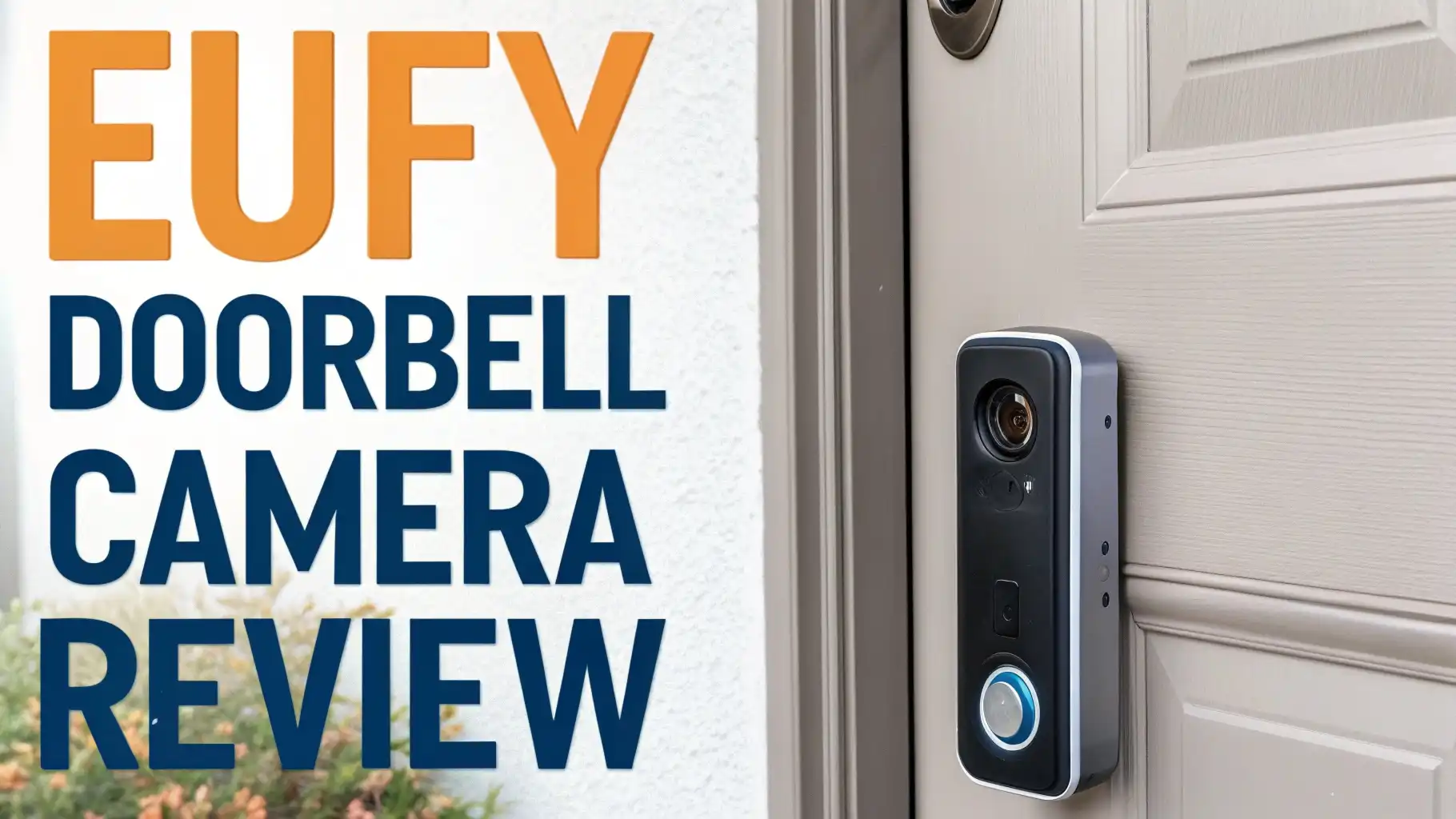
Your front door needs protection. You need to see who visits. You want security without paying monthly fees. The eufy doorbell camera gives you all of this and more.
These smart doorbell cameras offer crystal-clear video, smart detection features, and local storage without subscription costs.
Whether you choose the advanced dual-camera E340 or the budget-friendly C31, eufy delivers exceptional value for home security.
Key Takeaways
- No Monthly Fees Required: All eufy doorbell cameras offer local storage through HomeBase or built-in memory. You never pay subscription fees to access your footage, saving hundreds of dollars over time compared to Ring or Nest alternatives.
- Dual Camera Innovation: The E340 model features two cameras working together. The main camera captures visitors at eye level while the downward camera monitors packages and the ground. This eliminates blind spots completely.
- Extended Battery Life: Most eufy doorbell models deliver 4 to 6 months of battery life on a single charge. The C31 can even provide 24/7 recording when wired, giving you continuous surveillance without battery anxiety.
- 2K Video Quality: Eufy doorbell cameras record in sharp 2560 x 1920 resolution. You can clearly identify faces, read license plates, and capture important details that lower-resolution cameras miss entirely.
- AI Smart Detection: Advanced artificial intelligence distinguishes between people, packages, vehicles, and animals. The technology reduces false alarms by up to 95% compared to basic motion detection, so you only get alerts that matter.
- Easy Installation Options: Every eufy doorbell works both wired and wireless. You can connect to existing doorbell wiring for continuous power or use battery mode for completely wire-free installation in under 15 minutes.

Last update on 2026-08-28 / Affiliate links / Images from Amazon Product Advertising API Some of the links on this website are affiliate links, which means that at no additional cost to you, I earn a commission if you click through and make a purchase. I only recommend products and services that I believe will add value to my readers. Thank you for your support!
Eufy Video Doorbell E340 with Dual Cameras
The E340 represents eufy’s flagship doorbell technology. This model uses two separate cameras to cover your entire doorstep.
The front-facing camera provides a standard view of visitors while the secondary camera points downward to capture packages and pets. This dual-camera system eliminates the blind spots that plague traditional single-camera doorbells.
Video quality impresses with 2K resolution from both cameras. The footage looks sharp and detailed, even in challenging lighting conditions. Night vision works exceptionally well, displaying color images in low light rather than just black and white. You can identify people and read text on packages even at midnight.
The Delivery Guard feature makes this doorbell special. When a package arrives, both cameras work together to track it. You receive specific alerts about package deliveries, and the system can distinguish between different types of motion events.
Battery life reaches 4 to 6 months on a single charge, though actual duration depends on how frequently people trigger the doorbell. Installation takes about 20 minutes, and the system works with both wireless and wired configurations.
Eufy Video Doorbell C31 for 24/7 Recording

Last update on 2026-08-28 / Affiliate links / Images from Amazon Product Advertising API Some of the links on this website are affiliate links, which means that at no additional cost to you, I earn a commission if you click through and make a purchase. I only recommend products and services that I believe will add value to my readers. Thank you for your support!
The C31 focuses on continuous recording capabilities. When connected to power, this doorbell records 24 hours a day without gaps. You never miss important events because the camera always watches your door. The 2K resolution matches the E340, providing clear footage of everyone who approaches.
This model includes a quick-release battery system. You can swap batteries in seconds without removing the entire doorbell. This design makes charging convenient because you keep a spare battery charged and ready. The doorbell never goes offline during battery changes.
Face-to-face video calls work smoothly through the C31. When someone presses the button, you can answer on your phone and have a real-time conversation with clear audio in both directions.
The 160-degree field of view captures a wide area, showing not just your door but the surrounding porch and walkway. Motion detection includes both PIR sensors and radar technology, which work together to reduce false alarms from shadows or passing cars.
Top 3 Alternatives for Eufy Doorbell Camera


Last update on 2026-08-28 / Affiliate links / Images from Amazon Product Advertising API Some of the links on this website are affiliate links, which means that at no additional cost to you, I earn a commission if you click through and make a purchase. I only recommend products and services that I believe will add value to my readers. Thank you for your support!

Last update on 2026-08-31 / Affiliate links / Images from Amazon Product Advertising API Some of the links on this website are affiliate links, which means that at no additional cost to you, I earn a commission if you click through and make a purchase. I only recommend products and services that I believe will add value to my readers. Thank you for your support!

Last update on 2026-08-28 / Affiliate links / Images from Amazon Product Advertising API Some of the links on this website are affiliate links, which means that at no additional cost to you, I earn a commission if you click through and make a purchase. I only recommend products and services that I believe will add value to my readers. Thank you for your support!
Battery Life Performance Across Models
Battery performance matters when you choose a wireless doorbell. The E340 delivers approximately 4 months of use per charge under normal conditions.
Normal means about 10 to 20 motion events daily. Heavy traffic areas see shorter battery life, sometimes dropping to 2 months. Cold weather also reduces battery duration because lithium batteries lose efficiency in freezing temperatures.
The C31 offers similar battery performance when used wirelessly. However, its real advantage comes from wired operation.
Connect the C31 to your existing doorbell transformer, and it provides continuous 24/7 recording without any battery concerns. The camera stores footage locally, so you never lose important events due to battery death.
All eufy doorbells use removable batteries. You can purchase additional batteries and keep one charged as a backup. When the doorbell alerts you about low power, swap in the fresh battery and charge the depleted one.
This system ensures your home stays protected continuously. Charging takes about 5 to 6 hours to reach full capacity using the included USB cable.
Installation Process Made Simple
Installing an eufy doorbell requires minimal tools and experience. The wireless installation takes just 15 minutes. You mount the bracket to your wall or door frame using the included screws.
The doorbell snaps onto the bracket magnetically. Connect to your WiFi network through the eufy Security app, and you’re ready to start monitoring.
Wired installation connects to your existing doorbell system. You need a transformer that outputs 16 to 24 volts AC. Most homes have compatible transformers already installed.
Remove your old doorbell, connect the two wires to the eufy doorbell terminals, and mount it to the wall. The wired connection provides continuous power and enables 24/7 recording on compatible models.
The app guides you through each installation step with clear pictures and instructions. You don’t need professional help or special technical knowledge. Most people complete installation successfully on their first attempt.
The mounting bracket includes a wedge that lets you angle the camera up or down for optimal positioning. This adjustment ensures the camera captures faces rather than the tops of heads.
Video Quality and Night Vision Technology
The 2K resolution captures significantly more detail than standard 1080p cameras. You can zoom into footage and still see clear details like facial features or license plate numbers.
The professional-grade lens reduces distortion at the edges, so the entire frame looks sharp. Color accuracy impresses in daylight, rendering natural skin tones and accurate hues.
Night vision operates in two modes. Standard infrared mode produces black and white images in complete darkness. The camera can see up to 25 feet in total darkness using invisible IR LEDs.
The advanced color night vision mode works when ambient light exists, like from streetlights or porch lights. This mode displays full-color images even in dim conditions, making identification easier.
HDR technology balances exposure when bright and dark areas appear in the same frame. This prevents the blown-out highlights and dark shadows that ruin footage from basic cameras.
When someone stands in a doorway with bright sunlight behind them, HDR ensures you can still see their face clearly. The 60-second pre-roll feature captures footage before motion triggers recording, so you see what happened before the doorbell detected movement.
Smart AI Detection Features
Artificial intelligence transforms how the doorbell responds to motion. Basic cameras alert you constantly because they detect every moving shadow or passing car.
Eufy’s AI detection distinguishes between different types of motion. It recognizes people, vehicles, animals, and packages as separate categories. You can customize alerts for each category, so you only receive notifications about the events that matter to you.
Facial recognition learns the faces of family members and frequent visitors. After you identify someone a few times, the system recognizes them automatically.
The doorbell can send different notifications for familiar faces versus strangers. This feature requires a HomeBase 3 for processing, but it significantly reduces unnecessary alerts.
The activity zones feature lets you draw boundaries within the camera’s view. Motion inside these zones triggers alerts, while movement outside the zones gets ignored.
This prevents alerts from cars driving past on the street or neighbors walking by on the sidewalk. Combined with AI detection, activity zones reduce false alarms by up to 95% compared to basic motion detection.
Two-Way Audio Communication
Every eufy doorbell includes built-in speakers and microphones for two-way conversations. When someone presses your doorbell, you receive an instant notification on your phone.
Tap to answer, and you can speak with your visitor from anywhere. The audio quality sounds clear and natural, without the tinny sound or echo that plague cheaper doorbells.
Noise cancellation technology filters out background sounds like traffic or wind. Your visitor hears your voice clearly even when you’re speaking from a noisy location. The speaker volume reaches adequate levels, so visitors can hear you even outdoors. You can adjust the speaker volume through the app to match your environment.
The quick response messages feature lets you play pre-recorded responses. If you’re too busy to have a conversation, tap a quick response like “Leave the package at the door” or “I’ll be there in a minute.”
The doorbell plays your message through the speaker automatically. You can record custom messages for different situations, making communication efficient even when you’re occupied.
Storage Options Without Subscriptions
Eufy takes a strong stance against subscription fees. All doorbell cameras include some form of free storage. The E340 and C31 can store recordings locally in the built-in memory or on a HomeBase device. This eliminates monthly costs entirely while giving you full access to your footage.
The HomeBase 2 provides up to 16GB of local storage. HomeBase 3 expands this to 32GB. Both devices sit inside your home and connect to your router. Doorbells communicate with the HomeBase through a secure connection, and all recordings save locally.
Nobody can access your footage without physical access to your HomeBase device. This provides exceptional privacy and security.
Cloud storage remains available as an optional upgrade through eufy’s cloud service. The paid plan costs significantly less than Ring or Nest subscriptions. However, most users find the free local storage completely adequate.
The system automatically overwrites the oldest footage when storage fills up, ensuring your most recent recordings always remain accessible. You can also back up important clips to your phone or computer for permanent storage.
HomeBase Integration Benefits
The HomeBase device acts as a central hub for all your eufy security cameras. It processes AI detection, stores recordings, and manages connections between devices. When you use a HomeBase, your doorbell connects more reliably than direct WiFi connections. The dedicated connection reduces lag and prevents disconnections.
Expandability makes HomeBase valuable. You can add multiple cameras, sensors, and other eufy security devices to the same HomeBase.
Everything works together as an integrated system. The HomeBase 3 includes advanced features like facial recognition processing that aren’t available with standalone doorbells.
Setting up a HomeBase takes about 10 minutes. Plug it into your router using an Ethernet cable, connect it to power, and add it through the app. The HomeBase automatically discovers nearby eufy devices and helps you pair them.
Backup power through the built-in battery ensures recordings continue even during power outages. The HomeBase can also function as a WiFi chime, playing doorbell sounds through its built-in speaker when someone presses your doorbell.
Comparing E340 vs C31 Models
The E340 vs C31 decision depends on your priorities. The E340 costs more but includes the second camera for package monitoring.
This dual-camera system eliminates blind spots and provides superior coverage. If package theft concerns you, or if you want the most comprehensive view of your doorstep, choose the E340.
The C31 excels at continuous recording. When wired, it records 24/7 without gaps. The single camera provides excellent quality with the same 2K resolution. If you want constant recording or prefer a more affordable option, the C31 delivers outstanding value. Its quick-release battery system also makes charging more convenient.
Both models share many core features. They offer identical 160-degree fields of view, 2K resolution, color night vision, and AI detection. Installation difficulty remains the same.
The main differences involve the dual cameras, package detection features, and 24/7 recording capability. Consider your budget and specific security needs when choosing between these excellent options.
Weather Resistance and Durability
Eufy doorbell cameras carry an IP65 weather resistance rating. This certification means they withstand rain, snow, sleet, and extreme temperatures. The cameras operate reliably from negative 4 degrees to 122 degrees Fahrenheit. You can install them in covered or exposed locations without concern.
The physical build quality feels solid. The cameras use durable plastic housings that resist impacts and weathering. UV-resistant materials prevent sun damage and discoloration over time. The lens cover remains clear after years of exposure to outdoor conditions.
Cold weather affects battery performance more than the camera itself. Lithium batteries provide less capacity when extremely cold. If you live in a frigid climate, consider wired installation to avoid battery issues.
The electronics themselves continue operating normally even in harsh winter conditions. Summer heat causes no problems, as the cameras include adequate ventilation and heat management.
App Features and User Experience
The eufy Security app controls all your doorbell functions. The interface looks clean and intuitive. You can view live video with a single tap. Recorded events appear in a timeline for easy browsing. The app runs smoothly on both iOS and Android devices.
Customization options abound throughout the app. You can adjust motion sensitivity, set activity zones, configure notification preferences, and fine-tune every aspect of detection.
The live view starts quickly, typically connecting within 2 to 3 seconds. You can speak through the doorbell while viewing live footage.
Multiple users can access the same doorbell through family sharing. You grant access to family members through the app. Each person receives notifications and can view recordings. The app also supports multiple doorbells and cameras in a single interface, making it easy to monitor your entire property from one convenient dashboard.
Smart Home Integration Support
Eufy doorbell cameras work with Amazon Alexa and Google Assistant. You can display doorbell video on Echo Show devices or Google Nest Hubs. Voice commands let you view cameras, though you can’t yet answer the doorbell through voice assistants. Integration continues improving with regular updates.
HomeKit support remains limited. Apple HomeKit compatibility varies by model, with some eufy doorbells supporting it while others don’t. Check specific model compatibility before purchasing if HomeKit matters to you. The eufy app provides full functionality regardless of smart home platform support.
The doorbell can trigger smart home automation through IFTTT or home automation platforms. When someone presses the doorbell, you could turn on porch lights, send alerts to multiple devices, or trigger other security cameras. The possibilities for integration grow as smart home ecosystems mature and expand.
FAQs
What is the main advantage of eufy doorbell cameras over competitors?
The no subscription fees model provides the biggest advantage. Ring and Nest force you to pay monthly fees to access recorded footage. Eufy gives you free local storage forever. You save hundreds of dollars over the life of the camera while maintaining full access to all features. The 2K resolution also surpasses most competitors at similar price points.
How long do eufy doorbell batteries actually last?
Battery life ranges from 3 to 6 months depending on activity levels. Homes with heavy foot traffic see shorter battery life, typically 3 to 4 months. Quiet streets with minimal activity can extend battery life to 6 months or longer. Cold temperatures reduce battery efficiency by 20 to 30 percent. Wired installation eliminates battery concerns completely while enabling 24/7 recording on compatible models.
Can eufy doorbell cameras work without WiFi?
Eufy doorbells require WiFi for initial setup and remote access. However, some models can function in limited capacity without internet. The doorbell still rings when pressed, and cameras with local storage continue recording. You lose remote viewing and notifications without WiFi. The system works best with a stable 2.4GHz WiFi connection, though some newer models also support 5GHz networks.
Do I need a HomeBase for my eufy doorbell?
Some eufy doorbell models require a HomeBase while others include built-in storage. The E340 works standalone with internal storage or connects to a HomeBase for expanded features. The S330 requires HomeBase 2 for operation. Check your specific model requirements. HomeBase adds value through improved connectivity, expanded storage, and advanced AI features like facial recognition.
How does eufy doorbell compare to Ring?
Eufy provides superior video quality with 2K resolution compared to Ring’s standard 1080p. Eufy’s free local storage eliminates Ring’s required subscription fees. Ring offers better third-party integrations and a more mature ecosystem. Ring’s app receives more frequent updates. For pure value and video quality without subscriptions, eufy wins clearly. For extensive smart home integration, Ring edges ahead despite higher costs.
What WiFi speeds do eufy doorbells need?
A minimum upload speed of 2 Mbps supports basic functionality. For optimal performance including live view and high-quality recordings, aim for 3 to 5 Mbps upload speed. Most home internet connections exceed this requirement easily. Place your router within reasonable range of the doorbell installation location. WiFi extenders help if your router sits too far from your front door. The 2.4GHz band provides better range through walls compared to 5GHz networks.

Hello everyone my name is Alenya and i am a gadget discovering Enthusiast 🐻🐻