Bouncie GPS Tracker Review: Is This Worth The Hype?
Keeping track of your vehicle has never been easier. The Bouncie GPS tracker brings powerful monitoring features to your fingertips without breaking the bank.
This compact device plugs right into your car and delivers instant updates on location, driving habits, and vehicle health.
This review covers everything you need to know about the Bouncie GPS tracker. We explore its key features, pricing, installation process, and real-world performance. You’ll discover how it stacks up against competitors and whether it’s the right choice for your tracking needs.
Key Takeaways:
- Real-time tracking updates arrive every 15 seconds, giving you accurate location information whenever you need it. The device uses 4G LTE technology to ensure reliable connectivity across the United States.
- OBD port installation takes less than 5 minutes and requires zero technical skills. You simply plug the device into your vehicle’s OBD2 port, which is usually located under the dashboard near the steering wheel.
- Monthly subscription costs $8.35 per device with no contracts or activation fees. You can cancel anytime without penalties, making it a flexible and budget-friendly option for most users.
- Comprehensive driving insights include speed monitoring, harsh braking detection, rapid acceleration alerts, and complete trip history with routes and timestamps saved for your review.
- Vehicle health monitoring provides check engine light diagnostics, maintenance reminders, and fuel economy tracking to help you maintain your car properly and avoid costly repairs.
- Geofence alerts notify you instantly when your vehicle enters or leaves designated areas, perfect for monitoring teen drivers or ensuring business vehicles stay within approved zones.

Last update on 2026-10-14 / Affiliate links / Images from Amazon Product Advertising API Some of the links on this website are affiliate links, which means that at no additional cost to you, I earn a commission if you click through and make a purchase. I only recommend products and services that I believe will add value to my readers. Thank you for your support!
What Is Bouncie GPS Tracker and How Does It Work
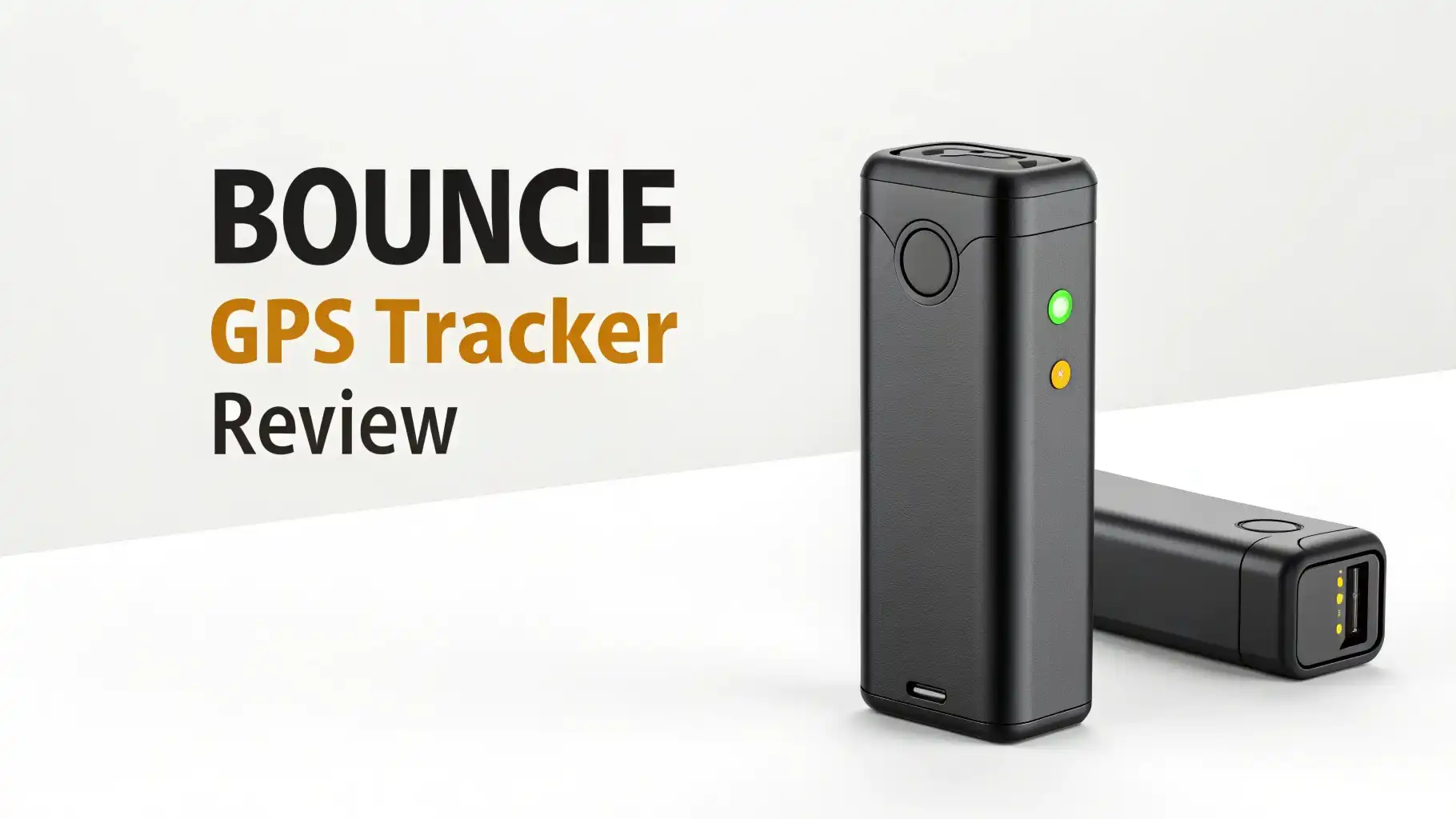
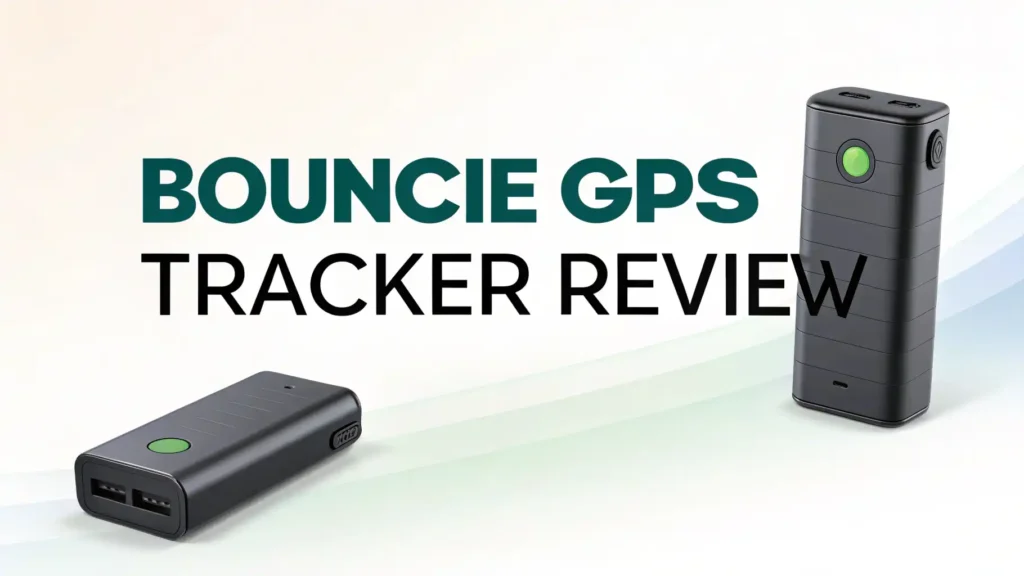
The Bouncie GPS tracker is a small device that connects to your vehicle’s diagnostic port. This port exists in every car made after 1996. The device draws power from your vehicle and communicates through cellular networks to send data to your smartphone.
Advanced GPS technology pinpoints your vehicle’s exact location. The device updates this information every 15 seconds when your car is moving. You can view the location on a map through the Bouncie app on your iPhone or Android device.
The tracker collects data beyond just location. It monitors speed, acceleration patterns, braking behavior, and engine diagnostics. All this information flows to the cloud where you can access it anytime. The system stores your trip history for up to one year.
The device weighs less than two ounces and measures about 2 inches long. You won’t even notice it once installed. The compact design ensures it stays hidden and doesn’t interfere with your driving experience.
Real-Time Location Tracking Features That Keep You Informed
Location tracking forms the core function of Bouncie. The device provides continuous monitoring of your vehicle’s whereabouts. You can check the current location instantly through the mobile app. The map interface shows you exactly where your car is parked or driving.
Route history lets you review past trips. You can see the complete path your vehicle took, including stops along the way. Each trip includes timestamps showing when the journey started and ended. This feature proves valuable for businesses tracking employee routes or parents monitoring teen drivers.
The tracking accuracy typically falls within a few meters. This precision helps you locate your vehicle in large parking lots or unfamiliar areas. The system works across the entire United States and even provides coverage in Canada and Mexico.
Location updates happen automatically. You don’t need to open the app constantly. The system runs in the background and maintains an accurate record of your vehicle’s movements throughout the day.
Geofence Alerts: Setting Up Virtual Boundaries for Your Vehicle
Geofencing creates invisible boundaries around specific locations. You draw these zones on a map using the Bouncie app. The system then monitors when your vehicle enters or exits these areas.
Instant notifications arrive on your phone when boundary crossings occur. Parents use this feature to know when teens arrive at school safely. Business owners track when company vehicles reach job sites or return to the office.
You can create unlimited geofences. Each zone can be as small as a few hundred feet or span several miles. The circular or custom-shaped boundaries adapt to your specific needs. Common applications include home, school, work locations, or restricted areas.
The alert system works both ways. You receive notifications for arrivals and departures. This two-way monitoring ensures you stay informed about your vehicle’s location relative to important places throughout the day.
Top 3 Alternatives for Bouncie GPS Tracker

Last update on 2026-09-19 / Affiliate links / Images from Amazon Product Advertising API Some of the links on this website are affiliate links, which means that at no additional cost to you, I earn a commission if you click through and make a purchase. I only recommend products and services that I believe will add value to my readers. Thank you for your support!

Last update on 2026-09-19 / Affiliate links / Images from Amazon Product Advertising API Some of the links on this website are affiliate links, which means that at no additional cost to you, I earn a commission if you click through and make a purchase. I only recommend products and services that I believe will add value to my readers. Thank you for your support!

Last update on 2026-09-19 / Affiliate links / Images from Amazon Product Advertising API Some of the links on this website are affiliate links, which means that at no additional cost to you, I earn a commission if you click through and make a purchase. I only recommend products and services that I believe will add value to my readers. Thank you for your support!
Driving Behavior Monitoring: Understanding Speed and Safety Alerts
The Bouncie tracker watches how you drive. It measures speed continuously and compares it to posted speed limits. When your vehicle exceeds the limit by a certain amount, you get an alert. You can customize this threshold to match your comfort level.
Harsh braking events trigger notifications. The system detects sudden stops that might indicate dangerous driving or an emergency situation. Rapid acceleration gets tracked similarly. These metrics help you understand driving patterns and identify areas for improvement.
Each trip receives a driving score based on these behaviors. You can review scores over time to see trends. Parents find this especially useful for coaching teen drivers. Fleet managers use it to encourage safer driving among employees.
The system also tracks idle time. You learn how long your vehicle sits running without moving. This information helps reduce fuel waste and unnecessary engine wear. All driving data gets stored in your account for future reference and analysis.
Vehicle Health Diagnostics: Checking Engine Problems Instantly
Your check engine light comes on. Instead of guessing, you open the Bouncie app. The device reads diagnostic codes from your vehicle’s computer system. You see a plain English explanation of what triggered the light.
Maintenance reminders help you stay on schedule. The system tracks your mileage and reminds you when oil changes or other services come due. You can customize these reminders based on your vehicle’s specific maintenance schedule.
Battery health monitoring alerts you to potential electrical issues. The device tracks battery voltage and warns you if levels drop too low. This early warning can prevent you from getting stranded with a dead battery.
Fuel efficiency tracking shows your average miles per gallon. You can see how driving habits affect fuel consumption. This information helps you adjust your driving style to save money at the pump.
Installation Process: Getting Your Bouncie Tracker Up and Running
Installing Bouncie takes less time than brewing coffee. You need to locate your vehicle’s OBD2 port first. This port sits under the dashboard on the driver’s side in most vehicles. Look near the steering column or below the knee panel.
The port has a trapezoid shape with 16 pins. Once you find it, plug the Bouncie device directly into the port. The device should slide in smoothly and sit flush. Some vehicles have the port in slightly different locations, but it’s always within reach of the driver’s seat.
Download the Bouncie app on your smartphone. Create an account and follow the setup wizard. The app will guide you through pairing the device with your vehicle. This process takes about two minutes.
Start your vehicle’s engine. The device needs power to activate and connect to the cellular network. Within a few minutes, you’ll see your vehicle appear in the app. Your tracking system is now live and ready to use.
Mobile App Experience: Navigating the Bouncie Dashboard
The Bouncie app puts all features at your fingertips. The home screen displays your vehicle’s current location on a map. You can zoom in or out to see the surrounding area. A quick glance tells you where your car is parked.
Menu navigation remains simple and intuitive. Main sections include location, trips, alerts, vehicle health, and settings. Each section loads quickly and presents information in an easy-to-read format. The interface works smoothly on both iOS and Android devices.
Trip history shows a list of recent journeys. Tap any trip to see the detailed route on a map. The timeline shows stops, speed throughout the journey, and any alerts triggered during the drive. You can scroll back through months of trip data.
Alert settings let you customize notifications. Choose which events trigger alerts and how you want to receive them. Options include push notifications, email, or SMS text messages. You control the frequency and type of alerts you receive.
Pricing Structure: Understanding Monthly Costs and Subscription Plans
Bouncie keeps pricing straightforward. The device itself costs around $90 on Amazon. This one-time purchase gets you the hardware. No activation fees apply when you start your subscription.
Monthly subscription runs $8.35 per device when you have three or more trackers. Single device users pay slightly more at approximately $8 per month. These prices include all features with no hidden costs or premium tiers.
You can cancel anytime without penalties. No contracts lock you into long-term commitments. This flexibility makes Bouncie attractive compared to competitors requiring annual subscriptions. If you stop using the service, you simply cancel through the app.
Multiple device discounts make fleet tracking affordable. Businesses tracking several vehicles get a lower per-device rate. The more trackers you use, the better your monthly pricing becomes.
Privacy and Security: Keeping Your Tracking Data Safe
Your location data needs protection. Bouncie uses encrypted connections to transmit information from your vehicle to their servers. The company follows industry-standard security practices to safeguard your account.
Account access requires authentication. You create a strong password and can enable two-factor authentication for extra security. No one can view your vehicle’s location without your login credentials.
Data storage follows strict privacy policies. Bouncie doesn’t sell your information to third parties. The company uses your data only to provide tracking services. You maintain full control over who can see your vehicle’s location and history.
You can delete trip history anytime. The app lets you remove individual trips or clear entire date ranges. This data control ensures you maintain privacy over your driving records.
Customer Support and Warranty: Getting Help When You Need It
Bouncie provides multiple support channels. The help center on their website offers detailed articles covering common questions. You can find step-by-step guides for setup, troubleshooting, and feature usage.
Email support typically responds within 24 hours on business days. The support team helps with technical issues, billing questions, and account management. Users report generally positive experiences with the support staff.
The device comes with a limited warranty covering manufacturing defects. If your tracker stops working due to a defect, Bouncie will replace it. Normal wear and tear or damage from accidents isn’t covered.
Social media channels provide another way to reach the company. Bouncie maintains active Facebook and Twitter accounts where they respond to customer inquiries and share product updates.
Real User Experiences: What Customers Say About Bouncie
Amazon reviews show over 6,000 customers have shared their experiences. The tracker maintains a rating above 4.5 stars. Most users praise the easy installation and reliable tracking features.
Parents appreciate the teen driver monitoring capabilities. Many reviews mention using Bouncie to teach safe driving habits. The speed alerts and trip history give parents peace of mind and teaching opportunities.
Some users report occasional connectivity issues. Updates may lag by a few minutes in areas with weak cellular coverage. However, most customers find the tracking accurate enough for their needs.
Fleet managers highlight the cost savings compared to commercial tracking systems. Small businesses use Bouncie to monitor delivery vehicles and service trucks without expensive contracts or complex installations.
Frequently Asked Questions
Can I use Bouncie without a monthly subscription?
No, Bouncie requires a monthly subscription to function. The device needs cellular service to transmit data from your vehicle to the app. The subscription covers data costs and access to all tracking features. Without an active subscription, the device cannot send location updates or vehicle diagnostics.
Will Bouncie drain my car battery when the vehicle is parked?
Bouncie draws minimal power from your vehicle’s OBD port. The device uses less power than your car’s clock or alarm system. Most users never experience battery drain issues. If you plan to leave your vehicle parked for several weeks, you might consider unplugging the device as a precaution.
Does Bouncie work in all vehicles?
Bouncie works in any vehicle with an OBD2 port, which includes cars, trucks, and SUVs made after 1996 in the United States. Some hybrid and electric vehicles may have limited compatibility. Check the Bouncie website for a complete list of compatible vehicles before purchasing.
How accurate is the GPS location tracking?
Bouncie typically provides location accuracy within a few meters. GPS signals can be affected by tall buildings, dense tree cover, or parking garages. Under normal conditions, you can pinpoint your vehicle’s location precisely enough to find it in a crowded parking lot.
Can multiple people access the same Bouncie account?
Yes, you can share access to your Bouncie account with family members or employees. The app allows you to add multiple users to view tracking data. Each user logs in with their own credentials while accessing the same vehicle information.
What happens if someone unplugs the Bouncie device?
You receive a notification if the device gets disconnected from your vehicle. The app alerts you when the tracker stops communicating. This tampering alert helps you know if someone discovers and removes the device. However, Bouncie is not a theft recovery system and cannot prevent removal.
Does Bouncie track my personal information or driving history?
Bouncie collects location and driving data to provide tracking services. The company states they do not sell your personal information to third parties. Your trip history remains private in your account. You control who can access your tracking data and can delete history anytime.
How long does trip history stay in my account?
Bouncie stores your trip history for up to one year. You can review past trips, routes, and driving events from the previous 12 months. After one year, older trips automatically get removed from your account unless you export the data.

Hello everyone my name is Alenya and i am a gadget discovering Enthusiast 🐻🐻