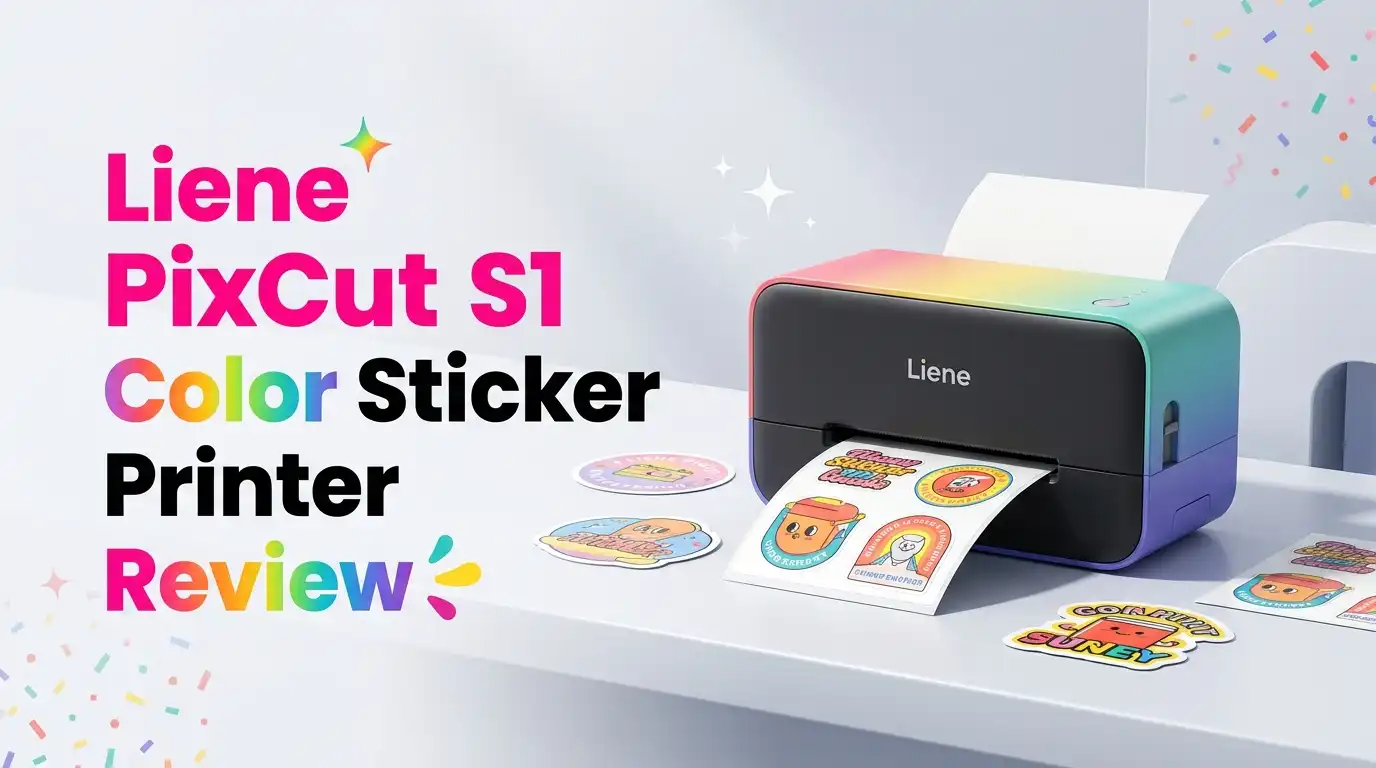
Liene PixCut S1 Color Sticker Printer Review 2026: Worth It?
If you have ever wanted custom waterproof stickers without juggling a Cricut, a printer, and Photoshop, you have probably eyed the Liene PixCut S1.
It promises print, cut, and laminate in one box, controlled from your phone. The big question for 2026 buyers is whether the convenience justifies the $279–$299 sticker price and the proprietary paper lock-in.
I tested the machine, dug into hundreds of buyer comments, and compared it against the print-and-cut workflow most crafters already use.
In a Nutshell
- Print technology: Dye-sublimation thermal transfer with 4-layer lamination, producing waterproof, scratch-resistant, fade-resistant stickers at 300 dpi.
- All-in-one workflow: AI background removal, auto-contour cutting, and lamination happen in a single pass, controlled from the iOS/Android Liene app.
- Best for: Hobby crafters, photographers, journalers, and small Etsy sellers who want small-batch custom stickers without learning vector software.
- Not for: Power sellers, PC-only users, or anyone needing large-format vinyl. There is no desktop app and no Windows support.
- Consumables cost: Roughly 20¢ per 2×2-inch sticker using brand refills, which beats most online die-cut printing services.
- Biggest flaws: Weak adhesive on some surfaces, proprietary paper only, and a footprint that needs about two feet of clearance during printing.
What Is the Liene PixCut S1

Last update on 2026-09-19 / Affiliate links / Images from Amazon Product Advertising API Some of the links on this website are affiliate links, which means that at no additional cost to you, I earn a commission if you click through and make a purchase. I only recommend products and services that I believe will add value to my readers. Thank you for your support!
The PixCut S1 (model DHP700) is a thermal dye-sublimation photo and sticker printer with an integrated AI-powered contour cutter. It prints on 4×6 photo paper and 4×7 sticker paper at 300 x 300 dpi with 256 shades per color, totaling 16.7 million colors.
What separates it from a Canon Selphy or Phomemo is the built-in blade. After printing, the paper feeds back through, and a cemented carbide 45-degree blade cuts around your design automatically. No SVG files, no manual tracing, no second machine.
It connects only via Bluetooth 5.0 to phones running Android 4.1+ or iOS 9.0+. There is no USB data port and no Windows or macOS driver.
Unboxing and First Impressions
The box arrives heavier than expected at 6.4 lbs. Inside you get the printer, a power adapter, an ink-ribbon cartridge, a starter pack of 18 photo sheets and 18 sticker sheets, the pre-installed blade, and a quick-start card pointing you to the app.
The unit measures roughly 11 by 7.7 by 4.1 inches closed. There is no plastic film smell, just a faint sealed-electronics scent that fades within a day. The matte white shell feels solid, not hollow, and the cassette tray clicks into place with reassuring resistance.
Setup took about eight minutes: download the Liene app, pair via Bluetooth, load the ribbon, slide in the paper cassette, and print the calibration test.
Print Quality and Color Performance
This is where the PixCut S1 earns its keep. Dye-sub printing lays down cyan, magenta, yellow, and a protective overcoat in four passes. The result is continuous-tone color with no visible halftone dots, unlike inkjet stickers.
Skin tones look natural. Deep blacks stay deep instead of going muddy. Saturated reds and pastel gradients both render cleanly, which matters if you are printing photo stickers, anime fan art, or pet portraits.
The lamination layer is genuinely waterproof. I dunked a finished sticker in coffee, rubbed it with a paper towel, and the ink stayed locked. Sunlight resistance is rated for several years indoors, which tracks with typical dye-sub longevity.
One nitpick: 4×6 photo prints leave a 0.5mm white edge on the perforation side after tear-off. Sticker prints do not have this issue.
Top 3 Alternatives for Liene PixCut S1

Last update on 2026-09-19 / Affiliate links / Images from Amazon Product Advertising API Some of the links on this website are affiliate links, which means that at no additional cost to you, I earn a commission if you click through and make a purchase. I only recommend products and services that I believe will add value to my readers. Thank you for your support!
Canon SELPHY Square QX10 Compact Portable Photo Printer

Last update on 2026-09-19 / Affiliate links / Images from Amazon Product Advertising API Some of the links on this website are affiliate links, which means that at no additional cost to you, I earn a commission if you click through and make a purchase. I only recommend products and services that I believe will add value to my readers. Thank you for your support!
Phomemo M02 Mini Bluetooth Sticker Printer

Last update on 2026-09-19 / Affiliate links / Images from Amazon Product Advertising API Some of the links on this website are affiliate links, which means that at no additional cost to you, I earn a commission if you click through and make a purchase. I only recommend products and services that I believe will add value to my readers. Thank you for your support!
Canon SELPHY QX10 Portable Square Photo Printer
The AI Cutting System in Practice
The cutter is the headline feature, and it mostly works. Upload an image, tap Smart Cutout, and the app removes the background and traces a contour. You can choose kiss-cut, die-cut, or border-cut styles with adjustable offset.
For clean subjects with defined edges like logos, product photos, or cartoon art, the cutter nails it the first try. For hair, fur, or fuzzy edges, expect a quick manual cleanup with the in-app eraser.
The blade is rated for 800 sticker sheets before replacement, which is generous for hobby use. Cutting speed maxes out at 2 inches per second, so a complex multi-sticker sheet takes about 30 seconds after the 59-second print cycle.
Precision is solid, though very thin lines under 1mm sometimes register slightly off. Keep design elements chunky for best results.
The Liene App Experience
The Liene app is the only way to drive this printer. It includes a 10,000+ template library, AI background removal, layout tools, text overlay, and direct PNG/JPEG/HEIC uploads.
The interface is clean and beginner-friendly. Templates cover planner stickers, journaling, kids, weddings, and branding. Importing your own transparent PNG is the fastest workflow for serious users.
The downsides are real. No desktop or web version exists, which frustrates designers used to working in Illustrator or Procreate on a tablet. Bluetooth occasionally drops mid-print on older phones. A few reviewers mention the app pushing template suggestions a bit aggressively.
If you are an iPad-first creator, the app handles your workflow well. If you live in Photoshop on a desktop, plan for an extra export-to-phone step.
Cost Per Sticker and Consumables
Refill economics are the make-or-break factor for most buyers. Liene sells matched ribbon-and-paper packs that produce a fixed number of sheets.
A 72-sheet sticker refill bundle runs about $43 MSRP, working out to roughly 60 cents per 4×7 sheet. Fit three 2×2-inch stickers on a sheet and your per-sticker cost lands near 20 cents, undercutting StickerMule, Redbubble print-on-demand, and Sticker You by a wide margin.
Photo prints are less competitive at around 47 cents per 4×6, where Walgreens and Walmart kiosks beat it on price. Treat this as a sticker machine that happens to print photos, not the reverse.
The catch: Liene only supports branded paper and ribbon. Third-party media is not compatible due to the matched ribbon-paper system.
Who Should Buy the PixCut S1
This machine is ideal for journal keepers, scrapbookers, photographers, teachers, and small-volume Etsy sellers. The convenience of skipping the design-export-cut-weed workflow saves real hours.
It also suits parents making reward stickers, bookworms making cover art for reading journals, and small business owners producing branded labels in runs of 50 to 500 per week.
If your output is higher than 1,000 stickers per week, a Cricut or Silhouette plus an inkjet still wins on per-unit cost despite the slower workflow. Industrial vinyl printers remain the right pick for serious sticker shops.
Who Should Skip It
Skip this if you are a PC-only user with no smartphone-first workflow. The lack of a Windows or macOS driver is a hard wall.
Skip it if you need stickers that grip rough or oily surfaces. Reddit and Facebook user groups consistently flag weak adhesive performance on textured plastics, water bottles with curved surfaces, and outdoor gear. The stickers shine on paper, smooth glass, laptops, and laminated planners.
Skip it if you want transparent or holographic finishes today. Liene announced metallic and clear sticker paper, but availability has been slow and inconsistent through early 2026.
Finally, skip it if you resent proprietary consumables. You are locked into Liene’s ecosystem.
Real User Feedback in 2026
Sentiment across Amazon, Reddit, and the Liene Facebook user group is genuinely split. Happy users praise the print quality, the time saved versus a Cricut, and the AI cutter’s accuracy on simple shapes.
Unhappy users cluster around three issues: weak sticker adhesion on non-paper surfaces, occasional Bluetooth disconnects, and the app-only limitation. One Reddit thread titled the printer “terrible” specifically over adhesion and consumable cost concerns.
The most balanced takeaway from long-term owners: it does exactly what it promises for paper-surface stickers and journaling, but does not replace industrial sticker production.
Average Amazon ratings sit in the 4.0 to 4.3 star range across 2,700+ reviews, which is respectable for a niche craft device at this price.
Build Quality and Reliability
After several weeks of regular use, the chassis still feels tight. The paper feed is quiet enough for a shared workspace, sitting around 50 decibels during a print cycle.
Heat dissipation is adequate. The unit gets warm but never hot during back-to-back prints. The blade housing snaps in and out cleanly for inspection.
Long-term reliability reports are mixed but trending positive. Most owners with the machine for over a year report no hardware failures, though a small number describe ribbon-feed jams that required customer service intervention. Liene’s warranty support is reported as responsive.
Final Verdict
The Liene PixCut S1 is a focused, well-executed hobby machine with real strengths and clear limits. The combination of dye-sub print quality, automatic contour cutting, and lamination in one device is unmatched at this price.
It is not a Cricut replacement, and it is not a commercial sticker press. It is a smartphone-driven craft tool for people who want beautiful, durable small-batch stickers without the learning curve.
If your use case matches and you can live with proprietary paper, this is the easiest sticker workflow available in 2026. If you need PC software, industrial volume, or rugged outdoor adhesion, look elsewhere.
Expert FAQs
Does the Liene PixCut S1 work with a PC or Mac?
No. The printer connects only via Bluetooth 5.0 to iOS or Android devices through the Liene app. There is no Windows driver, no macOS driver, and no USB data port. Desktop designers must export their work to a phone or tablet to print.
Are the stickers really waterproof?
Yes, within reason. The four-layer dye-sublimation process seals the ink under a clear overcoat, making finished stickers resistant to water, light scratching, and fading. They survive coffee spills, dishwasher splashes, and outdoor rain. They are not rated for prolonged underwater submersion or harsh solvents.
Can I use third-party sticker paper to save money?
No. The printer uses a matched ribbon-and-paper system where the ribbon count corresponds to the paper count. Only Liene-branded refills work. Attempting third-party media will not produce usable prints and may damage the print head.
How much does each sticker cost to make?
Using MSRP refills, a full 4×7 sheet costs roughly 60 cents. If you fit three 2×2-inch stickers per sheet, that is about 20 cents per sticker. Smaller designs packed efficiently can drop the per-sticker cost below 15 cents.
Why do some users complain about adhesion?
The factory adhesive performs best on smooth, dry surfaces like paper, glass, laptops, and planners. It struggles on textured plastics, silicone, oily surfaces, and rough outdoor gear. For demanding surfaces, owners often add a clear vinyl topcoat or use double-sided mounting adhesive.
Can the PixCut S1 print on transparent or holographic paper?
Liene has announced transparent and metallic finishes, but availability through early 2026 has been limited. Stick to the standard glossy white sticker paper for reliable supply.
How long does the blade last?
The included carbide 45-degree blade is rated for approximately 800 sticker sheets under normal use. For most hobbyists that translates to a year or more of regular crafting before replacement is needed.
Is the PixCut S1 a good choice for an Etsy shop?
Yes for low-to-medium volume sellers producing under 500 stickers per week with custom or photo-based designs. The per-sticker cost and print quality support healthy margins. For high-volume shops, a Cricut-plus-inkjet setup or a commercial print service remains more economical despite the extra workflow steps.

Hello everyone my name is Alenya and i am a gadget discovering Enthusiast 🐻🐻