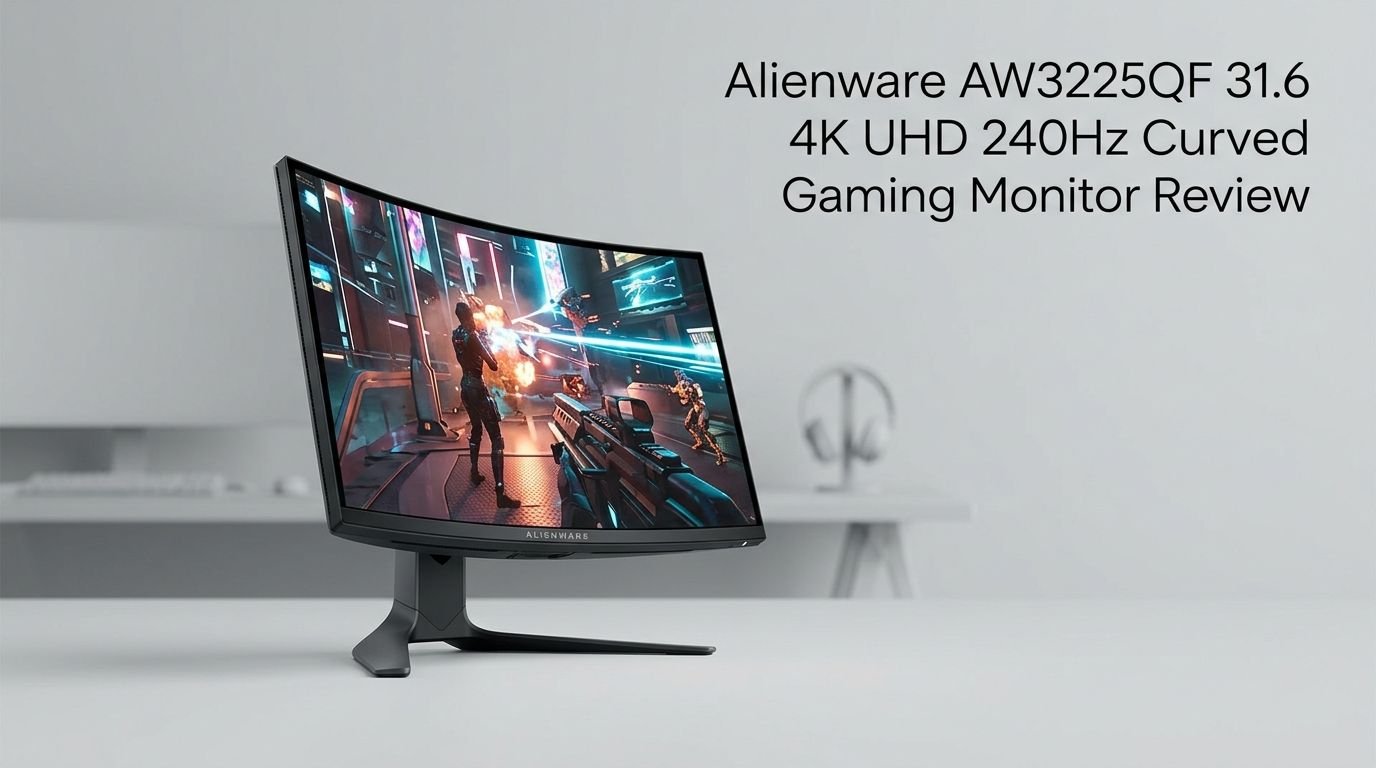
Alienware AW3225QF 31.6 4K UHD 240Hz Curved Gaming Monitor Review 2026
You have heard the hype. You have seen the glowing praise across every tech forum and YouTube channel.
The Alienware AW3225QF arrived as one of the first 32-inch 4K QD-OLED monitors on the market, and it shook up the gaming display world in a big way. But now that competition has caught up, does this monitor still hold its crown in 2026?
This 31.6-inch curved gaming monitor packs a 4K UHD resolution, a blazing 240Hz refresh rate, and a 0.03ms response time. Those numbers alone make your jaw drop. Add in Dolby Vision HDR, NVIDIA G-Sync compatibility, and Samsung’s third-generation QD-OLED panel, and you have a display that promises to deliver the best visual experience money can buy.
Key Takeaways:
- The Alienware AW3225QF uses Samsung’s third-generation QD-OLED panel, which delivers infinite contrast, deep true blacks, and incredibly vibrant colors. This panel technology puts it ahead of traditional IPS and VA monitors by a significant margin. The 4K resolution at 31.6 inches means every pixel is sharp and detailed with a pixel density of roughly 140 PPI.
- The 240Hz refresh rate combined with a 0.03ms gray-to-gray response time makes this one of the fastest gaming monitors available. Motion clarity is outstanding. Ghosting and smearing are virtually nonexistent, which gives competitive gamers a real advantage in fast-paced titles.
- HDR performance is a highlight with support for Dolby Vision and HDR10. The peak brightness hits around 1000 nits in HDR mode, and the infinite contrast ratio of OLEDs means HDR content looks stunning with bright highlights and deep shadows side by side.
- The 1700R curve adds immersion without creating image distortion. It wraps your field of view gently, which feels natural during long gaming sessions. Some users prefer flat panels for productivity work, so keep that in mind.
- Connectivity includes DisplayPort 1.4, two HDMI 2.1 ports, and a USB-C port. This makes the monitor compatible with PS5, Xbox Series X, and modern PCs. The USB-C port also supports data and charging, which is handy for laptop users.
- The price point sits in the premium range, but it competes well against rivals like the ASUS ROG Swift PG32UCDM and Samsung Odyssey OLED G8. You get Dell’s excellent warranty and solid build quality included in that price.

Last update on 2026-09-19 / Affiliate links / Images from Amazon Product Advertising API Some of the links on this website are affiliate links, which means that at no additional cost to you, I earn a commission if you click through and make a purchase. I only recommend products and services that I believe will add value to my readers. Thank you for your support!
Alienware AW3225QF 31.6 4K UHD 240Hz Curved Gaming Monitor Overview
The Alienware AW3225QF is a 31.6-inch curved gaming monitor built around Samsung’s third-generation QD-OLED panel. It delivers a native 3840 x 2160 resolution at a 240Hz refresh rate. This combination of 4K detail and high refresh rate was rare just a couple of years ago. Now it represents the gold standard for high-end gaming displays.
Dell launched this monitor as part of its Alienware lineup, and it carries the brand’s signature design language. The Lunar Light color scheme gives it a clean, futuristic look. The stand is sturdy and supports tilt, swivel, and height adjustment. You can also mount it on a VESA-compatible arm with its 100x100mm pattern.
The QD-OLED panel offers self-emitting pixels. This means each pixel produces its own light. The result is perfect blacks and an infinite contrast ratio. Colors appear rich and lifelike with 99% DCI-P3 coverage. The monitor ships factory calibrated, so you get accurate colors right out of the box.
Dell includes a 3-year warranty with this monitor. This warranty also covers OLED burn-in, which removes a major concern for buyers. The brand’s after-sales support has earned praise from reviewers and users alike.
This monitor targets gamers who want zero compromises. It also appeals to creative professionals who need accurate color reproduction. If you want one display that does gaming and content creation at the highest level, the AW3225QF is a serious contender.
QD-OLED Display Technology and Picture Quality
The heart of the AW3225QF is its QD-OLED panel. This technology combines Quantum Dot color enhancement with organic light-emitting diodes. Each pixel emits its own light, which eliminates the need for a backlight. This creates perfect black levels with zero light bleed or blooming.
Color accuracy is exceptional. The monitor covers 99% of the DCI-P3 color space and delivers 1.07 billion colors thanks to its 10-bit panel. Gradients look smooth without banding. Red, green, and blue hues appear punchy and saturated without looking artificial.
Viewing angles are excellent across the board. QD-OLED panels maintain color and contrast even at wide angles. This matters if you sit slightly off-center or if friends watch your screen during gaming sessions.
The anti-reflection coating on the AW3225QF reduces glare from ambient light sources. This is a notable upgrade from earlier OLED monitors that struggled with reflections. You can use this monitor in a room with some natural light without losing too much image clarity.
Uniformity is strong across the panel. The curved design helps distribute light evenly, and most review samples show consistent brightness from corner to corner. Some users have reported minor color shifts at the extreme edges, but this is typical of curved displays and barely noticeable during normal use.
The overall picture quality puts this monitor in the top tier. Whether you are watching a movie, editing photos, or gaming at maximum settings, the image is stunning. This is the kind of display that makes you notice flaws in your content rather than flaws in your monitor.
Gaming Performance at 240Hz and 0.03ms Response Time
The AW3225QF was built for gaming, and it delivers on that promise. The 240Hz refresh rate means the screen updates 240 times per second. This creates incredibly smooth motion in games. Fast camera movements, quick turns, and rapid action sequences all look buttery smooth.
The 0.03ms gray-to-gray response time is near instantaneous. Pixel transitions happen so fast that ghosting is virtually eliminated. In competitive shooters like Valorant, CS2, and Apex Legends, you see every enemy movement with crystal clarity. There is no trailing behind fast-moving objects.
NVIDIA G-Sync compatibility and AMD FreeSync Premium Pro support eliminate screen tearing. The monitor matches its refresh rate to your GPU’s frame output. This creates a seamless visual experience without stutters or artifacts. You get a smooth image whether your GPU pushes 60fps or 240fps.
Input lag is minimal. Testing shows the AW3225QF delivers input lag numbers that compete with the fastest gaming monitors available. You press a button, and the action appears on screen almost instantly. This responsiveness matters for competitive gamers who need every millisecond of advantage.
The monitor supports variable refresh rate (VRR) across its full range. This means you stay tear-free even during intense scenes where frame rates fluctuate. The VRR implementation is smooth with no flickering or brightness changes during rate transitions.
For console gaming, the two HDMI 2.1 ports support 4K at 120Hz. This makes the AW3225QF a great companion for PS5 and Xbox Series X. You get excellent picture quality and smooth gameplay on consoles too.
Top 3 Alternatives for Alienware AW3225QF
1. ASUS ROG Swift OLED PG32UCDM


Last update on 2026-09-19 / Affiliate links / Images from Amazon Product Advertising API Some of the links on this website are affiliate links, which means that at no additional cost to you, I earn a commission if you click through and make a purchase. I only recommend products and services that I believe will add value to my readers. Thank you for your support!
2. Samsung 32″ Odyssey OLED G8 (G80SD)

Last update on 2026-09-19 / Affiliate links / Images from Amazon Product Advertising API Some of the links on this website are affiliate links, which means that at no additional cost to you, I earn a commission if you click through and make a purchase. I only recommend products and services that I believe will add value to my readers. Thank you for your support!
3. MSI MPG 321URX QD-OLED

Last update on 2026-09-19 / Affiliate links / Images from Amazon Product Advertising API Some of the links on this website are affiliate links, which means that at no additional cost to you, I earn a commission if you click through and make a purchase. I only recommend products and services that I believe will add value to my readers. Thank you for your support!
HDR Performance and Dolby Vision Support
HDR is where OLED monitors truly shine, and the AW3225QF does not disappoint. The monitor supports HDR10 and Dolby Vision. Dolby Vision support is a standout feature that most gaming monitors still lack. It provides dynamic metadata that adjusts HDR tone mapping on a scene-by-scene basis.
Peak brightness reaches approximately 1000 nits in small HDR highlights. This is enough to make bright elements like explosions, sunlight, and fire pop off the screen. The contrast between these bright highlights and the perfect black background creates an image with incredible depth.
The monitor carries VESA DisplayHDR True Black 400 certification. This certification confirms that the display meets strict standards for black level performance and peak brightness. The True Black designation is specific to OLED and self-emitting displays that can produce actual zero-luminance blacks.
HDR gaming is a transformative experience on this panel. Games like Cyberpunk 2077, Forza Horizon 5, and Elden Ring look dramatically different with HDR enabled. Shadow detail improves, highlights gain intensity, and the overall image has a cinematic quality that SDR simply cannot match.
HDR movie playback is equally impressive. 4K Dolby Vision content from streaming services looks stunning on this display. Colors pop, contrast is perfect, and the image has a sense of realism that pulls you into the content.
The tone mapping handles both bright and dark scenes well. You won’t see crushed blacks or blown-out highlights. The monitor balances the HDR grade accurately, which is a testament to the quality of the panel and Dell’s processing.
Design and Build Quality
The Alienware AW3225QF features Dell’s Legend 3.0 design language. The monitor comes in a Lunar Light color scheme that blends white and silver tones. The rear panel features Alienware’s signature circular ventilation pattern and the iconic Alienware head logo that lights up with customizable RGB.
Build quality is premium. The chassis feels solid with no flex or creaking. The bezels are thin on three sides, which maximizes screen real estate and creates an immersive viewing experience. The bottom bezel is slightly thicker but still sleek by modern standards.
The stand is well-engineered and provides full ergonomic adjustments. You can tilt the screen from -5 to +21 degrees. Swivel range covers -20 to +20 degrees. Height adjustment offers up to 110mm of travel. There is no pivot for portrait orientation, but that is expected for a 32-inch curved panel.
Cable management is handled through a hole in the stand’s neck. This lets you route cables cleanly behind the monitor. The result is a tidy desk setup with minimal visible wiring. The stand’s base is compact enough that it won’t dominate your desk space.
The 1700R curvature is gentle and subtle. It wraps the screen edges slightly toward you, which enhances immersion during gaming. The curve is mild enough that straight lines in productivity apps still look straight. This makes the AW3225QF a versatile choice for mixed use.
The monitor weighs about 15.5 pounds with the stand. It feels substantial but not excessively heavy. If you prefer a monitor arm, the VESA 100x100mm mount pattern makes installation straightforward.
Connectivity and Port Selection
The AW3225QF offers a solid selection of ports that covers most use cases. On the rear panel, you find one DisplayPort 1.4 port, two HDMI 2.1 ports, and one USB-C port with DisplayPort Alt Mode.
The DisplayPort 1.4 connection supports the full 4K 240Hz experience with Display Stream Compression (DSC). This is the ideal connection for PC gaming. It ensures you get the maximum refresh rate at the highest resolution without compromise.
Both HDMI 2.1 ports support 4K at 120Hz with VRR. These ports make the monitor fully compatible with PS5 and Xbox Series X. You can have your PC connected via DisplayPort and a console connected via HDMI at the same time. Switching between sources is quick and easy through the on-screen display.
The USB-C port supports display output, data transfer, and power delivery. It can charge compatible laptops while displaying their output. This is a great feature for MacBook and USB-C laptop users. One cable handles video, data, and power, which keeps your desk clean.
Additional USB-A downstream ports are included for peripherals. You can connect a mouse, keyboard, or headset directly to the monitor. This turns the AW3225QF into a USB hub, which reduces cable clutter at your PC.
Audio output is handled through a 3.5mm headphone jack. The monitor does not include built-in speakers. Most gamers use headsets or external speakers anyway, so this is not a significant drawback for the target audience.
OSD Menu and Software Features
The on-screen display (OSD) on the AW3225QF is controlled via a joystick on the rear panel. Navigation is smooth and responsive. You can access picture settings, input selection, game-specific features, and system preferences with just a few clicks.
Dell provides several preset display modes including Standard, Game, FPS, RTS/RPG, and Creator. Each preset adjusts brightness, contrast, color temperature, and response time to suit different scenarios. The Creator mode offers the best color accuracy for photo and video editing.
AlienFX lighting controls are accessible through the OSD and Dell’s Alienware Command Center software. You can customize the RGB lighting on the rear of the monitor. Options include static colors, breathing effects, color cycling, and synchronization with other Alienware peripherals.
The OSD includes a crosshair overlay feature. Competitive gamers can place a persistent crosshair on the center of the screen. This helps with aiming in shooters that don’t provide a visible crosshair, or for games that hide the reticle during certain actions.
Dark Stabilizer is another useful gaming feature. It brightens dark areas of the screen without overexposing bright areas. This helps you spot enemies hiding in shadows without washing out the rest of the image. It provides a visibility boost in dark game environments.
A frame rate counter can also be enabled through the OSD. This displays your current FPS in a corner of the screen. You don’t need third-party software to monitor your performance during gameplay.
Color Accuracy for Content Creation
The AW3225QF is not just a gaming monitor. It doubles as an excellent display for content creation. Factory calibration delivers a Delta E value under 2.0, which means color accuracy is high right out of the box.
The monitor covers 99% of the DCI-P3 color space and approximately 149% of the sRGB gamut. This wide color coverage ensures that you see the full range of colors in your photos, videos, and design work. Colors look vibrant and true to life.
10-bit color depth means the panel can display 1.07 billion colors. Gradient transitions look smooth with no visible banding. This matters for photo editing, video grading, and graphic design work where subtle color shifts need to be visible.
For sRGB-targeted work, the OSD includes an sRGB color mode. This clamps the color output to the sRGB gamut, which prevents oversaturation. Web designers and photographers who deliver sRGB content will find this mode useful for accurate previews.
The 4K resolution makes a real difference for creative work. You see fine details in high-resolution photos. Video timelines show more tracks and clips. Text rendering is sharp and clear, which reduces eye strain during long editing sessions.
However, the 1700R curvature may bother some creators. Straight lines in design software can appear slightly bent near the edges. Most professionals adapt quickly, but if you do precise architectural or CAD work, a flat panel might suit you better.
Burn-In Protection and Panel Longevity
OLED burn-in is a valid concern for any OLED display, and Dell addresses it proactively. The AW3225QF includes several built-in features to minimize the risk of permanent image retention.
Pixel Refresh runs automatically when you turn the monitor off. This process compensates for uneven pixel wear by adjusting the voltage across the panel. A short refresh runs after a few hours of use. A longer panel refresh runs after extended cumulative use time. Both processes happen without any action from the user.
The monitor also includes an ABL (Automatic Brightness Limiter) function. This reduces brightness on large static bright areas to prevent accelerated pixel degradation. While some users find ABL slightly aggressive, it plays an important role in extending the panel’s lifespan.
Dell offers a 3-year warranty that covers burn-in. This is a significant confidence booster. If permanent image retention occurs within the warranty period, Dell will repair or replace the monitor. Not every OLED monitor brand offers this level of protection.
Pixel shifting is another protective feature. The monitor subtly moves the image by a few pixels at regular intervals. This is invisible to the naked eye but helps distribute wear evenly across the panel. Static elements like taskbars and HUD elements benefit from this feature.
For users who display static content for hours, such as desktop icons or browser tabs, these protections work together to reduce risk. After nearly two years on the market, user reports of burn-in on this model remain rare. The combination of hardware and software protection seems effective.
Power Consumption and Energy Efficiency
The AW3225QF is an OLED monitor, which means its power consumption varies based on screen content. Typical power draw sits around 37 to 80 watts during normal use. Dark content draws less power because black pixels are simply turned off.
Compared to high-end IPS monitors with power-hungry backlights, the AW3225QF is actually quite energy efficient during mixed-content use. Full-screen white content will draw more power, but real-world usage rarely involves a completely white screen.
The monitor supports power-saving modes that reduce energy use when your PC is idle. A standby mode draws less than 0.5 watts. This is compliant with modern energy regulations and helps reduce your electricity bill over time.
Dell includes an energy gauge in the OSD that shows real-time power consumption. This is a thoughtful addition for users who care about energy use. You can see how different brightness settings and content types affect power draw.
The external power supply keeps heat out of the monitor chassis. This helps maintain lower operating temperatures for the OLED panel, which is beneficial for panel longevity. The power brick is moderately sized and easy to tuck behind a desk.
Overall, the AW3225QF is a power-efficient display for its class. You get premium 4K OLED performance without an excessive electricity bill. This is a practical advantage that often gets overlooked in gaming monitor reviews.
Who Should Buy the Alienware AW3225QF?
This monitor is ideal for PC gamers who want the best visual experience available. If you own a high-end GPU like an RTX 4090, RTX 5080, or RX 9070 XT, this display will do your hardware justice. You will see every frame in stunning 4K detail at up to 240fps.
Console gamers also benefit from the HDMI 2.1 ports that support 4K at 120Hz. PS5 and Xbox Series X users will enjoy a massive upgrade in picture quality compared to standard gaming monitors. The HDR performance on consoles is especially impressive.
Content creators and video editors should consider this monitor seriously. The color accuracy, 4K resolution, and wide gamut coverage make it suitable for professional work. Factory calibration saves you the cost of an external calibrator for most tasks.
Multitaskers who want a single monitor for work and play will appreciate the AW3225QF’s versatility. It handles spreadsheets, web browsing, coding, and gaming equally well. The 32-inch size is large enough to split into two virtual windows side by side.
However, this monitor may not be the best choice for budget-conscious buyers. The premium price tag reflects its premium features. If you don’t need 4K, 240Hz, or OLED, there are more affordable options that deliver great performance for less money.
Users who do extensive CAD or precision line work might prefer a flat panel. The gentle curve is fine for most tasks but can subtly distort straight lines at the edges of the screen.
Alienware AW3225QF vs. ASUS ROG Swift PG32UCDM
Last update on 2026-09-19 / Affiliate links / Images from Amazon Product Advertising API Some of the links on this website are affiliate links, which means that at no additional cost to you, I earn a commission if you click through and make a purchase. I only recommend products and services that I believe will add value to my readers. Thank you for your support!
The ASUS ROG Swift PG32UCDM uses the same Samsung QD-OLED panel as the AW3225QF. This means picture quality, response times, and color performance are nearly identical between the two monitors. The core viewing experience is a tie.
Where they differ is design and features. The AW3225QF has a curved panel, while the PG32UCDM is flat. This is a major differentiator. Gamers who prefer immersive curved displays will lean toward the Alienware. Those who want geometric accuracy for mixed use will prefer the flat ASUS.
ASUS includes a custom heatsink with graphene technology to manage heat on the OLED panel. This potentially improves brightness sustainability during long sessions. The AW3225QF relies on Dell’s own thermal management, which also performs well but uses a different approach.
The ASUS OSD and software ecosystem ties into ROG-specific features like Aura Sync RGB. The Alienware ties into AlienFX. Both work well within their respective ecosystems. Your existing peripherals may influence which ecosystem is more convenient.
Pricing fluctuates between the two, but they typically compete within a close range. The AW3225QF often benefits from Dell’s direct sales and frequent promotions. The PG32UCDM is widely available at major retailers and also sees regular discounts.
Both monitors offer burn-in warranties and solid build quality. Choosing between them comes down to curved vs. flat preference and brand loyalty. You cannot go wrong with either display.
Pros and Cons of the Alienware AW3225QF
Stunning QD-OLED picture quality stands out as the biggest strength. The infinite contrast, vibrant colors, and 4K resolution deliver a visual experience that surpasses almost every other gaming monitor on the market. You truly see the difference every time you turn it on.
The 240Hz refresh rate and 0.03ms response time provide class-leading motion performance. There is no ghosting, no smearing, and no motion blur. Fast games look sharp and fluid. This is as good as it gets for gaming motion clarity.
Dolby Vision and HDR10 support make HDR content look spectacular. The peak brightness and perfect blacks combine to create an HDR experience that LCD monitors simply cannot replicate. Movies, games, and streaming content all benefit.
Dell’s 3-year warranty with burn-in coverage offers peace of mind. This warranty is among the best in the OLED monitor market. It removes the biggest concern that potential buyers have about OLED technology.
On the downside, the price is high. This is a premium product with a premium price tag. Budget-minded shoppers will need to weigh whether the OLED experience is worth the extra cost compared to high-end IPS options.
The curve may not suit everyone. Productivity users who work with straight lines and precise geometry may find the curvature distracting. It’s subtle, but it’s there. Also, the monitor lacks built-in speakers, which means you need external audio equipment.
Final Verdict: Is the Alienware AW3225QF Worth It in 2026?
The Alienware AW3225QF remains one of the best gaming monitors you can buy in 2026. Competition has increased with strong options from ASUS, Samsung, and MSI. But the AW3225QF holds its ground with excellent picture quality, outstanding gaming performance, and Dell’s strong warranty support.
The QD-OLED panel delivers visuals that make every other display technology look ordinary. The 4K 240Hz combination means you never have to choose between resolution and smoothness. You get both in one package.
If you value image quality, speed, and HDR performance above all else, this monitor is an easy recommendation. The price is justified by the premium experience. The burn-in warranty eliminates the biggest risk of OLED ownership.
For gamers who already own a powerful GPU, this display is the perfect way to experience your games at their absolute best. You will notice details you never saw before. Colors will look more vivid. Dark scenes will reveal hidden information. It changes how you experience games.
The AW3225QF earns a strong recommendation. It is not the only excellent 4K OLED monitor available in 2026, but it is still one of the very best. If you can afford it, you will not regret this purchase.
Frequently Asked Questions
Does the Alienware AW3225QF support HDMI 2.1 for PS5 and Xbox?
Yes. The monitor includes two HDMI 2.1 ports that support 4K at 120Hz with VRR. Both PS5 and Xbox Series X work perfectly with this display. You get smooth gameplay and excellent HDR picture quality on consoles. The HDMI 2.1 connection also supports ALLM (Auto Low Latency Mode) for reduced input lag.
Is burn-in a real concern with the Alienware AW3225QF?
Dell has included multiple burn-in prevention features including pixel refresh, pixel shifting, and ABL. The monitor also comes with a 3-year warranty that covers burn-in damage. Real-world reports of burn-in on this model are very rare after nearly two years on the market. With normal use and the built-in protections, burn-in should not be a major worry.
Can the Alienware AW3225QF reach 240Hz at 4K resolution?
Yes. The monitor supports 4K (3840 x 2160) at 240Hz through its DisplayPort 1.4 connection with Display Stream Compression. You need a capable GPU like an NVIDIA RTX 4080 or higher to push frame rates near 240fps at 4K in demanding games. Less demanding titles and esports games can hit 240fps more easily.
Does the Alienware AW3225QF have built-in speakers?
No. The AW3225QF does not include built-in speakers. It provides a 3.5mm headphone jack for audio output. Most gamers use headsets or dedicated desktop speakers, so this is not a dealbreaker for the target audience. You can connect any standard headphone or speaker system through the audio jack.
How does the Alienware AW3225QF compare to the Samsung Odyssey OLED G8?
Both monitors use QD-OLED technology and deliver similar picture quality. The Samsung Odyssey OLED G8 (G80SD) has a flat panel and includes smart TV features with Samsung’s Tizen OS. The AW3225QF has a curved panel and focuses purely on gaming and monitor functions. The Samsung is often priced slightly lower. Your choice depends on whether you want a curve, smart features, or Dell’s warranty and design.
Is the 1700R curve noticeable during daily use?
The 1700R curvature is gentle and subtle. During gaming, it adds a slight sense of immersion without distorting the image. For productivity tasks like web browsing, writing, and spreadsheets, most users adapt quickly and stop noticing the curve. However, if you do precise design or architectural work, you may notice slight bending of straight lines near the screen edges.

Hello everyone my name is Alenya and i am a gadget discovering Enthusiast 🐻🐻