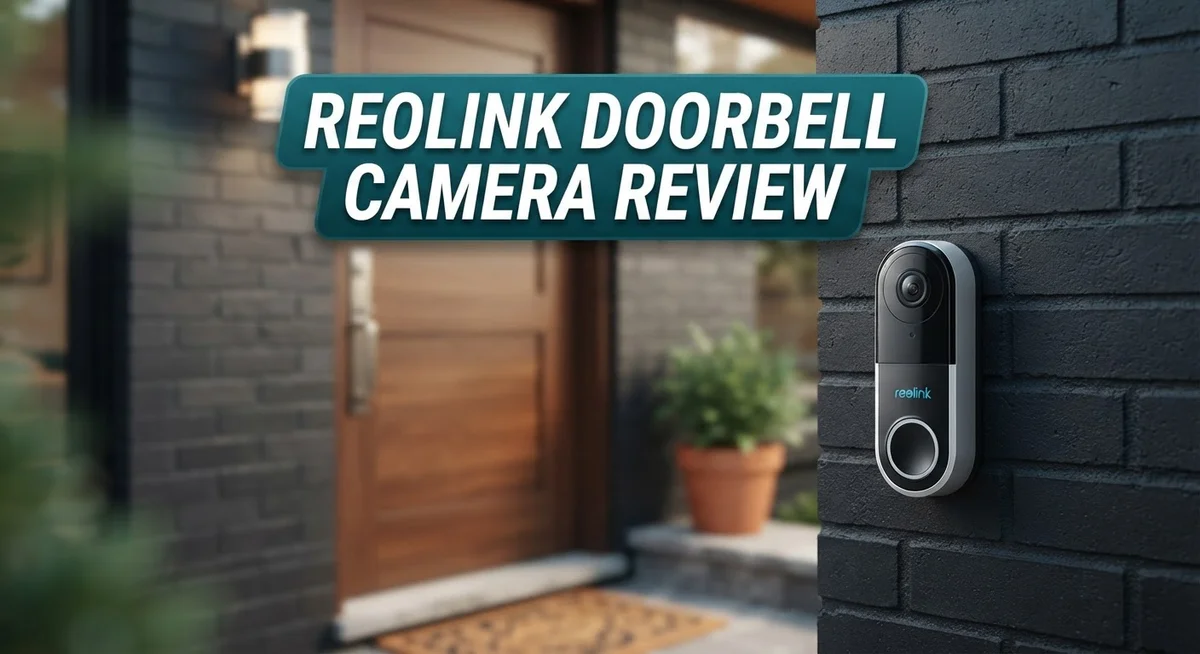
Reolink Doorbell Camera Review 2026: Is It Worth Buying?
Looking for a smart doorbell that actually works well? The Reolink Doorbell Camera might be your answer. It promises sharp video, smart detection, and zero monthly fees.
Many homeowners want security without extra costs. Reolink solves this problem with local storage options. You get peace of mind without paying subscription fees every month.
This camera offers 2K+ resolution on select models. You see clear video at 2560×1920 at 20fps. The wide field of view spans up to 180 degrees.
In a Nutshell
- No subscription needed. You get full access to features without paying monthly fees. This saves you ongoing hassle.
- Smart detection works well. The camera spots people, vehicles, animals, and packages. You get alerts that actually matter.
- Setup is simple. Most users install this camera without any technical headaches. You can mount it on walls or ceilings based on your space.
- Storage stays local. Your footage saves directly to a microSD card. You control your data without relying on cloud services.
- Smart home integration works smoothly. This camera connects with Alexa and Google devices. Your existing setup stays intact.
- Some limitations exist. The app sometimes shows glitches. Detail capture could be sharper in certain conditions.
- Compared to Ring and Nest, this camera holds its own. It may not beat Google Nest Doorbell in raw performance. But it offers solid value for everyday security needs.
Video Quality and Resolution
The Reolink Doorbell Camera captures video in 4MP resolution on standard models. Select 2K+ versions step up to 2560×1920 pixels at 20 frames per second. This means you get crisp, clear footage of visitors at your door.
The field of view spans 134 to 180 degrees depending on your model choice. A wider angle helps you see more of your porch, driveway, and surrounding areas. You won’t miss activity happening to the sides of your entrance.
Image clarity matters most when identifying faces and packages. The 4MP sensor performs well in daylight conditions. Colors appear natural and details stay sharp. When visitors ring the bell, you can usually see their facial features clearly enough to recognize them.
Low light performance gets decent marks too. The camera handles dusk and dawn reasonably well. Night vision uses infrared to illuminate your porch when darkness falls. You’ll see outlines and movement clearly, though fine details fade in complete darkness.
Frame rate affects how smooth your video looks. The 20fps standard keeps motion fluid without jerky playback. This matters when someone walks across your porch or a package gets delivered. You see the action unfold naturally rather than in choppy clips.
One consideration: the Reolink doesn’t match Google Nest’s superior performance in extremely low light situations. Nest uses larger sensors and more advanced processing. However, for typical home security needs, the Reolink delivers solid results.
Video quality stays consistent throughout the day. The camera adjusts automatically to changing light. Sunrise, midday sun, and evening shadows all get handled without manual tweaking. This automatic adjustment keeps your footage usable without extra setup work.
The resolution and frame rate combination works well for identifying people and detecting packages. You get enough detail for security purposes without paying for features you won’t use. The wide field of view ensures comprehensive porch coverage. Overall, the video quality meets expectations for a home doorbell camera.

Last update on 2026-10-03 / Affiliate links / Images from Amazon Product Advertising API Some of the links on this website are affiliate links, which means that at no additional cost to you, I earn a commission if you click through and make a purchase. I only recommend products and services that I believe will add value to my readers. Thank you for your support!
Installation and Setup
Installing the Reolink Doorbell Camera takes just a few minutes. You have two main options: wireless battery power or wired connection. Pick the setup that works best for your home.
For the wireless version, you need no electrician. Mount the camera above your door using the included bracket and screws. The battery slides in easily. Download the Reolink app, scan the QR code, and connect to your WiFi network. You’re done in under ten minutes.
The wired setup requires a bit more work. You’ll connect the camera to your existing doorbell wires or use a separate power adapter. The process remains straightforward even for beginners. Most people finish this in fifteen minutes without help.
The app guides you through each step with clear instructions. You select your WiFi network, create a password, and add the camera to your account. No complicated menus or confusing settings slow you down. The interface feels intuitive and user friendly.
Mounting flexibility matters here. You can place the camera on a wall, ceiling, or corner. The bracket adjusts to different angles. This helps you capture the perfect view of your front entrance. Test the angle before finalizing installation to ensure good coverage.
Local storage setup happens after installation. Insert a microSD card into the slot to save video clips. The camera records continuously or only when motion triggers detection. You control exactly what gets saved and for how long.
Smart home integration connects during setup too. Link your Alexa or Google Home device to the Reolink app. Voice commands let you check live feeds hands free. This integration adds convenience without extra steps.
One thing to note: the initial app connection sometimes needs a retry if your WiFi signal is weak. Position your router reasonably close during first setup. Once connected, the camera maintains the link reliably.
The entire process feels approachable for anyone. Technical experience helps but isn’t required. Reolink designed this camera with simplicity in mind. Your doorbell camera starts protecting your home the same day you unbox it.
AI Detection and Smart Features
Reolink’s AI detection system identifies four key object types: people, vehicles, animals, and packages. This means you get alerts only for what matters most. The camera filters out false alarms from wind, shadows, or passing leaves. You stay informed without constant noise notifications.
The person detection works reliably during daylight hours. Vehicle recognition kicks in when cars or trucks enter your doorway area. Animal detection helps if you have pets or wildlife concerns. Package detection alerts you when deliveries arrive, which proves useful for theft prevention.
Smart features integrate smoothly with your existing ecosystem. The doorbell connects to Alexa and Google Home devices. You can ask your smart speaker to show you live video or check recent activity. This hands-free control adds convenience to your daily routine.
Local storage keeps your footage private and secure. You can insert a microSD card up to 1TB capacity. This means videos stay on your device, not uploaded to cloud servers. You maintain full control over your security data without monthly subscription fees.
The camera supports up to eight devices on one account. This flexibility works well if you want to expand your system later. Add cameras to different entry points as needed. Your existing setup grows without complications.
Motion detection triggers recording automatically. You won’t miss important moments even when you’re away. The system learns your home’s normal activity patterns over time. Unusual events stand out more clearly in your alerts.
One realistic note: app performance occasionally needs improvement. Some users report connection delays or slow loading times. Restarting the app usually fixes these minor issues quickly. Your WiFi signal strength affects overall reliability too.
The AI detection doesn’t match premium competitors like Google Nest in every scenario. However, it handles everyday security tasks effectively. Most homeowners find the detection accuracy sufficient for protecting their front door. The balance between features and simplicity appeals to practical users seeking straightforward home security without overwhelming complexity.
Top 3 Alternatives
Logitech Circle View

Last update on 2026-09-20 / Affiliate links / Images from Amazon Product Advertising API Some of the links on this website are affiliate links, which means that at no additional cost to you, I earn a commission if you click through and make a purchase. I only recommend products and services that I believe will add value to my readers. Thank you for your support!
Logitech Circle View offers smart video monitoring for your front door. This doorbell camera captures clear footage during day and night. You get motion detection alerts sent straight to your phone when activity happens near your entrance.
The device works with your existing Wi-Fi network. Setup takes just a few minutes without special tools. You can view live video from anywhere using the mobile app. The camera stores footage in the cloud, so you never lose important recordings.
Wyze Video Doorbell


Last update on 2026-09-20 / Affiliate links / Images from Amazon Product Advertising API Some of the links on this website are affiliate links, which means that at no additional cost to you, I earn a commission if you click through and make a purchase. I only recommend products and services that I believe will add value to my readers. Thank you for your support!
Wyze Video Doorbell brings affordable home security to your doorstep. This camera delivers 1080p video quality and includes two-way audio. You can talk to visitors or delivery people directly through the app.
The doorbell features person detection technology that distinguishes between people and other motion. This means fewer false alerts interrupting your day. Night vision works automatically when lighting drops. Installation requires a standard doorbell wiring setup, making it compatible with most homes.
Arlo Essential Doorbell

Last update on 2026-09-19 / Affiliate links / Images from Amazon Product Advertising API Some of the links on this website are affiliate links, which means that at no additional cost to you, I earn a commission if you click through and make a purchase. I only recommend products and services that I believe will add value to my readers. Thank you for your support!
Arlo Essential Doorbell provides reliable security monitoring with a sleek design. The camera captures 1080p video and sends instant notifications when someone approaches your door. Two-way talk lets you communicate with visitors in real time.
This doorbell includes advanced motion zones so you can focus on specific areas. You customize detection sensitivity to match your needs. The device works with Arlo’s ecosystem, letting you integrate it with other Arlo cameras around your home. Battery-powered operation means no wiring is necessary, offering installation flexibility for renters and homeowners alike.
Storage Options and Local Recording
Reolink doorbell cameras offer flexible storage options that keep your footage accessible without monthly subscription fees. The primary method uses a microSD card inserted directly into the camera. You can use cards up to 1TB, which means enormous storage capacity for extended recording periods.
Local recording happens automatically when motion triggers the camera. Your footage stays on the card rather than uploading to cloud servers. This approach protects your privacy since no third party accesses your video files. You control exactly where your data lives.
The system supports up to eight cameras on a single account. Each camera can record independently to its own microSD card. This setup works well if you want multiple entry points covered without complicated cloud subscriptions. The local storage method keeps everything simple and straightforward.
Footage retention depends on your card size and recording frequency. A 256GB card holds several weeks of motion triggered clips. A 1TB card extends that to months of continuous recording. The camera overwrites old footage automatically once the card fills up, so you never run out of space.
One practical consideration: you’ll need to physically access the camera to retrieve or manage the card. This works fine for most homeowners but requires occasional maintenance. Checking your footage means either reviewing it through the app or removing the card.
The microSD card installation takes just minutes. The slot sits in an accessible location on the camera body. Reolink provides clear instructions for this simple task. No technical skills are required.
The local storage approach differs from cloud only systems. You get complete independence from internet upload speeds. Your video quality never suffers from bandwidth limitations. Even during network interruptions, the camera continues recording to the card.
For users who prefer traditional storage methods, this local option delivers peace of mind. Your doorbell footage remains under your complete control. No subscriptions, no cloud dependencies, and no recurring fees to maintain your security system.
Smart Home Integration
Reolink doorbell cameras connect smoothly with popular smart home platforms. Alexa and Google Home integration happens right during setup. Your doorbell becomes part of your existing smart ecosystem without extra hassle.
The connection process feels straightforward. You link your Reolink account to Alexa or Google Home through their respective apps. Once connected, you can view live feeds and receive alerts on any compatible device. Voice commands let you ask your smart speaker about doorbell activity.
Local storage integration sets Reolink apart from many competitors. Your footage stays on the microSD card instead of uploading to cloud servers. This means your smart home system controls your own data. No dependency on internet speeds for storing recordings. The camera supports microSD cards up to 1TB, so storage capacity won’t limit you quickly.
Multiple camera support matters for larger homes. You can connect up to eight Reolink cameras on one account. Each device integrates with your smart home setup independently. This flexibility lets you expand your security system over time without switching platforms.
Motion detection triggers work across your smart home. When the doorbell detects movement, it can activate other devices. Your lights might turn on, or notifications reach multiple screens simultaneously. This automation creates a cohesive security experience.
One realistic consideration: app performance occasionally needs improvement. Some users experience connection delays when accessing live feeds through smart home apps. These issues don’t happen constantly, but they’re worth knowing about. Updates continue addressing these concerns.
The AI detection system identifies people, vehicles, animals, and packages. Smart home routines can respond to specific detection types. For example, package detection might trigger different notifications than animal detection. This customization enhances your home’s intelligence.
Unlike cloud-dependent systems, Reolink gives you control. Your smart home integration doesn’t require monthly subscriptions. The local storage approach means your doorbell functions independently of internet reliability. This independence appeals to users who want security without ongoing service fees.
Pros and Cons
Pros
- No monthly subscription fees. Your footage stays yours without recurring charges.
- Installation takes minutes. The wireless option means no complex wiring.
- AI detection catches people, vehicles, animals, and packages automatically.
- Local storage on microSD cards keeps your data private and independent from cloud services.
- Alexa and Google Home integration work smoothly with your existing smart home setup.
Cons
- App performance occasionally lags. Some users experience slow loading or connection delays.
- Video detail doesn’t match premium competitors like Google Nest in all lighting conditions.
- Limited to 8 cameras per account. Larger homes may need multiple accounts.
- Physical card access required. You must remove the microSD card to manage or retrieve footage manually.
Who Should Buy It
Reolink doorbell cameras work best for homeowners who want straightforward security without monthly fees. If you manage multiple properties or own a larger home, the ability to connect up to eight cameras on one account makes this system practical.
You should consider Reolink if you prefer local storage. The microSD card approach gives you complete control over your footage. You won’t depend on cloud services or internet upload speeds. This appeals to people who value privacy and want their data stored locally.
Renters and temporary residents find Reolink appealing too. The wireless, battery powered models install quickly without drilling or wiring. You can mount the camera on walls or ceilings in minutes. No professional installation needed.
Smart home users benefit from Reolink’s integrations. Alexa and Google Home compatibility means your doorbell works within your existing ecosystem. Motion detection triggers can activate lights or send alerts across your devices.
This doorbell suits people who accept minor app limitations. Some users report occasional slowness when loading footage or adjusting settings. If app performance matters most to you, premium competitors might feel smoother. But if core functionality matters more than a polished interface, Reolink delivers.
Homeowners in areas with unreliable internet connections should note that Reolink works better with stable WiFi or PoE connections. Battery powered models still need decent signal strength for alerts and live view.
Skip Reolink if you need premium video detail in all lighting conditions. The 4MP resolution handles most scenarios well, but low light performance lags behind Google Nest. If capturing fine details matters for your security needs, look elsewhere.
Families wanting package detection appreciate Reolink’s AI system. The camera identifies people, vehicles, animals, and packages automatically. This helps you know what triggered the alert without watching full clips.
Ultimately, Reolink appeals to practical homeowners. You want security that works without subscriptions, supports multiple cameras, and integrates with smart home devices. You accept that the app occasionally needs improvement. You value independence from cloud services. If this describes you, Reolink delivers straightforward home security.
Final Verdict
Reolink doorbell cameras deliver solid everyday security. They give you freedom from subscriptions. They give you control over your own footage.
This brand shines for people who value independence. You own your data. You store it on your own terms.
The system works well for most households. Families, renters, and smart home fans all find something useful here. Setup stays simple from the first step.
AI detection adds real value too. It spots people, pets, cars, and packages without fuss. This feature saves time and reduces false alerts.
Still, no product is perfect. The app sometimes stutters. A few users notice lag during peak times. This remains a fair tradeoff for the freedom you gain elsewhere.
Video clarity also has limits. Low light scenes lose some sharpness. Bright daylight footage looks much better.
If you want flawless footage in every condition, look elsewhere. Premium brands like Google Nest handle tricky lighting better. But most buyers do not need that level of detail every single day.
Think about your daily routine. Do you check footage casually, or do you need courtroom level clarity? Your answer shapes which brand fits best.
Reolink earns its place among solid doorbell options. It covers the basics well. It respects your privacy. It skips the monthly bills many competitors push.
The camera suits people who want straightforward protection. It suits anyone tired of recurring fees. It suits smart home users who already trust Alexa or Google.
This doorbell will not dazzle you with cutting edge technology. But it handles daily security tasks without drama. That honesty counts for something.
In the end, Reolink offers a practical path to home security. You get dependable performance. You get flexible storage. You get fewer strings attached.
Choose this doorbell if simplicity and control matter most to you. Skip it only if flawless video detail outweighs every other factor. For most homes, Reolink strikes a fair balance between function and freedom.
Frequently Asked Questions
Does Reolink doorbell camera work without WiFi?
Reolink offers multiple connection options. You can choose WiFi, Power over Ethernet (PoE), or battery power depending on your setup. PoE models work independently of your home WiFi network. Battery models need WiFi to send alerts and video to your phone. If your internet drops, local storage on the microSD card continues recording. You won’t lose footage even during outages.
Can I use Reolink without a subscription?
Yes. Reolink operates completely subscription-free. You get all features without paying monthly charges. Local storage on microSD cards means your videos stay on the device. You access them anytime through the app or by removing the card. This approach gives you full control over your data without recurring fees.
How many cameras can I connect to one Reolink account?
You can add up to 8 cameras per account. This works well for homes with multiple entry points or small properties. Each camera records independently to its own microSD card. The app lets you view all cameras from one dashboard. If you need more cameras later, you can add additional accounts.
Will Reolink work with my smart home devices?
Absolutely. Reolink integrates smoothly with Alexa and Google Home. You can view live feeds on compatible devices and control basic functions through voice commands. The integration lets your doorbell fit naturally into your existing smart home ecosystem. Setup takes just a few minutes through the respective apps.
What happens if the microSD card fills up?
The camera loops over old footage automatically. New recordings overwrite the oldest files first. This continuous cycle means you always have recent footage stored. A 1TB card holds months of video depending on resolution and activity levels.

Hello everyone my name is Alenya and i am a gadget discovering Enthusiast 🐻🐻