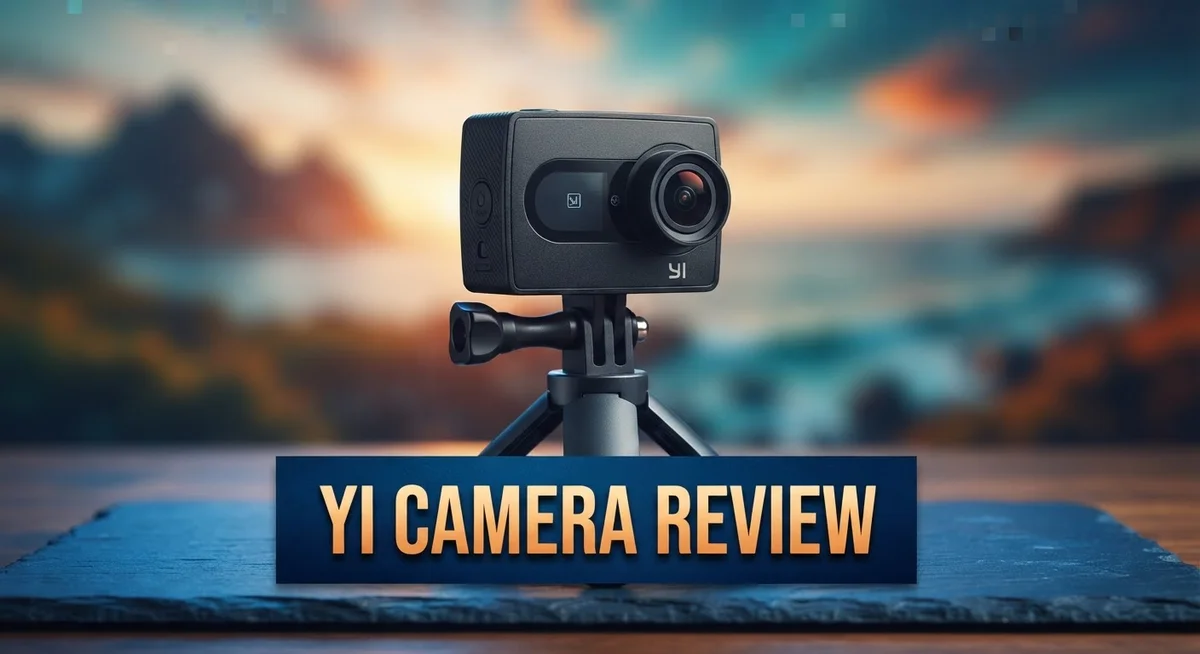
YI Camera Review 2026: A Comprehensive Guide
Looking for a home security camera that actually works? The YI Camera might catch your eye. It promises solid hardware and simple setup for everyday users.
Many buyers praise its video quality and reliable performance. The camera captures clear footage and connects fast right out of the box.
But here’s the twist. The companion app tells a different story. Users report excessive ads that block important alerts. Some even notice stability issues that affect daily use.
In a Nutshell
- Hardware performance stays strong. The camera captures clear footage and handles daily monitoring tasks well.
- The app experience disappoints many users. Heavy ads interrupt the viewing experience and sometimes block important alerts.
- App stability remains a real concern. Crashes and glitches happen often, making quick checks frustrating.
- Mounting the camera can feel tricky. Some users struggle to find a stable spot that works for their space.
- SD card recording issues raise red flags. Several users report failures that seem to push them toward paid subscriptions.
- Subscription prompts feel pushy. Even after buying the hardware, the app nudges users toward extra monthly plans.
- Setup itself stays simple and quick for most first time users.
- Compared to competitors like Alfred or Athome, the YI Camera holds its own on video clarity but lags in app polish.
Video Quality and Resolution
YI cameras deliver solid video performance for everyday home monitoring. The YI Home Camera 3 captures footage in 1080p resolution, which provides clear enough detail for most security needs. The YI Pro 2K model steps up the game with higher resolution output, giving you sharper images when you need them.
The hardware itself handles video capture reliably. Users consistently praise how well the camera records footage and maintains steady performance during extended monitoring sessions. The sensor performs well in normal lighting conditions, and you will see decent color reproduction throughout the day.
Storage flexibility matters here. Both models support SD card storage, which means you can save recordings locally without relying on cloud services. This gives you more control over your footage and reduces dependence on subscriptions for basic recording functionality.
However, video quality alone does not tell the full story. The real frustration emerges when you try to view your footage through the app. Many users report that accessing recorded video becomes difficult due to app crashes and glitches. What should be a quick check of your footage turns into a waiting game.
The app’s poor stability directly impacts your ability to review video content smoothly. Playback stutters, buffering delays, and unexpected crashes plague the experience. This means even though the camera captures clear footage, retrieving and watching it becomes unnecessarily complicated.
Resolution specs look good on paper. The actual viewing experience depends heavily on app performance, which remains a weak point. You might get 1080p or 2K footage, but the software fails to deliver it to you reliably.
For users who primarily want local SD card storage and do not mind working around app limitations, the video quality itself remains respectable. The camera hardware does its job capturing clear images. The disconnect happens when you try to access that footage through the platform’s interface. If seamless video playback matters to you, this is where YI cameras struggle most.

Last update on 2026-10-03 / Affiliate links / Images from Amazon Product Advertising API Some of the links on this website are affiliate links, which means that at no additional cost to you, I earn a commission if you click through and make a purchase. I only recommend products and services that I believe will add value to my readers. Thank you for your support!
Setup, Installation, and Hardware Design
Setting up a YI camera takes just a few minutes. You download the YI app, create an account, and follow the on screen prompts. The process feels straightforward for most users.
The hardware itself ships in good condition. You get the camera, a power adapter, and mounting brackets. Everything arrives ready to use without extra assembly steps.
Physical design is compact and unobtrusive. The camera fits easily on shelves, desks, or walls. Its small footprint means it does not dominate your space visually.
Mounting presents some challenges though. The included brackets work for standard surfaces, but positioning can feel finicky. You might need to adjust angles multiple times to get the right view. Some users report the mounting hardware feels loose after installation.
The camera connects to WiFi during setup. You enter your network password, and the device links automatically. Connection speed depends on your router’s signal strength in that room.
Power requirements are minimal. The included adapter plugs into any standard outlet. You do not need special electrical work or batteries.
Hardware build quality impresses most owners. The camera feels sturdy and durable. It handles daily operation without frequent breakdowns or failures.
SD card insertion happens on the device itself. You push the card into the slot until it clicks. The camera recognizes storage automatically and begins recording to the card.
The physical design keeps wires tidy. The power cable runs cleanly from the camera to the outlet. You can hide it behind furniture or along baseboards.
LED indicators show connection status. A light blinks when the camera connects to WiFi. This helps you confirm the setup worked correctly.
Reset options exist if something goes wrong. A small button on the back lets you restore factory settings. This takes the camera back to its original state if needed.
Overall, the hardware installation experience feels simple and quick. Most people complete setup in under ten minutes. The physical components work as expected without major frustration during the initial process.
Storage and Recording Capabilities
YI cameras offer flexible storage solutions that let you keep recordings on your own terms. Both the YI Home Camera 3 and YI Pro 2K support SD card storage, so you can save footage locally without relying on cloud services.
Local storage gives you control. You insert an SD card directly into the device and recordings save automatically. This approach means your video stays in your hands, not on someone else’s server. The camera handles continuous recording or event-based capture, depending on your preferences.
However, storage performance has some friction points. Several users report that SD card recording fails unexpectedly, which feels intentional to push you toward paid subscriptions. These failures occur even when the card has free space and is properly inserted. This pattern frustrates owners who specifically chose YI cameras for local storage capabilities.
Recording quality depends on your model choice. The YI Home Camera 3 captures at 1080p resolution, while the YI Pro 2K steps up to 2K. Both resolutions work fine for home monitoring, but your actual viewing experience depends on app stability rather than raw specs. The app crashes and glitches frequently, which means reviewing your recordings becomes a frustrating process even if the video quality itself looks sharp.
Storage management requires planning. SD cards fill up over time, so you need to decide how long you want to keep footage. Larger capacity cards cost more upfront but reduce how often you swap or delete old recordings. The camera does not offer built-in alerts when storage is nearly full, so you must check manually.
The bottom line on storage: YI cameras support local SD card recording, which is excellent for privacy-conscious users. The hardware itself handles recording reliably. Yet the app’s poor performance undermines the whole experience. You get decent video stored locally, but accessing and reviewing that footage smoothly remains a challenge. If you prioritize local storage over app convenience, the hardware delivers. Just expect friction when you actually want to watch your recordings.
Top 3 Alternatives
GoPro Hero 12

Last update on 2026-10-03 / Affiliate links / Images from Amazon Product Advertising API Some of the links on this website are affiliate links, which means that at no additional cost to you, I earn a commission if you click through and make a purchase. I only recommend products and services that I believe will add value to my readers. Thank you for your support!
The GoPro Hero 12 stands out as a powerful action camera. It captures stunning 5.3K video with smooth stabilization. The rugged design handles extreme conditions without breaking a sweat. You get excellent low-light performance that keeps footage clear even in dim environments. The camera features a bright touchscreen for easy navigation. Battery life lasts longer than previous models. Waterproof to 33 feet, it works underwater or in rain. The mounting system connects to hundreds of accessories.
DJI Osmo Action 4

Last update on 2026-10-03 / Affiliate links / Images from Amazon Product Advertising API Some of the links on this website are affiliate links, which means that at no additional cost to you, I earn a commission if you click through and make a purchase. I only recommend products and services that I believe will add value to my readers. Thank you for your support!
DJI’s Osmo Action 4 delivers impressive 4K recording quality at high frame rates. The camera includes built-in stabilization that removes shaky footage automatically. You’ll appreciate the bright screen that works well in sunlight. The design is compact and lightweight for travel. It handles water, dust, and drops without issues. The battery provides solid runtime for full days of shooting. DJI offers extensive mounting options for any angle you need.
Insta360 X3

Last update on 2026-09-17 / Affiliate links / Images from Amazon Product Advertising API Some of the links on this website are affiliate links, which means that at no additional cost to you, I earn a commission if you click through and make a purchase. I only recommend products and services that I believe will add value to my readers. Thank you for your support!
The Insta360 X3 brings unique 360-degree recording to action cameras. Capture everything around you simultaneously. The dual lenses create immersive footage you can edit later. You get 8K resolution for incredible detail. The camera stabilizes video automatically through software. The touchscreen is responsive and intuitive. It’s waterproof for underwater adventures. The compact form factor fits easily in bags or pockets. You can create standard videos or full-sphere content from the same shot.
App Performance and User Interface
The YI camera app is where the hardware’s promise starts to fade. The app suffers from serious stability problems that frustrate users daily. Performance lags when you try to view live feeds or playback recordings. The app crashes unexpectedly, forcing you to restart and reconnect.
Ads dominate the interface and block key functions. You cannot view alerts without scrolling through advertisements first. This design choice feels intentional and aggressive. The excessive ad placement makes the app feel cheap despite owning the hardware outright. Many users report that ads appear even when they pay for premium features.
Navigation feels cluttered and unintuitive. Finding basic settings requires digging through multiple menus. The layout does not follow standard mobile app conventions. New users struggle to locate simple controls like motion detection or recording preferences. Customization options remain limited compared to competitor apps. You cannot easily adjust sensitivity levels or create custom alert zones.
The app’s monetization strategy creates friction. YI pushes subscription services even though you already bought the camera. Notifications urge you to upgrade constantly. This aggressive approach undermines trust and makes the experience feel nickel and dimed.
Connection reliability varies between devices. Some users report frequent disconnections from their cameras. Reconnecting takes time and requires manual intervention. WiFi strength impacts performance significantly, but the app does not always handle weak signals gracefully.
The interface needs a complete redesign. Buttons are small and hard to tap accurately. Text is difficult to read on certain screens. Dark mode support is missing, making nighttime use uncomfortable. The app feels outdated compared to modern security camera applications.
On the positive side, basic functions work once you navigate past the obstacles. Live view eventually loads. Playback functions exist. Motion alerts arrive, though buried under ads. The core features exist, but the app does not deliver them smoothly or enjoyably.
If you prioritize hardware reliability over software experience, you may tolerate these limitations. However, most users find the app frustrating enough to impact their overall satisfaction with the camera system.
Security Features and Emergency Response
YI cameras include emergency response features that help you react quickly when something happens. The system sends alerts to your phone when motion or sound is detected. You get notified in real time so you can take action immediately.
The alert system works through the YI app. When the camera spots movement, a notification pops up on your device. You can then view the live feed right away. This immediate access helps you respond to potential threats before they escalate.
The emergency response capability depends heavily on app stability. Users report that the app sometimes fails to deliver alerts on time. Connection drops can delay notifications by minutes or even hours. This lag defeats the purpose of having real time monitoring. Your phone must stay connected to the internet for alerts to work properly.
One challenge with emergency features is the app’s ad placement. Alerts get buried behind advertisements. You may miss critical notifications while scrolling through promotional content. This design flaw undermines the security value of the system.
The camera records continuously to your SD card. During an emergency, you have video proof of what happened. Local storage means footage stays on your device, not on remote servers. This approach protects your privacy while giving you evidence if needed.
Response time matters in security situations. YI cameras let you access live video within seconds of an alert. You can speak through the camera’s two way audio feature. This allows you to communicate with visitors or warn potential intruders. The audio quality is clear enough for conversations.
The emergency features work best when everything functions smoothly. Hardware reliability is solid, but software glitches can prevent alerts from reaching you. Users who experience app crashes miss critical moments. Those with stable connections report better success with emergency notifications.
For homeowners seeking quick response capabilities, YI cameras offer the basic tools. The combination of motion detection, instant alerts, and live video access covers essential security needs. However, app performance issues can create dangerous gaps in your emergency response system. Test the notification reliability before relying on these features for your home security.
Pros and Cons
Pros
- Hardware performs reliably and captures solid video quality across models
- Setup process is straightforward and takes just a few minutes
- Local SD card storage gives you direct control over your recordings without relying on cloud services
- Emergency response features let you react quickly when alerts trigger
- Live video access works fast once you connect to the camera
Cons
- The app displays excessive ads that actually block you from viewing your alerts and notifications
- App stability issues cause frequent crashes and connection drops during critical moments
- SD card mounting feels finicky and recordings sometimes fail to save despite hardware being inserted correctly
- The app pushes subscription upgrades constantly even though you already bought the camera hardware
Who Should Buy It
YI cameras work best for people who want reliable hardware without demanding much from software. If you value a camera that simply records and stores footage locally, this is a solid choice for you.
You should buy a YI camera if you accept that the app experience won’t be smooth. The hardware captures good video quality and works dependably. Many users tolerate the software frustrations because the actual recording and storage perform well. Your footage saves to an SD card without requiring cloud subscriptions.
Parents and pet owners find value here if they only check recordings occasionally. You don’t need constant app interaction. You can review footage when you have time, avoiding the worst app problems. Emergency alerts still reach you, though you’ll encounter ads when viewing them.
Renters and people who move frequently benefit from YI cameras. Setup takes just minutes. The mounting process frustrates some users, but once installed, the hardware stays reliable. You can remove the camera quickly without permanent damage.
Security conscious users who prefer local storage over cloud systems should consider YI. Your recordings stay on the SD card in your control. You don’t depend on company servers or subscription services to access your footage.
Skip this brand if you need a polished app experience. If you check alerts constantly or need quick emergency response, the frequent crashes and ad placement will upset you. The app sometimes fails to deliver notifications when you need them most.
People who want customization options should look elsewhere. YI offers limited ways to adjust settings or personalize the interface. The app feels one-size-fits-all and rigid.
Buyers who plan to integrate cameras with smart home systems may find YI limiting. The software doesn’t connect smoothly with most popular platforms. You’re largely stuck using the YI app alone.
In short, buy YI if you accept hardware that works well but software that frustrates. You get dependable recording and fast live video access. Just don’t expect a modern, ad-free app experience.
Final Verdict
YI cameras deliver a mixed experience. The hardware side shines. The software side struggles.
This split personality defines the entire product line. You get solid cameras wrapped in a frustrating app.
Compared to Alfred Home Security Camera and Athome Camera, YI holds its own on build quality. But competitors often offer smoother app experiences.
The core question becomes simple: do you value hardware strength over software polish? Your answer determines if YI fits your needs.
Think about how you plan to use the camera daily. Occasional checkers will feel less friction than constant monitors.
Trust plays a role too. Some users report feeling misled by subscription pushes after buying hardware outright. This pattern affects long term brand confidence.
If you already own smart home devices, consider how YI fits into that ecosystem. Standalone use feels different than integrated setups.
Weigh your patience level honestly. Software quirks require tolerance that not everyone has.
The verdict depends on priorities. Pick YI for dependable hardware at a fair trade off. Skip it if seamless software matters more to you.
Final thought: no camera system is perfect. YI simply shifts the imperfection from hardware to software.
Buyers who accept this trade off often report satisfaction. Buyers expecting flawless digital experiences often feel let down.
Consider your household size and monitoring habits before deciding. A single camera for occasional checks differs greatly from a full home security setup.
In short, YI works well as a supporting tool rather than your sole security solution. Pair it with realistic expectations and you will likely be happy.
Choose wisely based on what frustrates you least: a few extra ads or less reliable footage overall. That single choice shapes your entire experience with this brand.
Frequently Asked Questions
Does the YI camera work with other smart home devices?
YI cameras connect to your phone through their app and support local SD card storage. They don’t integrate deeply with most smart home ecosystems like Alexa or Google Home. If you already own smart devices, check compatibility before buying. YI functions best as a standalone camera system rather than part of a larger network.
What’s the difference between YI Home Camera 3 and YI Pro 2K?
The Home Camera 3 captures video at 1080p resolution. The Pro 2K model steps up to 2K resolution for sharper footage. Both support SD card storage and emergency response features. Choose based on how much detail you need in your recordings. Higher resolution helps if you want to identify faces or read text from recordings.
Can I use YI cameras without a subscription?
Yes. Local SD card storage lets you save recordings directly without paying for cloud services. You control your footage without relying on YI’s servers. However, the app experience suffers from stability issues and excessive ads. Emergency alerts sometimes get blocked by these ads, which frustrates users who need quick notifications. The hardware works fine without a subscription, but the software experience remains challenging.
Why do some people say YI cameras have SD card recording failures?
Users report that recordings sometimes fail to save even when an SD card is properly inserted. This appears to be a software issue rather than a hardware defect. The mounting mechanism feels finicky and occasionally causes connection drops. Frustration builds because the camera hardware itself works reliably, but the recording process isn’t dependable. Checking your setup regularly helps catch these problems early.
Is YI a good choice for renters or people who move frequently?
Absolutely. YI cameras mount easily without permanent installation. You can remove them and take them to your next home without hassle. No long term contracts or complex setup required. This flexibility makes them practical for temporary living situations where you can’t drill holes or make permanent changes.

Hello everyone my name is Alenya and i am a gadget discovering Enthusiast 🐻🐻