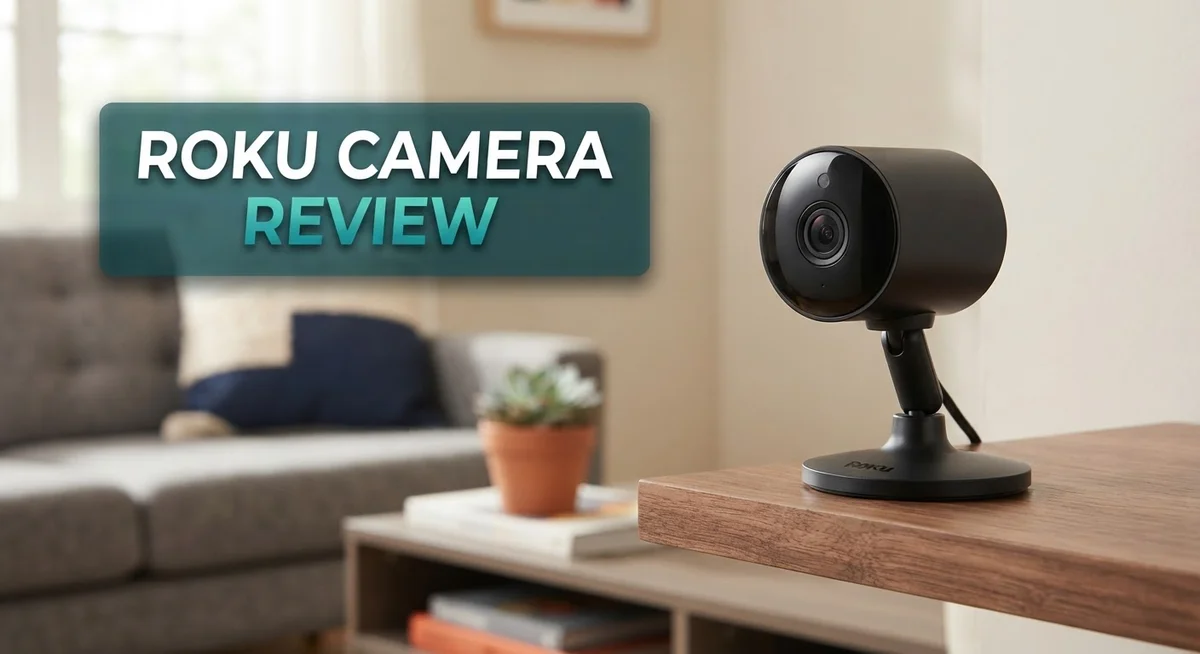
Roku Camera Review 2026: Features, Performance, and Comparison
Are you looking for a smart way to watch your home? A Roku camera might be the answer you need. Roku made a big name in streaming devices. Now, they bring that same simple tech into home security.
These cameras promise clear video and easy setup. They connect fast and work smoothly with other Roku products you already own. Many homeowners want peace of mind without a hard learning curve. This camera aims to give you exactly that.
In this review, we will look at picture quality and night vision. We will also check motion detection and app features. Do these cameras really stand out in a crowded market? We will test every feature so you don’t have to guess.
In a Nutshell
- Smart Home Integration: The camera connects easily with other Roku devices you already own. This creates a simple smart home setup without extra hassle.
- Instant Motion Alerts: You get quick notifications the moment the camera detects movement. This keeps you informed about activity around your home.
- Two Way Audio: You can talk and listen through the camera using your phone. This feature helps you communicate with family or pets from anywhere.
- Weatherproof Build: Outdoor models handle rain and dust without trouble. This durability means the camera keeps working through tough weather.
- Flexible Placement: Mounting options let you position the camera almost anywhere. You can cover doors, yards, or hallways with ease.
- Storage Choices: The camera offers both cloud and local storage options. This flexibility gives you more control over how you save your footage.
These points show why many people trust this camera for everyday home monitoring.
Key Features and Specifications
Roku cameras pack several standout technical capabilities that set them apart from basic home monitoring options. The video resolution reaches 1080p or higher on most models, giving you sharp images whether you’re checking on your front porch or monitoring a back room. This clarity matters when you need to identify faces or read details from a distance.
The night vision uses infrared technology to capture footage even in complete darkness. You won’t miss activity outside after sunset. The infrared range typically extends 25 to 30 feet, so most common areas around your home stay visible around the clock.
Frame rates on these cameras run at 30 frames per second in standard mode. This smooth playback helps you follow movement naturally instead of watching jerky, unclear clips. The wide angle lens, usually around 120 to 130 degrees, covers a larger area than you might expect from such a compact device.
Audio quality includes both speakers and microphones, letting you hear sounds in real time and speak through the camera. This two way communication works through the Roku app on your phone or tablet. Response times stay quick, so conversations don’t feel delayed.
The cameras support multiple video formats and compression standards. This means the footage doesn’t eat up massive amounts of storage space. You can store recordings locally on a microSD card or use Roku’s cloud service, giving you flexibility based on your needs.
Motion detection sensitivity adjusts through the app. You can set it high to catch every movement or lower it to reduce false alerts from passing cars or swaying branches. Person detection features help the camera distinguish between actual people and other motion triggers.
Power options vary by model. Some run on batteries, while others need a power cable. Battery models typically last several weeks between charges, depending on activity levels and usage patterns.
These technical foundations make Roku cameras practical for various home monitoring situations. Whether you want indoor surveillance or outdoor security, the core specifications support reliable, everyday use without requiring technical expertise to operate.


Last update on 2026-10-12 / Affiliate links / Images from Amazon Product Advertising API Some of the links on this website are affiliate links, which means that at no additional cost to you, I earn a commission if you click through and make a purchase. I only recommend products and services that I believe will add value to my readers. Thank you for your support!
Video Quality and Resolution
Roku cameras deliver solid video performance that meets the needs of most homeowners. The resolution options range from standard definition to 1080p and higher on premium models. You get clear, usable footage for identifying people and activities around your home.
The sensor quality determines how well the camera captures detail. Roku cameras use sensors that perform well in bright outdoor conditions. You can read license plates and facial features from reasonable distances. The image stabilization keeps video smooth even when wind moves the camera slightly.
Color accuracy stays consistent throughout the day. The cameras render true colors without excessive washing or color shifts. This matters when you need to identify clothing or vehicle colors during an incident. The white balance adjusts automatically as lighting changes.
Night vision performance separates good cameras from great ones. Roku cameras use infrared LEDs to illuminate dark areas without visible light. The black and white footage remains sharp and detailed. You can see movement and identify shapes clearly in complete darkness. The infrared range extends far enough to cover most driveways and yards.
Low light handling works well during twilight hours. The camera boosts sensitivity gradually as daylight fades. You get color video in dim conditions before switching to infrared mode. This transition happens smoothly without jarring shifts.
Video bitrate adapts to your internet connection. The camera automatically reduces quality if bandwidth becomes limited. You still receive usable footage rather than constant buffering or dropped frames. This adaptive streaming keeps the feed running reliably.
Field of view varies by model, typically ranging from 110 to 150 degrees. Wider angles cover more area but show more distortion at the edges. Standard angles provide better detail on distant objects. You choose based on your monitoring priorities.
Frame rate consistency matters for smooth playback. The 30 frames per second standard creates natural motion. Higher frame rates on some models reduce motion blur during fast action. Playback remains fluid whether you watch live or recorded clips.
The video quality holds up well during zoom and pan operations. You can adjust the view through the app without significant loss of detail. The digital zoom maintains clarity better than older camera technology.
Design and Build Quality
Roku cameras feature a compact design that fits seamlessly into modern homes. The physical construction uses durable plastic and metal components that feel solid in your hands.
The camera body measures roughly 2.5 inches across, making it unobtrusive on shelves or mounted to walls. Cable management stays clean thanks to the integrated cord routing. The lens sits behind protective glass that resists scratches and dust buildup.
Weight distribution keeps the camera stable on flat surfaces. The mounting bracket includes a ball joint that rotates smoothly in multiple directions. You can adjust the angle without loosening any screws repeatedly.
The exterior finish resists fingerprints and minor smudges. Indoor models use a matte black or white coating. Outdoor versions add rubberized edges that absorb impact from accidental bumps.
Connection ports are clearly labeled and easy to access. The power input accepts standard USB charging cables. Some models include a micro SD card slot for local storage without extra adapters.
The build quality reflects attention to detail at every joint and seam. Gaps between panels remain minimal and consistent. The camera feels premium without unnecessary weight that would strain mounting hardware.
Thermal management keeps internal components cool during extended operation. Air vents are positioned to prevent dust accumulation. The camera operates reliably in temperature ranges from 32 to 104 degrees Fahrenheit.
The lens design includes a wide angle that captures more room without distortion. The glass elements are coated to reduce glare and reflections. Focus remains sharp from a few feet away up to 20 feet across the room.
Cable strain relief prevents damage where the cord enters the camera body. This design choice extends the camera’s lifespan significantly. You won’t deal with frayed wires or loose connections after regular repositioning.
The overall aesthetic blends with home decor instead of standing out as an obvious security device. Whether you choose the compact or standard size, Roku cameras maintain a professional appearance that doesn’t scream “surveillance.” This approach appeals to homeowners who want protection without sacrificing interior design.
Top 3 Alternatives
Wyze Cam Pro

Last update on 2026-09-22 / Affiliate links / Images from Amazon Product Advertising API Some of the links on this website are affiliate links, which means that at no additional cost to you, I earn a commission if you click through and make a purchase. I only recommend products and services that I believe will add value to my readers. Thank you for your support!
The Wyze Cam Pro offers clear 2K video quality that captures fine details in your home or office. This camera works well in low light conditions with its infrared night vision feature. You get a wide 160-degree field of view, so you see more of what matters.
Setup takes just a few minutes using the Wyze app on your phone. The camera connects to your Wi-Fi network without complicated steps. Real-time alerts notify you when motion or sound gets detected. You can talk through the camera speaker to communicate with family members or visitors.
The device stores video clips locally on a microSD card, giving you control over your footage. Cloud storage options exist if you prefer backup copies. Person detection helps reduce false alerts from pets or moving objects.
TP-Link Kasa Camera

Last update on 2026-09-22 / Affiliate links / Images from Amazon Product Advertising API Some of the links on this website are affiliate links, which means that at no additional cost to you, I earn a commission if you click through and make a purchase. I only recommend products and services that I believe will add value to my readers. Thank you for your support!
TP-Link Kasa Camera brings reliable home monitoring with 2K resolution and a 130-degree viewing angle. The camera includes night vision to see in darkness without additional lighting. Smart alerts send notifications to your phone when activity occurs.
Installation happens quickly through the Kasa app. The camera works with your existing Wi-Fi setup. Two-way audio lets you speak and listen through the device. You can pan and tilt the camera view remotely to check different areas.
Scheduling features let you turn recording on and off during specific times. Integration with other smart home devices makes automation simple.
Amazon Cloud Cam

Last update on 2026-09-22 / Affiliate links / Images from Amazon Product Advertising API Some of the links on this website are affiliate links, which means that at no additional cost to you, I earn a commission if you click through and make a purchase. I only recommend products and services that I believe will add value to my readers. Thank you for your support!
Amazon Cloud Cam provides HD video monitoring with cloud storage included in the package. The camera features night vision and motion detection capabilities. Integration with Alexa devices lets you view footage on your Echo Show or other compatible screens.
Setup connects to Wi-Fi through the Alexa app. Person detection distinguishes between people and other movements. Two-way talk functionality keeps you connected with anyone at home.
Installation and Setup
Getting your Roku camera up and running takes just a few minutes. The process starts with unboxing and checking all included components. You’ll find the camera itself, a power adapter, mounting hardware, and a quick start guide inside the box.
First, download the Roku app on your smartphone or tablet. This app serves as your command center for all camera functions. Create or log into your Roku account to proceed. The app guides you through each step with clear instructions.
Next, plug in your camera to a power outlet. Wait about 30 seconds for it to boot up completely. A small LED light will indicate when the device is ready. You’ll see this light change color as the camera initializes.
Open the Roku app and select “Add device” or a similar option. The app will search for your camera automatically. Make sure your phone and camera are on the same WiFi network for this to work smoothly. This connection step usually completes within 60 seconds.
Once detected, the app asks you to name your camera and choose its location. Pick something descriptive like “Front Door” or “Living Room” so you remember where it is. You can change these details anytime through the app settings.
The camera then connects to your WiFi network. Enter your WiFi password when prompted. Connection speed depends on your router’s strength and distance from the camera. Most setups finish this stage in under two minutes.
Test your camera immediately after setup completes. View the live feed through the app to confirm everything works. Check that motion detection responds properly and audio comes through clearly. Adjust any settings like sensitivity or notification preferences right away.
Mounting comes next if you want the camera on a wall or shelf. Use the included bracket and hardware for secure placement. Position the camera to cover your desired area. You can rotate and adjust the angle even after mounting to find the perfect view.
Smart Features and Connectivity
Roku cameras shine when it comes to smart features that make home monitoring effortless. The app interface lets you control everything from your phone, whether you’re across the room or across the country. You can adjust camera settings, review footage, and receive alerts all in one place.
Connectivity options give you flexibility in how you set up your system. Most Roku cameras connect via WiFi, which means you need a stable internet connection for remote access. Some models also support ethernet for a more reliable hardwired connection. This choice matters if you want consistent performance without WiFi dropouts.
Two way audio is a standout feature on many Roku cameras. You can speak through the camera to hear what’s happening and respond in real time. This works great for greeting visitors, checking on pets, or communicating with family members in different rooms.
Motion detection alerts keep you informed when activity happens. The camera watches your space and sends notifications to your phone instantly. You can customize detection zones so the camera ignores areas you don’t need to monitor, like a busy street outside your window.
Cloud storage and local storage options give you choices for saving footage. Some Roku cameras offer free cloud backup for recent clips. Others let you save directly to a USB drive or microSD card for longer term storage without monthly fees.
Integration with other smart home devices expands what your Roku camera can do. You can pair it with smart speakers, displays, and home automation systems. This means your camera becomes part of a larger ecosystem that works together seamlessly.
The subscription options are straightforward and optional. Basic features work without paying anything extra. Premium plans unlock extended cloud storage and advanced features if you want them. The choice stays yours based on what your home monitoring needs actually require.
Pros and Cons
Pros
- Two way audio lets you speak through the camera to visitors or pets in real time
- Motion detection sends instant alerts to your phone whenever activity occurs
- Cloud and local storage options give you flexibility in how you save and access footage
- Integration with other smart home devices expands automation possibilities
- Basic features work without any subscription required
Cons
- WiFi dependency means your camera stops working if your internet connection drops
- Motion alerts can trigger frequently in high traffic areas, leading to alert fatigue
- Some users report occasional lag when accessing live feed from remote locations
- Limited field of view compared to certain competitor models on the market
Who Should Buy It
Roku cameras work best for homeowners who want straightforward security without complicated setups. If you prefer simple technology that doesn’t require technical expertise, this camera fits your needs perfectly.
Renters benefit greatly from Roku cameras because installation takes minutes and requires no permanent changes to your space. You can remove the camera when you move without leaving damage behind.
People who travel frequently should consider a Roku camera. The mobile app lets you check your home from anywhere in the world. You get peace of mind knowing you can monitor activity in real time, even when you’re thousands of miles away.
Parents watching their homes appreciate the two way audio feature. You can speak to children, pets, or babysitters directly through the camera. This creates a direct communication line without needing your phone to make a call.
Families with multiple rooms benefit from Roku’s wide angle lens. You monitor larger spaces without installing several cameras. The single device captures what multiple narrow cameras would need to see.
People who value privacy should note that Roku cameras work without mandatory cloud storage. You can store footage locally if you prefer. This means your video stays on your own devices rather than uploaded to servers.
Small business owners use Roku cameras for basic monitoring. The simple setup means you don’t need IT support to install security. You can monitor your shop, office, or storage area independently.
Roku cameras suit people who want optional features rather than forced subscriptions. Basic motion detection and live viewing work without paying anything extra. You add advanced features only when you want them.
However, Roku cameras may not suit users in areas with unreliable internet. Your camera stops functioning during WiFi outages. If your connection drops frequently, you’ll experience gaps in monitoring.
People who need professional grade security systems should explore other options. Roku cameras handle home monitoring well but lack enterprise level features. They work best for personal security rather than commercial applications requiring advanced analytics or integration with professional monitoring services.
Final Verdict
Roku cameras give you a simple way to watch your property. They fit into your daily life without fuss. Setup feels quick, and the app stays easy to use.
This camera system shines for anyone who wants peace of mind. You get alerts, audio, and video without extra steps. The experience feels smooth from the first use.
Think about your daily routine before you buy. Do you need to check on pets during work hours? Do you want to see who rings your doorbell? Roku cameras answer these needs well.
Reliability matters most in any security device. Roku cameras perform steadily for everyday tasks. They handle basic monitoring jobs without drama.
Some buyers want advanced features like facial recognition or complex automation rules. Roku cameras focus on core functions instead. This keeps the product simple and easy to understand.
If you want a camera that just works, Roku delivers that experience. You will not spend hours reading manuals or troubleshooting confusing menus. The learning curve stays low for new users.
Compare your specific needs against what Roku offers. Apartment dwellers, small homeowners, and casual users will find great value here. Those needing enterprise level security might look elsewhere.
We recommend Roku cameras for anyone starting their smart home journey. They work as a solid entry point into home monitoring. You can always add more devices later as your needs grow.
The camera performs its core job well. It watches your space, alerts you to activity, and lets you respond quickly. These basics cover what most people actually need.
Your final choice depends on your personal priorities. Think about what matters most for your home or business. Roku cameras offer a dependable choice for straightforward monitoring needs.
Give this camera a try if simplicity and reliability top your list. It handles the fundamentals of home security with ease. Many users find it meets their expectations without complications.
Frequently Asked Questions
Can I use a Roku camera without internet?
No, you need WiFi to operate a Roku camera. The camera connects to your home network to send video to your phone and enable live viewing. If your internet drops, the camera stops working. This is important to know if you live in an area with unreliable connectivity.
Do I need a subscription to use Roku cameras?
Basic features work without paying anything extra. You can view live video and receive motion alerts for free. Cloud storage requires a subscription if you want to save footage online. Local storage options let you keep videos without monthly fees.
How does the two way audio feature work?
The camera has a built in microphone and speaker. You can listen to sounds in your room through the app. You can also talk back through your phone. Parents use this to speak with kids or pets. Babysitters hear your voice if you need to give instructions.
What happens if I travel frequently?
Roku cameras work great for travelers. You can check your home from anywhere using your phone. Motion alerts notify you if something moves. The wide angle lens covers large areas, so you see more of your space. Cloud storage keeps your footage safe even if you’re far away.
Are Roku cameras good for renters?
Yes, they work well for renters. Installation takes just minutes and needs no drilling or permanent changes. You can remove the camera when you move. No landlord approval needed since nothing gets attached permanently. This makes Roku a smart choice if you don’t own your home.

Hello everyone my name is Alenya and i am a gadget discovering Enthusiast 🐻🐻