Roku Pro Series TV Review: 4K Display & Gaming Performance
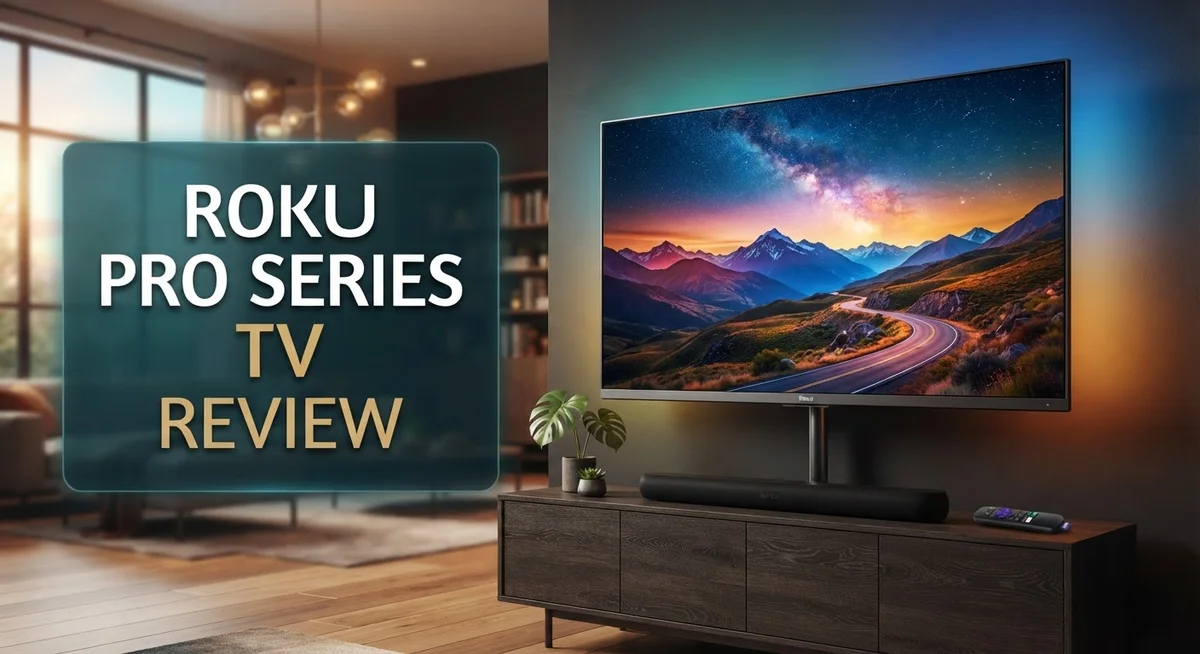
Roku finally steps into the premium TV space with its new Pro Series. This TV brings Mini-LED QLED technology and a 120Hz refresh rate to your living room. It promises deep blacks, bright highlights, and smooth motion for movies and sports.
Gamers will find a lot to love here too. With HDMI 2.1 ports, full VRR support, and Auto-Low-Latency mode, this TV keeps up with fast paced action. Input lag stays low, so your gameplay feels sharp and responsive.
The interface is simple and easy to use. Roku keeps things clean with an intuitive remote and smooth navigation. You won’t need a manual to find your favorite shows.
In a Nutshell
- Stunning Picture Quality: The Mini-LED QLED panel delivers deep blacks and vibrant colors. Dark scenes look rich and detailed most of the time.
- Smooth 120Hz Performance: This TV handles fast motion well. Sports and action scenes stay crisp and clear.
- Gamer Friendly Features: Dual HDMI 2.1 ports support 4K at 120Hz. Full VRR and low input lag make gaming smooth and responsive.
- Simple Setup and Control: The remote feels natural in your hand. Menus load fast and stay easy to find.
- Some HDR Limitations: Colors in certain HDR content do not always pop as expected. This is a small tradeoff for an otherwise great screen.
- Reliability Concerns Down the Road: Some users report slowdowns or freezing after about a year of use. This is worth watching if you plan to keep your TV long term.
Display Quality and Picture Performance
The Roku Pro Series TV uses a 4K Mini-LED QLED display that brings impressive visual depth to your living room. This panel technology creates exceptional contrast by controlling brightness zones independently across the screen.
Black levels stand out as a major strength here. Dark scenes show genuine depth without looking flat or washed out. The Mini-LED backlighting prevents the crushing of shadow details you sometimes see on standard LED TVs. Colors remain vibrant even in these darker moments.
The 120Hz refresh rate keeps motion smooth and natural. Sports broadcasts, action movies, and gaming sessions all benefit from this faster panel speed. You will notice less blur during camera pans and quick scene cuts. Fast motion looks crisp rather than choppy.
Dolby Vision IQ and HDR10+ support gives the TV access to premium content from streaming services. However, real-world performance shows some limitations here. HDR colors do not always pop with the intensity you might expect from a premium display. Certain HDR10+ scenes lack the punch that competing models deliver at this level.
The Mini-LED system also introduces occasional haloing in dark scenes. This appears as subtle bright rings around objects on black backgrounds. Most viewers will not notice this during normal watching, but it becomes visible during specific content like space scenes or dark dramas.
Brightness performance handles bright rooms well. The display reaches sufficient peak brightness to overcome window glare and overhead lighting. Daytime viewing remains comfortable without excessive glare on the screen itself.
Color accuracy leans toward vibrant rather than clinical. This means colors feel punchy and engaging rather than perfectly calibrated. Movie enthusiasts who prefer accuracy over excitement may find this approach too warm, while casual viewers will likely appreciate the energetic presentation.
Input lag sits low at around 20ms, which matters for gaming. This quick response time keeps your controller inputs feeling immediate and responsive. Combined with the VRR support and 120Hz capability, the Pro Series handles modern gaming demands effectively.
Overall, the display delivers solid everyday performance with strong motion handling and good contrast. The HDR limitations prevent it from reaching the absolute top tier, but the Mini-LED technology still produces compelling visuals for most content types.

Last update on 2026-10-05 / Affiliate links / Images from Amazon Product Advertising API Some of the links on this website are affiliate links, which means that at no additional cost to you, I earn a commission if you click through and make a purchase. I only recommend products and services that I believe will add value to my readers. Thank you for your support!
Gaming Features and Input Lag
Gaming on the Roku Pro Series TV feels responsive and lag free. The Auto Low Latency mode kicks in automatically when you connect a console or gaming PC. This feature reduces input delay to around 20ms, which is competitive with other gaming focused displays.
The TV includes two HDMI 2.1 ports that support 4K resolution at 120Hz. This means your PlayStation 5, Xbox Series X, and high end gaming PCs can run games at maximum performance. Both ports deliver full bandwidth without compromise.
Variable Refresh Rate support matters for smooth gameplay. The Roku Pro Series handles VRR from both AMD and NVIDIA sources. Games feel fluid when frame rates fluctuate, and screen tearing becomes a non issue.
The 120Hz panel itself is a major gaming advantage. Fast paced shooters, racing games, and action titles benefit from this higher refresh rate. Motion appears crisp and natural compared to standard 60Hz TVs.
Gaming in HDR works well on this display. Dolby Vision IQ and HDR10+ support means games with advanced lighting look vibrant. However, some users notice that HDR colors don’t always reach their full potential. Bright highlights pop nicely, but shadow detail can feel slightly muted in certain game scenes.
The remote control is intuitive for navigating menus between gaming sessions. You won’t struggle with complicated button layouts or confusing layouts. Setup takes just a few minutes from the box.
One consideration for serious gamers involves long term performance. Some owners report that the TV slows down or experiences freezing after extended use over several months. This could impact your gaming experience if it occurs. Regular software updates may help, but this remains a concern worth monitoring.
Overall, the Roku Pro Series delivers solid gaming fundamentals. Low input lag, high refresh rate support, and dual HDMI 2.1 ports create a capable gaming environment. The HDR gaming experience is good, though not perfect. For console and PC gamers seeking a straightforward gaming TV, this model checks most boxes.
Smart TV Interface and User Experience
The Roku Pro Series TV runs the Roku operating system, which keeps everything simple and fast. You get a home screen that shows your apps, channels, and streaming services in one place. Finding what you want takes just a few clicks.
The remote works great for everyday use. Buttons are large and labeled clearly. You won’t fumble around trying to figure out what does what. The layout feels natural in your hand during long viewing sessions.
Menu navigation happens quickly on this TV. Apps open without lag. Scrolling through content libraries feels smooth. The interface doesn’t slow you down when you switch between streaming services or adjust settings.
Voice control features let you search for shows and movies without typing. You can ask for specific titles or genres. The microphone picks up your commands from across the room. This saves time when you just want to relax and watch.
Customizing your home screen is straightforward. You can add your favorite apps, remove ones you don’t use, and arrange them however you like. The TV remembers your preferences and keeps everything organized the way you set it up.
Streaming apps load quickly from the Roku platform. Netflix, Disney Plus, Amazon Prime Video, and other major services work smoothly. Picture quality adjusts automatically based on your internet speed, so buffering stays minimal.
One thing to note involves long term performance. Some users report that the interface slows down after extended use. Freezing can happen occasionally after a year of ownership. Restarting the TV usually fixes these issues temporarily, but they may return.
The TV connects to your home network easily. Setup takes just a few minutes from the box. WiFi and ethernet options both work well. Once connected, you can stream content immediately.
Overall, the Roku Pro Series delivers a user friendly experience that works well for casual viewers and streaming fans. The interface stays responsive for daily use, though patience helps if you own the TV for several years.
Top 3 Alternatives
Samsung QLED TV

Last update on 2026-10-05 / Affiliate links / Images from Amazon Product Advertising API Some of the links on this website are affiliate links, which means that at no additional cost to you, I earn a commission if you click through and make a purchase. I only recommend products and services that I believe will add value to my readers. Thank you for your support!
LG OLED TV

Last update on 2026-10-14 / Affiliate links / Images from Amazon Product Advertising API Some of the links on this website are affiliate links, which means that at no additional cost to you, I earn a commission if you click through and make a purchase. I only recommend products and services that I believe will add value to my readers. Thank you for your support!
TCL Google TV


Last update on 2026-10-14 / Affiliate links / Images from Amazon Product Advertising API Some of the links on this website are affiliate links, which means that at no additional cost to you, I earn a commission if you click through and make a purchase. I only recommend products and services that I believe will add value to my readers. Thank you for your support!
HDR Support and Color Accuracy
The Roku Pro Series TV handles HDR content through multiple format support. You get Dolby Vision IQ, HDR10+, and HLG standards built in. This means you can watch premium content from major streaming platforms without missing out.
Color accuracy on this display leans toward vibrant and punchy rather than clinical precision. The 4K Mini-LED QLED system delivers rich, saturated colors that pop on screen. Reds feel warm. Blues feel deep. Greens appear lush and natural. If you prefer bold, engaging visuals over reference-grade accuracy, this TV satisfies that preference well.
Black levels represent one of the strongest aspects of HDR performance here. The Mini-LED backlighting creates genuine depth in dark scenes. You see detail in shadows without losing the darkness itself. This matters most when watching movies or shows with lots of night scenes.
One limitation shows up in overall HDR color performance compared to premium competitors. The TV sometimes struggles with subtle color gradations in HDR content. Skin tones can shift slightly depending on the source material. Highlights occasionally clip rather than smoothly roll off. These issues remain minor for casual viewing but become noticeable during critical watching sessions.
Haloing appears occasionally in dark scenes where bright objects sit against black backgrounds. You might notice a faint glow around white text on dark screens. This happens because the Mini-LED zones cannot adjust with perfect precision. Most viewers adapt to this quickly and forget about it.
Brightness performance handles bright rooms effectively. The display reaches sufficient peak brightness for HDR content even with sunlight streaming through windows. Contrast remains strong throughout the day without needing constant adjustments.
The 120Hz refresh rate enhances HDR gaming specifically. Motion in HDR games feels smoother than on 60Hz displays. Fast camera pans in HDR movies show improved clarity too. This technical advantage separates the Pro Series from lower-end alternatives.
For everyday HDR streaming and gaming, the Roku Pro Series delivers solid results. The color vibrancy and strong blacks create an engaging viewing experience. Just understand that reference-level color accuracy takes a backseat to visual impact here.
Long-Term Reliability and Performance
The Roku Pro Series TV shows solid performance during the first few months of ownership. Users report smooth operation, responsive menus, and consistent picture quality right out of the box. The Mini-LED QLED panel maintains vibrant colors and deep blacks during regular viewing sessions.
Long-term reliability becomes a concern after approximately one year of use. Multiple owners report that the TV begins to slow down noticeably. Apps take longer to launch. The interface becomes sluggish when scrolling through menus. Some users experience complete freezing episodes that require a restart.
These slowdowns suggest the Roku operating system may accumulate cache or background processes over time. The TV’s processor struggles to handle the load efficiently as months pass. This differs from the snappy performance you get during the first few weeks of ownership.
Freezing incidents occur randomly during streaming sessions or when switching between apps. The TV may become unresponsive for 10 to 30 seconds before recovering. This interrupts your viewing experience and feels frustrating when it happens repeatedly. Rebooting the TV temporarily fixes the issue, but the problem returns after a few days or weeks.
The picture quality itself remains stable over time. Colors don’t fade. Black levels stay consistent. The display panel shows no signs of degradation. The reliability issues center on the software and processing power rather than the hardware.
Roku has not officially acknowledged widespread performance problems with the Pro Series. User forums and reviews suggest the issues are real but not universal. Some owners experience minimal slowdowns while others report severe problems.
If you plan to keep this TV for many years, the long-term performance concerns merit serious consideration. You may need to perform regular factory resets to maintain speed. Alternatively, you might accept occasional freezing as a trade-off. For buyers who upgrade TVs every few years, this reliability issue matters less.
The Roku Pro Series delivers dependable performance during year one. Beyond that timeline, patience becomes necessary.
Pros and Cons
Pros
- Excellent color vibrancy and deep black levels make movies and shows look stunning
- Low input lag and Auto-Low-Latency gaming mode deliver smooth performance for gamers
- Roku interface is simple to use with quick app loading and voice search built in
- 120Hz refresh rate works well for both gaming and HDR content
- Mini-LED QLED display handles bright rooms effectively
Cons
- HDR color performance falls short compared to premium competitor models
- TV experiences slowdowns and freezing after about one year of regular use
- Haloing occasionally appears in dark scenes where bright objects meet black backgrounds
Who Should Buy It
The Roku Pro Series TV works best for specific groups of viewers. Let’s break down who gets the most from this model.
Gamers benefit significantly from the 120Hz refresh rate and Auto-Low-Latency gaming mode. If you play console games regularly, the low input lag keeps your gameplay smooth and responsive. The HDMI 2.1 ports support 4K at 120Hz, which matters for next-gen gaming systems.
Movie and TV show enthusiasts enjoy the deep black levels and vibrant colors. The Mini-LED QLED display produces stunning visuals for streaming content. Dolby Vision IQ and HDR10+ support means you get quality HDR performance for everyday viewing.
Users who value simplicity appreciate the Roku interface. The remote feels intuitive. App loading happens quickly. Voice search works well. You don’t need technical knowledge to navigate menus or find shows.
Families in bright rooms find the Mini-LED brightness helpful. Sunlight doesn’t wash out the picture as much as on standard displays. The TV performs well during daytime viewing.
Budget conscious buyers looking for an all-in-one package find appeal here. You get gaming features, smart TV functionality, and solid picture quality without separate devices.
However, skip this model if you demand premium HDR color performance. High-end competitors deliver better color accuracy in HDR content. The haloing in dark scenes may bother you if you watch a lot of dark movies.
Long-term owners should reconsider. If you plan to keep a TV for five or more years, the reported slowdowns and freezing after one year present a real concern. The Roku operating system appears to accumulate issues over time. This isn’t ideal for people who want stability and reliability.
New buyers or those upgrading from older models work well with the Roku Pro Series. You’ll enjoy strong performance during the first year. Just understand that extended ownership may require workarounds or professional support.
The Roku Pro Series fits best with gamers, casual streamers, and those prioritizing ease of use over long-term durability.
Final Verdict
The Roku Pro Series TV stands out as a strong all-in-one entertainment package. It combines sharp picture quality with an easy to use interface. Gamers and movie lovers get real value from its core features.
This TV shines brightest for everyday viewing and casual gaming. The Mini-LED QLED panel delivers punchy colors that make streaming content pop. Its simple remote and fast app switching add convenience that many families want.
Yet no TV is perfect. The reliability concerns reported by long term users cannot be ignored. Anyone planning to keep this set for many years should weigh that risk carefully.
Compared to the Roku Plus Series QLED, the Pro Series offers a clear step up in picture performance. The 120Hz panel and full VRR support give it an edge for gaming setups. Still, buyers focused purely on basic streaming might find the Plus Series sufficient.
If premium HDR accuracy is your top priority, other brands in this category may serve you better. The color performance gap becomes noticeable when comparing side by side with higher tier competitors.
For most households, though, this TV covers the essentials well. It handles bright rooms, smooth motion, and simple navigation without fuss. That combination makes it a practical choice for many living rooms.
Before buying, check current software updates and user forums for the latest performance reports. Roku continues to release firmware patches that may address some slowdown issues over time.
In short, the Roku Pro Series TV rewards buyers who want strong everyday performance now. It suits gamers, casual viewers, and simplicity seekers particularly well.
Buyers focused on long term stability or top tier HDR accuracy should look closely at alternatives first. Weigh your priorities honestly before making this a permanent living room fixture.
Frequently Asked Questions
Does the Roku Pro Series TV handle gaming well?
Yes, it does. The 120Hz refresh rate keeps motion smooth during fast-action games. The Auto-Low-Latency gaming mode kicks in automatically, so input lag stays low. You get two HDMI 2.1 ports with full VRR support, which means compatible gaming consoles perform at their best.
That said, this TV works best for casual to moderate gaming. If you play competitive shooters where every millisecond matters, you might want to check pro-level reviews first.
What HDR formats does this TV support?
The Roku Pro Series handles Dolby Vision IQ, HDR10+, and HLG. These formats unlock extra detail in bright and dark areas of your picture.
However, the actual HDR color performance lags behind premium models. Colors may not pop as vividly as you’d see on higher-end TVs. If flawless HDR accuracy matters to you, research other options in your category before deciding.
Will this TV stay fast after a few years?
User reports suggest slowdowns and freezing can happen after about one year of regular use. The Roku interface may become sluggish over time.
Before buying, check current software updates and user forums for the latest performance feedback. This helps you understand what current owners experience.
How does the Roku Pro Series compare to the Roku Plus Series QLED?
The Pro Series offers a clear step up. You get a brighter Mini-LED QLED display, better contrast, and stronger gaming features. The Plus Series works fine for basic viewing, but the Pro Series delivers noticeably better picture quality and performance.

Hello everyone my name is Alenya and i am a gadget discovering Enthusiast 🐻🐻