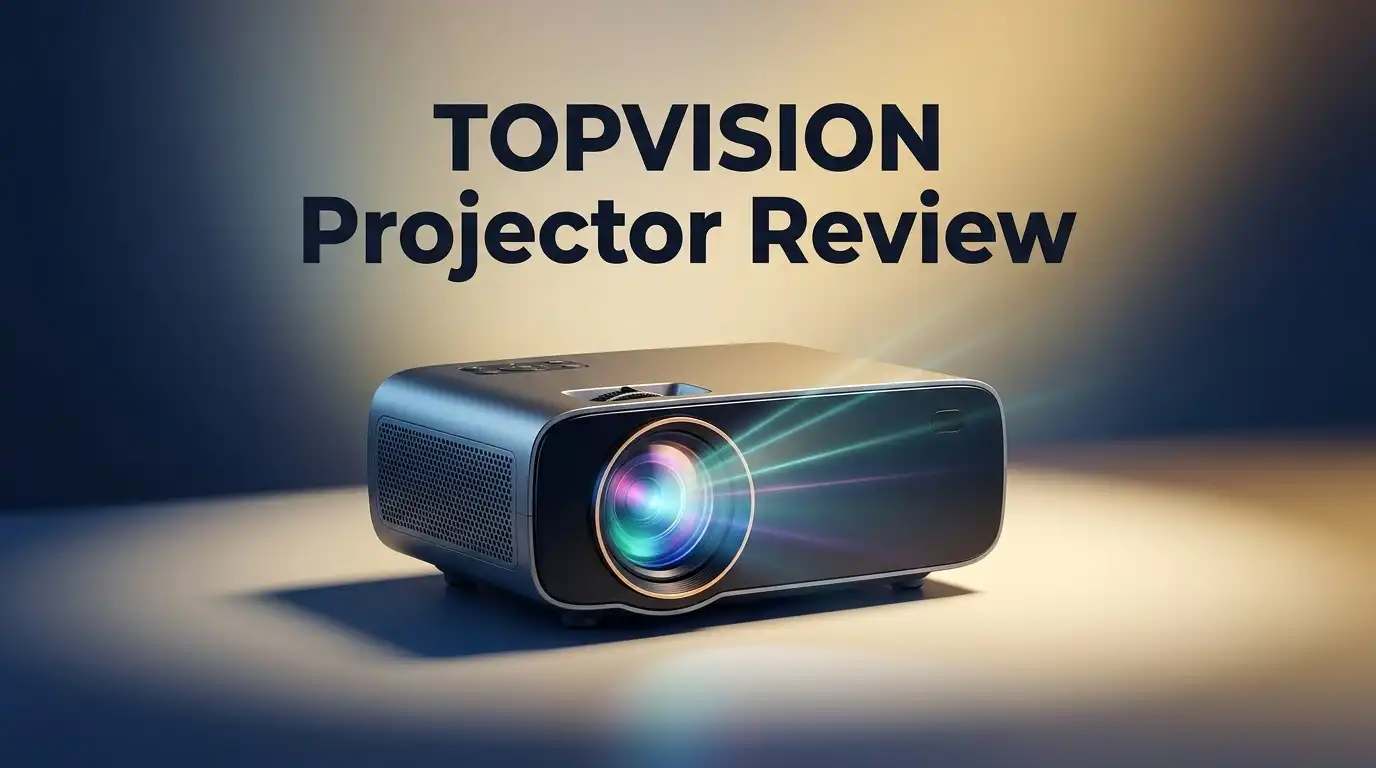
TOPVISION Projector Review 2026: Sharp Enough?
Are you looking for a projector that brings the big screen to your living room? The TOPVISION Projector promises a lot on paper. It boasts up to 7,500 lumens and a 6,000:1 contrast ratio.
But does it deliver sharp, clear images in real use? That is the question every buyer asks. This review digs into that exact issue.
TOPVISION packs in Full HD 1080P support and a long lasting 50,000 hour lamp. It also connects easily through HDMI, USB, VGA, and even a Fire Stick. Gamers will like the PS4 compatibility too.
In a Nutshell
- The TOPVISION Projector offers up to 7,500 lumens and a 6,000:1 contrast ratio. This makes it a strong pick for dark rooms.
- Some models push 5,500 lux brightness. This helps images stay visible even with a bit of ambient light.
- Connectivity is wide. You get HDMI, USB, VGA, TF, and AV ports. It also works with a Fire Stick and PS4.
- Its compact and mini form factor makes it easy to carry. You can move it from room to room without hassle.
- Wi-Fi support means you can stream shows directly. This adds convenience for casual movie nights.
- Compared to brands like Epson and BenQ, TOPVISION targets casual users. It is not built for professional home theater setups.
- The final verdict? It works well for simple streaming and casual viewing. Just do not expect cinema level sharpness.
Brightness and Image Quality
The TOPVISION Projector delivers solid brightness that works well in most home settings. With up to 7,500 lumens, it pushes enough light to create visible images even in rooms with some ambient light. The 6,000:1 contrast ratio helps blacks appear deeper and whites stand out more clearly.
When you look at real world performance, the brightness does its job. You can watch movies and shows without completely darkening your space. The alternate model reaches 5,500 lux brightness, giving you options depending on your room setup. This matters because brighter projectors let you enjoy content during afternoon viewing without pulling all the curtains closed.
Image sharpness is where things get more mixed. The 1080P Full HD support means you get standard high definition resolution. Text appears crisp, and action scenes flow smoothly. However, some users report that fine details do not pop as much as they would on premium projectors. The image quality sits in the middle ground. It looks good for streaming shows and casual movies, but it does not match the sharpness of higher end brands like Epson or BenQ.
Color accuracy on the TOPVISION is acceptable but not exceptional. Colors appear natural for everyday viewing, though they may not satisfy filmmakers or photo enthusiasts. The contrast ratio helps maintain picture depth, which prevents the image from looking flat or washed out.
One practical advantage is the compact design. Smaller projectors sometimes struggle with brightness and clarity, but TOPVISION manages decent performance in a portable package. You can move it between rooms without much hassle.
For casual streaming and living room entertainment, the brightness and image quality work fine. The projector handles Netflix, YouTube, and gaming without major issues. If you need cinema grade sharpness and color precision, you will want to look elsewhere. But for everyday use, TOPVISION delivers enough brightness and acceptable image quality to keep most viewers satisfied.

Last update on 2026-09-19 / Affiliate links / Images from Amazon Product Advertising API Some of the links on this website are affiliate links, which means that at no additional cost to you, I earn a commission if you click through and make a purchase. I only recommend products and services that I believe will add value to my readers. Thank you for your support!
Design and Portability
The TOPVISION Projector sits in the compact and mini form factor category. This design choice matters a lot if you move your projector between rooms or take it to different locations.
The projector weighs less than many competitors. You can carry it with one hand. The overall footprint stays small enough to fit on a shelf or desk without taking up much space.
Setup takes just a few minutes. The device connects to power and your content source. You don’t need special mounting equipment or professional installation to get started.
Portability stands out as a real strength here. Unlike larger projectors from Epson or BenQ that need permanent installation, TOPVISION lets you move it easily. Pack it in a bag and take it to a friend’s house or a backyard gathering.
The compact design does come with trade offs though. Smaller projectors often have less cooling space inside. Some users report the fan runs louder during extended use. Heat management becomes more important in tight spaces.
Cable management feels straightforward. The projector includes HDMI, USB, VGA, TF, and AV ports on the back. Everything sits close together, so cables don’t sprawl across your entertainment center.
The included 100 inch projector screen adds real value to setup. You get a complete system right out of the box. No need to buy a separate screen or paint a wall. Just unfold it and start using it.
Build quality feels solid but not premium. The plastic casing shows it targets casual users rather than professionals. Buttons and connectors feel sturdy enough for regular use.
The mini form factor works best for living rooms and bedrooms. Large conference rooms or outdoor movie nights might push the projector harder. In those settings, you may want something with more power and better cooling.
Overall, design and portability are genuine selling points. If you value flexibility and ease of movement, this projector delivers. The compact size makes it a practical choice for renters and people who like to rearrange their spaces.
Connectivity and Compatibility
The TOPVISION Projector connects to almost everything you own. You get HDMI, USB, VGA, TF card, and AV ports all built in. This means you can plug in laptops, gaming consoles, and streaming devices without hassle.
Fire Stick compatibility is a major plus. You simply connect the Fire Stick and start watching your favorite shows. The projector recognizes it instantly. PS4 gamers will appreciate direct console support too. No extra adapters or converters needed.
Wi-Fi connectivity opens up another layer of flexibility. You can stream content wirelessly from your phone or tablet. Apps like Netflix and YouTube work smoothly. This feature cuts down on cable clutter around your setup area.
USB ports let you play videos directly from flash drives. The TF card slot adds another storage option. You won’t need a computer connected to show family photos or home videos. Just insert the card and browse your files on the big screen.
VGA support helps if you own older laptops or desktop computers. Many business presentations still use VGA cables. The TOPVISION handles these connections without any fuss. This makes it useful for both home and office settings.
The variety of ports means you rarely face compatibility problems. Whether you own Apple or Android devices, Mac or Windows computers, something will work. This broad compatibility is a real strength compared to projectors that limit your options.
One thing to note: audio sync issues have been reported by some users. If you rely on the built in HI-FI speakers for sound, test the connection first. External speakers can solve this problem if it occurs. The projector accepts audio through multiple ports, so alternatives exist.
Cable management stays simple with all these connection types available. You can arrange your setup however works best for your space. No complicated workarounds or expensive adapters required. The TOPVISION meets you where you are with your existing devices and simply gets the job done.
Top 3 Alternatives
Anker Nebula Capsule

Last update on 2026-09-07 / Affiliate links / Images from Amazon Product Advertising API Some of the links on this website are affiliate links, which means that at no additional cost to you, I earn a commission if you click through and make a purchase. I only recommend products and services that I believe will add value to my readers. Thank you for your support!
ASUS ZenBeam Projector


Last update on 2026-09-19 / Affiliate links / Images from Amazon Product Advertising API Some of the links on this website are affiliate links, which means that at no additional cost to you, I earn a commission if you click through and make a purchase. I only recommend products and services that I believe will add value to my readers. Thank you for your support!
Epson EF-12 Projector

Last update on 2026-09-19 / Affiliate links / Images from Amazon Product Advertising API Some of the links on this website are affiliate links, which means that at no additional cost to you, I earn a commission if you click through and make a purchase. I only recommend products and services that I believe will add value to my readers. Thank you for your support!
Lamp Life and Maintenance
The TOPVISION Projector comes with a 50,000 hour lamp life. This is a significant advantage for anyone who plans to use their projector regularly.
What does 50,000 hours mean in practical terms? If you watch your projector for 5 hours every single day, the lamp will last roughly 27 years. Most casual users will never need to replace the lamp during their ownership period.
Lamp replacement itself is straightforward. You can order a replacement bulb online and swap it out in minutes. The process requires no special tools or technical knowledge. Simply remove the old lamp module and insert the new one.
Maintenance tasks stay minimal with the TOPVISION. The projector has an air filter that you should clean every few months. Dust buildup can reduce brightness over time, so regular cleaning keeps performance steady.
The filter removal takes about 30 seconds. You can use a soft brush or compressed air to remove dust particles. This simple habit extends the overall lifespan of your projector significantly.
Thermal management works well in the TOPVISION design. The cooling system prevents overheating during extended use sessions. You’ll hear a quiet fan running, but it stays relatively silent compared to other compact projectors.
One practical tip: avoid using the projector in extremely dusty environments. Kitchens and workshops expose the filter to more debris than typical living rooms. If you must use it in these spaces, clean the filter more frequently.
The lamp life of 50,000 hours puts TOPVISION ahead of many competitors in this category. You get years of reliable performance without worrying about premature lamp failure.
Storage and care matter too. Keep your projector in a cool, dry location when not in use. Extreme temperatures can affect lamp performance and overall durability. A simple carrying case protects it during transport between rooms or homes.
Overall, lamp life and maintenance represent genuine strengths for the TOPVISION Projector. The combination of long lamp life and easy upkeep makes this projector practical for long term use.
Audio Performance and Sync Issues
The TOPVISION Projector includes built-in HI-FI speakers that handle basic audio needs. These speakers deliver sound loud enough for small to medium rooms without external equipment. You won’t get theater-quality audio, but casual viewing works fine.
Audio sync issues have emerged as a real concern for some users. When you connect via HDMI or streaming devices, the sound occasionally lags behind the picture. This happens more often with Fire Stick and certain streaming apps. The delay is usually noticeable during fast action scenes or dialogue heavy moments.
If audio sync bothers you, a few simple fixes help. First, restart your streaming device completely. Second, check your HDMI cable and swap it for a different one if problems persist. Third, adjust the audio delay settings in your streaming app if that option exists. These steps resolve the issue for most users.
Connecting via USB or VGA sometimes reduces sync problems. Direct connections tend to work more reliably than wireless streaming. If you plan to use Fire Stick or similar devices frequently, test the audio sync before committing to regular use.
External speakers make a huge difference if you want better sound quality. A simple Bluetooth speaker placed near your screen improves the audio experience significantly. You can connect it wirelessly to your device without adding cable clutter. This approach sidesteps the built-in speaker limitations entirely.
The audio sync issue doesn’t affect all users equally. Some people experience it constantly while others never notice it. Your specific streaming app, internet speed, and device type all play a role. Testing with your actual setup before purchase helps you determine if this matters for your situation.
For basic movie nights and casual streaming, the built-in speakers work acceptably. Just understand that audio performance sits at the entry level. If you’re sensitive to sound quality or sync precision, plan to add external audio equipment. The projector itself handles the visual side well, but audio remains its weaker point.
Pros and Cons
Pros
- Compact and portable design fits easily into bags or closets
- Long 50,000 hour lamp life means years of reliable use without replacement
- Wide connectivity options including HDMI, USB, VGA, Fire Stick, and PS4 compatibility
- Built-in HI-FI speakers handle basic audio needs for casual viewing
- Wi-Fi support gives you wireless streaming flexibility
Cons
- Audio sync issues occur when connecting via HDMI or wireless streaming devices
- Image sharpness and overall picture quality fall short of premium projectors
- Limited brightness in some lighting conditions affects daytime viewing
- Not designed for professional or high-end home theater setups
Who Should Buy It
The TOPVISION Projector works best for specific types of users. Let’s break down who should consider this model.
Casual streamers and movie fans will find real value here. You watch Netflix, YouTube, or Disney Plus regularly? The Wi Fi support and Fire Stick compatibility make setup simple. You just plug in and start streaming without complicated setup steps.
Portable users need this projector. The compact design fits into bags easily. You travel between rooms or take it to friends’ houses often? The lightweight form factor beats bulky alternatives. You can set up in minutes and pack it away just as fast.
People who want long term reliability appreciate the 50,000 hour lamp life. You won’t stress about replacing the lamp for years. The straightforward maintenance keeps things simple. Filter removal takes about 30 seconds, so upkeep feels painless.
Gamers with PS4 or similar consoles find the connectivity options useful. HDMI and USB connections work smoothly. You get a big screen experience without professional installation costs.
However, certain users should look elsewhere. If you demand sharp, crystal clear images for detailed work, this isn’t your match. The image quality falls short of premium projectors. Limited sharpness means text and fine details won’t pop like you’d want.
Daytime viewers in bright rooms face challenges. The brightness works fine for dark environments, but sunlit spaces need something stronger. If you project during the day often, consider alternatives.
Audio enthusiasts should know about sync issues. The built in speakers handle basic needs, but HDMI and wireless connections sometimes create delays. External speakers fix this, but that’s an extra purchase.
Professional users and home theater perfectionists should skip this model. It’s not designed for high end setups. You need consistent, flawless performance? Premium projectors serve that purpose better.
The TOPVISION shines for casual users who value portability and simplicity. You want something that works reliably without fuss? This projector delivers. Just know your own needs before buying.
Final Verdict
So is the TOPVISION Projector sharp enough? The answer depends on your expectations.
This projector does not compete with premium brands like Epson or BenQ in raw image clarity. Fine details and text can look slightly soft on larger screens.
But sharpness is only one part of the picture. For casual use, the visuals hold up well enough to enjoy movies and shows.
Think about what you actually need. A backyard movie night doesn’t demand cinema level precision. Neither does a quick presentation among friends.
The included 100 inch screen adds real convenience. You get a complete setup without buying separate accessories or hunting for compatible screens.
Compared to competitors like Hisense M2 Pro or Aurzen Eazze D1 Pro, this model trades some image finesse for simplicity and ease of use. That tradeoff makes sense for many buyers.
Students, casual families, and first time projector owners will likely feel satisfied. The setup process stays simple and the results look decent on a budget friendly evening.
Sharpness enthusiasts and professionals should look elsewhere. If your work depends on pixel perfect clarity, other models serve that need better.
Here’s the honest takeaway: this projector delivers solid, dependable performance without pretending to be something it’s not. It knows its lane and stays in it.
Overall, the TOPVISION Projector earns its place as a practical choice. It won’t impress a home theater purist, but it satisfies everyday viewing needs.
Final thought: if you want an easy, no fuss projector for casual entertainment, this one gets the job done. Just keep your expectations realistic about sharpness and you’ll enjoy the experience.
Choose based on your actual viewing habits, not just specs on paper. That approach leads to better satisfaction with any projector purchase.
Frequently Asked Questions
Does the TOPVISION Projector deliver sharp images?
The TOPVISION projects at 1080P Full HD resolution with a 6,000:1 contrast ratio. You’ll get decent sharpness for casual viewing, but it won’t match premium brands like Epson or BenQ.
The projector works well for streaming movies and TV shows. Text and fine details may appear slightly soft compared to high-end models. If you watch from a normal distance, you won’t notice much difference.
Is this projector good for gaming?
Yes, if you own a PS4 or similar console. The TOPVISION includes multiple connectivity ports: HDMI, USB, VGA, and Fire Stick support.
Response time and lag are acceptable for casual gaming. Competitive gamers might notice slight delays, but most players enjoy the experience. The 7,500 lumens brightness keeps images visible even with room lights on.
Will audio sync problems affect my viewing?
Some users report audio lag when using HDMI or wireless connections. This happens more often with streaming devices than direct console connections.
The built-in HI-FI speakers work fine for basic audio needs. If sync issues bother you, consider adding an external soundbar. Most casual viewers don’t experience major problems.
How long does the lamp last?
The lamp lasts up to 50,000 hours. This means years of regular use before you need a replacement.
That’s roughly 10 years if you watch 13 hours daily. Most users won’t replace the lamp during their ownership period. This makes the projector a reliable long-term investment.
Can I use this projector in a bright room?
The 7,500 lumens output handles moderate room lighting well. Daytime viewing in bright rooms becomes challenging, though.
You’ll see the best image quality in dimly lit spaces. Close your curtains or blinds for optimal picture clarity. The projector shines during evening and indoor use.

Hello everyone my name is Alenya and i am a gadget discovering Enthusiast 🐻🐻