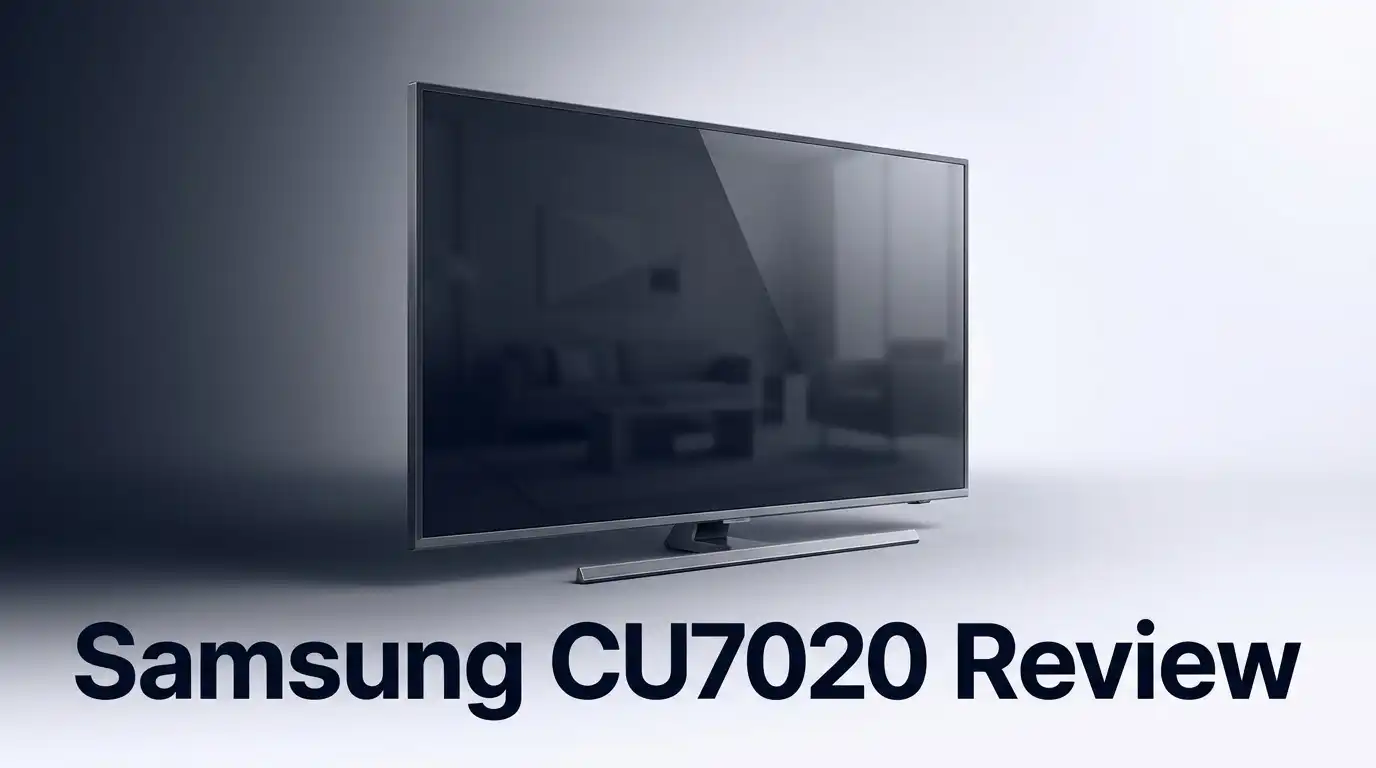
Samsung CU7020 Review: Is It Worth Buying?
Looking for a new 4K TV without breaking the bank? The Samsung CU7020 might catch your eye. It promises Crystal UHD picture quality and smart features in one package.
This TV comes in two sizes: 43″ and 65″. Both models use PurColour technology to boost image detail. That sounds impressive on paper.
But does it deliver in real life? Many shoppers call it “incredible” for everyday use. Gamers especially like its low input lag and quick response time.
In a Nutshell
- The display uses 4K Crystal UHD resolution. PurColour technology boosts image detail and sharpness. This gives everyday shows and movies a nice visual lift.
- Gamers will appreciate the low input lag. Response times stay quick during fast action scenes. It handles casual gaming sessions well.
- Smart TV features come built right in. You get access to popular streaming apps easily. Navigation feels simple for most users.
- Color reproduction leans a bit “overbaked” at times. Some scenes may look more saturated than expected. This might bother viewers who prefer natural tones.
- Overall satisfaction sits at an average level. Reviews show a 3.3 out of 5 star rating. Picture quality does not quite match premium TV models.
- Shoppers sometimes confuse this model with the CU7000 variant. Double check the exact model name before buying. This helps you avoid picking the wrong TV.
Display Quality and Picture Performance
The Samsung CU7020 uses a 4K Crystal UHD display that handles most content well for everyday viewing. The panel delivers sharp details and clear text when you watch shows or browse apps. Picture quality sits in the middle ground between entry level and premium models.
Colors on this TV lean toward the warm side. Samsung’s PurColour technology enhances the image, but some users report that colors feel “overbaked” or oversaturated. Reds and oranges may pop more than they should. If you prefer natural, balanced colors, you might notice this right away. Adjusting picture settings can help dial this back to your taste.
Contrast performance is decent for the display type. Dark scenes show reasonable detail without crushing blacks entirely. Bright scenes remain clear without excessive glare. The screen handles mixed lighting situations reasonably well for a TV at this level.
Viewing angles are average. If you sit directly in front of the screen, you get the best picture. Watching from the side causes colors to shift and brightness to drop noticeably. This matters if your family sits at different angles during movie night.
Motion handling works smoothly for most content. Sports and action movies display without significant blur or stuttering. The low input lag makes this TV friendly for gaming sessions. Fast paced games feel responsive, and you won’t experience annoying delays between your controller input and what appears on screen.
Brightness levels are moderate. The TV works fine in dimly lit rooms and average daytime lighting. Very bright rooms may make the picture look washed out. You may need to close curtains or adjust settings if sunlight floods your viewing area.
Refresh rate support stays at standard levels. The TV handles 60Hz content smoothly, which covers most streaming services and cable broadcasts. If you game on newer consoles that output 120Hz, this TV won’t take full advantage of that capability.
Overall, the display delivers solid performance for casual watching and light gaming. Picture quality won’t match premium models, but it handles everyday content without major complaints. The main trade off involves color accuracy and viewing angles, which remain limited compared to higher end options.


Last update on 2026-09-07 / Affiliate links / Images from Amazon Product Advertising API Some of the links on this website are affiliate links, which means that at no additional cost to you, I earn a commission if you click through and make a purchase. I only recommend products and services that I believe will add value to my readers. Thank you for your support!
Design, Build, and Size Options
The Samsung CU7020 comes in two screen sizes: 43 inches and 65 inches. This gives you flexibility depending on your room setup and viewing distance. Both versions share the same core features and performance characteristics.
The physical design feels modern and clean. The TV uses a slim bezel design that maximizes screen real estate. The stand is sturdy and holds the TV firmly in place. Wall mounting is straightforward thanks to standard VESA compatibility.
Build quality sits at a solid mid range level. The chassis uses a combination of plastic and metal components. It doesn’t feel premium, but it won’t feel cheap either. The materials hold up well during normal handling and installation.
The 43 inch model works great for bedrooms, kitchens, or smaller living rooms. It fits nicely on most TV stands without taking up excessive space. The 65 inch option suits larger living rooms and entertainment spaces. Both sizes maintain the same thin profile, so wall mounting looks equally sleek.
The TV’s weight is reasonable for its size. The 43 inch model is light enough for one person to move comfortably. The 65 inch version requires two people for safe handling and installation. Samsung includes a basic stand that doesn’t require complex assembly.
Connectivity options are well positioned on the rear panel. HDMI ports, USB inputs, and the power connection are easy to access. The remote control is intuitive and fits comfortably in your hand. Buttons are clearly labeled and responsive.
Ventilation slots run along the sides and rear. These keep the TV cool during extended use. Heat dissipation is adequate for normal viewing sessions. The TV rarely gets uncomfortably warm even after hours of continuous watching.
The overall footprint is compact for a 4K TV. It doesn’t demand excessive space on your entertainment stand. Wall mounting leaves minimal gap between the TV and wall surface. The slim design makes it a practical choice for various room configurations.
Cable management is simple thanks to a dedicated channel on the back. Wires stay organized and out of sight. The design doesn’t collect dust easily around the edges. Maintenance and cleaning are straightforward with smooth surfaces that wipe clean quickly.
Smart Features and Gaming Performance
The Samsung CU7020 brings gaming-focused features that catch the attention of casual players. Low input lag stands out as a major strength here. This means the TV responds quickly when you press buttons on your controller. You’ll notice less delay between your action and what appears on screen.
Response time performance keeps up with gaming demands. Fast moving scenes stay sharp without ghosting effects. The TV handles frame transitions smoothly during gameplay. This makes it suitable for console gaming and PC connections.
Smart TV functionality comes standard on this model. You get access to popular streaming apps right from the home menu. Netflix, YouTube, and other platforms load without external devices. The interface responds quickly to remote commands. Navigation feels intuitive even for first time users.
PurColour technology enhances the visual experience during gameplay. This feature boosts color output across the display. Games with vibrant worlds show more detail and depth. However, color reproduction does lean warm overall. Some users report the colors feel slightly “overbaked” in certain scenes.
The TV supports standard refresh rates for gaming. You won’t find advanced gaming features like variable refresh rate support. This keeps the TV simple and straightforward for everyday gaming sessions. Casual players find this perfectly adequate for their needs.
Motion handling performs well during fast action sequences. Sports games and action titles display smoothly. You’ll see minimal blur during quick camera pans. The display keeps up with demanding gaming scenarios.
Connectivity options include HDMI ports positioned conveniently on the back. You can connect multiple gaming devices without hassle. The rear panel layout makes cable management simple. Setup takes just a few minutes for most users.
Overall, the Samsung CU7020 delivers solid gaming performance for casual enthusiasts. It won’t replace a dedicated gaming monitor, but it handles console and PC gaming competently. The combination of low input lag, smart features, and decent motion handling makes it practical for mixed use. Shoppers who game occasionally find the experience satisfactory. The TV balances entertainment and gaming needs without compromise.
Top 3 Alternatives
LG UltraGear Gaming Monitor

Last update on 2026-09-19 / Affiliate links / Images from Amazon Product Advertising API Some of the links on this website are affiliate links, which means that at no additional cost to you, I earn a commission if you click through and make a purchase. I only recommend products and services that I believe will add value to my readers. Thank you for your support!
The LG UltraGear brings serious gaming power to your desk. This monitor delivers fast refresh rates and stunning visual clarity that gamers love. The panel technology produces vibrant colors without washing out details in dark scenes.
ASUS ProArt Display

Last update on 2026-09-19 / Affiliate links / Images from Amazon Product Advertising API Some of the links on this website are affiliate links, which means that at no additional cost to you, I earn a commission if you click through and make a purchase. I only recommend products and services that I believe will add value to my readers. Thank you for your support!
The ASUS ProArt targets professionals who need color accuracy above all else. This monitor covers a wide color gamut, making it ideal for photo editing and video work. The display calibration comes factory-set, so colors stay true right out of the box.
Dell S2721DGF Monitor

Last update on 2026-09-19 / Affiliate links / Images from Amazon Product Advertising API Some of the links on this website are affiliate links, which means that at no additional cost to you, I earn a commission if you click through and make a purchase. I only recommend products and services that I believe will add value to my readers. Thank you for your support!
The Dell S2721DGF balances gaming and general use beautifully. Fast refresh rates keep gameplay smooth, while the IPS panel delivers consistent colors from any angle. You won’t experience the color shift that VA panels sometimes show when viewing from the side.
Color Accuracy and PurColour Technology
Samsung’s PurColour technology sits at the heart of how this TV handles color information. The system works by enhancing color output across the entire spectrum. It pushes saturation levels higher than standard displays. This means reds appear more vivid and blues pop off the screen.
Color accuracy on the CU7020 takes a specific approach. The display leans toward warm tones rather than neutral reproduction. This characteristic matters if you watch movies or shows that demand precise color grading. Professional colorists often prefer cooler, more neutral displays. Home viewers typically enjoy the warmer presentation for entertainment content.
The PurColour enhancement does improve visual appeal for casual watching. Sports events look more engaging with boosted color intensity. Nature documentaries display vibrant greens and blues. However, this comes with a trade off. Colors can feel “overbaked” in some scenes. Skin tones sometimes appear too saturated or slightly unnatural.
Comparing color performance to premium models reveals clear differences. Budget TVs like the CU7020 cannot match high end color accuracy standards. The panel technology itself has limits. Samsung compensates by using PurColour to make colors feel more exciting rather than more accurate.
For gaming, the color enhancement works well. Video game art often benefits from saturated, punchy colors. Fast action games look smooth with the TV’s motion handling combined with color boost. Casual gamers notice the visual improvement immediately.
If you watch streaming content regularly, PurColour delivers solid results. Netflix shows and YouTube videos look engaging. The warm color tone suits most entertainment material. You won’t notice color issues during typical viewing sessions.
The key consideration is your viewing priorities. Do you need movie theater accuracy? Then this TV’s color approach might disappoint. Do you want engaging, vibrant entertainment? Then PurColour delivers what you need.
Adjusting picture settings can help fine tune the color output. Most viewers stick with default settings. The TV provides enough color adjustment options for those who want to customize. Reducing color intensity slightly creates a more balanced look.
Overall, PurColour technology makes the CU7020 visually appealing for everyday use. Color accuracy sits below premium standards. The enhancement strategy prioritizes entertainment value over technical precision. This approach matches the TV’s position in the market.
Pros and Cons
Pros
- Low input lag and quick response times make this TV great for gaming sessions
- Smart TV features come built in, so you get streaming apps right away
- The 43 inch and 65 inch options fit different room sizes easily
- PurColour technology boosts colors during movies and shows
- Shoppers describe the overall experience as incredible
Cons
- User satisfaction sits at just 3.3 out of 5 stars on average
- Color reproduction tends to look overbaked rather than natural and balanced
- Picture quality falls short when you compare it to premium models
- The CU7000 variant exists, which can cause confusion when shopping online
Who Should Buy It
The Samsung CU7020 works best for specific viewer types. If you play casual games, this TV deserves your attention. The low input lag and quick response times keep your gameplay smooth. You won’t experience frustrating delays during fast action sequences.
Casual streamers find real value here. You get smart TV features built in. Netflix, YouTube, and other apps load instantly. No need to buy a separate streaming device. The PurColour technology makes shows look vibrant and engaging.
Are you someone who watches sports? The motion handling performs well during live broadcasts. Fast camera movements stay sharp and clear. You won’t see annoying ghosting or blur artifacts.
This TV suits smaller living spaces perfectly. The 43 inch size fits apartments and bedrooms easily. The 65 inch works for medium sized rooms. Both options deliver the same core features and performance.
Families with kids benefit from the smart TV functionality. Parents can control content easily. Kids access age appropriate shows without extra equipment.
However, you should avoid this model if you demand perfect color accuracy. Professional photo editors and videographers need premium displays. The overbaked color reproduction won’t meet their standards. Color grading work requires neutral, balanced tones that this TV doesn’t provide.
Serious movie enthusiasts should look elsewhere. This TV prioritizes brightness and color pop over accuracy. Film buffs prefer displays that show directors’ original intentions. Premium models handle this better.
If you compare this TV to high end options, picture quality differences become obvious. The CU7020 handles everyday content well. It struggles with demanding content that needs superior contrast and detail.
Gamers who play competitive titles should consider this TV. The response time keeps you competitive. Casual gamers get everything they need here.
The CU7020 fits your needs if you want simplicity. You get a complete package with no additions required. Smart features work smoothly. Gaming performs well. Everyday streaming looks good.
Watch out for confusion with the CU7000 model. These are different TVs. Make sure you order the exact model you want online. Double check product descriptions before purchasing.
Bottom line: Buy this TV if you game casually, stream regularly, and accept that colors lean warm rather than natural. Skip it if you need accuracy or premium picture quality.
Final Verdict
The Samsung CU7020 earns its spot as a solid pick for everyday viewing. It handles gaming, sports, and casual streaming with ease.
This TV won’t satisfy viewers who crave cinema grade accuracy. If that’s your priority, look at higher tier Samsung models instead.
Before you buy, double check the model number. The CU7000 looks similar but has different specs, so confirming CU7020 saves you from mix ups.
Sound quality stays basic on this set, like most TVs in this class. Pairing it with a soundbar improves your experience significantly.
Connectivity feels sufficient for typical households. You get enough ports for a streaming device, gaming console, and soundbar without feeling limited.
The TCL P series stands out as a worthy alternative if you want an award winning budget option. Both models compete well for casual buyers seeking smart features.
Wall mounting works fine with this TV’s standard bracket compatibility. Apartment dwellers and small room owners will appreciate this flexibility.
Energy efficiency remains decent across both size options. You won’t see major spikes on your electricity bill from daily use.
Who should buy this TV? Anyone who wants smart features, decent gaming performance, and vibrant colors for casual watching fits the target audience.
Who should skip it? Serious cinephiles and colorists who demand precision should explore premium alternatives instead.
Overall, the CU7020 delivers where it matters for typical households. It brings smart functionality, gaming readiness, and vivid visuals into one package.
This TV won’t win awards for accuracy, but it doesn’t try to. It focuses on practical, everyday entertainment needs.
Families, casual gamers, and streaming enthusiasts will find genuine value here. Just set your expectations around color accuracy before purchasing.
If you already own Samsung devices, this TV integrates smoothly into your ecosystem. That connectivity adds convenience beyond just picture quality.
Final thought: this model suits practical buyers over perfectionists. Know your priorities, and this TV might fit your living room perfectly.
Frequently Asked Questions
Does the Samsung CU7020 work well for gaming?
Yes, this TV performs nicely for gaming. The low input lag and quick response time mean your games feel responsive. Sports fans also appreciate the smooth motion handling during live broadcasts. If you play casual games or watch fast action content, you’ll notice the difference.
How does the picture quality compare to other 4K TVs?
The CU7020 delivers solid everyday viewing. However, serious movie fans should know that premium models show noticeably better picture quality. The colors tend toward “overbaked” rather than natural. If you demand cinema grade accuracy, this TV falls short. For casual streaming and regular shows, most people find it more than acceptable.
What’s the difference between the CU7020 and CU7000?
Both models share similar features and performance. The main confusion happens during shopping because the model numbers look so similar. Check your receipt carefully to confirm which one you’re getting. Either way, you get the same smart TV functionality and gaming performance.
Is the 43 inch or 65 inch size better for me?
Choose based on your room. The 43 inch fits apartments and bedrooms perfectly. The 65 inch works better for larger living rooms. Both sizes include the same PurColour technology and smart features. Your viewing distance and space determine which makes more sense for your home.
Should I buy this TV or look at competitors?
The TCL P series stands out as an award winning alternative. Choose the Samsung if you want reliable smart features and gaming performance. Pick the TCL if you want to explore other options. Your choice depends on what matters most to you: brand loyalty, specific features, or availability in your area.

Hello everyone my name is Alenya and i am a gadget discovering Enthusiast 🐻🐻