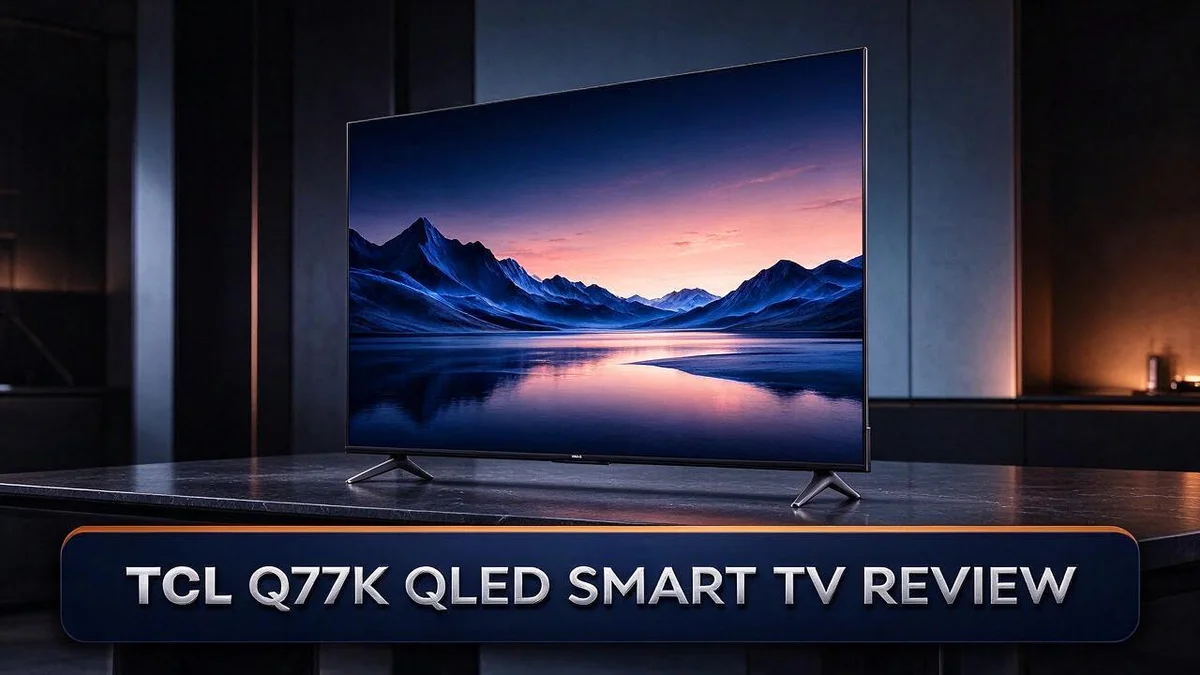
TCL Q77K QLED Smart TV Review: Skip or splurge?
Looking for a TV that brings your favorite shows to life? The TCL Q77K QLED Smart TV might be the right pick for you. It gives movies, sports, and games a fresh look at home.
This model comes in 55″, 65″, and 75″ sizes. Each screen shows crisp 4K UHD detail. An HVA panel helps deliver deep contrast in many scenes.
Gamers will enjoy the 144Hz native refresh rate and HDMI 2.1 bandwidth. These features keep motion smooth and fast. The backlit voice remote adds easy control too.
Yet the picture does not win every fan. Some reviewers say the image feels disappointing next to brighter rivals. Keep reading to see how this TV compares and whether it fits your living room.
In a Nutshell
- Strong feature set makes this model a solid pick for everyday streaming, and the backlit voice remote helps you find shows quickly.
- The HVA panel delivers high contrast, and one reviewer praised its colorful picture and outstanding black levels.
- Brightness is the main trade-off. Reviewers describe the picture as disappointing, and the TCL Q750G looks brighter in both SDR and HDR.
- Rivals worth comparing include the LG OLED evo C5 series, which looks more vivid, and Samsung QLED, which many owners consider more reliable.
- Best fit: viewers who want strong contrast and smooth features more than maximum brightness in every scene.
- Think twice if you watch in a bright living room and want the most vivid picture possible from your television.
Key Features and Screen Sizes


Last update on 2026-11-06 / Affiliate links / Images from Amazon Product Advertising API Some of the links on this website are affiliate links, which means that at no additional cost to you, I earn a commission if you click through and make a purchase. I only recommend products and services that I believe will add value to my readers. Thank you for your support!
Choosing the right screen size can change how much you enjoy this television. The TCL Q77K gives you three options, so you can match the set to your room. Start by thinking about where you sit most often.
Measure your room first. Stand where you usually watch and check the distance to the wall. A larger screen fits a long living room, while a smaller one suits a bedroom or a small apartment.
The 55 inch size works well for a desk area or a kitchen corner. It fills the view without taking over the space. Many people choose it for a second room where the TV gets daily use.
The 65 inch size sits in the middle. It gives a cinema feel for family movie nights. Most households find it the easiest fit for a typical lounge.
The 75 inch size makes a bold statement. Sports and action films feel immersive from a comfortable distance. However, you need enough wall space and a sturdy stand or mount.
Check your viewing distance. Sitting too close to a large screen can make you notice fine detail or feel eye strain. Sitting far away from a small screen can make on-screen text hard to read. Aim for a middle point that feels natural when you relax on the sofa.
Wall mounting matters too. Check the stand width and the mount size before you order. Measure your cabinet or console depth so the screen does not stick out too far from the wall.
Plan your lighting around the screen. Place the TV away from direct window glare. Soft lights behind the set reduce eye fatigue during long viewing sessions. Curtains also help during the daytime when sunlight shifts across the room.
Finally, think about who uses the room. Kids, guests, and grandparents all watch from different angles and distances. A size that works for the whole group keeps everyone happy during game nights and family shows.
Picture Quality and Brightness
Picture quality shapes how you feel about any screen. The TCL Q77K aims for deep, rich images that feel cinematic in the right setting. It shines most when the room stays calm and the lights stay low.
Brightness depends on the content you watch. Movies with dark scenes often look rich and layered on this set. Bright sports or daytime news may look less punchy than you expect.
Think about what fills most of your viewing hours. That habit matters more than any single spec.
HDR content needs extra light output to pop. Shows with bright highlights, such as fire, sunlight, or neon signs, may lose some sparkle on this model. Try a few scenes like these in a store or at home before you decide.
Picture modes give you control over the final look. Start with the movie or standard preset.
Then adjust the backlight setting slowly. Raising the backlight can add punch in a lit room. However, it may also hide shadow detail in dark scenes.
Test motion and sharpness too. Fast camera pans can look smooth when the motion settings suit your taste. Some viewers prefer a soft, natural look, while others want crisp edges.
Spend a few minutes in the picture menu to find your favorite mix. Small changes often make a big difference.
Your eyes adjust over time, so trust your comfort. After a long session in a dark room, a very bright picture can feel harsh.
Many people find that a moderate setting feels easier on the eyes for hours of viewing.
Pick the setup that fits your habits. If you mostly watch dramas after sunset, this picture will likely feel natural and warm.
If you host bright daytime game nights, you may want a brighter option. Matching the TV to your routine helps you enjoy it every day.
Keep your expectations realistic. This model delivers strong contrast and a pleasing image for most movie nights. It works best when you match the screen to the light in your room and the shows you love most.
Gaming and Motion Performance
Fast games need a screen that keeps up with your controller. The TCL Q77K offers a 144Hz native refresh rate, so the panel refreshes its image 144 times each second. That speed helps action scenes look fluid.
Higher refresh rates give motion a steadier look. Shooters, racing titles, and sports games benefit the most. Smoother frames can also make a game feel more responsive.
HDMI 2.1 bandwidth matters for gamers too. This connection carries high frame rate signals from modern consoles and gaming computers. Check that each device uses a proper HDMI 2.1 port and cable.
Your source also needs to send a high frame rate signal. A 144Hz panel cannot show more frames than your console or PC delivers. Set your game output to the highest frame rate your system supports.
The backlit voice remote adds a handy touch during play. You can adjust settings or switch inputs without fumbling in the dark. Press a button, make your change, and return to the match quickly.
Sports fans will notice how smoothly players and the ball travel across the field. Quick camera pans during a match look clean when the frame rate stays high. A larger screen also draws you deeper into the action.
If the menu offers a game mode, try it first. Then adjust sharpness and motion until fast action looks natural to your eyes. Small changes can make a big difference during intense play.
Long gaming sessions can tire your eyes. Take short breaks every hour and blink often. Your eyes will thank you after a late night match.
Competitive players should test the screen before committing. Bring your favorite game and play a few rounds. Motion feel matters most when the action feels right to you.
Top 3 Alternatives
Hisense U7 Series

Last update on 2026-10-14 / Affiliate links / Images from Amazon Product Advertising API Some of the links on this website are affiliate links, which means that at no additional cost to you, I earn a commission if you click through and make a purchase. I only recommend products and services that I believe will add value to my readers. Thank you for your support!
Want a brighter picture? The Hisense U7 Series uses mini LED backlighting. This design gets very bright, so it works well in sunny living rooms. Colors look vivid and lively, and the built-in smart system makes streaming simple.
Samsung Q60 QLED

Last update on 2026-11-06 / Affiliate links / Images from Amazon Product Advertising API Some of the links on this website are affiliate links, which means that at no additional cost to you, I earn a commission if you click through and make a purchase. I only recommend products and services that I believe will add value to my readers. Thank you for your support!
The Samsung Q60 QLED uses a quantum dot panel for rich, full colors. Its smooth 120Hz refresh rate helps fast scenes look clear, which suits sports and action movies. The Tizen system gives you easy access to your favorite apps.
Vizio M-Series

Last update on 2026-11-06 / Affiliate links / Images from Amazon Product Advertising API Some of the links on this website are affiliate links, which means that at no additional cost to you, I earn a commission if you click through and make a purchase. I only recommend products and services that I believe will add value to my readers. Thank you for your support!
The Vizio M-Series offers a clean, simple setup. It supports Dolby Vision, so bright scenes and dark scenes both look balanced. SmartCast lets you cast content from your phone to the screen with ease.
Smart Platform and Voice Remote
Your smart platform is the control center for everything you watch. It holds your streaming apps, your settings, and your search tools. Clear menus keep your evening calm and fun.
Spend a few minutes on setup. Sign in to your streaming accounts on day one. Rearrange the home screen so your top apps sit in the first row. This small step saves time every single night.
Voice search is where the remote really shines. Press the voice button and say a movie title, an actor name, or a genre. The TV often shows matching titles from different apps. You do not need to type letters with arrow keys.
Voice commands also help with everyday tasks. You can ask the TV to open an app, change the input, or lower the volume. Short phrases work best. Speak clearly and keep the remote pointed at the screen.
The remote also helps you skip through menus quickly. Look for dedicated shortcut buttons for streaming apps. These shortcuts take you straight to your favorite service with one press. Fewer steps mean less frustration.
A clear search bar matters more than most people think. Type a few letters and the TV suggests titles. This feature saves time when you know a show name but not the exact spelling.
Keep the software updated. Smart features get better over time. New app versions and fixes usually arrive through your network connection. Turn on automatic updates so you never miss an improvement.
Think about who uses the television too. Children, parents, and guests may all want different apps. Create simple profiles or lock settings if the menu allows it. This keeps the home screen tidy for everyone.
Check your internet connection first. A steady signal keeps apps loading quickly. Streaming in high quality needs a stable connection. Place your router closer to the TV or use a wired link when you can.
Finally, test the remote before you commit. Hold it in your hand and move through the menus. Does the layout feel natural? A remote that fits your grip makes daily viewing feel smooth.
Pros and Cons
Pros
- Three screen sizes let you match 55, 65, or 75 inches to your wall space.
- The HVA panel delivers deep black levels that one reviewer praised.
- 4K UHD resolution keeps fine details sharp on large screens.
- The set packs in a wide feature list for everyday viewing.
- Its colorful picture appeals to people who like bold, vivid images.
Cons
- Some reviews describe the picture as disappointing.
- The TCL Q750G is brighter in both SDR and HDR.
- LG and Samsung sets appear brighter and more vivid in side by side comparisons.
- Some users say it isn’t the greatest model in its lineup.
Who Should Buy It
This set suits people who want a large screen for everyday shows. It works well for households that stream most nights. Families often gather in one room, so a shared screen helps.
Renters and apartment dwellers may also like this model. The 55 inch size fits smaller rooms and tight entertainment units. Measure your space before you pick a size.
Movie lovers who watch in dim rooms can enjoy the deep contrast. Pick this TV if comfort matters more to you than peak brightness. Bright sunny rooms may wash out the picture a little.
People who are new to smart TVs will feel comfortable here. The basics are simple to learn. You can enjoy your shows without a technical background.
Shoppers who want the brightest picture should look elsewhere. Reviewers say LG and Samsung sets look more vivid. They suit people who want a punchy image above all else.
Households with several streaming accounts also benefit. One screen can handle many profiles and apps.
A guest room or basement den is another smart place for this set. It gives visitors a colorful screen without taking over the main living area.
Parents looking for simple family viewing will like this set. Kids can watch cartoons and films without much help. Movie nights become easy to plan.
Viewers who mix live channels with streaming apps will find plenty of options. The layout keeps every service within easy reach.
If you cut the cable cord, this set can become your main screen. Cord cutters can make it their main screen. Everything streams from one place.
Shoppers who plan to move the TV often should measure doorways first. Check the stand width too, since it sets the footprint.
Anyone who wants a simple screen for daily shows will be pleased. The set covers the basics well. It asks little from its owner.
In short, this set fits casual viewers, busy families, and smaller spaces. It may disappoint anyone who demands top brightness. Buyers who want a balanced choice for mixed household needs should consider it. Read the full review before you decide.
Final Verdict
This set makes sense for a specific kind of buyer. It suits people who want a clear, sharp screen without fuss. Think of it as a dependable daily companion.
The 144Hz refresh rate keeps fast action looking smooth. Sports fans and gamers will notice the difference during quick camera pans.
HDMI 2.1 support gives modern game consoles room to shine. Connecting a new gaming system feels simple and direct.
Brightness is the main weakness here. Bright rooms can wash out the picture on a sunny afternoon. Owners should plan their viewing spots with care.
Shoppers who sit near large windows should weigh this point carefully. Placing the screen away from direct sunlight helps a lot.
Color lovers may still enjoy the bold palette in normal room lighting. Test a few favorite scenes before making a final choice.
Screen size matters as much as the model. A 75 inch display fills a living room wall with ease. Measure the seating distance before buying.
Buyers who compare several brands should read recent reviews carefully. Software changes can shift picture behavior over time.
Wall mounting needs planning too. Check the stand width and wall bracket size before delivery day.
Sound quality is another area to plan for. Many flat screens sound thin, so a soundbar may suit buyers who want richer audio.
Final thoughts for the cautious shopper. Compare this set side by side with a brighter rival. Let your own eyes decide which picture feels right.
Do not rush the decision. A short visit to a showroom can reveal strengths and weaknesses fast. Bring a favorite movie on a USB drive or phone to test. Take notes on how it looks at different times of day.
In short, the TCL Q77K earns a spot on your shortlist. It fits many living rooms and everyday streaming habits. Just expect a picture that pleases rather than dazzles.
Frequently Asked Questions
Is this TCL model a good first large TV?
Yes, it can be a good choice for a first big screen. The menus are simple to follow. New owners can settle in quickly.
How far should you sit from a 75 inch screen?
Most people sit about 6 to 10 feet away. This distance lets you enjoy the sharp 4K detail without feeling too close. Measure your seating spot before you pick a size.
Should you change the picture settings?
Yes, a few small changes can help. Try a movie or cinema mode for evening viewing. Switch to a brighter mode during the day if the picture looks flat.
Is the backlit remote easy to use at night?
Yes, the lit buttons make it easier to find keys in a dim room. You will not need to fumble for the right button during a late movie.
Can you add a soundbar?
Yes, many owners add a soundbar for fuller audio. Connect it through the HDMI port and adjust the sound settings in the TV menu. This pairing suits people who want richer sound with their big picture.

Hello everyone my name is Alenya and i am a gadget discovering Enthusiast 🐻🐻