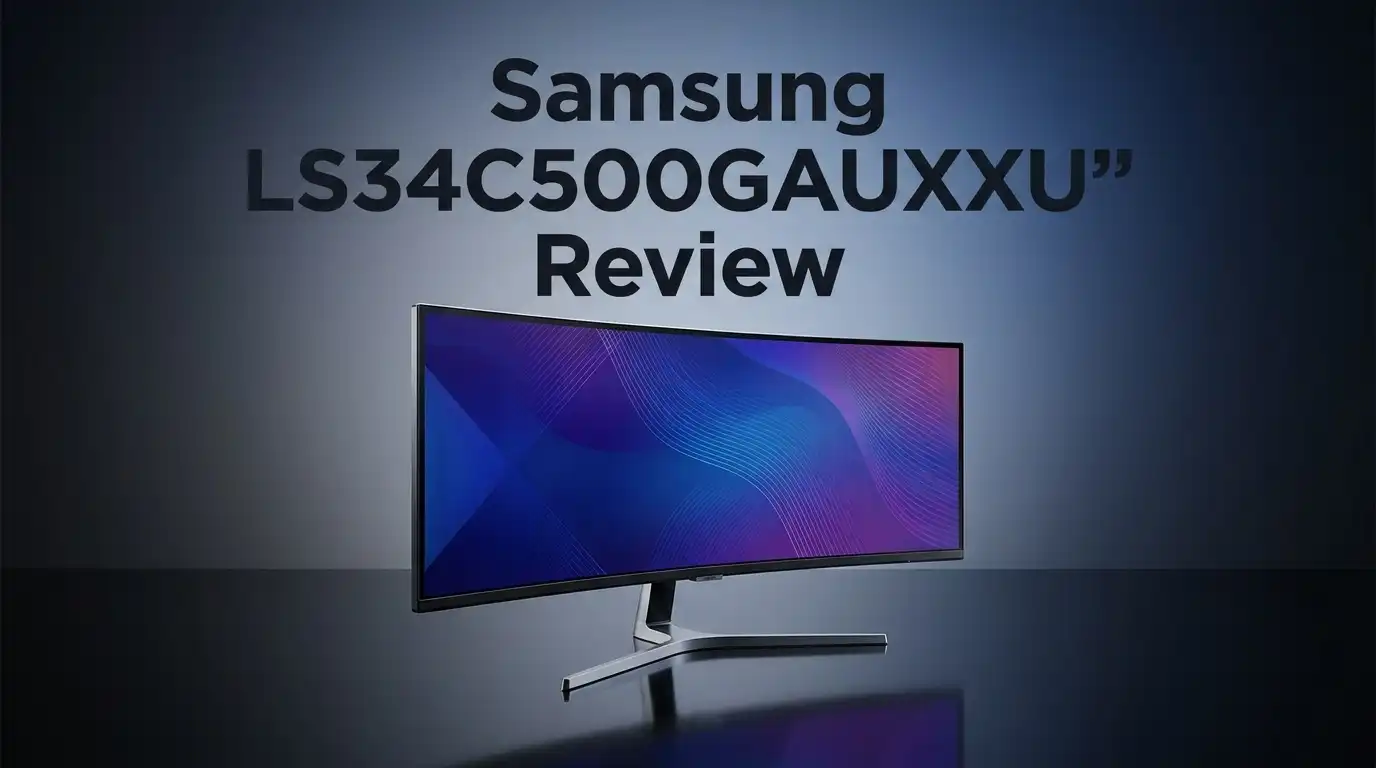
Samsung LS34C500GAUXXU Review: Worth It?
Are you searching for a screen that makes work and play feel bigger? The Samsung LS34C500GAUXXU might catch your eye. This 34 inch ultrawide monitor promises a lot on paper.
It packs a 3440×1440 WQHD resolution into a curved VA panel. That means sharp text and rich colors for your daily tasks. Movies and games stretch across the screen in a way that feels immersive.
A 100Hz refresh rate keeps motion smooth. Add AMD FreeSync Premium to the mix, and you get fewer screen tears during fast action. The 2500:1 contrast ratio also helps blacks look deep and whites look bright.
In a Nutshell
- Ultrawide Screen Real Estate: The curved 34 inch panel gives you extra horizontal space. This helps multitasking and immersive gaming feel natural.
- Smooth VA Panel Performance: The 2500:1 contrast ratio makes dark scenes look deep and rich. Blacks stay dark even in bright rooms.
- FreeSync Premium Support: AMD FreeSync Premium reduces screen tearing during fast gameplay. Your gaming sessions feel more fluid and consistent.
- Productivity Friendly Design: The wide aspect ratio suits spreadsheets, video editing, and multiple windows side by side. Work tasks become easier to manage.
- Color Accuracy Tradeoff: VA panels do not match IPS panels for color precision. Creative professionals might notice this limitation.
- Solid All Rounder Choice: This screen works well for general use, casual gaming, and office tasks. It balances features without overcomplicating things.
Display Quality and Resolution
The Samsung LS34C500GAUXXU delivers solid visual performance for a curved ultrawide monitor. Let’s dig into what makes the display shine and where it falls short.
The 3440×1440 WQHD resolution spreads pixels across that massive 34 inch curve. You get more horizontal space than standard monitors, which means more screen real estate for your work or games. The extra width helps when editing videos, managing spreadsheets, or keeping multiple windows open at once.
The VA panel technology brings strong contrast to the table. With a 2500:1 contrast ratio, dark scenes appear genuinely dark and black levels look rich. This matters for movie watching and single player games where atmosphere counts. Shadows have depth. Details pop. The curve also helps immersion by wrapping the image around your field of view.
Refresh rate sits at 100Hz, which keeps motion smooth during everyday use. AMD FreeSync Premium eliminates screen tearing when frame rates dip. This combo works well for casual gaming and office tasks. Fast paced competitive gamers might want higher refresh rates, but most users won’t notice the difference here.
Color accuracy takes a hit compared to IPS panels. VA technology sacrifices some color precision for contrast gains. If you do professional photo or video work, you may notice colors shift slightly from different angles. For general browsing, gaming, and productivity, this won’t bother you.
The display handles brightness well and viewing angles stay decent despite the VA panel type. Response times sit in the middle range, not blazing fast but responsive enough for most people.
Overall, the display quality hits a sweet spot. You get ultrawide productivity benefits, smooth 100Hz performance, and punchy contrast in one curved package. The tradeoff is lower color accuracy and refresh rate compared to some alternatives. For mixed use between work and entertainment, this screen performs admirably and delivers what most users expect from an ultrawide display.

Last update on 2026-07-27 / Affiliate links / Images from Amazon Product Advertising API Some of the links on this website are affiliate links, which means that at no additional cost to you, I earn a commission if you click through and make a purchase. I only recommend products and services that I believe will add value to my readers. Thank you for your support!
Performance and Refresh Rate
The Samsung LS34C500GAUXXU runs at 100Hz, which keeps motion smooth during everyday tasks and casual gaming sessions. This refresh rate sits in the middle ground between basic office monitors and high-end gaming displays.
At 100Hz, you’ll notice a clear difference compared to standard 60Hz screens. Scrolling through documents feels buttery smooth. Moving your cursor across the ultrawide canvas happens without stuttering. Gaming at this refresh rate works well for most genres, though competitive shooters might benefit from faster alternatives.
The VA panel technology plays a big role in performance here. VA panels excel at contrast and black levels. The 2500:1 contrast ratio means dark scenes pop with depth. Blacks look truly black instead of washed out gray. This matters for movies, games, and photo editing work.
Response time is adequate but not blazing fast. You won’t see ghosting during normal use. Fast-paced games will feel responsive enough for casual play. If you compete in esports titles, you might want something faster, but this monitor handles most situations well.
AMD FreeSync Premium support reduces screen tearing when your graphics card can’t match the 100Hz output. This feature prevents that annoying horizontal line that cuts across your screen during intense action. It works automatically once you enable it in your graphics settings.
The curved design enhances the performance feel. That gentle curve wraps the screen around your field of vision. It makes the ultrawide format feel more immersive during gaming and movie watching. Your eyes don’t need to work as hard to take in the full display.
For productivity work, the 100Hz refresh rate feels snappy. Dragging windows, resizing applications, and multitasking all feel fluid. The extra horizontal space at 3440 pixels wide lets you see more content without scrolling.
Overall, the performance hits a solid middle ground. You get smooth motion without paying for extreme gaming specs. The VA panel’s contrast strength complements the refresh rate well. This monitor performs best for users who blend work and entertainment without needing cutting-edge gaming performance.
Design and Build Quality
The Samsung LS34C500GAUXXU feels solid when you hold it and set it up. The 34 inch curved panel sits nicely on your desk without feeling flimsy or cheap.
The build quality uses a VA panel that resists fingerprints well. The matte finish on the screen keeps glare down during long work sessions. You won’t see reflections bouncing back at you like you would on a glossy display.
The stand provides good stability. It holds the ultrawide panel steady without wobbling when you type or move your mouse. The base footprint is wide, which makes sense for a 34 inch monitor. You can adjust the height, tilt, and swivel to find your perfect viewing angle.
The bezels are slim on the sides, which maximizes your screen space. The top and bottom bezels are thicker, but this is typical for ultrawide monitors. The overall aesthetic looks clean and modern without being flashy.
The ports sit on the back panel in a practical layout. You get HDMI, DisplayPort, and USB connections positioned for easy access. The cable management feels thoughtful. The rear design doesn’t look cluttered or messy.
The curved design adds to the build feel. The curve pulls the screen edges closer to your eyes, which reduces neck strain during extended sessions. This isn’t just a gimmick. The curvature actually improves ergonomics for ultrawide displays.
The materials feel durable. The plastic construction doesn’t creak or flex under normal use. The monitor weighs enough to feel substantial but remains light enough to move if needed.
One thing to note: the build prioritizes function over premium materials. This isn’t a high end monitor with aluminum frames or glass accents. Instead, Samsung focused on delivering a practical ultrawide that works hard and lasts long.
The overall construction suits someone who values reliability and usability. The design doesn’t draw attention to itself, which is exactly what you want in a workhorse monitor. Everything feels put together with care and attention to what actually matters for daily use.
Top 3 Alternatives
LG UltraWide Monitor
No products found.
Dell S3422DW


Last update on 2026-07-27 / Affiliate links / Images from Amazon Product Advertising API Some of the links on this website are affiliate links, which means that at no additional cost to you, I earn a commission if you click through and make a purchase. I only recommend products and services that I believe will add value to my readers. Thank you for your support!
ASUS ProArt Display

Last update on 2026-07-27 / Affiliate links / Images from Amazon Product Advertising API Some of the links on this website are affiliate links, which means that at no additional cost to you, I earn a commission if you click through and make a purchase. I only recommend products and services that I believe will add value to my readers. Thank you for your support!
Gaming and Productivity Use Cases
The Samsung LS34C500GAUXXU shines for both gaming and productivity work. Let’s explore how this ultrawide performs in real-world scenarios.
For gaming, the 100Hz refresh rate delivers smooth motion during fast-paced sessions. You’ll notice the difference compared to standard 60Hz screens. AMD FreeSync Premium support eliminates screen tearing, so your gameplay feels fluid even when frame rates dip. The curved 34 inch design wraps around your field of vision, creating an immersive experience that pulls you into the action.
The ultrawide format gives you a massive advantage in competitive titles. You see more of the game world without moving your head. Enemy players appear in your peripheral vision earlier than on standard monitors. This extra awareness can make the difference between winning and losing.
For productivity, this monitor transforms your workflow. The 3440×1440 resolution spreads across the entire screen, letting you open multiple windows side by side. You can have email on one side, spreadsheets in the middle, and communication tools on the right. No more constant window switching or tab hunting.
The VA panel’s strong contrast ratio keeps text sharp and readable during long work sessions. Colors remain consistent across the ultrawide canvas, which matters if you work with design or photo editing. The curved design reduces eye strain because every part of the screen sits at roughly the same distance from your eyes.
One thing to keep in mind: the 100Hz refresh rate works great for productivity. You won’t need higher speeds for office tasks. However, serious competitive gamers might want faster refresh rates available in other models.
The monitor handles both workloads without compromise. Gamers get smooth performance and immersion. Professionals get screen real estate and multitasking power. The ultrawide format truly excels when you need to juggle multiple tasks or dive into immersive gaming experiences. This versatility makes it a solid choice for anyone switching between work and play.
Color Accuracy and Panel Technology
The Samsung LS34C500GAUXXU uses a VA panel, which shapes how colors appear on your screen. VA technology excels at producing deep blacks and high contrast. This monitor delivers a 2500:1 contrast ratio, meaning dark areas stay truly dark while bright areas pop.
Color accuracy takes a backseat compared to IPS panels. VA panels naturally shift colors when you view them from angles. If you sit directly in front, colors look decent. Move your head to the side, and you’ll notice the shift. This matters less for gaming but affects photo editing work.
For everyday use, the color performance works fine. Watching videos, browsing the web, and working with documents all look good. The screen won’t disappoint you during casual tasks. However, professionals who need precise color matching should look elsewhere.
The VA panel excels at showing text and UI elements sharply. The high contrast ratio makes every word pop against the background. During long work sessions, your eyes experience less strain. This benefit alone makes the panel choice smart for productivity users.
AMD FreeSync Premium support reduces color banding issues. When your graphics card syncs with the display, motion appears smoother. Colors transition more naturally during fast action scenes. This technology works behind the scenes to improve your viewing experience.
The ultrawide format changes how colors spread across your screen. You get more horizontal space, which means less eye movement. Your peripheral vision captures more information without straining. This layout benefits both work and entertainment.
Brightness levels stay consistent across the 3440×1440 resolution. You won’t see dark spots or uneven lighting patches. The panel distributes light evenly from edge to edge. This uniformity matters when you’re working on detailed tasks for hours.
The curved design works with the VA panel to enhance color perception. The curve brings edges closer to your eyes, which helps with color consistency. You experience fewer viewing angle problems than you would on a flat screen.
For most users, the color accuracy hits an acceptable sweet spot. You sacrifice some precision compared to premium monitors, but you gain excellent contrast and reliability.
Pros and Cons
Pros
- Ultrawide 3440×1440 resolution opens up your screen real estate for multitasking and immersive gaming
- 100Hz refresh rate keeps motion smooth during fast paced action and daily work
- VA panel delivers a 2500:1 contrast ratio, making text and UI elements pop with clarity
- AMD FreeSync Premium syncs your graphics card to the display, eliminating screen tearing
- Curved design wraps around your field of view and enhances the immersive experience
Cons
- 100Hz refresh rate lags behind faster gaming monitors that reach 144Hz or higher
- VA panel shows color shifts when you view the screen from angles, limiting color accuracy compared to IPS alternatives
- Limited sRGB coverage means color grading work and photo editing require calibration or external tools
- Competitors in the same category offer better response times and higher refresh rates for similar performance needs
Who Should Buy It
This monitor works best for people who want an ultrawide screen without breaking their workflow. You get maximum screen space for multitasking, coding, spreadsheets, and design work all at once.
Gamers benefit from this display too. The 100Hz refresh rate keeps action smooth during fast-paced games. The ultrawide format gives you a wider field of view in competitive titles. You see more of the game world without turning your head. FreeSync Premium eliminates screen tearing, so motion stays clean during intense moments.
Content creators find real value here. Video editors love the extra horizontal space for timelines and preview windows. Photo editors appreciate the VA panel’s sharp contrast for spotting details. The curved design wraps around your vision, making long editing sessions less fatiguing.
Professional users in finance, engineering, or data analysis should consider this monitor. You can open multiple windows side by side without constant switching. The 3440×1440 resolution gives you room for spreadsheets, charts, and reference materials simultaneously.
This monitor is not ideal for color critical work. If you edit photos or videos where accuracy matters most, you need an IPS panel instead. The VA technology shifts colors at angles, which frustrates professionals who need perfect color matching.
Casual users benefit from the immersive curved screen. Web browsing, email, and document work feel more comfortable with the extra width. You reduce neck strain by keeping content centered in your vision.
Budget conscious buyers appreciate what you get here. You receive ultrawide real estate and smooth performance without overpaying for features you won’t use.
Competitive gamers seeking 144Hz or higher refresh rates should look elsewhere. This 100Hz display works fine for most gaming, but esports players want faster response times.
Summary: Buy this if you want productivity space, casual gaming, and immersive viewing in one package. Skip it if you need color accuracy or extreme refresh rates.
Final Verdict
This monitor earns its spot on many desks. It blends smooth performance with a spacious ultrawide view. That combo makes daily tasks feel less cluttered.
The build feels solid for its class. Samsung keeps the design simple and functional. You won’t find flashy extras here, but the core experience stays reliable.
Stand adjustability offers basic tilt options. It won’t satisfy users who need full swivel or height customization. Still, most desk setups will find the fit comfortable enough.
Think about your daily workflow before buying. Coders who juggle multiple windows will appreciate the extra horizontal space. Writers and analysts can spread spreadsheets or documents side by side without constant tab switching.
Streamers and casual gamers get a nice boost too. The screen wraps your view and pulls you into the action. It won’t replace a specialized gaming rig, but it handles single player titles and story driven games with ease.
Video editors might feel limited during color grading work. The panel struggles with precise tones needed for professional grading timelines. A dedicated color accurate monitor still wins that specific race.
For general multitasking, this screen holds its own well. Switching between browser tabs, chat apps, and work documents feels smooth. The extra width genuinely changes how you organize your workspace.
Compare it against similar options before finalizing your choice. Some competitors offer faster panels for pure gaming speed. Others focus more on color precision for creative work.
This Samsung model sits in a comfortable middle ground. It doesn’t try to be the best at one single thing. Instead, it covers many bases reasonably well.
Final thought: choose this monitor if you want balance. You get decent speed, immersive size, and dependable daily performance. Skip it only if your work demands top tier color precision or extreme refresh rates.
For most everyday users, students, and hybrid workers, this screen delivers real practical benefits.
Frequently Asked Questions
Is the 100Hz refresh rate enough for gaming?
Yes, 100Hz works well for casual and mainstream gaming. You’ll see smooth motion during action sequences and fast paced gameplay. However, competitive gamers who play shooters or racing games may want 144Hz or higher instead. The 100Hz refresh rate pairs nicely with AMD FreeSync Premium to eliminate screen tearing during play.
What’s the difference between this monitor and IPS panels?
This monitor uses a VA panel. VA panels deliver much higher contrast ratios (2500:1 here) compared to IPS displays. Text and UI elements pop with clarity on VA screens. The tradeoff is color accuracy and viewing angles. IPS panels show better colors when viewed from the side, while this VA panel shows color shifts at angles. For general use, the VA panel performs great.
Who should buy this ultrawide monitor?
Productivity users benefit most here. The 3440×1440 ultrawide resolution gives you extra screen space for spreadsheets, coding, and multitasking. Casual gamers enjoy the immersive curved design. Content creators find value too, though video editors doing color grading work may feel limited. Students and hybrid workers get real practical benefits from the extra horizontal space.
Does this monitor work for color critical work?
Not really. Video editors and graphic designers working on color grading should look elsewhere. The VA panel shows limited color accuracy compared to IPS alternatives. This monitor works best for general tasks, gaming, and productivity work where color perfection isn’t essential.
How does the curved design help?
The curved screen wraps around your field of view and enhances immersion during gaming and movies. The curve reduces eye strain during long work sessions too. You feel more connected to the content on screen.

Hello everyone my name is Alenya and i am a gadget discovering Enthusiast 🐻🐻