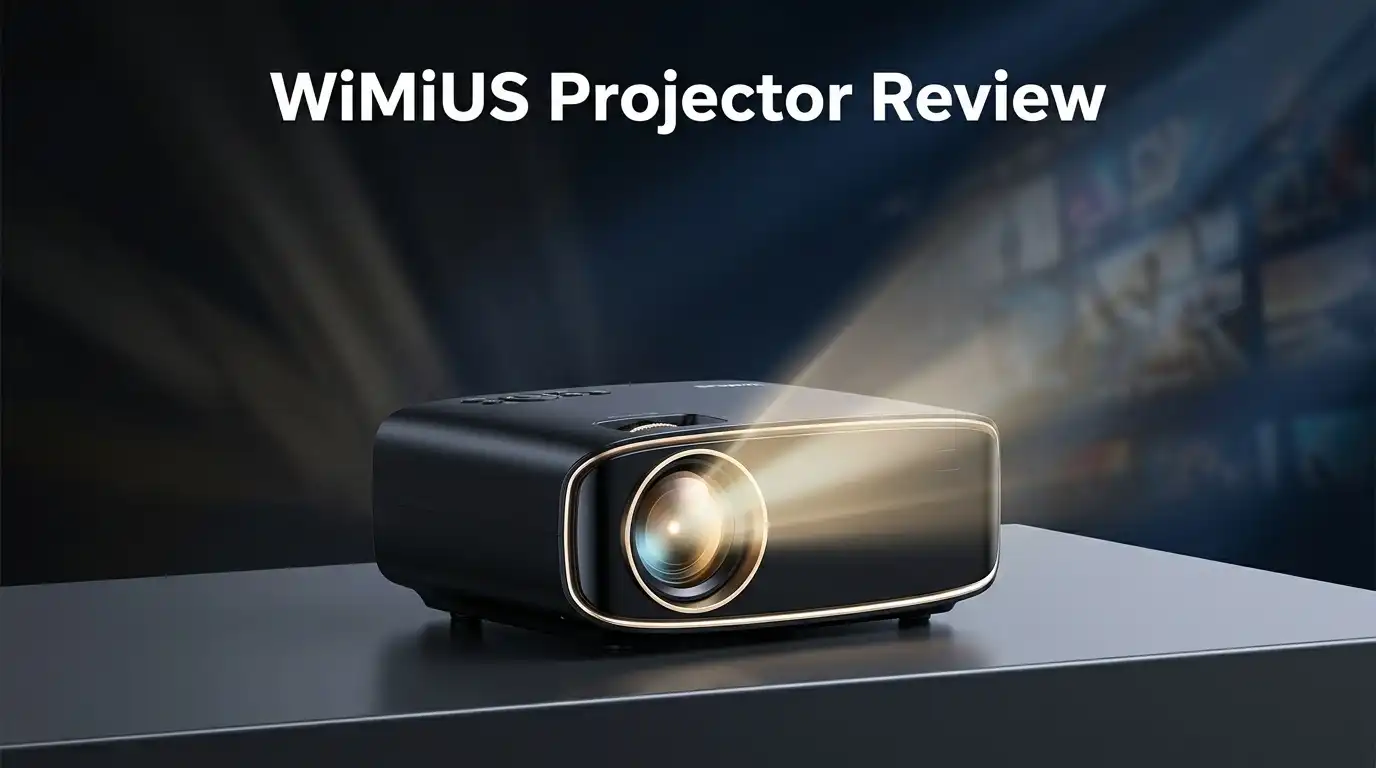
WiMiUS Projector Review: Truly 4K or Marketing Hype?
Looking for a home theater upgrade? The WiMiUS Projector claims big things. It promises 4K clarity and thousands of lumens. But do these claims hold up?
Many buyers ask one simple question. Is this projector truly 4K? The answer matters before you buy.
This review digs into the real specs. We check the native resolution. We test the brightness claims. We look past the marketing labels.
In a Nutshell
- Resolution Reality: This projector runs on native 1080P. It can upscale 4K content, but it does not display true 4K detail.
- Smart Features: You get built in Google TV and access to apps like PrimeVideo. WiFi 6 and Bluetooth keep your connections smooth.
- Setup Made Easy: The auto focus and 360° alignment features save you time. You can start watching without fiddling with manual dials.
- Brightness Claims: The listing mentions high lumen numbers. However, real world testing shows brightness closer to 600 ANSI lumens.
- Connectivity Options: You get dual HDMI and dual USB ports. An AV in port and headphone jack add more flexibility for older devices.
- Sound Quality: Dual speakers with Dolby audio support give decent sound. You may still want external speakers for a true theater feel.
Native Resolution and 4K Capability
The WiMiUS Projector makes bold claims about 4K capability. The reality, however, tells a different story. This projector has a native resolution of 1080P, which means it cannot truly display 4K content the way higher end projectors do.
What does “4K support” actually mean here? The projector can accept 4K input signals and process them. It then downscales that content to fit its 1080P display. This upscaling technology is common in budget projectors, but it is not the same as native 4K display. Your image quality depends on the upscaling algorithm used.
Native resolution matters more than you think. A 1080P projector displays 2.07 million pixels. A true 4K projector displays 8.29 million pixels. That is a significant difference in detail and clarity. If you watch 4K movies or stream 4K content, you will not see the full resolution advantage with this model.
For everyday use, 1080P still works well. Sports broadcasts, standard streaming content, and presentations look sharp at this resolution. The difference becomes noticeable only when you sit close to the screen or view high resolution source material regularly.
The upscaling process has limits. The WiMiUS Projector uses software to fill in missing pixels. This creates a smoother image than native 1080P, but it cannot match true 4K performance. You get an improved picture, not a genuine 4K experience.
Marketing language can confuse buyers. Phrases like “4K support” and “4K compatible” sound impressive. They suggest the projector handles 4K, which is technically true. However, they do not mean the projector displays true 4K output.
Consider your actual needs. If you mainly watch standard content and presentations, 1080P upscaling is fine. If you are a 4K enthusiast with a large media library, this projector falls short of your expectations. Understanding this distinction helps you make the right choice for your setup.

Last update on 2026-07-28 / Affiliate links / Images from Amazon Product Advertising API Some of the links on this website are affiliate links, which means that at no additional cost to you, I earn a commission if you click through and make a purchase. I only recommend products and services that I believe will add value to my readers. Thank you for your support!
Brightness and Image Quality
The WiMiUS Projector delivers 600 ANSI lumens of brightness. This number sits in the middle range for home projectors. You will notice the difference between this and higher lumen models in bright rooms.
Light output matters when you have windows or ambient light. With 600 lumens, you get solid performance in darker spaces. Daytime viewing becomes harder without heavy curtains. For evening movie nights, this brightness level works well.
The image quality depends on your viewing distance and screen size. At 1080P native resolution, the projector handles most content smoothly. Text appears crisp on smaller screens. Larger displays may show some softness at the edges.
Color accuracy is decent but not exceptional. The WiMiUS produces vibrant reds and blues in movies. Skin tones look natural in most scenes. You won’t get cinema grade color grading, but everyday viewing looks pleasant.
The auto focus feature helps maintain sharpness across the entire image. You adjust it once during setup. The picture stays clear without manual tweaking. This saves frustration during long viewing sessions.
Contrast levels are moderate for a projector in this category. Dark scenes show detail without crushing blacks completely. Bright scenes don’t wash out. The balance keeps movies watchable across different content types.
Input flexibility affects your image quality experience. The dual HDMI ports accept various signal types. WiFi 6 streaming delivers smooth video without lag. Built in Google TV means fewer external devices cluttering your setup.
The 360 degree alignment feature corrects image distortion. Keystone correction fixes angled projections automatically. These tools help you get a square, properly sized image quickly.
Dust and heat can degrade brightness over time. Regular filter cleaning maintains output levels. The projector runs warm during extended use. Proper ventilation keeps it operating at peak performance.
Overall, the WiMiUS delivers acceptable image quality for general viewing. It excels at presentations and casual entertainment. Serious film enthusiasts may want higher lumen output and native 4K resolution.
Smart Features and Connectivity
The WiMiUS Projector connects to your devices in multiple ways. You get WiFi 6 for fast, stable wireless streaming. Bluetooth lets you pair headphones or portable speakers without cables.
Built in Google TV means you access apps directly on the projector. You don’t need an external streaming device. PrimeVideo, Netflix, and other apps load right from the home screen. This saves you setup time and reduces cable clutter.
The dual HDMI ports give you flexibility for different sources. You can connect a laptop, gaming console, or cable box simultaneously. The dual USB ports support external drives or charging devices. An AV input accepts older equipment if needed. A headphone jack lets you listen privately without disturbing others.
WiFi 6 technology matters for smooth playback. It handles 4K content streams better than older WiFi standards. You experience fewer buffering interruptions during movies or presentations. Connection speeds stay consistent even when multiple devices use your network.
Auto focus and 360 degree alignment work together for convenience. The projector detects your screen automatically and adjusts the image. You spend less time fiddling with manual settings. The alignment feature corrects trapezoid distortion if the projector sits at an angle. This matters for business meetings where image quality affects your presentation impact.
Dolby audio support enhances your sound experience. The dual speakers deliver adequate volume for small to medium rooms. You get clear dialogue and immersive sound effects. The audio quality complements the visual performance without requiring external speakers.
The combination of these features makes the WiMiUS practical for various situations. Home entertainment, business presentations, and casual gaming all work well. You control everything from your phone or the included remote. Setup takes minutes instead of hours because smart features handle the technical work.
Connectivity options matter when you own multiple devices. The WiMiUS accepts signals from phones, computers, tablets, and traditional sources. This versatility means the projector adapts to your existing equipment rather than forcing you to buy new gear.
Top 3 Alternatives
ASUS ProArt Projector


Last update on 2026-07-28 / Affiliate links / Images from Amazon Product Advertising API Some of the links on this website are affiliate links, which means that at no additional cost to you, I earn a commission if you click through and make a purchase. I only recommend products and services that I believe will add value to my readers. Thank you for your support!
Epson Home Cinema

Last update on 2026-07-28 / Affiliate links / Images from Amazon Product Advertising API Some of the links on this website are affiliate links, which means that at no additional cost to you, I earn a commission if you click through and make a purchase. I only recommend products and services that I believe will add value to my readers. Thank you for your support!
BenQ LU9715

Last update on 2026-07-27 / Affiliate links / Images from Amazon Product Advertising API Some of the links on this website are affiliate links, which means that at no additional cost to you, I earn a commission if you click through and make a purchase. I only recommend products and services that I believe will add value to my readers. Thank you for your support!
Auto-Focus and Alignment Performance
The WiMiUS Projector includes auto focus and auto 360° alignment features. These tools help you get a sharp, properly positioned image without manual adjustments.
Auto focus works by detecting your screen automatically. The projector scans the distance between itself and your projection surface. It then adjusts the lens to bring everything into focus. This process takes just a few seconds. You don’t need to fiddle with focus rings or adjustment wheels like older projectors.
The auto focus feature maintains sharpness across the entire image. This matters when your projector sits at an angle or distance from the screen. Uneven focus can make edges blurry while the center stays sharp. The WiMiUS handles this by calculating the correct focal distance.
The 360° alignment feature corrects image distortion. When you mount a projector off center or at an angle, the image appears skewed or trapezoid shaped. This feature automatically detects the screen boundaries and straightens the image. You can also make manual adjustments if needed.
Both features work together for convenience. The projector detects your screen automatically and positions the image correctly. This saves setup time, especially if you move the projector between rooms.
In real world use, these features perform well for a projector in this category. The auto focus responds quickly to changes in distance. If you adjust the projector position, you may need to run the auto focus again. The alignment feature handles moderate angle variations without issues.
However, extreme angles or very short throw distances can challenge these systems. If your projector sits extremely close to the screen or at a steep angle, manual fine tuning might still help. The automatic features get you 95% of the way there.
These convenience features reduce frustration during setup. Most users appreciate not having to spend 30 minutes adjusting focus and alignment. The WiMiUS makes the process straightforward. For business presentations and casual home use, this automation adds real value. You spend less time tweaking and more time watching content.
Audio and Sound Quality
The WiMiUS Projector features dual built-in speakers that deliver Dolby audio support. This combination gives you a more immersive sound experience when watching movies or presentations.
The speakers produce clear dialogue and decent volume levels for small to medium rooms. You’ll hear crisp audio without distortion at normal listening volumes. The sound quality works well for casual viewing and entertainment purposes.
Dolby audio enhancement means the projector processes sound with better depth and clarity. Movies with Dolby soundtracks will play back with improved dynamic range. You get richer lows and clearer highs compared to basic speaker systems.
The dual speaker setup creates a wider soundfield than single speaker designs. This stereo separation helps you feel more engaged with the content. Action sequences and music sound more spacious and dimensional.
For business presentations, the audio clarity helps your audience hear every word. The projector’s speakers work well for conference rooms and small meeting spaces. You won’t need external speakers for basic communication purposes.
However, serious audiophiles should know these speakers have limits. The sound quality doesn’t match dedicated home theater systems. If you demand premium audio, connecting external speakers through the headphone jack or HDMI is a smart move.
The headphone jack gives you flexibility for private listening or connecting to better speakers. You can route audio to your own sound system while keeping video on the projector. This option lets you upgrade your audio experience without replacing the projector.
The speakers handle various content types well. Streaming shows, YouTube videos, and gaming audio all come through clearly. You get sufficient volume for most rooms without needing additional equipment.
The Dolby audio support sets this projector apart from cheaper models with basic speakers. You notice the difference when watching modern films with Dolby soundtracks. The enhanced audio makes your entertainment feel more professional and polished.
Overall, the audio system serves casual users and business environments adequately. The built-in speakers deliver satisfying sound for most situations. For specialized audio needs, the connectivity options let you expand your setup easily.
Pros and Cons
Pros
- Native 1080P resolution delivers sharp images for standard viewing and business presentations
- Built-in Google TV and streaming apps mean you skip external devices for Netflix and Prime Video
- Auto-focus and 360° alignment adjust automatically, saving you setup time and effort
- Multiple ports (dual HDMI, dual USB, AV-in) let you connect laptops, gaming consoles, and cable boxes easily
- WiFi 6 streaming keeps playback smooth without buffering or lag
Cons
- Not truly 4K despite marketing claims — the projector upscales 4K content but only outputs native 1080P resolution
- Lumen specifications appear inflated; real brightness may fall short of advertised 30,000 lumens claims
- Chinese budget projector reliability raises concerns about long-term durability and customer support
Who Should Buy It
The WiMiUS Projector works best for specific users. Let’s break down who should consider this model.
Business professionals benefit from this projector’s auto-focus and alignment features. You set it up quickly without manual adjustments. The native 1080P resolution displays spreadsheets, charts, and presentations with clarity. Google TV and streaming apps let you show content directly without extra devices. Multiple ports mean you can connect your laptop, tablet, or phone easily. WiFi 6 keeps your connection stable during important meetings.
Home entertainment fans who watch standard content find value here. Netflix, Prime Video, and YouTube look sharp at 1080P on smaller screens. The Dolby audio support and dual speakers deliver decent sound for casual viewing. You get a complete system without buying separate streaming devices or sound equipment.
Small event organizers can use this projector for casual gatherings. The auto-alignment feature helps when you mount it at angles or off center. The brightness level works fine for dimmed rooms, though not for outdoor events or very large spaces.
Budget conscious buyers appreciate the competitive pricing compared to name brand projectors. You get built-in smart features and multiple connectivity options. The warranty and customer support may differ from established brands, so research this beforehand.
Who should skip it? Anyone needing true 4K resolution should look elsewhere. The projector upscales 4K content but outputs only native 1080P. If you want cinema quality or plan to display detailed technical drawings, this isn’t your choice. Serious gamers seeking fast response times and high refresh rates should consider gaming specific projectors instead.
Outdoor users need brighter projectors. The actual brightness falls short of marketing claims, making daytime or well lit outdoor use challenging. Users in very bright rooms may find the image too dim.
The WiMiUS Projector suits people who want convenience, built-in apps, and solid 1080P performance. It works well for presentations, casual home viewing, and small indoor events. Know what you’re getting: a practical projector with smart features, not a 4K powerhouse.
Final Verdict
Is the WiMiUS Projector truly 4K? The honest answer is no. It remains a solid 1080P projector with 4K upscaling support.
This distinction matters for your buying decision. Marketing claims and real specs often differ in the budget projector space.
Smart buyers look past flashy labels. They check native resolution before comparing 4K claims across brands.
The WiMiUS Projector earns points for transparency once you dig into specs. Many competitors hide similar limitations behind bigger buzzwords.
Your viewing habits should guide this final decision. Casual streaming and presentations work fine on native 1080P displays.
True cinephiles chasing 4K clarity will feel shortchanged here. The upscaling helps, but it cannot replace genuine 4K native resolution.
Think about your typical screen size and viewing distance. Smaller setups hide resolution gaps better than large home theater screens.
This projector fits a specific buyer profile well. Someone who values smart features and easy setup over pixel perfect visuals.
Business users and casual streamers get real value from this device. The auto-focus and app integration outweigh resolution concerns for many use cases.
Serious 4K seekers should look at other options. True native 4K projectors exist, though they come with different tradeoffs and specs.
Every projector purchase involves compromise somewhere. WiMiUS trades native 4K for convenience, connectivity, and simpler setup.
The bottom line stays clear. This is a capable 1080P projector marketed with confusing 4K language.
Your expectations should match this reality before buying. Set expectations right and this projector delivers dependable performance.
Skip it only if native 4K resolution is your non negotiable requirement. Otherwise it handles daily entertainment and presentation needs.
Knowing the real specs helps you make a confident, informed choice.
Frequently Asked Questions
Does the WiMiUS Projector really output true 4K?
No, it does not. The native resolution is 1080P only. The projector can accept 4K input signals and upscale them to display on screen, but this is not the same as native 4K output. Upscaling stretches lower resolution content to fit a larger canvas. It does not create the fine detail that true 4K provides.
If you need genuine 4K clarity for movies or design work, this projector will disappoint you. The marketing language can be confusing, so always check the native resolution spec first.
What brightness level should I expect?
The projector claims 30,000 lumens, but this figure appears inflated. Real world brightness likely falls significantly below that number. For dark rooms and casual viewing, the actual 600 ANSI lumens output works adequately.
Outdoor use or bright room projection will show visible dimness. If you need a projector for well lit spaces, look for models with higher verified lumen ratings.
Can I stream Netflix and other apps without extra devices?
Yes. Built in Google TV gives you direct access to Netflix, Prime Video, and other streaming services. You skip the need for external streaming boxes or media players.
WiFi 6 connectivity keeps playback smooth. Bluetooth support lets you connect wireless speakers or headphones too.
What connections does this projector support?
The WiMiUS offers dual HDMI ports for gaming consoles and media players. Dual USB ports handle external drives and devices. An AV input works with older cable boxes. A headphone jack lets you route audio privately.
This range of ports covers most common setups without adapters or converters.
Who is this projector best for?
Business professionals benefit from auto focus and automatic alignment. Casual streamers who watch standard content find solid performance here. Small event organizers can use it for indoor gatherings.
Skip this model if you need true 4K, outdoor brightness, or professional cinema quality.

Hello everyone my name is Alenya and i am a gadget discovering Enthusiast 🐻🐻