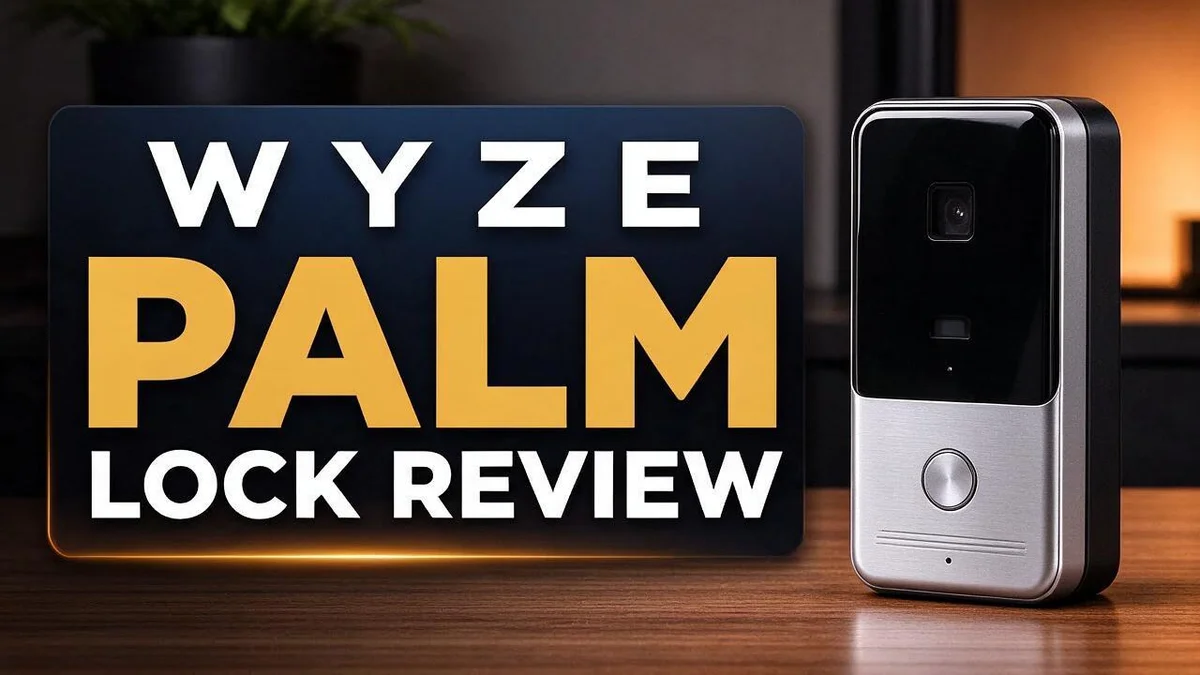
Wyze Palm Lock Review 2026: Palm Vein Smart Lock Tested
Tired of fumbling with keys at night? The Wyze Palm Lock may be the smart upgrade your front door needs. It launched on September 16, 2025, and it brings palm vein recognition to your home entry.
Your palm works as the key. The lock scans your unique vein pattern without contact, so you never touch a sensor. Many users say it feels faster and simpler than fingerprint readers.
Security matters too. Your biometric data stays encrypted and stored locally, not in the app or the cloud. You also get a keypad with up to 50 codes, an automatic lock when the door closes, and two physical keys as a backup.
Let’s take a closer look at how it performs in daily life.
In a Nutshell
-
Fast and hands free: The Wyze Palm Lock uses contactless palm vein recognition. You simply hold your hand near the lock and walk right in. Many users say it feels quicker than a fingerprint reader during daily use.
-
Keypad backup: A keypad holds up to 50 codes. Family members, guests, and house sitters can enter without carrying a phone or key.
-
Auto lock: The door locks itself once it closes. You never need to remember to turn the bolt before you leave home.
-
Long lasting power: The dual battery setup delivers excellent battery life. Reviewers say the lock keeps working well every day without frequent charging worries.
-
Easy setup and good looks: Most owners find installation simple and straightforward. The sleek design also suits modern front doors and adds a clean, updated look.
-
Weather ready with phone control: The lock handles outdoor conditions, so it fits porches and exposed entryways. You can also control it from your phone. Two physical keys come in the box as a reliable backup.
Palm Vein Recognition Performance


Last update on 2026-10-23 / Affiliate links / Images from Amazon Product Advertising API Some of the links on this website are affiliate links, which means that at no additional cost to you, I earn a commission if you click through and make a purchase. I only recommend products and services that I believe will add value to my readers. Thank you for your support!
Palm vein recognition reads the pattern of blood vessels beneath your skin. Because that pattern sits inside your hand, it stays hidden from view.
In daily use, you hold your palm a few inches above the sensor. The lock checks the pattern and opens in a moment. Most people find the motion feels natural after a few tries.
Speed is a clear strength. Reviewers say the Wyze Palm Lock beats fingerprint readers for quick entry. You never need to wipe a sensor or line up a finger on a small pad.
Your hands can affect results at first. Cold weather, wet skin, or a bandage may slow the scan. Try again with a steady, flat palm and the lock usually responds.
Setup makes a difference. Take time to enroll your palm during setup. Test it from a few angles so the lock learns your natural hand position.
Long term reliability matters too. Reviewers report steady performance across one to four months of use. That window shows how the lock handles changing seasons and busy routines.
Daily routines feel simpler. Arriving home with groceries or a child on your hip becomes easier. You skip the search for keys in a dark bag.
Who benefits most? People with full hands or busy schedules gain the most. Anyone tired of carrying keys will likely enjoy this feature.
Keep a backup plan in mind. The physical keys and keypad codes give you options if a scan fails. Test each entry method once after installation so you know every option works.
Many shoppers ask how accurate palm vein locks are. For everyday home entry, the Wyze Palm Lock performs well when you set it up with care.
Keypad, Physical Keys and Access Options
The Wyze Palm Lock offers more than one way inside. Your palm leads, while the keypad and physical keys cover backup needs.
The lock includes two physical keys. They give you a dependable way in when you need one.
Keep one key at home in a safe spot. Store the second key somewhere you can reach quickly.
Think of the keys as a safety net. Cold, wet, or injured hands can slow a palm scan. A key turns the lock right away.
The keypad works well for guests. You can share a code with a house sitter or dog walker. Nobody needs to hold a physical key.
Kids benefit from codes too. A simple code lets a teenager get home after school. You avoid making extra keys for everyone.
Mix your options to fit each day. Use your palm for quick everyday entries. Switch to the keypad when someone else needs access.
Protect your codes carefully. Skip obvious numbers like birthdays or 1234. Choose a unique code for each person.
Review access regularly. Remove codes for people who no longer visit. Clean access lists keep your home safer.
Test each method once after setup. Try your palm, enter a keypad code, and turn the key. You will know which option feels most natural. Testing early prevents surprises later.
Some households prefer a backup plan. Store a spare key with a trusted neighbor. Make sure they know how to reach you.
Guests often appreciate clear instructions. Write down the keypad steps and leave them near the door. Small touches make arrivals smoother for everyone.
Every option matters. A palm scan, a keypad code, and a physical key work together. Together they cover almost every situation.
A lock with several entry paths gives you flexibility. You never feel stuck outside. That peace of mind matters on busy days.
Build, Weather Resistance and Certification
The Wyze Palm Lock must handle daily use and changing weather. Its build matters more than many people expect.
Weather resistance is a major strength. The lock is weather resistant, so it can handle outdoor conditions. This makes it a good fit for porches and side doors.
Certification adds real confidence. The Wyze Palm Lock carries BHMA A156.36 certification. This industry standard tests how well a lock performs over time.
What this means for you: Certified locks go through testing for strength and durability. You can rely on the lock with less worry. Clear certification is a helpful sign of quality.
Outdoor placement still needs care. Even a weather resistant lock lasts longer in a sheltered spot. Check the door seal once a year. Wipe the keypad often so it stays clear.
Installation affects weather protection too. A snug fit between the lock and door keeps water out. Gaps can let rain and dust inside. Follow the setup steps closely and recheck the fit after a big storm.
Temperature changes can affect any lock. Metal parts may expand or shrink with the seasons. Watch for sticky movement during very hot or cold months. Small issues often show up early, so act fast.
Who should pay the closest attention? Renters, homeowners with covered entries, and families with exposed doors should read this section closely. Build and weather details shape how well the lock performs over the years.
Compare before you decide. Look at the certifications on other models, such as the Yale Assure Lock 2. Match the lock to your door type and your local weather.
Bottom line on build. The Wyze Palm Lock appears well made for everyday outdoor use. Its certification gives extra peace of mind. Your door will likely thank you for the careful design.
Top 3 Alternatives
Yale Assure Lock 2

Last update on 2026-10-30 / Affiliate links / Images from Amazon Product Advertising API Some of the links on this website are affiliate links, which means that at no additional cost to you, I earn a commission if you click through and make a purchase. I only recommend products and services that I believe will add value to my readers. Thank you for your support!
The Yale Assure Lock 2 gives you several ways to open your door. You can use a keypad, a physical key, or a smartphone app. It works well for families who share access with others. Its sturdy build also handles outdoor weather with ease.
Schlage Encode Smart

Last update on 2026-09-19 / Affiliate links / Images from Amazon Product Advertising API Some of the links on this website are affiliate links, which means that at no additional cost to you, I earn a commission if you click through and make a purchase. I only recommend products and services that I believe will add value to my readers. Thank you for your support!
The Schlage Encode Smart stands out for its clean design and touchscreen keypad. It connects to your home network, so you can lock or unlock the door from almost anywhere. Many people like how simple it is to set up. You can also create unique entry codes for guests or service workers.
Eufy Smart Lock

Last update on 2026-10-30 / Affiliate links / Images from Amazon Product Advertising API Some of the links on this website are affiliate links, which means that at no additional cost to you, I earn a commission if you click through and make a purchase. I only recommend products and services that I believe will add value to my readers. Thank you for your support!
The Eufy Smart Lock suits homeowners who want an easy installation. It uses Bluetooth for quick local control and includes a keypad for entry codes. Many owners enjoy setting temporary codes for visitors. Some versions also offer a fingerprint sensor, which gives you fast access without carrying keys.
Installation and Daily Use
Installing the Wyze Palm Lock starts with a quick check of your door. Measure the door thickness and the bore holes before you begin. This simple step saves time later.
Read the manual before you pick up a screwdriver. Follow each step in order. Skipping ahead can make the bolt bind or the strike plate sit crooked.
After mounting, open and close the door several times. Watch how the bolt slides in and out. Smooth movement means your alignment is right.
Once the lock is installed, the Wyze app becomes your remote control. You can see whether the door is locked while you sit on the couch or wait at work. Many people enjoy that quiet peace of mind.
Auto-lock does the hard work for you. When the door closes, the bolt moves into place. You never need to remember a final twist of the handle.
Privacy matters too. Your palm data stays on the lock itself. It does not sit in the app or in a cloud server. This gives many households confidence about who can access their information.
Battery checks belong on your calendar. Pick a day each season and open the app to review the battery level. A short check now prevents a surprise on a rainy night.
Firmware updates also arrive through the app. Install them when prompted. New features and fixes reach your lock only after you update it.
Family members need a quick lesson as well. Walk everyone through the palm scan once, then let them try it with you nearby. Patience during the first week builds good habits fast.
Finally, keep an eye on the door itself. Look for loose screws, sagging hinges, or gaps around the frame. A solid door helps the lock work smoothly every single day.
Data Privacy and Security
Your home data deserves real care. The Wyze Palm Lock handles sensitive information. A palm scan reads unique vein patterns beneath the skin.
The lock keeps biometric data stored locally on the device.
Your palm information stays out of the app and the cloud. That design keeps personal details closer to home.
Encryption adds another layer of protection.
The stored data is scrambled, so a stranger cannot read it easily.
Even a stolen unit gives thieves little to work with.
Local storage also reduces risk. Fewer copies of your data exist online. Fewer servers mean fewer targets for hackers.
You control more of your information from start to finish.
The app still holds account details. Choose a strong password that you never use anywhere else.
Turn on extra login checks if the app offers them.
Your home network matters too. Change the default router password and keep its software updated.
A weak network gives intruders a path to your lock settings.
Think about who gets app access. Sharing a login with a houseguest can open more than the front door.
Only share access with people you trust.
Protect your phone too. Since the app controls the lock, a stolen phone with an open app could unlock your door.
Set a passcode and enable screen locks on every device. Lock your phone whenever you step away.
Selling or giving away the lock needs extra care. Reset the device fully before it leaves your hands.
This step helps keep old palm data from reaching a new owner.
Talk openly with your household. Someone who shares a code with a friend may not realize the risk.
Simple talks keep everyone on the same page.
Privacy and security work best as a team. Build these habits once and enjoy steady peace of mind. Your home stays safer with every careful step.
Pros and Cons
Pros
- Faster than fingerprint readers: Users say it opens doors quickly.
- No finger on a sensor: Palm scans work without touching a pad.
- Backup access options: A keypad with up to 50 codes plus two physical keys.
- Excellent battery life: Users report strong power performance over time.
- Good looks: The design suits many front doors.
Cons
- Long-term durability is unclear: Reports cover only one to four months.
- Remote control needs internet: The app depends on a steady wireless connection.
- Few drawbacks reported: Early research lists no cons, so hands-on testing matters.
- Thin long-run feedback: Few reviews show how it performs after years.
Who Should Buy It
The Wyze Palm Lock suits people who want keyless entry without much fuss. It fits best in homes where owners already enjoy smart gadgets and feel at ease with a phone app.
Busy families are a strong match. Each person can get a personal keypad code. Nobody has to dig for keys after a long school day.
Kids and older teens can also receive their own codes. This keeps the door open for everyone without extra copies floating around.
Frequent visitors benefit as well. Dog walkers, cleaners, and relatives can enter without a key handoff. House sitters can also use a code. The owner decides who gets access.
Shared households gain from it too. Roommates or partners with different schedules can come and go without waiting for each other.
People who hate carrying keys will feel the difference. A palm scan means a pocket or bag does not need to hold anything extra. Arriving with grocery bags becomes easier. Keys stay in reserve for emergencies.
Tech fans who like building a connected home will enjoy it. The lock pairs with the same app used for daily control, so the setup feels familiar.
Homeowners wanting a simple upgrade can benefit. Swapping an old deadbolt for a modern lock adds convenience without a major rebuild.
Renters should check with their landlord first. Many leases limit changes to door hardware. A lease check takes only a few minutes and can prevent headaches later.
Buyers who need a long proven record should wait. Reviews only cover a short window, so newer products carry more unknowns.
People who prefer traditional locks may feel out of place. Some folks like the simple feel of a metal key and nothing else.
In short, this lock suits convenience seekers and shared homes. Think about who uses the front door most. That answer often makes the choice clear.
Final Verdict
The Wyze Palm Lock earns a strong spot on the shortlist. It brings contactless palm entry to a front door without a big learning curve. Most people will find daily use simple from day one.
The lock feels like a step forward for homes that want fewer keys. Still, the verdict depends on how long it holds up. Reports so far cover only one to four months, so lasting proof is still thin.
Think of this review as a strong first look rather than a final answer. Early users like the speed and daily comfort. Ongoing checks will show whether that feeling lasts.
Before you buy, check your door setup. Measure the door thickness and confirm the lock fits your frame. Look at the bolt style too, since mismatched hardware can cause trouble.
Ask yourself a few simple questions. Do you want keyless entry for family or guests? Do you already use a connected app at home? If yes, this lock fits well.
Keep a backup plan in place. Store the two physical keys somewhere safe. Share keypad codes carefully and remove them when someone leaves the household.
Compare it with other options before you decide. The Yale Assure Lock 2 is a common rival. Wyze Lock Bolt v2 may suit buyers who want to stay inside one brand.
Think about your daily routine too. If your household comes and goes at odd hours, keyless entry saves time. A quick palm scan beats digging through a bag in the rain.
Good choices feel right over time, not just on day one. Check how the lock performs after a month of regular use.
Our final take is simple. The Wyze Palm Lock offers a fresh and handy way to enter home. It rewards people who want speed, fewer keys, and smart control. Test it in your own home and see how it feels after a few weeks.
Frequently Asked Questions
How does palm recognition work on the Wyze Palm Lock?
The lock uses contactless palm vein recognition. You hold your hand near the sensor, and it reads your palm pattern. Your biometric data stays encrypted on the lock, not in the app or the cloud.
How many people can get access?
The keypad supports up to 50 codes. Each family member, guest, or helper can get a personal code. You can change or remove codes at any time.
Does the lock secure itself after you leave?
Yes, it locks automatically when the door closes. This helps when you forget to lock up. Check the lock status in the app if you want extra peace of mind.
Does the app work without internet?
Remote control needs a steady wireless connection. The app depends on that link to lock or unlock the door from far away. Your palm scan and keypad codes still work at the door.
Is the installation easy?
Many reviewers say installation is simple. Before you start, measure your door thickness and confirm the lock fits your frame. Keep the two physical keys in a safe place as a backup.

Hello everyone my name is Alenya and i am a gadget discovering Enthusiast 🐻🐻