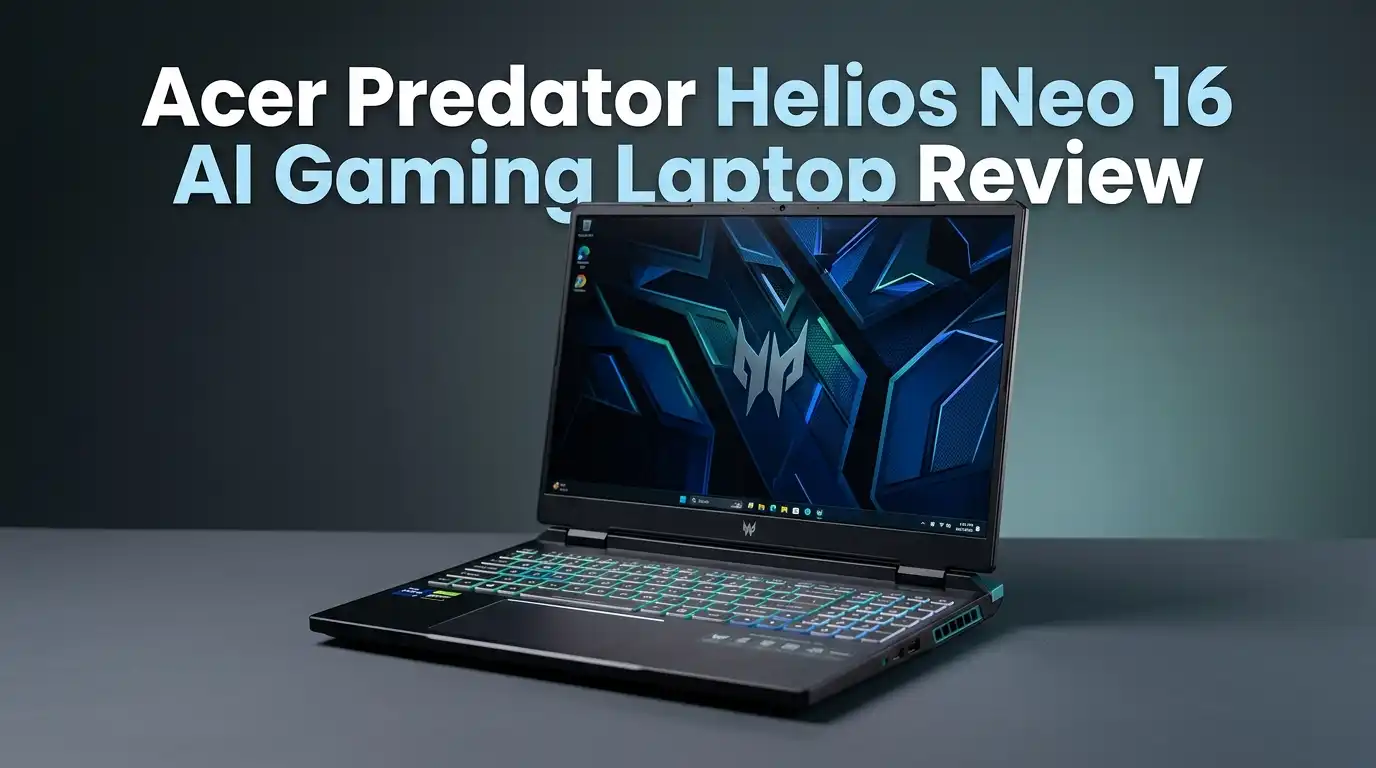
Acer Predator Helios Neo 16 AI Gaming Laptop Review 2026
Are you searching for a gaming laptop that delivers serious power without draining your entire bank account? The Acer Predator Helios Neo 16 AI sits right at the sweet spot of performance and price.
It packs an Intel Core Ultra 9 275HX processor, an NVIDIA GeForce RTX 5070 Ti GPU, and a stunning 16-inch 240Hz display into a surprisingly portable body.
This machine promises desktop-grade gaming in a package you can actually carry to work or school. But does it truly live up to the hype? In this full review, we break down every detail from build quality and display to real-world gaming benchmarks and battery life.
Key Takeaways:
- Powerful processor and GPU combo: The Intel Core Ultra 9 275HX paired with the NVIDIA GeForce RTX 5070 Ti delivers impressive mid-range gaming performance. You can play AAA titles at high settings with smooth frame rates at 1600p resolution.
- Gorgeous 16-inch IPS 240Hz display: The WQXGA (2560×1600) panel offers vibrant colors with 100% DCI-P3 coverage. It supports NVIDIA G-Sync for tear-free gaming sessions. The 240Hz refresh rate keeps action games feeling fluid and responsive.
- Surprisingly portable for a 16-inch machine: At roughly 5.95 pounds and just over an inch thick, this laptop travels well in a standard backpack. You do not need a dedicated bag to carry it around campus or a commute.
- Rich port selection covers all your needs: Three USB-A ports, a Thunderbolt port, USB-C, HDMI 2.1, Ethernet, microSD, and a headset jack mean you rarely need a dock or adapter. This is a true all-in-one connectivity solution.
- Battery life remains a weakness: Like most gaming laptops with high-refresh displays, the Helios Neo 16 AI struggles to last beyond five to six hours on a single charge during light use. Plan to keep the charger handy for longer sessions.
- Excellent value at roughly $1,699: Compared to rivals with similar specs, the Helios Neo 16 AI undercuts the competition by hundreds of dollars while still offering 32GB of DDR5 RAM and a 1TB Gen 4 SSD. It is one of the best deals in the mid-range gaming space right now.


Last update on 2026-06-09 / Affiliate links / Images from Amazon Product Advertising API Some of the links on this website are affiliate links, which means that at no additional cost to you, I earn a commission if you click through and make a purchase. I only recommend products and services that I believe will add value to my readers. Thank you for your support!
Acer Predator Helios Neo 16 AI Gaming Laptop: Overview and Specifications
The Acer Predator Helios Neo 16 AI belongs to the Predator Helios Neo lineup, which has long served as Acer’s answer to the mid-range gaming market. This 2025 refresh brings major upgrades under the hood. The star of the show is the Intel Core Ultra 9 275HX processor with 24 cores and 24 threads. It pairs with an NVIDIA GeForce RTX 5070 Ti GPU carrying 12GB of GDDR7 video memory.
The laptop ships with 32GB of DDR5-6400 RAM and a 1TB PCIe Gen 4 SSD for fast load times. These specs place it firmly in the upper mid-range tier. It can handle modern AAA games, heavy multitasking, and even some content creation tasks with ease.
The 16-inch IPS display runs at a WQXGA resolution of 2560×1600 pixels with a 240Hz refresh rate. It also supports NVIDIA G-Sync for smooth visuals during gaming. The panel covers 100% of the DCI-P3 color gamut. This makes it useful for both gaming and color-sensitive work.
Connectivity is another strong suit. You get Wi-Fi 7 and Bluetooth 5.4 for wireless options. The physical port selection includes Thunderbolt 4, HDMI 2.1, three USB-A ports, USB-C, Ethernet, microSD, and a headset jack. Acer also includes AI-powered features like PurifiedVoice 2.0 for noise cancellation and PurifiedView for enhanced webcam performance.
Design and Build Quality: Looks That Mean Business
The Helios Neo 16 AI carries a bold gaming aesthetic without going overboard. The black aluminum lid features geometric lines on the lower left corner and a color-cycling backlit Predator logo. It looks aggressive yet clean enough for a professional setting.
Open the lid and you find a full-size island-style keyboard with a number pad. RGB backlighting illuminates every key with customizable effects. Acer even placed RGB lighting beneath the bottom vents. The laptop literally glows from every angle when you want it to.
At 14 x 10.8 x 1.05 inches and roughly 5.95 pounds, the Neo 16 is portable for a 16-inch gaming machine. You can slip it into a mid-sized backpack without issue. Reviewers have noted carrying it around New York City all day without back strain or discomfort.
Build quality feels solid in hand. The aluminum lid resists flex, and the keyboard deck stays firm under pressure. The hinge opens smoothly and holds the display at any angle. This laptop does not feel cheap or flimsy. It competes well with pricier machines in terms of materials and craftsmanship.
Display Performance: A Visual Feast for Gamers
The 16-inch WQXGA IPS panel is one of the best features on this laptop. The 2560×1600 resolution gives you sharp, detailed visuals whether you are gaming, watching movies, or editing photos. The 240Hz refresh rate paired with NVIDIA G-Sync ensures buttery smooth gameplay.
Color accuracy is impressive. The display covers 100% of the DCI-P3 color gamut. This means reds look genuinely red and blues look truly blue. Content creators will appreciate this level of accuracy for photo and video editing work.
Brightness sits around 500 nits, which is more than enough for indoor use. The semi-matte coating helps reduce glare in well-lit rooms. You can comfortably use this laptop near windows or under office lighting without squinting.
The panel handles fast-moving scenes without ghosting or smearing. Playing fast-paced titles like Cyberpunk 2077 and Hitman 3 feels smooth and responsive. Text also looks crisp at the native resolution. This makes the display a great choice for both productivity and entertainment. A higher-end OLED variant exists in the Helios Neo 16S AI line, but this IPS panel holds its own very well.
Top 3 Alternatives for Acer Predator Helios Neo 16 AI
1. ASUS ROG Strix G16 (2025)

Last update on 2026-07-27 / Affiliate links / Images from Amazon Product Advertising API Some of the links on this website are affiliate links, which means that at no additional cost to you, I earn a commission if you click through and make a purchase. I only recommend products and services that I believe will add value to my readers. Thank you for your support!
2. Lenovo Legion Pro 5i Gen 10

Last update on 2026-07-31 / Affiliate links / Images from Amazon Product Advertising API Some of the links on this website are affiliate links, which means that at no additional cost to you, I earn a commission if you click through and make a purchase. I only recommend products and services that I believe will add value to my readers. Thank you for your support!
3. MSI Vector 16 HX AI

Last update on 2026-07-29 / Affiliate links / Images from Amazon Product Advertising API Some of the links on this website are affiliate links, which means that at no additional cost to you, I earn a commission if you click through and make a purchase. I only recommend products and services that I believe will add value to my readers. Thank you for your support!
Keyboard and Trackpad: Comfortable but Not Perfect
The Acer Pulsar Lighting RGB keyboard puts on a great light show. Per-key RGB backlighting lets you customize every single key. The visual impact is stunning, especially in a dim room. Acer’s PredatorSense software gives you full control over lighting effects, zones, and colors.
The keys themselves are well-spaced with decent travel distance. Typing for extended periods feels comfortable. The key action leans toward a softer feel rather than a snappy, tactile click. Gamers who prefer a crisp mechanical response might find these keys slightly mushy.
There are a few layout quirks worth noting. The Backspace key and Right Shift key run smaller than ideal. This can cause occasional mistypes when you first adjust to the keyboard. The full number pad and dedicated arrow keys are welcome additions for both gaming and productivity.
The trackpad is smooth and responsive. It produces a satisfying click and handles multi-finger gestures without lag. Dragging and dropping files feels natural. For a gaming laptop, this trackpad competes with some of the better options on the market. Of course, most gamers will still prefer an external mouse for actual gaming sessions.
Gaming Performance: Frame Rates That Impress
Last update on 2026-06-09 / Affiliate links / Images from Amazon Product Advertising API Some of the links on this website are affiliate links, which means that at no additional cost to you, I earn a commission if you click through and make a purchase. I only recommend products and services that I believe will add value to my readers. Thank you for your support!
The NVIDIA GeForce RTX 5070 Ti with 12GB of GDDR7 VRAM handles modern AAA games with confidence. You do need to make smart adjustments to in-game settings at native 1600p resolution. But the results speak for themselves.
In Black Myth: Wukong at Very High settings and 1600p, the laptop averaged 56 fps with DLSS enabled. Turning on ray tracing pushed that number up to 77 fps thanks to DLSS frame generation. Dropping to 1200p gave smooth results of 59 fps and 82 fps respectively.
Hitman 3 ran beautifully. The Neo 16 delivered an average of 198.6 fps at Very High settings with DLSS at 1600p. Even with ray tracing enabled, the frame rate only dipped to 176.5 fps. At 1200p, the numbers climbed past 250 fps.
Cyberpunk 2077 also delivered strong results. With DLSS enabled at 1600p, the laptop hit 124.5 fps. Enabling ray tracing brought a result of 129.2 fps at the same resolution. These numbers place the Helios Neo 16 AI in excellent territory for a mid-range gaming laptop. You get a genuinely smooth gaming experience in demanding titles.
Processor and Multitasking Power
The Intel Core Ultra 9 275HX is a 24-core, 24-thread powerhouse. It runs at a base clock of 2.1GHz and boosts significantly higher under load. This processor sits at the top of Intel’s mobile lineup for this generation.
Benchmark scores reflect its raw strength. The laptop scored 2,881 in Geekbench 6 Single-Core and an impressive 19,356 in Multi-Core. These numbers compete with and sometimes beat more expensive machines. The processor handles heavy multitasking like running a game in the background while streaming and browsing with ease.
Content creation tasks also benefit from this chip. Video encoding, 3D rendering, and photo editing all run smoothly. The 32GB of DDR5-6400 RAM supports the processor with fast data throughput. You can keep dozens of Chrome tabs open alongside a game without noticeable slowdowns.
The PredatorSense software lets you switch between performance modes. Turbo mode unlocks maximum clock speeds for gaming. Quiet mode tones down the fans for lighter workloads. This level of control helps you balance noise and performance based on the situation. The processor is genuinely one of the strongest selling points of this laptop.
Audio Quality: Surprisingly Loud and Clear
Gaming laptops rarely impress with their built-in speakers. The Acer Predator Helios Neo 16 AI breaks that trend to some degree. The bottom-mounted speakers pump out loud, well-balanced audio that works for gaming, movies, and music.
Explosions and gunfire in games carry genuine impact. Sword fights in action games sound crisp and distinct. The DTS:X Ultra utility gives you several presets to choose from. The Music, RPG, and Shooter presets all perform well depending on your use case.
Dialogue in games and movies comes through clearly even at moderate volumes. The mid-range frequencies are well-represented. Bass is present but does not hit as hard as a dedicated external speaker. This is a common limitation with built-in laptop speakers regardless of price.
For most casual gaming and media consumption, you can skip the headphones. The speakers deliver a satisfying experience right out of the box. Serious audiophiles and competitive gamers will still want a good headset, but the built-in audio covers everyday needs well. Acer deserves credit for making speakers that actually sound good at this price range.
Battery Life: The One Major Weakness
This is where the Helios Neo 16 AI falls short. Battery life averages around five to six hours during light tasks like web browsing and video playback. Gaming on battery power cuts that number dramatically, often to under two hours.
The 240Hz display is partially to blame. It draws more power than a standard 60Hz or 144Hz panel. The Intel Core Ultra 9 275HX processor is also power-hungry under load. These components demand significant energy to perform at their best.
Acer does offer battery management features through PredatorSense. You can limit the charge level and switch to power-saving modes. NVIDIA Optimus mode lets the laptop switch between integrated and discrete graphics to save battery during light tasks.
Despite these power-saving options, this laptop needs its charger for any serious use. The included power adapter is relatively compact for a gaming laptop. You can carry it alongside the laptop without too much extra bulk. If battery life ranks high on your priority list, consider the Lenovo Legion 5i Gen 10, which offers significantly better endurance. For the Helios Neo 16 AI, treat the battery as a backup rather than a primary power source.
AI Features and Software Experience
Acer leans into AI branding with this laptop, and some features genuinely add value. PurifiedVoice 2.0 uses AI-powered noise cancellation during voice and video calls. It filters out background sounds like keyboard clicks, fan noise, and ambient chatter. The result is cleaner audio during meetings and Discord chats.
PurifiedView enhances the webcam experience. It adjusts lighting and framing to keep you looking sharp on camera. These features work automatically and require minimal setup. They run quietly in the background without consuming noticeable system resources.
The PredatorSense app is the central hub for system management. You can control fan speeds, adjust RGB lighting, monitor CPU and GPU temperatures, and switch between performance modes. The interface is clean and easy to navigate. It also provides access to third-party tools like the NVIDIA App and Killer Intelligence Center for network optimization.
The laptop also benefits from the Intel AI Boost NPU built into the Core Ultra 9 275HX. This neural processing unit accelerates AI tasks natively. It supports features like AI image generation and intelligent background blur. The Geekbench AI GPU benchmark returned strong scores of 43,499 in Half Precision and 18,912 in Quantized. These numbers confirm that the Helios Neo 16 AI handles AI workloads efficiently.
Connectivity and Port Selection
The Acer Predator Helios Neo 16 AI offers one of the most generous port selections in its class. You rarely need a docking station or USB hub with this machine. Every essential connection type is covered.
On the left side, you find an RJ-45 Ethernet port for wired internet, a USB-A port, a headset jack, and a microSD card slot. The right side holds two more USB-A ports. The rear panel houses the power connector, an HDMI 2.1 port, a Thunderbolt 4 port, and a USB-C port with DisplayPort support.
The Thunderbolt 4 port delivers 40Gbps data transfer speeds. It can also connect to external displays and docking stations. The two USB-C ports both support video output through DisplayPort. This means you can easily run a multi-monitor setup for work or gaming.
Wireless connectivity includes Wi-Fi 7 and Bluetooth 5.4. Wi-Fi 7 provides faster speeds and lower latency compared to Wi-Fi 6E. This matters for competitive online gaming and large file transfers. The Bluetooth 5.4 radio connects reliably to wireless peripherals like mice, headsets, and controllers. The expandable Ethernet port ensures a stable wired connection for lag-free online gaming.
Thermals and Fan Noise: Keeping Cool Under Pressure
The Helios Neo 16 AI uses a dual-fan cooling system with multiple heat pipes. The design pulls in cool air from the bottom vents and pushes hot air out through the rear and side exhausts. The RGB-lit bottom vents also serve a functional purpose as primary air intakes.
In Turbo mode, the fans ramp up noticeably. You will hear them clearly in a quiet room. The noise is not unbearable, but it is present during heavy gaming sessions. Headphones can mask the fan noise easily. The tradeoff is lower temperatures and better sustained performance.
In balanced or quiet modes, the fans stay much more subdued. Temperatures rise slightly, and the GPU may throttle performance a small amount. For general use and lighter games, balanced mode provides a good middle ground between noise and cooling.
Surface temperatures stay reasonable during gaming. The keyboard area remains comfortable to touch, though the area near the hinge gets warm. The bottom of the laptop can run hot under heavy load, so lap use during gaming is not recommended. A laptop cooling pad can help if you want to push the thermals further. Overall, the cooling system does a competent job for a laptop of this thickness and weight class.
Who Should Buy the Acer Predator Helios Neo 16 AI?
This laptop suits several types of users. Mid-range gamers who want strong frame rates in AAA titles without spending over $2,000 will find excellent value here. The RTX 5070 Ti handles most modern games at high settings with good frame rates.
Content creators on a budget benefit from the Core Ultra 9 processor, 32GB of RAM, and color-accurate display. Video editing, photo retouching, and 3D rendering run smoothly. The laptop handles Adobe Premiere Pro, Photoshop, and Blender without bottlenecks.
Students and commuters who need a portable all-in-one machine can appreciate the relatively light weight and rich port selection. You can use it for classes during the day and gaming at night. The 16-inch display works well for both spreadsheets and video games.
This laptop is not ideal for users who prioritize battery life above all else. Road warriors who work unplugged for eight or more hours should look elsewhere. It is also not the best choice for users who need absolute silence during use. The fans run loud under heavy workloads. If you accept these tradeoffs, the Acer Predator Helios Neo 16 AI delivers outstanding value in the mid-range gaming segment.
Final Verdict: Should You Buy the Acer Predator Helios Neo 16 AI in 2026?
The Acer Predator Helios Neo 16 AI earns a strong recommendation. It delivers exceptional gaming performance, a vibrant 240Hz display, and a surprisingly portable design at a competitive price point. The Intel Core Ultra 9 275HX and NVIDIA RTX 5070 Ti combination handles everything from AAA gaming to content creation.
The weaknesses are clear but manageable. Battery life disappoints, and the fans get loud under heavy loads. The keyboard feel is decent but not class-leading. These are common compromises in gaming laptops at this price range.
At roughly $1,699, the Helios Neo 16 AI undercuts many competitors with similar specs. The ASUS ROG Strix G16 and Lenovo Legion Pro 5i Gen 10 are strong alternatives, but both often cost more for similar configurations. If you want raw gaming power, a beautiful display, and excellent connectivity without exceeding your budget, the Acer Predator Helios Neo 16 AI is one of the best options available in 2026. It is a smart buy for gamers who want premium performance at a mid-range price.
Frequently Asked Questions
Is the Acer Predator Helios Neo 16 AI good for gaming?
Yes. The NVIDIA GeForce RTX 5070 Ti and Intel Core Ultra 9 275HX deliver strong frame rates in modern AAA games. Titles like Cyberpunk 2077 run above 120 fps at 1600p with DLSS enabled. You can play most games at high settings with a smooth, enjoyable experience.
How long does the battery last on the Acer Predator Helios Neo 16 AI?
Battery life averages around five to six hours during light use like web browsing and video playback. Gaming on battery power reduces this to roughly one to two hours. You should plan to keep the charger accessible for extended use.
Can the Acer Predator Helios Neo 16 AI handle video editing?
Absolutely. The 24-core Intel Core Ultra 9 processor and 32GB of DDR5 RAM make this laptop capable for video editing in Adobe Premiere Pro and DaVinci Resolve. The color-accurate display also helps with visual accuracy during editing.
Is the Acer Predator Helios Neo 16 AI portable enough for daily commuting?
At 5.95 pounds and about one inch thick, it is manageable in a standard backpack. It is lighter than many 16-inch gaming laptops in its class. You can carry it for a full day commute without significant discomfort.
Does the Acer Predator Helios Neo 16 AI support external monitors?
Yes. The laptop features HDMI 2.1, Thunderbolt 4, and USB-C with DisplayPort output. You can connect multiple external displays for a multi-monitor gaming or productivity setup. The Thunderbolt 4 port also supports external docking stations.
What is the best alternative to the Acer Predator Helios Neo 16 AI?
The Lenovo Legion Pro 5i Gen 10 is a top alternative with similar specs and slightly better battery life. The ASUS ROG Strix G16 (2025) is another strong option with a competitive display and build quality. Both laptops compete closely with the Helios Neo 16 AI in gaming performance and value.

Hello everyone my name is Alenya and i am a gadget discovering Enthusiast 🐻🐻