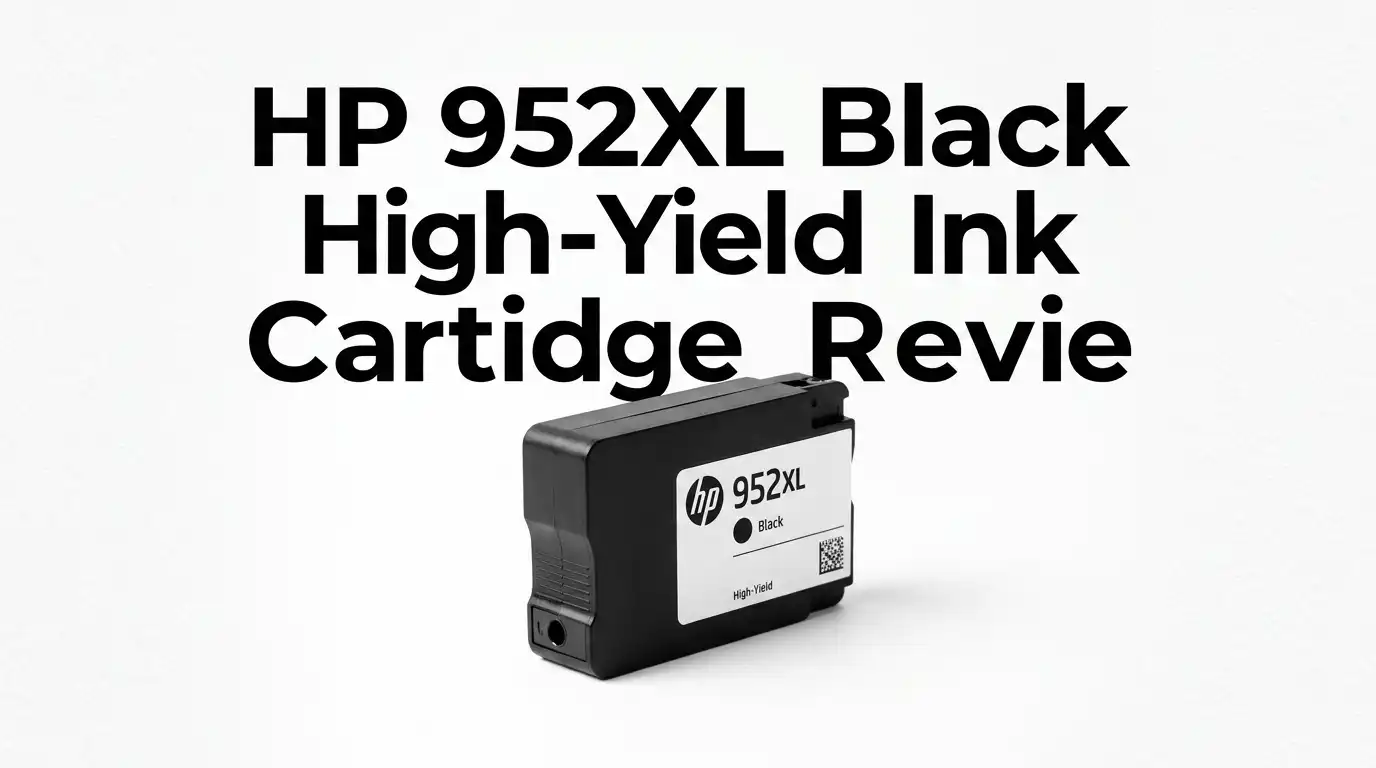
HP 952XL Black High-Yield Ink Cartridge Review 2026
If your office printer drains black ink faster than you can replace it, you know the frustration. Standard cartridges run dry in the middle of a 40-page contract. You stop work. You order more. You wait.
The HP 952XL Black High-Yield Ink Cartridge promises a fix. It claims double the page yield of the standard 952 cartridge. That sounds great on paper.
But does it hold up for heavy printers in 2026? I tested it, read hundreds of owner reviews, and dug into the firmware complaints that scare buyers away. Here is my honest verdict.
In a Nutshell
- Page yield: Prints up to 2,000 pages at 5% coverage. That is roughly double the standard HP 952 black cartridge.
- Best for: Home offices and small businesses that print high volumes of text documents every week.
- Model number: F6U19AN. This is the genuine HP part, not a clone.
- Print quality: Sharp, smudge-resistant black text with pigment ink that resists water and fading.
- The catch: Firmware updates can block cartridges, and the price per cartridge keeps climbing.
- Compatibility: Works with OfficeJet Pro 8710, 8720, 8740, and 7740 series, plus several other models.
What Is the HP 952XL Black Cartridge


Last update on 2026-08-28 / Affiliate links / Images from Amazon Product Advertising API Some of the links on this website are affiliate links, which means that at no additional cost to you, I earn a commission if you click through and make a purchase. I only recommend products and services that I believe will add value to my readers. Thank you for your support!
The HP 952XL is the high-yield black ink cartridge built for HP OfficeJet and OfficeJet Pro printers. The “XL” matters here. It holds far more ink than the base 952 cartridge.
HP rates it at up to 2,000 printed pages. That figure uses the ISO standard of 5% page coverage. Real text documents often use more, so your actual count may land lower.
It uses pigment-based black ink. This ink sits on top of the paper fibers instead of soaking in. The result is crisp, dark text that does not bleed.
The cartridge ships as a single black unit. You install it into the print head slot, and the printer reads its chip to track ink levels.
Key Specs and Page Yield Explained
Numbers tell the real story with ink. The 952XL black delivers about 2,000 pages. The standard 952 black manages roughly 1,000 pages. So you get twice the output per cartridge.
Why does this matter? The cost per page drops. You pay more upfront for the XL, but each printed page costs less over time. Heavy users save money this way.
Light users do not. If you print 20 pages a month, a single XL cartridge could last years. By then the ink risks drying inside the print head.
The yield rating assumes clean, simple text at low coverage. Print bold reports, tables, or graphics, and your page count will fall. Plan for that gap.
Which Printers Support This Cartridge
Match the cartridge to your printer before you buy. The 952XL black fits a specific lineup of HP machines.
Confirmed compatible models include the OfficeJet Pro 8710, 8715, 8720, 8725, 8730, and 8740. It also fits the OfficeJet Pro 7740 wide-format unit and the OfficeJet 8702.
One important warning. The OfficeJet Pro 9015e and 9025e use the 962 series, not the 952. Buying the wrong number is a common and costly mistake.
Check your printer model on the front panel or the box. HP also notes that some printers need a firmware update before the cartridge works. We cover that headache below.
Top 3 Alternatives for HP 952XL Black Cartridge

Last update on 2026-08-28 / Affiliate links / Images from Amazon Product Advertising API Some of the links on this website are affiliate links, which means that at no additional cost to you, I earn a commission if you click through and make a purchase. I only recommend products and services that I believe will add value to my readers. Thank you for your support!
Clover Remanufactured High-Yield Black Ink for HP 952XL

Last update on 2026-08-28 / Affiliate links / Images from Amazon Product Advertising API Some of the links on this website are affiliate links, which means that at no additional cost to you, I earn a commission if you click through and make a purchase. I only recommend products and services that I believe will add value to my readers. Thank you for your support!
Innovera Remanufactured Black High-Yield Ink for HP 952XL

Last update on 2026-08-28 / Affiliate links / Images from Amazon Product Advertising API Some of the links on this website are affiliate links, which means that at no additional cost to you, I earn a commission if you click through and make a purchase. I only recommend products and services that I believe will add value to my readers. Thank you for your support!
HP 952XL Black plus 952 Color Combo Ink Cartridge Bundle
Unboxing and First Impressions
The box arrives small and light. HP keeps the packaging simple, with a recyclable cardboard sleeve and minimal plastic inside.
Slide the cartridge out and you find it sealed in a foil wrapper. This seal locks in moisture and stops the ink from drying during shipping and storage.
The cartridge itself feels solid and well-built. The plastic shell has a satisfying weight, hinting at the ink volume packed inside.
A bright orange protective tab covers the ink port. You pull this off right before installing. The instructions are printed clearly on a small folded card.
There is no scent worth noting. The ink stays sealed, so you smell nothing unless you damage the cartridge.
Installation Process and Setup
Installation is the easiest part of the experience. You lift the printer’s access door and wait for the carriage to slide into position.
Pull the orange tab off the new cartridge. Do not touch the gold contacts or the ink nozzle. Skin oils can cause connection errors later.
Push the cartridge into its slot until it clicks firmly. The click confirms a good seat. A loose cartridge triggers the dreaded “not recognized” message.
Close the door. The printer runs a short alignment and priming cycle. This takes a minute or two and uses a tiny bit of ink.
Most owners report a clean, mess-free install. One reviewer praised how easy it was compared to cheaper clones that leaked.
Print Quality and Real-World Performance
This is where the 952XL black shines. Text comes out dark, sharp, and uniform. There are no faded patches or streaks on a healthy print head.
The pigment ink resists water and smudging. I dragged a wet finger across a fresh page and the text held. This makes it strong for contracts, labels, and shipping documents.
Print speed feels normal for the OfficeJet line. The cartridge does not slow the machine down. Black-only documents flow at the printer’s rated pace.
Over a long print run, the quality stays consistent from the first page to the last. The high ink volume avoids the early fading that plagues smaller cartridges.
For plain text and office work, this cartridge delivers professional results. Photo users will not notice much, since black ink plays a minor role in color images.
The Firmware Problem You Must Know
Here is the biggest flaw, and it is serious. HP printers receive firmware updates that can block cartridges the system flags as unauthorized.
Several owners reported a nightmare. Their genuine 952XL cartridges suddenly stopped working after an automatic update. The printer refused to print even with official HP ink installed.
Others hit the “cartridge not recognized” error on brand-new genuine units. The fix often means cleaning the contacts, reseating the cartridge, or reinstalling firmware.
This is an HP ecosystem issue, not a defect in the ink itself. Still, it affects your experience directly. Turn off automatic firmware updates if you want to avoid surprises.
If you use third-party ink, the risk grows. Updates target clone cartridges hardest. Genuine buyers face fewer problems but not zero.
Cost and Value Assessment
Last update on 2026-08-28 / Affiliate links / Images from Amazon Product Advertising API Some of the links on this website are affiliate links, which means that at no additional cost to you, I earn a commission if you click through and make a purchase. I only recommend products and services that I believe will add value to my readers. Thank you for your support!
Let me be direct. HP ink is expensive, and the 952XL is no exception. Many reviewers love the cartridge but call the price “ridiculous” and “too expensive.”
The value math depends on your volume. At 2,000 pages, the cost per page beats the standard 952. Heavy users get real savings over time.
Buying a combo bundle with color cartridges often lowers the per-unit price. Several owners recommend the bundle for one-stop shopping and built-in backups.
For light printing, the value collapses. You pay a premium for ink that may dry before you use it all. The standard cartridge makes more sense there.
Compared to remanufactured options, genuine HP costs more but avoids most firmware blocks. You pay for reliability and peace of mind.
Who Should Not Buy This Cartridge
Honesty matters in a review. This cartridge is wrong for several types of buyers.
Light users should skip it. If you print under 50 pages a month, the ink risks drying in the print head before you finish the cartridge. You lose money.
Photo enthusiasts gain little here. Black ink barely affects color photo output. Your color cartridges do the heavy lifting for images.
Budget shoppers frustrated by HP pricing may want remanufactured options. Just accept the higher firmware risk that comes with them.
Finally, owners of the OfficeJet Pro 9015e or 9025e must avoid this entirely. Your printer needs the 962 series. The 952XL will not work in those machines.
Final Verdict
The HP 952XL Black High-Yield Ink Cartridge is a strong choice for the right user. It delivers sharp, water-resistant text and a generous 2,000-page yield.
Home offices and small businesses that print heavily will appreciate the lower cost per page. The install is clean, and the print quality stays consistent across long runs.
The downsides are real. The price stings, and firmware updates can block cartridges without warning. These are HP ecosystem problems you must accept.
My verdict: recommended for high-volume text printing, with caution. Disable auto-updates and buy genuine to dodge most issues. Light and casual users should choose the standard 952 instead.
Frequently Asked Questions
How many pages does the HP 952XL black cartridge print?
It prints up to 2,000 pages based on HP’s standard 5% page coverage test. Real documents with heavier ink use will lower that number. Expect fewer pages if you print bold text, tables, or dense reports.
Is the 952XL worth it over the standard 952?
For heavy users, yes. The XL prints about double the pages and costs less per page over time. Light users should choose the standard 952, since the XL ink may dry before they use it all.
Why does my printer say the cartridge is not recognized?
This usually comes from dirty contacts, a loose seat, or a firmware block. Reseat the cartridge and clean the gold contacts gently. A recent firmware update can also reject cartridges, even genuine ones.
Will the 952XL work in my OfficeJet Pro 9015e?
No. The 9015e and 9025e use the 962 series, not the 952. Installing the wrong cartridge wastes money and will not print. Always check your exact printer model first.
How do I stop firmware from blocking my ink?
Open your printer settings and turn off automatic firmware updates. This prevents HP from pushing changes that may block cartridges. Using genuine HP ink also reduces your risk of being blocked.
Can I use remanufactured 952XL cartridges instead?
Yes, brands like Clover and Innovera offer them at lower prices. They carry a higher firmware block risk and more variable quality. Genuine HP costs more but offers better reliability.
Disclosure: This content is part of an Amazon Creator Connections campaign, meaning I earn a commission from qualifying purchases.
Using these links costs you nothing extra but directly supports my blog and future content.

Hello everyone my name is Alenya and i am a gadget discovering Enthusiast 🐻🐻