RexingUSA V1P 4K Dual Dash Cam Review: Worth It?
You parked clean and came back to a fresh dent. No note, no witness, no proof. That helpless feeling is exactly why drivers start shopping for a dash cam.
The RexingUSA V1P 4K Dual Dash Cam promises front-and-rear coverage that captures the moment so you never have to guess again.
This review breaks down real performance, honest flaws, and who should actually buy it. I focused on daily commuters, rideshare drivers, and budget-minded car owners who want evidence without paying flagship prices. Let’s get into it.
In a Nutshell
- Real 4K front recording at 2160p captures sharp daytime detail, plates, and street signs when vehicles sit within about 12 feet.
- Dual-channel coverage records the road ahead in 4K and the road behind in 1080p, giving you both directions in one unit.
- Supercapacitor build survives hot-weather cabins better than lithium batteries, making it strong for summer drivers and parked cars.
- Built-in Wi-Fi and GPS stamp speed and location into footage and let you pull clips to your phone through the Rexing app.
- Frame rate drops to 24fps in dual 4K mode, and the rear camera quality is the weakest part of the package.
- Best for budget buyers who want front-focused evidence, not videographers chasing flawless night plates.

Last update on 2026-09-19 / Affiliate links / Images from Amazon Product Advertising API Some of the links on this website are affiliate links, which means that at no additional cost to you, I earn a commission if you click through and make a purchase. I only recommend products and services that I believe will add value to my readers. Thank you for your support!
What Is the Rexing V1P 4K Dual Dash Cam
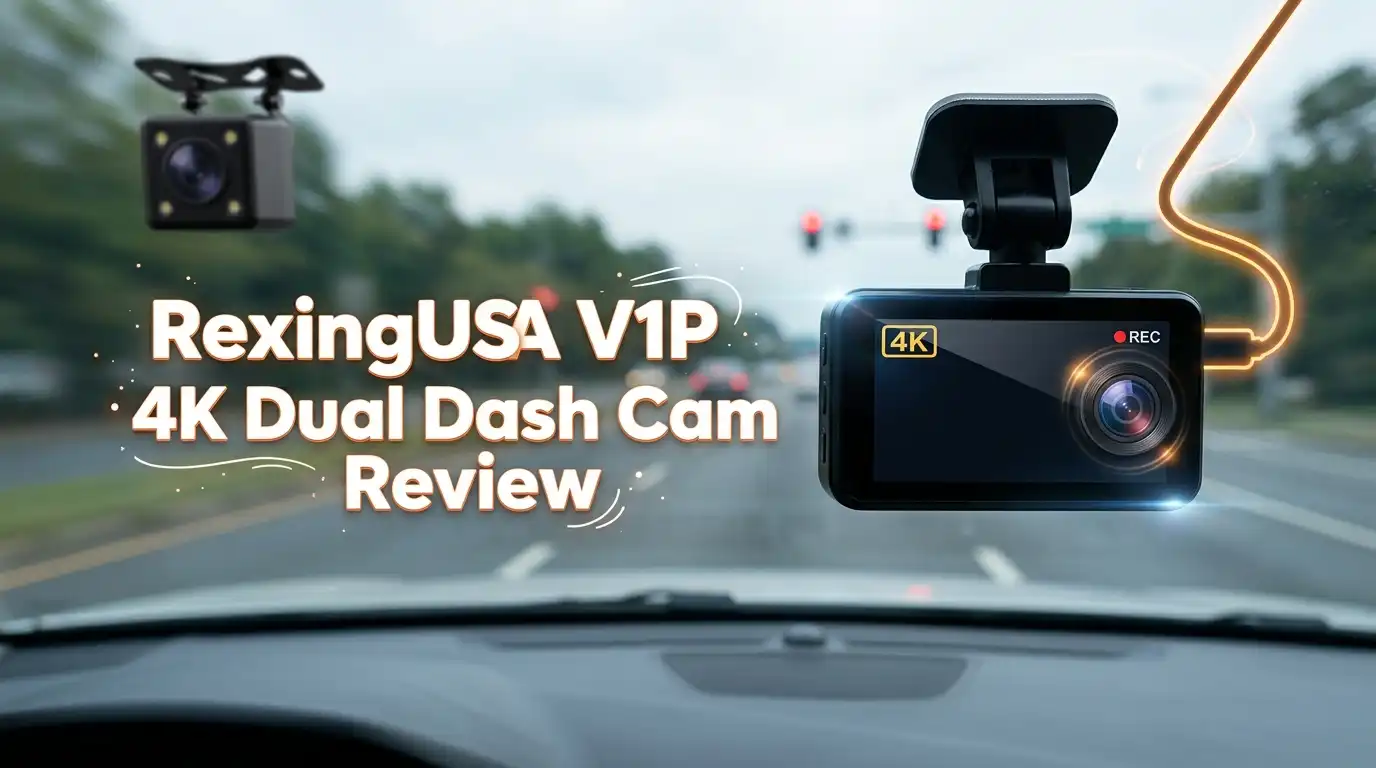
The V1P 4K is a two-camera system. The front unit mounts to your windshield and records in 4K Ultra HD. The rear unit attaches to your back window and records in 1080p, wired to the front for power and sync.
It targets drivers who want both directions covered without a three-channel price. The front camera carries the screen, controls, GPS, and Wi-Fi. The rear stays simple and passive.
Rexing markets this as a premium dual setup, but the honest framing is “strong front, basic rear.” The 4K front lens is the real selling point. Treat the rear as insurance, not a showcase. That mindset keeps your expectations grounded and your purchase satisfying.
Key Specifications and Features
The hardware list reads well for the price. The front shoots 4K (2160p), the rear shoots 1080p, and both use the efficient H.265 (HEVC) codec to save card space.
You get a 170-degree wide angle, WDR for balanced exposure, loop recording, and a G-sensor that locks footage during impacts. Built-in GPS records speed and coordinates. Wi-Fi connects to the Rexing app for clip transfer.
The standout is the supercapacitor instead of a battery. It handles cabin heat without swelling, a real advantage for parked cars in summer. The screen sits at 3 inches and supports microSD cards up to large capacities for long loop cycles.
One spec note matters most: dual 4K mode runs at 24fps, not 30. That is the trade-off for recording both channels at full front resolution. Frame rate, not pixel count, is the quiet compromise here.
Top 3 Alternatives for Rexing V1P 4K Dual Dash Cam
If the V1P 4K feels close but not perfect, these three competitors cover the gaps, especially night clarity and rear quality.

Last update on 2026-09-07 / Affiliate links / Images from Amazon Product Advertising API Some of the links on this website are affiliate links, which means that at no additional cost to you, I earn a commission if you click through and make a purchase. I only recommend products and services that I believe will add value to my readers. Thank you for your support!
VIOFO A229 Pro 4K HDR Dash Cam

Last update on 2026-09-19 / Affiliate links / Images from Amazon Product Advertising API Some of the links on this website are affiliate links, which means that at no additional cost to you, I earn a commission if you click through and make a purchase. I only recommend products and services that I believe will add value to my readers. Thank you for your support!
Vantrue N4 Pro S 4K 3 Channel Dash Cam

Last update on 2026-09-19 / Affiliate links / Images from Amazon Product Advertising API Some of the links on this website are affiliate links, which means that at no additional cost to you, I earn a commission if you click through and make a purchase. I only recommend products and services that I believe will add value to my readers. Thank you for your support!
WOLFBOX X5 Duo 4K+2.5K Dash Cam
Unboxing and First Impressions
The box arrives compact and organized. Inside you find the front camera, the rear camera, a long rear-connection cable, a 12V car adapter, two adhesive mounts, cable clips, and a quick-start guide. Some bundles add a microSD card and CPL filter.
The front unit feels solid in hand. The plastic is matte, not premium, but it does not creak or flex. The mount slides for alignment, which makes leveling the horizon easy on the first try.
First power-on plays a loud chime. It startles you the first time, then becomes routine. Recording begins about five seconds after power. First impression: practical and tidy, not luxurious. For the price, that balance feels fair and honest.
Installation and Setup Experience
Setup is genuinely simple for the front camera. Peel the 3M adhesive, slide the mount into position, and route the power cable along the headliner to the 12V port. Most drivers finish this in fifteen minutes.
The rear camera takes longer. You run a long cable across the cabin to the back window, which means tucking it under trim panels for a clean look. Budget extra time and patience here.
The menu is readable but dated. You set time zone, resolution, loop length, and G-sensor sensitivity through physical buttons.
One honest flaw: the file timestamps in the folder can lag the on-screen watermark, a known firmware quirk. It does not break footage, but it confuses sorting. The video watermark stays correct, which is what matters in a dispute.
Daytime Video Quality
This is where the V1P 4K earns its keep. The 4K front footage is sharp in good light. Lane lines, signs, and nearby plates read clearly, which is exactly what you want for an insurance claim.
License plates stay legible up to roughly 12 feet. Past 20 feet they blur, and harsh sunlight can wash out plates at certain angles. That limitation is common across this price tier, not unique to Rexing.
Street signs read well during the day, and WDR keeps bright skies and shaded roads balanced. Colors look natural without heavy oversaturation. For commuting, parking lots, and city driving, the daytime output is genuinely strong. If most of your driving happens in daylight, this camera delivers the evidence you need with room to spare.
Nighttime Performance
Night is where reality sets in. The front camera improves on older Rexing models, but it is not a low-light champion. Headlights and bright signs can blow out, and illuminated plates often turn unreadable.
The camera lacks fine light-metering options like spot or center weighting. So in mixed lighting, exposure swings more than premium rivals that use STARVIS 2 sensors. You will see general shapes, movement, and lane position clearly.
For most night incidents, that coverage is enough to show what happened and where vehicles came from. But if you need to read plates in the dark every time, this is not the camera for you. Honest verdict: usable night safety footage, not forensic night detail. Heavy night drivers and rideshare workers should weigh the alternatives above.
Rear Camera Honest Assessment
I will be direct. The rear 1080p camera is the weakest part of the kit. Footage looks softer than its resolution suggests, and detail drops fast with distance.
Tinted rear windows make it worse, adding haze and reducing clarity further. License plates and street names behind you are often too soft to read reliably. Treat the rear as situational awareness, not identification.
That said, it still does its core job. It shows the direction a vehicle or pedestrian came from during a rear collision. For a budget dual setup, that baseline coverage has real value.
Just calibrate expectations: the rear exists to prove what happened behind you, not to capture crisp plate numbers. If rear identification is critical, a three-channel rival serves you better.
Wi-Fi App and GPS Features
The built-in Wi-Fi connects the camera to the Rexing app for viewing and downloading clips. When it works, pulling footage to your phone is convenient and saves you from removing the card.
The app experience is the soft spot. Some users report sluggish connections and occasional pairing frustration. It functions, but it does not feel as polished as the camera hardware itself.
GPS is the stronger feature here. It stamps speed and location into every clip, which strengthens an insurance or legal record. Note that GPS cannot be disabled and speed readout lags by a few seconds, both minor and typical.
For drivers who value documented proof of where and how fast they traveled, the GPS data adds quiet, meaningful credibility to your recordings.
Downsides and Who Should Skip It
Every honest review names the flaws plainly. Here are the V1P 4K’s real ones. Dual 4K caps at 24fps, which looks slightly less smooth than 30fps motion.
The rear camera underperforms, night plate reading is unreliable, and the app can frustrate. The loud startup chime and limited loop-length options are small but real annoyances.
Skip this camera if you are a heavy night driver who needs sharp plates after dark, a content creator wanting cinematic footage, or someone who expects flawless rear identification.
Those buyers should choose a STARVIS 2 rival instead. But if you want reliable daytime evidence, both directions covered, and heat-tolerant hardware at a fair price, the V1P 4K fits well. Know the trade-offs and you will not feel surprised.
Final Verdict
The RexingUSA V1P 4K Dual Dash Cam is a smart budget choice with a clear personality. It does the front job well and the rear job adequately, and it stays honest about its lane.
You get genuine 4K daytime footage, GPS-stamped clips, and a supercapacitor that handles summer heat. Those strengths matter for everyday drivers who simply want proof when something goes wrong.
The compromises are equally clear: weaker night and rear performance, a 24fps dual cap, and a so-so app. None of those break the core value.
For the price, this camera delivers exactly what most commuters and parkers need. Is it worth it? For daylight-focused budget buyers, yes. For night-plate perfectionists, look higher up the ladder.
Frequently Asked Questions
Does the Rexing V1P 4K record front and rear at the same time?
Yes. It records the front in 4K and the rear in 1080p simultaneously. In dual 4K mode the frame rate drops to 24fps. If you disable the rear, the front can run 4K at 30fps for smoother solo footage.
Can it read license plates clearly?
In daylight, yes, up to about 12 feet on the front camera. Beyond 20 feet, plates blur. At night, plate reading is unreliable due to glare and limited light metering. The rear camera struggles with plates in most conditions.
Does it have a battery that could swell in heat?
No. The V1P 4K uses a supercapacitor instead of a lithium battery. This makes it more durable in hot cabins and safer for cars parked in summer sun, a real advantage over battery-based competitors.
Do I need a hardwire kit for parking mode?
Yes. The parking monitor feature requires a separate hardwire kit, which is not included. Without it, the camera only records while your car supplies power through the 12V adapter during driving.
How much storage do I need?
A larger microSD card means longer loop cycles before footage overwrites. The efficient H.265 codec helps stretch storage. Use a high-endurance card rated for continuous recording, since standard cards wear out faster under dash cam use.
Is the Wi-Fi app reliable?
It works for transferring clips, but it is the weakest software element. Some users report slow connections and pairing issues. The hardware outperforms the app. If app convenience is a top priority, weigh the alternatives listed above.
Disclosure: This content is part of an Amazon Creator Connections campaign, meaning I earn a commission from qualifying purchases. Using these links costs you nothing extra but directly supports my blog and future content.

Hello everyone my name is Alenya and i am a gadget discovering Enthusiast 🐻🐻