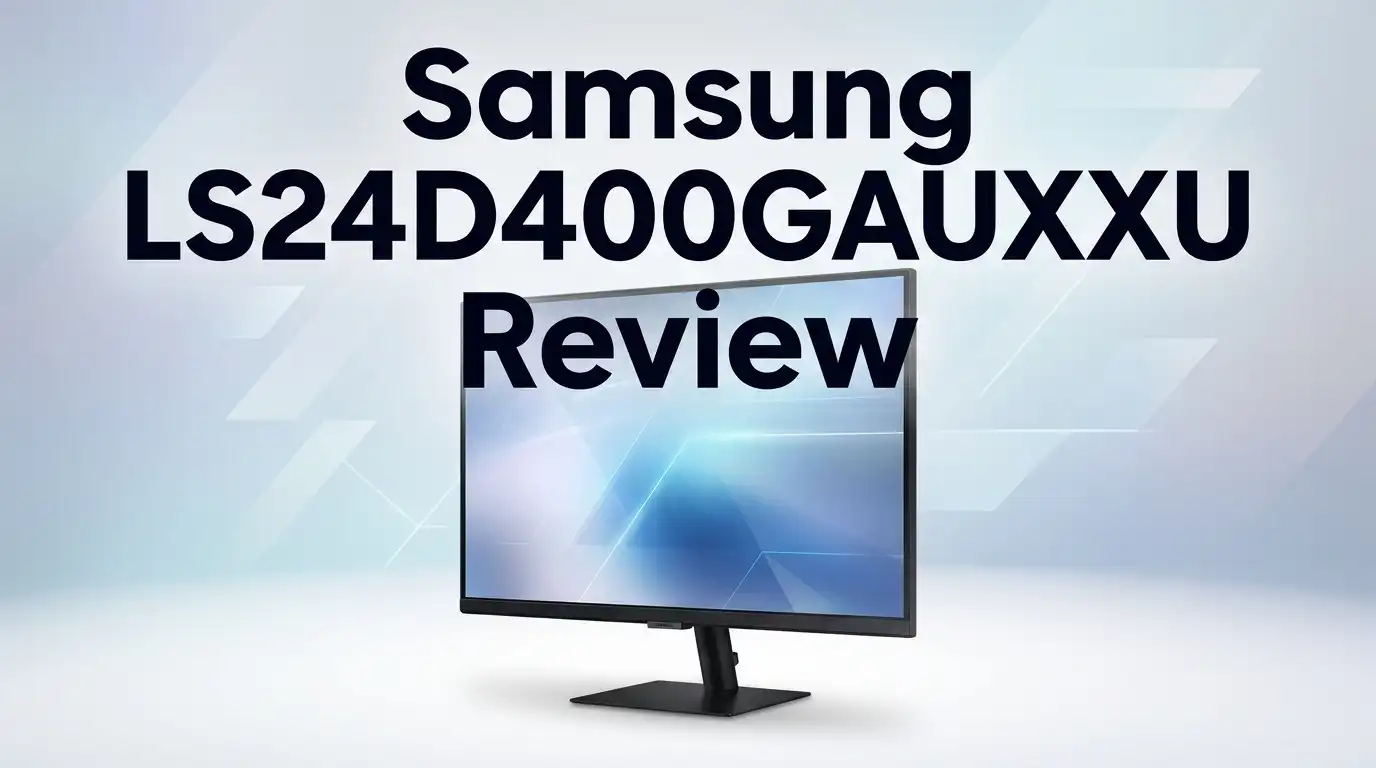
Samsung LS24D400GAUXXU Review: Is It Fast Enough?
Looking for a monitor that keeps up with fast paced games? The Samsung LS24D400GAUXXU might catch your eye. This 24 inch IPS display promises smooth visuals and quick response times.
But does it truly deliver on speed? That’s the question every gamer asks before buying.
This monitor packs a 100 Hz refresh rate and a 5ms response time. These specs sound impressive on paper. FreeSync support adds another layer of appeal for gamers who hate screen tearing.
In a Nutshell
- FreeSync support helps reduce screen tearing during fast gameplay. This makes action scenes look smoother.
- Eye Saver Mode and flicker reduction protect your eyes during long sessions. Great for work or marathon gaming.
- Some users report color reproduction issues despite the IPS panel. Your mileage may vary based on unit quality.
- A few buyers mention connectivity problems like random disconnects or black screens. This is worth watching before you commit.
- The pivot mechanism feels stiff to rotate. It works, but it needs some effort.
- This screen sticks to 1080p resolution. Sharpness lovers might want to look elsewhere.
Display Quality and Resolution
The Samsung LS24D400GAUXXU delivers a 24 inch Full HD display that handles everyday tasks and gaming without breaking a sweat. The 1920×1080 resolution gives you crisp text and sharp images for work and entertainment alike.
The IPS panel technology matters here. Unlike cheaper TN panels, this screen shows accurate colors from wider viewing angles. You can sit off to the side and still see the same vibrant picture. That’s useful if multiple people watch your screen or you shift positions while gaming.
The 100 Hz refresh rate keeps motion smooth when you’re playing action games or scrolling through content. Your eyes notice the difference between 60 Hz and 100 Hz instantly. Everything feels more fluid and responsive. Combined with the 5ms response time, you get minimal ghosting when objects move fast across the screen.
Brightness and contrast perform adequately for a standard IPS monitor. The screen won’t look washed out in dimly lit rooms. Eye Saver Mode reduces blue light, which helps during marathon gaming sessions or late night work. Flicker reduction technology also cuts down on eye strain.
One thing to note: some users report color reproduction inconsistencies between units. This means one monitor might display slightly different colors than another from the same model batch. If color accuracy matters for photo editing or design work, test the specific unit before committing.
The 1080p resolution stays fixed at this size. You won’t get the ultra sharp pixel density of 1440p or 4K monitors. For a 24 inch screen at normal viewing distance, 1080p works fine. Text remains readable and games look good.
The adjustable stand lets you change the height and rotate the screen into portrait mode with a 90 degree pivot. This flexibility means you can position the monitor exactly how you want it. The pivot mechanism feels stiff initially, but that’s actually good. It keeps the screen locked in place without drifting.
Overall, the display quality hits the mark for an entry level gaming monitor. You get smooth motion, decent colors, and practical comfort features. The Full HD resolution suits the 24 inch size well.

Last update on 2026-07-27 / Affiliate links / Images from Amazon Product Advertising API Some of the links on this website are affiliate links, which means that at no additional cost to you, I earn a commission if you click through and make a purchase. I only recommend products and services that I believe will add value to my readers. Thank you for your support!
Refresh Rate and Response Time Performance
The real question about speed comes down to two things: how fast the screen refreshes and how quickly it responds to your inputs.
This monitor hits 100 Hz, which means the display updates 100 times every second. That’s a solid step up from standard 60 Hz screens. When you’re playing shooters or fast action games, you’ll notice smoother motion. Objects don’t blur as much, and your aim feels more responsive. The difference becomes obvious once you experience it.
The 5ms response time (gray to gray) handles motion well. Your clicks register quickly on screen. During competitive gameplay, this speed keeps up with your movements. The IPS panel technology does add a slight trade off here. IPS panels naturally respond slower than VA or TN panels, but 5ms remains acceptable for most gamers.
FreeSync support matters more than you might think. This technology syncs the monitor’s refresh rate with your graphics card output. Screen tearing vanishes during intense scenes. Your gameplay feels fluid instead of choppy. If you own an AMD graphics card, this feature becomes a real advantage.
One honest observation: the 100 Hz refresh rate sits between entry level and mid range performance. It’s not 144 Hz or 240 Hz that hardcore gamers chase. But for casual and semi competitive play, 100 Hz delivers noticeable improvement over 60 Hz without demanding a powerful graphics card.
The combination of 100 Hz and 5ms response time creates a monitor that feels snappy and responsive. Loading screens appear faster. Cursor movement tracks your mouse cleanly. Menu navigation feels immediate.
Some users report occasional stuttering or disconnection issues that can interrupt smooth performance. These connectivity problems seem random and affect a small portion of buyers. When the monitor works properly, the speed performance stays consistent.
For everyday tasks like browsing and office work, this refresh rate and response time feel more than adequate. You won’t experience lag during normal computing. The real strength shows up during gaming sessions where motion matters most.
Design, Build Quality, and Adjustability
The Samsung LS24D400GAUXXU arrives in a compact form that fits most desk setups without dominating your space. The 24 inch frame keeps things manageable while still offering enough screen real estate for gaming and work.
The build quality feels solid during everyday use. The plastic construction is sturdy enough to handle regular adjustments without creaking or flexing. The base sits stable on your desk and resists tipping even when you rotate the monitor frequently.
Adjustability is where this monitor shines. You get height adjustment that lets you position the screen at your eye level, which matters for long sessions. The 90 degree pivot function rotates the display into portrait mode, perfect if you need a vertical layout for coding or document review.
However, the pivot mechanism feels stiff when you first rotate it. Some users report that turning the screen requires more force than expected. This stiffness typically eases with repeated use, but it’s worth knowing upfront if smooth adjustments matter to you.
The stand design keeps cables organized and out of sight. The back panel includes basic cable management clips that prevent tangled wires from cluttering your desk area.
One notable limitation: the adjustability doesn’t include tilt or swivel functions. You can only adjust height and pivot to portrait mode. If you need to angle the screen backward or rotate it side to side, you’ll need an aftermarket mount.
The IPS panel construction contributes to the overall build quality. IPS technology naturally provides better color consistency from different viewing angles compared to other panel types. This matters if multiple people view the screen or if you sit at various positions during your workday.
The bezels around the display are relatively thin, which gives the monitor a modern appearance. The bottom bezel sits slightly thicker than the sides, but this doesn’t impact functionality.
Overall, the design prioritizes function over flashy aesthetics. The monitor focuses on delivering what gamers and office workers actually need: solid construction, practical adjustments, and a footprint that doesn’t overwhelm your workspace.
Top 3 Alternatives
LG 24UP550

Last update on 2026-07-27 / Affiliate links / Images from Amazon Product Advertising API Some of the links on this website are affiliate links, which means that at no additional cost to you, I earn a commission if you click through and make a purchase. I only recommend products and services that I believe will add value to my readers. Thank you for your support!
Dell S2422HZ


Last update on 2026-07-27 / Affiliate links / Images from Amazon Product Advertising API Some of the links on this website are affiliate links, which means that at no additional cost to you, I earn a commission if you click through and make a purchase. I only recommend products and services that I believe will add value to my readers. Thank you for your support!
ASUS PA247CV

Last update on 2026-07-27 / Affiliate links / Images from Amazon Product Advertising API Some of the links on this website are affiliate links, which means that at no additional cost to you, I earn a commission if you click through and make a purchase. I only recommend products and services that I believe will add value to my readers. Thank you for your support!
Gaming Features and FreeSync Support
Gaming on this monitor comes down to whether 100 Hz feels fast enough for your needs. The answer depends on what games you play and how competitive you are.
FreeSync support is the real star here. This technology syncs your graphics card output with the monitor’s refresh rate. You get smoother gameplay because the image doesn’t tear or stutter when frame rates fluctuate. If your GPU supports AMD FreeSync, you’ll notice a significant improvement in how games feel during intense action sequences.
The 5ms response time handles fast paced games well. Your mouse movements register quickly on screen. The combination of 100 Hz refresh rate and 5ms response time creates that snappy, responsive feeling many gamers want. You won’t experience the lag that older 60 Hz monitors had.
However, 100 Hz sits in an interesting middle ground. It’s faster than standard 60 Hz displays but slower than the 144 Hz or 165 Hz monitors that serious competitive gamers prefer. For casual gaming, this works perfectly. For titles like League of Legends, Valorant, or Counter Strike, you’ll still see an improvement over 60 Hz, though competitive players might want higher refresh rates.
The IPS panel brings a gaming advantage many overlook. Colors stay accurate even when you view the screen from different angles. This matters during split screen gameplay or when friends watch you play. The brightness and contrast perform adequately for gaming sessions in lit rooms.
One honest observation: some users report color inconsistencies between units. This could affect how games look on your specific monitor. The 1920×1080 resolution stays sharp at 24 inches and keeps GPU demands lower, letting you maintain higher frame rates in demanding titles.
The adjustable stand helps you position the screen at eye level. This reduces neck strain during long gaming sessions. The 90 degree pivot lets you rotate into portrait mode for specific games that support it.
For entry level gaming and everyday use, this monitor delivers solid performance. It’s not designed for esports professionals, but it handles most modern games smoothly.
Connectivity and Reliability Issues
The Samsung LS24D400GAUXXU has some real connection problems that users report. Black screen issues happen randomly during normal use. Some people experience the monitor dropping signal and then coming back to life seconds later. This is frustrating when you’re in the middle of gaming or work.
The disconnection problems seem to occur more often with certain cable types. Users have found that switching to a different DisplayPort or HDMI cable sometimes helps. The monitor itself may not be the culprit every time, but the port design could be more robust. A loose connection is easier to fix than a faulty port, so check your cables first.
Reliability concerns pop up in user reviews fairly often. Some units work perfectly fine for months without issues. Others show connectivity problems within the first few weeks. This inconsistency makes it hard to predict whether your specific unit will have problems. The manufacturing variation between units is a real factor here.
Heat buildup hasn’t been a major complaint, which is good news for long gaming sessions. The monitor stays cool during extended use. However, the connection stability under heavy use remains questionable for some owners.
Firmware updates might help if Samsung releases them. Checking the Samsung support page for driver updates is worth your time. Many monitor connection issues get resolved through software patches rather than hardware replacements.
The real takeaway is this: connectivity isn’t this monitor’s strong point. If you need absolute reliability for professional work, look elsewhere. For casual gaming and general computing, most users report acceptable performance once they find the right cable setup. The 24 inch IPS panel itself is solid, but the connection ports need attention.
Warranty support from Samsung varies by region, so verify your coverage before purchase. Having a good warranty matters more when reliability questions exist. Test your unit early during the return window to catch any connection issues quickly.
Pros and Cons
Pros
- 100 Hz refresh rate keeps motion smooth with minimal blur during fast paced action
- FreeSync support syncs your graphics card output to eliminate screen tearing
- IPS panel delivers accurate colors from wide viewing angles compared to VA alternatives
- Height adjustment and 90° pivot let you customize your screen position for comfort
- 5ms response time handles gaming without noticeable input lag
Cons
- Color accuracy varies between units, so some monitors show inconsistencies out of the box
- Disconnection and black screen issues reported by multiple users across different setups
- Pivot mechanism feels stiff and requires force when you first rotate the screen
- Limited to 1080p resolution, which may feel less sharp on a 24 inch screen at close viewing distance
Who Should Buy It
This monitor works best for specific types of users. If you play competitive shooters or fast action games, the 100 Hz refresh rate keeps motion smooth. You’ll notice the difference compared to 60 Hz displays.
Content creators who need accurate color work should think carefully. The IPS panel offers good viewing angles, but user reports show color inconsistencies between units. Some monitors arrive perfect. Others show color shifts out of the box. You may need to calibrate or adjust settings manually.
Casual gamers find real value here. The 5ms response time handles everyday gaming without lag. You won’t experience frustration during normal play sessions. The FreeSync support eliminates screen tearing when your graphics card syncs properly.
Office workers benefit from the adjustable stand and pivot feature. You can rotate the screen to portrait mode for spreadsheets or documents. Height adjustment lets you position the monitor at eye level, reducing neck strain during long workdays.
However, skip this monitor if you need absolute reliability. The connectivity issues reported by users are a real concern. Some people experience disconnections or black screens. If your work depends on a stable connection, look elsewhere. Professional environments require dependable hardware.
High resolution enthusiasts should consider alternatives. The 1080p display works fine for 24 inches, but if you want sharper text and images, higher resolution monitors exist at similar price points.
Streamers and content creators using capture cards should test compatibility first. The disconnection problems might interfere with your setup. USB connectivity for peripherals works, but HDMI stability isn’t guaranteed across all units.
The stiff pivot mechanism matters if you plan frequent rotations. You’ll need to apply real force to move it. This isn’t a smooth, easy adjustment like premium monitors offer.
Bottom line: Buy this monitor if you want smooth 100 Hz gaming without connectivity demands. Skip it if reliability matters most. The IPS panel and adjustable stand are genuine strengths. The connection problems and color inconsistencies are genuine weaknesses. Your specific needs determine whether this trade off makes sense.
Final Verdict
So is the Samsung LS24D400GAUXXU fast enough? The answer is a clear yes. Speed was never the real question here.
This monitor delivers on its core promise. Motion stays smooth. Fast paced games feel responsive. The panel keeps up with quick scenes without dragging visuals behind.
The bigger question is trust, not speed. Can you rely on this screen every single day? That answer depends on your setup and how much patience you have for occasional hiccups.
Compared to the Samsung Odyssey G55C, this model trades contrast for color accuracy. Compared to Mini-LED options like the Acer X32FP or INNOCN 32M2V, it trades brightness and depth for a simpler, lighter experience.
Think of this monitor as a specialist. It shines in one lane: quick, responsive gaming at a comfortable resolution. It does not try to be everything.
If your priority is smooth frame delivery for shooters or fast paced titles, this screen earns its spot on your desk. The refresh rate and response time do their job well.
If your priority is flawless reliability across every session, weigh that decision carefully. Some users report a completely trouble free experience. Others do not.
Our final take is simple. Buy this monitor if speed and comfort matter most to you. Skip it if you cannot tolerate any risk of connection issues.
For everyday gaming, everyday browsing, and everyday multitasking, this screen performs its role nicely. It handles fast motion. It supports long sessions. It adjusts to your comfort needs.
Fast enough? Yes, without question. Perfect for everyone? Not quite. Match this monitor to your own priorities, and you will know exactly what you are getting.
Frequently Asked Questions
Does this monitor work for competitive gaming?
Yes, the 100 Hz refresh rate and 5 ms response time handle competitive shooters well. You’ll notice smooth motion and minimal input lag during fast gameplay. The FreeSync support also helps eliminate screen tearing when your graphics card output matches the monitor’s refresh rate. However, if you play at higher frame rates (144 Hz or above), you’ll want a faster monitor instead.
Can I use this for photo editing and color work?
The IPS panel offers good color accuracy from wide viewing angles, which sounds promising. However, color reproduction varies between individual units. Some users report inconsistencies out of the box. If accurate color is your main job, test this monitor first or consider alternatives with factory calibration certificates.
What connectivity issues should I know about?
Multiple users report occasional disconnection and black screen problems across different setups. These aren’t universal failures, but they happen enough to mention. Before buying, confirm your graphics card driver is current and test the monitor in your exact setup if possible. This uncertainty matters if you need absolute reliability for work or streaming.
Is the pivot feature easy to use?
The 90° pivot rotation exists and works, but the mechanism feels stiff initially. You’ll need to apply force when rotating the screen for the first time. If you plan frequent rotations throughout your day, this stiffness becomes annoying. For occasional adjustments, it’s manageable.
Should I choose this over the Samsung Odyssey G55C?
The Odyssey uses a VA panel with higher contrast, while this model uses IPS for better color accuracy. Pick based on your priority: if you want richer blacks and contrast, choose the Odyssey. If you need accurate colors and wide viewing angles, this monitor wins.

Hello everyone my name is Alenya and i am a gadget discovering Enthusiast 🐻🐻