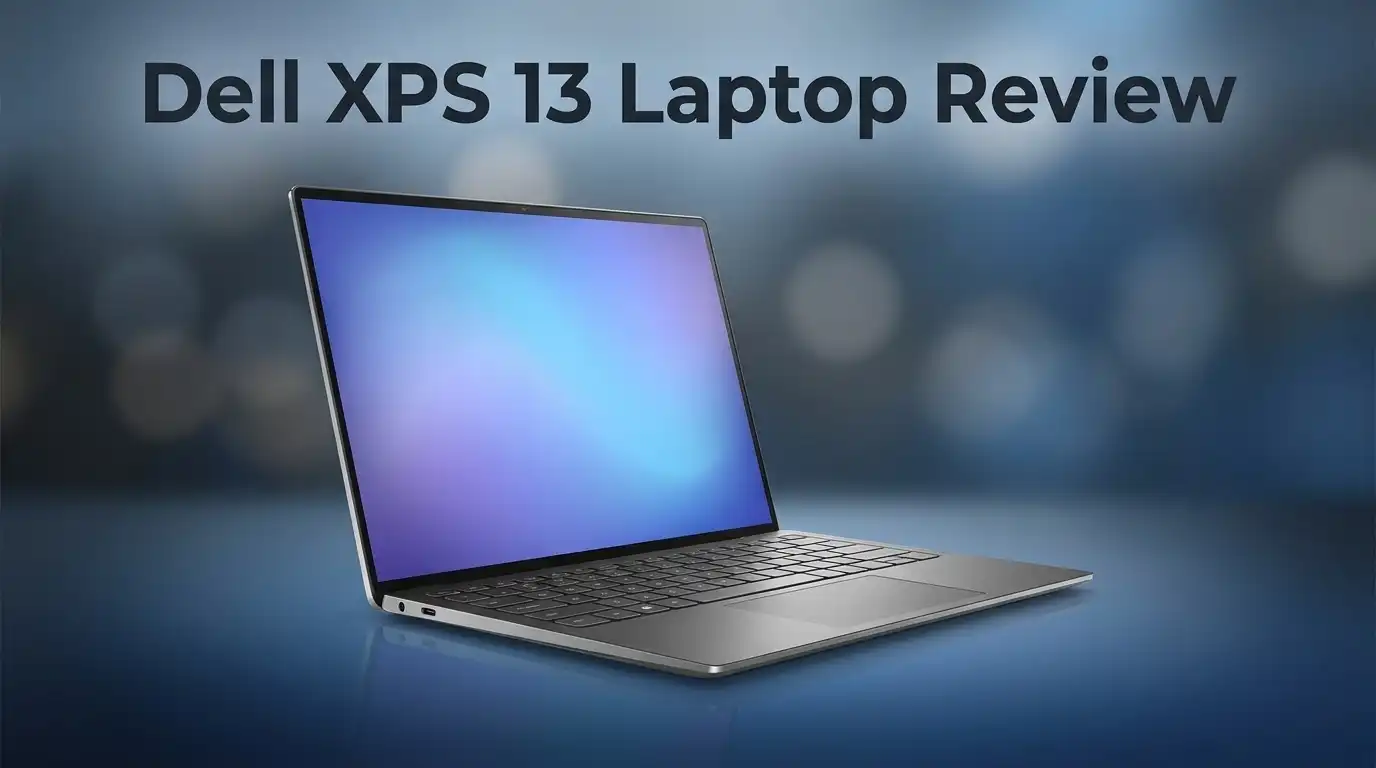
Dell XPS 13 Laptop Review: Top Tier or Trash?
The Dell XPS 13 still turns heads in 2024. It carries that same sleek, minimal design fans love. But does it still perform like a true premium laptop?
This review digs into what makes the XPS 13 special. We look at its 13.4″ touch display and compact build. We also check its speed with the new Intel Core 5-320 and Snapdragon X Elite options.
Dell promises up to 17 hours of battery life and fast, smooth performance. The trackpad feels excellent. The speakers sound surprisingly rich for such a slim body.
But some users report issues. Battery life can vary. A few models show overheating problems. Some owners even mention keyboard durability concerns.
So is the XPS 13 still worth your attention? Or have competitors like the MacBook Neo and Asus Zenbook 14 pulled ahead?
We will break down every detail. You will learn the real pros and cons. By the end, you can decide if this laptop fits your lifestyle.
Let’s find out if the Dell XPS 13 still deserves its premium reputation.
In a Nutshell
The Dell XPS 13 still packs a punch for everyday users. It offers a compact design and solid performance. But it also has some real flaws worth noting.
Here is a quick summary of what you need to know:
-
Design stays premium. The build quality feels sturdy and looks sleek. It remains light enough to carry all day.
-
Display quality shines. The 2.5K touch screen looks sharp and vivid. Colors pop and text stays crisp.
-
Performance is mixed. New chip options bring speed gains. Yet some users notice lag during heavy tasks.
-
Battery claims need scrutiny. Dell promises long battery life. Real world results vary across different models.
-
Trackpad quality impresses most. It feels smooth and responsive during daily use. A few users, though, report reliability issues over time.
-
Build durability raises questions. Reports mention keyboard keys coming loose. This affects trust in long term reliability.
The XPS 13 still competes well against rivals like the Asus Zenbook 14. It just depends on what you value most.
Design and Build Quality
The Dell XPS 13 maintains its reputation as a sleek, compact ultraportable. The chassis feels solid in your hands. The aluminum construction resists dents and scratches well.
The laptop weighs just over 2 pounds. You can slip it into any backpack without strain. The 13.4 inch display fits perfectly on airplane trays and coffee shop tables. The bezels stay thin, so the screen dominates the front panel.
The keyboard deck sits flat and flush. Keys respond with decent travel and feedback. However, some owners report that keys fall out after extended use. This durability concern contradicts the premium build claim. Dell should address this weakness in future models.
The trackpad is genuinely excellent. It responds to your gestures instantly. Multi finger commands work smoothly. The surface feels smooth and responsive. Still, a few users mention occasional glitches, so quality control may vary between units.
The hinge mechanism holds the display steady at any angle. It opens and closes without wobbling. This design choice adds to the premium feel. The screen stays put during typing sessions and video calls.
Port placement deserves mention. Two Thunderbolt 4 ports sit on the left side. One USB-C port lives on the right. This arrangement feels somewhat limited. You may need adapters for older peripherals and external drives.
The thermal design shows mixed results. The quad speakers sit at the bottom. They deliver clear audio for video calls and music. However, the speaker grilles can trap dust over time.
The overall aesthetic remains modern and professional. The XPS 13 looks at home in any setting. The matte finish resists fingerprints better than glossy alternatives. The design language feels timeless rather than trendy.
Build quality sits at a premium level, yet real world durability issues emerge. The keyboard problem and occasional trackpad glitches suggest that quality control needs improvement. The aluminum chassis and hinge mechanism impress. But these concerns prevent the XPS 13 from achieving a perfect score in this category. Competitors offer similar aesthetics with fewer reported problems.

Last update on 2026-09-19 / Affiliate links / Images from Amazon Product Advertising API Some of the links on this website are affiliate links, which means that at no additional cost to you, I earn a commission if you click through and make a purchase. I only recommend products and services that I believe will add value to my readers. Thank you for your support!
Display and Visual Experience
The 13.4 inch 2.5K touch display forms the heart of the visual experience on this ultraportable. Colors pop with natural accuracy, and brightness levels stay consistent across different viewing angles. The touchscreen responds quickly to taps and swipes, making navigation smooth and intuitive.
Contrast ratios deliver deep blacks and vivid whites without excessive glare. This matters when you work outdoors or in bright office spaces. The matte finish on the screen helps reduce reflections, though some users prefer a glossy alternative for gaming or media consumption.
Refresh rate sits at 60Hz, which handles everyday tasks and content streaming without issues. Video playback looks crisp and clean. Photo editing feels responsive. However, gamers and creative professionals working with motion graphics may notice the lack of a higher refresh option compared to some competitors.
The display bezels remain impressively thin. This maximizes screen real estate while keeping the overall footprint compact. The top bezel houses a Windows Hello camera with infrared capability. Face unlock works reliably and beats typing passwords every time.
Color accuracy impresses most users. The 2.5K resolution delivers enough pixels for sharp text and detailed images. Spreadsheets stay readable without scaling adjustments. Web pages render clearly. Documents look professional on screen.
Brightness reaches approximately 500 nits in standard mode. This handles indoor office work comfortably. Outdoor visibility improves in direct sunlight, though extreme glare can still wash out the display in very bright conditions.
The touch layer adds responsiveness that feels natural and immediate. Scrolling through documents, zooming into maps, and navigating menus all benefit from direct interaction. Battery drain from touch functionality remains minimal in real world use.
Overall, the display justifies the premium positioning of this laptop. It excels for productivity, content consumption, and creative work. The combination of resolution, color accuracy, brightness, and touch capability creates a genuinely pleasant visual experience that holds up well against direct competitors in this category.
Performance and Processing Power
The Dell XPS 13 delivers solid everyday performance for most users. The Intel Core 5-320 processor handles web browsing, email, and document editing without lag. Switching between multiple applications feels smooth and responsive.
For content creation, results vary. Video editing and photo work run acceptably on base configurations. However, demanding tasks like 4K rendering or heavy coding projects may slow down compared to competitors. The Snapdragon X Elite option offers better efficiency for certain workloads, though real-world gains depend on your specific software.
RAM options reach up to 32GB LPDDR5X, which covers professional needs. The 1TB SSD provides fast file access and boot times. Storage speed rarely becomes a bottleneck for typical users.
Thermal performance presents a mixed picture. The compact design creates challenges for heat management. Some users report the laptop gets warm during sustained tasks. Fan noise increases noticeably under load, which may distract during video calls or quiet work sessions. Thermal throttling can occur during extended gaming or rendering, reducing peak performance temporarily.
Real-world battery performance tells an important story. Dell claims up to 17 hours, but actual results depend heavily on usage patterns. Light browsing and document work achieve closer to advertised times. Streaming video or running CPU intensive tasks cuts battery life significantly. Most users see 8-12 hours with mixed workloads, which remains respectable but falls short of marketing claims.
The quad speaker system produces clear audio for video conferencing and media consumption. Bass response stays minimal due to the thin chassis, but mids and highs sound crisp and detailed.
Compared to competitors, the XPS 13 occupies middle ground. It outperforms budget ultraportables but trails behind workstation-class laptops. The MacBook Neo and Asus Zenbook 14 offer stronger performance in their respective categories. Your choice depends on balancing portability against processing demands.
For freelancers, students, and business professionals, the XPS 13 meets performance expectations. Creative professionals handling heavy files should consider alternatives with better cooling and processing power.
Top 3 Alternatives
Apple MacBook Air


Last update on 2026-09-19 / Affiliate links / Images from Amazon Product Advertising API Some of the links on this website are affiliate links, which means that at no additional cost to you, I earn a commission if you click through and make a purchase. I only recommend products and services that I believe will add value to my readers. Thank you for your support!
The MacBook Air offers a strong alternative for users who prefer the Apple ecosystem. This laptop delivers excellent performance with its custom processor and runs macOS smoothly. The display looks crisp and bright, making it great for creative work. Battery life lasts all day, so you can work without constantly searching for a power outlet.
The build quality feels premium. The aluminum chassis is sturdy and lightweight. If you already use iPhones, iPads, or other Apple devices, this laptop integrates seamlessly with them. You get access to the App Store and exclusive software options that work best on macOS.
Lenovo ThinkPad X1

Last update on 2026-09-19 / Affiliate links / Images from Amazon Product Advertising API Some of the links on this website are affiliate links, which means that at no additional cost to you, I earn a commission if you click through and make a purchase. I only recommend products and services that I believe will add value to my readers. Thank you for your support!
The ThinkPad X1 is perfect if you need a business-focused laptop. This machine runs Windows and offers strong security features that protect your data. The keyboard is legendary among professionals—typing feels responsive and comfortable for long work sessions.
Performance is solid for everyday tasks and demanding applications. The screen provides good color accuracy for photo editing or design work. Durability is a key strength here. The ThinkPad can handle travel and tough conditions without breaking down. You’ll find plenty of ports for connecting external devices, which many modern laptops skip.
HP Spectre x360

Last update on 2026-09-19 / Affiliate links / Images from Amazon Product Advertising API Some of the links on this website are affiliate links, which means that at no additional cost to you, I earn a commission if you click through and make a purchase. I only recommend products and services that I believe will add value to my readers. Thank you for your support!
The Spectre x360 stands out because it’s a convertible laptop. You can flip the screen back and use it as a tablet when needed. This flexibility works well for presentations, drawing, or casual browsing. The display is vibrant with excellent color reproduction.
This laptop runs Windows and includes solid performance for most users. The design looks sleek and modern with a premium feel. The touchscreen responds quickly and accurately. It’s a good choice if you want a versatile machine that does more than just traditional laptop tasks.
Battery Life and Portability
The Dell XPS 13 shines when you need a laptop that moves with you. This ultraportable weighs just over 2 pounds, making it genuinely easy to slip into a backpack or carry for hours without fatigue.
Battery endurance reaches up to 17 hours under ideal conditions. In real-world use, you’ll see solid performance that gets most users through a full workday on a single charge. The actual runtime depends on your screen brightness, CPU load, and which processor you choose. Intel Core 5 models tend to deliver slightly different efficiency compared to the Snapdragon X Elite option.
Portability matters most when your laptop travels with you daily. The XPS 13 excels here. Its compact 13.4 inch frame fits easily on airplane tray tables and coffee shop desks. The thin bezels around the display mean you get a larger screen without adding bulk to the chassis.
Battery life does show some inconsistency across different configurations. Users report that certain hardware combinations drain power faster than others. Intensive tasks like video editing or 3D rendering will noticeably reduce your time away from a power outlet. Light browsing, email, and document work stretch that battery window considerably.
The quad speaker system won’t drain your battery quickly, yet it delivers clear audio for video calls and streaming. This matters when you work remotely from different locations.
Real-world testing reveals the XPS 13 handles typical commutes and work sessions well. You won’t need to hunt for outlets during a standard 8 hour workday in most scenarios. The laptop charges quickly when plugged in, so brief charging breaks between meetings help extend your mobile time.
For frequent travelers, students, and professionals who move between offices, this ultraportable hits the right balance. The combination of lightweight design and respectable battery performance makes it a practical choice for people who value mobility. Just manage your expectations based on your actual workload and usage patterns.
Keyboard, Trackpad, and Input Devices
The keyboard on the Dell XPS 13 delivers a satisfying typing experience for daily work. Keys offer decent travel and responsive feedback. However, some users report durability concerns where keys occasionally fall out after extended use. This reliability issue stands out as a potential drawback for long-term ownership.
The trackpad represents one of the XPS 13’s strongest features. It responds smoothly to gestures and clicks feel natural. The surface area gives you plenty of room for precision work. Unfortunately, trackpad reliability problems emerge in certain units, so quality control varies across production batches.
Input precision matters when you’re editing documents or navigating spreadsheets. The trackpad handles both tasks admirably when functioning properly. Multi-touch gestures work without lag or stuttering. Windows Precision drivers ensure compatibility with standard laptop gestures.
The keyboard layout follows a traditional design without unusual spacing. Function keys sit at normal size, which helps muscle memory transfer from other laptops. The chiclet-style keys feel modern and look sleek. Backlighting illuminates the keys evenly, making nighttime typing easier.
Touch input adds another dimension to your workflow. The 2.5K display responds instantly to finger taps and swipes. This feature proves useful for presentations or quick navigation. Touch responsiveness feels immediate and accurate across the screen.
Windows Hello integration works through the camera system. Facial recognition unlocks your laptop quickly without typing passwords. This biometric feature enhances security and convenience simultaneously.
For professionals who type extensively, the keyboard performs adequately for standard office work. Writers and programmers should test it before committing. The trackpad excels for mouse-free navigation, though some units show reliability issues.
Overall, input devices on the XPS 13 provide a solid experience. The trackpad stands out as genuinely excellent when it works correctly. The keyboard satisfies most users despite durability concerns with key mechanisms. These components contribute to the premium feel, though quality consistency needs improvement across different units.
Pros and Cons
Pros
- Ultraportable design weighs little and fits easily into bags for daily commutes
- Premium aluminum chassis feels solid and resists everyday wear
- Intel Core 5-320 and Snapdragon X Elite processors handle multitasking without lag
- Trackpad responds smoothly to clicks, gestures, and precision work
- Windows Hello camera unlocks your laptop with facial recognition instantly
Cons
- Performance trails behind some competitors in intensive workloads and gaming scenarios
- Thermal management causes the device to run warm during heavy tasks
- Keyboard keys have been reported to pop out or loosen over time with regular use
- Battery life varies by configuration, with some models delivering less than advertised
Who Should Buy It
The Dell XPS 13 works best for specific user types. Creative professionals who need portability without sacrificing screen quality will appreciate the 13.4″ 2.5K touch display. This ultraportable fits into backpacks and laptop bags easily, making it ideal for designers, writers, and content creators who move between locations.
Students benefit from the lightweight design and all-day usability. You can carry it through campus, to libraries, and between classes without fatigue. The Windows Hello camera provides quick login, saving time during busy study sessions.
Business travelers find value in the compact form factor. The quad speaker system handles video conferences clearly. You get fast processors for email, spreadsheets, and document editing during commutes or airport layovers.
However, the XPS 13 isn’t for everyone. Gamers and video editors should look elsewhere. The performance lags behind competitors for intensive workloads. Heavy rendering tasks will cause thermal issues, and the device runs warm during demanding applications.
Power users who run multiple virtual machines or compile code will hit performance ceilings quickly. The hardware simply doesn’t match alternatives built for extreme multitasking.
People who demand rock solid durability should consider other options. Reports of keyboard keys loosening and trackpad reliability problems exist. If you’re rough with equipment or work in harsh environments, this laptop may not last as long as you need.
Casual home users who browse the web, stream content, and use basic productivity apps will be satisfied. The display looks great for Netflix. The speakers deliver good audio for entertainment.
Skip this laptop if you prioritize gaming performance, heavy software development, or intensive video production. The XPS 13 shines for professionals who value portability, design quality, and everyday computing tasks. It’s perfect for people who work from coffee shops, travel frequently, or need a second lightweight machine alongside a desktop workstation. Your daily workflow determines whether this ultraportable matches your needs.
Final Verdict
The Dell XPS 13 still feels like a premium laptop in many ways. Its build quality and compact design remain strong selling points for anyone who values portability.
That said, this generation shows some cracks in the armor. Reported durability issues and inconsistent trackpad performance raise real questions about long term reliability.
Competitors like the Asus Zenbook 14 and Lenovo IdeaPad S940 now match or beat the XPS 13 in raw performance. The Apple MacBook Neo also offers stiff competition for creative professionals.
If you want a laptop that looks great and handles everyday tasks smoothly, the XPS 13 still delivers. It works well for emails, browsing, and document editing without any fuss.
However, this laptop is not the best pick for people who push their hardware hard. Heavy multitaskers and gamers will likely feel its limitations sooner than expected.
The screen quality and touch response remain highlights that many rivals fail to match. This alone makes the XPS 13 appealing for visual tasks like photo browsing or video streaming.
Battery life also varies depending on the model you choose. Some users report excellent endurance while others notice quicker drain under normal use.
Overall, the Dell XPS 13 earns a cautious recommendation. It suits casual users and professionals who need a reliable, good looking machine for daily tasks.
Buyers who demand top tier performance or flawless durability might want to explore other options first. The XPS 13 rewards those who value design and portability over raw power.
In short, the XPS 13 remains premium in appearance and feel, even if it no longer leads every performance benchmark. It still earns its place among the best ultraportables, provided you understand its strengths and limits before buying.
Frequently Asked Questions
Is the Dell XPS 13 still worth buying in 2024?
Yes, but it depends on what you do. The XPS 13 remains a solid choice for students, business travelers, and casual users. The build feels premium. The screen is sharp and responsive. The trackpad works great for everyday tasks.
However, performance lags behind newer competitors like the Asus Zenbook 14. If you run heavy software, edit video, or game regularly, you’ll notice the slowdown. The keyboard durability concerns also matter if you type all day.
Why does the Dell XPS 13 get warm during use?
Thermal management is a known issue with this model. The compact design leaves little room for cooling fans. When you run demanding apps or multitask heavily, the processor heats up quickly.
This doesn’t damage the laptop, but it can feel uncomfortable on your lap. If you work in hot environments or need sustained performance, this is worth considering.
What makes the XPS 13 different from the Asus Zenbook 14?
The XPS 13 wins on design and screen quality. The 13.4″ touch display is brighter and more responsive. The overall build feels more refined.
The Asus Zenbook 14 offers better raw performance and often runs cooler. It’s the better choice if you need speed for programming or content creation.
Does the keyboard hold up well over time?
Not always. Some users report keys loosening or popping out after months of regular use. Dell addressed this in newer batches, but it remains a concern worth noting before purchase.

Hello everyone my name is Alenya and i am a gadget discovering Enthusiast 🐻🐻