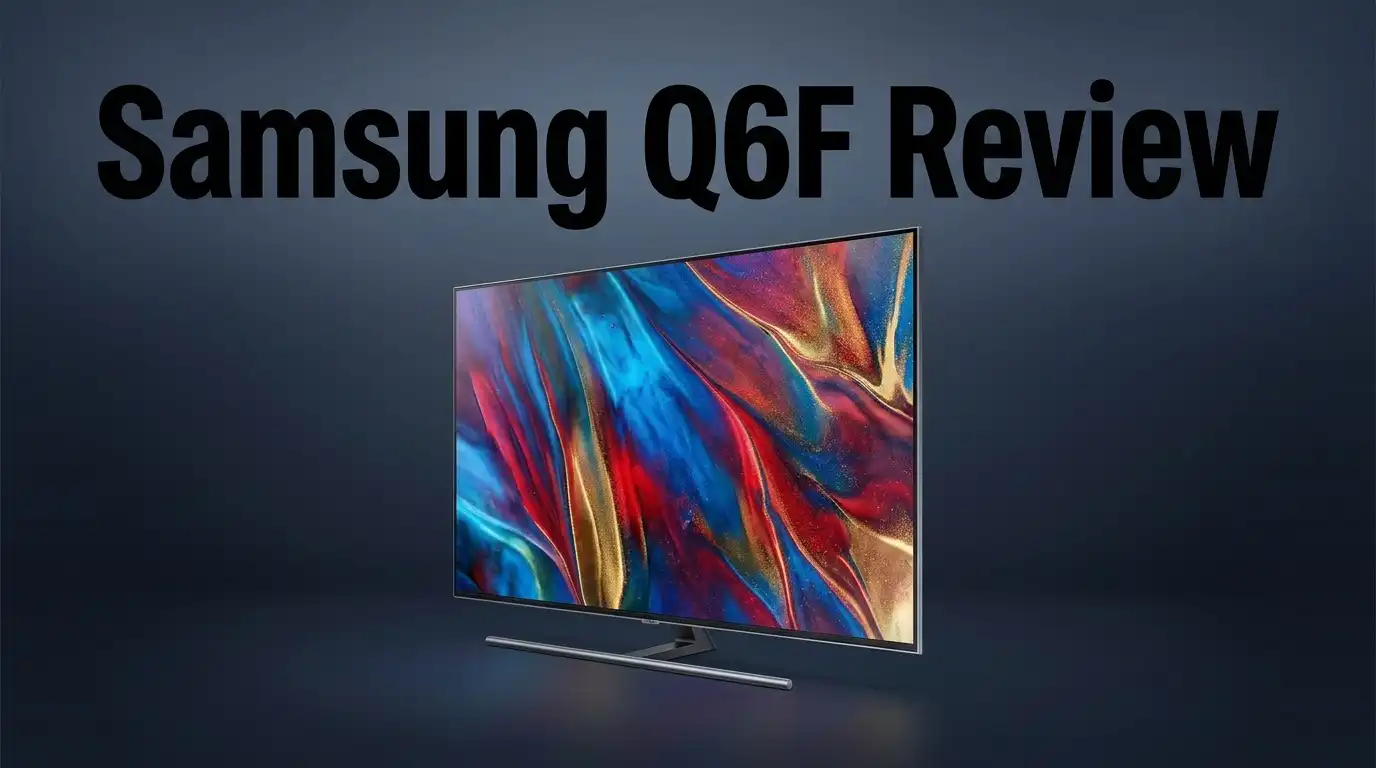
Samsung Q6F Review: Is This Budget QLED Worth Buying?
Are you looking for a QLED TV that punches above its weight? The Samsung Q6F might be the answer.
This TV uses Quantum Dot technology. That means you get bright, vibrant colors on screen.
The Q6F also handles black levels well. Dark scenes look deep, with little clouding or bleeding in most cases.
Samsung built this TV with an IPS panel. It comes in four sizes: 55″, 65″, 75″, and 85″. So you can pick the right fit for your room.
In a Nutshell
- Bright and vibrant visuals. Quantum Dot technology delivers punchy colors and strong brightness levels. Your favorite shows and movies look lively on screen.
- Smart upscaling power. This TV handles lower-resolution content well. Older shows and standard cable feeds look sharper than expected.
- Smooth navigation experience. The interface runs fast without lag. You can switch apps and inputs without annoying delays.
- Accurate SDR performance. Color accuracy in SDR content is genuinely impressive. Skin tones and everyday scenes look natural and true to life.
- Some noticeable trade offs. Reflection handling is weak, so bright rooms can be tricky. A few users report clouding in dark scenes.
- Mixed feature set. This TV skips some features found in higher tier QLED models. Dead pixels and burn-in concerns pop up occasionally, though these seem rare.
Display Quality and Color Performance
The Samsung Q6F displays colors with genuine punch thanks to its Quantum Dot technology. This feature allows the TV to produce a wider color gamut than standard LED panels. You’ll notice reds appear richer, blues look deeper, and greens feel more natural across the screen.
The IPS panel here brings a specific advantage. Side viewing angles stay consistent without the color shift you’d see on VA panels. If your couch sits at an angle to the screen, colors remain accurate from different positions in the room.
Brightness levels reach impressive heights on this model. The TV handles bright rooms well and doesn’t wash out in daylight. HDR content gets a real boost from this brightness capability, making highlights pop without looking blown out.
Black levels deserve attention here. The Q6F produces solid blacks with minimal blooming around bright objects in dark scenes. However, some users report clouding in specific areas during dark menus or night scenes. This isn’t severe, but it’s worth knowing if you watch a lot of dark content.
SDR color accuracy stands out as a genuine strength. Standard content like broadcast TV and streaming shows look crisp and well balanced right out of the box. You won’t need extensive calibration to get satisfying colors for everyday viewing.
The reflection handling shows a weakness. Glossy bezels and the screen surface pick up light from windows and lamps. You may need to adjust your room lighting or TV placement to minimize distracting reflections during daytime viewing.
One concern appears in reports about potential dead pixels and burn in issues. While these aren’t universal problems, they’ve been documented by some owners. This falls outside typical warranty coverage on many units.
Overall, the display performs admirably for its class. Colors pop, brightness impresses, and blacks stay deep. The trade offs exist mainly around reflection management and occasional clouding in dark scenes. For movies, shows, and gaming, the visual experience feels genuinely satisfying.

Last update on 2026-07-27 / Affiliate links / Images from Amazon Product Advertising API Some of the links on this website are affiliate links, which means that at no additional cost to you, I earn a commission if you click through and make a purchase. I only recommend products and services that I believe will add value to my readers. Thank you for your support!
Design, Build, and Panel Technology
The Samsung Q6F stands out for its physical construction and display technology. This TV comes in four size options: 55 inches, 65 inches, 75 inches, and 85 inches. You can find a model that fits your space.
Samsung packed this set with Quantum Dot technology. This feature makes colors appear vibrant and energetic across your screen. The dots work by filtering light to produce richer reds, greens, and blues than standard LED panels.
The panel itself uses an IPS design. This choice matters because IPS panels maintain color accuracy when you view the TV from different angles. You won’t see color shift or washed out images if you sit to the side of the screen.
Brightness performance reaches impressive levels here. The Q6F pushes enough light to cut through glare in bright rooms. Your picture stays visible even with windows nearby or overhead lights on.
Black levels perform well on this model. The TV handles dark scenes without excessive clouding or blooming around bright objects. This means nighttime movies and dark menus look clean and defined.
One real weakness appears in reflection handling. The screen attracts fingerprints and mirror reflections easily. Glossy panels like this one bounce light back at you, which can distract during daytime viewing.
Build quality feels solid overall. The frame and stand feel sturdy without excess weight. Samsung constructed this TV to handle regular use without issues.
One concern worth mentioning involves potential dead pixels. Some users report finding stuck or dead pixels on arrival. Burn in issues have also surfaced in rare cases, though this remains uncommon for LCD panels.
The overall design philosophy keeps things simple. Samsung removed unnecessary features to hit this price point. You get the essentials: good colors, solid blacks, and bright output. The trade off means missing some premium features found on higher tier models.
This TV delivers reliable performance in a straightforward package. The construction feels durable, and the panel technology produces genuine visual appeal for everyday content.
Smart Features and Operating System
The Samsung Q6F runs Tizen OS, Samsung’s smart TV platform. This operating system keeps things simple and responsive. You get fast navigation without lag or stuttering when scrolling through menus.
The app library here is substantial. Netflix, YouTube, HBO, and Disney Plus all come pre installed. You can add more apps from the Samsung App Store. Most streaming services you need are already available.
The interface feels intuitive. Menu buttons respond quickly to remote commands. Loading times stay short. You won’t experience frustrating delays when switching between apps or adjusting settings.
One strength of Tizen OS is its straightforward design. The home screen displays your favorite apps prominently. You can customize what appears on your main screen. This saves time when jumping between streaming services.
However, the Q6F lacks some modern smart features found on higher tier Samsung QLEDs. You won’t find advanced voice control options here. Gaming features are minimal compared to premium models. The smart home integration is basic.
The remote that comes with this TV is standard. It has essential buttons for volume, channels, and app launching. You can control the TV without any complex learning curve.
Tizen OS does handle content upscaling well. When you watch lower resolution content, the system improves the image quality. This matters if you watch older movies or cable TV.
The operating system receives occasional updates. Samsung pushes software improvements periodically. These updates can add new features or improve performance. You don’t need to manually install updates in most cases.
One drawback shows up in limited customization options. You can’t change the core interface appearance significantly. Compared to some Android TV alternatives, Tizen feels more restrictive here.
Overall, the smart features work reliably. The OS performs its job without complications. Streaming apps load quickly and run smoothly. For basic TV watching and app browsing, Tizen OS delivers what you need. It won’t impress power users seeking advanced features, but it serves everyday viewers well.
Top 3 Alternatives
LG QLED TV


Last update on 2026-07-27 / Affiliate links / Images from Amazon Product Advertising API Some of the links on this website are affiliate links, which means that at no additional cost to you, I earn a commission if you click through and make a purchase. I only recommend products and services that I believe will add value to my readers. Thank you for your support!
TCL QM8 QLED

Last update on 2026-07-27 / Affiliate links / Images from Amazon Product Advertising API Some of the links on this website are affiliate links, which means that at no additional cost to you, I earn a commission if you click through and make a purchase. I only recommend products and services that I believe will add value to my readers. Thank you for your support!
Hisense U8H QLED

Last update on 2026-07-27 / Affiliate links / Images from Amazon Product Advertising API Some of the links on this website are affiliate links, which means that at no additional cost to you, I earn a commission if you click through and make a purchase. I only recommend products and services that I believe will add value to my readers. Thank you for your support!
Picture Processing and Upscaling
The Samsung Q6F handles upscaling with genuine competence. When you feed lower-resolution content into this TV, the processor works to enhance the image quality. The results appear noticeably better than many competitors at this performance level.
Tizen OS includes upscaling algorithms that boost 1080p and 720p material toward 4K clarity. You’ll see sharper edges and more detail when watching older shows or streaming services that don’t offer 4K options. The processing doesn’t introduce excessive artifacts or unnatural smoothing that makes content look plastic.
The Quantum Dot technology pairs well with the upscaling engine. Brighter colors and enhanced contrast make upscaled content feel more engaging. Standard definition sources don’t look washed out or dull on this display. The picture processing maintains color accuracy while lifting detail levels.
One strength emerges when viewing streaming apps. Netflix, YouTube, and HBO content gets processed smoothly without lag or stuttering. The TV’s 60Hz refresh rate handles the upscaling workload without breaking a sweat. Fast motion scenes remain clean and stable.
However, some limitations exist. The Q6F lacks the advanced AI upscaling found in higher tier Samsung models. You won’t get the same frame interpolation or motion enhancement as premium QLEDs offer. The processing stays straightforward and reliable rather than aggressive.
Dark scenes can reveal the upscaling’s boundaries. When upscaling low-resolution dark content, the TV sometimes struggles to maintain shadow detail. Banding can appear in gradients, though this affects most TVs at this performance tier.
The picture processing philosophy here favors stability over aggression. The TV upscales content without pushing too hard, which means fewer processing artifacts. You get a natural looking image rather than an over-sharpened one.
For everyday viewing of mixed content sources, the upscaling performs admirably. Broadcast TV, streaming apps, and older movies all benefit from the processing. The IPS panel’s wide viewing angles also help upscaled content look consistent from different seating positions. The overall approach keeps things simple and effective.
Black Levels and Contrast Handling
The Samsung Q6F handles black levels with surprising competence for its category. The Quantum Dot technology doesn’t compromise dark scene performance, and the TV maintains solid blacks without excessive blooming around bright objects.
However, the IPS panel does present a real limitation here. IPS panels naturally struggle with contrast compared to VA alternatives. You’ll notice this most when watching dark content in dim rooms. The blacks appear deep enough for casual viewing, but they don’t reach the inky quality found in premium QLED models.
Clouding and uniformity issues emerge during dark scenes and menu screens. Several users report visible banding in solid black backgrounds. This becomes more apparent when you’re watching credits or dark cinematography. The effect isn’t severe, but it’s noticeable once you spot it.
The contrast ratio sits in the middle range. Bright highlights pop nicely against darker areas, yet the separation doesn’t feel as dramatic as higher tier QLEDs deliver. The Quantum Dot technology excels at color vibrancy, which somewhat masks the contrast limitations during mixed content.
Reflection handling creates additional problems in dark scenes. When blacks appear on screen, ambient light bounces off the panel surface more noticeably. This means you’ll see room reflections overlaid on dark content, reducing the perceived depth and impact of those scenes.
The TV performs better with SDR content in standard lighting conditions. Daytime viewing shows solid black levels. Evening viewing in darker rooms reveals the panel’s weaknesses more clearly.
One strength worth noting involves minimal blooming. The blacks don’t bleed excessively into bright areas. Edge definition stays relatively clean, which helps maintain scene separation even when contrast limitations exist.
For streaming services and broadcast content, the black level performance feels adequate. You won’t experience the premium dark scene mastery of flagship models, but the Q6F avoids the severe compromises found in entry level TVs.
The reality here is straightforward: the IPS panel trades some contrast capability for wider viewing angles. If you sit directly in front of the TV and watch mostly daytime content, black levels satisfy. If dark cinematography is your primary focus, the limitations become apparent.
Pros and Cons
Pros
- Quantum Dot technology delivers vibrant colors and bright picture quality
- Excellent SDR color accuracy for everyday streaming and broadcast content
- Good upscaling of 1080p and 720p material without pushing too hard on processing
- Minimal blooming in dark scenes and solid black level handling for its category
- Fast, lag-free Tizen OS interface with a large app library
Cons
- IPS panel creates clouding and uniformity issues during dark scenes and menu screens
- Poor reflection handling means ambient light bounces off the screen in darker rooms
- Lacks modern smart features and customization options found on higher-tier Samsung QLEDs
- Some users report visible banding and potential dead pixel or burn-in concerns
Who Should Buy It
The Samsung Q6F works best for viewers who want vibrant colors and bright pictures without needing advanced gaming or HDR features. If you watch mostly streaming content like Netflix and YouTube, this TV delivers excellent results.
Sports fans will appreciate the fast, lag-free interface. You can switch between apps and channels without annoying delays. The Tizen OS loads quickly, and the large app library means you get all the major streaming services built in.
Casual gamers should note the 60Hz refresh rate. This TV is not built for competitive gaming or fast-action titles. Console gamers playing story-driven games will find the experience smooth enough, but serious esports players need higher refresh rates.
The Q6F suits people in well-lit rooms better than dark viewing spaces. Ambient light reflects off the screen in darker environments, which affects picture quality. If your living room gets natural sunlight or has bright lamps, this TV handles reflections better.
Buyers who value color accuracy should consider this model. The Quantum Dot technology produces vivid reds, greens, and blues. You’ll notice richer colors compared to standard LED TVs. SDR content looks particularly strong, making everyday broadcasts and streaming apps look more lifelike.
This TV is not ideal if you demand perfect black levels and zero clouding in dark scenes. IPS panels create visible banding and uniformity issues when blacks appear on screen. Movie enthusiasts watching dark films may notice these limitations.
The Q6F fits families with mixed viewing habits. Someone watches documentaries, another enjoys action movies, and a third streams reality shows. The upscaling engine handles different content sources well without pushing processing too hard.
Skip this model if you need premium smart features or advanced customization options. Higher-tier QLEDs offer more control over picture settings and exclusive features. The Q6F keeps things simple and straightforward.
Budget-conscious buyers comparing multiple brands should evaluate TCL alternatives too. Some competitors offer similar Quantum Dot technology with different strengths. Your final choice depends on your specific room conditions and content preferences.
Final Verdict
The Samsung Q6F earns its place as a solid entry level QLED. It brings Quantum Dot technology to a wider audience. Colors pop and the picture stays bright in most rooms.
Its IPS panel remains the biggest tradeoff. Dark scene performance suffers compared to VA based alternatives. This is a key factor before you decide.
Reliability deserves a mention here too. Some users report dead pixels and early burn-in signs. These issues are not universal but they exist.
If you compare this set to the TCL QM7K or QM8K, those models often deliver stronger contrast. The TCL QM6K competes closely in the same category. The Sony Bravia 9 sits far above in a different tier altogether.
The Q6F fits specific viewing habits well. It suits people who watch TV in bright living rooms. It also works for casual streaming and everyday broadcast content.
It does not fit every household though. Home theater fans who crave deep blacks should look elsewhere. Competitive gamers will also feel limited by the 60Hz panel.
Samsung’s Tizen OS remains a genuine strength. The interface stays smooth and app support stays wide. This alone makes daily use pleasant and simple.
Should you buy the Samsung Q6F? The answer depends on your priorities. Choose it if bright, colorful pictures matter more than perfect blacks.
Skip it if you need advanced gaming features or flawless dark room performance. Other QLED models in this space offer better contrast handling.
In short, the Q6F is a capable choice for casual viewers. It is not built for enthusiasts chasing top tier picture quality. Know your viewing habits first. That will guide you to the right decision here.
Frequently Asked Questions
Does the Samsung Q6F have a 120Hz refresh rate for gaming?
No. The Q6F runs at 60Hz, which means it refreshes the screen 60 times per second. Casual gamers will be fine, but competitive players need higher refresh rates. If you play fast-action games, look at other models instead.
What panel type does the Q6F use?
The Q6F features an IPS panel. This choice brings benefits and tradeoffs. You get wide viewing angles and good color accuracy, but the panel struggles with black level uniformity. Expect some clouding in dark scenes and menu screens.
Can the Q6F upscale lower resolution content?
Yes, it does this well. The TV handles 1080p and 720p material without over processing. Your older DVDs and lower quality streams will look sharper than they would on some competitors.
Is the Q6F good for dark room viewing?
Not ideally. The IPS panel creates clouding during dark scenes. Ambient light also bounces off the screen easily, so reflections become noticeable. This TV performs best in well-lit rooms where you watch bright content most of the time.
What smart features and apps come built in?
The Q6F runs Samsung’s Tizen OS with a large app library. You get Netflix, YouTube, HBO Max, and Disney Plus right away. The interface is fast and lag-free, making app switching smooth. However, the Q6F lacks some advanced customization options found on higher-tier Samsung QLEDs.

Hello everyone my name is Alenya and i am a gadget discovering Enthusiast 🐻🐻