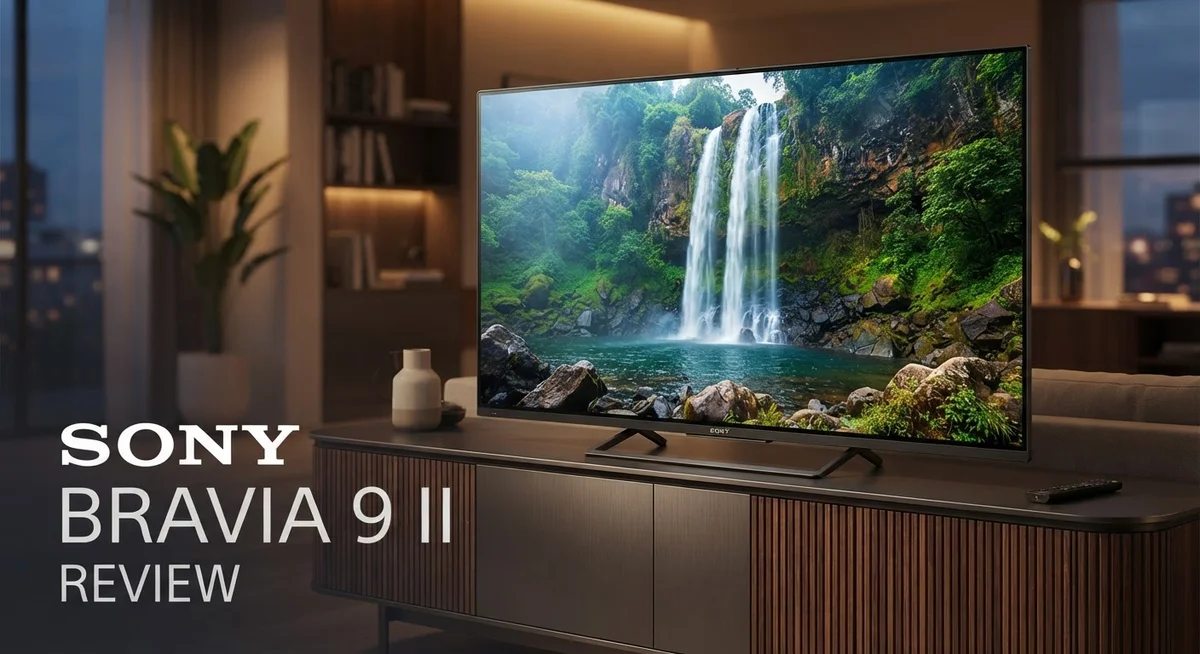
Sony Bravia 9 II Review: 4K HDR Display and Smart Features
The Sony Bravia 9 II walks into the room with a bold promise. It wants to redefine what a true RGB 4K HDR display can do. Does it deliver? Let’s find out.
This TV brings a native 120Hz panel and real RGB backlighting to the table. That combo gives you brighter highlights and richer colors than most LED screens can manage. Sony also packs in Google TV with Gemini AI, so voice control feels smarter and faster.
Gamers get HDMI 2.1 support with VRR and ALLM. Movie fans get seven picture modes, including IMAX Enhanced and Dolby Vision friendly options. Sound comes from a 2.2.2 channel spatial audio setup with Dolby Atmos and DTS:X baked in.
In a Nutshell
Picture quality shines bright. This TV delivers exceptional brightness and a wide color range. Out of box color balance and grayscale tracking impress right away.
Gaming performance is strong. Input lag stays low. This makes the TV a good pick for fast paced games.
Seven picture modes give you control. You get Professional, Cinema, Vivid, Standard, Calm, IMAX Enhanced, and Photo modes. Each mode fits a different viewing mood.
Smart features feel modern. Google TV with Gemini AI lets you use hands free voice commands. Apple AirPlay adds easy screen sharing too.
Some rough edges exist. The RGB panel shows crosstalk and color bleed in certain scenes. Response times could be faster.
Audio and connections have limits. A fixed 250ms eARC delay causes sync issues in game mode. You also only get two HDMI 2.1 inputs, which may feel tight for multiple devices.
Display Quality and Picture Performance
The display technology inside the Sony Bravia 9 II sets it apart from standard LED TVs. This TV uses a true RGB 4K HDR panel with a native 120Hz refresh rate. That means each pixel gets its own red, green, and blue subpixel, which improves color accuracy compared to traditional LCD designs.
Brightness performance stands out as a major strength. The Bravia 9 II pushes light levels that rival premium competitors. You’ll notice the difference in bright rooms and when watching HDR content. Colors pop with genuine vibrancy across the entire screen.
The out of the box color balance impresses right away. You don’t need to fiddle with settings for hours to get accurate images. Grayscale tracking stays consistent from dark blacks to bright whites. This matters if you care about watching movies the way filmmakers intended.
However, the RGB panel brings some trade offs. Crosstalk appears in certain scenes, where colors from adjacent pixels bleed into each other slightly. Response times lag behind OLED TVs, though this rarely bothers casual viewers. The anti glare coating helps reduce reflections in bright spaces.
Wide viewing angles keep the picture looking good even when you sit off to the side. Colors and contrast remain stable when viewed from extreme angles. This feature helps if your seating arrangement spreads across the room.
XR Motion Clarity technology smooths out motion in sports and action scenes. The 120Hz panel works with this feature to reduce blur and judder. Fast panning shots feel cleaner and more fluid.
Seven picture modes give you flexibility. Professional mode delivers cinema grade accuracy. Vivid mode cranks up color and contrast for exciting viewing. IMAX Enhanced mode optimizes for specially formatted content. Standard mode balances everything for everyday use.
The anti glare tech does its job without making the screen look washed out. You get a matte finish that cuts reflections while maintaining sharp image clarity. This balance matters if you watch during daytime hours or in well lit rooms.

Last update on 2026-08-29 / Affiliate links / Images from Amazon Product Advertising API Some of the links on this website are affiliate links, which means that at no additional cost to you, I earn a commission if you click through and make a purchase. I only recommend products and services that I believe will add value to my readers. Thank you for your support!
Gaming and Input Lag Performance
Gaming on the Sony Bravia 9 II feels responsive and snappy. Input lag clocks in at low levels, which means your controller inputs reach the screen fast. This matters when you play competitive shooters or fighting games where every millisecond counts.
The TV supports HDMI 2.1 with Variable Refresh Rate (VRR) and Auto Low Latency Mode (ALLM). These features sync your console’s frame rate to the display. Tearing and stuttering drop away. You get smooth gameplay whether you run 60Hz, 120Hz, or anything in between.
The native 120Hz panel is a real win for gamers. Motion looks fluid during fast camera pans and action sequences. Sports games and racing titles benefit most. The XR Motion Clarity tech adds another layer by reducing blur without introducing soap opera effects that some people find distracting.
One headache appears in game mode though. The TV locks in a fixed 250ms eARC audio delay. This creates lip sync problems if you use a soundbar or external speakers. Your character’s mouth moves, but the sound lags behind. Wired audio connections bypass this issue, but wireless setups struggle. You may need to adjust audio delays in your console settings as a workaround.
The RGB panel brings fast pixel response times. Colors shift quickly between frames. This keeps motion clear and prevents ghosting artifacts. However, the same panel technology introduces some crosstalk and color bleed in bright scenes. Black levels don’t match OLED displays, so dark gaming environments show this weakness more clearly.
Game mode simplifies your settings. The TV automatically enables low latency and disables motion processing that adds delay. You don’t need to hunt through menus. Just switch to game mode and play.
Two HDMI 2.1 ports connect your gaming devices. This limits setup flexibility if you own multiple current generation consoles and a media player. You’ll need to swap cables or use a switch box for three or more devices.
Audio and Smart TV Features
The Sony Bravia 9 II packs 2.2.2-channel spatial audio with Dolby Atmos and DTS:X support. This setup creates sound that moves around your room, not just from the TV speaker.
You get immersive audio for movies and streaming shows. The spatial channels lift dialogue and effects above the main speakers. Atmos tracks move overhead when the content supports it.
Google TV with Gemini AI makes finding content simple. You can ask Gemini to search for movies, check the weather, or control smart home devices. Hands-free voice commands work without picking up a remote.
The TV includes Apple AirPlay for easy content sharing from your iPhone or Mac. You can mirror your screen or send photos and videos directly to the display.
One audio issue affects game mode specifically. The TV has a fixed 250ms eARC audio delay that causes lip sync problems when you game. Your audio lags slightly behind on-screen action. This matters most for competitive gaming where timing counts.
The HDMI setup includes two HDMI 2.1 ports for gaming devices. These ports support 4K at 120Hz, Variable Refresh Rate, and Auto Low Latency Mode. You get fast, smooth gameplay without stuttering or tearing.
Standard HDMI ports handle older devices and cable boxes. The limited HDMI 2.1 count means you need to choose which devices stay connected. You may need to unplug and replug devices depending on your setup.
Google TV offers thousands of apps and streaming services. The interface feels quick and responsive. Gemini AI learns your preferences over time and suggests content you might enjoy.
Smart features integrate well with Android phones and tablets. Casting videos, music, and photos from your phone works smoothly. The TV also supports Chromecast for compatible apps.
The audio delay in game mode is frustrating for serious gamers. If you play competitive titles, you should know about this limitation. For casual gaming and movies, the spatial audio system performs well and adds real depth to your entertainment.
Top 3 Alternatives
LG OLED evo

Last update on 2026-08-29 / Affiliate links / Images from Amazon Product Advertising API Some of the links on this website are affiliate links, which means that at no additional cost to you, I earn a commission if you click through and make a purchase. I only recommend products and services that I believe will add value to my readers. Thank you for your support!
Samsung QN90D QLED

Last update on 2026-08-29 / Affiliate links / Images from Amazon Product Advertising API Some of the links on this website are affiliate links, which means that at no additional cost to you, I earn a commission if you click through and make a purchase. I only recommend products and services that I believe will add value to my readers. Thank you for your support!
TCL QM8 Mini-LED


Last update on 2026-08-31 / Affiliate links / Images from Amazon Product Advertising API Some of the links on this website are affiliate links, which means that at no additional cost to you, I earn a commission if you click through and make a purchase. I only recommend products and services that I believe will add value to my readers. Thank you for your support!
Design, Build Quality, and Viewing Angles
The Sony Bravia 9 II comes wrapped in a sleek metal frame that feels premium to the touch. The bezels are thin, which means more screen and less distraction. The stand sits sturdy on most entertainment centers without wobbling.
The build quality uses quality materials throughout. The back panel feels solid, and all connections sit securely in place. You won’t find cheap plastic here. The overall construction speaks to Sony’s attention to detail.
Viewing angles deserve special attention with this model. You can watch from the side without losing picture quality or color accuracy. The display maintains brightness even when you’re not sitting directly in front of it. This makes it great for living rooms where people sit at different spots.
The anti glare coating prevents reflections without washing out the image. Your screen stays clear even with bright sunlight coming through windows. The coating does its job without making the picture look dull or flat.
The RGB panel technology brings both benefits and trade offs. On the positive side, you get exceptional brightness and color range that standard LED panels can’t match. The wide color gamut delivers vibrant reds, greens, and blues. However, this panel design does introduce some crosstalk and color bleed issues that you might notice during certain content.
The bezel design keeps things minimal and modern. The TV doesn’t look bulky or outdated sitting on your wall or stand. The overall aesthetic fits well in contemporary living spaces.
Thickness matters if you plan to mount it. The TV has a reasonable depth that works with most wall mounts. Cable management sits behind the panel without creating a mess. The connections remain accessible for swapping devices.
The remote control feels lightweight but responsive. Button placement is intuitive, so you won’t fumble around looking for functions. Google TV integration means you rarely need the remote for basic navigation.
The build quality and design elements combine to create a TV that looks and feels like a premium product. The materials used throughout suggest this TV can handle years of daily use without issues.
Connectivity and HDMI Configuration
The Sony Bravia 9 II gives you two HDMI 2.1 ports that support 4K video at 120Hz. These ports handle modern gaming consoles and high-end media players with ease. Variable Refresh Rate (VRR) and Auto Low Latency Mode (ALLM) work seamlessly on both ports.
Your older devices connect to the standard HDMI ports. Cable boxes, older streaming devices, and legacy equipment all work without problems. The TV automatically detects what you plug in and adjusts its settings accordingly.
Setting up HDMI on this model is straightforward. The TV guides you through input naming during first setup. You can label each port for quick identification like “PlayStation,” “Apple TV,” or “Cable Box.”
eARC audio support appears on one of the standard HDMI ports. This port sends audio back to your soundbar or receiver without extra cables. However, there’s a fixed 250ms audio delay in game mode that causes sync issues between video and sound.
The HDMI 2.1 bandwidth handles high frame rates without compression. This means your gaming console delivers crisp, responsive gameplay. The TV processes these signals without adding extra latency.
Switching between inputs happens instantly. You don’t experience lag or delays when changing sources. The remote makes navigation between HDMI inputs quick and simple.
The TV supports HDMI 2.1 features like Enhanced Audio Return Channel (eARC). This reduces cable clutter in your entertainment setup. You connect just one cable to your soundbar instead of multiple audio connections.
Cable management becomes easier with proper HDMI organization. The rear panel has clearly spaced ports that fit standard HDMI cables. You can route cables neatly without forcing connectors into awkward angles.
If you plan to connect multiple gaming devices, the two HDMI 2.1 ports cover your main needs. A media player and gaming console can both use full bandwidth simultaneously. Additional devices use the standard HDMI ports without any performance issues.
The connectivity setup on the Bravia 9 II balances modern features with practical everyday use. You get enough HDMI 2.1 capacity for current gaming and streaming devices.
Pros and Cons
Pros
- Exceptional brightness and color range deliver stunning picture quality for all content types
- Excellent out of the box color balance means minimal calibration needed right away
- Low input lag and gaming optimizations make this TV excellent for competitive gaming
- Seven picture modes including Professional, Cinema, and IMAX Enhanced give you flexibility for different content
- Native 120Hz panel with XR Motion Clarity reduces blur during fast action scenes
Cons
- Fixed 250ms eARC audio delay causes sync issues specifically in game mode
- RGB panel technology creates crosstalk and color bleed in certain viewing conditions
- Only two HDMI 2.1 inputs limits simultaneous connection of multiple high speed devices
- Low response times on the RGB panel affect motion handling compared to other premium TVs
Who Should Buy It
The Sony Bravia 9 II works best for people who want a premium viewing experience across multiple uses. Movie lovers and streaming enthusiasts should consider this TV because it delivers exceptional brightness and color range. The seven picture modes including Cinema and IMAX Enhanced let you optimize your content instantly.
Gamers find real value here. Low input lag makes competitive gaming smooth and responsive. The 120Hz native panel with XR Motion Clarity reduces blur during fast action scenes. HDMI 2.1 support handles 4K at 120Hz without compression. However, one important note: the fixed 250ms eARC audio delay causes sync problems in game mode. If you play with audio critical to your experience, this matters.
Sports fans appreciate the motion handling technology. Fast camera pans and quick cuts stay sharp without ghosting. The anti glare coating prevents reflections from windows or lights, so you watch comfortably during daytime.
Content creators and photo enthusiasts benefit from the excellent out of the box color balance. The RGB panel brings superior color accuracy compared to standard LCD panels. The Photo mode lets you display images with stunning detail and vibrancy.
This TV suits people with larger living spaces best. It comes in 65″ and 85″ sizes. The wide viewing angles mean everyone in the room sees quality picture regardless of seating position. You can watch from the side without losing color or contrast.
One caveat: RGB panel technology has trade offs. Crosstalk and color bleed appear in certain viewing conditions. If you sit very close to the screen, these effects become noticeable. Standard LCD panels avoid this issue entirely.
The Sony Bravia 9 II fits households with multiple HDMI devices. Two HDMI 2.1 ports handle your gaming console and media player simultaneously. Standard HDMI ports connect older equipment without issues.
Skip this model if you need basic TV functionality without premium features. The setup and picture mode optimization require some involvement. This TV rewards users who spend time calibrating settings for their space and content preferences.
Final Verdict
The Sony Bravia 9 II stands out as a serious contender in the premium TV space. Its bright, colorful picture and smart Google TV platform make daily use enjoyable and simple.
Gemini AI adds a fresh layer to the experience. Voice commands feel natural, and hands free control makes browsing content faster than typical remote based navigation.
The 2.2.2 channel spatial audio creates an immersive sound field. Movies and shows feel more lifelike, though a dedicated soundbar still adds extra depth for home theater setups.
Anti glare technology helps this TV perform well in bright rooms. Sunlit living rooms or well lit spaces won’t wash out the picture, which is a real plus for many households.
Wide viewing angles mean the picture stays sharp from almost any seat. Family movie nights or shared viewing spaces benefit from this feature without needing a perfect center seat.
Compared to the LG G5 OLED, the Bravia 9 II holds its own with brighter highlights and strong color accuracy. It offers a different viewing experience rather than a direct downgrade or upgrade.
Two HDMI 2.1 ports limit future proofing for people who plan to add more next gen devices over time. This is worth remembering before setting up a full home theater system.
Overall, this TV suits buyers who want vivid picture quality, smart features, and immersive sound in one package. It fits people who value a smooth interface and strong everyday performance.
Buyers who prioritize a flawless panel without any RGB trade offs might want to compare other models first. Still, the Sony Bravia 9 II delivers a well rounded package for most modern living rooms.
For anyone ready to upgrade their home viewing setup, this TV brings together smart features, sharp visuals, and reliable performance. It earns its place among today’s top premium television choices.
Frequently Asked Questions
Does the Sony Bravia 9 II work well for gaming?
Yes, it performs strongly for gaming. The TV has low input lag and supports HDMI 2.1 with 4K/120Hz and VRR. These features keep your gameplay smooth and responsive. The native 120Hz panel with XR Motion Clarity reduces blur during fast action.
One issue to note: the fixed 250ms eARC audio delay causes sync problems in game mode. You may need to adjust audio settings or use a different connection method for better lip sync.
What makes the RGB panel different from standard LCD?
The RGB panel offers exceptional brightness and color range. You get true RGB 4K HDR with excellent out of the box color balance.
The trade off is real though. RGB panels can show crosstalk and color bleed in certain viewing conditions. This means some colors may appear to shift or blend slightly depending on your viewing angle and the content you watch.
How many HDMI 2.1 ports does it have?
The Sony Bravia 9 II includes only two HDMI 2.1 inputs. If you own multiple next generation devices like a PS5, Xbox Series X, and a soundbar, you may run out of ports quickly.
You can use HDMI 2.0 ports for older devices, but they won’t support 4K/120Hz. Plan your setup ahead if you have several high bandwidth devices.
Can you use this TV in a bright room?
Absolutely. The anti glare technology helps reduce reflections and glare. Exceptional brightness levels mean the picture stays clear even with sunlight streaming in.
Wide viewing angles also help. The picture stays sharp and vibrant from almost any seat in your room, not just straight on.

Hello everyone my name is Alenya and i am a gadget discovering Enthusiast 🐻🐻