Owl Labs Meeting Owl 4+ Review: Should You Buy It?
Meeting rooms can feel chaotic. Voices overlap, faces are hard to see, and remote teammates often miss the best parts. The Owl Labs Meeting Owl 4+ aims to fix that problem with one simple device.
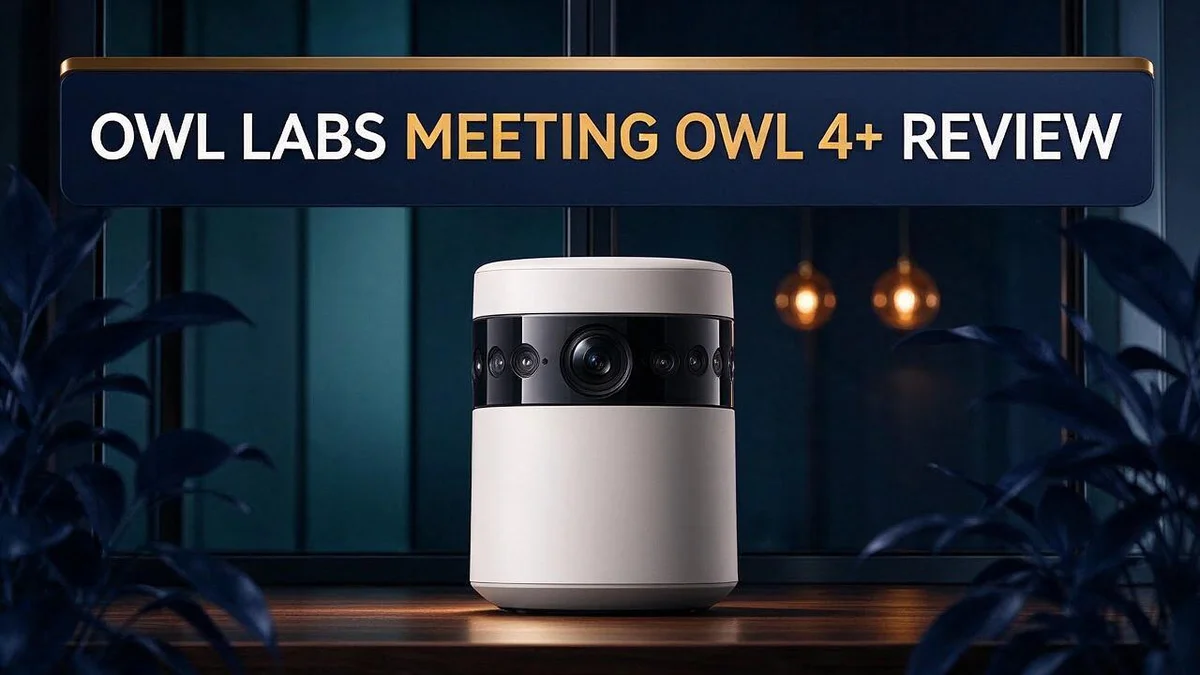
This smart device packs a 360 degree camera, a microphone, and a speaker into one unit.
It records 4K Ultra HD video and covers a 10 ft capture radius. Its eight smart microphones aim to pick up every voice in the room.
Small teams often find it fits well in rooms of four or five people. The guided setup tour helps you get started.
Is it the right fit for your next meeting? Let’s look at what it offers, where it shines, and where it may fall short.
In a Nutshell
- Guided setup tour: The device walks you through a simple setup process. Connecting to your wireless network feels easy, so you can start meetings fast.
- Smart speaker tracking: Automatic software follows whoever speaks. The camera keeps the active person in view without manual work during busy discussions.
- Built for IT teams: Fleet management and enterprise features help admins manage several units at once. Larger organizations benefit most from these tools.
- Audio claims need a test: Owl Labs says audio improves in larger rooms. One reviewer did not notice much change, and one user would skip it for certain uses.
- Plan your cable layout: The power supply cable measures 6.5 ft. The AC line cord measures 5 ft, so plan outlet placement before setup.
- Compare the brand’s models: Earlier options like Meeting Owl 3 and Meeting Owl Pro 360 still exist. Check which features matter most for your team before you decide.
4K Video Quality and 360° Camera Coverage


Last update on 2026-10-30 / Affiliate links / Images from Amazon Product Advertising API Some of the links on this website are affiliate links, which means that at no additional cost to you, I earn a commission if you click through and make a purchase. I only recommend products and services that I believe will add value to my readers. Thank you for your support!
Clear video makes remote meetings feel closer. Many people tune out when faces look blurry. A sharp picture keeps everyone engaged.
The Meeting Owl 4+ uses a 360 degree lens to capture the whole room. Instead of one fixed view, the camera sees every seat at once. That wide view helps when people move around the table or turn to a whiteboard.
Wide coverage also means fewer camera adjustments. Nobody needs to pan or tilt during a discussion. Staff can focus on the agenda instead of the screen.
Remote participants also benefit from this setup. They see faces and reactions, not just a static seat. That visual connection builds trust over time.
Placement matters more than you might expect. The center of the table usually works best. Keep the device away from windows, because bright light can wash out faces.
Does 4K make a real difference? The reviewer confirmed that the picture looks crisp. However, high resolution cannot fix poor lighting. Good room lighting still matters most.
Here is a simple test you can run. Start a call with a colleague. Ask them how your face looks on their screen. Then walk around the room and check if they can still follow you.
Very large rooms need extra planning. People seated far from the unit may look smaller on screen. Test the view with your real seating plan before the meeting starts.
The 360 degree view suits small and medium sized spaces best. Video stays steady when participants speak from different corners. Everyone gets a fair chance to appear on screen. Hybrid teams often feel this benefit most.
Bottom line: the camera delivers sharp video and wide reach. Pair it with good lighting for the best results. Your next call will look and feel more natural.
Audio Capture and Room Coverage
Clear sound keeps people engaged. Good video grabs attention, but poor audio makes people tune out. Nobody wants to hear “Can you repeat that?” every five minutes.
The Meeting Owl 4+ uses eight smart microphones. Spreading mics around the device helps pick up voices from several directions.
Room shape changes everything. Hard walls, glass, and bare floors bounce sound around. Soft materials like carpet, curtains, and cushions absorb it.
Background noise also competes with voices. Air conditioners, fans, and street traffic can mask quiet speakers. Close the door and switch off unused equipment before the call begins.
Overlapping talk creates another challenge. When two people speak at once, the device must decide which voice matters most. Encourage short pauses between points.
Think of the device as the center of a zone. Seats inside that zone get the best pickup. Anyone outside it may sound faint to remote callers.
Standing presenters need extra care. A person who walks to a whiteboard may drift out of the zone. Ask presenters to speak from near the table.
Echo can also appear when the speaker picks up sound from the room. Remote participants who use headsets often hear less echo. Test the setup with a colleague before important calls.
Mind the speaker output, too. Papers, bags, or laptops placed on top can muffle playback. Keep the area around the device clear so remote voices stay easy to hear.
Good audio starts with good habits. Control the noise, space the voices, and keep the area clear. Your remote team will notice the difference.
Software and Management Features
Many teams treat software as an afterthought. Yet it shapes every call from start to finish.
Think of the software as your control center. Staff who know the settings feel calmer during live meetings. They also solve small problems faster.
A simple routine keeps things smooth. Create a short checklist for each room. Post it near the device so anyone can follow it.
Speaker switching gives you options. Your team can decide how the view changes when people take turns talking. Try both approaches in a test call and pick the one that fits your meeting style.
Settings can reveal room habits. Notice when people speak over each other most. Adjust your seating plan or setup to match those patterns.
Keep the software current. Check for updates on a regular schedule. Current software helps the device run as intended.
Agree on who can change settings. Shared rooms often have several users. Clear rules prevent surprise changes and confusion during important meetings.
Use a pilot room first. Try new settings in one space before rolling them out widely. A small trial shows problems early and saves time for everyone.
Write down your final setup. Record the choices your team makes. New staff can copy that setup without guessing, which saves time when a unit moves to a new room.
Plan for remote guests too. Remote participants see only what the device shows them. Check their view during the test call so they stay engaged.
Test before important calls. Start a quick call with a colleague ten minutes early. Check the camera view, the sound, and the controls. This short step removes much of the stress before a big presentation.
Document support contacts. Write down who to call when something breaks. Quick answers keep meetings on track.
Share what you learn. Every room has its own quirks. Pass your best tips to other teams so everyone benefits from the same lessons.
Top 3 Alternatives
Here are three strong options if you want a different meeting device. Each one suits a different kind of team. Read on to find the best fit for your space.
Jabra Speak2 75

Last update on 2026-10-30 / Affiliate links / Images from Amazon Product Advertising API Some of the links on this website are affiliate links, which means that at no additional cost to you, I earn a commission if you click through and make a purchase. I only recommend products and services that I believe will add value to my readers. Thank you for your support!
The Jabra Speak2 75 is a portable speakerphone that works well in small meeting rooms. It connects through USB or Bluetooth, so setup feels quick. Its clear microphones pick up voices from across the table.
It also folds up small. You can toss it in a bag and take it to any office. Many teams like it for flexible desk or huddle room use.
Poly Sync 20

Last update on 2026-10-30 / Affiliate links / Images from Amazon Product Advertising API Some of the links on this website are affiliate links, which means that at no additional cost to you, I earn a commission if you click through and make a purchase. I only recommend products and services that I believe will add value to my readers. Thank you for your support!
The Poly Sync 20 is a personal speakerphone built for one or two people. It pairs with a laptop or phone over USB-C or Bluetooth. Calls sound natural, even in noisy spaces.
Its battery lasts a long time, so you can use it all day. Many remote workers choose it for daily video calls from home or the office.
Anker PowerConf C300

Last update on 2026-10-30 / Affiliate links / Images from Amazon Product Advertising API Some of the links on this website are affiliate links, which means that at no additional cost to you, I earn a commission if you click through and make a purchase. I only recommend products and services that I believe will add value to my readers. Thank you for your support!
The Anker PowerConf C300 combines a webcam and speakerphone in one device. It keeps you in frame with auto framing. Its built-in microphones reduce background noise, which helps people hear you clearly.
Use it for solo calls or small group meetings where video matters. It sits neatly on top of your monitor and saves desk space.
Pick the option that fits your team size and room. Each choice gives you clear audio without a complex setup.
Room Fit and Placement
Start with a simple look at your room size. Many users report a good fit for small rooms with four or five people. In that setup, everyone sits close enough to the device.
Awkward spaces can still work well. Some users say the unit suits government meeting rooms with odd layouts. Those rooms often have long tables and tricky corners.
Measure the distance from the device to the far wall. The listed capture radius is 10 ft, or 3 m. Keep the main seats inside that circle for the best results.
Plan your power cables early. The power supply gives you 6.5 ft, or 2 m, of reach. The AC line cord adds 5 ft, or 1.5 m. Find your outlet location before you move anything.
Check for glare from bright windows. Strong light behind the table can wash out faces. Position the unit so light falls on the people, not behind them.
Think about who sits where. Place the device where the main presenter can speak clearly toward it. Ask the regular speaker to sit near the front of the room.
Consider doors and foot traffic. People walking past the unit can cause movement in the view. Place it away from busy doorways so the picture stays calm.
Keep a clear path between the device and the main seats. Papers, bags, and laptops should not block the view. A clean line of sight helps remote viewers see faces.
Try a short test call before the first real meeting. Ask a colleague to sit in each seat. Check the view and sound from each spot.
Mark the best spot with tape. Once the position works, mark the base with a strip of tape. Staff can reset the room quickly after cleaning or rearranging chairs.
Recheck the setup after any furniture change. Even a small chair move can change the framing. A quick check takes only a minute.
Pros and Cons
Pros
- 4K video gives sharp, clear images
- One device handles the camera, microphone, and speaker
- A guided setup tour helps you get connected
- Owl Labs says the audio works better in larger rooms
- Fleet management tools help IT teams oversee many units
Cons
- A reviewer did not notice much audio improvement
- The 10 ft capture radius limits very large rooms
- Some users would not use it for every meeting type
- Comparisons only exist with Owl Labs’ own earlier models
Who Should Buy It
Who should buy the Meeting Owl 4+? This device suits teams that meet in small rooms every day. It fits groups of four or five people who sit close together.
Small businesses and startups often benefit most from it. These teams usually lack a dedicated AV specialist. A single device keeps the setup simple and cuts down on extra gear.
Remote workers and hybrid teams can also find it useful. Remote colleagues can see everyone in the room during calls. Sales, HR, and training teams may like the wide view, too.
Interview panels and client meetings benefit from a clear view of every speaker. Each guest sees the same picture, so nobody feels left out.
Teams that want one simple tool should take a close look. Some groups buy separate cameras and speakers for each room. This device replaces that mix with one unit.
Schools and training centers often need a simple way to run group sessions. Teachers can work with students who sit at several tables. The clear image helps students read faces and expressions from the back row.
Ask a few questions before you decide. How many people usually sit in the room? How often does your team hold calls there? Do you need a device for one room or many? Your answers show whether this unit fits your needs.
Think about your daily habits. Quick, casual calls need less preparation than formal presentations. Teams that share a room every day benefit most from a consistent layout. Teams that meet only once a month may not need it.
Final thoughts for buyers. The Meeting Owl 4+ fits small, busy rooms with a mix of remote and in-person meetings. It works best for people who want one simple tool. Shoppers with large halls or rare calls should look at other options. A test run in your own room can show if it fits your needs.
Final Verdict
The Meeting Owl 4+ is a solid pick for the right room. It packs a camera, microphone, and speaker into one device. That keeps your setup simple and your table clear.
Still, the audio promise needs a closer look. Owl Labs says sound works better in larger rooms. One reviewer did not notice much change, so test it yourself.
The video quality is the strongest reason to choose this device. The sharp picture helps remote colleagues read faces and expressions. People far from the screen still feel part of the conversation.
Run a simple test before you commit. Make a short call with a colleague sitting at the far end. Then ask whether every word comes through clearly. This quick check tells you more than any spec sheet.
The device fits small to medium sized rooms best. Big halls can leave some seats outside the frame. If your team meets in a large space, look at other options first.
Think about daily habits, not just one meeting. A tool that runs every call keeps daily work simple. Teams that value simplicity often feel satisfied after the first few weeks.
IT teams gain another benefit. Admins can manage several rooms without walking into each one. That saves time when your office grows or new rooms open.
Plan for growth too. A team that adds members may need more seats covered. Check whether one unit can still reach everyone before you add more rooms.
Some meeting types may still need extra gear. List your main meeting types first, then compare them with what the device handles well.
The comparison set is limited. The only alternatives come from Owl Labs itself, such as the Meeting Owl 3 and Meeting Owl Pro 360. Reading independent reviews can give you a wider view.
Our final take is simple. The Meeting Owl 4+ offers clear video, a single box setup, and helpful management tools. It may fall short in very large rooms or for teams that need audio focused performance. Test your space, then decide with confidence.
Frequently Asked Questions
Where should I place the Meeting Owl 4+ in my room?
Plan your power setup before you pick a spot. The power supply reaches about 6.5 ft, and the AC line cord adds about 5 ft. Choose a spot where a wall outlet sits close to the table. This keeps cables neat and avoids trips over loose wires.
How does the device follow the person who speaks?
The device uses speaker switching and auto speaker tracking. It shifts its focus to whoever talks next. This helps remote colleagues stay part of the conversation without someone adjusting the camera by hand.
What do the eight smart microphones do?
The eight microphones work together to pick up voices from different seats. This setup aims to capture people who sit farther from the center of the table. It gives your team more chances to be heard, especially when several people talk in a row.
Is the Meeting Owl 4+ a good fit for a small room?
Yes, it suits small rooms with four or five people. The device covers a small group well and keeps everyone in view. Measure the room and sketch your seating plan before you buy, so you know it fits your layout.
Does the software offer features for larger organizations?
Yes, the software includes enterprise features. These tools help organizations manage many devices in a consistent way. Companies with several meeting rooms can use them to keep every room running smoothly.

Hello everyone my name is Alenya and i am a gadget discovering Enthusiast 🐻🐻