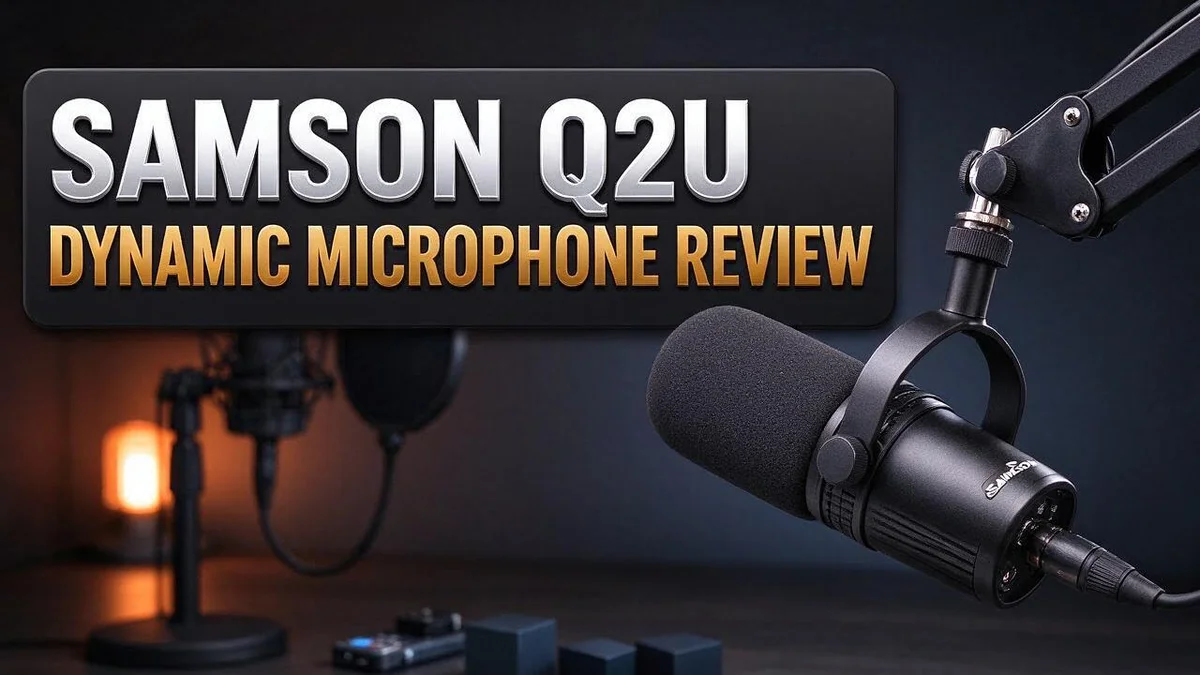
Samson Q2U Dynamic Microphone Review: In-Depth Breakdown
Want a microphone that sounds great without a lot of fuss? The Samson Q2U might be the answer you need. It is a dynamic microphone that works with both USB and XLR connections.
Many creators choose this mic for podcasts, voiceovers, and vocals. It also captures acoustic guitar and amps well. Its cardioid pattern picks up sound from the front and rejects noise from the sides and rear.
Here is the best part. You do not need an audio interface to get started. You plug it in and start talking.
In this review, we look at how the Q2U performs. We also point out a few drawbacks, like the lack of onboard controls.
In a Nutshell
-
Room noise stays low. The Q2U rejects much of the background sound and echo that a condenser like the Blue Yeti would capture. Your recordings sound cleaner, even in a room that is not fully treated.
-
You have two ways to connect. You can plug the Q2U straight into a computer through USB. Later, you can switch to XLR for a more flexible setup.
-
Gain is the key. Many users find their recordings too quiet at first, even after moving to a calmer spot. You should raise the gain on your interface or mixer to get a strong signal.
-
Simple setup wins. You do not need an audio interface to start recording. This makes the mic a practical choice for beginners who want to record right away.
-
Watch the cable. Some users report problems with the USB cable. Test your cable early so you avoid frustration during a recording session.
-
Plan for manual adjustments. The mic has no onboard controls. You must change your levels inside your recording software instead.
Recording Quality and Gain Requirements

Last update on 2026-11-06 / Affiliate links / Images from Amazon Product Advertising API Some of the links on this website are affiliate links, which means that at no additional cost to you, I earn a commission if you click through and make a purchase. I only recommend products and services that I believe will add value to my readers. Thank you for your support!
Recording quality with the Q2U depends on a few simple habits. Your mic position often matters more than any setting.
Distance changes your tone. Speak about four to six inches from the grille. This spacing keeps your voice full and clear.
Move closer and the bass builds up. This is called proximity effect, and it can make voices sound boomy.
Move farther back and the sound thins out. Your voice may also pick up more of the room around you.
Plosives are another challenge. Sounds like “p” and “b” can create a sudden burst of air. A pop filter placed between your mouth and the mic reduces this problem.
Gain needs a clear plan. Think of gain as the amount of boost the mic signal receives before it gets recorded. Dynamic mics produce a weaker signal than condensers, so they need more boost.
Set your level while you talk at your normal speaking volume. Aim for peaks that land near the middle of the meter. Leave some room for louder moments.
Avoid pushing the gain too high. Loud peaks can clip, which creates harsh distortion that you cannot fix later. Recording a little quieter is always safer than recording too hot.
Raising the gain also raises the hiss from your equipment. Speak with clear energy so your voice stays well above that noise floor.
Headphones help you hear problems. Use closed back headphones while recording. They let you catch hum or distortion before it reaches the final file.
Test with a short clip before every full session. Play it back and check for hiss, clipping, and pops.
Keep your posture the same each time. Leaning in or turning away changes the sound. A steady position keeps your tone even across an entire episode.
Finally, keep your recording space free of sudden noises. A passing siren or a clicking fan can ruin a take. Pause and restart when something loud happens nearby.
Pickup Pattern and Background Noise Rejection
The Q2U uses a cardioid pickup pattern. This means the mic listens mainly to sound in front of it. Sound from the back and sides gets much weaker.
Think of the pattern as a spotlight for your voice. Your words land in the bright center. The rest of the room stays in the dark.
Placement matters a lot here. Point the front of the mic toward your mouth. Keep your computer fan and speakers behind the mic.
Noise from the sides can still slip in. A keyboard on your left or a fan on your right may show up in the recording. Move these sources a few feet away or angle the mic slightly toward your voice.
Many creators record in shared homes or small offices. The cardioid design helps block a roommate talking in the next room. It also softens traffic sounds outside a window.
It does not block everything, though. Closing the door still helps. Turning off a noisy air conditioner can make a bigger difference than you expect.
The pattern works best with one speaker. If two people share the Q2U, they must sit close together. Both should face the grille. A voice on the far side may sound thin or distant.
Some noise still reaches the mic from the front. Background chatter or a loud street can sneak through near an open window. Pick a quiet time of day for the cleanest results.
Steady distance also keeps the rejection working. When you lean away or slump in your chair, the mic loses focus on your voice. Keep your head in the same spot for smooth, consistent audio.
Try this simple check before you record. Capture ten seconds of silence, then ten seconds of talking. Play it back with headphones and listen closely. This test shows exactly what the Q2U picks up in your space.
Overall, the Q2U gives you a focused sound with a clear front. Good placement and a calm room make the biggest difference. Spend a few minutes testing your setup before you record your first episode.
Setup: USB and XLR Connectivity
The Q2U offers two connection options. Each one fits a different setup, so knowing both helps you choose.
USB keeps things simple for most beginners. The mic sends a digital signal straight to your computer.
XLR follows the traditional studio route. It sends an analog signal through a three pin cable. You need an interface, mixer, or recorder to receive that signal. Without one, the XLR port stays idle.
Dynamic mics like the Q2U do not need phantom power. Your interface can skip that setting. Fewer settings mean fewer mistakes.
Choosing between them comes down to your goals. Pick USB for a quick desk setup. Pick XLR for a larger studio chain.
Your input selection matters more than you think. After you plug in the mic, open your computer sound settings. Choose the Q2U as the input device.
Then speak at a normal volume and watch the level meter. If the meter stays flat, your computer may be using another device. Check this step first.
Upgrading later is easy. Start with USB for podcasting or voiceover. Move to XLR when you add an interface. You keep the same mic and build on it. Your gear stays useful as your setup grows.
Both connections use the same microphone element. The sound comes from the capsule, not the port. Still, the path you choose shapes your options.
Mounting matters too. A wobbly stand can send bumps through the signal. A boom arm or sturdy desk stand keeps the mic steady.
Use a cable long enough to reach your desk without strain. Route the cable away from power lines to limit hum.
Check your gear list before you buy cables. Confirm your interface has a matching XLR input. This small step avoids delays.
Top 3 Alternatives
Shure SM58


Last update on 2026-11-06 / Affiliate links / Images from Amazon Product Advertising API Some of the links on this website are affiliate links, which means that at no additional cost to you, I earn a commission if you click through and make a purchase. I only recommend products and services that I believe will add value to my readers. Thank you for your support!
The Shure SM58 is a classic dynamic microphone that many performers trust. It handles loud sounds without distortion. Its cardioid pattern picks up the voice in front and reduces noise from the sides.
Singers, speakers, and bands often choose it for live shows. It also works well for interviews in busy rooms. Its tough build helps it survive daily travel and rough handling.
Best for: live vocals, stage performance, and field interviews.
Audio-Technica ATR2100x

Last update on 2026-11-06 / Affiliate links / Images from Amazon Product Advertising API Some of the links on this website are affiliate links, which means that at no additional cost to you, I earn a commission if you click through and make a purchase. I only recommend products and services that I believe will add value to my readers. Thank you for your support!
The Audio-Technica ATR2100x gives home recording artists a flexible option. It works as a USB microphone and as an XLR microphone. You can plug it into a computer or an audio interface.
New creators find the setup simple and clean. It includes a headphone jack for direct monitoring, so you hear your voice with no delay. The included stand and cable help you start fast.
Best for: voiceovers, podcasts, and first recordings at home.
Shure SM7B

Last update on 2026-11-06 / Affiliate links / Images from Amazon Product Advertising API Some of the links on this website are affiliate links, which means that at no additional cost to you, I earn a commission if you click through and make a purchase. I only recommend products and services that I believe will add value to my readers. Thank you for your support!
The Shure SM7B produces a smooth and warm vocal sound. Radio hosts and studio pros use it for broadcast and podcast work. It has a built-in pop filter and a switch for bass roll-off. Sound quality shines in a quiet, treated room.
This microphone needs a strong preamp to reach good volume levels. Many users add a clean booster for extra gain. With the right setup, it captures rich detail in every word.
Best for: professional voice recording and broadcast-quality audio.
Best Uses: Vocals, Podcasting, Voiceover, and Instruments
The Samson Q2U works well in many creative settings. Its strong noise rejection helps in each one.
Singers can use it for demos and home vocal recordings. Songwriters often need a quick way to capture an idea before it fades. This mic gives a usable take without a large studio setup.
Dynamic mics also handle loud sounds without distorting easily. This makes the Q2U a good pick for singers who belt high notes or perform with energy.
Podcasters gain a clean and focused voice track. The mic keeps out much of the room echo. Solo hosts often notice the biggest difference right away.
Interview shows can also benefit from the mic. Each guest needs a clear sound, so a steady voice level matters. Clear audio keeps listeners engaged. Editors also spend less time fixing rumbling or harsh audio.
Voice actors can count on a smooth, natural tone. The sound often needs little editing. Narrators can then spend more time on performance and less time on repairs.
Many voice work jobs require a warm, even voice across long sessions. Dynamic mics can help keep that consistency because they respond less to small room changes. Long sessions feel easier when the sound stays steady.
Instrument players can use the Q2U too. It works well with acoustic guitar and guitar amplifiers. Each source needs a slightly different approach.
For acoustic guitar, aim the grille at the spot where the neck meets the body. This angle captures a balanced sound from the strings.
For amplifiers, point the mic straight at the speaker cone. Then move it slowly until the tone feels right. Small shifts can change the sound a lot.
Test each use before big projects. Record a short sample and listen on good speakers. This quick check shows whether the mic suits your sound and space.
Pick the Q2U for your main goal. Vocals, podcasts, voiceovers, and instruments all benefit from its focused sound. Choose the use that matches your plans first. Then adjust your setup from there.
Pros and Cons
Pros
– Excellent sound quality with a clean, natural tone
– Works without an audio interface or recorder
– Setup takes very little time
– Easy to use for first-time recording
Cons
– No onboard controls, so you adjust levels on your computer
– USB cable connections can sometimes cause problems
– Some recordings turn out too quiet
– Needs high gain to get a strong signal
Who Should Buy It
Not every creator needs the same microphone. The Samson Q2U fits some people better than others, so check your needs before you buy.
Home studio beginners are a strong match. Many people record in a spare bedroom or a corner of the living room. Those spaces rarely sound perfect, so this mic helps in less than ideal rooms.
Shared living spaces also suit this microphone. If roommates or family members make noise nearby, the Q2U blocks more of it. You still need to stay reasonably quiet, though.
Hobbyists who want a gentle start will appreciate it too. You can learn recording basics without a complicated rig. Practice with one mic and grow your skills step by step. Learning feels easier when your tools feel simple. This mic removes many technical hurdles, so you can focus on your content instead of your equipment.
Guitar players who record near a loud amp can use it as well. Position the mic carefully, and it captures a full sound without needing a large studio.
Some buyers should look elsewhere. If you need a wireless setup, this model is not for you. It connects only by cable, through USB or XLR. Your schedule also matters. If you plan to record on the go, a wired mic may feel awkward to carry.
Users with strict noise needs may want more. A quiet room still matters, and this mic cannot fix every problem on its own.
Your current gear matters a lot, too. A weak preamp can leave voices thin, even with a strong microphone. Test your setup and computer ports before you commit.
In short, the Q2U suits beginners, home studios, and shared spaces. It works best for people who want a simple path to clean audio.
Final Verdict
The Samson Q2U is a strong choice for people who want to start recording fast. It gives a clean voice without a long setup.
Good results depend on placement and gain settings more than most people expect.
Move the mic a few inches closer to your mouth. This small change can help with the quiet recordings some users report.
Your room shapes the final sound just as much as the mic does. Soft surfaces like rugs, curtains, and bedding can make your voice sound fuller and more focused.
Think about where your project is heading. If you want to grow into a bigger setup, this mic can still play a role.
Test each session with a quick recording so you catch problems early.
Your habits matter as much as your gear. Speaking clearly, keeping a steady distance, and taking short breaks can improve every take.
The Q2U rewards people who take time to learn it. Once you dial in your setup, it delivers a steady, natural voice that keeps sessions simple.
A little effort goes a long way with this microphone.
Practice makes the biggest difference. Record a short sample each week and listen back with headphones. You will hear small changes in tone and clarity that improve your work.
Background noise still matters, even with a dynamic mic. Turn off fans, close windows, and silence nearby phones before you hit record.
Use a pop filter if plosive sounds from words like P and B appear in your recordings. A simple foam or mesh screen can soften them.
Hold the mic steady on a stand or boom arm. Less handling noise means a cleaner track from start to finish.
Think about who will hear your work. Podcast listeners and viewers notice clear audio faster than almost anything else. A steady voice keeps them engaged.
Your final decision should match your goals, your room, and your patience. If those line up, this mic can be a reliable partner for years of recording.
Frequently Asked Questions
Does the Q2U pick up sound from behind me?
No, it does not. The cardioid pattern focuses on sound from the front and rejects noise from the back and sides. This helps when fans, traffic, or people move behind you.
How does the Q2U compare with the Blue Yeti?
The Blue Yeti is a condenser mic. It captures more fine detail, but it also picks up more echo from the room. The Q2U is a dynamic mic, so it handles everyday rooms with less effort.
Can the Q2U handle loud singing?
Yes, dynamic mics handle loud sources well. This makes it a solid choice for singers who belt out big notes. It rarely distorts when you sing with power.
Do I need special software to start?
No, you do not need special software. Most recording programs detect the mic as soon as you plug it in. You can begin recording within minutes.

Hello everyone my name is Alenya and i am a gadget discovering Enthusiast 🐻🐻