Crucial P310 Review 2026: Your Ultimate Buying Guide
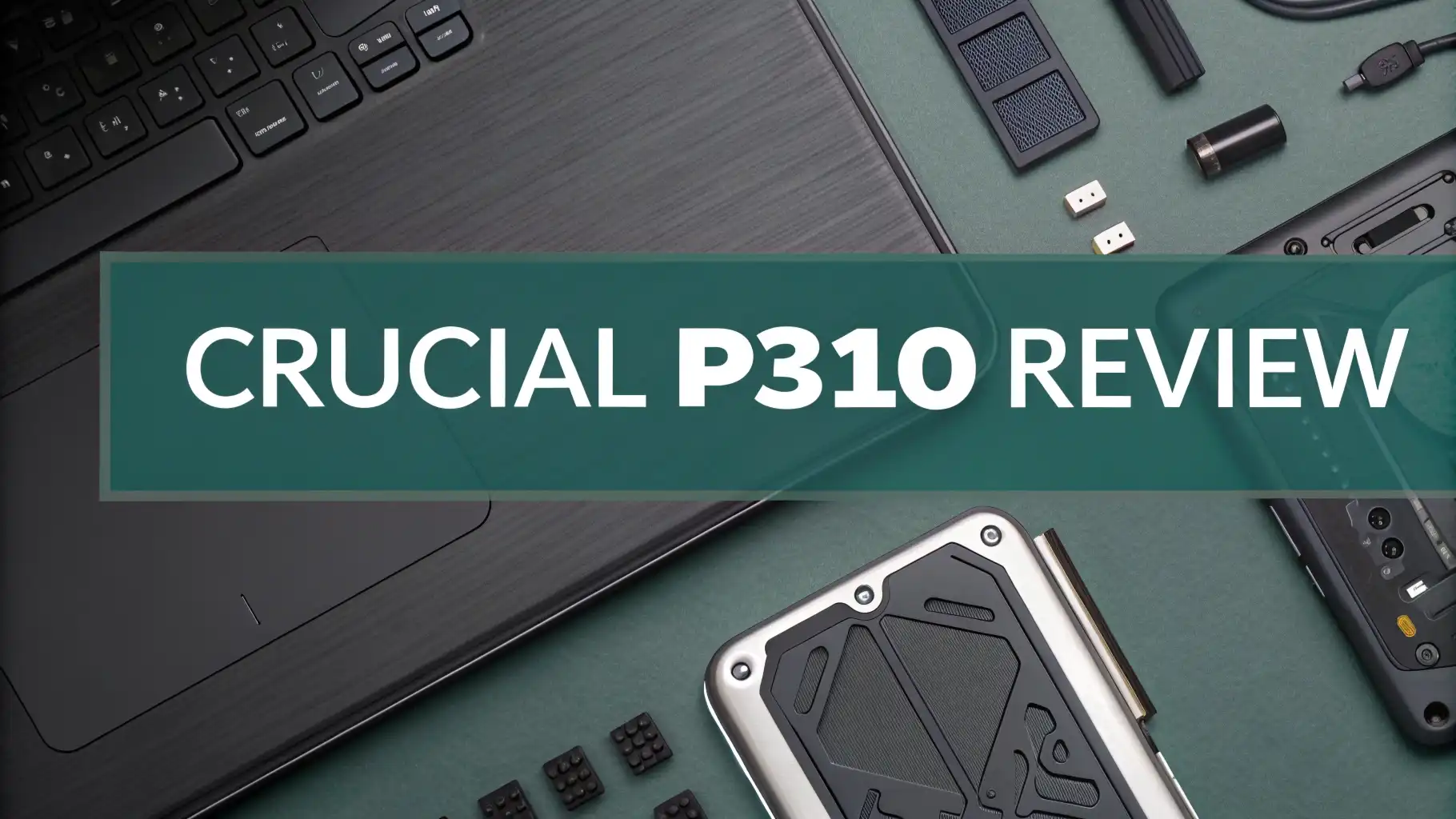
Storage matters. Your computer needs speed. The Crucial P310 delivers both without emptying your wallet. This compact powerhouse brings Gen4 NVMe performance to everyday users and gamers who want their systems to feel snappy and responsive.
Finding the right SSD can feel overwhelming. Too many choices exist in the market. Crucial changed the game with the P310 by offering speeds that match expensive flagship drives but at prices that actually make sense.
This drive reads data at 7,100 MB/s and writes at 6,000 MB/s. Those numbers mean your games load faster, your programs open instantly, and your entire computing experience gets smoother.
Key Takeaways:
- Performance that exceeds expectations: The Crucial P310 achieves sequential read speeds up to 7,100 MB/s and write speeds reaching 6,000 MB/s, placing it among the fastest PCIe Gen4 drives available today.
- Outstanding value proposition: Starting at just $61.99 for 500GB and $106.99 for 1TB, this drive costs significantly less than competitors while delivering similar or better performance benchmarks.
- Multiple capacity options: Available in 500GB, 1TB, 2TB, and even 4TB variants, the P310 scales perfectly from budget builds to massive storage requirements without compromising speed.
- Dual form factor flexibility: Choose between standard M.2 2280 for traditional builds or compact M.2 2230 for handheld gaming consoles, mini PCs, and ultrabooks.
- Solid reliability features: Backed by a generous 5 year warranty and including Acronis data recovery software, Crucial demonstrates confidence in build quality and supports users with professional grade data protection.
- Energy efficient operation: The QLC NAND technology combined with the Phison E27T controller keeps power consumption low, making it ideal for laptops and portable devices where battery life matters.

Last update on 2026-10-14 / Affiliate links / Images from Amazon Product Advertising API Some of the links on this website are affiliate links, which means that at no additional cost to you, I earn a commission if you click through and make a purchase. I only recommend products and services that I believe will add value to my readers. Thank you for your support!
What Makes The Crucial P310 Stand Out
The storage market overflows with options. Most drives promise big numbers. The P310 actually delivers on those promises. Real world testing shows this drive performs consistently across different workloads.
The secret lies in the combination of Micron’s 232 layer QLC NAND and the Phison PS5027 E27T controller.
This partnership creates a drive that handles everything from large file transfers to small random operations with equal competence. You won’t experience the slowdowns that plague cheaper QLC drives when the cache fills up.
Temperature management works brilliantly here. The drive stays cool even during extended gaming sessions or large file operations. Single sided design helps with heat dissipation while making it compatible with more systems including the PlayStation 5 when using the 2280 heatsink version.
Crucial includes Acronis True Image data recovery software with every P310. This adds real value beyond just the hardware. You get professional tools to backup and protect your data without paying extra subscription fees.
Speed Specifications That Actually Matter
Numbers tell part of the story. The P310 achieves sequential reads of 7,100 MB/s. It reaches sequential writes of 6,000 MB/s. Random performance hits 1,000,000 IOPS for reads and 1,200,000 IOPS for writes.
These specifications translate to tangible benefits. Windows boots in seconds instead of minutes. Games launch almost immediately. Video editing applications open large 4K files without making you wait. Adobe Premiere Pro users will appreciate how smooth timeline scrubbing becomes with the P310 as a scratch disk.
Benchmark tests from Tom’s Hardware and The SSD Review confirm the advertised speeds. The P310 often exceeds expectations in real world scenarios. Copy operations between drives reach speeds that match or beat more expensive alternatives from Samsung and Western Digital.
The drive maintains performance even when partially full. Many SSDs slow down significantly after reaching 75 percent capacity. The P310 keeps delivering consistent speeds thanks to intelligent controller management and sufficient overprovisioning.
Different Capacity Options For Every Need
Last update on 2026-10-14 / Affiliate links / Images from Amazon Product Advertising API Some of the links on this website are affiliate links, which means that at no additional cost to you, I earn a commission if you click through and make a purchase. I only recommend products and services that I believe will add value to my readers. Thank you for your support!
Starting with 500GB works perfectly for basic systems. This entry level capacity handles Windows 11 plus essential applications with room to spare. The price point makes it attractive for budget conscious builders.
The 1TB version hits the sweet spot for most users. You get enough space for the operating system, productivity software, and a healthy game library. Gaming enthusiasts find this capacity ideal for keeping their top 5 to 10 favorite titles installed simultaneously.
Stepping up to 2TB opens possibilities for content creators. Video editors need fast storage for project files and cache. Photographers working with RAW images benefit from having active projects on high speed storage. The 2TB P310 delivers professional grade performance without professional grade pricing.
Crucial also offers a massive 4TB option for users with extreme storage needs. This capacity suits media servers, extensive game collections, or workstations handling multiple large projects. The price per gigabyte remains competitive even at this top tier capacity.
Top 3 Alternatives For Crucial P310

Last update on 2026-10-14 / Affiliate links / Images from Amazon Product Advertising API Some of the links on this website are affiliate links, which means that at no additional cost to you, I earn a commission if you click through and make a purchase. I only recommend products and services that I believe will add value to my readers. Thank you for your support!

Last update on 2026-10-14 / Affiliate links / Images from Amazon Product Advertising API Some of the links on this website are affiliate links, which means that at no additional cost to you, I earn a commission if you click through and make a purchase. I only recommend products and services that I believe will add value to my readers. Thank you for your support!


Last update on 2026-10-14 / Affiliate links / Images from Amazon Product Advertising API Some of the links on this website are affiliate links, which means that at no additional cost to you, I earn a commission if you click through and make a purchase. I only recommend products and services that I believe will add value to my readers. Thank you for your support!
Form Factor Versatility Changes Everything

Last update on 2026-10-14 / Affiliate links / Images from Amazon Product Advertising API Some of the links on this website are affiliate links, which means that at no additional cost to you, I earn a commission if you click through and make a purchase. I only recommend products and services that I believe will add value to my readers. Thank you for your support!
The M.2 2280 version fits standard motherboard slots. Every modern desktop and most laptops support this common size. Installation takes minutes with just a single screw holding the drive in place.
Handheld gamers benefit enormously from the M.2 2230 variant. The Steam Deck comes with limited storage. Upgrading to a 1TB or 2TB P310 2230 transforms the device into a legitimate gaming powerhouse. ASUS ROG Ally and MSI Claw owners can similarly expand their storage without sacrificing performance.
The compact 2230 size also works brilliantly in ultra thin laptops and mini PCs. Space constrained builds no longer mean compromising on storage speed. You get full Gen4 performance in a package barely larger than a stick of gum.
Both form factors deliver identical performance specifications. Crucial uses the same controller and NAND across sizes. Your choice depends purely on what fits your device rather than worrying about performance differences.
Installation Process Anyone Can Handle
Installing an M.2 SSD seems intimidating to newcomers. The P310 makes it simple. You locate the M.2 slot on your motherboard. Remove the mounting screw. Insert the drive at a 30 degree angle. Press down gently and replace the screw.
The process takes under five minutes even for first timers. No cables or additional power connections complicate things like with SATA drives. The M.2 slot provides both data connectivity and power through a single interface.
Windows 10 and 11 recognize the drive immediately. You format it through Disk Management and start using it right away. The included Acronis software helps if you want to clone your existing drive or set up automated backups.
Thermal management rarely requires additional hardware. The drive runs cool enough for most systems without heatsinks. If your motherboard includes an M.2 heatsink or you want extra cooling for peace of mind, the single sided design ensures compatibility with most cooling solutions.
Gaming Performance That Impresses
Modern games demand fast storage. Asset streaming technology in titles like Cyberpunk 2077 and Starfield relies on SSD speeds to maintain smooth gameplay. The P310 handles these requirements effortlessly.
Load times drop dramatically compared to SATA SSDs or mechanical drives. Level transitions that took 30 seconds complete in under 5 seconds with the P310. This keeps you in the action instead of staring at loading screens.
PlayStation 5 compatibility adds another dimension to its gaming credentials. Sony requires SSDs meeting minimum speed specifications for expansion storage. The P310 2280 with heatsink exceeds those requirements comfortably. PS5 games run identically whether installed on the internal storage or the P310.
DirectStorage support positions the P310 well for future gaming demands. Microsoft’s DirectStorage API allows games to bypass CPU bottlenecks and load assets directly into VRAM. The P310’s high random read performance makes it ideal for leveraging this technology as more games adopt it.
Content Creation Workflows Get Smoother
Video editors working with 4K footage need responsive storage. Scrubbing through timelines requires fast random read speeds. The P310 delivers snappy performance that keeps the editing process fluid.
Adobe Creative Cloud applications benefit substantially from NVMe speed. Premiere Pro, After Effects, and Photoshop all use fast storage for cache files and scratch disks. Setting the P310 as your scratch disk reduces waiting times during renders and complex operations.
Photography workflows involving RAW files from modern cameras generate massive amounts of data. Importing a day’s shoot with hundreds of 50 megabyte files completes quickly. Lightroom catalogs respond instantly when stored on the P310.
3D rendering and animation work generates substantial storage demands. Blender projects with multiple high resolution textures and assets load faster. Viewport performance improves when working files sit on high speed storage rather than slower secondary drives.
Reliability Features Provide Peace Of Mind
The five year warranty demonstrates Crucial’s confidence in build quality. Most budget drives offer three years at most. This extended coverage protects your investment and provides recourse if issues arise.
Total bytes written ratings vary by capacity. The 1TB model supports 220 TBW. This exceeds typical consumer needs by a wide margin. You would need to write 120 GB daily for five years to reach this threshold.
Error correction and power loss protection ensure data integrity. The Phison controller includes enterprise grade features that protect against corruption. Sudden power failures won’t damage your files or the drive itself.
SMART monitoring allows you to track drive health. Software like CrystalDiskInfo shows temperature, remaining life, and potential issues before they become critical. Proactive monitoring helps you backup important data if the drive shows early warning signs.
Power Efficiency Matters For Laptops
Desktop users rarely worry about power consumption. Laptop owners care deeply about battery life. The P310 sips power compared to older drives or competitors with less efficient controllers.
Active power draw stays under 5 watts during typical operations. This compares favorably to drives pulling 7 to 8 watts. Those few watts matter when you’re trying to squeeze another hour from your laptop battery.
Idle power consumption drops even lower with modern power management. The drive enters low power states aggressively when not accessing data. This preserves battery during light tasks like web browsing or document editing.
Thermal efficiency contributes to overall system power savings. Cooler operation means less fan noise and potentially longer component life. The laptop runs quieter and stays cooler with the P310 than with hotter running alternatives.
Price To Performance Ratio Wins
Value determines whether a product succeeds or becomes forgotten. The P310 succeeds spectacularly in this regard. At $106.99 for 1TB, it undercuts many competitors while matching or exceeding their performance.
Comparing to the Samsung 990 PRO reveals the P310’s advantage. The Samsung drive costs roughly 30 percent more for similar real world performance. Most users will never notice the difference in day to day tasks.
The included Acronis software adds tangible value. Purchasing backup software separately costs $50 or requires ongoing subscriptions. Crucial includes it free with every P310. This sweetens the deal considerably for users who value data protection.
Sales and promotions make the P310 even more attractive. The drive regularly appears in deals bringing prices lower. Patient shoppers can often snag exceptional pricing during major shopping events.
Who Should Buy The Crucial P310
Budget conscious builders get fantastic value here. You maximize performance per dollar spent. The money saved versus premium drives can go toward better graphics cards or more RAM.
Laptop upgraders find easy wins replacing aging SATA drives. The performance jump feels transformative. Your old laptop suddenly feels new again with boot times and application launches rivaling new machines.
Handheld gaming device owners need the compact 2230 version. The limited internal storage on Steam Deck and similar devices cripples their potential. Upgrading to 1TB or 2TB P310 2230 unlocks the full capability of these portable systems.
Content creators on tighter budgets appreciate professional level performance without professional pricing. The P310 handles 4K video editing and RAW photo processing without breaking a sweat or breaking the bank.
Frequently Asked Questions
Does the Crucial P310 work with PlayStation 5?
Yes, the P310 2280 with heatsink works perfectly with PS5. It exceeds Sony’s minimum speed requirements of 5,500 MB/s. Games load and run identically to the internal storage. Make sure you get the heatsink version as the PS5 M.2 slot requires adequate cooling.
How does QLC NAND affect longevity compared to TLC?
QLC NAND stores four bits per cell versus three in TLC. This theoretically reduces write endurance. However, the P310’s TBW ratings exceed typical consumer needs by large margins. Most users will upgrade before reaching endurance limits. The five year warranty provides additional confidence.
Can I use the P310 as a boot drive?
Absolutely. The P310 works excellently as a primary boot drive. Windows 11 boots in seconds. System responsiveness feels immediate. Many users report the P310 matching or exceeding more expensive drives as their main operating system drive.
What is the difference between the 2230 and 2280 versions?
The numbers refer to physical dimensions. 2230 means 22mm wide and 30mm long. 2280 measures 22mm wide and 80mm long. Performance specifications remain identical between both sizes. Choose based on what fits your device.
Does the Crucial P310 need a heatsink?
The drive runs cool enough for most applications without additional cooling. If your motherboard includes M.2 heatsinks or you’re using it in PS5, adding a heatsink helps maintain peak performance during extended heavy loads. The single sided design ensures compatibility with most heatsink solutions.
How does the P310 compare to the older Crucial P3?
The P310 represents a significant upgrade over P3. Read speeds increase from 3,500 MB/s to 7,100 MB/s. Write speeds jump from 3,000 MB/s to 6,000 MB/s. The newer controller also improves consistency and power efficiency. The P310 costs only slightly more but delivers much better value.
Is the 500GB version worth buying?
The 500GB works well for basic systems or secondary storage. However, the 1TB version offers better value per gigabyte. If your budget allows, the 1TB makes more sense for most users. The extra capacity provides flexibility for future needs without significant cost increase.
Can I clone my old drive to the P310?
Yes. Crucial includes Acronis True Image software with every P310. This software handles drive cloning easily. You connect both drives, select clone, and wait. The process copies everything including Windows, programs, and files to your new P310 automatically.
Does the drive support TRIM and garbage collection?
Yes. The P310 fully supports TRIM commands for maintaining performance over time. The controller handles garbage collection automatically in the background. These features ensure the drive maintains speed even after extended use.
What happens if the drive fails during the warranty period?
Contact Crucial support with your proof of purchase. They evaluate the issue and typically replace defective drives. The five year warranty covers manufacturing defects. Make sure to maintain regular backups as warranty replacement doesn’t recover lost data.

Hello everyone my name is Alenya and i am a gadget discovering Enthusiast 🐻🐻