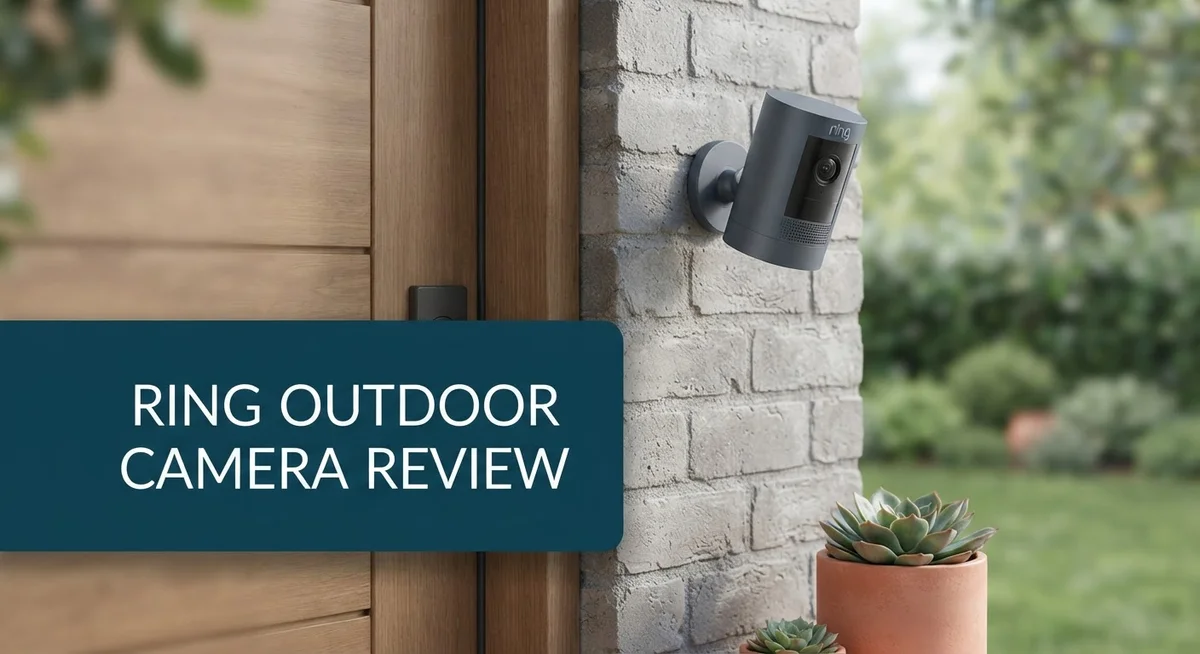
Ring Outdoor Camera Review 2026: Features, Performance & Comparison
Want a camera that watches your home day and night? The Ring Outdoor Camera does exactly that. It gives you clear video and smart alerts for your porch, yard, or driveway.
This camera lineup includes several models. Each one brings something different to your home setup.
The Outdoor Cam fits easily on a wall or table. The Outdoor Cam Plus steps up with sharper 2K video. The Spotlight Cam lights up motion and blasts a loud siren. The Spotlight Cam PRO goes further with stunning 4K Retinal resolution.
In a Nutshell
- The lineup includes the Outdoor Cam Plus with 2K resolution and battery power. The Spotlight Cam adds motion-activated lighting and a loud 110dB siren.
- The Spotlight Cam PRO steps things up with 4K Retinal resolution. This model captures sharp detail even in tricky lighting.
- Motion detection works well in most setups. Radar-based options catch movement early, giving you more time to react.
- The interface stays simple and easy to use. Footage looks clear during both day and night hours.
- These cameras handle corners and blind spots nicely. You get wide coverage without extra hardware.
- Some users report motion detection failing at random times. Settings can also shift on their own without warning.
- A subscription unlocks full features. The system also depends heavily on steady WiFi connection.
- Customer service issues pop up in user reports. Keep this in mind before you commit.
- Reolink stands out as a strong competitor. It offers better video quality and local storage without a subscription requirement.
Video Quality and Resolution
Ring’s camera lineup delivers different video quality levels depending on which model you choose. Each one captures footage that stays clear whether the sun is up or the night falls.
The Outdoor Cam Plus records in 2K resolution. This means you see fine details like faces and license plates from a decent distance. The sensor performs well in daylight, and night vision kicks in automatically when shadows grow. Colors stay accurate during the day, and the infrared mode handles darkness without washing out the image.
The Spotlight Cam PRO jumps to 4K Retinal resolution. This higher quality captures even sharper details across your property. You notice the difference most when you zoom into footage or need to identify someone specific. The extra pixels give you more room to crop and examine specific areas of your yard.
Both models use advanced sensors that adjust to changing light conditions. Sunrise and sunset transitions happen smoothly without sudden brightness shifts. Rain and fog do affect clarity like any outdoor camera, but the footage remains watchable.
The motion activated lighting on Spotlight models pairs with video capture. When motion triggers, the light illuminates your yard at the same moment recording starts. This combination helps the camera capture better lit footage during nighttime events.
One thing to know: video quality depends on your WiFi connection. A weak signal can cause the camera to lower resolution automatically to keep the stream smooth. Strong WiFi means you get the full quality the camera offers.
Users report that daytime footage looks sharp and natural. Night vision produces clear black and white images that let you see movement and shapes easily. The wide angle lens covers a large area, though corners sometimes show slight distortion like most security cameras.
Ring stores footage in the cloud through their subscription service. You can review recordings anytime through the app. The system keeps recent footage available for quick access, and older clips stay archived if you need them later.


Last update on 2026-09-19 / Affiliate links / Images from Amazon Product Advertising API Some of the links on this website are affiliate links, which means that at no additional cost to you, I earn a commission if you click through and make a purchase. I only recommend products and services that I believe will add value to my readers. Thank you for your support!
Design, Installation, and Placement Options
Ring’s outdoor cameras give you flexibility in how you set them up. The Outdoor Cam works as either a wall mounted device or a tabletop unit. This dual approach means you can place it almost anywhere around your property.
The physical dimensions matter for tight spaces. The Outdoor Cam Plus measures 2.6 inches by 2.6 inches by 5.0 inches. This compact size lets you tuck the camera into corners or narrow spots where larger cameras would stick out.
Battery power changes the installation game. The Outdoor Cam Plus runs on batteries, so you skip the wiring headache entirely. You simply mount it, insert batteries, and connect to your WiFi network. No electrician visits needed.
The Spotlight Cam and Spotlight Cam PRO add motion activated lighting to the mix. This feature means the light turns on when motion triggers the sensor. Installation for these models follows the same simple wall mount process.
Placement matters more than you might think. Corners and blind spots are ideal locations for these cameras. Ring cameras excel at covering areas that other setups miss. You can monitor side yards, entryways, and garage corners without extra equipment.
WiFi connectivity determines where you can actually place your camera. Your signal strength affects video quality and reliability. Position the camera within reasonable range of your router for steady performance.
The user interface makes setup straightforward. Ring’s app walks you through each step. You connect to WiFi, name your camera, and adjust settings all from your phone.
One practical tip: test your WiFi signal at the planned installation spot before mounting. Walk around with your phone and check signal bars. A weak signal in that location means potential video problems later.
Ring cameras mount easily without special tools. Most people finish installation in under ten minutes. The process feels intuitive even if you have never installed a security camera before.
Motion Detection and Smart Features
Ring’s motion detection system uses advanced radar-based technology on select models. This means your camera can sense movement even before a person appears on screen. The system works by analyzing patterns and filtering out false alarms from trees, shadows, or passing cars.
You get customizable motion zones with Ring cameras. You can adjust sensitivity levels to match your specific environment. This helps reduce unnecessary alerts during windy days or when neighbors walk by. The app lets you fine-tune these settings in seconds.
Smart features go beyond basic motion alerts. Ring cameras send instant notifications to your phone when activity happens. You can set different alert levels for day and night. The system learns your home’s typical patterns over time.
One important note: some users report that motion detection occasionally fails without warning. Settings have changed unexpectedly for certain owners. This means you should test your camera regularly and check notifications to catch any issues early.
The 110dB siren on Spotlight models adds a deterrent layer. When motion triggers this alarm, it produces a loud sound that scares away potential intruders. Combined with video recording, this creates a strong security response.
Integration with other smart home devices matters too. Ring cameras connect with Alexa and other Ring products. You can create automation routines that trigger lights or locks when motion occurs. This ecosystem approach makes your home security more cohesive.
Night vision performance deserves mention here. Ring cameras switch to infrared automatically in low light. The footage remains clear enough to identify people and objects. Color night vision appears on higher-end models for better detail.
Cloud storage through Ring’s subscription service keeps your motion-triggered clips safe. You can review events from the past 60 days. Local storage options are limited, so cloud backup becomes essential for most users.
WiFi stability directly impacts motion detection reliability. A weak connection can cause missed alerts or delayed notifications. Strong WiFi signal strength ensures your camera responds quickly to movement.
Top 3 Alternatives
Wyze Cam Outdoor

Last update on 2026-10-09 / Affiliate links / Images from Amazon Product Advertising API Some of the links on this website are affiliate links, which means that at no additional cost to you, I earn a commission if you click through and make a purchase. I only recommend products and services that I believe will add value to my readers. Thank you for your support!
The Wyze Cam Outdoor gives you simple security without complexity. This camera works with your smartphone, so you watch your home from anywhere. It records in 1080p and sees clearly at night with infrared vision.
You get free cloud storage for 14 days. The camera handles rain and snow well. Setup takes just minutes, and it connects to your WiFi easily. Motion alerts notify you right away when something moves.
Arlo Essential Outdoor

Last update on 2026-10-09 / Affiliate links / Images from Amazon Product Advertising API Some of the links on this website are affiliate links, which means that at no additional cost to you, I earn a commission if you click through and make a purchase. I only recommend products and services that I believe will add value to my readers. Thank you for your support!
Arlo Essential Outdoor offers wire-free convenience with strong battery life. This camera records in 1080p and delivers color night vision. You mount it anywhere without running cables.
The system sends instant alerts to your phone. Two-way talk lets you speak through the camera. Arlo stores video in the cloud, and you can review it anytime. Weather resistance keeps it working through harsh conditions.
Logitech Circle View

Last update on 2026-10-09 / Affiliate links / Images from Amazon Product Advertising API Some of the links on this website are affiliate links, which means that at no additional cost to you, I earn a commission if you click through and make a purchase. I only recommend products and services that I believe will add value to my readers. Thank you for your support!
Logitech Circle View brings reliable outdoor monitoring to your property. The camera records in 1080p with night vision capability. You access live video and recordings through the Logitech app.
This camera mounts easily on walls or under eaves. Motion detection triggers alerts on your device. The system stores footage securely in the cloud. Person detection helps reduce false alarms from animals or passing cars.
All three options give you solid outdoor security. Wyze works best for budget-conscious users. Arlo suits those who want battery power and flexibility. Logitech fits people who prefer a simple, straightforward system. Choose based on your specific needs and home setup.
Night Vision and Low-Light Performance
Ring’s outdoor cameras handle low-light situations with dedicated night vision technology. The infrared LED array activates automatically when darkness falls, giving you clear footage even in complete blackness.
The Outdoor Cam Plus and Spotlight Cam PRO both perform well after sunset. You get grayscale video that captures details like facial features and clothing colors. The sensors work hard to balance brightness levels so you don’t see washed-out or overly dark frames.
What makes a real difference is the Spotlight Cam’s motion-activated lighting feature. When movement triggers the camera, the built-in light floods the area instantly. This combo of light plus night vision gives you color footage instead of just black and white. Many users find this approach stops suspicious activity before it happens.
The 4K Retinal resolution on the Spotlight Cam PRO shines in low-light conditions. More pixels mean you catch finer details. License plates, faces, and clothing patterns stay visible even when illumination is poor.
One thing to remember: night vision quality depends on infrared range. Ring cameras typically cover 30 to 50 feet in darkness. Beyond that distance, footage becomes grainy. Placement matters here. Position your camera closer to entry points or high-traffic areas for best results.
WiFi strength affects night vision too. A weak connection causes the camera to compress video files, which reduces clarity. Ensure your installation spot has strong signal before mounting.
Some users report that low-light performance varies between models. The Spotlight Cam PRO outperforms the basic Outdoor Cam in darkness. If night vision is your priority, the higher-end models deliver better results.
Ring’s night vision activates without any manual adjustment. The camera switches modes automatically as light fades. You don’t need to change settings or flip switches. This hands-off approach keeps monitoring simple and reliable throughout the day and night.
Subscription Requirements and Connectivity
Ring outdoor cameras require an active subscription to unlock their full potential. This is one key difference you’ll notice compared to some competitors like Reolink, which offers local storage without a subscription requirement.
The subscription service handles cloud storage for all your video clips and motion alerts. When your camera detects activity, Ring sends the footage to the cloud automatically. You can then access these recordings from anywhere using the Ring app on your phone.
WiFi connectivity is absolutely essential for these cameras to function properly. Your internet connection must remain stable for live view, two-way talk, and instant notifications. If your WiFi signal drops, you lose real-time access to your camera feed.
Before installation, check your WiFi strength at the exact spot where you plan to mount the camera. Weak signals cause delayed alerts and missed recordings. Ring’s app includes a WiFi signal test feature you can use during setup.
The subscription also enables advanced features beyond basic recording. Smart notifications become more accurate with an active plan. You get person detection, package alerts, and motion zone customization through the cloud service.
One thing to keep in mind: connectivity issues sometimes cause motion detection to fail randomly. Some users report that their settings change without any action on their part. These problems often relate to WiFi instability or subscription service hiccups rather than the camera hardware itself.
Ring offers different subscription tiers depending on your needs. A basic plan covers one camera, while higher tiers support multiple devices across your home. You choose the plan that matches how many cameras you want to monitor.
The trade off is clear: you gain reliable cloud backup and smart features, but you lose complete independence from Ring’s service. If the subscription service goes down, you cannot access recorded footage during that time.
For users who want zero subscription requirements, local storage options exist elsewhere. However, Ring’s ecosystem is specifically built around cloud connectivity and subscription benefits working together seamlessly.
Pros and Cons
Pros
- User-friendly app makes setup and daily use simple for most people
- Sharp, clear video in daylight and excellent night vision performance across all models
- Radar-based motion detection on premium models catches activity other cameras miss
- 110dB siren on Spotlight models deters intruders with loud audio alerts
- Works well for monitoring corners and blind spots around your home
Cons
- Motion detection occasionally fails without warning, leaving gaps in your footage
- WiFi connection issues can disrupt alerts and cause the camera to stop recording
- Subscription required for cloud storage and most advanced features you’ll want to use
- Some users report settings mysteriously change on their own between uses
Who Should Buy It
Ring outdoor cameras work best for homeowners who want straightforward security without steep learning curves. If you’re new to smart home tech, the user-friendly app makes setup simple. You’ll get motion alerts on your phone within minutes of mounting the camera.
You should buy a Ring camera if you have WiFi coverage near your installation spot. These cameras depend entirely on your internet connection. Check your WiFi signal strength before committing to a location. Weak signals cause missed alerts and recording gaps.
Renters and temporary residents benefit from Ring’s flexibility. Wall mounting takes minutes, and you can remove the camera without damage. Battery powered models like the Outdoor Cam Plus need no wiring at all.
The Spotlight Cam appeals to homeowners who want active deterrents. The motion activated lighting and 110dB siren stop intruders before they act. This model works best if you have darker corners or blind spots around your property that need extra attention.
Consider the Spotlight Cam PRO if you monitor high traffic areas. The 4K Retinal resolution captures fine details like faces and license plates. Low light performance matters most here, and this model delivers.
Skip Ring cameras if you want zero subscriptions. Cloud storage and advanced features require an active subscription. You’ll need to commit to ongoing costs for full functionality.
Homeowners frustrated by motion detection failures should look elsewhere. Some users report random gaps where the camera stops detecting activity. This inconsistency can compromise your security coverage.
The Reolink alternative suits people who want local video storage without subscriptions. Reolink offers better video quality in some cases and doesn’t force cloud reliance.
Choose Ring if you value simplicity and quick setup. The cameras perform well in daylight and darkness. Integration with other Ring devices like doorbells makes your whole system cohesive.
Ring cameras fit your needs if you accept WiFi dependency and subscription requirements. You get reliable daytime footage, solid night vision, and an intuitive app. Just remember that connectivity issues can disrupt your security at critical moments.
Final Verdict
Ring outdoor cameras deliver solid everyday security for most households. They capture clear footage and alert you to motion around your property. The app feels simple, even for first time users.
These cameras shine brightest for people who want quick setup without technical headaches. You get a system that works out of the box in most cases. That simplicity carries real value for busy homeowners.
Still, no camera system is perfect. Random motion detection glitches can leave you with gaps in coverage you did not expect. Settings sometimes shift on their own, which frustrates users who rely on consistent alerts.
If you want a camera that just works without much thought, Ring fits that need well. The interface stays friendly and the night vision performs reliably across models. Corner and blind spot coverage remains a standout strength.
However, think carefully if subscription fees feel like a dealbreaker for you. Many advanced features stay locked behind that paywall. This matters a lot if you want full functionality from day one.
Compare this against Reolink if local storage appeals to you more than cloud based systems. That alternative skips subscriptions entirely and offers sharper video in some models. Your choice depends on what matters most to your household.
For most buyers, Ring strikes a fair balance between ease of use and solid performance. The occasional software hiccup does not erase the convenience it brings daily. Many users find the trade off worth it for the peace of mind they gain.
Think about your specific needs before deciding. Do you want a plug and play experience, or do you prioritize having zero subscriptions? Your answer will point you toward the right camera system.
Ring remains a strong contender in the outdoor security camera space. It handles the basics well and adds some premium touches on higher end models. Just stay aware of its occasional quirks before you commit.
Frequently Asked Questions
Can I use a Ring outdoor camera without WiFi?
No. Ring cameras need a strong WiFi connection to work properly. They send video to the cloud and push alerts to your phone through your home network. If your WiFi drops, the camera stops recording and you won’t get notifications. Make sure your router is close enough to your installation spot before you buy.
Which Ring outdoor camera is best for dark areas?
All Ring models have night vision, so they work well in low light. The Spotlight Cam and Spotlight Cam PRO stand out because they add motion activated lighting. This means the camera turns on a bright light when it detects movement. The PRO version captures 4K video, so you get sharper details even at night.
Do I need a subscription to use Ring outdoor cameras?
Yes. Basic cloud storage and most features require a Ring subscription. Without it, you lose access to video recordings and advanced motion alerts. Local storage options don’t exist on Ring cameras, unlike some competitors. This is an important factor to consider before purchasing.
How accurate is the motion detection?
Motion detection works well on premium models with radar technology. However, some users report random failures where the camera misses activity entirely. Settings can also change without your action, which disrupts your setup. If motion detection reliability is critical for you, research other brands first.
What’s the difference between Spotlight Cam and Spotlight Cam PRO?
The main difference is video quality. The standard Spotlight Cam records in 2K resolution. The PRO version jumps to 4K Retinal resolution, giving you much sharper footage. Both have the 110dB siren and motion activated light. Choose the PRO if you monitor busy areas where detail matters.

Hello everyone my name is Alenya and i am a gadget discovering Enthusiast 🐻🐻