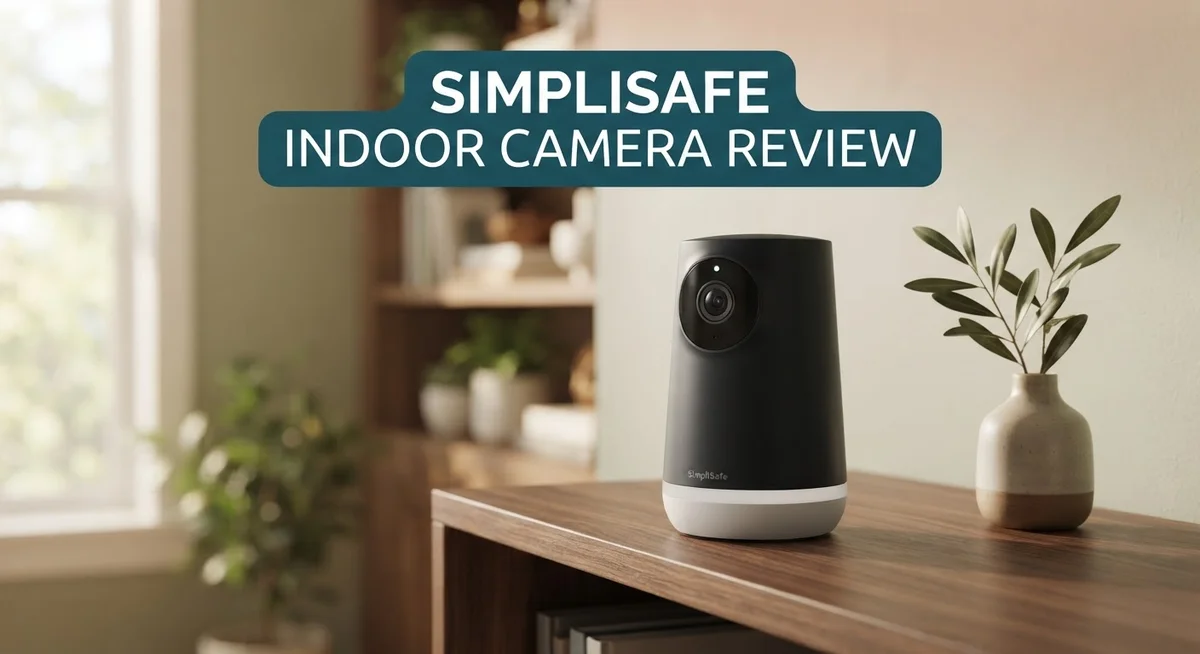
SimpliSafe Indoor Camera Review 2026: Top Tier or Trash?
Want to keep your home safe without complex setups? The SimpliSafe Indoor Camera might be your answer.
This camera offers sharp 1536p video resolution. It captures every detail with clarity, from faces to small objects. With 10x zoom and AI detection, you get smart monitoring. The camera even recognizes pets, so you won’t get false alerts every time your dog walks by.
In this review, we will break down every feature. You will learn how this camera compares to competitors like Google Nest and Vivint, and whether it truly earns a spot in your home.
In a Nutshell
- Smart Detection: The camera tells pets apart from people. This cuts down on false alerts and keeps you focused on real threats.
- Flexible Installation: Choose wired or wireless setup based on your home needs. Both options work smoothly with the SimpliSafe system.
- Complete Kit Options: Many packages include a base station, keypad, and sensors. You get a full security system, not just a camera.
- Remote Control: Arm or disarm your system from anywhere using the app. This gives you control even when you are away.
- Strong App Support: The app holds a 4.8 star rating on iOS and 4 stars on Android. Users find it reliable and easy to navigate.
- Minor Drawback: The keypad screen still uses an old black and white display. It works fine but feels outdated compared to newer tech.
Video Quality and Resolution
The SimpliSafe Indoor Camera delivers crisp and clear video that captures every detail in your home. The 1536p resolution provides excellent picture quality for monitoring your rooms throughout the day and night.
The camera uses a wide angle lens to cover your entire room in a single view. You won’t miss any corners or blind spots. This full room coverage means fewer cameras needed to protect your space.
Zoom capability sets this camera apart from basic models. The 10x zoom lets you get closer to details without moving the camera itself. If motion happens across your room, you can zoom in to see exactly what triggered the alert.
Night vision works smoothly thanks to infrared technology. You get clear footage even when lights are off. This matters most for bedrooms, basements, and dark hallways where visibility drops at night.
The app shows video in real time on your phone or tablet. You can watch live feeds from anywhere with an internet connection. The video streams smoothly without major lag or buffering issues.
AI detection improves how the camera identifies what it sees. The system learns to spot people, pets, and packages separately. This smart filtering reduces false alerts from shadows or moving curtains.
The 1080p option works well if you prefer a lighter file size. The 4MP models offer another choice for different needs. All versions maintain the same wide angle coverage and zoom features.
Video quality remains consistent during the day and at night. The camera adjusts automatically to changing light levels. Bright sunlight doesn’t wash out your footage, and dim rooms stay visible.
Storage connects to the SimpliSafe app and cloud system. Your video clips save automatically when motion happens. You can review recordings anytime through the app interface.
The combination of high resolution, wide coverage, and smart detection makes video monitoring straightforward. You get professional quality footage without complicated setup or confusing settings. Every frame captures what matters most for your home security.


Last update on 2026-10-09 / Affiliate links / Images from Amazon Product Advertising API Some of the links on this website are affiliate links, which means that at no additional cost to you, I earn a commission if you click through and make a purchase. I only recommend products and services that I believe will add value to my readers. Thank you for your support!
Installation and Setup
Getting your SimpliSafe Indoor Camera up and running takes just a few minutes. The process feels straightforward from start to finish.
Physical Setup begins when you unbox the camera. You get the main unit, a power adapter, and mounting hardware. Decide whether you want to mount it on a wall, shelf, or use the included stand. The camera works both wired and wireless, so pick what suits your space best.
Connect the camera to power next. If you choose the wired option, run the cable to your preferred location. The wireless version gives you more flexibility to place the camera anywhere in your room without hunting for outlets.
App Installation happens on your smartphone or tablet. Download the SimpliSafe app from your device’s app store. Create an account or log in if you already have one. The app walks you through each step with clear instructions and helpful images.
Once the app is open, add your new camera to your system. The app asks you to scan a QR code on the camera or enter a code manually. This links your camera to your SimpliSafe account instantly.
Network Connection comes next. Your camera needs to connect to your home WiFi. Enter your WiFi password in the app, and the camera joins your network. The connection happens in seconds on most home systems.
Position your camera for the best view. The wide angle lens covers a full room, but placement matters. Point it toward the areas you want to monitor most. Avoid pointing it directly at windows or bright lights, as this can affect video quality.
Final Testing ensures everything works correctly. Open the live view in your app and check the video feed. Test the zoom function and motion alerts. Adjust settings like sensitivity levels to match your home’s needs.
The entire process typically takes under 15 minutes. No special tools or technical skills are required. SimpliSafe designed this camera for anyone to install, whether you rent or own your home.
Motion Detection and AI Features
SimpliSafe’s motion detection system uses smart AI to understand what’s happening in your home. The camera separates real threats from everyday activity, so you get alerts that actually matter.
Pet aware technology stops false alarms when your dog or cat walks across the room. Your pets move freely while the system stays focused on people. This feature saves you from dozens of pointless notifications every single day.
The camera detects motion across its entire field of view thanks to the wide angle lens. You see everything from one corner to the other without blind spots. Motion triggers happen fast, and you get notified right away on your phone.
AI detection works by learning what normal looks like in your space. The system knows the difference between a shadow, a person, and a package delivery. This intelligence means fewer false alarms and more reliable protection when you need it.
The 10x zoom capability lets you get a closer look at what triggered the alert. You can examine details without moving the camera or adjusting angles. This helps you verify if something actually needs your attention.
The built in siren adds an extra layer of security. When motion gets detected, the camera can sound an 80 dB alarm to scare off intruders. This happens instantly and doesn’t require any additional equipment.
Real time alerts come straight to your phone or tablet. You see video within seconds of motion being detected. The app shows exactly where in your room the motion occurred, so you know what to check.
Night vision uses infrared technology to keep watching even in complete darkness. Motion detection works just as well at night as it does during the day. You get the same level of protection around the clock.
The system learns your home’s patterns over time. It adjusts to your daily routines and schedules. This means the AI gets smarter and more accurate the longer you use it.
Top 3 Alternatives
Wyze Cam v3

Last update on 2026-09-19 / Affiliate links / Images from Amazon Product Advertising API Some of the links on this website are affiliate links, which means that at no additional cost to you, I earn a commission if you click through and make a purchase. I only recommend products and services that I believe will add value to my readers. Thank you for your support!
The Wyze Cam v3 offers clear night vision with infrared technology. You get a 1080p resolution that captures fine details in your home. The camera works with both 2.4GHz and 5GHz Wi-Fi networks, so you have flexibility with your setup.
This model includes two-way audio, letting you speak through the camera to people in your space. Motion detection alerts notify you instantly when activity happens. The camera stores video locally on a microSD card, giving you control over your footage without relying only on cloud storage.
Ring Indoor Cam

Last update on 2026-10-14 / Affiliate links / Images from Amazon Product Advertising API Some of the links on this website are affiliate links, which means that at no additional cost to you, I earn a commission if you click through and make a purchase. I only recommend products and services that I believe will add value to my readers. Thank you for your support!
Ring Indoor Cam connects easily to your existing Ring ecosystem. The camera streams in 1080p HD and includes night vision for dark environments. You get motion alerts sent straight to your phone whenever movement occurs.
The two-way talk feature lets you communicate through the device from anywhere. Ring offers cloud storage options so your videos stay safe and accessible. The compact design fits neatly on shelves or desks without taking up much space. Integration with Alexa devices makes voice control simple and convenient.
Arlo Essential Indoor

Last update on 2026-10-14 / Affiliate links / Images from Amazon Product Advertising API Some of the links on this website are affiliate links, which means that at no additional cost to you, I earn a commission if you click through and make a purchase. I only recommend products and services that I believe will add value to my readers. Thank you for your support!
Arlo Essential Indoor provides 1080p video quality with a wide viewing angle. The camera features night vision and detects motion reliably. You receive instant notifications when activity triggers the sensor.
The two-way audio system lets you interact with people in your home remotely. Arlo’s cloud storage keeps your recordings secure and organized. The camera works with Alexa and Google Assistant for voice command compatibility. Setup takes minutes, and the camera mounts easily on walls or stands independently on surfaces.
App Performance and Remote Access
The SimpliSafe app makes remote access simple and straightforward. You download the app on your smartphone or tablet and gain instant control over your indoor camera from anywhere. The app holds a strong 4.8 star rating on iOS and 4 star rating on Android, which shows users find it reliable and easy to use.
Remote viewing happens in real time. You see live video feed directly on your phone screen whenever you want. The app displays video smoothly without annoying delays. You can check on your home during work, while traveling, or anytime you need peace of mind.
The app lets you arm and disarm your system remotely. This feature proves useful when family members arrive home or when you need to adjust security settings from a distance. Notifications arrive instantly when motion triggers your camera. You receive alerts right on your phone so you know what’s happening the moment it occurs.
Accessing recordings works seamlessly through the app. You can review past video clips whenever needed. The cloud storage system keeps your footage safe and organized. You browse through events by date and time to find exactly what you’re looking for.
The app interface keeps things simple and clean. New users don’t need technical skills to navigate the system. Icons and buttons make sense at first glance. You find what you need without confusion or frustration.
Zooming in on details happens with just a tap. The 10x zoom feature lets you examine specific areas of your recorded footage. You can identify people, packages, or other important details without leaving your phone.
The app also handles multiple cameras if you add more to your system. You switch between different rooms easily. Managing your entire home security setup stays simple even with several devices connected.
Battery status and connection strength appear on your app screen. You always know if your camera is working properly and has good power. The SimpliSafe app keeps you informed and in control of your home’s security at all times.
Audio and Alert Capabilities
SimpliSafe’s indoor camera delivers solid audio and alert capabilities that keep you informed about what happens in your home. The 80 dB built-in siren provides an immediate deterrent when motion is detected, making intruders think twice about entering your space.
The camera sends real time alerts straight to your phone the moment it spots something unusual. You get notified instantly, whether you’re at work, running errands, or anywhere else. This means you never miss important events happening inside your home.
The alert system works hand in hand with SimpliSafe’s smart AI detection. Once the camera learns what normal activity looks like in your space, it reduces false alarms triggered by pets or shadows. Pet aware technology specifically stops unnecessary notifications when your dog or cat moves around the room. This feature saves you from constant buzzing on your phone throughout the day.
When an alert comes through, you can tap into the app and see live video immediately. The 10x zoom capability lets you examine details more closely to understand exactly what triggered the alarm. This helps you decide whether to contact authorities or if it was a false alarm.
The camera’s wide angle lens means it covers your entire room, so motion detection happens across the full field of view. Nothing moves without being noticed. At night, infrared technology keeps the camera watching even in complete darkness, and alerts work just as well as they do during the day.
SimpliSafe’s app interface keeps alert management simple and straightforward. You can review past video clips whenever you want to understand what happened. The system also lets you arm and disarm your security setup remotely, giving you complete control over when alerts activate.
If you add multiple cameras to your system, the app handles all of them seamlessly. Each camera sends its own alerts, and you can manage them all from one place. This scalability makes SimpliSafe flexible for homes of any size.
Pros and Cons
Pros
- Installation takes just minutes with no complicated setup needed
- The app earns high ratings from users on both iOS and Android platforms
- Complete system kits include the base station, keypad, and door/window sensors all together
- Pet aware motion detection stops false alarms when your furry friends move around
- 80 dB siren provides an immediate deterrent when motion is detected
Cons
- The keypad display shows only black and white, giving it an outdated appearance
- SimpliSafe doesn’t share detailed performance metrics specific to the camera itself
- Limited information available about how the camera performs in various lighting conditions
Who Should Buy It
SimpliSafe’s indoor camera works best for homeowners who want straightforward home security without technical headaches. If you prefer simple setup and quick installation, this camera fits your needs perfectly.
You should consider this camera if you live in a rental or don’t want permanent installations. The wireless option means no drilling or wall damage. You can move it to different rooms whenever you want.
Parents monitoring their homes find real value here. You get live video feeds on your phone instantly. The app alerts you the moment motion happens. You can check on your house from work, while traveling, or during the night with just a few taps.
Pet owners benefit from the smart motion detection that ignores your cats and dogs. This stops annoying false alarms that trigger your siren constantly. Your furry friends can move around freely without setting off notifications.
This camera suits people who already use SimpliSafe systems or plan to build one. The camera integrates seamlessly with their base station and keypad. You control everything from one app instead of juggling multiple apps for different devices.
Homeowners wanting room coverage without blind spots appreciate the wide angle lens. It captures your entire space in one view. The 10x zoom lets you examine details when you review recordings later.
You’re a good fit if you want an 80 dB siren that acts as an immediate deterrent. This loud alarm discourages intruders the moment motion triggers it.
However, skip this camera if you need advanced features or detailed technical specifications. SimpliSafe doesn’t publish specific performance data for various lighting conditions. The keypad display looks outdated with its black and white screen, which bothers some users.
This camera works great for people seeking reliable basics over fancy extras. You get what you need without confusing options. The high app ratings from iOS and Android users show real customers are satisfied with their experience.
Final Verdict
The SimpliSafe Indoor Camera stands out as a smart choice for everyday home security. It brings together solid AI detection, simple controls, and smooth app performance.
This camera fits well into a bigger security setup. It connects easily with sensors and the base station for a complete safety net.
Comparing it to competitors like Google Nest or Vivint, SimpliSafe holds its own. It focuses on core security needs without piling on extra features you may never use.
The 10x zoom and AI detection give you clear views when something happens. You get useful details instead of blurry guesses.
Some users might wish for a sharper keypad screen. That small flaw does not take away from the camera’s main job of keeping your space safe.
SimpliSafe keeps things simple and effective. The camera does what it promises without extra steps or confusing settings.
If you want a camera that works quietly in the background, this one delivers. It catches motion, sends alerts, and lets you check in from anywhere.
Families, renters, and first time security buyers will likely find this camera easy to live with. It asks little from you but gives steady peace of mind in return.
Compared to brands like Cove or ADT Blu, SimpliSafe offers a cleaner experience. The app feels more polished, and setup takes less effort overall.
Our final take: this camera suits anyone who wants dependable indoor monitoring without a steep learning curve. It handles the basics well and adds smart touches like pet aware detection.
You don’t need to be tech savvy to enjoy this camera. Just plug it in, connect the app, and you’re ready to watch over your home.
For most households, this camera checks the right boxes. It offers solid performance, smart alerts, and a system that grows with your needs.
Frequently Asked Questions
Does the SimpliSafe Indoor Camera work with other security brands?
SimpliSafe cameras integrate best within the SimpliSafe ecosystem. The system works smoothly if you already own SimpliSafe sensors, keypads, and base stations. You can control everything from one app and receive alerts together.
If you use other brands, compatibility becomes limited. SimpliSafe focuses on creating a unified experience for its own products rather than bridging multiple platforms.
What video resolution should I expect?
The SimpliSafe Indoor Camera captures video at 1536p resolution. This gives you clear footage for most home security needs. The camera also offers 1080p and 4MP options depending on your model.
10x zoom with AI detection helps you identify details when motion occurs. You get sharp images without needing multiple cameras in one room.
Can the camera distinguish between pets and intruders?
Yes. The pet aware motion detection feature stops false alarms when your cats or dogs move around. This means fewer notifications about your furry friends and more focus on real threats.
The AI detection works in the background automatically. You don’t need to adjust settings or create special zones.
How does the siren feature work?
An 80 dB built in siren activates when the camera detects motion. This provides an immediate deterrent without requiring you to respond manually. The loud noise often stops unwanted activity before it escalates.
You control the siren settings through the SimpliSafe app. Turn it on or off based on your preferences and daily routines.
Is installation difficult for renters?
Installation is straightforward and renter friendly. The camera mounts easily without permanent damage to walls. Wireless options mean you skip drilling and complex wiring entirely.
Most people complete setup in minutes using the SimpliSafe app. No technical experience required.

Hello everyone my name is Alenya and i am a gadget discovering Enthusiast 🐻🐻