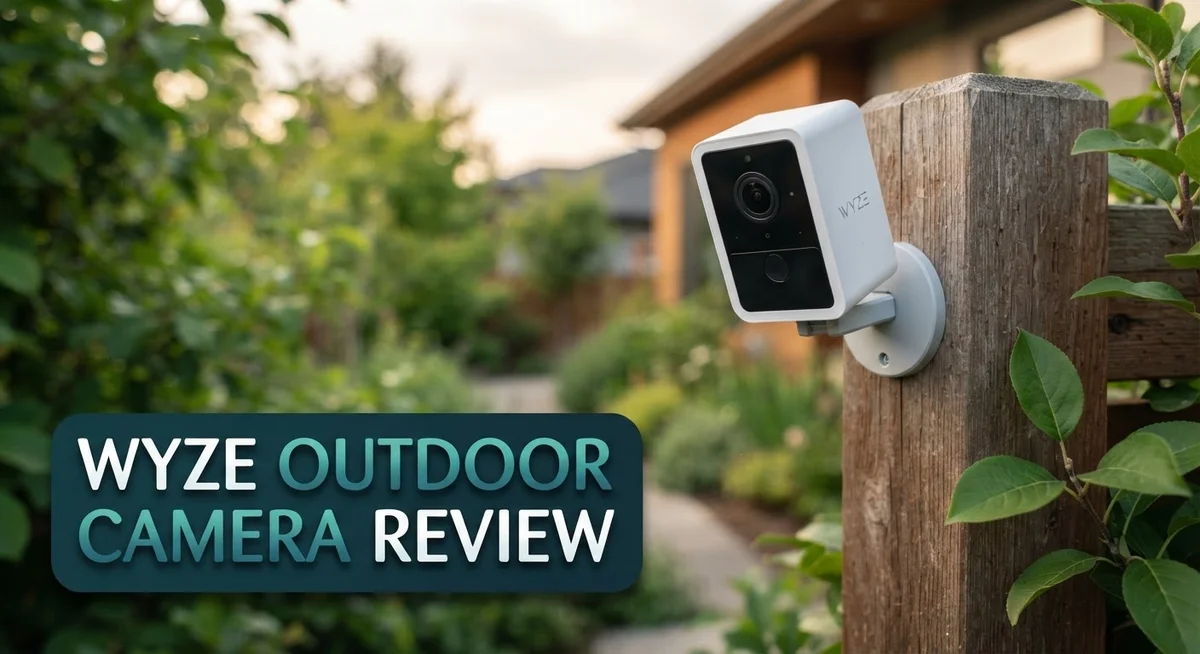
Wyze Outdoor Camera Review 2026: Features, Performance, and Reliability
Want a camera that watches your home without watching your wallet? The Wyze Outdoor Camera might be your answer. This small device packs a punch for outdoor security.
It offers 1080p video resolution and an 8x digital zoom. You get a wide 130 degree viewing angle too. That means you see more of your yard, driveway, or porch in one shot.
This camera runs on battery power. You get a 2,600mAh battery that keeps it running without constant charging. Offline recording means you capture footage even without Wifi.
In a Nutshell
- Wide 130 degree view: This camera watches a large stretch of your yard or porch in one single frame. You get fewer blind spots around your property.
- Offline recording keeps footage safe: Even if your Wi-Fi drops, the camera still saves clips. You will not lose important moments during an outage.
- Universal mounting makes placement flexible: You can attach it to walls, corners, or posts. This gives you freedom to point the lens exactly where you need it.
- Setup feels quick and simple: Most users get their camera running within minutes. No technical background is needed to start.
- No monthly subscription required: You keep full access to your footage without extra fees. This makes long term ownership stress free.
- A few users mention connectivity hiccups and occasional video freezing. Reliability can vary depending on your home network strength.
- Against rivals like Blink, Nest, Eufy, and Zmodo, Wyze still holds a solid spot for everyday outdoor monitoring needs.
Key Features and Specifications
The Wyze Outdoor Camera packs solid hardware into a compact design. You get 1080p video resolution that captures clear details in daylight and low light conditions. The 8x digital zoom lets you inspect specific areas without moving the camera itself.
The viewing angle spans 130 degrees, which means one camera covers a substantial portion of your yard or entryway. This wide field eliminates blind spots that plague narrower cameras. You see more without installing multiple units.
Battery power keeps this camera flexible. The 2,600mAh batteries deliver extended runtime between charges. Many owners report going weeks before needing a recharge, depending on activity levels and usage patterns. You won’t find yourself constantly swapping batteries or hunting for outlets.
Two-way audio transforms this from a passive viewer into an interactive device. You can hear what happens outside and respond in real time. Talk to delivery personnel, communicate with family members, or deter unwanted visitors with your voice.
The offline recording capability protects your footage even when internet fails. Your camera continues capturing video to local storage. This means you don’t lose critical moments just because Wi-Fi dropped. When connectivity returns, you access your saved clips without gaps.
Universal mounting gives you installation freedom. Attach the camera to walls, corners, eaves, or fence posts using the included brackets. The flexible design adapts to your home’s unique layout and your security priorities.
One standout feature is the absence of mandatory subscriptions. You own your footage outright. Access your clips, adjust settings, and manage alerts without monthly fees eating into your budget. This keeps long-term ownership costs predictable.
The camera connects through Wi-Fi for remote viewing and alerts. This wireless approach simplifies setup but does introduce dependency on your internet connection. Some users report occasional connectivity hiccups where the camera stops responding temporarily. Video freezing occurs in rare instances, though most owners experience stable performance overall.
These specifications combine affordability with practical functionality. The camera delivers the core features you need for basic property monitoring.


Last update on 2026-09-22 / Affiliate links / Images from Amazon Product Advertising API Some of the links on this website are affiliate links, which means that at no additional cost to you, I earn a commission if you click through and make a purchase. I only recommend products and services that I believe will add value to my readers. Thank you for your support!
Video Quality and Night Vision Performance
The Wyze Outdoor Camera delivers crisp daytime performance that impresses most users. The 1080p resolution captures clear details of visitors, packages, and yard activity during daylight hours. Colors appear accurate, and the 8x digital zoom lets you inspect specific areas without losing too much detail.
Night vision is where this camera truly shines. The enhanced night vision mode produces surprisingly clear footage in low light conditions. You can identify people and objects even after sunset. The infrared technology activates automatically when darkness falls. Most users report that nighttime clips are watchable and useful for security purposes.
The 130-degree viewing angle maximizes coverage in both daytime and night scenarios. This wide perspective means fewer blind spots around your property. One camera can monitor a substantial porch or driveway area effectively.
However, some limitations exist. The 1080p resolution sits at the entry level compared to higher-end competitors. If you need extreme zoom capabilities, the 8x digital zoom may feel limiting. Zoomed footage can appear slightly pixelated on larger screens.
Video performance depends heavily on lighting conditions. In complete darkness without nearby light sources, details become harder to distinguish. Rainy or foggy nights may reduce clarity further. The camera performs best when some ambient light is available, such as porch lights or street lamps.
A notable concern involves occasional video freezes reported by some users. Footage may stutter briefly or pause unexpectedly. This typically happens during high demand periods or when connectivity wavers. Most users experience this rarely, but it’s worth knowing.
Offline recording capability adds a practical layer to video quality management. Even if your Wi-Fi connection drops, the camera continues saving clips locally. This means you won’t miss important footage during connectivity issues.
The camera’s performance remains consistent across various weather conditions. Rain and cold temperatures don’t significantly degrade image quality. The sealed design protects internal components effectively.
Overall, the video quality and night vision meet expectations for a camera in this category. Daytime footage is reliable and clear. Night vision performs admirably without requiring external lighting. The occasional freezing and entry-level resolution represent the main trade-offs to consider.
Battery Life and Power Management
The Wyze Outdoor Camera runs on two 2,600mAh batteries that power the entire system. Most users report getting several months of continuous operation before needing a replacement. The actual battery life depends on how often the camera records and how frequently it connects to your network.
Motion detection significantly impacts battery drain. When the camera detects movement, it records and sends alerts. Cameras positioned in high-traffic areas will deplete batteries faster than those in quieter spots. You can adjust motion sensitivity settings to extend battery life if needed.
Weather conditions also affect power consumption. Cold temperatures reduce battery efficiency, so winter months may shorten your runtime. Hot summers typically provide better battery performance compared to freezing winters.
The camera supports offline recording, which means it stores footage locally even without Wi-Fi. This feature helps preserve battery power since the camera doesn’t constantly transmit data over wireless connections. Local storage reduces the strain on your batteries and keeps your footage safe during connectivity drops.
Replacing batteries is straightforward. You simply remove the old batteries and insert new ones. The process takes just a few minutes, and you don’t need technical skills. Wyze recommends using high-quality alkaline batteries for best results.
Power management features help optimize battery usage. The camera enters a low-power state during inactive periods. This smart approach means your batteries last longer between replacements.
Wi-Fi connectivity plays a role in battery consumption. Weak signal strength forces the camera to work harder, draining batteries more quickly. Positioning your camera within good range of your router helps maximize battery life.
Some users report that frequent reconnection attempts drain batteries faster. If your camera loses connection repeatedly, it consumes extra power trying to reconnect. Ensuring stable Wi-Fi coverage prevents this unnecessary drain.
The two battery system provides flexibility. You can keep spare batteries on hand and swap them out quickly. This means minimal downtime between replacements. Overall, the battery system offers practical power management for outdoor surveillance needs.
Top 3 Alternatives
Reolink RLC-810A

Last update on 2026-10-09 / Affiliate links / Images from Amazon Product Advertising API Some of the links on this website are affiliate links, which means that at no additional cost to you, I earn a commission if you click through and make a purchase. I only recommend products and services that I believe will add value to my readers. Thank you for your support!
The Reolink RLC-810A offers excellent night vision with its 4MP sensor and infrared capabilities. This camera works well for monitoring large outdoor areas. You get a wide 110-degree viewing angle that captures more of your property. The device connects via PoE (Power over Ethernet), which means stable power and data through one cable. Motion detection works quickly, and you can receive instant alerts on your phone. The build quality feels solid and handles rain and harsh weather without problems.
TP-Link Tapo C310

Last update on 2026-10-09 / Affiliate links / Images from Amazon Product Advertising API Some of the links on this website are affiliate links, which means that at no additional cost to you, I earn a commission if you click through and make a purchase. I only recommend products and services that I believe will add value to my readers. Thank you for your support!
TP-Link’s Tapo C310 brings smart features to outdoor surveillance. This camera includes a 2K resolution that delivers clear footage during the day. You’ll appreciate the two-way audio system for communicating with visitors or delivery drivers. The night vision performs decently in low-light conditions. Setup takes just minutes through the Tapo app. The device supports cloud storage and local storage options. Battery life lasts several months on a single charge, making it convenient for areas without nearby power outlets.
Eufy SoloCam E40

Last update on 2026-10-09 / Affiliate links / Images from Amazon Product Advertising API Some of the links on this website are affiliate links, which means that at no additional cost to you, I earn a commission if you click through and make a purchase. I only recommend products and services that I believe will add value to my readers. Thank you for your support!
Eufy’s SoloCam E40 stands out for its long battery life and wireless design. This 2K camera requires no monthly fees for cloud storage. You get local storage on the device itself, which many users prefer for privacy reasons. The motion detection uses AI to reduce false alarms from passing animals or trees. Installation happens quickly since you don’t need cables. Night vision works reliably in complete darkness. The weatherproof design withstands extreme temperatures and heavy rain. Eufy also includes a solar panel option to keep the battery charged indefinitely.
Setup, Installation, and Ease of Use
Getting your Wyze Outdoor Camera up and running is straightforward. Most users complete the entire process in under 10 minutes. The app walks you through each step with clear instructions and visual guides.
Start with the app download on your smartphone. Create your Wyze account or log in if you already have one. The app is available for both iOS and Android devices. You’ll need this to control your camera and receive alerts.
Next, power on the camera using the two included batteries. The LED indicator light shows you the current status. A blue light means the camera is ready to connect. Press and hold the setup button until you see a specific light pattern. This puts the camera into pairing mode.
Select your Wi-Fi network through the app. Enter your password carefully, as this is where most setup issues occur. The camera connects to 2.4GHz networks only, not 5GHz bands. Once connected, the app confirms the link with a notification.
Position your camera using the universal mount. This bracket works on walls, fences, and poles. Adjust the angle to cover your desired area. The 130-degree field of view gives you excellent coverage from most positions.
Test the two-way audio feature. Speak through the app and listen for the camera to pick up your voice. This confirms the microphone and speaker are working properly.
Enable motion detection in your settings. You can customize sensitivity levels based on your environment. Set up activity zones to reduce false alerts from trees or passing cars. Notifications will arrive on your phone when motion is detected.
The offline recording feature activates automatically. Your footage stores locally on the camera’s memory when Wi-Fi drops. This backup protection requires no extra steps from you.
Troubleshooting is simple if issues arise. Most connectivity problems resolve by moving your router closer or restarting the camera. The app includes a help section with common solutions. Support is available through the Wyze website if you need additional assistance.
Connectivity and Reliability
The Wyze Outdoor Camera relies on Wi-Fi connectivity to function at its best. Your camera connects wirelessly to your home network through the Wyze app. This wireless setup offers flexibility in placement but comes with trade-offs.
Connection stability matters most for real-time alerts and live viewing. Many users report strong performance during normal conditions. The camera maintains steady connection when positioned within reasonable range of your router. However, some users experience occasional disconnections after extended periods. Your camera may stop responding temporarily and require manual reconnection through the app.
Distance from your Wi-Fi router plays a critical role. Cameras placed far from the router experience weaker signals. Metal structures and thick walls can interfere with connectivity. Positioning your camera strategically helps maintain consistent performance.
Reliability concerns emerge in certain situations. Some users report that their cameras become unresponsive after days of operation. A simple restart through the app typically resolves these issues. Others mention that the camera occasionally drops connection during heavy network traffic. These instances remain relatively uncommon based on user feedback.
The offline recording feature provides a backup when Wi-Fi temporarily fails. Your camera stores footage locally on its internal storage. This means you won’t lose critical recordings even if your internet goes down. Footage syncs to the cloud once connectivity returns.
Weather resilience is generally solid. Rain, wind, and temperature changes don’t typically cause connection problems. The camera’s weatherproof design protects internal components from moisture and temperature fluctuations.
For best results, keep your router firmware updated. Ensure your Wi-Fi network operates on a strong channel with minimal interference. Place the camera within 30 feet of your router when possible. If you experience persistent issues, factory reset the camera and reconnect it fresh.
Most users find the Wyze Outdoor Camera reliable for everyday security monitoring. Connection drops remain infrequent enough that they don’t significantly impact typical usage. The combination of Wi-Fi connectivity and offline recording creates a dependable system for your property.
Pros and Cons
Pros
- Captures clear daytime video and delivers enhanced night vision performance
- Runs on battery power with solid longevity between charges
- Gets up and running quickly without complicated installation steps
- No monthly subscription fees required to access your footage
- Wide 130-degree viewing angle covers a large portion of your property
Cons
- Wi-Fi connection sometimes drops, causing the camera to stop responding after extended periods
- Video feeds occasionally freeze during live viewing sessions
- Some users experience reliability issues that interrupt monitoring
- Depends entirely on wireless connectivity, so signal strength matters for consistent performance
Who Should Buy It
The Wyze Outdoor Camera works best for homeowners who want straightforward security without complexity. You should consider this camera if you need basic monitoring of your property entrance, backyard, or driveway.
This camera suits you if you live in a stable Wi-Fi environment. Your router should be within reasonable range of where you plan to mount the camera. Strong wireless signals mean reliable alerts and smooth live viewing. If your home has dead zones far from your router, you may experience connectivity drops.
Budget conscious property owners find this camera appealing. You get 1080p video, two-way audio, and motion detection without ongoing subscription costs. Everything you record stays yours to access anytime through the app.
Renters benefit greatly from this option. The universal mount works on various surfaces without permanent installation. You can remove it when you move without leaving damage behind. Battery power means no wiring or electrical work required.
People who want simple setup and quick deployment should look here. The installation process takes minutes, not hours. Download the app, power on the camera, connect to Wi-Fi, and you’re monitoring. No technical expertise needed.
This camera fits homeowners seeking broad coverage of outdoor spaces. The 130-degree viewing angle captures most of what happens across your property. You can monitor multiple entry points with strategic placement.
However, skip this camera if you need absolute reliability. Some users report that the Wi-Fi connection drops after extended periods. Video occasionally freezes during live viewing. These issues matter if you depend on real-time monitoring for critical security needs.
You should also reconsider if your Wi-Fi network is unstable or distant from outdoor areas. The camera performs best with strong, consistent connectivity. Weak signals lead to frustration and missed alerts.
The Wyze Outdoor Camera works well for supplemental monitoring, package theft prevention, and general property awareness. It’s not ideal for situations requiring professional-grade reliability or constant connectivity. Evaluate your Wi-Fi strength and monitoring needs before deciding. If you can accept occasional connectivity hiccups, this camera delivers solid everyday security performance.
Final Verdict
Two way audio makes the Wyze Outdoor Camera more than a silent watcher. You can speak to visitors or scare off unwanted guests right from your phone.
The 8x digital zoom adds another layer of detail. You can zoom into faces or license plates without losing too much clarity.
Universal mounting means you are not stuck with one fixed spot. You can place this camera on walls, eaves, or posts based on what your property needs.
When you stack it against competitors like Google Nest or Eufy, the Wyze Outdoor Camera holds its own. It skips the subscription trap that many rivals push on buyers.
Blink might win on setup speed, and Eufy might appeal to solar enthusiasts. But Wyze balances features, flexibility, and ease in a way that feels practical for most households.
Zmodo competes on similar ground, but Wyze edges ahead with sharper night vision and a wider field of view.
This camera does not try to be the most advanced tool on the market. Instead, it focuses on doing the basics well.
Our final take is simple. The Wyze Outdoor Camera works best as a dependable layer of home security rather than a flawless, all weather solution.
It shines for everyday monitoring, catching deliveries, and keeping an eye on your yard. It stumbles occasionally with connectivity, but that is true for most Wi-Fi based cameras.
If you want a camera that mixes smart features with simple operation, this one deserves a spot on your shortlist.
Just remember to pair it with a stable network setup for the smoothest experience. That one step makes a noticeable difference in day to day performance.
Overall, the Wyze Outdoor Camera delivers solid value through its feature set, flexible mounting, and subscription free access. It remains a smart pick for anyone who wants practical home security without unnecessary complexity.
Frequently Asked Questions
Does the Wyze Outdoor Camera need Wi-Fi to work?
Yes, the Wyze Outdoor Camera requires a Wi-Fi connection to send video to your phone and cloud storage. However, it has offline recording capability. This means the camera can store footage locally even if your internet drops temporarily.
The catch is that your Wi-Fi signal strength matters. If your router sits far from your outdoor spaces, you may experience connection drops. The camera sometimes stops responding after extended periods without a strong signal.
How long does the battery last?
The camera comes with 2,600mAh batteries. Most users report good battery life under normal conditions. The exact duration depends on how often motion triggers recording and how frequently you access live view.
Cold weather drains batteries faster. Heavy use with constant alerts will require more frequent charging than light monitoring setups.
Can I use this camera if I’m renting?
Absolutely. The universal mounting system makes it perfect for renters. You can install it without permanent damage to walls or fences. Just remove it when you move.
Many renters appreciate this flexibility. You get security without landlord approval issues.
What’s the video quality like at night?
The camera shoots 1080p with enhanced night vision. Users report crisp daytime images and solid low light performance. The 8x digital zoom helps you catch details from a distance.
Night vision performs better than some competitors in its class. However, extremely dark areas may still show grain in the footage.
How does it compare to other outdoor cameras?
The Wyze Outdoor Camera competes well against similar options. Blink might win on setup speed. Eufy appeals to solar enthusiasts but costs more. Zmodo offers similar features but Wyze delivers sharper night vision and a wider 130 degree viewing angle.
It’s not the most advanced tool available. It excels at everyday monitoring, package detection, and general property awareness.

Hello everyone my name is Alenya and i am a gadget discovering Enthusiast 🐻🐻