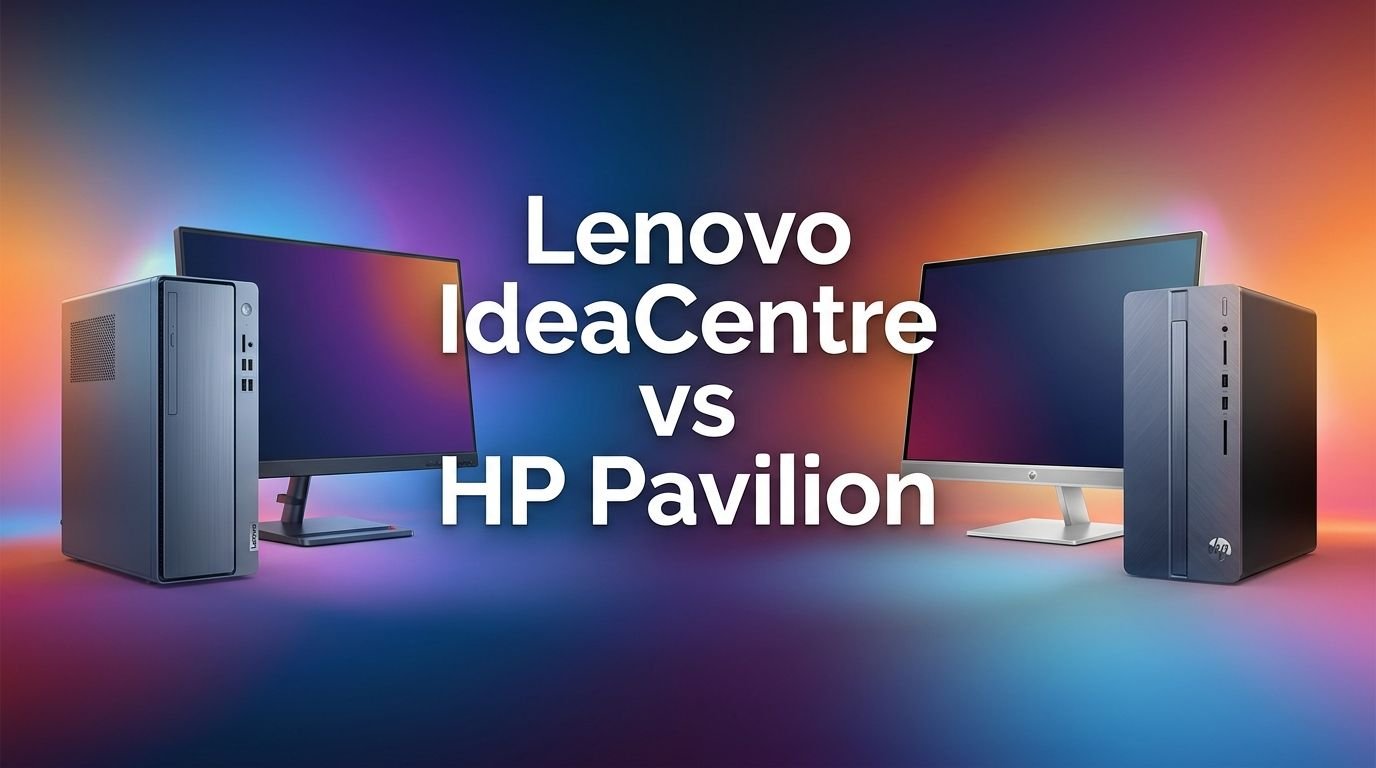
Lenovo IdeaCentre vs HP Pavilion: Which to Buy?
Are you stuck between a Lenovo IdeaCentre and an HP Pavilion desktop? You are not alone. These two product lines sit at the sweet spot of price and performance for home and office users. Both brands have earned strong reputations over the years. Both offer tower desktops and all in one models.
But here is the thing. Small differences in processor choice, memory speed, port selection, and build quality can change your daily experience. A wrong pick may leave you frustrated a year down the line. A right pick can serve you well for five years or more.
This detailed comparison breaks down every major factor. We cover processing power, RAM, storage, design, upgradeability, connectivity, and value for money.
Key Takeaways:
- The Lenovo IdeaCentre tower models now ship with Intel 14th Gen i7 processors and DDR5 memory, giving them a clear edge in raw multitasking speed. HP Pavilion towers still use older DDR4 RAM on many models, which limits future proofing.
- HP Pavilion desktops often arrive at a lower starting price, making them a strong pick for budget conscious buyers who need a reliable everyday computer without premium specs.
- Lenovo IdeaCentre towers offer better upgradeability in most cases. They provide accessible RAM slots and standard M.2 SSD bays. HP Pavilion towers can feel cramped inside and sometimes use proprietary power supplies.
- Both brands offer 27 inch all in one (AIO) models with touchscreen displays. The Lenovo IdeaCentre AIO pushes DDR5 RAM and a 100Hz panel, while the HP Pavilion AIO counters with a 5MP pop up webcam and strong integrated graphics.
- Port selection varies by model, but Lenovo IdeaCentre towers generally include USB C, HDMI, and VGA outputs. HP Pavilion towers tend to stick with HDMI and USB A heavy layouts. Check the exact model before you buy.
- For long term value, the Lenovo IdeaCentre pulls ahead thanks to newer platform support and faster memory. For immediate savings on a solid everyday PC, the HP Pavilion remains hard to beat.
Lenovo IdeaCentre Tower Desktop: Overview and Specs

Last update on 2026-09-19 / Affiliate links / Images from Amazon Product Advertising API Some of the links on this website are affiliate links, which means that at no additional cost to you, I earn a commission if you click through and make a purchase. I only recommend products and services that I believe will add value to my readers. Thank you for your support!
The Lenovo IdeaCentre Tower is a compact yet powerful desktop PC. The model listed above packs a 20 core Intel Core i7 14700 processor, 32GB of DDR5 RAM, and a 2TB PCIe SSD. It runs Windows 11 Home out of the box.
Lenovo built this tower in an 8 liter form factor. That means it takes up very little desk space while still offering strong airflow. The chassis uses a clean, modern design with a textured finish that resists fingerprints.
You get HDMI and VGA outputs for dual monitor setups. Wi Fi 6 and Bluetooth 5.2 come standard. The tower also includes multiple USB A and USB C ports on the front and rear panels.
Pros:
- 20 core i7 14700 delivers excellent multitasking performance
- 32GB DDR5 RAM handles demanding workloads with ease
- 2TB SSD provides generous storage right out of the box
- Compact 8 liter design saves desk space
- Wi Fi 6 and Bluetooth 5.2 included
- DDR5 platform supports future memory upgrades
Cons:
- No dedicated graphics card for gaming or heavy video editing
- Integrated Intel UHD 770 graphics limits visual performance
- Compact size may restrict adding larger components later
- No optical drive included
HP Pavilion Tower Desktop: Overview and Specs

Last update on 2026-09-19 / Affiliate links / Images from Amazon Product Advertising API Some of the links on this website are affiliate links, which means that at no additional cost to you, I earn a commission if you click through and make a purchase. I only recommend products and services that I believe will add value to my readers. Thank you for your support!
The HP Pavilion Tower Desktop targets everyday users who want a reliable machine at a fair price. This model ships with an AMD Ryzen 5 5600G processor, 16GB of DDR4 RAM, and a 512GB PCIe SSD. It runs Windows 11 Home.
HP gave this tower a sleek white or silver exterior. The design blends into most home office setups without drawing too much attention. You get a wired keyboard and mouse included in the box.
Connectivity includes HDMI, VGA, an SD card reader, and Wi Fi 6. The rear panel features multiple USB A ports for peripherals. The Ryzen 5 5600G chip has integrated Radeon graphics, which handles light photo editing and casual gaming at low settings.
Pros:
- AMD Ryzen 5 5600G is a proven and efficient six core processor
- Affordable price point compared to Intel i7 based systems
- SD card reader built in for photographers and content creators
- Wi Fi 6 included
- Wired keyboard and mouse in the box
- Clean and compact design
Cons:
- Only 16GB DDR4 RAM, which is a generation behind DDR5
- 512GB SSD fills up fast for media heavy users
- No USB C port on many variants
- Integrated Radeon graphics limits gaming performance
- RAM upgrade path limited by DDR4 platform
Processor Performance: Intel i7 14700 vs AMD Ryzen 5 5600G
The processor is the heart of any desktop. The Intel Core i7 14700 in the Lenovo IdeaCentre has 20 cores and 28 threads. It reaches turbo speeds up to 5.4 GHz. This chip handles video rendering, large spreadsheets, and software compilation with ease.
The AMD Ryzen 5 5600G in the HP Pavilion has 6 cores and 12 threads. It boosts up to 4.4 GHz. This processor performs well for web browsing, document editing, and light multitasking.
The gap between these two chips is significant. The i7 14700 scores roughly two to three times higher in multi threaded benchmarks. If your work involves heavy multitasking or content creation, the IdeaCentre wins this category by a wide margin. The Ryzen 5 5600G remains a solid chip for basic daily tasks and casual use.
Memory and Storage Comparison
Memory speed and capacity affect how smoothly your computer runs multiple apps. The Lenovo IdeaCentre ships with 32GB of DDR5 4800MHz RAM. DDR5 offers higher bandwidth and better power efficiency than the previous generation.
The HP Pavilion comes with 16GB of DDR4 RAM. DDR4 is still functional and widely used. However, it transfers data slower than DDR5. You may notice the difference during heavy browser sessions with 30+ tabs or while editing large files.
Storage also differs greatly. The IdeaCentre includes a 2TB SSD, giving you room for thousands of files, apps, and media. The Pavilion ships with a 512GB SSD, which may require an external drive or cloud storage for many users. Both systems use PCIe NVMe drives for fast read and write speeds.
Design and Build Quality
Lenovo gave the IdeaCentre a modern 8 liter tower form factor. The case is compact, lightweight, and easy to place on a desk or shelf. The textured exterior resists smudges. Ventilation is handled through carefully placed grilles on the sides and rear.
HP designed the Pavilion tower with a clean and minimal look. The white or silver finish gives it a modern feel. The case is slightly larger than the IdeaCentre in most configurations. Build materials are a mix of plastic and metal.
Both desktops feel solid enough for home and office use. Neither one feels cheap or flimsy. The IdeaCentre has a slight edge in compactness. The Pavilion feels familiar and practical. Your preference here may come down to color and size requirements for your workspace.
Ports and Connectivity Options
Ports matter more than most buyers realize. The Lenovo IdeaCentre tower provides HDMI, VGA, multiple USB A 3.2 ports, USB C, an Ethernet jack, and audio jacks. This setup supports dual monitors and a wide range of peripherals.
The HP Pavilion tower offers HDMI, VGA, USB A 2.0 and 3.0 ports, an SD card reader, Ethernet, and audio jacks. The SD card reader is a nice bonus for photographers. However, many HP Pavilion models lack a USB C port, which is becoming standard for modern accessories.
Both desktops include Wi Fi 6 and Bluetooth. The IdeaCentre edges ahead with USB C support and slightly more USB 3.2 ports. The Pavilion counters with its built in SD card reader. Consider which peripherals you use daily before deciding.
Upgradeability and Future Proofing
One major consideration for desktop buyers is how easy the machine is to upgrade. The Lenovo IdeaCentre uses standard DDR5 SO DIMM or DIMM slots depending on the model. Most configurations support up to 64GB of RAM. The M.2 SSD slot is accessible, and you can swap or add storage without much hassle.
The HP Pavilion uses DDR4 memory. You can upgrade RAM, but the older platform caps your long term potential. Some HP Pavilion models also use proprietary power supply units, which makes swapping the PSU difficult.
If you plan to keep your desktop for three to five years, the IdeaCentre offers a better upgrade path. DDR5 support and a more standard internal layout give you room to grow. The Pavilion works fine as a buy it and use it machine, but it may feel outdated sooner.
Lenovo IdeaCentre All in One 27 Inch: A Closer Look

Last update on 2026-09-19 / Affiliate links / Images from Amazon Product Advertising API Some of the links on this website are affiliate links, which means that at no additional cost to you, I earn a commission if you click through and make a purchase. I only recommend products and services that I believe will add value to my readers. Thank you for your support!
For buyers who want a clean desk setup, Lenovo offers the IdeaCentre AIO 27 inch model. This all in one PC features a 27 inch Full HD touchscreen display with a 100Hz refresh rate. It runs on an AMD Ryzen 7 8845HS processor with 32GB DDR5 RAM and a 1TB SSD.
The display supports anti glare coating and low blue light technology. A wireless keyboard and mouse come in the box. The integrated webcam sits above the screen. Windows 11 Pro is preinstalled.
Pros:
- 27 inch FHD touchscreen with 100Hz refresh rate
- AMD Ryzen 7 8845HS delivers strong performance
- 32GB DDR5 RAM and 1TB SSD
- Clean all in one design with no cable clutter
- Wireless keyboard and mouse included
- Windows 11 Pro preinstalled
Cons:
- Limited upgradeability compared to tower desktops
- FHD resolution on a 27 inch screen can appear less sharp than QHD
- No dedicated GPU
- Higher price than equivalent tower configurations
HP Pavilion 27 Inch All in One Desktop: A Closer Look

Last update on 2026-09-19 / Affiliate links / Images from Amazon Product Advertising API Some of the links on this website are affiliate links, which means that at no additional cost to you, I earn a commission if you click through and make a purchase. I only recommend products and services that I believe will add value to my readers. Thank you for your support!
HP also competes in the AIO space. The HP Pavilion 27 inch All in One comes with a 13th Gen Intel Core i7 13700T processor, 16GB RAM, 256GB SSD, and a 1TB hard drive. The 27 inch Full HD display supports touch input.
A standout feature is the 5MP pop up webcam with a privacy shutter. HP includes Bang & Olufsen audio tuning, which delivers better sound than most AIO competitors. The design is elegant with thin bezels and an adjustable stand.
Pros:
- 13th Gen Intel Core i7 13700T processor with 16 cores
- 5MP pop up webcam with privacy shutter
- Bang & Olufsen audio provides rich sound
- 27 inch FHD touchscreen display
- Thin bezel design looks premium
- 1TB HDD plus 256GB SSD combo
Cons:
- Only 16GB RAM, which may limit heavy multitasking
- 256GB SSD is small for primary storage
- DDR4 RAM instead of DDR5
- No dedicated graphics card
- HDD storage is slower than a full SSD setup
Software and Operating System Experience
Both Lenovo and HP ship their desktops with Windows 11. The user experience is nearly identical on the operating system level. You get the same Start menu, Settings app, Microsoft Store, and security features.
The difference shows up in preinstalled software. Lenovo bundles a few utility apps like Lenovo Vantage for system updates and settings. HP includes HP Support Assistant and some trial software. Neither brand loads excessive bloatware, but you may want to remove a few apps after setup.
Some Lenovo IdeaCentre models ship with Windows 11 Pro, which adds features like BitLocker encryption, Remote Desktop, and group policy management. Most HP Pavilion models come with Windows 11 Home. If you need Pro features for work, check the specific model listing before purchase.
Pricing and Value for Money
Price plays a big role in this decision. The HP Pavilion tower desktop often starts well under $600. You get a capable machine for everyday tasks at a very accessible price. It is one of the most affordable name brand desktops on Amazon.
The Lenovo IdeaCentre tower with an i7 14700 and 32GB DDR5 typically costs between $700 and $900. You pay more, but you receive a significantly more powerful system with better future proofing.
For all in one models, the Lenovo IdeaCentre AIO and HP Pavilion AIO both sit in the $900 to $1,200 range depending on configuration. The Lenovo AIO offers faster RAM and a higher refresh display. The HP AIO adds better audio and a superior webcam. Your ideal pick depends on which features you value most for the price.
Who Should Buy the Lenovo IdeaCentre?
The Lenovo IdeaCentre is the right pick for users who need strong performance and long term value. If you run multiple productivity apps at once, work with large files, or plan to keep your desktop for several years, this machine delivers.
Creative professionals who handle photo editing, light video work, or music production will appreciate the 20 core processor and 32GB DDR5 RAM. Remote workers who juggle video calls, cloud apps, and browser tabs will notice the smoother experience.
Students and home office users who want a compact and quiet desktop will also benefit. The 8 liter design fits easily on small desks. The overall package offers premium specs without a premium price tag.
Who Should Buy the HP Pavilion?
The HP Pavilion desktop is ideal for buyers on a tighter budget. If your daily tasks include web browsing, email, document editing, and streaming, this machine covers all of those needs without fuss.
It works well for families who need a shared home computer. The included keyboard and mouse reduce extra costs. The SD card reader is a nice touch for anyone who works with cameras or mobile devices.
First time desktop buyers and students who do not need heavy processing power will find the Pavilion to be a solid and dependable choice. It does what it promises at a price that does not hurt your wallet.
Frequently Asked Questions
Is the Lenovo IdeaCentre better than the HP Pavilion for gaming?
Neither desktop is built for serious gaming. Both use integrated graphics. However, the Lenovo IdeaCentre with its i7 14700 handles casual and older games better due to the faster processor and more RAM. For real gaming, you would need a desktop with a dedicated GPU.
Can I upgrade the RAM on both the Lenovo IdeaCentre and HP Pavilion?
Yes, both desktops allow RAM upgrades. The Lenovo IdeaCentre supports DDR5 RAM up to 64GB on most models. The HP Pavilion supports DDR4 RAM, and the maximum depends on the specific model. Check your motherboard specs before purchasing new memory.
Which desktop is quieter during daily use?
Both desktops run quietly under normal workloads. The Lenovo IdeaCentre has a slight advantage because its newer processor generates less heat per task, which means the fans spin less. Heavy workloads may increase fan noise on either machine.
Do these desktops come with a monitor?
The tower models do not include a monitor. You need to purchase one separately. The all in one (AIO) models from both Lenovo and HP come with built in 27 inch displays, so no extra monitor is needed.
Which brand offers better customer support?
Both Lenovo and HP provide standard one year warranties. Lenovo offers Lenovo Premium Care as an upgrade. HP provides HP Care Pack options. User reviews suggest both brands deliver similar support quality. Extended warranties are available from both at additional cost.
Are these desktops good for video editing?
Light video editing with 1080p footage works on both machines. The Lenovo IdeaCentre with 32GB DDR5 and an i7 14700 handles this task much better. For professional 4K editing, neither desktop is ideal because both lack a dedicated graphics card.

Hello everyone my name is Alenya and i am a gadget discovering Enthusiast 🐻🐻