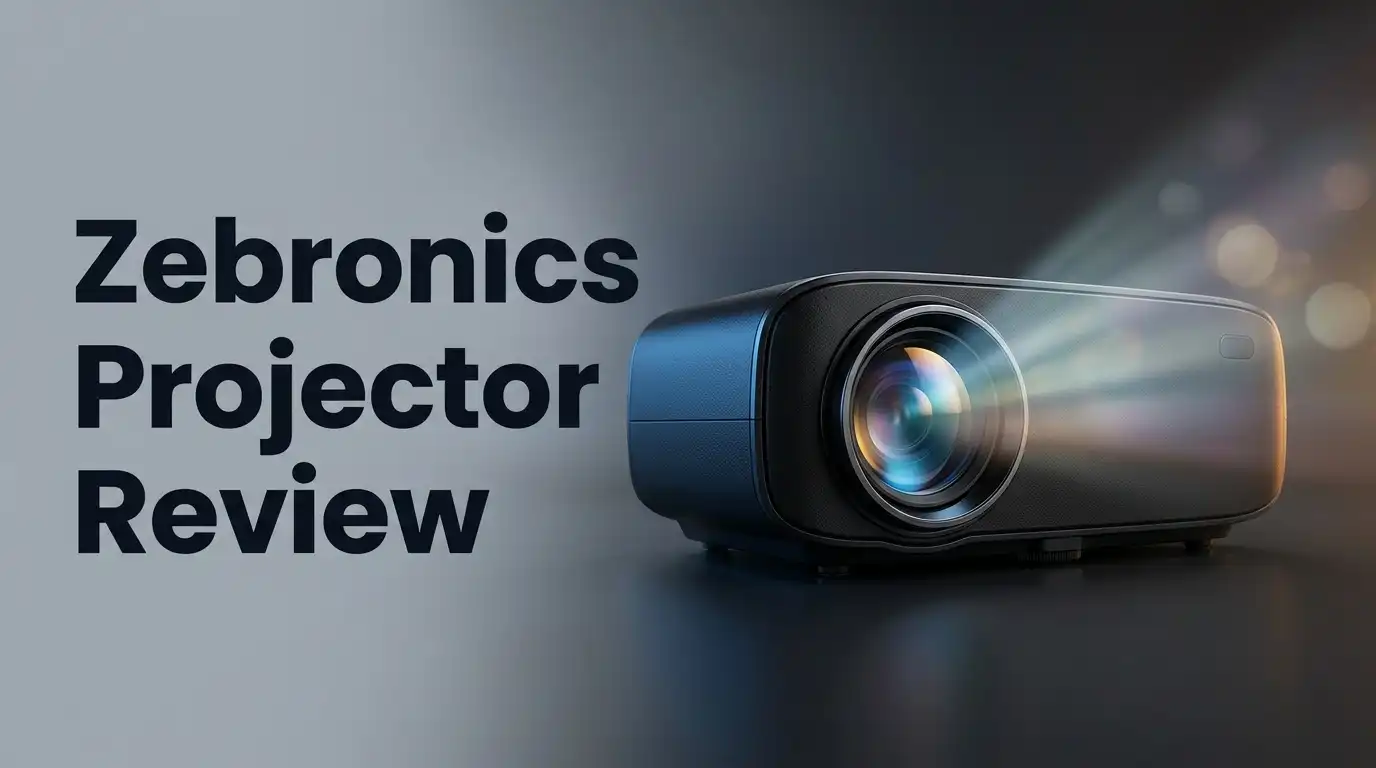
Zebronics Projector Review 2026: Worth Considering?
Are you searching for a projector that fits your home entertainment needs? Zebronics projectors are making waves among buyers who want quality without fuss.
These devices pack smart TV features right into a compact design. You get 1080p FHD resolution as standard, and some models even push into 4K UHD territory.
The Zeb Pixaplay series stands out in this lineup. Models like the Pixaplay 16, 28, 58, and 63 each bring something unique to your viewing setup.
In a Nutshell
- Bright and clear display: Most models deliver sharp visuals. This works well for movie nights and casual streaming.
- Smart features built in: You get smart TV functions without extra devices. This makes streaming apps easy to access.
- Compact and portable: These projectors fit small spaces easily. You can carry them between rooms without hassle.
- Overheating remains a concern: The exhaust can get very hot during long use. This raises questions about long term durability.
- Picture quality feedback is mixed: Some users love the clarity. Others feel it falls short in bright rooms.
- Simple setup process: You don’t need technical skills to get started. Most models work right out of the box.
Key Features and Specifications
Zebronics projectors come with a solid set of features that catch the eye. The 1080p FHD resolution delivers sharp visuals for movies, games, and presentations. Some models even push up to 4K UHD for those wanting extra detail.
The LED light source is a key advantage here. LEDs run cooler than traditional lamps and last longer too. You get consistent brightness without frequent replacements. This means fewer interruptions to your viewing experience.
Built in smart TV functions set Zebronics apart from basic projectors. You don’t need external devices to stream content. Apps come pre loaded, so you can start watching immediately. This saves you money and reduces cable clutter.
The Zeb Pixaplay series offers four main models. The Pixaplay 16 and 28 suit smaller spaces. The Pixaplay 58 and 63 work well for larger rooms. Each model maintains the core strength: easy operation. Even first time users find setup straightforward within minutes.
Portability matters for many buyers. These projectors weigh less than traditional models. You can move them between rooms without heavy lifting. The compact design fits shelves, tables, and entertainment units easily.
Brightness and clarity are genuine highlights. Most users report crisp images even in slightly lit rooms. Colors appear vibrant and details stay sharp. This performance level surprises people at this specification tier.
However, thermal management needs attention. The exhaust gets extremely hot during extended use. Long viewing sessions can trigger overheating warnings on some units. Proper ventilation around the projector becomes essential for reliability.
Picture quality feedback varies across user reviews. Some users praise the sharpness and color reproduction. Others report inconsistencies between different units or usage scenarios. This variance suggests quality control might need improvement.
The contrast ratio and refresh rate support gaming and sports content well. Response times feel responsive for interactive content. Connectivity options include HDMI, USB, and wireless casting. These specs make Zebronics projectors flexible for different content sources and viewing situations.

Last update on 2026-09-19 / Affiliate links / Images from Amazon Product Advertising API Some of the links on this website are affiliate links, which means that at no additional cost to you, I earn a commission if you click through and make a purchase. I only recommend products and services that I believe will add value to my readers. Thank you for your support!
Picture Quality and Display Performance
Picture quality is where Zebronics projectors truly shine for most users. The 1080p FHD resolution delivers sharp text and clear images across various content types. You get vibrant colors and good detail when watching movies or presentations.
The LED light source plays a big role here. It produces consistent brightness without the warm-up time that older lamp-based projectors need. Your picture appears instantly, which is convenient for daily use.
Contrast and color accuracy matter for a complete viewing experience. Zebronics projectors handle both reasonably well. Dark scenes show proper depth, and bright areas don’t wash out. This balance makes action movies and sports content enjoyable to watch.
Refresh rate support is another strength. Gaming and fast-paced sports footage display smoothly without stuttering. The projector keeps up with quick movements on screen, which matters if you use it for entertainment beyond standard movies.
One thing to note: picture quality feedback varies among users. Some report absolutely crisp visuals, while others mention occasional softness at the edges. Screen size and room lighting affect how you perceive the final image. A darker room always brings out better contrast and color depth.
The built in smart TV features don’t compromise display performance. You get streaming apps and connectivity without losing picture quality. The projector handles multiple input sources smoothly, from HDMI to wireless casting.
Thermal concerns do impact long viewing sessions slightly. When the projector runs hot, it may adjust brightness to cool down. This means extended use might show minor picture fluctuations. Proper ventilation around the device helps prevent this issue.
Overall, Zebronics projectors deliver solid picture quality for everyday entertainment. The 1080p resolution works well for most room sizes. Colors pop, motion looks smooth, and text stays readable. If you watch content in a reasonably dark space, you’ll get the best results. The display performance justifies consideration if picture clarity matters to you.
Design, Portability, and Setup
Zebronics projectors come in a compact form factor that makes them easy to move between rooms. The Zeb Pixaplay series includes models designed for different space requirements. You can carry most units without heavy lifting or special equipment.
Setup takes just a few minutes. Connect the power cable, plug in your HDMI source, and you’re ready to go. The menu system uses simple icons that anyone can navigate. You don’t need technical knowledge to get the projector running.
The portability factor sets Zebronics apart from larger, stationary projectors. The compact design means you can use it in your bedroom, living room, or even take it outdoors. Storage is straightforward since these units don’t demand much shelf space.
The physical build feels solid without being bulky. The projector sits on a flat surface or mounts easily on a stand. Adjusting the image position requires minimal effort. The lens focuses smoothly, and keystone correction happens quickly through the menu.
One important consideration involves ventilation. These projectors have exhaust vents that release hot air during operation. You should place the unit away from walls or enclosed spaces. Proper airflow around the projector keeps it running smoothly during extended viewing sessions.
Cable management is straightforward. The rear panel includes HDMI, USB, and power inputs. You can connect wireless devices through the smart features without extra cables. This reduces clutter behind your entertainment setup.
The remote control is lightweight and responsive. Buttons are clearly labeled, making it easy to adjust settings from your couch. The interface responds quickly to commands.
Weight distribution is balanced, so the projector won’t tip easily. Rubber feet on the base prevent sliding on smooth surfaces. If you choose a tripod stand, setup remains simple and secure.
Thermal management requires attention during long viewing sessions. The exhaust gets quite hot, so keep hands and flammable materials away. Allow space around the unit for heat to escape freely. This simple precaution extends the projector’s lifespan and maintains consistent performance throughout your movie nights or gaming sessions.
Top 3 Alternatives
Epson EB-X05

Last update on 2026-09-19 / Affiliate links / Images from Amazon Product Advertising API Some of the links on this website are affiliate links, which means that at no additional cost to you, I earn a commission if you click through and make a purchase. I only recommend products and services that I believe will add value to my readers. Thank you for your support!
BenQ MH534

Last update on 2026-09-19 / Affiliate links / Images from Amazon Product Advertising API Some of the links on this website are affiliate links, which means that at no additional cost to you, I earn a commission if you click through and make a purchase. I only recommend products and services that I believe will add value to my readers. Thank you for your support!
Optoma HD146X


Last update on 2026-09-19 / Affiliate links / Images from Amazon Product Advertising API Some of the links on this website are affiliate links, which means that at no additional cost to you, I earn a commission if you click through and make a purchase. I only recommend products and services that I believe will add value to my readers. Thank you for your support!
Thermal Management and Reliability
Zebronics projectors use LED light sources, which generate heat during operation. This is a real concern you should know about before buying. The exhaust vents become extremely hot during extended viewing sessions, and this affects overall reliability.
Thermal management is where Zebronics projectors show their biggest weakness. The cooling system works, but it struggles under heavy use. If you plan to watch movies for several hours straight, the projector may throttle performance or shut down temporarily to cool itself.
The compact design leaves limited space for airflow inside the unit. Ventilation becomes critical in your setup. You must place the projector in a well ventilated area, away from walls or enclosed spaces. Poor placement directly increases overheating risks and reduces the device’s lifespan.
Heat buildup impacts reliability over time. Users report that consistent thermal stress can damage internal components faster than expected. The LED light source itself generates substantial heat, and the internal fans work overtime to manage it. This constant strain puts pressure on the cooling mechanism.
To maximize reliability, follow these steps. First, ensure proper ventilation around the projector. Second, avoid using it in hot rooms or direct sunlight. Third, take breaks during long viewing marathons. Let the device cool down for 15 to 20 minutes every two hours.
Regular maintenance helps too. Clean the air filters monthly to prevent dust buildup. Dust blocks airflow and makes cooling less effective. Check exhaust vents regularly for obstructions.
The thermal concerns are significant but manageable with smart usage habits. Zebronics projectors can last years if you treat them right. However, if you ignore ventilation and run them continuously, expect problems sooner rather than later.
Compared to competitors like Portronics and Crossbeats, Zebronics thermal management is average at best. Some rival models handle heat better. This is an important factor when deciding between brands in this category.
Bottom line: thermal reliability depends heavily on how you use the projector. Proper setup and maintenance matter more here than with other projectors.
Smart Features and Connectivity
Zebronics projectors come equipped with smart TV features that make streaming and content access simple. You get built-in apps for popular platforms without needing extra devices. The smart interface responds quickly to your commands.
Connectivity options on Zebronics projectors are straightforward. You can connect via HDMI, USB, and wireless methods. The projector supports both WiFi and Bluetooth connections for seamless pairing with your devices.
Wireless casting works smoothly from smartphones and laptops. You don’t need cables to start projecting your screen. This flexibility lets you switch between devices without interruption.
The remote control handles all connectivity functions easily. You can adjust settings, switch inputs, and manage apps from your seat. The button layout feels intuitive after a few uses.
Audio connectivity deserves attention here. Zebronics projectors include built-in speakers, but you can also connect external audio systems. The audio output quality is decent for casual viewing. Serious movie enthusiasts might prefer pairing the projector with a separate speaker system.
Smart features don’t slow down the projector’s performance. Apps launch quickly and respond to your input without lag. Streaming content plays smoothly without constant buffering issues.
One useful feature is screen mirroring. You can display content from multiple devices without reconfiguring settings each time. This works well for presentations and family movie nights.
The smart TV interface includes a basic app store. You get access to major streaming services and entertainment apps. Updates happen automatically, so your projector stays current with new features.
Connectivity stability remains solid during extended use. The WiFi connection holds strong even when the projector sits far from your router. You won’t experience frequent disconnections during your viewing sessions.
Overall, Zebronics projectors offer practical smart features and reliable connectivity. These additions make the projector feel like a complete entertainment system. The wireless options reduce cable clutter in your setup. For everyday streaming and casual entertainment, the smart features work well and enhance your experience without adding unnecessary complexity.
Pros and Cons
Pros
- Bright, clear picture quality that handles most viewing scenarios well
- LED light source delivers consistent performance without frequent bulb replacements
- Built in smart TV features let you stream and cast content directly from your phone or laptop
- Compact and portable design moves easily between rooms with minimal setup time
- Wireless casting works smoothly across different devices without connectivity drops
Cons
- Exhaust gets extremely hot during operation, requiring proper ventilation to avoid damage
- Compact design limits internal airflow, causing heat buildup during extended viewing sessions
- Thermal stress can impact internal components over time if the projector runs continuously
- Picture quality feedback varies across user experiences, so results depend on room conditions and content type
Who Should Buy It
Zebronics projectors work best for specific types of users. If you watch movies and shows regularly at home, this projector fits your needs well. The 1080p FHD resolution delivers clear images for casual viewing. You get sharp text and vibrant colors without spending heavily on premium equipment.
Students and professionals benefit from these projectors too. You can display presentations, documents, and online content easily. The built in smart features let you connect your laptop or phone instantly. Screen mirroring makes sharing slides and videos straightforward during study sessions or work meetings.
Content creators and gamers should think carefully before buying. The picture quality is good for general use, but serious gamers might notice input lag. Video editors need higher resolution options, and some Zebronics models max out at 1080p. However, the 4K UHD models offer better performance for demanding tasks.
Frequent travelers and people who move between rooms will appreciate the compact design. You can carry the projector easily and set it up in minutes. The portable nature makes it ideal for backyard movie nights or temporary office setups.
Budget conscious buyers find real value here. You get smart TV features, wireless casting, and decent brightness without complex installation. The LED light source means fewer maintenance headaches compared to traditional bulbs.
However, avoid this projector if you need something running for 8+ hours daily. The thermal concerns make extended sessions risky. Heavy users should look at competitors with better cooling systems like Portronics or Crossbeats.
People living in hot climates need to be extra cautious. Heat buildup happens faster in warm environments, and your unit may struggle. Ensure you have proper ventilation and take regular breaks during viewing.
If you want cinema quality projection for dedicated home theater setups, look elsewhere. Zebronics works best for casual, flexible use rather than permanent installations. The projector shines when you need versatility and ease of use over maximum performance.
Final Verdict
Zebronics projectors deliver a solid mix of features for everyday viewing needs. They handle streaming, casual movie nights, and presentations without much fuss. The setup process stays simple even for first time users.
Picture quality stands out as a genuine strength across most models. The Pixaplay series in particular shows consistent brightness and clarity. This makes them suitable for family entertainment and small gatherings.
That said, thermal management remains a real concern. The exhaust runs extremely hot, and this issue cannot be ignored. Anyone planning long viewing sessions should keep this in mind.
Compared to competitors like Crossbeats and Portronics, Zebronics holds its own in terms of features and smart integration. However, some rivals may offer better cooling systems or sturdier build quality.
If you want a projector for casual use, occasional movie nights, or quick presentations, Zebronics fits the bill nicely. Students, professionals, and travelers will likely find these projectors practical and easy to use.
On the other hand, heavy users who need extended daily operation should look elsewhere. Gamers seeking sharp, lag free visuals for competitive play might also want to explore other options first.
People in warmer regions need to think twice before committing. Without proper ventilation, overheating can shorten the lifespan of the unit and affect performance over time.
In short, Zebronics projectors work well for specific situations rather than universal use. They shine in casual, short duration settings but struggle under heavier, prolonged demands.
Weigh your daily usage patterns against what these projectors offer. If your needs align with casual streaming and portable setups, this brand delivers real satisfaction. If not, exploring alternatives like Pixpaq or HY260Pro might serve you better.
Ultimately, the choice depends on how you plan to use the projector. Match your expectations with its strengths, and you will likely walk away happy with the experience.
Frequently Asked Questions
Does the Zebronics projector work well for gaming?
Zebronics projectors can handle casual gaming and light entertainment. The LED light source keeps the image bright and responsive. However, if you play fast action games regularly, you may notice some lag. The compact design limits cooling capacity, which matters during long gaming sessions. Serious gamers should consider other options that offer better performance for extended play.
How long can I run a Zebronics projector continuously?
You should avoid running these projectors for 8+ hours straight. The thermal management system struggles with extended operation. The exhaust gets extremely hot, and the compact design limits airflow. If you need a projector for all day use, this model may not suit your needs. Short bursts of 2 to 4 hours work best for optimal performance and longevity.
Will a Zebronics projector work in a hot climate?
People living in warm regions need extra caution. The projector already generates significant heat during normal use. Adding external heat makes thermal issues worse. You must ensure proper ventilation and avoid dusty environments. Consider placement carefully near windows or air conditioned spaces to manage temperatures effectively.
Can I use this projector for professional presentations?
Yes, Zebronics works fine for occasional business presentations. The 1080p resolution displays documents and slides clearly. Built in smart features let you cast directly from your laptop. The portable design makes it easy to move between meeting rooms. However, if you present daily or need extended runtime, look for alternatives with better thermal management.
How does Zebronics compare to Crossbeats and Portronics?
All three brands offer similar smart features and portable designs. Zebronics holds its own on picture quality and connectivity. The main difference lies in thermal performance. Crossbeats and Portronics handle heat slightly better during longer sessions. Your choice depends on how often you use the projector and your climate conditions.

Hello everyone my name is Alenya and i am a gadget discovering Enthusiast 🐻🐻