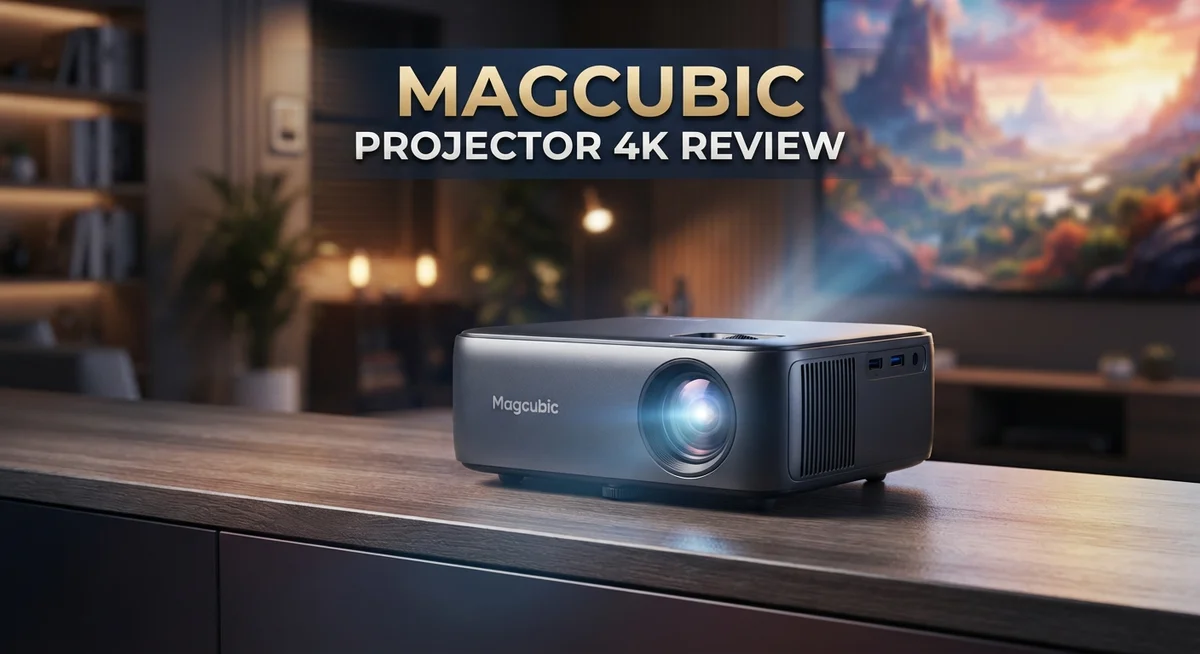
Magcubic 4K Projector Review: Worth the Price Tag?
Are you searching for a projector that brings 4K style visuals to your home theater? The Magcubic 4K projector series might be exactly what you need.
This lineup includes models like the HY300Pro, L018, HY310X, HY320, and HY350Max. Each one offers something special for movie nights and gaming sessions.
These projectors support 4K and 8K input, so your content looks sharp on screen. They also pack handy features like auto keystone correction and 180 degree rotation.
In a Nutshell
- Native resolution sits between 720P and 1080P, depending on the model you pick. It supports 4K and 8K input, but the panel itself is not true 4K.
- Auto keystone correction makes setup fast and simple. You get a straight image without fiddling with manual adjustments every time.
- 180 degree rotation and flexible zoom give you more freedom. You can project on walls, ceilings, or screens with ease.
- Image quality stays solid for casual movie nights and gaming sessions. It won’t match premium projectors, but it holds its own.
- Some users report input lag, which may affect fast paced gaming. Movie and show watching should feel smooth for most people.
- The 30,000 hour LED lifespan means this projector runs for years without needing a replacement bulb.
- Overall, this series works best for casual home theater use. It brings decent visuals without demanding a lot of technical know how.
Key Specifications and Brightness
The Magcubic 4K projector series delivers brightness levels that range from 200 to 650 ANSI lumens across different models. This spread matters because brightness directly affects how well you see images in various room conditions.
Lower brightness models work best in dark rooms where you have full control over lighting. The 200 lumen projectors suit bedrooms or dedicated home theaters. You get clear, vibrant colors when external light stays minimal.
Higher brightness options like the 650 lumen variants perform better in rooms with some ambient light. These models let you watch during daytime or in spaces with windows. The extra brightness prevents image washout when sunlight enters your room.
The HY350Max and HY320 models sit at the higher end of the brightness spectrum. They handle mixed lighting situations more effectively than entry level options. You won’t need to close every curtain to enjoy your content.
Native resolution ranges from 720P to 1080P depending on which Magcubic model you select. While these projectors accept 4K and 8K input signals, they don’t display true 4K output. The projector scales down higher resolution content to match its native capabilities.
This matters for different use cases. Movie streaming looks good because most services optimize for 1080P anyway. Gaming performance depends on your source device and game resolution.
Zoom and keystone features enhance brightness effectiveness. The 50 to 100 percent zoom range lets you adjust image size without moving the projector. Auto keystone correction fixes angled projection automatically, so you get a sharp, rectangular image every time.
The brightness specs work well for small to medium sized screens. Projection distances of 5 to 15 feet produce solid results. Larger screens or very bright rooms might show some image dimming.
LED technology provides consistent brightness throughout the 30,000 hour lifespan. You won’t experience the brightness fade that older lamp based projectors had. This reliability makes the Magcubic series practical for regular use without constant adjustments.

Last update on 2026-09-19 / Affiliate links / Images from Amazon Product Advertising API Some of the links on this website are affiliate links, which means that at no additional cost to you, I earn a commission if you click through and make a purchase. I only recommend products and services that I believe will add value to my readers. Thank you for your support!
Design, Portability, and Build Quality
The Magcubic 4K projector series stands out for its compact and lightweight construction. Each model weighs around 2.9 pounds, making it simple to move from room to room or pack for travel.
The build quality reflects solid engineering for this product category. The chassis feels sturdy despite the light weight. Components are well assembled, and the overall design avoids unnecessary bulk.
Portability is a major strength of this lineup. You can carry the projector in a backpack or small bag without strain. The compact footprint means it fits on shelves, desks, or mounting brackets with ease. This makes it ideal if you want flexibility in placement.
The 180 degree rotation feature adds practical value to the design. You can tilt and angle the projector to suit your space without moving the entire unit. This flexibility helps you project onto walls, ceilings, or screens from different positions.
The auto keystone adjustment simplifies setup significantly. You don’t need to manually correct image distortion if the projector sits at an angle. The system handles this automatically, saving you time during installation.
Heat management appears well handled in the design. The projector runs cool during extended use, which supports the 30,000 hour LED lifespan. Proper ventilation prevents thermal buildup that could shorten component life.
The zoom capability ranges from 50 to 100 percent depending on your model. This means you can adjust image size without moving the projector closer or farther away. The mechanical design supports smooth zoom adjustments.
Button placement and menu navigation feel intuitive. The remote control is straightforward, and menus respond quickly to commands. Physical buttons are positioned logically for easy access during use.
Overall, the Magcubic 4K series delivers practical design choices. The lightweight frame, flexible positioning options, and durable construction make it suitable for different room setups. Whether you need a permanent installation or occasional use, the build quality supports both approaches without compromise.
Image Quality and Resolution Performance
The Magcubic 4K projector series handles image quality with solid performance across its lineup. You get native resolution options ranging from 720P to 1080P depending on which model you choose. While the projectors support 4K and 8K content, the native resolution determines what you actually see on your screen.
Brightness plays a major role in image quality. The series delivers 200 to 650 ANSI lumens across different models. Lower brightness units work best when you control the room lighting completely. Higher brightness options like the HY350Max and HY320 perform better when ambient light is present. The brightness you select directly affects how sharp and vibrant your images appear.
The zoom feature helps you fine tune image size without moving the projector. Models offer 50 to 100 percent zoom capability, giving you flexibility in placement. Auto keystone correction adjusts the image automatically when the projector sits at an angle. This feature keeps your picture square and properly aligned without manual tweaking.
Color accuracy stays consistent across the lineup. You’ll notice natural colors during movie nights and streaming sessions. The LED light source contributes to stable color performance over extended use. Contrast levels are adequate for casual viewing, though they don’t match premium projectors.
Some users report input lag during fast paced gaming. This delay happens because the projector processes the signal before displaying it. If you plan heavy gaming use, you should test this before committing. For regular movies and shows, input lag remains unnoticeable.
The 30,000 hour LED lifespan means your image quality stays consistent for years. You won’t experience the dimming that traditional bulbs show over time. This long lifespan keeps maintenance simple and hassle free.
Overall, the Magcubic 4K series delivers reliable image quality for casual home theater use. The combination of brightness options, resolution choices, and consistent performance makes these projectors practical for most viewing situations. You get solid picture quality without unnecessary complexity in the system.
Top 3 Alternatives
XGIMI H3S Projector

Last update on 2026-09-19 / Affiliate links / Images from Amazon Product Advertising API Some of the links on this website are affiliate links, which means that at no additional cost to you, I earn a commission if you click through and make a purchase. I only recommend products and services that I believe will add value to my readers. Thank you for your support!
Anker Nebula Capsule

Last update on 2026-09-07 / Affiliate links / Images from Amazon Product Advertising API Some of the links on this website are affiliate links, which means that at no additional cost to you, I earn a commission if you click through and make a purchase. I only recommend products and services that I believe will add value to my readers. Thank you for your support!
BenQ LU9715 Projector

Last update on 2026-09-19 / Affiliate links / Images from Amazon Product Advertising API Some of the links on this website are affiliate links, which means that at no additional cost to you, I earn a commission if you click through and make a purchase. I only recommend products and services that I believe will add value to my readers. Thank you for your support!
Setup, Keystone Adjustment, and Ease of Use
Getting your Magcubic 4K projector up and running takes just a few minutes. The setup process feels straightforward because the projector weighs only about 2.9 pounds. You can place it on a table, mount it on a stand, or even attach it to a ceiling without much hassle.
Auto keystone adjustment is where this projector shines during setup. You don’t need to manually tilt and angle the image to fix distortion. The projector handles this automatically, so even if you place it at an awkward angle, the image stays rectangular and properly proportioned. This feature saves you time and eliminates frustration.
The 180 degree rotation capability gives you flexibility in positioning. You can flip the projector upside down for ceiling mounting or rotate it to fit your room layout. This adaptability means you’re not locked into one specific setup arrangement.
Menu navigation feels intuitive on Magcubic models. The button placement makes sense, and you won’t struggle to find common settings. Adjusting focus, zoom, and other features doesn’t require diving through confusing menus. Everything sits where you’d expect it to be.
Zoom control ranges from 50 to 100 percent depending on your specific model. This means you can adjust image size without moving the projector around. If your screen is too large or too small, a quick zoom adjustment fixes it. This flexibility makes setup more convenient in different room sizes.
Connection options support various devices. You can plug in streaming devices, gaming consoles, or laptops without compatibility issues. The ports feel accessible and easy to reach.
The overall setup experience emphasizes simplicity. You won’t need technical expertise or spend hours reading manuals. Most users get their Magcubic projector displaying images within minutes of unboxing. The combination of lightweight design, auto keystone, and intuitive controls makes this projector newcomer friendly while still offering enough adjustability for experienced users who want more control.
Connectivity and Compatibility
The Magcubic 4K projector connects to your devices through multiple input options. You can plug in HDMI cables, USB connections, and wireless streaming capabilities. This flexibility means you can use your laptop, smartphone, tablet, or streaming device without hassle.
Wireless connectivity opens up new possibilities for your setup. You can mirror your screen from Android and iOS devices directly to the projector. This eliminates cable clutter and gives you freedom to move around your space while presenting or watching content.
The projector supports both standard and high resolution inputs. HDMI ports accept 4K signals from compatible devices. USB connections let you play media files stored on external drives or flash drives. The variety of ports means you’re not locked into one type of device.
Compatibility spans multiple operating systems and platforms. Windows computers work seamlessly with the projector. Mac devices connect without special software installation. Android phones and tablets link up through wireless mirroring. This broad support makes it easy to switch between different devices throughout your day.
Input lag appears in some gaming scenarios, particularly during fast action sequences. This happens because the projector processes the signal before displaying it. For casual gaming or streaming, this delay goes unnoticed by most users. Serious gamers might notice the difference during competitive play.
The projector handles various file formats without requiring additional software. Video files, images, and documents display correctly from USB drives. Streaming apps like Netflix, YouTube, and others work through wireless connections when you cast from your device.
Setup remains straightforward across all connection types. You don’t need to configure complex network settings for wireless use. Simply enable screen mirroring on your device and select the projector from available options. Wired connections work immediately after plugging in cables.
The combination of wired and wireless options gives you flexibility for different situations. Business presentations benefit from reliable HDMI connections. Movie nights work great with wireless streaming from your phone. This adaptability makes the Magcubic 4K projector work in various environments and use cases.
Pros and Cons
Pros
- Compact and lightweight design makes it easy to move between rooms or take on trips
- Auto keystone adjustment saves you time during setup and eliminates manual angle corrections
- 30,000 hour LED lifespan keeps the projector running reliably for years without frequent replacements
- 180 degree rotation capability gives you flexibility in how you position the projector on any surface
- Multiple input options including wireless connectivity let you connect phones, laptops, and streaming devices instantly
Cons
- Native resolution tops out at 1080P on most models, so you won’t get true 4K even though the projector supports 4K content
- Input lag during fast paced gaming can affect your experience with action heavy titles
- Brightness ranges from 200 to 650 ANSI lumens depending on the model, which may feel dim in very bright rooms compared to premium projectors
Who Should Buy It
A Magcubic 4K projector works best for specific types of users. If you enjoy movies at home but don’t need cinema quality, this projector fits your needs perfectly.
Content creators and streamers should consider this model. The portable design lets you set up anywhere. You can move it between rooms or take it to different locations. The 180 degree rotation feature gives you creative positioning options for content shoots.
Casual gamers will appreciate the compact size. However, keep in mind that input lag appears during fast action sequences. If you play slower games or use the projector mainly for streaming, this won’t bother you. Competitive gaming isn’t the best use case here.
Students and professionals benefit from the easy setup. You need just minutes to get started. The auto keystone adjustment handles angle problems automatically. This makes it ideal for dorm rooms, small offices, or temporary workspaces. You won’t spend time fiddling with technical settings.
Travel enthusiasts love this projector’s lightweight build. At around 2.9 pounds, it packs easily into bags. Movie nights during trips become simple. Outdoor gatherings get a fun entertainment boost.
Budget conscious buyers gain excellent reliability. The 30,000 hour LED lifespan means years of use without replacement headaches. You get consistent performance over time.
Families wanting casual viewing will be satisfied. Movie nights work great on larger screens. The image quality suits regular entertainment well. Kids’ shows and streaming content look good.
People with small spaces should definitely consider this option. The compact design fits tight rooms. The zoom control ranges from 50 to 100 percent, so you adjust image size to match your space.
Avoid this projector if you need true 4K resolution or very bright rooms. Native resolution tops out at 1080P on most models. Professional work requiring precise color accuracy isn’t suitable either.
The Magcubic 4K projector serves everyday users seeking simple, portable projection without complexity.
Final Verdict
The Magcubic 4K projector delivers solid performance for everyday needs. It brings movies, shows, and games to life on a big screen. Simple setup and smart features make it a joy to use.
This projector shines brightest for casual use. It handles streaming, presentations, and family movie nights with ease. Fast paced gaming or professional cinema work may push it past its limits.
Image quality stays impressive given the projector’s compact size. Colors appear vibrant and details remain clear during typical viewing sessions. Dark scenes may lose some depth, but overall clarity satisfies most viewers.
The build quality feels sturdy despite the lightweight design. Magcubic clearly focused on durability without adding bulk. You get a projector that survives regular handling and travel.
Sound quality from built in speakers covers basic needs. Serious audio enthusiasts should pair it with external speakers for richer sound. This small tradeoff comes with most compact projectors in this category.
Longevity stands out as a major strength. The LED lifespan means years of use without worrying about replacement bulbs. This adds real peace of mind for long term buyers.
Some users may want sharper resolution or higher brightness. Those needs point toward premium projector categories. This model targets simplicity and convenience instead of professional grade specs.
Overall, the Magcubic 4K projector succeeds at its core mission. It offers dependable performance without complicated setup or maintenance. Anyone wanting hassle free entertainment will find real value here.
Our final take: this projector fits perfectly into casual entertainment setups. It won’t replace theater grade equipment, but it doesn’t try to. Instead, it delivers a reliable, portable, and user friendly experience.
Choose this projector if you want simple technology that works well daily. Skip it only if you need cinema level specifications. For most everyday users, this projector checks all the right boxes.
Frequently Asked Questions
Does the Magcubic 4K projector display true 4K resolution?
No, it does not. The projector supports 4K content input, but the native resolution maxes out at 1080P on most models. This means the projector receives 4K signals but displays them at lower native resolution. If you need pixel perfect 4K output, this projector won’t meet that requirement.
However, the image quality remains solid for everyday viewing. Movies, shows, and casual gaming look good despite the resolution limitation.
Can I use this projector in a bright room?
Brightness ranges from 200 to 650 ANSI lumens depending on the model you choose. Brighter rooms will wash out the image, especially during daytime use.
Best results happen in dimly lit spaces or at night. If you need a projector for well lit rooms, you’ll want to look at models with higher brightness ratings.
How long does the LED last before replacement?
The LED lifespan reaches 30,000 hours. This translates to years of regular use without needing replacement. You can rely on this projector for extended periods.
Most users won’t need to replace the LED during typical ownership. This longevity makes the projector dependable for long term use.
Is setup difficult or time consuming?
Setup takes just minutes. The auto keystone adjustment handles angle corrections automatically, so you don’t need to manually tilt or adjust the image.
Just plug it in, connect your device, and start projecting. The lightweight portable design also means you can move it between rooms without hassle.
What devices can I connect to this projector?
Multiple input options let you connect phones, laptops, tablets, and streaming devices. Wireless connectivity works with most modern gadgets.
You can also use HDMI cables for direct connections. This flexibility means you’ll connect almost any device you own.

Hello everyone my name is Alenya and i am a gadget discovering Enthusiast 🐻🐻