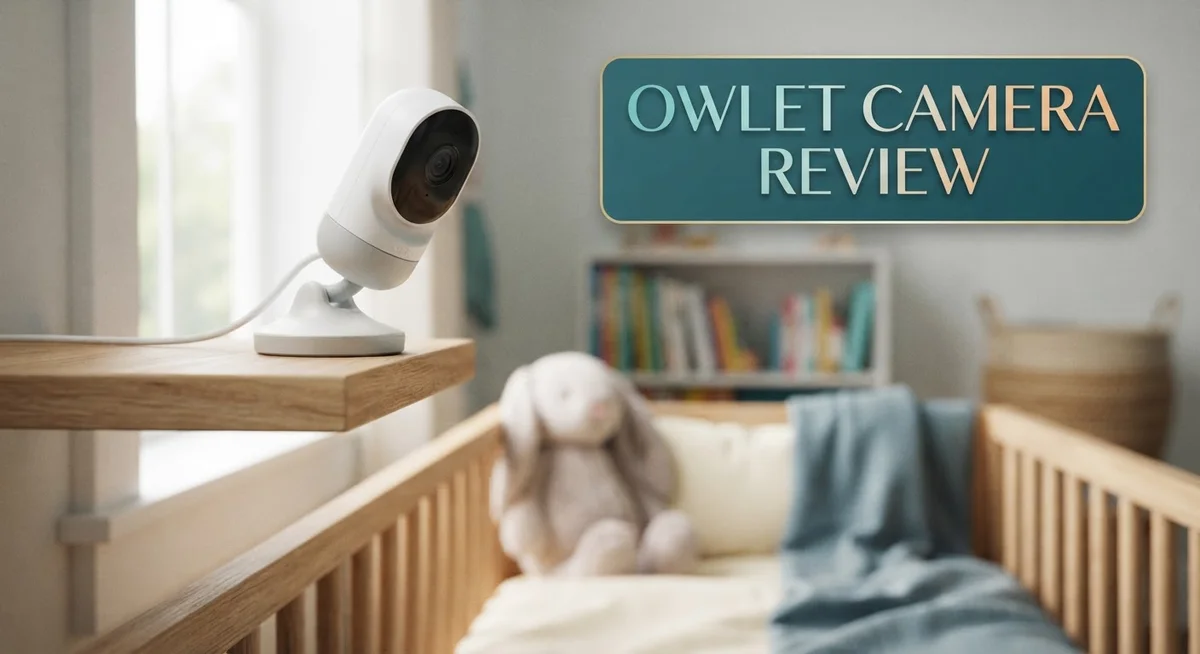
Owlet Camera Review 2026: Features, Performance, and Parent Safety
Every parent wants peace of mind at night. The Owlet Camera promises exactly that. But does it truly deliver on this promise?
This review dives deep into the Owlet Camera experience. We look at video quality, app performance, and daily usability. You get a clear picture before you decide.
The camera offers 2K HD video resolution for crisp, clear viewing. It also displays temperature and humidity levels in your baby’s room. This helps you create a comfortable sleep environment.
In a Nutshell
- Video and audio stay sharp. The camera delivers clear footage and reliable two way talk back, so you can soothe your baby from another room.
- Temperature and humidity tracking adds value. You get a live readout of room conditions right on the app screen.
- Some users report technical hiccups. Connection drops and app lag can interrupt monitoring at inconvenient times.
- False alarms happen sometimes. This is especially true with the Dream Sock feature, which may cause unnecessary stress.
- Setup takes patience. New users often find the initial configuration a bit confusing.
- Alternatives exist for different needs. Infant Optics DXR-8 offers a non-WiFi option, while Invidyo focuses on contactless monitoring.
Video Quality and Resolution
The Owlet Camera captures video in 2K HD resolution, which means you get sharp, detailed footage of your baby’s room. The image quality remains consistent throughout different lighting conditions, from bright daylight to dimly lit evenings. You can zoom in on the screen without losing clarity, making it easy to spot details when you need them.
The camera’s frame rate performs smoothly during live viewing. Motion appears fluid rather than choppy or delayed. This matters when your baby moves around, as you want to see their actions in real time without lag interrupting your view.
Color accuracy is solid across the board. The camera renders skin tones naturally and shows room details in true colors. Nighttime viewing uses infrared technology to maintain visibility without harsh lighting that could disturb your child’s sleep. The night vision switches automatically, so you don’t need to adjust settings manually.
Audio quality pairs well with the video. The two way talk back feature lets you communicate clearly through the camera speaker. Your voice comes through at normal volume without distortion, and the microphone picks up sounds from your baby’s room accurately. You can hear cries, giggles, and other important sounds without straining.
However, some users report that app performance doesn’t always match the camera’s hardware capabilities. Connection delays can make the video feed lag behind real time events by a few seconds. This gap frustrates parents who expect instant viewing. The app may also freeze occasionally, forcing you to reconnect and restart the stream.
Lighting conditions in the room affect how well the camera performs. Rooms with windows receive excellent video quality during daytime hours. Rooms with minimal natural light depend more on the infrared system, which works fine but feels less detailed than daytime footage.
The resolution stays consistent whether you’re viewing on your phone, tablet, or computer. The app automatically adjusts streaming quality based on your internet connection strength, so you maintain a stable feed even with slower WiFi. This adaptive streaming keeps interruptions minimal during monitoring sessions.


Last update on 2026-09-20 / Affiliate links / Images from Amazon Product Advertising API Some of the links on this website are affiliate links, which means that at no additional cost to you, I earn a commission if you click through and make a purchase. I only recommend products and services that I believe will add value to my readers. Thank you for your support!
Environmental Monitoring and Smart Features
The Owlet Camera goes beyond basic video monitoring. It includes environmental sensors that track temperature and humidity in real time. You see these readings directly on your phone screen, so you always know if your baby’s room is too hot, too cold, or too dry.
This feature matters because room conditions affect sleep quality and comfort. Newborns struggle to regulate their own body temperature. The live data helps you make quick adjustments to blankets, clothing, or room settings without guessing.
The app displays both metrics clearly on a single dashboard. You don’t need to open multiple screens or toggle between different tools. Everything you need appears in one place, making it simple to check conditions during quick phone checks or longer monitoring sessions.
The two way talk back audio lets you communicate with your child from another room. The microphone picks up sounds clearly, and your voice comes through the speaker without distortion. This feature works well when you want to soothe your baby without entering the room immediately.
Remote viewing through the app means you can monitor your child from anywhere. Whether you’re downstairs, at work, or away from home, the connection keeps you informed. The app syncs across multiple devices, so both parents can watch simultaneously.
However, some users report that app performance lags behind the camera hardware quality. Connection drops happen occasionally, interrupting your monitoring session. Restarting the app or camera usually fixes the issue, but these moments can feel frustrating when you need reliable access.
The camera performs well in various lighting conditions, from bright daylight to dim nighttime settings. Video clarity stays consistent whether your baby’s room is well lit or dark. The sensors continue tracking temperature and humidity regardless of lighting, so environmental data never stops flowing.
Setup requires patience and careful attention to instructions. First time users often spend extra time on the initial configuration, but once everything connects properly, daily use becomes straightforward. The app interface makes regular monitoring simple after the learning curve passes.
App Performance and Remote Viewing
The Owlet app lets you watch your baby from anywhere using your smartphone or tablet. You open the app and see live video instantly. The connection works over WiFi, so you can check in whether you’re in another room or across town.
Remote viewing gives parents real peace of mind. You can monitor your child without being physically present. The app shows video, temperature, humidity, and audio all in one place. Everything syncs smoothly across different devices.
Two way talk back audio is a standout feature. You speak through your phone and your child hears you from the camera’s speaker. This lets you soothe your baby or give quick instructions without leaving what you’re doing.
However, app performance sometimes lags behind what the hardware can deliver. Some users notice delays when opening the app or switching between views. Connection drops happen occasionally, which interrupts live monitoring at frustrating times. These issues vary from person to person and may depend on your home WiFi strength.
The app interface displays information clearly. Temperature and humidity readings appear on your main dashboard. You can adjust settings and customize notifications without confusion. Most parents find the layout intuitive once they get familiar with it.
Real time alerts notify you of activity or temperature changes. You receive notifications on your phone so you stay informed even when the app isn’t open. Some users report that false alerts occur, which can cause unnecessary concern.
The app works on both iOS and Android devices. You can switch between your phone and tablet seamlessly. Video quality remains consistent regardless of which device you use to view.
Setup requires patience and clear WiFi connectivity. The initial configuration involves connecting the camera to your network and creating an account. Some new users find these steps confusing at first, though the process becomes easier with practice.
Overall, remote viewing through the Owlet app offers genuine convenience for monitoring your child. The app performs well most of the time, though occasional technical issues remind you that no system is perfect. Most parents appreciate the ability to check in anytime from anywhere.
Top 3 Alternatives
Nanit Pro Camera

Last update on 2026-09-08 / Affiliate links / Images from Amazon Product Advertising API Some of the links on this website are affiliate links, which means that at no additional cost to you, I earn a commission if you click through and make a purchase. I only recommend products and services that I believe will add value to my readers. Thank you for your support!
Nanit Pro offers real-time video streaming to your phone. You get crystal-clear HD footage from your baby’s room. The camera includes night vision that works without disturbing your little one.
This system uses AI-powered insights. It tracks your baby’s sleep patterns and gives you helpful feedback. The setup process is straightforward. You mount it on a wall or shelf, connect to Wi-Fi, and start monitoring right away.
Vtech RM7764 Monitor

Last update on 2026-09-20 / Affiliate links / Images from Amazon Product Advertising API Some of the links on this website are affiliate links, which means that at no additional cost to you, I earn a commission if you click through and make a purchase. I only recommend products and services that I believe will add value to my readers. Thank you for your support!
Vtech RM7764 gives you a dedicated handheld screen that doesn’t require Wi-Fi. This means you can move around your home freely without phone notifications.
The monitor features two-way talk-back so you can soothe your baby from another room. Temperature monitoring helps you keep the nursery at a safe level. The screen shows clear video footage with adjustable zoom. Battery life lasts several hours on a single charge.
Motorola Halo+ Baby
No products found.
Motorola Halo+ combines a camera with a nightlight projector. Your baby gets gentle visual comfort while you monitor everything. The projector displays soothing images on the ceiling.
This system connects to your smartphone for remote viewing. Two-way audio lets you communicate with your child instantly. The camera includes temperature and humidity sensors. You receive alerts if conditions change. The setup takes just a few minutes, and the app interface is easy to navigate.
All three options give you peace of mind. Each one has unique features that work for different family needs. Choose based on what matters most to you—smartphone convenience, dedicated screen simplicity, or added nightlight features.
Setup and User Experience
Getting your Owlet Camera up and running involves several steps that range from simple to moderately complex. The initial setup process requires you to download the app, create an account, and connect the camera to your home WiFi network. Most parents complete this in under 15 minutes, though some encounter connectivity issues during the first attempt.
The app interface presents information in a straightforward layout. You’ll see your live video feed, temperature and humidity readings, and two way talk back controls all on one screen. Navigation between different features feels intuitive for most users. However, some parents report that the app occasionally lags when switching between cameras or opening the live feed. This delay doesn’t happen constantly, but it’s worth knowing about.
Once connected, remote viewing works smoothly in most situations. You can check on your baby from work, another room, or anywhere with internet access. The two way audio lets you speak to your child and hear responses clearly. Real time alerts notify you of activity or temperature changes, which helps you stay informed without constantly checking the app.
The main frustration users mention involves app performance inconsistencies. The camera hardware captures clear video, but the app doesn’t always display it with the same reliability. Connection drops are rare, but they do happen occasionally. Reconnecting usually takes just a few seconds.
Setup on both iOS and Android devices works similarly. You can switch between your phone and tablet without complications. The app remembers your login information, so you don’t need to enter credentials repeatedly.
One thing to note: the setup process assumes you have a stable WiFi network. If your home WiFi is weak or frequently disconnects, you’ll face challenges getting the Owlet Camera to work properly. Strong WiFi coverage in your baby’s room makes the entire experience significantly smoother and more reliable for daily use.
Reliability and Technical Issues
The Owlet Camera delivers solid video and audio performance in most situations. The 2K HD resolution captures clear footage throughout the day and night. However, users report some reliability concerns that deserve attention.
App stability emerges as the primary technical issue. Many parents experience delays when opening the app or switching between devices. The camera hardware itself performs well, but the software sometimes struggles to keep pace. You might notice the app takes longer than expected to load your live feed.
Connection problems occasionally arise during setup. Your WiFi network stability plays a major role in how smoothly the camera operates. A weak signal can cause the app to disconnect or refresh repeatedly. Most users find that a strong, nearby WiFi router solves these connection issues.
False alarms represent another concern worth mentioning. Some parents report receiving alerts when no actual activity occurred. The temperature and humidity sensors sometimes trigger notifications unexpectedly. This can lead to unnecessary worry or disrupted sleep for caregivers.
The two way audio feature works reliably when the connection is stable. However, audio delays occasionally occur during peak usage times. You might notice a slight lag between speaking and your child hearing your voice.
Battery and power management generally perform well. The camera stays connected consistently once properly set up. Disconnections happen rarely, though they do occur for some users during network changes.
Real time alerts usually arrive promptly on your phone. Most parents report that notifications come through quickly when triggered. The app sends updates about temperature changes and motion detection without significant delays.
Setup complications frustrate some new users. The process requires multiple steps across the app and your WiFi settings. Following the instructions carefully helps avoid most technical problems.
Overall, the Owlet Camera proves reliable for daily monitoring once you work through initial setup. The main frustration involves occasional app performance hiccups rather than complete failures. Most issues resolve themselves or improve with a stable internet connection. Parents who experience problems often find solutions through troubleshooting or contacting customer support.
Pros and Cons
Pros
- Crystal clear 2K HD video with reliable audio quality for everyday monitoring
- Temperature and humidity display keeps you informed about your baby’s environment
- Two way talk back audio lets you communicate with your baby from anywhere
- Remote viewing through the app gives parents genuine peace of mind throughout the day
- Real time alerts notify you quickly when activity or temperature changes occur
Cons
- App performance sometimes lags when opening or switching between devices
- Frequent technical issues reported by users affect overall reliability
- False alarms occasionally trigger, especially with the Dream Sock feature
- Setup process feels complicated and assumes you have a strong WiFi connection already in place
Who Should Buy It
The Owlet Camera works best for parents who want remote monitoring with environmental data. If you check on your baby frequently throughout the day, this camera delivers what you need.
New parents benefit most from the temperature and humidity display. You see your baby’s room conditions in real time without stepping inside. This feature helps you adjust blankets or clothing quickly.
Tech-savvy parents handle the setup process more easily. The app requires a stable WiFi connection and several configuration steps. If you enjoy working through technology, you’ll manage the initial setup without frustration.
Parents who value two way audio communication find real value here. You can speak to your baby from another room or while away from home. The audio quality remains clear in most situations.
This camera suits families with reliable internet connections. Connection drops or WiFi dead zones create problems. Your monitoring depends on consistent network strength throughout your home.
Parents seeking non-WiFi alternatives should look elsewhere. The Owlet requires app based access. If you prefer a standalone monitor without internet connectivity, competitors like the Infant Optics DXR-8 offer different approaches.
You should reconsider this camera if app stability concerns you. Users report occasional lag when opening the app or switching devices. False alarms also occur, which frustrates some parents over time.
Budget conscious families may want to compare options first. The Owlet sits in the premium monitoring category. Other solutions exist at different price points with varying features.
Parents who tolerate occasional technical hiccups fit this product well. The camera delivers good video and audio most of the time. Periodic app issues don’t stop it from working overall.
Families wanting simple, hassle free setup might prefer alternatives. The Owlet requires more configuration than some competitors. If you prefer plug and play solutions, research other options first.
The ideal buyer accepts trade offs. You get clear monitoring and environmental data, but occasional app frustration comes with it. If that balance works for your family, the Owlet Camera serves your needs effectively.
Final Verdict
The Owlet Camera delivers strong video quality and smart monitoring features. It fits well into a modern nursery setup.
Still, this device asks for patience. Technical hiccups can test your nerves during late night checks.
Think about your daily routine before you decide. A stable home network makes a big difference here.
If your WiFi drops often, this camera might frustrate you. Consider that reality before adding it to your cart.
For families who want smart alerts and environmental tracking, the Owlet Camera earns its spot. The temperature and audio features add real daily value.
Parents who prefer a simpler, wire free setup might look at the Infant Optics DXR-8 instead. It skips WiFi entirely and avoids app related issues.
Those interested in contactless tracking should explore Invidyo as another path. It offers a different monitoring style without a wearable sock.
Your final choice depends on what you value most. Smart features come with occasional glitches. Simplicity often means fewer smart perks.
We recommend testing the app during your return window. This helps you catch connection issues early.
Read reviews from parents with similar home networks too. Their experience often mirrors what you can expect.
In short, the Owlet Camera rewards patient parents who want data rich monitoring. It may not suit those who want a plug and play experience.
Weigh your priorities honestly before you commit. Comfort with tech troubleshooting matters more than any spec sheet here.
If you want peace of mind through data, this camera delivers well. If you want zero fuss monitoring, consider the alternatives mentioned above.
Either way, informed choices lead to better sleep for everyone. Pick the option that matches your family’s real needs, not just its feature list.
Frequently Asked Questions
Does the Owlet Camera work without WiFi?
No, the Owlet Camera requires a WiFi connection to function. The app streams video and sends alerts through your internet connection. If your WiFi drops frequently, this camera may cause frustration. For families with unstable internet, the Infant Optics DXR-8 offers a non-WiFi alternative with a secure closed connection instead.
What environmental data does the camera display?
The Owlet Camera shows real time temperature and humidity readings. You see these measurements directly in the app. This information helps you understand your baby’s sleeping environment at a glance.
Knowing the room temperature and humidity level lets you make quick adjustments. You can add a blanket or open a window based on what the camera shows. Parents find this feature especially useful during extreme weather seasons.
How easy is the setup process?
Setup requires some patience and technical knowledge. You download the app, connect the camera to WiFi, and configure your account. Tech-savvy parents typically complete this faster than others.
Some users report the initial setup feels complicated. You may need to restart the camera or troubleshoot connection issues. Once running, the system works more smoothly. Have your WiFi password ready and allow extra time for the first installation.
Can you talk to your baby through the camera?
Yes, the two way talk back audio feature lets you speak to your baby from anywhere. You use the app to activate the microphone and communicate in real time. Many parents find this feature comforting when they cannot be in the room.
The audio quality generally comes through clearly. Your baby hears your voice and may calm down when you speak to them.

Hello everyone my name is Alenya and i am a gadget discovering Enthusiast 🐻🐻