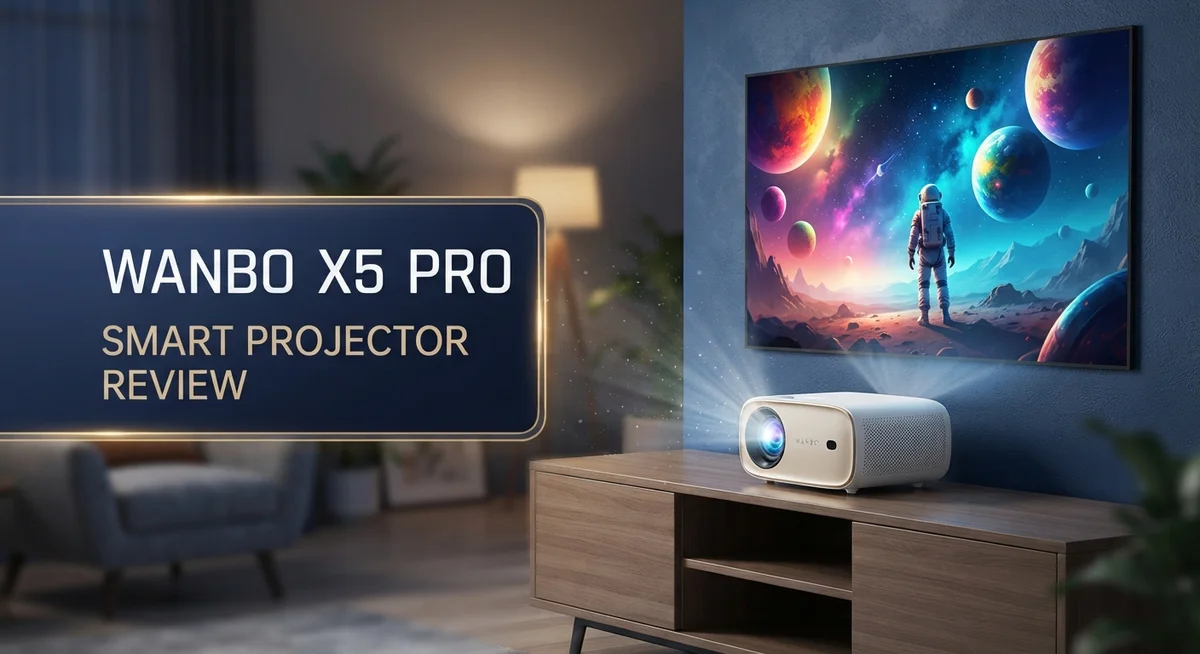
Wanbo X5 Pro Smart Projector Review: Is It Worth Buying?
Looking for a smart projector that turns any wall into a home theater? The Wanbo X5 Pro might catch your eye.
This projector runs on Google TV OS. You get instant access to Netflix, Disney+, Prime Video, and YouTube. No extra streaming device needed.
The ASA 3.0 system stands out here. It offers 3 second autofocus, auto keystone correction, and obstacle avoidance. Setup becomes quick and simple.
In a Nutshell
- Build quality feels premium. The design holds up well and feels sturdy in daily use.
- Smart features work smoothly. Google TV OS runs apps fast. Navigation feels responsive and simple.
- Setup is mostly automatic. The ASA 3.0 system handles focus, keystone, and screen fit without much effort from you.
- Streaming apps are ready to go. Netflix, Disney+, Prime Video, and YouTube all work out of the box.
- Brightness falls short for bright rooms. 1100 ANSI Lumens works fine in dark spaces but struggles in daylight.
- Gaming is not its strong suit. High input lag makes this projector a poor match for gamers.
- Some users report reliability issues. A few features may not work exactly as advertised.
Key Features and Specifications
The Wanbo X5 Pro packs several technical strengths that matter for home theater enthusiasts. Its 1100 ANSI Lumens brightness delivers solid performance in controlled lighting conditions, and HDR10 support ensures colors pop with greater depth and detail.
The projector uses a 1080p native resolution, which handles most streaming content well. You get projection sizes from 40 to 140 inches, so it adapts to different room sizes easily. The 1.25:1 throw ratio means you don’t need to sit far back to fill a wall.
ASA 3.0 technology is a standout feature here. This system automatically focuses in just 3 seconds, corrects keystone distortion on its own, and fits the image to your screen without manual tweaking. Obstacle avoidance prevents the projector from wasting light on objects in its path.
On the software side, Google TV OS runs smoothly with 2GB RAM and 16GB storage. Apps load fast and navigation feels responsive. You get instant access to Netflix, Disney+, Prime Video, YouTube, and countless other streaming apps right out of the box.
Connectivity options include HDMI 2.0, Wi-Fi, and Bluetooth. Voice control lets you search for content and adjust settings hands free, making operation more convenient during viewing sessions.
The projector’s contrast ratio stands out as genuinely excellent. Dark scenes show real depth, and blacks don’t look washed out like cheaper projectors. This matters if you watch movies frequently or enjoy cinematic content.
Build quality feels premium throughout. The chassis feels sturdy, and the overall design suggests durability. Materials used don’t feel cheap or flimsy, which is important for a device you’ll use regularly.
However, some technical limitations exist. Vignetting appears around the edges of the image in certain situations. A slight yellow tint affects color accuracy for color critical viewers. Input lag remains high, making this projector unsuitable for fast paced gaming or sports action.

Last update on 2026-09-19 / Affiliate links / Images from Amazon Product Advertising API Some of the links on this website are affiliate links, which means that at no additional cost to you, I earn a commission if you click through and make a purchase. I only recommend products and services that I believe will add value to my readers. Thank you for your support!
Design, Build Quality, and Portability
The Wanbo X5 Pro sits in your hand as a compact device that weighs around 1.3 kg. This makes it genuinely portable for moving between rooms or taking to a friend’s place. The projector measures roughly 220 x 180 x 110 mm, so it fits easily into a bag or backpack.
The exterior uses a mix of plastic and metal components. The top surface features a matte finish that resists fingerprints well. The overall construction feels solid without feeling heavy. You won’t worry about durability during regular transport or setup.
The chassis design is clean and minimal. Control buttons sit on the back panel, keeping the front face uncluttered. The lens cap attaches magnetically, which is a nice practical touch. Air vents run along the sides to manage heat during extended use.
Weight distribution feels balanced. When you hold the projector, it doesn’t feel awkward or top heavy. This matters if you mount it on a ceiling or tripod for hours at a time. The grip areas are slightly textured, giving you confidence during handling.
Portability is a genuine strength here. Unlike bulky home theater projectors, the X5 Pro travels without strain. A carrying case fits this device comfortably. You can pack it alongside cables and adapters with room to spare.
The build quality reflects attention to detail. Seams are tight and gaps are minimal. The lens assembly feels premium and moves smoothly during autofocus operations. Buttons respond with satisfying clicks rather than mushy feedback.
Heat management is important for projectors. The X5 Pro includes adequate ventilation that keeps internal temperatures stable. During normal use, the device stays cool enough to touch safely. Fan noise remains quiet compared to older projector models.
One minor point: the plastic exterior can accumulate dust if stored improperly. A protective case or cover helps maintain the appearance over time. The matte finish does hide minor scratches reasonably well.
Overall, the design balances portability with durability. You get a projector that travels easily without sacrificing build quality or structural integrity.
Image Quality and Projection Performance
The Wanbo X5 Pro delivers solid image quality for streaming content, though it has specific strengths and limits you should know about.
Brightness Performance in Different Settings
The 1100 ANSI Lumens output works best in darker rooms and evening viewing. In well lit spaces or during daytime, the image loses punch and appears washed out. You’ll see colors fade if sunlight hits the screen directly. For dedicated home theater rooms, this brightness level performs adequately. If you plan to use the projector in living rooms with windows, expect to close curtains or blinds for optimal results.
Color Accuracy and Contrast
The projector’s contrast ratio stands out as genuinely excellent. Dark scenes show deep blacks with minimal gray wash, making movies and shows feel more immersive. Colors display with good saturation in most content. However, some users report a slight yellow tint that affects neutral whites and skin tones. This tint becomes noticeable during bright scenes or when displaying white text on dark backgrounds.
Resolution and Sharpness
The 1080p native resolution handles streaming services like Netflix and YouTube without issues. Text remains crisp at typical viewing distances. When you scale 4K content down to 1080p, the projector processes it smoothly thanks to its hardware. Edge sharpness stays consistent across the screen, though vignetting occurs at the corners. This means darker edges appear slightly dimmer than the center, a common trait in compact projectors.
Projection Distance and Screen Fit
The projector covers 40 to 140 inch screens depending on your setup distance. At 1.1 meters, you get a 40 inch image. At 3.9 meters, you reach 140 inches. The 1.25:1 throw ratio gives you flexibility for different room layouts. The ASA 3.0 system automatically adjusts the image to fit your screen, saving setup time and reducing manual corrections.
Top 3 Alternatives
Anker Nebula Capsule

Last update on 2026-09-07 / Affiliate links / Images from Amazon Product Advertising API Some of the links on this website are affiliate links, which means that at no additional cost to you, I earn a commission if you click through and make a purchase. I only recommend products and services that I believe will add value to my readers. Thank you for your support!
ASUS ZenBeam Latte


Last update on 2026-09-19 / Affiliate links / Images from Amazon Product Advertising API Some of the links on this website are affiliate links, which means that at no additional cost to you, I earn a commission if you click through and make a purchase. I only recommend products and services that I believe will add value to my readers. Thank you for your support!
Epson EF-12 Projector

Last update on 2026-09-19 / Affiliate links / Images from Amazon Product Advertising API Some of the links on this website are affiliate links, which means that at no additional cost to you, I earn a commission if you click through and make a purchase. I only recommend products and services that I believe will add value to my readers. Thank you for your support!
Smart OS, Apps, and Streaming Capabilities
The Wanbo X5 Pro runs Google TV OS, which gives you access to all major streaming apps right out of the box. Netflix, Disney Plus, Prime Video, and YouTube install instantly. The operating system feels responsive and quick to navigate between apps.
The projector includes 2GB of RAM and 16GB of storage. This setup handles app switching without lag or stuttering. You can download multiple apps without worrying about running out of space. The system updates smoothly without interrupting your viewing experience.
Streaming performance is a real strength here. The X5 Pro supports 4K streaming content with HDR10 compatibility. This means Netflix shows, YouTube videos, and other streaming services display at their best quality. The 1080p native resolution works perfectly for most streaming platforms. You won’t see pixelation or blurriness during normal viewing.
Voice control comes built in. You can speak commands to search for shows, adjust volume, or launch apps. The microphone picks up your voice reliably from across the room. This feature saves time when you’re settling in to watch something.
Connectivity options keep everything simple. HDMI 2.0 lets you connect external devices like streaming boxes or gaming consoles. Wi-Fi and Bluetooth handle wireless connections for phones and speakers. You can mirror content from your smartphone directly to the projector.
One important note involves gaming performance. The projector experiences high input lag, making it unsuitable for fast-paced games. If you play competitive titles or action games, this projector won’t deliver the responsiveness you need. Casual gaming works, but serious gamers should look elsewhere.
App performance remains smooth across the board. Loading times are quick, and transitions between screens happen instantly. The interface feels intuitive, so first-time users won’t struggle with the menu system. Overall, the smart OS and streaming capabilities make this projector an excellent choice for cord-cutters and streaming enthusiasts.
Automatic Setup Features and Ease of Use
The Wanbo X5 Pro includes automatic setup features that save you time and frustration. The projector uses ASA 3.0 technology, which handles three critical tasks without manual tweaking.
First, autofocus works in just 3 seconds. The projector scans your projection surface and adjusts lens focus automatically. You don’t need to fiddle with focus rings or spend time finding the sharp point. This is especially useful when you move the projector between rooms or adjust its position.
Second, auto keystone correction fixes image distortion instantly. When you angle the projector or place it off center, the image normally appears trapezoidal. The X5 Pro detects this tilt and corrects it electronically. Your image stays rectangular no matter where you position the device.
Third, auto screen fit adapts the projection size to your space. The projector measures the distance to your wall and adjusts the image accordingly. You get proper sizing without manual calculations or settings adjustments.
Obstacle avoidance adds another layer of convenience. The projector detects objects in its path and alerts you before you place it in a problematic spot. This prevents accidental blocking of the lens or mounting in cramped spaces.
Setup takes minutes instead of hours. Most users report getting a usable image within five minutes of unboxing. The Google TV OS boots quickly and connects to Wi-Fi smoothly. Voice control lets you search for apps and content without touching the remote.
One thing to note: some users report that certain automatic features don’t always work as expected in every situation. Occasional manual adjustment might be needed in unusual room layouts or with very bright ambient light.
The ease of use extends to daily operation. The remote feels intuitive, and navigation through Google TV menus is responsive. Switching between streaming apps happens without lag. The overall experience prioritizes simplicity over complexity, making the X5 Pro accessible to beginners and experienced projector users alike.
Pros and Cons
Pros
- Excellent contrast ratio that makes dark scenes pop and colors feel natural
- Premium build quality feels solid and durable in hand
- Smooth app performance with responsive navigation across Google TV
- Automatic setup features (3 second autofocus, auto keystone, obstacle avoidance) get you viewing fast
- Ready for all major streaming services right out of the box with 4K HDR support
Cons
- 1100 ANSI Lumens brightness struggles in rooms with ambient light or daytime viewing
- High input lag makes this projector unsuitable for gaming or fast action content
- Noticeable vignetting around edges and yellow tint in some scenes affects image quality
- Some automatic features don’t work reliably in every situation according to user reports
- Reliability concerns have been noted by some owners over extended use
Who Should Buy It
The Wanbo X5 Pro works best for specific types of viewers. Let’s break down who gets the most from this projector.
Home theater enthusiasts love this model. You want a projector that handles streaming content smoothly with excellent contrast and color accuracy. The X5 Pro delivers on all three fronts. Netflix, Disney+, and Prime Video perform beautifully on the Google TV system.
Casual movie watchers benefit from the automatic setup features. You don’t want to spend hours calibrating equipment. The 3 second autofocus, auto keystone, and obstacle avoidance mean you’re watching films within minutes of unboxing. Setup frustration disappears entirely.
People with smaller to medium sized rooms fit the ideal user profile. The projector shines when you project between 40 and 80 inches in a controlled environment. Darker rooms maximize image quality and brightness performance.
Content consumers who prioritize convenience appreciate the built in voice control and Google TV integration. You want everything accessible from one remote. Apps launch quickly and navigation feels responsive throughout the system.
Users who don’t game should note this clearly. High input lag makes fast action content and gaming unsuitable for this projector. If you plan to play video games or watch sports with quick movements, look elsewhere.
People in bright rooms need to reconsider. The 1100 ANSI Lumens brightness struggles against ambient light and daytime viewing. You need a darker space to see the full potential of this projector.
Budget conscious buyers who value reliability should research user reports first. Some owners mention that certain automatic features don’t always perform as expected. A few reliability concerns exist in user feedback.
The Wanbo X5 Pro serves streaming focused viewers in darker rooms who want minimal setup hassle. It excels at delivering smooth app performance and excellent image contrast for movies and shows. Skip this model if you game frequently, need brightness for bright spaces, or demand absolute reliability without compromise. The projector matches perfectly with people who value convenience and streaming quality above all else.
Final Verdict
The Wanbo X5 Pro earns its spot as a solid pick for anyone who wants a simple projector experience. It handles setup fast and delivers rich colors on screen. This makes it a strong choice for movie nights and casual streaming.
Think about where you plan to use this projector. A dark or dim room brings out the best picture quality. Bright spaces will disappoint you due to the brightness limits.
Gamers should look elsewhere. The input lag issue makes fast paced games frustrating to play. Movie lovers and show binge watchers won’t face this problem at all.
Check the vignetting and yellow tint issue before you decide. Some scenes show this more than others. It won’t ruin your experience, but it’s worth knowing beforehand.
Reliability reports from users deserve your attention too. Some features may not perform perfectly every time. Reading recent user feedback helps set realistic expectations for your unit.
If brightness matters more to you, look at the Wanbo Mozart 1 Pro from 2025. It may offer improvements in areas where the X5 Pro falls short. Comparing specs side by side helps you pick the right fit.
For most buyers, this projector suits a specific lifestyle. Streaming fans who watch in dark rooms will enjoy this device the most. Families who want quick movie nights without complex setup will feel satisfied too.
Skip this model if you need daytime viewing or gaming performance. Those two use cases don’t match what this projector offers well. Your viewing habits should guide this final choice.
Overall, the Wanbo X5 Pro delivers on convenience and picture quality in the right setting. It rewards users who match their expectations to its actual strengths. Know your room, your habits, and your priorities first.
This projector works best as a dedicated movie companion rather than an all purpose device. Match your viewing style to its strengths and you’ll likely enjoy the results.
Frequently Asked Questions
Does the Wanbo X5 Pro work in bright rooms?
Not really. The 1100 ANSI Lumens brightness struggles when sunlight enters your space. You’ll see a washed out image during daytime or in rooms with lots of ambient light.
This projector shines best in darker environments. Save it for evening viewing or rooms you can control with blinds and curtains.
Can you use this projector for gaming?
No. The high input lag makes fast action games feel sluggish and unresponsive. You’ll notice delays between your controller input and what appears on screen.
This projector works great for movies and streaming content. Gamers should explore other options that prioritize low latency performance.
What is ASA 3.0 and why does it matter?
ASA 3.0 handles setup automatically. It focuses in 3 seconds, corrects keystone issues, fits the image to your screen, and avoids obstacles in its path.
You skip the manual calibration steps. Just turn it on and start watching within seconds.
Are there image quality issues I should know about?
Yes. Users report vignetting around the edges and a yellow tint in some scenes. These affect picture quality noticeably during certain content.
The contrast remains excellent, but these quirks appear in real world use. Check sample footage before you commit.
Is the Wanbo X5 Pro reliable?
User reports raise some concerns. A few features don’t work as expected, and reliability issues surface in customer feedback.
Research recent reviews carefully. Reliability matters for a long term purchase.

Hello everyone my name is Alenya and i am a gadget discovering Enthusiast 🐻🐻