Lockin Veno Plus Smart Lock Review 2026: Worth the Price Tag?
Your front door deserves better than a regular key. You know this feeling when you arrive home with bags of groceries in both hands, and you need to dig through your pockets for keys? That problem ends today.
The Lockin Veno Plus Smart Lock brings something completely different to your doorstep. This device combines palm vein scanning technology with a 2K security camera, making your home security feel like something from the future.
The best part? This technology actually works in real life, not just in demos. People love this lock because it solves real problems that regular smart locks cannot handle. You will discover why this lock stands out from everything else on Amazon in 2026, and whether it deserves a place on your front door.
Key Takeaways
- Palm vein recognition unlocks your door in just 0.17 seconds with an incredible 99.9% accuracy rate. This technology scans over 50,000 invisible vein data points beneath your skin, making it impossible to duplicate or fake. Your hands work perfectly even when wet, cold, or wearing gloves.
- The built-in 2K security camera provides a full 180-degree panoramic view that captures everything from head to toe on your porch. You see 75% more area compared to regular doorbell cameras, with AI motion detection, infrared night vision, and two-way talk features included.
- Six different unlocking methods give you complete flexibility: palm vein scanning, fingerprint recognition, numeric keypad codes, smartphone app control, Bluetooth connection, and a traditional backup key. Every family member finds their preferred way to enter.
- No monthly subscription fees required for video storage. The lock includes 8GB of built-in local storage, saving all your video clips directly on the device. You own your footage without paying recurring costs.
- Installation takes just 15 minutes with basic tools. One person with a screwdriver can install this lock following the simple instructions. The device fits standard doors with thickness between 1⅜ to 2¹¹/₆₄ inches and works with wooden doors perfectly.


Last update on 2026-10-14 / Affiliate links / Images from Amazon Product Advertising API Some of the links on this website are affiliate links, which means that at no additional cost to you, I earn a commission if you click through and make a purchase. I only recommend products and services that I believe will add value to my readers. Thank you for your support!
Lockin Veno Plus Smart Lock
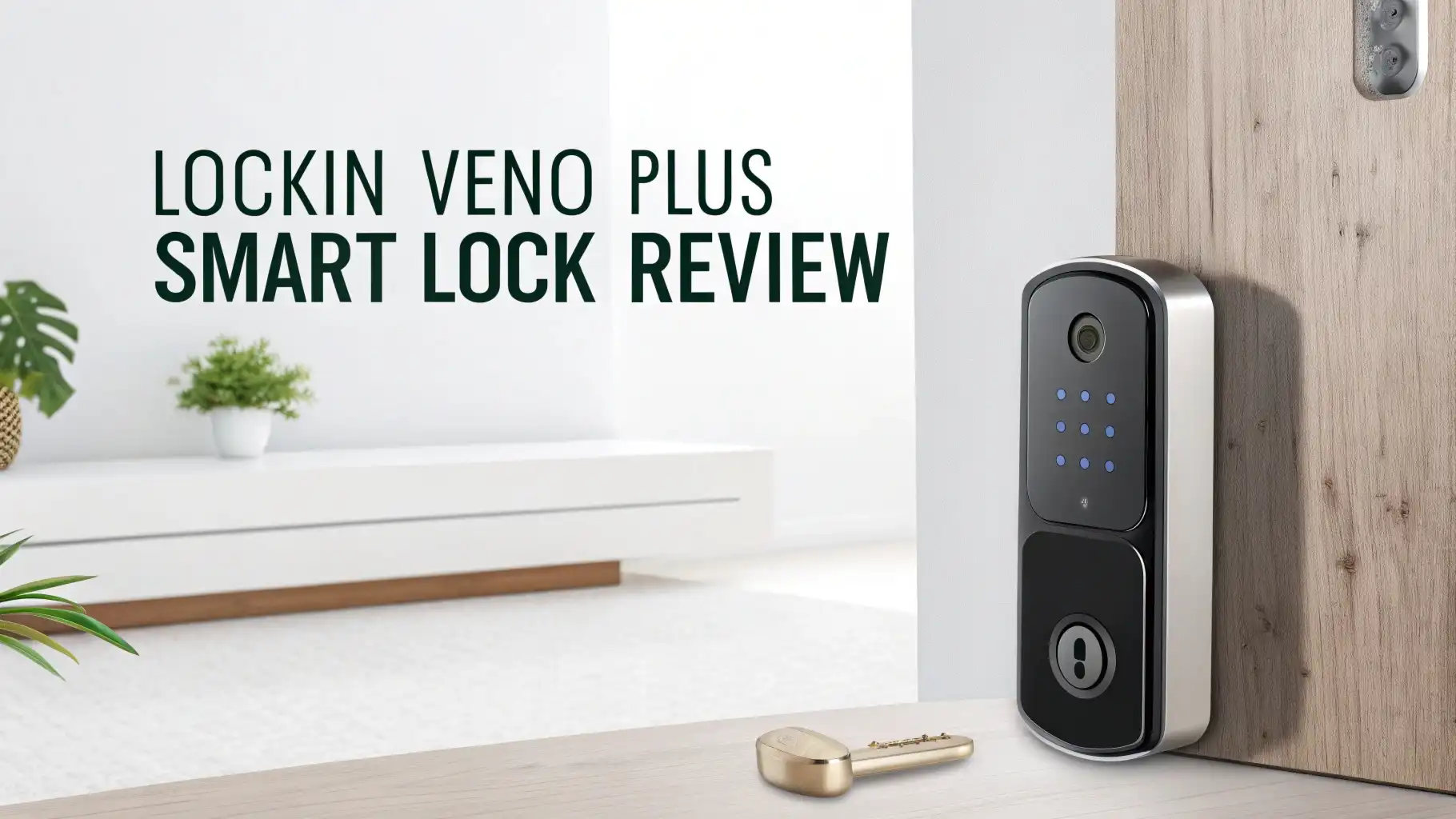
The Lockin Veno Plus represents the cutting edge of smart home security in 2026. This device packs serious technology into one compact unit that replaces your old deadbolt. You get a complete security system that includes biometric scanning, video surveillance, and smart connectivity all working together.
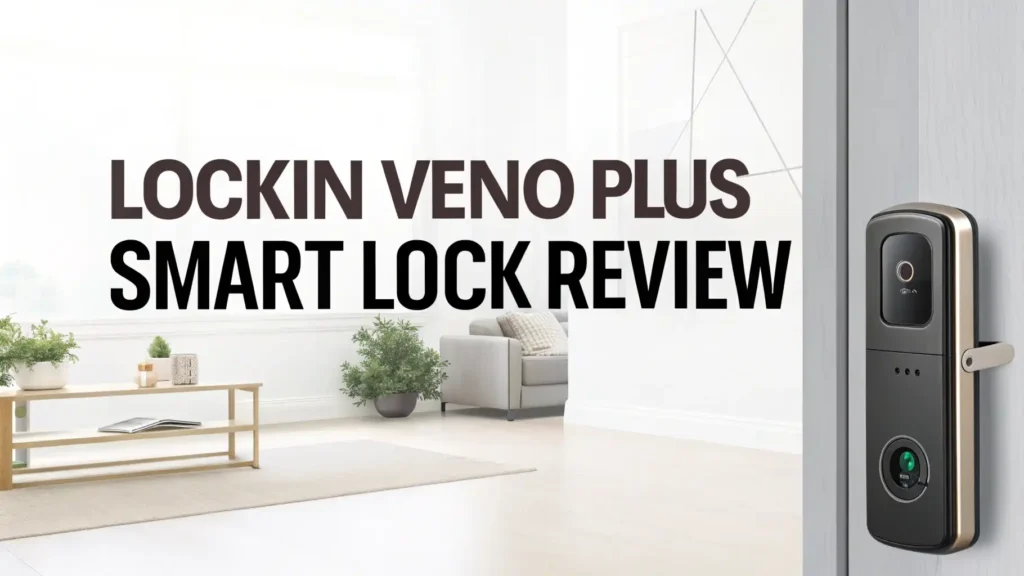
The exterior escutcheon houses the palm vein scanner, fingerprint reader, numeric keypad, 2K camera, and doorbell button. Everything feels solid and premium when you touch it, with a tempered glass front panel that resists scratches and weather damage.
The device carries IP65 weatherproof certification, meaning it handles rain, snow, and extreme temperatures without problems. The ANSI Grade 2 certification confirms this lock meets professional security standards.
The rechargeable 5,000 mAh battery powers everything for approximately seven months on a single charge. You charge it via USB-C when needed, or add the optional solar panel for continuous trickle charging that eliminates battery concerns completely.
Understanding Palm Vein Technology
Palm vein recognition operates on a completely different principle than fingerprint scanning. The technology uses Venokey™ sensors that emit safe near-infrared light.
This light gets absorbed by the hemoglobin in your blood, making your vein patterns appear as dark lines in the image. The scanner captures these patterns and converts them into a unique digital template stored locally on the device.
This biometric method offers superior security compared to fingerprints for several important reasons. Vein patterns exist inside your body, making them impossible to lift from surfaces you touch.
Nobody can photograph your palm veins or create fake copies. The scanner requires living tissue with blood flow, preventing anyone from using photographs, molds, or severed limbs for unauthorized access.
The technology works reliably under conditions where fingerprint scanners fail completely. Your palm veins remain stable throughout your life, unaffected by cuts, burns, calluses, or aging.
The scanner functions perfectly when your hands are wet from rain, sweaty from exercise, covered in lotion, or freezing cold. Parents with babies know the struggle of juggling items while trying to unlock doors. The touchless palm scan solves this perfectly.
Video Doorbell and Camera Features
The 2K security camera built into the Lockin Veno Plus delivers exceptional video quality that surpasses typical doorbell cameras. The resolution captures fine details like facial features, package labels, and license plates with clarity.
The 180-degree field of view eliminates blind spots that hide package thieves and unwanted visitors. You see a complete panoramic view of your entire porch area, from the floor to above typical human height.
AI motion detection distinguishes between important events and false alarms. The system recognizes people, vehicles, and packages while ignoring leaves blowing across your porch or shadows from passing clouds.
You receive intelligent notifications on your phone only when something meaningful happens. The camera includes infrared night vision that illuminates your porch in complete darkness, capturing clear black and white footage when visibility drops.
The two-way talk feature lets you communicate with visitors through your smartphone, even when you are away from home. Delivery drivers can confirm package placement, guests can let you know they arrived, and unwanted solicitors get dismissed without opening your door. The speaker and microphone provide clear audio in both directions.
Installation Process Made Simple
Installing the Lockin Veno Plus requires no professional locksmith services. The company designs this lock for DIY installation by regular homeowners. You need only a #2 Phillips screwdriver and approximately 15 minutes of time. The package includes all necessary components: exterior escutcheon, interior escutcheon, mounting frame, custom deadbolt, strike plate, screws, and backup keys.
Step one involves removing your existing deadbolt. You unscrew the interior portion first, then slide out the exterior hardware and remove the old deadbolt from the door edge. This process takes just a few minutes with any standard deadbolt.
Step two requires checking your door specifications. The lock fits wooden doors with crossbore diameter of 2⅛ inches and door thickness between 1⅜ to 2¹¹/₆₄ inches. Most residential doors meet these measurements perfectly. The device requires a rectangular latch faceplate cutout, not compatible with round faceplates.
Step three involves installing the custom deadbolt and strike plate. The deadbolt contains an embedded sensor that communicates with the strike plate to detect whether your door is open or closed. This clever design eliminates the need for external magnetic sensors that look unattractive on door frames.
App Setup and Wi-Fi Connection
The Lockin Smart app (available free on iOS and Android) guides you through the complete setup process. You download the app, create your account, and begin adding your lock. The app uses Bluetooth connection first to communicate with the lock during initial pairing.
The setup wizard walks you through each configuration step systematically. You connect the lock to your 2.4GHz Wi-Fi network (the lock does not support 5GHz networks). The built-in Wi-Fi eliminates the need for separate bridge devices or hubs. Once connected, you can control your lock from anywhere in the world with internet access.
The wizard prompts you to configure administrator credentials, including your first palm vein scan, fingerprints, and PIN codes. You then set up additional users for family members, choosing which unlock methods each person can use. The system allows up to 50 fingerprints, 50 palm scans, and 50 PIN codes total across all users.
Auto-lock settings let you choose how long the door waits before automatically locking. Options range from immediate locking to a 180-second delay. This feature ensures you never accidentally leave your door unlocked when departing home.
Top 3 Alternatives for Lockin Veno Plus

Last update on 2026-09-19 / Affiliate links / Images from Amazon Product Advertising API Some of the links on this website are affiliate links, which means that at no additional cost to you, I earn a commission if you click through and make a purchase. I only recommend products and services that I believe will add value to my readers. Thank you for your support!

Last update on 2026-09-19 / Affiliate links / Images from Amazon Product Advertising API Some of the links on this website are affiliate links, which means that at no additional cost to you, I earn a commission if you click through and make a purchase. I only recommend products and services that I believe will add value to my readers. Thank you for your support!

Last update on 2026-09-19 / Affiliate links / Images from Amazon Product Advertising API Some of the links on this website are affiliate links, which means that at no additional cost to you, I earn a commission if you click through and make a purchase. I only recommend products and services that I believe will add value to my readers. Thank you for your support!
Six Different Unlock Methods
The Lockin Veno Plus provides remarkable flexibility through its six unlock methods. Every user finds their preferred access method based on personal preference and situational needs.
Palm vein scanning serves as the primary unlock method, offering touchless convenience and maximum security. You simply hold your palm near the scanner as you approach. The system wakes automatically and completes recognition in 0.17 seconds. This method works perfectly when carrying items, wearing gloves, or having wet hands.
Fingerprint recognition provides a backup biometric option. The scanner sits below the numeric keypad on the exterior escutcheon. You place your registered finger on the reader, and it unlocks in about one second. The fingerprint reader handles up to 50 different fingerprints, though it performs less reliably than palm scanning in wet or cold conditions.
Numeric keypad entry works through the backlit touchscreen. You wake the keypad by touching any area, then enter your 6 to 10 digit PIN code. The system supports anti-peep password technology, meaning you can insert random digits before and after your actual PIN, and the lock still recognizes the correct code hidden within the longer number sequence. This feature prevents shoulder surfers from stealing your code.
Smartphone app unlocking operates through the Lockin app. You open the app and tap the unlock button. This method works from anywhere with internet connection, allowing you to grant access remotely to visitors, service providers, or family members who forgot their codes.
Managing Users and Access Control
The Lockin app provides comprehensive user management capabilities. You create individual profiles for each person who needs access to your home. Each profile can have multiple unlock credentials assigned to it.
Permanent users get 24/7 unlimited access. You register their palm veins, fingerprints, and PIN codes within their profile. The system allows 50 credentials of each type simultaneously. A family of five could have 10 different unlock options per person, providing redundancy and convenience.
Temporary users receive time-limited access through a separate menu system. You create temporary PIN codes that expire after a specific duration. These codes work perfectly for house cleaners, pet sitters, contractors, or Airbnb guests. You set the start time and end time for each temporary code, and the system automatically deactivates it when the period expires.
One-time passwords expire within one hour of creation. You generate these through the app when a delivery driver needs to place a package inside your door, or when a friend stops by for a quick visit. The password works once, then becomes invalid automatically.
Battery Life and Solar Charging Option
The rechargeable 5,000 mAh battery provides approximately seven months of typical use on a single charge. This estimate assumes a family of four with normal coming and going patterns. Heavy use with frequent video recording reduces this duration, while light use extends it.
The lock provides low battery warnings through the app and audible beeps when power drops below 20%. You have several weeks of notice before the battery dies completely. Charging takes about 4 hours using the included USB-C cable connected to any standard phone charger or USB power adapter.
You charge the battery without removing it from the door. The USB-C port sits on the interior escutcheon, easily accessible from inside your home. Alternatively, you can remove the battery and charge it separately if preferred.
The optional solar panel accessory (sold separately for approximately $70) transforms the lock into a perpetually powered device. The compact solar panel attaches to the exterior escutcheon and connects to the emergency USB port on the underside. The panel provides continuous trickle charging that keeps the battery topped off indefinitely in locations with reasonable sunlight exposure.
The solar panel measures approximately 5 inches by 3 inches and mounts discreetly above or beside the lock. It generates 5.5 watts of power, more than sufficient to match the lock’s consumption during typical daily use. Even on cloudy days, the panel provides meaningful charging that extends battery life substantially.
Security Features and Certifications
The Lockin Veno Plus implements multiple layers of security protection. The ANSI Grade 2 certification confirms this lock meets commercial-grade standards for strength and durability. The deadbolt withstands forced entry attempts through kicking, prying, and lock picking.
Anti-tampering alerts notify you immediately if someone attempts to remove the lock or damage the device. Sensors detect shock and vibration patterns consistent with attack attempts. You receive push notifications and the lock sounds a loud alarm to deter intruders.
Auto-lock functionality ensures your door locks automatically after entry. You configure the delay period from immediate to 180 seconds. This feature prevents accidentally leaving your door unlocked when you forget to manually secure it.
Vacation mode transforms the lock into a fortress. When activated through the app, this mode disables all unlock methods except the smartphone app and physical key. The keypad, fingerprint reader, and palm scanner become inactive, preventing anyone with stolen credentials from entering. The camera remains active, recording any suspicious activity at your door.
Local data processing means your biometric information never leaves the device. The lock stores palm vein and fingerprint templates internally, not in the cloud. This approach eliminates privacy concerns about companies or hackers accessing your biological data. Even if someone gains access to the Wi-Fi network, they cannot retrieve biometric templates from the lock.
Video Storage and Privacy
The 8GB built-in local storage serves as your personal video archive. The lock automatically saves motion-triggered video clips directly to this internal memory. Each clip captures the event from a few seconds before motion detection through a few seconds after activity ceases.
No subscription fees differentiate this lock from competitors. Companies like Ring and Nest charge monthly fees ranging from $3 to $10 for cloud video storage. Over several years, these subscriptions cost hundreds of dollars. The Lockin Veno Plus eliminates this ongoing expense completely.
The 8GB capacity holds approximately several weeks of clips based on typical activity levels. When storage fills, the system automatically overwrites the oldest clips with new recordings. You can download important clips to your smartphone or computer for permanent archiving.
The Lockin app provides easy access to all stored videos. You browse clips by date and time, with thumbnail previews making it simple to find specific events. The app allows you to download, share, or delete clips as needed. You can send video evidence to police if suspicious activity occurs.
Smart Home Integration
The Matter compatibility positions the Lockin Veno Plus as a future-proof smart home device. Matter represents a new universal standard that allows smart home products from different manufacturers to work together seamlessly. Your lock communicates with devices from any Matter-compatible ecosystem.
Apple HomeKit integration enables control through the Apple Home app and Siri voice commands. You say “Hey Siri, unlock the front door,” and your iPhone or HomePod executes the command. You create HomeKit automations that trigger other smart home devices when the lock status changes. For example, unlocking the door can turn on your lights and adjust your thermostat automatically.
Amazon Alexa compatibility brings voice control through Echo devices. You say “Alexa, lock the front door,” and your smart speaker secures your home. Alexa routines can incorporate the lock into complex automation sequences. When you say “Alexa, good night,” your lock can secure itself along with turning off lights and lowering the thermostat.
Google Home integration provides similar voice control through Google Assistant. You say “Hey Google, is my front door locked?” and receive spoken confirmation of the lock status. Google routines integrate the lock into your daily automation sequences.
Performance in Real World Conditions
Daily use reveals the Lockin Veno Plus handles typical family life exceptionally well. The palm vein scanner proves remarkably reliable, recognizing users even when hands are dirty from gardening, wet from rain, or cold from winter weather. The 0.17-second recognition speed feels instantaneous during actual use. You barely slow down as you approach the door.
The 2K camera captures clear video in bright daylight, shade, and complete darkness. The 180-degree field of view eliminates the frustration of typical doorbell cameras that show only a narrow slice of your porch. You see packages left at the edges of your porch, and visitors approaching from the sides.
Night vision works impressively well. The infrared illumination lights up your entire porch area without visible red glare. Video quality in darkness shows clear details of faces and objects, making it easy to identify nocturnal visitors.
The fingerprint reader works adequately but not perfectly. Some users report needing multiple attempts, especially with wet or cold fingers. The palm vein scanner clearly outperforms fingerprint recognition in challenging conditions.
The keypad provides reliable backup when biometric methods fail. The backlit numbers shine brightly in darkness, though the lock button remains unlit, making it harder to find at night. You learn its location quickly through repetition.
Troubleshooting Common Issues
Some users encounter notification problems during initial setup. The app may fail to send push alerts when door events occur. This issue typically requires checking permissions in your phone’s settings.
The Lockin app needs authorization to send notifications, access Bluetooth, and use local network features. Enabling all requested permissions usually resolves this problem. In stubborn cases, uninstalling and reinstalling the app, then factory resetting the lock may fix the issue.
Firmware updates occasionally stall during installation. The lock downloads the update but fails to complete the installation process. Leaving the lock connected to power and Wi-Fi overnight often allows the update to complete automatically. The system retries the update during idle periods when no one uses the lock.
Wi-Fi connection issues affect smart locks from all manufacturers. The lock requires a strong 2.4GHz Wi-Fi signal to maintain reliable connectivity. If your router sits far from the front door, or interior walls block the signal, the lock may disconnect frequently. Solutions include moving your router closer, adding a Wi-Fi extender, or upgrading to a mesh network system that provides better coverage.
Value for Money in 2026
The Lockin Veno Plus costs approximately $190 on Amazon in early 2026. This price positions it in the mid-to-upper range of smart lock pricing. Budget fingerprint locks sell for $80 to $120, while premium smart locks with basic features cost $200 to $300. The Veno Plus delivers exceptional value when you consider the included features.
Breaking down the value: A quality stand-alone smart lock without camera features costs $120 to $180 from reputable brands. A separate 2K video doorbell costs $80 to $200 from Ring, Nest, or Arlo. Purchasing these products separately totals $200 to $380 plus installation complexity of managing two separate devices.
The Veno Plus combines both products in a single integrated unit for $190. This represents significant savings over the separate product approach. The unified design means simpler installation, a single app to manage, and no gaps in coverage between lock and doorbell.
Frequently Asked Questions
Does the Lockin Veno Plus work with wet hands?
Yes, the palm vein scanner works perfectly with wet hands. The technology scans the vein patterns inside your palm using near-infrared light that penetrates through water. Rain, sweat, lotion, or wet hands from washing do not affect the scanner’s performance. This capability makes the Veno Plus far more reliable than traditional fingerprint scanners that fail when moisture is present.
How long does installation take for someone with basic DIY skills?
Installation typically takes 15 to 20 minutes for someone with basic DIY experience. You need only a Phillips screwdriver and the ability to follow visual instructions. The process involves removing your old deadbolt, installing the new deadbolt and strike plate, connecting a few cables, and mounting the interior and exterior components. The most challenging part is properly seating the cable connectors, which needle-nose pliers can help with.
Can I use the Lockin Veno Plus without Wi-Fi?
Yes, the lock functions without Wi-Fi connectivity. The palm vein scanner, fingerprint reader, keypad, and physical key all work offline. However, you lose remote access through the smartphone app, push notifications, video doorbell features, and smart home integrations without Wi-Fi. The lock stores video clips locally, but you cannot view them remotely without internet connection.
What happens if the battery dies while I am away from home?
The lock provides multiple weeks of low battery warnings before power runs out. If the battery dies completely while you are away, you have three options for entry. First, use the physical backup key that hides behind the doorbell button. Second, connect an external USB power bank to the emergency charging port on the exterior unit, which powers the lock immediately. Third, have someone inside open the door to let you in.
Does the palm vein scanner work for children?
Yes, children can register their palm veins successfully. The scanner accommodates different hand sizes from young children through adults. During registration, you position the child’s palm close enough to the scanner for proper detection. The system captures their unique vein pattern and creates a template that works as they grow. You may need to re-register palm scans as children grow significantly.
How secure is the palm vein technology compared to fingerprints?
Palm vein recognition offers superior security compared to fingerprints. Vein patterns exist inside your body, making them impossible to lift from surfaces, photograph, or replicate. The scanner requires living tissue with active blood flow, preventing the use of severed limbs or artificial models. Fingerprints can be lifted from objects you touch and used to create fake fingerprints that fool some scanners. Palm veins cannot be compromised this way.
Can I share access to the lock with multiple family members?
Yes, the lock supports up to 50 palm vein scans, 50 fingerprints, and 50 PIN codes simultaneously. Each family member can register multiple credentials across these different methods. You create individual user profiles in the app, assigning specific credentials to each person. The system tracks which user accessed the door and when, providing complete accountability.
Does the video doorbell work at night?
Yes, the built-in camera includes infrared night vision that illuminates your porch in complete darkness. The camera captures clear black and white video showing faces and objects in detail. The infrared LEDs emit invisible light that does not create visible red glare. The night vision range extends approximately 15 to 20 feet from the lock.
What door types work with the Lockin Veno Plus?
The lock fits wooden doors with thickness between 1⅜ inches and 2¹¹/₆₄ inches. The crossbore diameter must be 2⅛ inches, which is standard for most residential doors. The lock requires a rectangular latch faceplate cutout and does not fit doors with round faceplate cutouts. Metal doors and glass doors are not compatible with this lock model.
How do I add temporary access for guests or service providers?
The Lockin app provides a dedicated temporary user menu. You create temporary PIN codes that activate and expire at specific times you define. You set the start date and time, end date and time, and the system automatically enables and disables the code on schedule. One-time passwords that expire after one hour are also available for quick access needs. Temporary codes work only through the keypad, not through biometric unlocking.

Hello everyone my name is Alenya and i am a gadget discovering Enthusiast 🐻🐻