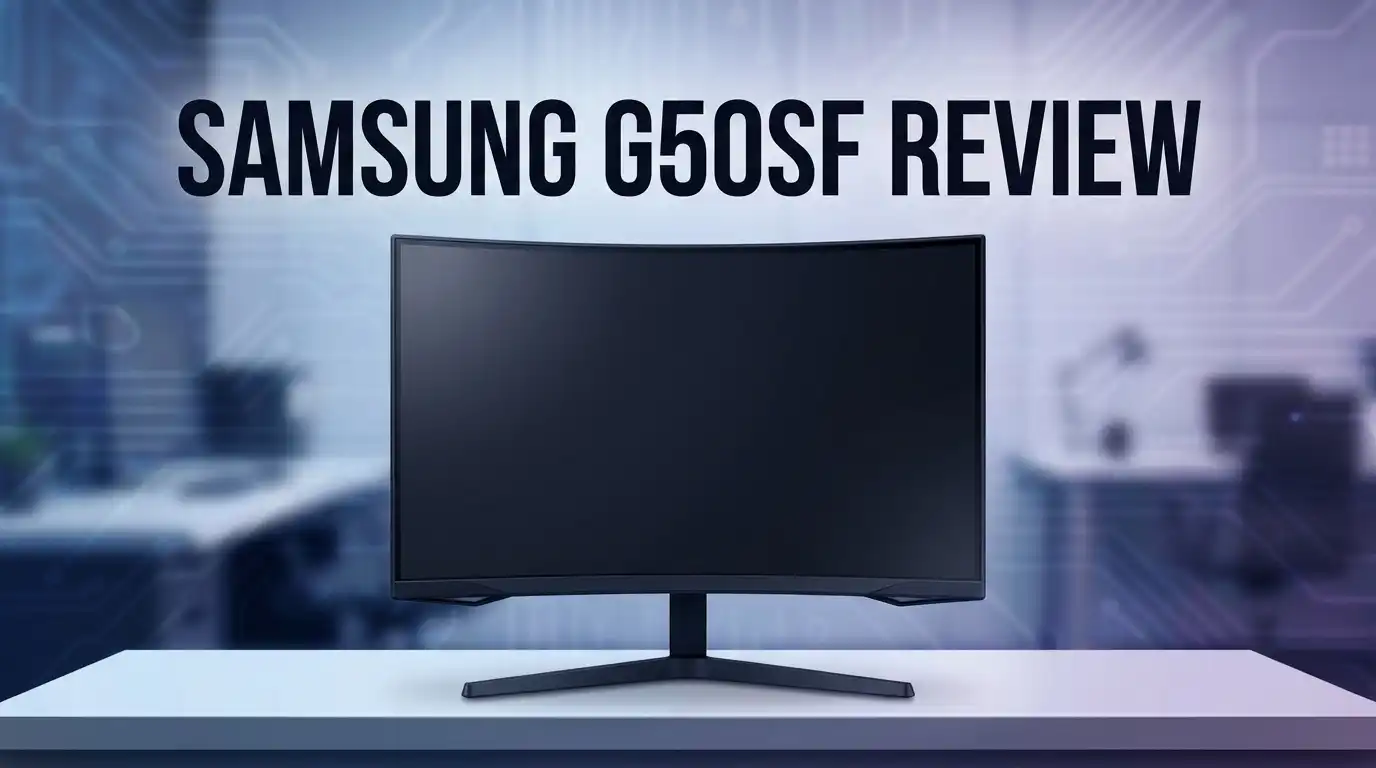
Samsung G50SF Review: Is This Monitor Worth It?
Are you looking for a monitor that makes gaming feel real? The Samsung G50SF might be the answer. This 27 inch QD-OLED display brings deep blacks and bright colors to your screen.
Gamers want speed and clarity. This monitor delivers both with a 0.03ms response time. Fast paced games look smooth and sharp.
The G50SF supports 1440p resolution. You get crisp images without slowing down your system. It also runs at 180Hz over DisplayPort. That means fewer blurs and more fun.
G-Sync and FreeSync compatibility make this monitor flexible. It works well with many graphics cards. You do not need to worry about screen tearing during action packed scenes.
In a Nutshell
- QD-OLED panel technology delivers deep blacks and rich contrast. Every scene looks vivid and lifelike.
- 180Hz refresh rate on DisplayPort keeps motion smooth. Fast-paced games feel fluid and responsive.
- 0.03ms response time puts this monitor ahead of many rivals. Ghosting and blur become things of the past.
- G-Sync and FreeSync compatibility means fewer screen tears. Your gameplay stays seamless across different graphics cards.
- Anti-glare coating protects your eyes during long sessions. Bright rooms won’t ruin your viewing experience.
- Compared to competitors like the AOC Q27G3XMN, the G50SF pulls ahead. Reviewers call it noticeably better in overall performance.
This monitor suits gamers who crave speed and stunning visuals. It also works well for anyone who wants a screen that handles fast action without lag. The combination of OLED quality and high refresh rates makes it a strong pick in its category.
Display Quality and Panel Technology
The display panel is where the Samsung G50SF truly shines. This monitor uses QD-OLED technology, which means quantum dots work with organic LEDs to produce exceptional image quality.
OLED panels offer something traditional monitors cannot deliver. Each pixel emits its own light. When you need black, the pixel simply turns off completely. This creates infinite contrast ratios that make dark scenes in games look absolutely stunning.
The 27-inch screen gives you plenty of space without feeling overwhelming. The 1440p resolution strikes a perfect balance. You get sharp details without taxing your graphics card too hard. Text remains crisp, and game environments display with impressive clarity.
Color accuracy is another major strength here. The QD-OLED panel produces vibrant, lifelike colors. Whether you’re exploring fantasy worlds or playing competitive shooters, the visuals feel immersive. Colors don’t wash out at different viewing angles either.
The anti-glare coating protects your eyes during extended gaming sessions. This coating reduces reflections from lights and windows. You can focus on gameplay without distracting glare interfering with your view.
Response time matters for competitive gaming, and the G50SF delivers. At 0.03 milliseconds, this monitor ranks among the fastest available. Motion appears incredibly smooth. You’ll notice the difference immediately when playing fast-paced titles.
Refresh rate performance varies by connection type. Connect via DisplayPort and you unlock the full 180Hz refresh rate. Using HDMI caps the monitor at 144Hz. Most gamers prefer DisplayPort anyway since it handles high-end gaming setups better.
The panel supports both G-Sync and FreeSync. This flexibility means fewer screen tears during gameplay. Your frames sync smoothly with the display, creating a polished gaming experience.
One thing to note: OLED panels can experience burn-in with static images over many years. Samsung has implemented safeguards, but this remains a consideration for buyers who leave the same image on screen constantly.
Overall, the display technology here represents premium gaming performance. The combination of OLED contrast, color quality, and lightning-fast response times makes this monitor stand out from conventional LCD alternatives.


Last update on 2026-07-27 / Affiliate links / Images from Amazon Product Advertising API Some of the links on this website are affiliate links, which means that at no additional cost to you, I earn a commission if you click through and make a purchase. I only recommend products and services that I believe will add value to my readers. Thank you for your support!
Gaming Performance and Response Time
Gaming on the Samsung G50SF feels incredibly responsive. The 0.03ms response time puts this monitor in elite territory. You see action happen instantly on screen. There’s almost no delay between your input and what appears.
The 180Hz refresh rate via DisplayPort keeps motion buttery smooth. Fast-paced games like shooters and fighting games benefit most. You get 48 extra frames per second compared to standard 144Hz monitors. This difference matters when you’re competing or just want fluid gameplay.
HDMI users get 144Hz instead of 180Hz. This is still plenty fast for most games. You’ll only notice the difference if you’re chasing every possible frame. DisplayPort is the way to go if you want maximum speed.
The QD-OLED panel handles fast motion without ghosting. Ghosting happens when pixels lag behind movement. The Samsung G50SF doesn’t suffer from this problem. Your crosshairs stay sharp. Enemy movements stay crisp and clear.
G-Sync and FreeSync compatibility eliminate screen tearing. Tearing occurs when your GPU and monitor refresh rates don’t sync. Both technologies fix this issue. You get smooth gameplay whether you run NVIDIA or AMD graphics cards.
Color accuracy stays consistent even during intense gaming sessions. OLED panels deliver true blacks that LCD monitors cannot match. This gives you a real advantage in dark game environments. You spot enemies hiding in shadows more easily. The contrast lets you see fine details other monitors miss.
The anti-glare coating reduces reflections during long play sessions. Your eyes stay comfortable even after hours of gaming. Bright ambient light won’t wash out your image.
Input lag is virtually nonexistent on this monitor. Input lag is the delay between pressing a button and seeing results. Competitive gamers need this speed. The Samsung G50SF delivers it consistently.
Overall, the gaming performance here is exceptional. The response time, refresh rate, and panel technology work together seamlessly. Whether you play casual games or compete seriously, this monitor keeps up with your demands.
Connectivity and Refresh Rate Options
Connectivity on the Samsung G50SF opens up flexibility for different setups. The monitor supports both DisplayPort and HDMI connections, which means you can plug it into most gaming PCs and laptops without hassle.
Here’s where refresh rate choices matter. When you use DisplayPort, the G50SF reaches its full 180Hz potential. This higher refresh rate keeps motion incredibly smooth during fast paced games. If you rely on HDMI instead, you’ll get 144Hz instead. Both are excellent for gaming, but DisplayPort gives you that extra performance edge.
The difference between 180Hz and 144Hz shows up most in competitive titles. Games like first person shooters and fighting games benefit from every extra frame. You’ll notice smoother aiming and faster reaction windows at 180Hz. However, 144Hz still delivers fantastic performance for most players.
Adaptive sync technology plays a big role here too. The G50SF works with both G Sync and FreeSync, which eliminates screen tearing regardless of your graphics card brand. This means NVIDIA and AMD users both get smooth, tear free gameplay.
Connection flexibility matters for cable management as well. Having both DisplayPort and HDMI ports lets you switch between devices easily. Some gamers connect their PC via DisplayPort for maximum refresh rate, then use HDMI for a console or secondary device.
The monitor’s response time of 0.03ms works perfectly with these refresh rates. Fast refresh rates only shine when the panel can actually respond quickly to changes. This combination ensures you see every frame update without blur or ghosting.
One practical note: if you plan to use HDMI, check your cable quality. Some older or lower quality HDMI cables struggle with sustained high refresh rates. A certified high speed HDMI cable ensures you get the full 144Hz performance.
Overall, the connectivity and refresh rate setup gives you options. Whether you prioritize maximum performance via DisplayPort or need HDMI flexibility, the G50SF adapts to your gaming setup.
Top 3 Alternatives
LG UltraGear Gaming Monitor

Last update on 2026-07-27 / Affiliate links / Images from Amazon Product Advertising API Some of the links on this website are affiliate links, which means that at no additional cost to you, I earn a commission if you click through and make a purchase. I only recommend products and services that I believe will add value to my readers. Thank you for your support!
The LG UltraGear delivers exceptional performance for gamers seeking smooth, responsive gameplay. This monitor features a high refresh rate that eliminates motion blur during fast-paced action. The display uses IPS panel technology, which provides accurate colors and wide viewing angles.
ASUS ProArt Display

Last update on 2026-07-27 / Affiliate links / Images from Amazon Product Advertising API Some of the links on this website are affiliate links, which means that at no additional cost to you, I earn a commission if you click through and make a purchase. I only recommend products and services that I believe will add value to my readers. Thank you for your support!
The ASUS ProArt serves professionals who need color accuracy and precision. This monitor covers a wide color gamut, making it ideal for photo editing, video production, and graphic design work. ASUS calibrated each unit at the factory to meet strict standards.
Dell S Series Monitor

Last update on 2026-07-27 / Affiliate links / Images from Amazon Product Advertising API Some of the links on this website are affiliate links, which means that at no additional cost to you, I earn a commission if you click through and make a purchase. I only recommend products and services that I believe will add value to my readers. Thank you for your support!
The Dell S Series offers versatility for everyday computing and professional tasks. This monitor delivers sharp image quality with a standard 60Hz refresh rate suitable for office work and content consumption. Dell’s S Series includes anti-glare coating to reduce eye strain during extended use.
Color Accuracy and Visual Clarity
The Samsung G50SF delivers exceptional color accuracy that gamers and content creators appreciate. The QD-OLED panel produces colors that feel vibrant and true to life, making every scene pop on screen.
Visual clarity stands out immediately when you first use this monitor. The 1440p resolution at 27 inches strikes the right balance between sharpness and screen real estate. Text appears crisp, and fine details remain visible without squinting.
Black levels are where OLED technology truly excels. Unlike traditional LCD monitors, the G50SF achieves perfect blacks because pixels turn completely off. This creates infinite contrast that makes dark scenes in games and movies feel immersive and authentic.
The anti-glare coating helps maintain color accuracy even in bright rooms. You won’t see distracting reflections that wash out the image. This matters during long gaming sessions when eye strain becomes a real concern.
Color consistency remains strong across the entire screen. Whether you’re looking at the center or edges, colors don’t shift or fade. This reliability makes the G50SF suitable for creative work beyond just gaming.
Brightness levels are impressive for an OLED display. The monitor reaches high peak brightness, which helps colors appear more saturated and lifelike. Highlights in games and videos maintain detail without looking blown out.
Motion clarity deserves special attention here. The 0.03ms response time means fast-moving objects appear sharp and clean. You won’t see the ghosting or blur that plagues slower monitors, even during intense action sequences.
The QD-OLED panel handles color accuracy during high refresh rate gameplay. Even at 180Hz via DisplayPort, colors remain accurate and consistent. This is important because some monitors sacrifice color quality when pushing high refresh rates.
One thing to understand: OLED panels display colors differently than LCD technology. If you’re switching from a traditional monitor, the visual difference will feel significant. The colors feel more organic and natural on the G50SF.
Overall, color accuracy and visual clarity are genuine strengths of this monitor. You get a combination of speed and picture quality that few other gaming monitors can match.
Design, Build Quality, and Ergonomics
The Samsung G50SF presents a well thought out physical design that prioritizes both aesthetics and function. The monitor sits on a sturdy stand that offers height adjustment and tilt capability. You can position the screen exactly how you want it for your setup.
The 27 inch QD-OLED panel features a sleek bezel design that keeps distractions minimal. The black finish blends seamlessly into most gaming or work environments. The overall footprint feels compact despite the larger screen size.
Weight distribution on the G50SF works in your favor during setup and repositioning. The monitor doesn’t feel top-heavy or unstable. Cable management ports are positioned conveniently at the back. You’ll have no trouble organizing DisplayPort and HDMI connections without visible clutter.
The build quality reflects Samsung’s manufacturing standards. The chassis uses quality materials that resist flex and wobble. The stand mechanism feels solid when you adjust height or angle. Panel edges are smooth and safe to handle during installation.
Ergonomics shine through in several practical ways. The adjustable stand lets you find the perfect viewing angle for extended sessions. Reduced neck and eye strain becomes noticeable when you dial in your preferred position. The monitor doesn’t require wall mounting to achieve comfort, though that option remains available.
The anti-glare coating plays a dual role here. It protects your eyes during long gaming marathons. It also keeps fingerprints and dust from showing up as prominently on the screen surface.
Heat management deserves mention as well. The monitor stays cool even during intense gaming sessions. Ventilation ports allow air to flow freely around internal components. You won’t experience thermal throttling or performance drops from overheating.
The overall design philosophy puts user comfort first. Every element from the stand to the cable routing considers how you’ll actually use this monitor. The physical experience matches the exceptional display quality you get from the QD-OLED technology. Setup takes minimal time, and daily adjustments feel intuitive and responsive.
Pros and Cons
Pros
- Exceptional contrast and deep blacks thanks to QD-OLED technology
- Fastest response time in its class at 0.03ms for smooth competitive gaming
- Bright, vibrant colors with impressive peak brightness for an OLED panel
- G-Sync and FreeSync compatibility work seamlessly with your graphics card
- 180Hz refresh rate via DisplayPort delivers ultra-smooth motion in fast-paced games
Cons
- HDMI connection limited to 144Hz, so you’ll need DisplayPort for the full 180Hz experience
- OLED panels can develop image burn-in over extended periods with static content
- Anti-glare coating may reduce some of the pure brightness potential compared to glossy alternatives
Who Should Buy It
The Samsung G50SF works best for specific types of users. Competitive gamers benefit the most from this monitor. The 0.03ms response time and 180Hz refresh rate eliminate motion blur during intense matches. If you play fast-paced shooters or fighting games, this display gives you a real advantage.
Content creators who need accurate colors should consider this monitor. The QD-OLED panel delivers exceptional color accuracy. Video editors and graphic designers appreciate the deep blacks and vibrant hues. Color consistency across the screen matters when you’re working on professional projects.
Esports enthusiasts find tremendous value here. The G-Sync and FreeSync compatibility work with most gaming PCs and graphics cards. You get smooth gameplay without screen tearing or stuttering. The 27-inch screen size provides enough space for detailed visuals without feeling cramped.
This monitor suits anyone upgrading from an older display. If you’ve been using a standard IPS or VA panel, the OLED experience feels like a major jump. The contrast and black levels alone make a noticeable difference during gaming sessions and movie watching.
However, some users should think twice. If you only play casual games or use your monitor for office work, you might not need all these features. The 180Hz refresh rate requires DisplayPort, so HDMI users max out at 144Hz. This matters if your setup only has HDMI available.
Users concerned about burn-in should research OLED technology first. While modern OLED monitors include burn-in protection, displaying the same image for hours daily could cause issues. If you leave your monitor on with static content regularly, this might not be ideal.
The G50SF appeals to serious gamers and professionals who demand performance. You need a PC powerful enough to push 180 frames per second. Budget builds with entry-level graphics cards won’t fully utilize this monitor’s capabilities. The display shines when paired with high-end gaming rigs or workstations built for demanding tasks.
Final Verdict
The Samsung G50SF stands out as a strong choice in the OLED gaming monitor space. Its picture quality and speed make it hard to ignore for anyone building a gaming setup.
This monitor blends sharp visuals with smooth performance. Gamers get a display that reacts fast and looks great doing it.
Who should buy this monitor? If you play competitive games and want quick response times, the G50SF fits your needs well. Casual gamers who love rich colors will also enjoy this screen.
Streamers and content viewers benefit too. The panel makes movies and shows pop with vivid detail.
Professionals who edit photos or videos may find this monitor useful for everyday tasks, though dedicated color grading work might need a different tool.
Compared to rivals like the AOC Q27G3XMN, the G50SF holds a clear edge. Reviewers consistently rate Samsung’s panel as the stronger performer.
That said, this monitor is not for everyone. Office workers who stare at spreadsheets all day might want a different panel type to avoid burn in risks.
Gamers who mostly play static menu heavy games should also weigh their options carefully. OLED technology shines brightest with dynamic content.
For most buyers though, the G50SF delivers real value in performance and visual quality. It handles fast paced action without blur or lag.
The screen also holds up well across different types of content. Movies, games, and everyday browsing all look sharp.
Samsung has built a monitor that competes with pricier alternatives in terms of raw performance and picture quality.
If you want a screen that keeps up with fast reflexes and delivers stunning visuals, this monitor deserves a spot on your list. It handles the demands of modern gaming with ease.
Final thought: The G50SF earns its reputation as a smart pick for gamers who want speed and stunning visuals in one package. Give it a serious look if OLED performance matters to you.
Frequently Asked Questions
Does the Samsung G50SF have burn-in protection?
Modern OLED monitors include burn-in protection features. The G50SF uses QD-OLED technology with built-in safeguards. Samsung includes pixel-shifting and screen timeout functions. These tools reduce the risk of permanent image ghosting.
That said, OLED panels can still develop burn-in with static content over very long periods. If you display the same image for hours daily, you should take precautions. Rotate your wallpaper. Use screensavers. Take regular breaks from your monitor.
Most gamers and everyday users won’t experience burn-in issues. The technology has improved significantly. Your actual risk depends on how you use the display.
Can I use this monitor for content creation?
Yes, the G50SF works well for photo and video editing. The QD-OLED panel delivers accurate colors and exceptional contrast. You’ll see fine details in shadows and highlights.
However, this monitor shines most for gaming and general use. Dedicated color grading monitors offer superior consistency for professional workflows. If color accuracy is your primary need, research specialized alternatives first.
For casual content creators and hobbyists, the G50SF performs admirably. The vibrant color output and brightness make editing enjoyable.
What’s the difference between DisplayPort and HDMI on this monitor?
DisplayPort unlocks the full 180Hz refresh rate. HDMI maxes out at 144Hz. For competitive gaming, DisplayPort is the better choice.
If you want maximum smoothness, use DisplayPort. Most modern graphics cards support it. The cable usually comes included or costs very little.
HDMI works fine for casual gaming and everyday tasks at 144Hz. Choose based on your gaming intensity and cable availability.
Is 1440p resolution enough for a 27-inch screen?
Yes, 1440p at 27 inches looks sharp and clear. The pixel density feels smooth during gameplay and regular use. Text remains readable without scaling issues.
This resolution balances performance and visual quality well. Your graphics card won’t struggle as much compared to 4K displays. You’ll maintain high frame rates during competitive gaming while enjoying crisp visuals.

Hello everyone my name is Alenya and i am a gadget discovering Enthusiast 🐻🐻