Lenovo V15 G4 AMD Ryzen vs Intel: Which to Buy?
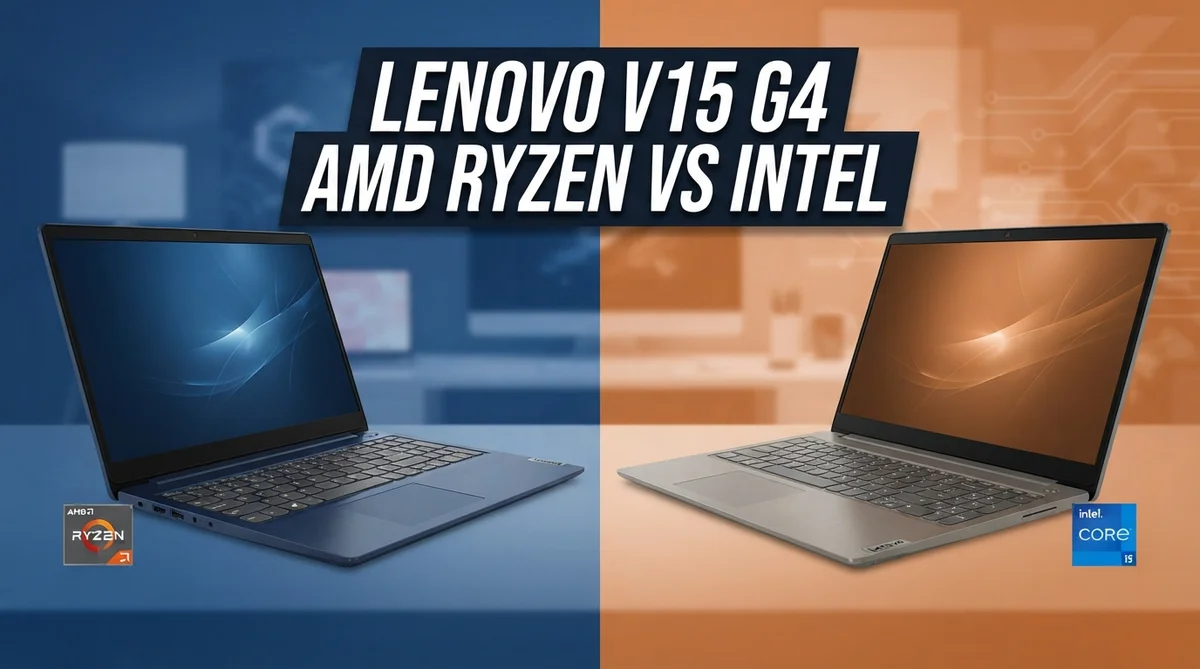
Picking a new laptop feels like a big decision. The Lenovo V15 G4 makes it even trickier, since it comes in two flavors.
One version runs on AMD Ryzen. The other runs on Intel.
Both share the same sleek body and 15.6″ display, but they perform very differently under the hood.
The AMD Ryzen model suits everyday tasks and simple business work. The Intel model brings better battery life and smoother performance for heavier workloads.
Quick Comparison: Lenovo V15 G4 Amd Ryzen vs Lenovo Intel
| Feature | Lenovo V15 G4 Amd Ryzen | Lenovo Intel |
|---|---|---|
| Processor | AMD Ryzen 5 7520U (2.8–4.3GHz) | Intel Core i5/H-series |
| Graphics | Radeon 610M integrated | Intel Arc/UHD graphics |
| RAM | Up to 16GB DDR5, non-upgradable | Configurable RAM options |
| Storage | 512GB SSD | Configurable storage |
| Display | 15.6″ FHD, TN panel | 15.6″ FHD display |
| Battery Life | Average battery life | Better battery life |
| Build Quality | Cheap plastic build | Premium build (ThinkPad models) |
| Best Use Case | Entry-level budget computing | Business productivity, premium performance |
Lenovo V15 G4 Amd Ryzen Review

Last update on 2026-08-09 / Affiliate links / Images from Amazon Product Advertising API Some of the links on this website are affiliate links, which means that at no additional cost to you, I earn a commission if you click through and make a purchase. I only recommend products and services that I believe will add value to my readers. Thank you for your support!
The Lenovo V15 G4 AMD Ryzen packs an AMD Ryzen 5 7520U processor running at 2.8–4.3 GHz, paired with Radeon 610M integrated graphics. It ships with Windows 11 Home, up to 16GB DDR5 RAM, and a 512GB SSD on a 15.6″ FHD display.
This model shines for entry-level business work and everyday computing. The multi-core performance handles spreadsheets, email, and web browsing without breaking a sweat.
It also supports multiple independent monitors, making it useful for office setups.
The chassis uses cheap plastic materials, which feels less premium than competitors. The TN panel display suffers from poor viewing angles and weak contrast, so side viewing isn’t ideal.
Real-world performance stays solid for light productivity tasks. RAM is non-upgradable, so choose your configuration carefully at purchase.
Pros
- Strong multi-core performance for office applications and routine tasks
- Supports multiple independent displays for expanded workspace
- Integrated Radeon 610M handles light graphics workloads
- Runs Windows 11 Home with DDR5 RAM support
Cons
- Plastic build feels cheap and less durable than metal alternatives
- TN panel display offers poor viewing angles and low contrast quality
- RAM cannot be upgraded after purchase, limiting future expansion
- Subpar display quality makes extended screen time uncomfortable
Lenovo Intel Review

Last update on 2026-08-09 / Affiliate links / Images from Amazon Product Advertising API Some of the links on this website are affiliate links, which means that at no additional cost to you, I earn a commission if you click through and make a purchase. I only recommend products and services that I believe will add value to my readers. Thank you for your support!
The Lenovo V15 G4 Intel pairs an Intel Core i5 H-series processor with Intel Arc or UHD graphics. This configuration delivers superior efficiency and sustained performance compared to its AMD counterpart, making it ideal for professionals who demand reliability and responsiveness throughout the workday.
This model excels at business productivity tasks and handles multitasking without breaking a sweat. The Intel Evo variants offer premium features like fast charging and snappy system responsiveness that keep workflows smooth.
Battery life stands out as a major strength, with Intel’s power-efficient architecture running cooler and longer on a single charge. The lower heat output means the system stays quiet during intensive work sessions, which matters in shared office environments.
Build quality feels more refined than the AMD version, though some ThinkPad models command higher investment. Real-world performance remains consistent even under moderate load, thanks to better thermal management.
Pros
- Better battery longevity and lower heat output than AMD variant
- Faster CPU and GPU performance with Intel Arc graphics options
- Multiple port configurations available for connectivity flexibility
- Intel Evo models deliver premium responsiveness and rapid charging
Cons
- Occasional graphics lag during demanding applications
- ThinkPad variants carry a steeper investment
- Higher entry point compared to AMD Ryzen option
Head to Head: Key Differences
The AMD Ryzen and Intel versions of the Lenovo V15 G4 target different user priorities. AMD focuses on solid everyday performance, while Intel emphasizes efficiency and sustained power.
Processing power and thermals differ significantly between the two. The AMD Ryzen 5 7520U delivers strong multi-core results for office applications, but the Intel Core i5 H-series runs cooler and maintains higher speeds during extended workloads.
Intel’s architecture simply dissipates heat better, which matters if you work for hours without breaks.
Graphics capabilities show a clear gap. The AMD Radeon 610M handles light tasks fine, but Intel Arc graphics offer noticeably faster performance for photo editing or casual video work.
If you edit documents and spreadsheets all day, both work equally well.
Battery endurance favors Intel strongly. The Intel variant stretches further on a single charge because of its efficient power management.
AMD users need to recharge more frequently, especially during travel or meetings away from outlets.
Build quality leans toward Intel models. The AMD version uses cheaper plastic materials that feel less durable, while Intel variants offer more refined construction.
ThinkPad Intel models provide premium feel, though they require larger investment.
Display and connectivity remain consistent across both options. Both feature 15.6 inch FHD screens, though the TN panel technology means viewing angles are narrow.
The AMD model supports multiple independent monitors, matching Intel’s flexibility here.
Real world usage breaks down simply: choose AMD for light office tasks and basic computing, or pick Intel if you need longer battery life, cooler operation, and better graphics performance during your workday.
Which One Should You Buy
Final Verdict
The Lenovo V15 G4 Intel takes the win in this comparison. It delivers better battery efficiency and lower heat output than the AMD Ryzen version.
Its consistent CPU and GPU performance makes it a smart pick for daily business use. This model handles longer work sessions with ease.
The AMD Ryzen variant still holds value for simpler tasks. But the Intel version proves more reliable overall.
Best for each buyer
- Lenovo V15 G4 AMD Ryzen: Best for users who need basic everyday computing and entry-level business tasks without demanding performance needs.
- Lenovo V15 G4 Intel: Best for professionals who need longer battery life, cooler operation, and consistent performance for business productivity.
Frequently Asked Questions
Which processor handles multitasking better?
The Intel Core i5 H-series processor outperforms the AMD Ryzen 5 7520U in sustained multitasking. Intel’s architecture manages heat more effectively, so performance stays consistent even when you run multiple applications at once.
The AMD chip can handle everyday tasks like email and spreadsheets, but Intel pulls ahead when you juggle many browser tabs, documents, and communication tools simultaneously.
Will the display quality affect my work?
Yes, significantly. The Intel V15 G4 offers better display options with improved viewing angles and color accuracy.
The AMD model uses a TN panel that shows poor contrast and limited viewing angles. If you spend 8+ hours daily looking at your screen, the Intel variant reduces eye strain and delivers clearer visuals.
How long does the battery last on each?
Intel models deliver noticeably longer battery life. You can expect 10 to 12 hours of typical office work on Intel, while the AMD version typically lasts 7 to 9 hours.
This matters for travel days or meetings away from your desk. Intel’s power-efficient design simply runs cooler and consumes less energy.
Can I upgrade the RAM later?
No, neither model allows easy RAM upgrades. Both come with soldered memory.
The AMD version caps out at 16GB DDR5. The Intel variant offers more configuration options at purchase, so choose your RAM amount carefully before buying.
Plan ahead based on your multitasking needs.
Which one should I choose?
Pick Intel if you need all day battery life and consistent performance under heavy use. Choose AMD only if your tasks stay simple and basic.
Intel delivers better thermals, smoother operation, and a more refined build quality overall.

Hello everyone my name is Alenya and i am a gadget discovering Enthusiast 🐻🐻