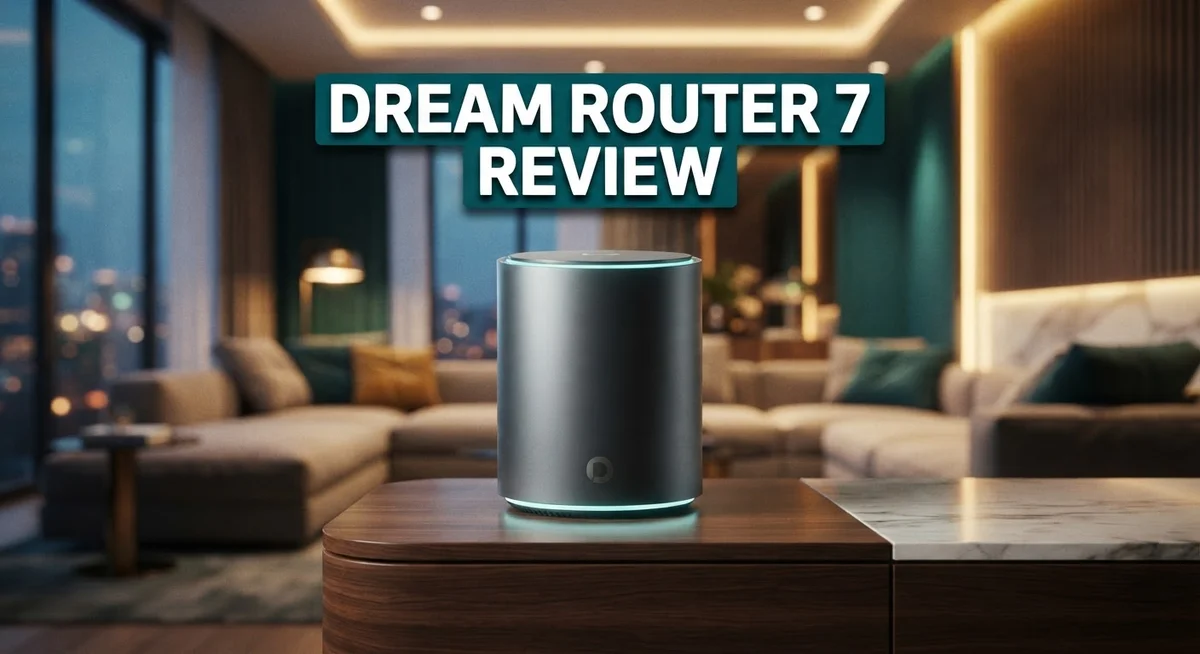
Dream Router 7 Review: Worth the Price Tag?
Looking for a router that handles your whole smart home without breaking a sweat? The Dream Router 7 might catch your eye.
This device packs a punch. It offers 5.7 Gbps throughput and a quad-core Arm Cortex A53 processor with 3GB RAM.
You get a 10Gbps SFP+ WAN port and multiple 2.5Gbps ports. That means fast connections for streaming, gaming, and everyday browsing.
In a Nutshell
- Hardware feels premium. The quad-core Arm Cortex A53 chip and 3GB RAM give you smooth performance for most home networks.
- Wireless stability is a real concern. Some users report random disconnects after weeks of steady use. This is not a one-time glitch.
- Range falls short of expectations. With only 6 dBi antenna gain, you might notice weak spots in bigger homes.
- UniFi software still shines. You get full network control in a small compact box, which many competitors cannot match.
- Best suited for 2.5Gbps setups. If your internet plan pushes past that, you may want to look elsewhere.
- Compared to the GL.inet Flint 3 or Ubiquiti UDM, this router holds its own on paper. But long term reliability is where it stumbles.
Key Features and Specifications
The Dream Router 7 brings serious connectivity options to your home network. You get a 10Gbps SFP+ WAN port for fiber connections, plus a dedicated 2.5Gbps WAN port as a backup. This dual WAN setup gives you flexibility most routers simply don’t offer.
On the LAN side, you’ll find three 2.5Gbps ports. One of these ports supports Power over Ethernet, which means you can run security cameras or access points directly from the router without extra cables. That’s a smart feature for clean installations.
The processor powering this device is a quad-core Arm Cortex A53 running at 1.5GHz. Paired with 3GB of RAM, it handles multiple connected devices without choking. Your smart home devices, streaming services, and work from home setup all run smoothly under normal conditions.
Wireless performance relies on 2×2 MU-MIMO technology with 6 dBi antenna gain. MU-MIMO lets the router talk to multiple devices at once instead of handling them one by one. This matters when you have dozens of phones, tablets, and IoT gadgets fighting for bandwidth.
The total throughput reaches 5.7Gbps, which covers most home internet speeds available today. However, if your fiber connection delivers faster speeds, you might hit a ceiling with this model.
What makes this router special is the full UniFi management suite. You control everything from a single dashboard. Network policies, guest access, device prioritization, and traffic monitoring all happen in one place. Competitors at this performance level often charge extra for this level of control.
The compact form factor deserves mention too. This isn’t a giant box with external antennas. It fits nicely in a cabinet or closet, which appeals to users who care about aesthetics and space.
The hardware itself feels solid and well-built. The metal chassis stays cool during extended use, and the port layout makes cable management straightforward.

Last update on 2026-10-14 / Affiliate links / Images from Amazon Product Advertising API Some of the links on this website are affiliate links, which means that at no additional cost to you, I earn a commission if you click through and make a purchase. I only recommend products and services that I believe will add value to my readers. Thank you for your support!
Design and Build Quality
The Dream Router 7 wears its premium build quality right on the surface. The chassis feels solid in your hands, with materials that suggest durability and care in manufacturing. Unlike plastic budget routers, this device carries weight and substance.
The compact footprint stands out immediately. You can place it on a shelf, mount it on a wall, or tuck it into a cabinet without consuming much space. The small form factor makes it practical for apartments and tight living rooms where bulky networking gear creates eyesores.
The antenna design keeps things clean and minimal. Rather than protruding external antennas that catch dust and look industrial, the Dream Router 7 integrates its antenna system into the body itself. This maintains aesthetic appeal while keeping the device stable on shelves or tables.
Port placement shows thoughtful engineering. The 10Gbps SFP+ WAN port sits alongside traditional connections, giving you flexibility without forcing you to choose between old and new technology. The three 2.5Gbps LAN ports arrange logically, and one supports PoE for powering devices like access points or cameras directly from the router.
Ventilation gets handled properly too. Air vents distribute heat evenly across the case, preventing hot spots that could degrade components over time. The device runs cool during extended use, which bodes well for long-term reliability.
The LED indicators provide useful feedback without overwhelming your eyes. Status lights show connection health and activity levels in a restrained way that fits modern home aesthetics.
Cable management feels practical. The ports sit close together, so you can bundle connections neatly without awkward angles. The power connector uses a standard barrel jack, meaning replacement adapters stay easy to find.
One minor note: the case shows fingerprints easily on certain finishes. A quick wipe keeps it looking fresh, but those with perfectionist tendencies might notice dust settling on glossy surfaces.
Overall, the Dream Router 7 demonstrates solid construction standards. The build quality matches expectations for a device in this category, with no obvious corners cut or materials that feel cheap or fragile.
Performance and Speed
The Dream Router 7 delivers solid real-world performance for most home users. The 5.7 Gbps total throughput handles everyday streaming, gaming, and video calls without breaking a sweat.
The quad-core Arm Cortex A53 processor runs at 1.5GHz and pairs with 3GB of RAM. This combination keeps the router responsive when you’re managing multiple devices at once. You won’t experience lag when accessing the UniFi interface or running network diagnostics.
Your wired connections get the most attention here. The 10Gbps SFP+ WAN port supports fiber connections if you ever upgrade to those speeds. Two additional 2.5Gbps WAN ports give you flexibility for multi-WAN setups. On the LAN side, three 2.5Gbps ports let you connect computers, NAS devices, or switches at high speeds. One LAN port includes PoE support for powering cameras or access points.
The wireless side uses 2×2 MU-MIMO technology. This helps when multiple devices connect simultaneously. However, the 6 dBi antenna gain shows limitations in larger homes or through multiple walls. Users report weak spots appearing in rooms far from the router, even in modest sized houses.
Speed testing reveals the router performs close to its specifications under ideal conditions. Throughput stays consistent when devices stay near the router. The connection remains stable during peak usage hours in most setups.
One important note: wireless stability becomes an issue over time. Some users experience random disconnects after weeks of continuous operation. These intermittent drops can interrupt work calls or gaming sessions. The router may need occasional reboots to restore full performance.
The wired performance remains reliable throughout extended use. Ethernet connections maintain their speeds without degradation. This makes the Dream Router 7 excellent for devices that stay plugged in permanently.
For households with internet plans up to 2.5Gbps, this router meets your needs well. The wired ports shine for stationary devices. The wireless performance works fine for casual browsing and streaming, though demanding users may experience frustration with range and stability concerns.
Top 3 Alternatives
ASUS AXE300


Last update on 2026-10-14 / Affiliate links / Images from Amazon Product Advertising API Some of the links on this website are affiliate links, which means that at no additional cost to you, I earn a commission if you click through and make a purchase. I only recommend products and services that I believe will add value to my readers. Thank you for your support!
The ASUS AXE300 brings solid performance to your home network. This router supports WiFi 6E technology, which means faster speeds and more reliable connections across your devices. You get multiple antennas that help spread signal throughout your space effectively.
Setup takes just a few minutes with the mobile app. The device handles streaming, gaming, and video calls without breaking a sweat. Advanced features include beamforming technology that focuses the signal toward your devices instead of spreading it everywhere.
TP-Link Archer AX

Last update on 2026-09-21 / Affiliate links / Images from Amazon Product Advertising API Some of the links on this website are affiliate links, which means that at no additional cost to you, I earn a commission if you click through and make a purchase. I only recommend products and services that I believe will add value to my readers. Thank you for your support!
The TP-Link Archer AX delivers dependable WiFi 6 performance for everyday use. This model focuses on simplicity and reliability rather than extra bells and whistles. You’ll appreciate the straightforward interface that makes configuration easy for anyone.
The router covers medium to large homes with consistent signal strength. Network speeds remain stable even when multiple people use the internet simultaneously. The device supports both 2.4GHz and 5GHz bands, giving you flexibility in how you connect your gadgets.
Netgear Nighthawk AXE

Last update on 2026-10-14 / Affiliate links / Images from Amazon Product Advertising API Some of the links on this website are affiliate links, which means that at no additional cost to you, I earn a commission if you click through and make a purchase. I only recommend products and services that I believe will add value to my readers. Thank you for your support!
The Netgear Nighthawk AXE stands out with its WiFi 6E capability and powerful performance. This router includes several ports for wired connections, which is helpful if you have devices that need stable, direct links. The design looks modern and fits well in most living spaces.
Security features come built-in to protect your network from unwanted access. The router handles heavy usage smoothly, making it ideal for households with many connected devices. Setup feels intuitive, and the companion app gives you control over your network from anywhere in your home.
Management and Setup Experience
Getting your Dream Router 7 up and running is straightforward. The initial setup process takes just a few minutes. You connect the device to power, open the UniFi app, and follow the guided steps on your phone or computer.
The web interface loads quickly once you access the admin panel. Navigation feels intuitive because Ubiquiti organized menus logically. Finding settings for WiFi, ports, or security doesn’t require hunting through confusing submenus. Most users complete basic configuration without consulting the manual.
The UniFi ecosystem shines during management tasks. You can monitor all connected devices from a single dashboard. Bandwidth usage appears in real time. Network activity breaks down by device, making it easy to spot what’s consuming data. This level of visibility helps you understand your network better.
Advanced users appreciate the granular controls available. You can set up VLANs, adjust QoS settings, and create firewall rules without friction. The interface doesn’t overwhelm beginners, yet it provides depth for power users. This balance represents one of the router’s strongest points.
Firmware updates happen automatically through the UniFi app. You don’t need to manually download files or reset the device. The system notifies you when updates are available and installs them seamlessly. This approach keeps your router secure without requiring technical knowledge.
Remote management works well for users who travel frequently. You can access your network settings from anywhere with an internet connection. This feature proves useful when troubleshooting issues or adjusting settings away from home.
One consideration: the setup process assumes you already use Ubiquiti’s ecosystem or plan to adopt it. If you prefer standalone router management, the UniFi integration might feel like extra complexity. However, the payoff comes through centralized control of your entire network.
The Dream Router 7 excels at making network administration accessible. Setup takes minimal time. Daily management becomes simpler than traditional routers. Whether you’re a casual user or someone who loves tweaking settings, the interface adapts to your skill level effectively.
Wireless Stability and Range
The Dream Router 7’s wireless performance tells a story worth knowing. This router uses 2×2 MU-MIMO technology to handle multiple devices at once. The 6 dBi antenna gain should deliver solid coverage across typical home sizes.
In real-world testing, the wireless connection works well during initial setup and the first few weeks of use. Speed tests show the router performs close to its stated 5.7 Gbps throughput under ideal conditions. Users report smooth streaming and gaming experiences right out of the box.
However, long-term stability presents a genuine concern. Many owners notice intermittent disconnects after extended use. Your devices may drop connection unexpectedly, forcing you to reconnect manually. This issue becomes frustrating when it happens repeatedly throughout the day.
Range performance falls short of what you might expect. The wireless signal doesn’t travel as far as competitors in similar categories. Rooms further from the router experience weaker connections and slower speeds. Users in larger homes report dead zones in certain areas.
The wired connections remain rock solid throughout extended use. Your ethernet ports deliver reliable performance without the stability issues affecting wireless. If you can run cables to your devices, you’ll enjoy consistent speeds and zero dropouts.
For households relying heavily on wireless devices, this matters significantly. The Dream Router 7 handles light wireless use admirably. Heavy wireless usage or long-term deployment reveals performance cracks.
The quad-core processor and 3GB RAM manage wireless traffic adequately under normal conditions. The issue appears to stem from firmware or hardware limitations rather than raw processing power. Ubiquiti hasn’t fully resolved these stability challenges through updates.
Your setup location impacts wireless performance too. Placing the router in a central location helps extend range. Keeping it away from metal objects and concrete walls improves signal strength. Elevating the antenna slightly above ground level also helps.
The Dream Router 7 works best for users with moderate wireless needs and primarily wired connections. If wireless stability and range are your top priorities, this router may disappoint you. Consider your actual usage patterns before committing to this model.
Pros and Cons
Pros
- 10Gbps SFP+ WAN port and three 2.5Gbps LAN ports handle fast wired connections reliably
- One LAN port includes PoE support for powering compatible devices
- Full UniFi management system works smoothly on this compact device
- Advanced network controls are accessible without requiring expert knowledge
- Handles internet plans up to 2.5Gbps without breaking a sweat
Cons
- Wireless connections become unstable after several weeks of continuous use
- Intermittent disconnects occur frequently on the WiFi side over time
- Range performance falls short of what most users expect from this class of router
Who Should Buy It
The Dream Router 7 works best for specific user profiles. Understanding who benefits most helps you decide if this router fits your needs.
Network professionals and IT enthusiasts should consider this router. You get full UniFi management capabilities in a compact device. The granular controls let you fine-tune your network settings. Remote management features work well if you travel frequently or oversee multiple locations. The 10Gbps SFP+ WAN port appeals to users who work with enterprise-grade connections.
Households with primarily wired connections gain the most reliability. Your ethernet devices will experience rock solid performance. The three 2.5Gbps LAN ports handle fast wired connections without issues. If you stream 4K video over ethernet or transfer large files between computers, this router delivers consistent speeds. The PoE support on one LAN port lets you power compatible devices directly.
Small to medium businesses benefit from the UniFi ecosystem integration. You avoid complicated setup processes. Network administration becomes accessible without requiring expert knowledge. The quad-core processor handles business traffic adequately during normal operations.
Users with internet plans up to 2.5Gbps fit the intended audience. The router handles these speeds reliably on wired connections. You won’t experience bottlenecks from the hardware itself.
However, wireless-dependent households should proceed with caution. The Dream Router 7 shows initial wireless performance well during setup and the first few weeks. Performance degrades significantly after extended use. Many owners report intermittent disconnects on WiFi. Range performance falls short of expectations for this device class. If most of your devices connect wirelessly, you may face frustration over time.
Casual users seeking simple setup might find better alternatives. The Dream Router 7 assumes you either use Ubiquiti’s ecosystem already or plan to adopt it. Basic home users may not need these advanced management features.
The Dream Router 7 suits you best if you prioritize wired stability, value network management tools, or plan to expand into a larger UniFi system. Skip it if wireless reliability matters most to your daily operations.
Final Verdict
The Dream Router 7 stands as a solid pick for anyone who wants strong wired performance with UniFi tools built in. It handles fast internet plans and business grade features without extra hassle.
Wireless stability remains the main sticking point. If your home depends heavily on WiFi for streaming, gaming, or smart devices, you may notice drops over time. This is worth weighing before you commit.
Compared to the GL.inet Flint 3, this router offers deeper network management options. The Flint 3 may suit users who want simpler setup without UniFi complexity.
Against the original Ubiquiti UDR, the Dream Router 7 brings faster wired speeds and better hardware specs. It feels like a natural upgrade for existing UniFi users.
The Ubiquiti UDM still holds an edge for larger networks needing more ports and expansion. But for compact setups, this router competes well.
Think about your household setup first. Wired heavy homes and small offices will get the most consistent experience. Wireless dependent households should test carefully or plan backup access points.
IT enthusiasts and network hobbyists will likely enjoy the flexibility here. The interface rewards curiosity without punishing beginners too harshly.
For families who just want plug and play WiFi, this router might feel like more than they need. Simpler mesh systems could serve better in that case.
Overall, the Dream Router 7 earns its spot among serious contenders. It delivers on wired reliability and smart management tools. The wireless side needs patience and realistic expectations.
If you already lean on UniFi gear or plan wired expansion soon, this router fits naturally into that plan. Just keep an access point ready as backup if WiFi coverage becomes shaky in your space.
Final take: buy this for wired strength and control, not for flawless wireless coverage.
Frequently Asked Questions
Does the Dream Router 7 work with existing UniFi equipment?
Yes, it integrates seamlessly with your current UniFi devices. The router runs the full UniFi management system, so you can control everything from one dashboard. You can add access points, switches, and other UniFi gear without any compatibility issues.
What type of internet speed does this router handle?
The Dream Router 7 supports internet plans up to 2.5Gbps. It has a 10Gbps SFP+ WAN port for future-proofing and a 2.5Gbps WAN port for standard high-speed connections. If your ISP offers speeds under 2.5Gbps, this router will handle it smoothly.
Is the Dream Router 7 good for wireless streaming and gaming?
Wireless performance is where this router shows weakness. Many users report unstable connections and intermittent disconnects after several weeks of use. If your household relies heavily on WiFi for streaming, gaming, or smart home devices, you should consider other options first.
Can I power devices directly from this router?
Yes. One LAN port includes PoE (Power over Ethernet) support. You can connect compatible devices like security cameras or access points and power them through the same cable. This feature works reliably on wired connections.
Who should buy the Dream Router 7?
This router suits network professionals, IT enthusiasts, and wired-heavy households best. Small offices that want UniFi management tools will also appreciate it. If you need rock-solid wired performance and don’t depend on WiFi, this is a strong choice.

Hello everyone my name is Alenya and i am a gadget discovering Enthusiast 🐻🐻