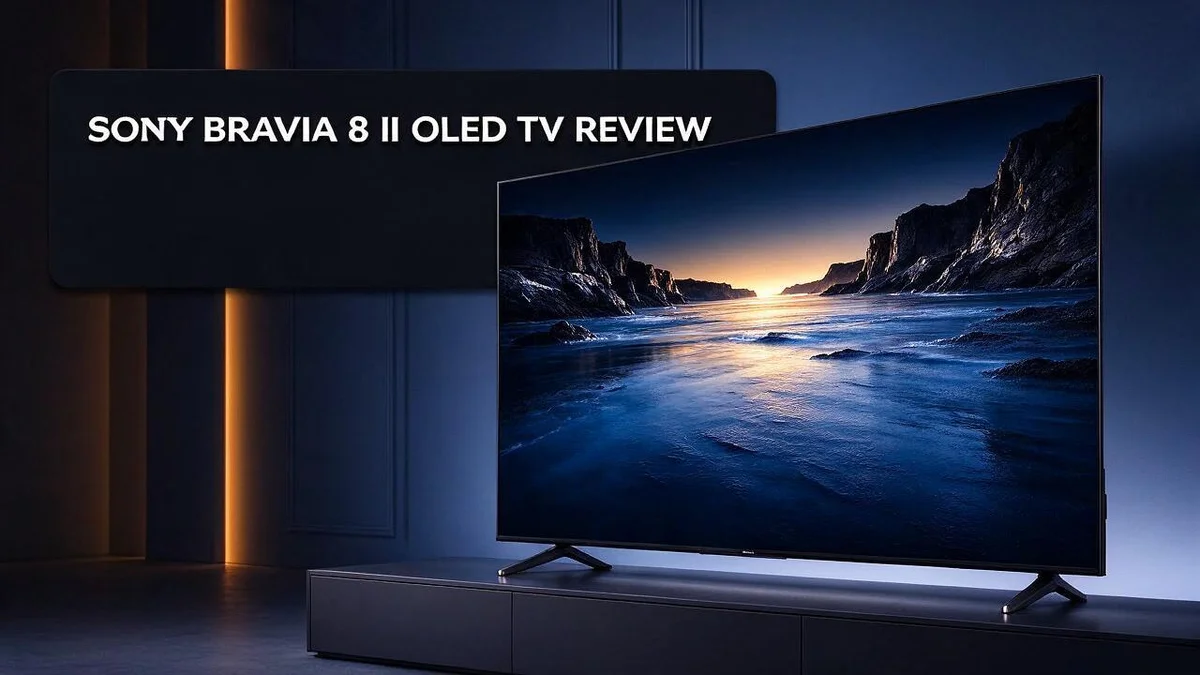
Sony Bravia 8 II OLED TV Review: Picture Quality, Gaming, and Verdict
Looking for a TV that makes movies feel real? The Sony Bravia 8 II OLED might be your match. It brings deep blacks and bright, lifelike colors to your living room.
Every pixel lights itself. That means shadows look rich and highlights pop. The 4K HDR panel supports Dolby Vision, HDR10, and HLG, so your favorite shows look their best.
Gamers get smooth action too. The HDMI 2.1 ports support 120Hz, and motion stays sharp during fast scenes. The set also uses Acoustic Center Sync for its audio.
Picture modes come ready to go. You can start watching right away. In this review, we will look at picture quality, design, gaming, and whether this set deserves a spot on your wall.
In a Nutshell
-
Two screen sizes: You can pick a 55 inch or 65 inch model. The larger size suits big living rooms and home cinema setups. Buyers can choose the size that fits their room best.
-
Smart platform built in: The TV runs Google TV. You get easy access to your favourite streaming apps with a simple remote.
-
Sound that stands out: Acoustic Center Sync sends sound from the screen itself. Many reviewers say it beats Samsung for sound and picture processing.
-
Ambient mode for idle time: When you are not watching, the screen shows Gemini AI screensavers. It turns your TV into a stylish piece of decor.
-
Wireless and HDR support: WiFi 6E and Bluetooth 5.3 keep your devices connected. HDR10, HLG, and Dolby Vision add rich colour to your favourite shows.
-
Something to consider: The LG G5 offers stronger gaming connectivity and a slimmer design. The Sony Bravia 9 II uses a different panel technology. Shoppers who want a slimmer look should compare both models.
Picture Quality and Contrast


Last update on 2026-09-19 / Affiliate links / Images from Amazon Product Advertising API Some of the links on this website are affiliate links, which means that at no additional cost to you, I earn a commission if you click through and make a purchase. I only recommend products and services that I believe will add value to my readers. Thank you for your support!
Picture quality is the main reason to choose this television. The screen delivers images that feel rich and true to life.
Black levels are the real star here. Dark scenes look deep and smooth, with no grey haze around bright objects. Night scenes in films keep their mood instead of looking washed out.
Shadows show clear detail too. Dark corners of a scene do not turn into a murky blur, so you can still see faces and objects.
Contrast gets an extra lift from the XR Contrast Booster. Bright highlights, like sunlight or neon signs, stand out clearly against darker areas.
Because pixels can switch off fully, a starry sky or a candle in a dark room pops off the screen.
Colors look vibrant without looking fake. The TV avoids the oversaturated look that some screens use to seem bright. Skin tones stay natural, and greens and reds feel full.
Good HDR support adds even more depth. The set supports Dolby Vision, HDR10, and HLG, so it adjusts to each show or game. Highlights gain extra punch, while shadows keep their detail.
Fast action stays sharp too. Sports and action scenes show less blur, so you can follow the ball or the car without losing detail.
How does it compare? The LG C4 is an OLED rival, and the Sony Bravia 9 II uses a different RGB Mini LED panel. Each panel type has its own strengths, so your room and viewing habits should guide the choice.
Dark rooms bring out the best results. Movie fans with dimmed lights will notice the biggest difference. Bright rooms can lower the contrast, so lower lighting works best.
Small tweaks can also help. Lower the brightness setting in a dim room to keep blacks deep and comfortable to watch.
Overall, picture quality is the strongest part of this TV. Its contrast, color, and motion work together for a cinema quality view at home.
Motion and Gaming Performance
Many gamers want a quick response from their screen. This TV supports 120Hz through its HDMI 2.1 ports. Higher refresh rates help controls feel more direct.
Setting up a console takes only a few minutes. Plug your console into an HDMI 2.1 port. Then open the picture settings and enable the 120Hz option. Check the console display settings too, since both devices must match.
Dolby Vision Gaming adds another layer of detail. Supported games can show brighter highlights and richer shadows. Explosions, neon signs, and sunlit landscapes look especially lively. This feature works best with compatible titles.
Racing games show the benefit most clearly. Track edges and nearby cars stay easy to read during fast turns. Smooth motion keeps the view calm when you swerve at high speed.
Competitive players often ask about input lag. Look for a game mode in the picture menu. This mode reduces processing delay, so button presses appear on screen faster. Check the setting once after each update.
Long sessions need some care too. OLED panels can hold marks if static images stay on screen for hours. Health bars, minimaps, and menus deserve extra attention. Use the built in protection features and change your layouts often.
Frame rate also affects how console menus feel. Menus scroll smoothly and cursors respond right away. This small detail matters during long sessions.
Keep your console software up to date. Updates can add or improve high refresh support. Check the manufacturer site for the latest version before your next session.
Households that share one screen gain a lot here. Someone can finish a match, then switch to a film in seconds. The picture stays consistent across both uses.
Overall, this TV suits people who play and watch with equal care. It handles quick gameplay and cinematic detail on one screen. That balance makes it a strong pick for mixed use.
Smart Platform and Connectivity
Google TV makes daily use simple. The home screen shows your favourite apps in one clear row. You can move from a film to a news app in seconds.
Search works across many services at once. Type a movie title or an actor name, and the results show where to watch. You skip the trouble of opening each app separately.
Voice control saves even more time. Press the microphone button on the remote and speak your request. The TV can open apps, change inputs, or find shows without any typing.
Casting from a phone or tablet feels natural. Open a video on your device and send it to the big screen. Photos and music can travel the same way when both devices share one network.
Apps load quickly on a well connected screen. Streaming services start playing within seconds in most homes. A stable connection still matters most for 4K video.
Family members can each have a profile. Every person gets recommendations based on their own viewing habits. Children can use a separate profile with safer content settings.
Remote control design plays a part too. The remote gives quick access to streaming shortcuts and volume controls. Fewer button presses mean less frustration each evening.
Software updates arrive through the internet connection. These updates keep the system secure and add new features over time. Check the update menu now and then.
Connecting other gear takes very little effort. A soundbar, streaming stick, or disc player plugs into the HDMI ports on the back. Most people finish the setup in one short session.
Overall, the platform feels smooth and easy to use. Browsing, searching, and casting all work together without fuss. This makes the Bravia 8 II a practical choice for the whole household.
Top 3 Alternatives
LG C4 OLED

Last update on 2026-11-03 / Affiliate links / Images from Amazon Product Advertising API Some of the links on this website are affiliate links, which means that at no additional cost to you, I earn a commission if you click through and make a purchase. I only recommend products and services that I believe will add value to my readers. Thank you for your support!
The LG C4 OLED delivers deep blacks and bright, lively colors. Each pixel lights up on its own, so dark scenes look clean and rich. It works well for movie nights.
Gamers also enjoy its fast response time and smooth motion. It supports high frame rates and works with many gaming consoles. Its wide viewing angles keep the picture clear from the sides of the room, and its slim design sits flat against the wall.
Samsung S90D OLED

Last update on 2026-11-03 / Affiliate links / Images from Amazon Product Advertising API Some of the links on this website are affiliate links, which means that at no additional cost to you, I earn a commission if you click through and make a purchase. I only recommend products and services that I believe will add value to my readers. Thank you for your support!
The Samsung S90D OLED focuses on bright, punchy color. It uses quantum dot OLED technology, which many viewers find vivid and sharp. Colors pop, even in well lit rooms.
Sports and daytime shows look great on this set. The screen handles reflections well, so the picture stays easy to see. Gamers will like the low input lag and quick switching between modes. Its smart features are simple to use, and the menus feel quick.
TCL QM8K

Last update on 2026-11-03 / Affiliate links / Images from Amazon Product Advertising API Some of the links on this website are affiliate links, which means that at no additional cost to you, I earn a commission if you click through and make a purchase. I only recommend products and services that I believe will add value to my readers. Thank you for your support!
The TCL QM8K takes a different path with mini LED backlighting. This setup helps it reach high brightness levels. Bright HDR scenes can look dazzling and full of detail.
Many people choose this TV for large rooms or sunny spaces. It runs Google TV, so streaming apps are easy to find. The QM8K may not match OLED for perfect black levels, but its brightness makes up for much of that difference. Setup takes only a few minutes, and the picture and sound settings offer plenty of control for those who like to tweak.
Sound and Ambient Features
Good sound matters just as much as a sharp picture. This set supports Acoustic Center Sync, which links the television with compatible Sony audio gear. The goal is a fuller sound that matches what you see.
Wireless listening is simple too. Bluetooth 5.3 lets you connect headphones, speakers, or a soundbar without messy cables. Late night films can play through headphones, so the rest of the house stays quiet.
Sound settings take only a moment to adjust. Open the audio menu, pick the output you use, and play a favourite film. Then change the levels until voices sound clear and music feels full.
Ambient mode turns the screen into a calm feature. When nothing plays, the display can show art and soft scenes. Gemini AI screensavers create pictures that suit the mood of your room.
This matters most in a living room. Guests often stop to look, so the TV feels like part of the decor rather than a black box on the wall. Many owners leave ambient mode on during dinner parties or quiet evenings.
Sound and light work together every day. Lower the volume for a relaxed evening, then let the ambient display take over. Small habits like these shape how the room feels from day to day.
Families gain the most from these features. Each person can choose their own headphones or speakers.
No one needs to fight over the volume. A little planning turns one screen into a shared hub for music, films, and calm moments.
Overall, the audio and ambient tools add comfort to everyday viewing. They support the picture without stealing focus. Such features make the set feel finished rather than just functional. Anyone who wants a complete living room experience will find them useful.
Design and Sizing
The Sony Bravia 8 II comes in two sizes, 55 inch and 65 inch. Choosing the right size matters just as much as picking the picture quality. Each size suits a different room and viewing habit.
The 55 inch model fits smaller living rooms well. It works nicely on a stand in a bedroom or a compact lounge. Viewers sit closer, so the picture fills their view without strain.
The 65 inch model suits larger spaces. It creates a cinema feel in a main living room. Families on a wide sofa can all see fine details clearly.
Think about your main seating spot too. The best seat gives a clear view of the whole screen without turning your head.
Measure your space before you buy. Check the width, height, and depth of the set. Leave room for cables, a soundbar, and a media box. Tape the outline on the floor to test the space.
Viewing distance is a simple guide. Many people sit about one and a half to two times the screen width away. For the 65 inch model, that usually means a seat around two to three metres back.
The set works on its own stand or on a wall bracket. A wall mount gives a cleaner look. Check the mount pattern on the back of the TV first.
Design is a personal choice. The front looks clean and simple, so it blends into most rooms. Shoppers who want the slimmest profile may prefer the LG G5, which has a thinner body.
Placement matters too. Keep the screen away from direct sunlight and hot vents. Avoid placing it in a tight corner where air cannot flow. Good placement helps the picture look its best every day.
Pick the size that fits your room. Then enjoy the view from your favourite seat.
Pros and Cons
Pros
- Near perfect black levels give deep, rich contrast.
- Picture modes look accurate right out of the box.
- Motion stays strong and clear during fast scenes.
- Colours look vibrant without looking oversaturated.
- One review rates its sound and picture processing above Samsung.
Cons
- Gaming connectivity trails the LG G5.
- The LG G5 offers a slimmer design.
- Buyers who want a different panel type may prefer the Sony Bravia 9 II.
- The reviews we studied list no major flaws, so check your own needs first.
Who Should Buy It
Movie fans often get the most from this set. Streaming apps sit on the Google TV home screen, so films start fast. Film lovers can browse and press play in seconds.
Console players also make a strong match. HDMI 2.1 with 120Hz support lets smooth frames reach the screen. Dolby Vision Gaming adds extra colour detail for supported titles, so games look rich and lively.
Buyers upgrading from an old LCD will notice the biggest change. Pixels that light themselves create a fresh, modern look. The step up can feel dramatic after years of older screens.
Fans who dislike complicated menus gain a simple setup. The Google TV system brings apps and suggestions onto one screen. Less time in menus means more time watching.
Owners planning a long stay will appreciate the newer wireless standards. Bluetooth 5.3 helps connect new gadgets now and later. A TV bought today should keep pace with future devices.
Sports fans often switch between live matches and highlights. The home screen makes quick changes easy. Sports nights feel lively in a family room.
Households with mixed tastes also benefit. One person may prefer the news while another wants drama. A single screen handles both without fuss.
Daily streamers will enjoy the app menu. Quick access saves time after a long workday. Every evening feels easier with fewer steps.
Anyone who wants a screen over 65 inches should look at other models. This range stops at 65 inches. Larger rooms may need a bigger display.
Shoppers who like a second opinion can read several reviews first. Reading more than one review helps you compare real experiences. Still, your own room and habits matter most.
In short, this TV suits people who value films, games, and simple streaming. Good matches come from honest needs. Think about how you watch before you choose.
Final Verdict
Here is our final word on the Sony Bravia 8 II. It offers a calm and polished viewing experience. Most households will feel happy with it for years.
The biggest win is ease of use. The setup feels simple, and the picture looks good from the first evening. You can spend more time watching and less time adjusting settings.
Think about your viewing habits first. Film lovers get dark scenes that feel rich and cinematic. Sports fans get a sharp image that keeps up with fast action.
This set also suits people who want one screen for everything. It handles streaming, gaming, and live television in one place. You do not need extra boxes to get started.
The ambient mode adds a nice touch when the screen is off. Its screensavers can turn a blank wall into a talking point. Guests often notice it before they notice the picture.
Lighting plays a big role in how you enjoy any screen. Rooms with lots of window light may need the brightest settings. Rooms with soft lamps suit deeper and moodier viewing.
Viewing with family brings out another side of this set. Children enjoy bright cartoons and clear voices. Adults can then switch to a calm drama without any fuss.
Think about the future too. Newer wireless standards help the set stay useful for longer. Software updates from the platform can also add new apps over time.
Our verdict is simple. This TV is a strong pick for people who value films, games, and easy streaming. If you want a slimmer look or a different panel, compare it with rival models first.
Try to visit a shop if you can. Seeing the picture in person helps you judge brightness and colour in your own lighting. A short trip can save you from doubt later.
Finally, trust your own needs more than any chart. The best TV is the one you enjoy every evening.
Frequently Asked Questions
What screen sizes does the Sony Bravia 8 II come in?
The set comes in 55 inch and 65 inch sizes. The 55 inch model fits smaller rooms well, while the 65 inch version suits a larger living space.
Which HDR formats does it support?
It supports Dolby Vision, HDR10, and HLG. Bright highlights and deep shadows look rich in films and shows that use these formats.
What kind of panel does it use?
It uses a 4K panel with over 8 million pixels that light themselves. Because each pixel makes its own light, dark areas stay truly dark and bright areas stay clear.
Is the LG C4 a good alternative to compare?
The LG C4 is a 2024 OLED option that many shoppers consider alongside this model. Compare the features that matter most to you before you decide, such as sizes, connectivity, and design.

Hello everyone my name is Alenya and i am a gadget discovering Enthusiast 🐻🐻