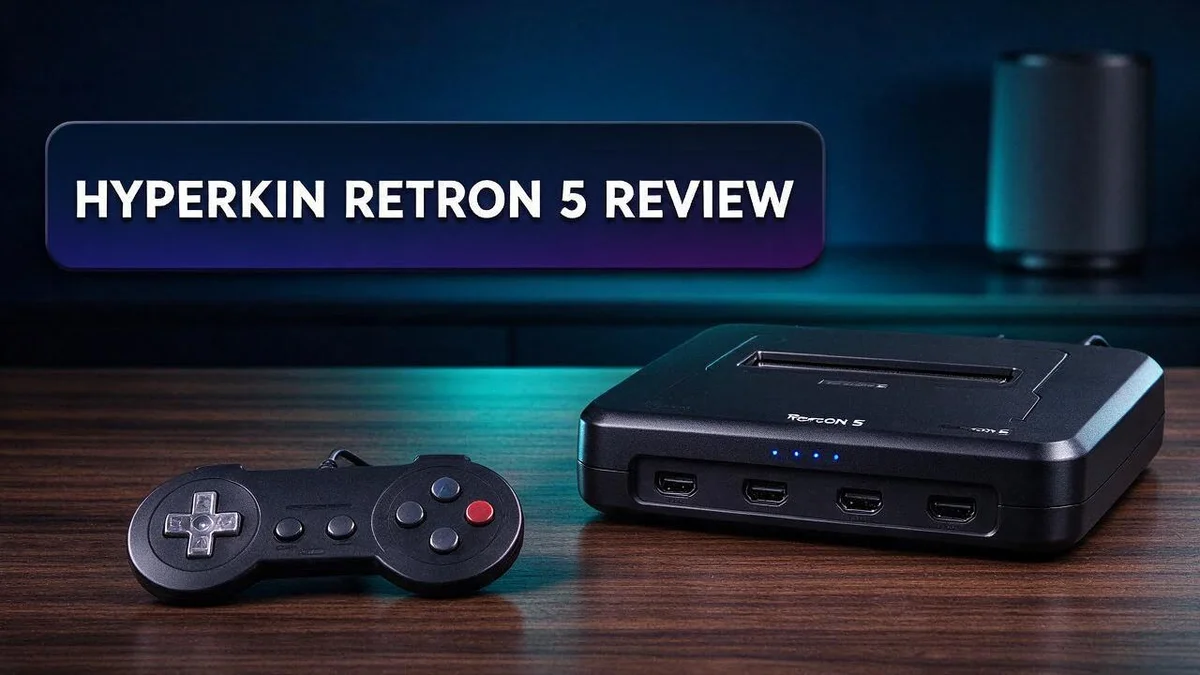
Hyperkin RetroN 5 Review: Is This Retro Console Worth It?
Do you miss playing your old favorite games on a big screen? Many retro fans feel the same way. The Hyperkin RetroN 5 might be the answer you need.
This console plays seven systems right out of the box. You can also add more games with an SD card slot. Your original gamepads still work, too.
The RetroN 5 gives you all digital HD output for sharp images on modern TVs. It also handles cartridges and GBA games with ease. Sound quality stands out, and regular firmware updates keep the system fresh.
In a Nutshell
- Best fit: This console suits players who want one machine for the living room. It also works well for fans who collect classic cartridges and handheld games.
- Controller setup: The wireless Bluetooth controller offers 13 buttons, so it covers most classic layouts. Two controller ports per system let friends join in. You can also use original gamepads for a true classic feel.
- Sound and cartridges: Many owners praise the strong audio quality. The console also handles cartridge games and GBA titles on modern HDTVs, which saves you from buying extra hardware.
- Ongoing care: Regular firmware updates help the system stay current. Button mapping gives you control over how each game feels.
- Trade offs: Emulation works well, but it is not perfect for every game. At least one reviewer dislikes the bundled controller, so a replacement may appeal to some buyers.
- Other options: Polymega, MiSTer, Analogue systems, Raspberry Pi, and Evercade offer different routes for retro fans who want more choice.
Supported Systems and Compatibility


Last update on 2026-11-06 / Affiliate links / Images from Amazon Product Advertising API Some of the links on this website are affiliate links, which means that at no additional cost to you, I earn a commission if you click through and make a purchase. I only recommend products and services that I believe will add value to my readers. Thank you for your support!
Wondering which games will run on this console? The answer depends on the systems you want to play. Think of it as a way to bring several classic libraries into one place.
Compatibility goes beyond the list of systems. The console accepts original OEM gamepads, so you can use controllers you already own. Each system offers two controller ports, which makes local play with a friend easy.
Button mapping adds another layer of flexibility. You can assign buttons to match the layout you remember from the original hardware. This small touch helps older games feel natural again.
Cartridge fans will feel right at home. The console works well with classic cartridges and handles Game Boy Advance titles on modern HDTVs. Your physical collection gets a fresh life on the big screen.
Not every title behaves the same way. Emulation runs very well overall. Still, it is not flawless, so a few games may show small glitches or timing issues.
Research your favorite games first. Look for player reports about the specific title you want. This quick step helps you avoid surprises and sets clear expectations.
Local multiplayer deserves a closer look. Two controller ports let friends join in without extra hardware. Gather the multiplayer games you love and test them together.
Original gamepads also help with nostalgia. Using the same style of controller you grew up with can make old games feel more familiar. That comfort often matters as much as the picture quality.
Think about your collection as a whole. Some players own a mix of cartridges and older games from different eras. Sort your favorites into a short list, then test that list against the systems and features described above.
Keep your expectations realistic. The RetroN 5 shines as a flexible retro machine. It rewards players who know which games matter most to them.
Controller and Input Options
Your controller shapes how every game feels in your hands. The RetroN 5 offers two controller ports for each system, so two players can join right away.
Not every player loves the bundled controller. At least one reviewer found it less comfortable than expected. Give it a fair try, and notice how your hands feel after an hour of play.
Original controllers offer another path. The console supports original OEM gamepads, so you can use the pads you already own from older systems. This choice keeps your setup familiar and simple.
Mixing pads can help too. Use the wireless pad for casual play on the couch. Switch to a classic style pad for games that need a firm grip or precise directional moves.
Think about who sits on the couch. Two ports fit a typical living room duo. Each player can pick a pad that suits their hands and favorite layout.
Setup takes very little effort. Power on the console, pair your wireless controller, and start your first game. Keep a charged pad nearby so game night never pauses.
Label each controller with a player number. This simple habit stops arguments over who holds which pad. It also keeps the right pad with the right player during long sessions.
Check the controller ports before game night. Each system uses its own port pair so plan seating before you start. This small check prevents confusion when friends arrive.
Players with smaller hands may need to try a few grips before settling on one. Pick your pads with care, since the right feel makes a big difference in long sessions.
Your comfort matters most. Try a few setups and see what feels natural. The right controller setup makes every classic game feel fresh again.
Good input choices lead to more fun. The RetroN 5 gives you room to experiment. Mix your pads, share the couch, and enjoy your favorite classics together.
Video, Audio and Display Output
The RetroN 5 sends its picture through a digital connection. Your TV receives a clean signal, so older games look sharp on modern screens.
Digital output keeps the image crisp. Many retro games look blurry on newer displays. This console scales each picture to fill your screen.
Check your TV settings first. Turn off extra picture modes like heavy sharpening or motion smoothing. These effects can add lag and change how each pixel looks.
Audio needs its own check too. Your TV may send sound through its speakers by default. Look in the audio menu and pick the output that fits your setup.
Match the output to your display. Modern flat screens and HDTVs usually show the best results. Older tube televisions may stretch or crop the image in strange ways.
Sound quality depends on your speakers as much as the console. A soundbar or home theater system can fill a room with richer tones.
Test a few games with each setup. Play a game with lots of music and a game with clear dialogue. Listen for balance between sound effects and voices.
Screen size changes how retro art looks. Large displays show more detail, so small sprites may appear clearer. Smaller screens keep the image compact and easy to read on a desk.
Keep the cable setup simple. Place the console close to the TV so the cable stays short. A tidy setup makes it easier to swap systems on game night.
Scanlines and filters add charm. Some displays offer retro filters that mimic old screens. Try them lightly, since heavy effects can hide fine details.
Refresh rate and motion can affect fast action games. Racing titles and shooters rely on smooth movement to feel fair. Watch how each game responds before you commit to long sessions.
Take a few minutes before your first session. Adjust the picture and sound until everything feels comfortable. Small changes can make a big difference for every game you play.
Top 3 Alternatives
Analogue Pocket

Last update on 2026-11-06 / Affiliate links / Images from Amazon Product Advertising API Some of the links on this website are affiliate links, which means that at no additional cost to you, I earn a commission if you click through and make a purchase. I only recommend products and services that I believe will add value to my readers. Thank you for your support!
The Analogue Pocket is a handheld device made for classic Game Boy fans. It plays Game Boy, Game Boy Color, and Game Boy Advance cartridges on a sharp, bright screen. You can take your whole collection with you on the go. It also uses a rechargeable battery, so you can play anywhere without searching for an outlet.
Analogue 3D

Last update on 2026-11-06 / Affiliate links / Images from Amazon Product Advertising API Some of the links on this website are affiliate links, which means that at no additional cost to you, I earn a commission if you click through and make a purchase. I only recommend products and services that I believe will add value to my readers. Thank you for your support!
The Analogue 3D is a home console built for Nintendo 64 games. It runs original cartridges and works with classic N64 controllers. Many players appreciate its clean video output on modern TVs. It keeps the feel of the original console while looking sharp on a large screen. This option suits anyone who wants authentic play with modern display quality.
Retro-Bit Tribute64

Last update on 2026-11-06 / Affiliate links / Images from Amazon Product Advertising API Some of the links on this website are affiliate links, which means that at no additional cost to you, I earn a commission if you click through and make a purchase. I only recommend products and services that I believe will add value to my readers. Thank you for your support!
The Retro-Bit Tribute64 offers a simple way to enjoy N64 games at home. It has a retro design and plays Nintendo 64 cartridges directly. Its controllers feel familiar to longtime fans. You can set it up in minutes and start playing right away. It works well for families who want an easy, nostalgic gaming setup in the living room.
Firmware Updates and Long-Term Value
Firmware is the software that runs inside the RetroN 5. Think of it as the console’s core system. Updates can improve how games run and how menus respond.
Reviewers report regular firmware updates. This matters because a console can grow with you. Each update may bring fixes or new options. Staying current helps your machine feel fresh for years.
Check for updates before your next game session. Follow the official update steps for your model. Read any release notes so you know what changed.
Keep your SD card organized. The memory card holds your game files. Back up your files before any update. A clean setup makes future changes easier.
Long lifespan is a major perk of this machine. A console that gets updates stays useful. You may enjoy it for many seasons.
Updates can also change how games behave. A fix might improve one title and affect another. Test your favorite games after each update. Keep notes on which settings work best for you.
Staying organized also helps when you switch between systems. Label folders by console name. Clear folders make it easy to find each game quickly. This simple habit saves time on busy weekends.
Some players keep a small notebook near the console. Write down the firmware version and the date you updated. This record helps you spot changes later. It also helps if you ever need support.
Regular updates suggest the platform keeps improving. Problems may get smaller over time. Still, no update will make every game perfect. Set fair goals as the platform matures.
Plan ahead for the long haul. Regular care keeps your RetroN 5 ready for game nights. Plan ahead too if you add new systems later. Your console can grow alongside your library.
Storage and Setup Experience
Your storage plan matters as much as your first game. The RetroN 5 reads games from an SD memory card, so that card becomes your main library.
Think of the SD card as your game shelf. Every file you add sits there and waits for your next play session. Give each system its own folder so you can find titles fast.
Plan your library before you fill the card. Pick a few favorites first. You can add more titles later as your collection grows.
Use clear file names with the game title and region. Names like “Super Adventure” are far easier to find than random numbers.
Start with a card you trust. Check the console guidance for the right file format before you copy anything. A wrong format can leave a game unreadable, so test one title first.
Keep a spare card nearby. If one card fails, your collection stays safe.
Back up your library every few months. Copy the folders to a computer or external drive. This simple habit protects both your games and your saved progress.
Save files deserve extra care. They often live on the card alongside the games. Losing a save can feel painful, so back them up before big changes.
Placement affects the setup too. Put the console where air can flow around it. Heat can build up in a tight cabinet, so leave some open space.
Keep cables loose and tidy. Tangled cords make it hard to unplug the console later. Label the ends of each cable so you know where it goes.
Shut down before you remove the card. Pulling it out during play can corrupt files. Wait for the console to power off fully, then slide the card out gently.
Good storage habits make the RetroN 5 feel easy to live with. A little planning now saves time later. Your games stay organized, safe, and ready whenever you want to play.
Pros and Cons
Pros
– Seven systems work right out of the box.
– The 13-button controller connects wirelessly over Bluetooth.
– Two controller ports work for each system.
– Original OEM gamepads still work with the console.
– Button mapping lets you set up controls your way.
Cons
– The bundled controller does not win over every player.
– Emulation is not perfect for every game.
– Some titles may need extra tweaks to play well.
– Test your favorite games first to see how they run.
Who Should Buy It
The RetroN 5 suits a certain kind of player. Think about how you play and where you sit. Read on for a clear view of who benefits most.
Couch gamers with HDTVs will feel right at home. The fully digital HD output helps older games look clean on modern screens. Cartridge fans also get an easy way to play on the big screen.
Collectors with a cartridge library gain the most use from it. Their old games stay playable without digging through a closet of consoles.
Game Boy Advance fans make another strong match. The console handles those titles well, so that library stays in regular rotation. Many players want one device for many eras.
Casual players who like sampling different eras can enjoy the variety. They can try a little of everything without owning every classic system.
Tinkerers who enjoy adjusting settings will find plenty to explore. Experimenting with setups turns a simple evening into a small project.
Purists who crave original hardware may prefer a dedicated machine. Options like MiSTer or Analogue systems often aim for strong accuracy.
Families who share one TV can gather around together. Everyone can jump into a classic game without learning a new system each time.
Ask yourself a few simple questions before you decide. Do you own old cartridges? Do you have an HDTV in your living room? Do you enjoy trying new settings? If you answer yes to most questions, this console could be a great fit. Your answers will guide the choice.
Write down your favorite games first. Then check whether they fit your plans. A short list keeps the decision simple.
Final Verdict
Hyperkin RetroN 5 earns a solid place on the shelf for retro fans. It brings many classic systems together in one box. Strong sound quality and reliable emulation stand out in daily play.
Regular firmware updates also keep the console moving forward. The team behind it keeps adding improvements over time. That gives owners a reason to check back now and then.
Sound and picture quality often make the biggest first impression. Many owners notice the difference right away on a larger screen. That first moment can seal the deal.
Still, the RetroN 5 rewards players who know what they want. Think about which systems you play most often. That answer will guide your decision.
Rivals offer different strengths. Polymega takes a fresh approach to playing many systems. MiSTer appeals to builders who enjoy deep customization. Analogue systems focus on precise hardware that feels original. Raspberry Pi suits people who like building their own projects. Evercade offers its own curated cartridge lineup.
Think about the long run too. A console that receives updates can keep improving after you bring it home. That matters for people who plan to stick with one setup for years.
Newcomers to retro gaming may find the setup options a bit overwhelming at first. Take your time and explore the menus slowly. Small changes can make a big difference in how the console feels.
Your next step is clear. Compare the RetroN 5 with one or two rivals on this list. Then pick the option that matches your favorite games and your comfort level with setup.
Our verdict is simple. If you want one box for many eras, the RetroN 5 delivers. It will not replace every dedicated machine, but it brings plenty to one entertainment setup.
Happy gaming starts with the right choice.
Frequently Asked Questions
Does the RetroN 5 work well with modern TVs?
Yes, it works well with modern TVs. The console offers all digital HD output, so the picture fits flat screens nicely. Many players connect it to HDTVs for a clean, sharp look.
How does the RetroN 5 compare to a Raspberry Pi build?
A Raspberry Pi build takes more time to set up. The RetroN 5 works right away, so you skip most of the build work. Raspberry Pi projects do offer more room for custom experiments, though.
Is the RetroN 5 a good fit for MiSTer fans?
MiSTer fans enjoy deep tweaking and custom cores. The RetroN 5 keeps things simpler. If you want fewer settings to manage, this console may suit you better.
Which rivals suit players who want something different?
Evercade works well for players who prefer a handheld and cartridge focus. Analogue systems aim for exact replays of original hardware. Choose the console that matches your favorite games and your comfort with setup.

Hello everyone my name is Alenya and i am a gadget discovering Enthusiast 🐻🐻