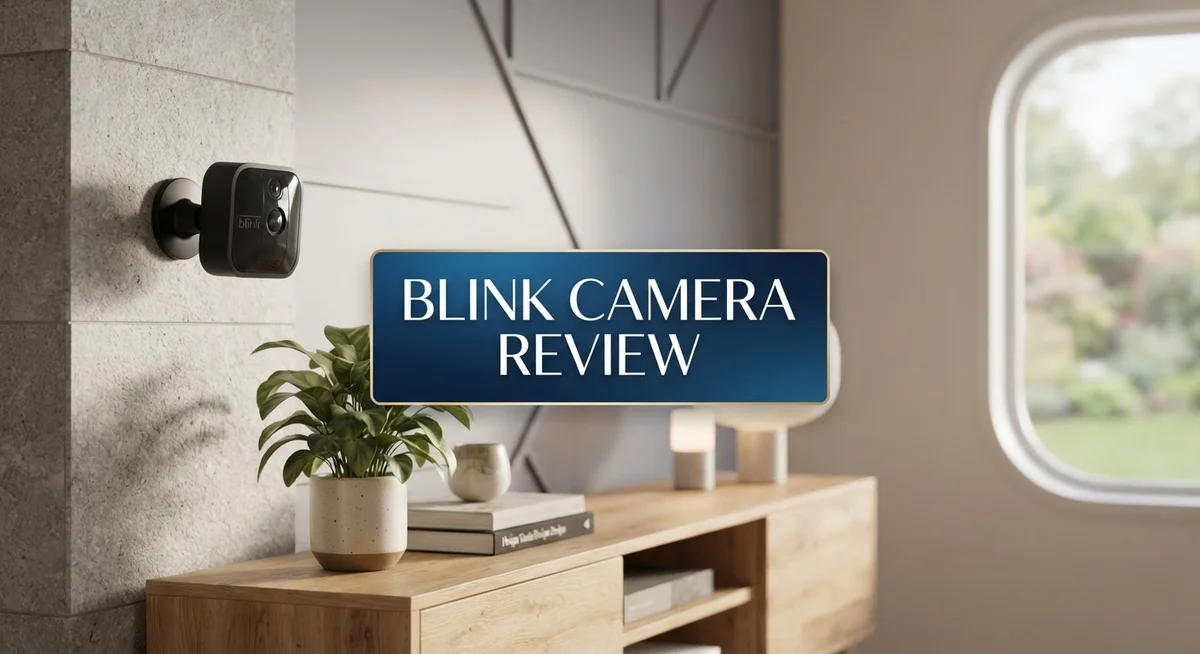
Blink Camera Review 2026: Features, Performance, and Reliability
Are you thinking about a Blink camera for your home? You are not alone. Many homeowners want simple security without the hassle.
Blink cameras promise easy setup and battery powered convenience. You can place them almost anywhere. No messy wires. No complicated tools.
This review breaks down everything you need to know. We tested the 1080p HD video quality. We checked the night vision performance. We also looked at motion detection accuracy.
In a Nutshell
- Video quality stays sharp at 1080p HD, capturing clear footage at 30 fps for most home scenes.
- Two way audio lets you talk and listen through the camera. This works well for quick check ins.
- Night vision uses 850nm infrared technology. It helps you see in the dark, though clarity drops at longer distances.
- The IP65 weather resistant rating means this camera handles rain and dust. It survives outdoor placement in most climates.
- Motion detection range spans 6 to 20 feet. This works for small yards but may miss action further away.
- A 5 minute live streaming cap limits how long you can watch in real time. This may frustrate users who want longer monitoring windows.
- There is no professional monitoring option. You handle all alerts and responses yourself.
- Per camera arming and scheduling are not available. You control the whole system together, not each camera separately.
Video Quality and Night Vision
The Blink camera captures video at 1080p HD resolution with a 30 fps frame rate. This means you get clear, smooth footage for most home security situations. The sensor performs well during daylight hours and standard indoor lighting.
Night vision relies on 850nm infrared technology. This wavelength provides decent visibility in complete darkness without visible red glow. However, the infrared range has limitations. Objects beyond 15 feet may appear grainy or lack detail in low light conditions.
The real challenge emerges when comparing night vision quality to premium competitors. Arlo and Reolink cameras often deliver sharper night images with better color retention. Blink’s infrared approach works but produces less crisp details than higher end models. You will notice this difference if you review footage side by side.
The motion detection range spans 6 to 20 feet depending on lighting and camera angle. During daylight, detection performs better. At night, the range may shrink closer to the 6 foot minimum. Some users report missed motion events in their tests, particularly in dimly lit areas.
One significant limitation is the 5 minute live streaming cap. You cannot continuously watch your camera feed beyond this window. This restriction affects real time monitoring during active situations. You must restart the stream to continue viewing.
The IP65 weather rating protects the camera from rain and dust. The metal housing withstands outdoor conditions well. A blue LED indicator shows camera status at a glance. This visual feedback helps confirm the device is active and functioning.
Two way audio lets you communicate through the camera. The speaker and microphone quality is acceptable for short conversations. Clarity drops compared to dedicated intercoms or smart speakers.
Overall, video and night vision performance sits in the middle tier. The 1080p quality satisfies basic security needs. Night vision works adequately for detecting motion and identifying general shapes. Expect less detail and range than premium options. For budget conscious homeowners, these specs meet minimum requirements. For those wanting professional grade clarity, this camera may disappoint.


Last update on 2026-09-17 / Affiliate links / Images from Amazon Product Advertising API Some of the links on this website are affiliate links, which means that at no additional cost to you, I earn a commission if you click through and make a purchase. I only recommend products and services that I believe will add value to my readers. Thank you for your support!
Setup and Installation
Getting your Blink camera up and running takes just a few minutes. The process feels straightforward for most users, even if you’re not tech savvy.
Start by downloading the Blink app on your smartphone. You’ll create an account and log in with your credentials. The app walks you through each step, so you won’t feel lost.
Next, add your camera to the app. You scan a QR code on the device or enter the serial number manually. The app then connects your camera to your home WiFi network. Make sure your WiFi signal reaches the installation spot before you mount anything.
The Blink camera runs on batteries, which means no messy wiring or power cords. You insert two AA batteries into the device and it powers on. The blue LED indicator shows you the camera status at a glance. This battery powered design gives you flexibility in where you place the camera.
Mounting the camera is simple too. The included bracket and screws attach to walls, ceilings, or other surfaces. You aim the lens toward the area you want to monitor. Position it within your WiFi range, ideally closer to your router for better connectivity.
If you own multiple cameras, you’ll connect them through the Sync Module. This small hub acts as a bridge between your cameras and the internet. It improves stability and lets you manage all your devices in one place.
One thing to note: connectivity can be finicky. Some users report their cameras going offline unexpectedly. This happens more often when the camera sits far from your router or WiFi network. Moving the camera closer or upgrading your router usually helps.
The installation itself won’t take more than 15 minutes from start to finish. Most people get their first camera running without calling for help. The real challenge comes later when you’re actually using the camera and dealing with potential connection drops.
Motion Detection and Alerts
Motion detection is where the Blink camera shows both strength and weakness. The camera spots movement within a 6 to 20 foot range, depending on your lighting conditions and how you angle the lens. This coverage works well for most home entry points and yards.
The real problem surfaces with reliability. Many users report that the motion detection misses events or triggers false alarms at random times. A car passing by might set it off, while someone walking near your door goes unnoticed. This inconsistency makes the camera less dependable for serious security purposes.
When motion happens, the Blink app sends you alerts on your phone. You get notified quickly, which is helpful. However, the 5 minute live streaming limit means you cannot watch the full event unfold. You see the alert, but by the time you open the app, much of the action is already over.
The camera also struggles with connectivity issues. Some owners report their cameras going offline without warning. When offline, motion detection stops working entirely. This happens frequently enough that it frustrates users who expect constant monitoring. You might miss important alerts because your camera dropped from your network.
One missing feature is per camera scheduling. You cannot arm or disarm motion detection on individual cameras. If you have multiple Blink cameras around your home, you must manage them all together. This means you cannot set one camera to monitor while another stays quiet during certain hours.
The motion detection performance sits in the middle tier compared to competitors like Arlo and Reolink. Those brands offer more reliable detection and longer streaming windows. However, for basic home security needs, the Blink camera’s motion detection still functions adequately.
The bottom line is simple. Expect the Blink camera to catch most events, but do not rely on it as your primary security system. It works best as a supplementary layer of protection alongside other security measures. The occasional missed alert or offline period means it should not be your only defense.
Top 3 Alternatives
Wyze Cam v3

Last update on 2026-09-17 / Affiliate links / Images from Amazon Product Advertising API Some of the links on this website are affiliate links, which means that at no additional cost to you, I earn a commission if you click through and make a purchase. I only recommend products and services that I believe will add value to my readers. Thank you for your support!
The Wyze Cam v3 offers clear night vision and works both indoors and outdoors. This camera streams video in high definition. You get two-way audio so you can talk through the device. The setup process is simple. Just download the app, scan a code, and you’re ready to monitor your space.
This camera connects to your WiFi network easily. It records continuously or only when motion happens. You can customize alerts for different activity types. The flexible mounting options let you place it almost anywhere you need.
Ring Indoor Cam

Last update on 2026-09-17 / Affiliate links / Images from Amazon Product Advertising API Some of the links on this website are affiliate links, which means that at no additional cost to you, I earn a commission if you click through and make a purchase. I only recommend products and services that I believe will add value to my readers. Thank you for your support!
Ring Indoor Cam provides reliable home monitoring with a compact design. It fits nicely on shelves or desks without taking up much space. The camera delivers sharp video quality during day and night.
Two-way talk lets you communicate with family or visitors. Motion detection sends alerts straight to your phone. You can review video clips whenever you want. The device integrates with other Ring products if you already use them. Setup happens quickly through the Ring app.
Arlo Essential Indoor

Last update on 2026-09-17 / Affiliate links / Images from Amazon Product Advertising API Some of the links on this website are affiliate links, which means that at no additional cost to you, I earn a commission if you click through and make a purchase. I only recommend products and services that I believe will add value to my readers. Thank you for your support!
Arlo Essential Indoor brings smart security features to your home. This camera offers clear video in various lighting conditions. Night vision works well for dark rooms or nighttime monitoring.
The two-way audio system lets you hear and speak through the camera. You get motion and sound alerts on your device. The app shows you live video anytime, anywhere. Easy installation means you’ll be up and running fast. The camera mounts on walls or sits on surfaces. You can adjust viewing angles to catch the areas you care about most.
Battery Life and Power Management
The Blink camera runs on two AA batteries that power the entire unit. Most users report getting between 1 to 2 years of battery life under normal use. This depends on how often motion detection triggers and how many times you access live view.
Frequent motion events drain batteries faster. If your camera sits in a high traffic area, expect shorter battery life. Low activity zones keep batteries running longer. The Blink app shows your current battery level so you know when replacement time is near.
Cold weather affects battery performance. Winter temperatures reduce how long batteries last compared to warmer months. Keep this in mind if you live in a climate with harsh winters.
The Sync Module connects your cameras to your home network and helps manage power efficiently. It acts as a hub that reduces the load on individual camera batteries. Having the Sync Module nearby improves overall system performance and battery longevity.
Battery replacement is simple and quick. You just pop open the camera’s battery compartment and swap in fresh AA batteries. No special tools or technical knowledge required. Most people complete this task in under a minute.
The Blink app sends you a notification when battery levels drop below 10 percent. This gives you plenty of warning before the camera stops working. You won’t wake up to a dead camera without advance notice.
One thing to understand: live streaming and two way audio use more power than passive monitoring. If you frequently check live view or talk through the camera, batteries drain faster. Limiting these activities extends battery life between replacements.
The camera enters a low power mode during periods of inactivity. This automatic feature helps conserve energy when motion detection isn’t triggered. Smart power management keeps batteries lasting longer throughout the year.
Consider your usage patterns before buying. High motion areas need more frequent battery changes. Low activity zones work great with standard battery replacement cycles. The battery powered design offers flexibility that wired cameras cannot match, despite the ongoing maintenance requirement.
Connectivity and Reliability
Blink cameras connect to your home network through the Sync Module, which acts as the central hub for all your devices. This module communicates with your router and keeps your cameras online. The connection process is straightforward, but users frequently report connectivity problems once the system is running.
Offline issues happen more often than you’d expect. Some users wake up to find their cameras have disconnected from the network overnight. Others experience random dropouts throughout the day. These problems can leave gaps in your security coverage when you need it most.
The Sync Module helps manage connections across multiple cameras, but its performance varies depending on your home’s WiFi strength. If your router sits far from the camera location, connection stability suffers. Walls and interference from other devices can weaken the signal further.
Reliability is the weak spot in Blink’s connectivity story. The system works fine most days, but occasional disconnections are common enough that users mention them in reviews. When your camera goes offline, you won’t receive motion alerts until it reconnects. This delay means you could miss important events.
Two-way audio and live streaming drain your connection faster than simple motion detection. If your WiFi signal is already weak, these features may drop or stutter. The 5-minute live streaming cap helps reduce connection strain, but it also limits how long you can monitor situations in real time.
The good news is that reconnection happens automatically in most cases. Your camera will attempt to rejoin the network without manual intervention. The Blink app shows your camera’s connection status, so you know when it’s online or offline.
For best results, position your Sync Module centrally in your home. Keep it away from microwaves, cordless phones, and other WiFi devices that cause interference. A strong WiFi signal makes the biggest difference in keeping your cameras connected and responsive throughout the day.
Pros and Cons
Pros
- Setup takes just 15 minutes and requires no technical skills
- Weather resistant design means you can mount it outdoors without worry
- Battery powered operation gives you flexibility in camera placement
- Two way audio lets you communicate through the camera in real time
- 1080p HD video captures clear details during daylight hours
Cons
- Cameras frequently go offline and disconnect from your network
- Motion detection triggers inconsistently, so you might miss important events
- Night vision quality is limited and struggles in very dark conditions
- Live streaming caps out at 5 minutes per session, which frustrates many users
Who Should Buy It
Blink cameras work best for homeowners who want simple, flexible home security without complicated installation. If you rent your home, these cameras are ideal because they mount easily and don’t require permanent changes to your walls or wiring.
You should buy Blink if you prioritize ease of use. Setup takes just 15 minutes. You don’t need technical skills or professional help. The battery powered design means you can place cameras anywhere you want without hunting for power outlets.
Outdoor monitoring is another strong use case. The weather resistant design handles rain, snow, and temperature changes. You can mount these cameras on patios, garages, and garden areas without worry.
Blink cameras suit people who want basic motion detection and simple video recording. If you need quick visual checks of your property, the 1080p HD video captures clear daytime details. Two way audio lets you communicate through the camera in real time, which helps if you want to greet visitors or deter intruders.
However, skip Blink if reliability matters most to you. Cameras frequently go offline and disconnect from your network. This happens without warning, and you might miss important events when your system isn’t connected.
Motion detection triggers inconsistently, so Blink isn’t ideal for critical security needs. If you must catch every movement around your home, consider alternatives like Arlo or Reolink instead.
Night vision quality is limited and struggles in very dark conditions. You’ll get basic infrared footage, but details fade in complete darkness. This limits usefulness for nighttime surveillance.
Live streaming caps out at 5 minutes per session, which frustrates many users. If you need longer monitoring sessions, you’ll hit this wall quickly.
Blink works well for casual homeowners who want flexible camera placement and don’t mind occasional connectivity hiccups. Budget conscious people appreciate the straightforward approach. If you rent, travel frequently, or want temporary security, Blink fits your needs. Just understand that you’re trading reliability for convenience and ease of setup.
Final Verdict
Blink cameras deliver a mixed experience overall. They shine in simplicity but stumble in dependability.
If you want a camera that just works out of the box, Blink fits the bill. Its plug and play nature appeals to first time buyers.
However, serious security needs deserve a second look elsewhere. Frequent disconnections and shaky motion alerts can leave gaps in your coverage.
Compared to Arlo or Google Nest Cam, Blink lacks advanced features like per camera scheduling. These competitors also offer more consistent app performance.
Reolink stands out for buyers who want local storage without subscription pressure. Blink relies more heavily on cloud based Sync Module support.
SimpliSafe appeals to users wanting professional monitoring, something Blink does not offer at all. This makes Blink better suited for casual watchers, not full time security teams.
Think about your daily routine before deciding. If you only need to check who’s at the door, Blink handles that job fine.
But if you depend on your camera for critical evidence or constant surveillance, the five minute streaming cap becomes a real limitation.
Battery life also plays into your final decision. Some users report faster drain than expected, especially with heavy two way audio use.
Weigh these factors against your personal security expectations. A vacation home might tolerate occasional dropouts. A primary residence with valuable items might not.
In short, Blink works best as a supplementary tool. Pair it with stronger security habits rather than relying on it alone.
For casual monitoring, quick setup, and flexible placement, Blink remains a solid pick. For airtight reliability and professional grade support, you may want to explore Arlo, Reolink, Nest, or SimpliSafe instead.
Your final choice should match your comfort level with occasional hiccups. If simplicity outweighs perfection for you, Blink earns a spot on your shortlist.
Frequently Asked Questions
Does Blink camera work with other smart home systems?
Blink cameras connect through the Sync Module, which pairs with your WiFi network. You can integrate them into basic smart home routines through Amazon Alexa. However, Blink lacks deep integration with other platforms like Google Home or Apple HomeKit. If you already use Alexa, Blink fits naturally into your setup. For other ecosystems, you’ll face limitations.
How long do Blink camera batteries actually last?
Battery life depends on how often motion triggers the camera. Users report mixed results, with some seeing batteries drain faster than expected. Frequent motion detection and live streaming sessions reduce battery life significantly. In low activity areas, batteries last longer. You should plan for battery checks every few months rather than annual replacements.
Can you use Blink cameras without a subscription?
Yes, you can use Blink cameras without paying for cloud storage. The camera records locally when motion is detected, but you won’t store video clips in the cloud. A subscription unlocks cloud storage and extended video history. Basic motion alerts still work without any paid plan. Most users find the free tier adequate for simple monitoring.
What’s the difference between Blink and Arlo cameras?
Arlo cameras offer more advanced features like per camera scheduling and superior night vision. Blink focuses on simplicity and easier setup. Arlo typically delivers better motion detection reliability. Blink wins on ease of installation and battery convenience. Arlo costs more but handles demanding security needs better. Choose Blink for casual home monitoring. Pick Arlo if you need professional grade performance.

Hello everyone my name is Alenya and i am a gadget discovering Enthusiast 🐻🐻