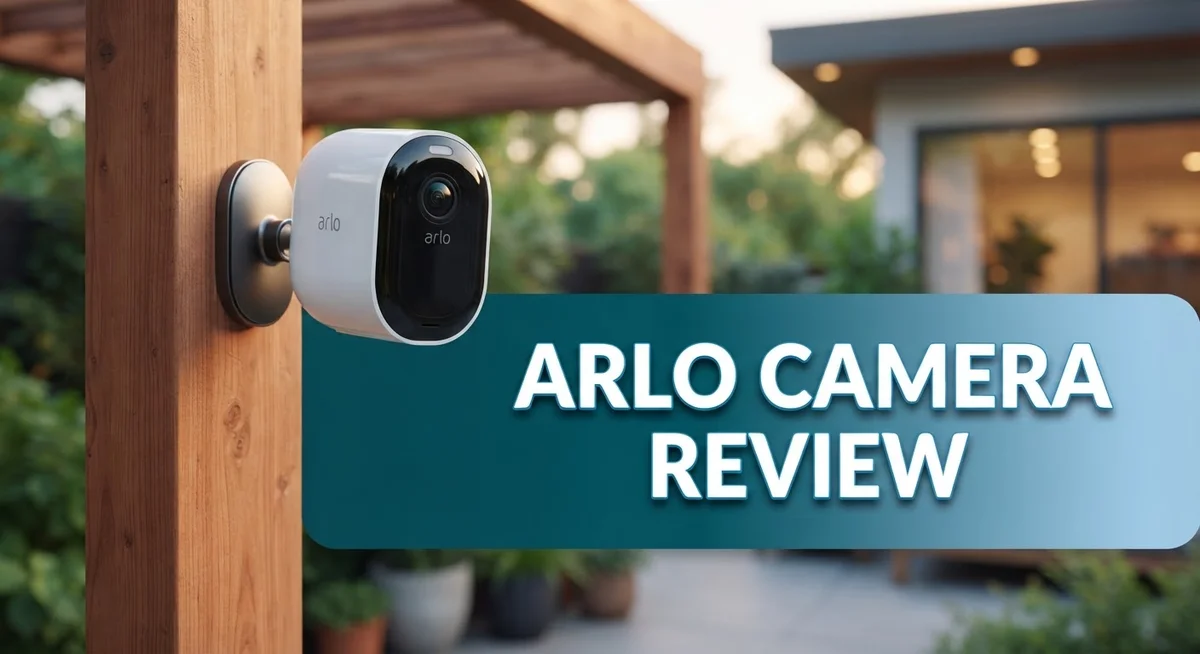
Arlo Camera Review 2026: Comparison Guide
Are you thinking about a new home security camera? Arlo is a name you probably know already. It stands out in a crowded market of smart cameras.
This review looks at what makes Arlo cameras special. We will check their video quality, setup process, and daily performance.
Arlo offers 2K HDR video on its top models. You also get a wide viewing angle and smart zoom features. These specs help you see more detail, day or night.
In a Nutshell
- Smart Detection Features: Arlo cameras use motion and audio detection to spot activity. You get instant alerts on your phone the moment something happens.
- Two Way Audio: Talk to visitors or scare off intruders directly through the app. This feature works smoothly across most Arlo models.
- Weatherproof Design: Outdoor cameras handle rain, dust, and temperature changes well. Your camera stays protected all year round.
- Power Options: Choose between rechargeable batteries or a wired AC connection. This flexibility helps you install cameras almost anywhere.
- Subscription Needed: Many advanced features sit behind a paid Arlo Secure plan. Without it, you lose access to cloud storage and smart alerts.
- Mixed Reliability Reports: Some users report live feed delays and connectivity drops. Forums show real frustration from long term Arlo owners.
- Strong Competition Exists: Brands like Lorex, Ring, and Wyze offer solid alternatives. Each one targets a different type of buyer and need.
Key Features and Specifications
Arlo cameras come packed with features that handle modern security needs. The flagship models deliver 2K HDR video with crisp detail in both bright and dark conditions. You get a 12x zoom capability, which means you can see what matters from far away. The wide 160 degree viewing angle captures most of your yard or room in one shot.
The Arlo Go 2 takes a different approach. It records at 1080p HD with a 130 degree angle. This model includes a built in spotlight and a PIR motion sensor. These extras help you spot movement and light up dark areas automatically.
Power flexibility sets Arlo apart from many competitors. Most models run on rechargeable batteries that last weeks between charges. You skip the hassle of running cables everywhere. If you prefer constant power, AC wired options exist too. This choice lets you pick what works best for your setup.
Night vision works across all Arlo cameras. You see clear footage even when the sun goes down. The cameras detect motion and sound separately. This dual detection system reduces false alerts from passing cars or wind.
Two way audio is built in. You can speak through the camera to greet guests or warn intruders. The app connects you instantly to live video. You control everything from your phone or tablet.
Weatherproof construction means outdoor cameras survive rain, dust, and temperature swings. These cameras hold up through harsh seasons without performance drops.
One thing to know: advanced features often require a subscription. Cloud storage, intelligent alerts, and extended video history sit behind Arlo Secure plans. The base camera works, but you unlock the full experience with the paid service.
Connectivity deserves mention. Arlo cameras link to your home WiFi network. Some users report occasional delays in live feeds or drops in connection. Your home’s WiFi strength matters here. Strong signal means smooth performance. Weak signal can cause frustration.
Overall, Arlo cameras pack serious tech into their design. The features cover motion detection, night vision, zoom, audio, and weatherproofing. Battery options and two way communication add real value. Just know that subscriptions and WiFi reliability factor into your experience.


Last update on 2026-09-17 / Affiliate links / Images from Amazon Product Advertising API Some of the links on this website are affiliate links, which means that at no additional cost to you, I earn a commission if you click through and make a purchase. I only recommend products and services that I believe will add value to my readers. Thank you for your support!
Design, Build Quality, and Installation
Arlo cameras come in different shapes and sizes, so you have options for your specific setup. The wire-free design is a major selling point. You mount the camera, and it works on rechargeable batteries. No running cables through walls or hiring an electrician. The setup process takes minutes, not hours.
The build quality feels solid across the lineup. Arlo cameras use weatherproof materials that stand up to rain, dust, and temperature swings. If you live somewhere with harsh winters or hot summers, the cameras handle it. The outdoor models are built tough. Indoor cameras are more compact and blend into your space better.
Battery life varies by model. Most cameras last several months on a single charge before you need to swap batteries. Some people like this flexibility. Others find it annoying to remember charging schedules. Arlo offers an AC power option if you want to skip the battery game entirely. This keeps your camera running 24/7 without interruptions.
The Arlo Go 2 stands out because it works with cellular data. You don’t need WiFi at all. This makes it perfect for remote locations, cabins, or areas with spotty internet. The tradeoff is that cellular service requires a subscription beyond the camera itself.
Physical design is clean and modern. Cameras mount easily on walls or ceilings using included brackets. The lens sits behind a protective dome that resists scratches. Cable management is minimal since there are no cords dangling around.
One thing to note: installation location matters. You want good WiFi signal where you place the camera. Dead zones will cause connectivity issues. Test your signal strength before mounting permanently.
Overall, Arlo cameras prioritize easy installation and flexible power options. You can get them running fast without technical skills. The build quality holds up in outdoor conditions. Whether you choose batteries or AC power depends on your lifestyle and how much maintenance you want to handle.
Video Quality and Night Vision Performance
Arlo cameras deliver solid video performance that meets most home security needs. The flagship models capture 2K HDR video, which means you get sharp, detailed footage even in complex lighting. The 12x zoom lets you get closer to action without losing image quality. A 160 degree viewing angle covers most room layouts, so you see more without extra cameras.
The Arlo Go 2 takes a different approach. It shoots 1080p HD video instead of 2K, but still captures clear footage for most situations. The 130 degree angle works well for doorways and entryways. This model includes a built in spotlight, which adds extra light when motion triggers the camera.
Night vision stands out as a real strength across the entire Arlo lineup. All models include infrared night vision that kicks in automatically when light drops. You get clear black and white footage even in complete darkness. The infrared range extends far enough to cover typical room sizes and outdoor areas. Users report that night vision activates quickly without lag.
However, some users mention that live feed delays can affect your real time viewing experience. A few seconds of lag might seem small, but it matters when you need to see activity as it happens. This issue appears more often in certain network conditions.
The HDR video processing helps Arlo cameras handle mixed lighting. Bright windows and dark corners appear balanced in the same frame. This means you catch details that other cameras might miss.
One thing worth noting: video quality depends heavily on your internet connection. A weak WiFi signal can reduce resolution and cause buffering. Arlo recommends a strong, stable connection for the best results.
Overall, Arlo cameras produce video quality that rivals more expensive competitors. Night vision performs reliably, and the HDR feature adds real value. The main drawback remains occasional connectivity issues that affect live viewing. For security footage you review later, Arlo delivers excellent results.
Top 3 Alternatives
Ring Indoor Camera

Last update on 2026-09-17 / Affiliate links / Images from Amazon Product Advertising API Some of the links on this website are affiliate links, which means that at no additional cost to you, I earn a commission if you click through and make a purchase. I only recommend products and services that I believe will add value to my readers. Thank you for your support!
The Ring Indoor Camera works great for home security. It records in 1080p HD and sends alerts to your phone when motion happens. You get a live view anytime you want to check on your home.
The camera has two-way talk. You can speak through it and hear what’s happening in your room. Night vision lets you see clearly when it’s dark. The setup is simple—just plug it in and connect to WiFi.
Storage is flexible. You can save videos to the cloud or use local storage options. The app shows you everything in real time from anywhere.
Wyze Cam v3

Last update on 2026-09-17 / Affiliate links / Images from Amazon Product Advertising API Some of the links on this website are affiliate links, which means that at no additional cost to you, I earn a commission if you click through and make a purchase. I only recommend products and services that I believe will add value to my readers. Thank you for your support!
Wyze Cam v3 offers solid performance for budget-conscious buyers. It records in 1080p and includes color night vision, which is rare at this price point. The camera detects people, pets, and packages separately.
Setup takes minutes. Just download the app, scan a code, and you’re done. Two-way audio works smoothly for quick conversations. The camera is weatherproof, so you can use it indoors or outdoors.
Wyze gives you free cloud storage for short clips. Longer recordings need their paid plan. The app is clean and easy to navigate.
Reolink PoE Camera

Last update on 2026-09-17 / Affiliate links / Images from Amazon Product Advertising API Some of the links on this website are affiliate links, which means that at no additional cost to you, I earn a commission if you click through and make a purchase. I only recommend products and services that I believe will add value to my readers. Thank you for your support!
Reolink PoE Camera uses Power over Ethernet, meaning one cable does everything—power and data. This setup is cleaner and more reliable than WiFi cameras. You get 4MP resolution with sharp, detailed footage.
The camera needs a PoE recorder or NVR system to work. Once installed, it runs independently without WiFi issues. Night vision is excellent, and the weatherproof design handles rain and snow.
Setup requires more work than plug-and-play options, but the payoff is stability. No WiFi drops. No buffering. Just consistent performance for serious security needs.
Connectivity, Motion Detection, and Smart Features
Arlo cameras connect to your home network using Wi-Fi, making setup straightforward for most users. The connection process takes just a few minutes through the mobile app. Stable connectivity is essential for reliable live viewing and alerts.
Motion detection is where Arlo cameras truly shine. The PIR sensors pick up movement quickly and send instant notifications to your phone. You can customize detection zones to reduce false alarms from trees, animals, or passing cars. Smart filtering helps you focus on real threats rather than distractions.
The Arlo Go 2 offers something different with its cellular backup. If your Wi-Fi drops, the camera continues working through a cellular connection. This feature proves valuable if your internet goes down during an emergency. Standard Arlo models rely entirely on Wi-Fi, so signal strength matters in your setup location.
Person detection is a standout feature that uses AI to distinguish humans from other motion. This reduces unnecessary alerts and saves you from reviewing footage of blowing leaves or passing animals. The system learns your home’s patterns over time, improving accuracy.
Audio detection works alongside motion sensing. The cameras pick up loud noises and alert you immediately. This combination of motion and sound detection creates a more complete security picture. Two-way audio lets you communicate through the camera speaker in real time.
Smart features extend beyond basic detection. Integration with voice assistants like Alexa lets you control cameras hands-free. You can ask for live feed access or arm and disarm systems without touching your phone. Automation routines let cameras trigger other smart home devices when motion is detected.
The Arlo app serves as your control center. You manage all cameras from one dashboard, check live feeds, and review recorded events. Notifications arrive instantly on your phone, keeping you informed wherever you are. The app interface is intuitive, so you won’t struggle with complicated menus.
One limitation worth noting: advanced smart features require the Arlo Secure subscription. Basic motion detection works without it, but person detection and extended cloud storage need the paid plan. This means your feature set depends partly on your subscription choice.
Subscription Plans and Ongoing Costs
Arlo cameras require a subscription to unlock their full potential. The company offers several subscription tiers, each unlocking different features and storage options.
Arlo Secure is the primary subscription plan. This tier gives you cloud storage for video recordings, person detection alerts, and 24/7 emergency response in some regions. You also get AI features that help filter out false alarms.
Arlo Secure Plus adds more advanced capabilities. This plan includes professional monitoring, extended video storage, and access to premium AI tools. It’s designed for users who want comprehensive protection and don’t want to manage alerts manually.
The basic tier offers limited cloud storage. You can view live feeds and receive motion alerts, but you won’t have video history beyond a few hours. This free option works if you only need real time monitoring.
Monthly versus annual billing affects your long term costs. Arlo typically offers discounts when you commit to annual plans. Many users find the annual option makes sense if they plan to keep their system running year round.
One thing to understand: not all features work without a subscription. Person detection, professional monitoring, and extended storage all require an active plan. You can still use motion detection without paying, but cloud recordings won’t save automatically.
The subscription applies per account, not per camera. This means multiple cameras share the same plan. Adding more cameras doesn’t increase your subscription cost, which helps if you want to expand your system later.
Storage limits vary by plan tier. Higher subscriptions offer more days of video history. If you have frequent motion events, you may fill storage faster and need a higher tier.
Cancellation is straightforward through the Arlo app. You can pause or cancel your subscription anytime without penalties. Many users appreciate this flexibility, especially if they travel seasonally or change their security needs.
The subscription model ensures Arlo maintains servers, updates software, and provides customer support. While ongoing costs add up, the alternative is managing your own storage and missing cloud features entirely.
Pros and Cons
Pros
- Wire free installation makes setup quick and simple for most users
- Multiple camera options let you choose between indoor, outdoor, and cellular models
- Motion detection with person recognition uses AI to filter out false alerts
- Night vision performs reliably across all Arlo camera models
- 2 way audio and smart features work through the easy to use mobile app
Cons
- Live feed delays can interrupt real time viewing when you need to watch activity
- Subscription required to access person detection and professional monitoring features
- Connectivity issues reported by users affect consistent performance
- Wi Fi dependence means camera reliability ties directly to your internet connection strength
Who Should Buy It
Arlo cameras work best for homeowners who want wire-free security without complex installation. You simply mount the cameras, charge the batteries, and start monitoring. This approach suits busy people who prefer quick setup over professional installation.
You should consider Arlo if you need flexible camera placement. Since there are no wires to run, you can position cameras almost anywhere on your property. Indoor models fit bedrooms and living rooms. Outdoor models handle driveways, patios, and entryways. The Arlo Go 2 works great for remote locations since it uses cellular backup when WiFi is unavailable.
Tech-savvy users who want smart home integration will appreciate how Arlo connects with other devices. The mobile app gives you full control from anywhere. You can watch live feeds, adjust settings, and receive alerts on your phone or tablet.
Families with pets benefit from person detection features. This AI-powered technology reduces false alerts from animals moving around your property. You only get notifications when actual people appear, not when your dog runs through the yard.
Renters find Arlo particularly useful because installation requires no permanent changes. You can remove cameras when you move without damaging walls. This makes Arlo ideal for temporary security solutions.
However, you should know that full functionality requires a subscription. Person detection, professional monitoring, and extended cloud storage all need an active plan. If you want basic motion alerts only, you can use limited free features, but most users upgrade for better capabilities.
Arlo may not be your best choice if you have unreliable internet connection. These cameras depend on WiFi to send alerts and stream video. Weak signals cause delays and missed notifications.
You should also consider alternatives if you want an all-in-one security ecosystem. Ring offers complete home security with video doorbells and alarm systems. Lorex provides superior camera image quality. Wyze cameras serve users seeking simpler, more streamlined options.
Ultimately, Arlo fits households that value convenience, flexibility, and smart features over traditional wired systems.
Final Verdict
Arlo stands out as a smart choice for home security. It brings solid performance and smart features into one system.
The brand has built a strong reputation over the years. Many users trust Arlo because of its consistent updates and steady app improvements.
Lorex offers sharper camera quality if that matters most to you. Ring gives you a wider security ecosystem with door bells and locks included. Wyze remains the top pick if you want a simpler alternative to Arlo.
Still, Arlo holds its own against these competitors. Its camera lineup covers most needs, from small apartments to large homes.
Customer support plays a role in your final decision too. Arlo’s support team responds through chat and email, though wait times can vary.
Build quality feels sturdy across most Arlo models. The cameras handle outdoor weather well and keep working through seasons without issues.
Software updates arrive regularly. This keeps the app fresh and fixes small bugs users report over time.
Warranty coverage adds peace of mind. Arlo backs its cameras with a standard limited warranty, which helps if hardware problems arise early.
Think about your daily habits before buying. If you already use other smart home devices, check how well they sync with Arlo first.
Look at your household size too. Bigger homes may need more cameras, which changes how you plan your setup.
Read recent user reviews before deciding. Real feedback often reveals issues that spec sheets never show.
In short, Arlo delivers dependable security with room for growth. It fits well into homes that value flexibility and steady performance.
Weigh your priorities carefully. Compare Arlo directly against Lorex, Ring, and Wyze based on what matters most to you.
Your final choice should match your lifestyle, not just the specs. Pick the system that feels right for your home and daily routine.
Frequently Asked Questions
Do Arlo cameras work without WiFi?
Arlo cameras need a strong WiFi connection to function properly. They rely on your internet to send video to the cloud and let you view live feeds on your phone. If your WiFi drops, the camera stops sending alerts and video. This means your internet strength directly affects how well Arlo performs.
For areas with spotty WiFi, Arlo may frustrate you. Consider upgrading your router or moving it closer to the camera location first.
Can I use Arlo cameras without a subscription?
Yes, you can use Arlo cameras without paying for a subscription. Basic recording and local storage work without it. However, you lose key features like person detection and professional monitoring.
Most users find the subscription necessary to get full value. Person detection helps filter out false alerts from pets or moving branches. Professional monitoring adds extra security when you’re away.
How long do Arlo batteries last?
Battery life depends on your model and activity level. Wire-free Arlo cameras typically last several months on one charge. Heavy motion detection drains batteries faster than quiet periods.
Seasonal changes matter too. Cold weather reduces battery performance. You can extend battery life by adjusting motion sensitivity in the app or switching to a lower resolution mode.
What’s the difference between Arlo and Ring?
Ring offers a complete home security ecosystem with doorbell cameras, indoor cameras, and professional monitoring all connected together. Arlo focuses on standalone cameras with strong flexibility for placement.
Ring works better if you want everything in one system. Arlo works better if you want to add cameras gradually or mix brands. Both offer mobile apps and 2-way audio, but Ring has deeper smart home integration built in.

Hello everyone my name is Alenya and i am a gadget discovering Enthusiast 🐻🐻