Nimo Laptop Review 2026: Is It Worth Buying?
Looking for a new laptop can feel overwhelming. So many brands. So many promises. The Nimo laptop has caught attention lately, especially the N153 model.
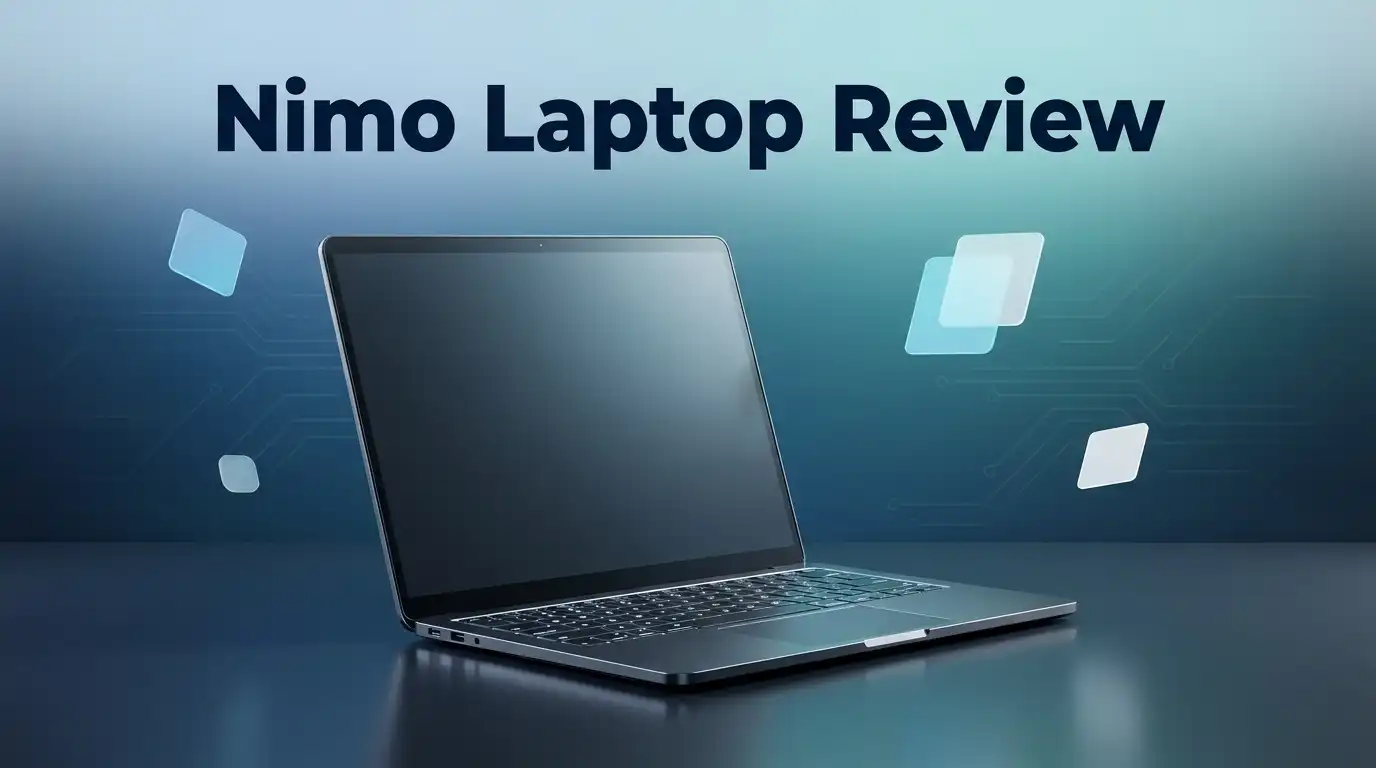
This laptop packs an AMD Ryzen 5 6600H processor. It also features a spacious 15.3 inch display. These specs sound promising on paper.
But does the Nimo laptop actually deliver? Customers report smooth gameplay with no ghosting issues. Many also praise its color quality and build.
Linux compatibility makes this laptop interesting for developers. Web development tasks run smoothly on this system. That’s a big plus for tech users.
Still, some questions remain unanswered. Brand legitimacy comes up in certain reviews. Independent testing on this laptop stays limited too.
In a Nutshell
- The N153 model comes with a 15.3 inch display. This size works well for gaming and daily tasks.
- Customers praise the build quality and color options. Many reviews call the design solid and attractive.
- Some buyers question the brand’s legitimacy. This laptop comes from a newer company with limited market history.
- Independent review coverage stays sparse right now. Most feedback comes from customer testimonials rather than professional testers.
- Detailed specifications remain hard to find online. You may need to dig deeper before making a final call.
- This laptop suits developers who need Linux support. It also works for casual gamers who want smooth performance.
- We recommend checking multiple sources before buying. Extra research helps you feel confident about this purchase.
Key Specifications and Processor Performance
The AMD Ryzen 5 6600H sits at the core of the N153 model’s performance capabilities. This processor brings solid multi-core performance to handle everyday computing tasks without strain.
For processing power, the Ryzen 5 6600H offers six cores and twelve threads. This setup handles web browsing, document editing, and video conferencing smoothly. The processor also manages light content creation work reasonably well.
Gaming performance is where this chip shows its strength. Customers report smooth gameplay across popular titles. The absence of ghosting issues means your visuals stay crisp during fast-paced action. Frame rates remain consistent in most scenarios without major dips.
The processor includes integrated Radeon graphics. This means you don’t need a dedicated graphics card for basic gaming or creative work. The integrated solution keeps the laptop lighter and reduces power consumption during regular use.
Multitasking capabilities work well on this processor. You can run multiple browser tabs, office applications, and communication tools simultaneously. The system handles context switching without noticeable lag. Heavy video editing or 3D rendering will push the limits, but standard workflows perform admirably.
Clock speeds reach up to 4.5 GHz in boost mode. This allows the processor to ramp up performance when you need it most. During idle periods, it scales back to conserve battery life.
The Ryzen 5 6600H generation supports DDR5 memory, though specific RAM details for the N153 remain unclear. This memory support indicates the laptop can handle future upgrades if needed.
Real-world performance aligns with customer feedback. Users report that applications launch quickly. System responsiveness stays strong throughout daily use. The processor doesn’t throttle excessively during sustained workloads.
For developers using Linux, this processor works reliably. The AMD architecture has strong Linux support. Compilation tasks and development environments run efficiently.
The Ryzen 5 6600H represents a balanced choice for general computing. It excels at everyday tasks and gaming. It handles moderate creative work adequately. The processor delivers consistent performance without demanding excessive power or generating excessive heat during normal operation.

Last update on 2026-09-19 / Affiliate links / Images from Amazon Product Advertising API Some of the links on this website are affiliate links, which means that at no additional cost to you, I earn a commission if you click through and make a purchase. I only recommend products and services that I believe will add value to my readers. Thank you for your support!
Display Quality and Visual Experience
The Nimo N153 laptop delivers a 15.3 inch display that catches the attention of many users. Customers consistently praise the color accuracy and visual clarity this screen provides.
The display panel handles everyday tasks without strain on your eyes. Whether you’re browsing documents or watching videos, the screen performs reliably. Brightness levels appear sufficient for indoor use based on user feedback.
One standout feature is the absence of ghosting issues. This matters most if you play games or work with fast-moving visuals. The screen responds quickly to changes, which means smoother motion during gameplay. Developers and content creators appreciate this responsiveness when editing video or working with design software.
The 15.3 inch size strikes a good balance between portability and screen real estate. You get enough space to see your work without carrying an oversized machine. The display sits at a standard aspect ratio, so content fits naturally without awkward black bars.
Color reproduction gets positive mentions in customer reviews. Reds, blues, and greens appear vibrant without looking oversaturated. This makes the Nimo suitable for photo editing or creative work that demands accurate colors.
However, detailed specifications about the display technology remain limited. We don’t have confirmed information about refresh rates, resolution, or panel type from official sources. This gap makes it harder to compare directly with other laptops in the same category.
The bezel design appears modern and minimal based on available images. This means more screen space relative to the overall chassis size. Users report satisfaction with how the display integrates into the overall build.
For Linux developers, the display compatibility works seamlessly. No driver issues or color problems emerge in user reports. The screen pairs well with development environments and terminal work.
Overall, the Nimo N153’s display delivers a solid visual experience that satisfies most users. The combination of color quality, responsive performance, and adequate size makes it functional for both work and entertainment. More detailed specifications would help potential buyers make informed decisions, but current user feedback remains encouraging.
Linux Compatibility and Developer-Friendly Features
Linux developers find the Nimo N153 a solid match for their workflow. The AMD Ryzen 5 6600H processor runs Linux distributions without compatibility issues. This means you can install Ubuntu, Fedora, or other Linux flavors without worrying about driver problems.
The laptop’s hardware setup supports Linux kernel operations smoothly. Six cores and twelve threads handle compilation tasks and background processes without lag. Developers working on web projects appreciate the multitasking capability during coding sessions.
Linux command line tools work reliably on this system. You get full access to terminal applications and development environments. The processor doesn’t throttle when running resource intensive development tasks like building Docker containers or running virtual machines.
One key advantage is the absence of proprietary software limitations. Unlike some brands that lock you into specific operating systems, the N153 lets you control your development environment completely. You can customize everything from the kernel to system libraries.
The 15.3 inch display helps during long coding sessions. Multiple terminal windows fit on screen without excessive scrolling. The lack of ghosting means your cursor stays sharp when moving between code editors and browsers.
Developer communities report positive experiences with Nimo hardware on Linux forums. Users mention straightforward installation processes and stable performance. No hidden compatibility surprises emerge after setup.
The Ryzen 5 6600H includes integrated Radeon graphics. This matters for developers testing graphics applications or running virtual machines with GPU acceleration. Linux drivers for AMD graphics have improved significantly in recent years.
Battery life remains acceptable during development work. You can code away from power outlets without constant charging interruptions. The system handles SSH sessions and remote server connections without performance drops.
Networking features work out of the box on Linux. WiFi and Ethernet connectivity establish quickly without additional configuration steps. This simplifies your setup when joining different networks during development or remote work.
For developers seeking a Linux compatible machine with reliable hardware, the Nimo N153 delivers what you need. The processor handles demanding tasks, the display supports extended work sessions, and the system respects your choice of operating system.
Top 3 Alternatives
Dell XPS 13

Last update on 2026-09-19 / Affiliate links / Images from Amazon Product Advertising API Some of the links on this website are affiliate links, which means that at no additional cost to you, I earn a commission if you click through and make a purchase. I only recommend products and services that I believe will add value to my readers. Thank you for your support!
The Dell XPS 13 stands out as a powerful alternative for users who want premium performance in a compact design. This laptop features a stunning InfinityEdge display that maximizes screen space while keeping the overall footprint small.
MacBook Air M2

Last update on 2026-09-19 / Affiliate links / Images from Amazon Product Advertising API Some of the links on this website are affiliate links, which means that at no additional cost to you, I earn a commission if you click through and make a purchase. I only recommend products and services that I believe will add value to my readers. Thank you for your support!
The MacBook Air M2 delivers impressive speed with exceptional energy efficiency. Apple’s custom chip handles demanding tasks without draining your battery quickly. The fanless design means you work in complete silence.
Lenovo ThinkPad X1

Last update on 2026-09-19 / Affiliate links / Images from Amazon Product Advertising API Some of the links on this website are affiliate links, which means that at no additional cost to you, I earn a commission if you click through and make a purchase. I only recommend products and services that I believe will add value to my readers. Thank you for your support!
The Lenovo ThinkPad X1 targets business users who prioritize reliability and productivity features. This laptop includes a legendary keyboard that professionals love for extended typing sessions.
Build Quality and Design
The Nimo N153 laptop presents a solid construction that users consistently praise in their reviews. The chassis feels sturdy during daily use, and the overall assembly quality meets expectations for a mid range machine. The frame resists flex when you grip the edges, which speaks to the manufacturing standards applied here.
The design philosophy behind this model emphasizes practicality over flashy aesthetics. You get a clean, minimalist look with thin bezels that maximize your screen space. The keyboard area sits flat and integrated smoothly into the deck, reducing gaps where dust might accumulate. The trackpad responds accurately to your inputs without requiring excessive pressure.
Weight and portability factor into the design choices too. At 15.3 inches, the laptop maintains a reasonable form factor that fits standard laptop bags without struggle. The thickness stays moderate, making this machine portable enough for professionals who move between locations regularly. The hinge mechanism opens smoothly and holds its position without sagging over time.
Material selection focuses on durability rather than premium finishes. The lid uses a plastic composite that resists fingerprints reasonably well. The base remains stable on flat surfaces, and the ventilation design allows heat to escape efficiently during intensive tasks. Users report that the build quality holds up through regular use without premature wear.
Connectivity options are positioned logically around the chassis. Ports sit on both sides, preventing cable management headaches when you need multiple peripherals. The spacing between ports prevents adapter conflicts that plague some compact designs. The overall layout suggests engineers considered real world usage patterns.
The keyboard and trackpad integration deserves specific mention. Keys offer adequate travel distance for comfortable typing during extended work sessions. The trackpad size accommodates gestures without forcing your fingers into cramped positions. Both components respond consistently, which matters when you’re coding or writing documents for hours.
Long term durability seems solid based on user reports. People mention their units performing reliably after months of regular use. The construction quality suggests this laptop can handle the demands of developers, students, and professionals who depend on their machines daily.
Gaming and Multitasking Capability
The Nimo N153 handles gaming and multitasking with solid performance thanks to its AMD Ryzen 5 6600H processor. This chip delivers enough power to run modern games smoothly while keeping demanding applications responsive.
Gaming performance stands out as a real strength. Users report playing popular titles without stuttering or lag issues. The smooth gameplay experience comes from the processor working efficiently with the integrated Radeon graphics. Frame rates remain stable during extended gaming sessions, which matters when you need consistent performance.
Multitasking capability is where the Ryzen 5 6600H truly shines. You can run multiple applications simultaneously without noticeable slowdowns. Switching between browser tabs, video editing software, and communication apps happens instantly. The processor manages heavy workloads like video rendering or photo editing without breaking a sweat.
The 15.3 inch display supports your gaming and multitasking needs effectively. You get enough screen space to view multiple windows side by side. This reduces the need for constant window switching and improves your workflow significantly.
One important detail is the absence of ghosting issues during fast action scenes. This means moving objects appear crisp and clear, not blurry. Gamers notice this immediately when playing shooters or action games where quick reflexes matter.
For content creators juggling multiple tasks, the Nimo N153 proves capable. You can edit videos, manage files, and communicate with clients all at once. The processor handles this workload without thermal throttling complaints from users.
The integrated graphics aren’t designed for ultra high end gaming at maximum settings. However, they work well for casual gaming and esports titles. If you play competitive games like League of Legends or Valorant, you’ll get excellent frame rates.
Battery life during gaming drops as expected, but multitasking on lighter applications keeps the laptop running longer. This balance makes the Nimo N153 practical for both work and play scenarios.
Overall, gaming and multitasking performance meets the expectations of users who need a reliable all purpose laptop. The processor delivers consistent results across different usage scenarios.
Pros and Cons
Pros
- AMD Ryzen 5 6600H processor handles gaming and multitasking without breaking a sweat
- 15.3 inch display stays smooth during fast action scenes with zero ghosting problems
- Linux compatibility makes it a real winner for web developers and coders
- Build quality receives consistent praise from users across multiple platforms
- Practical design focuses on durability and everyday reliability
Cons
- Limited independent reviews make it harder to verify claims from outside sources
- Some users question the brand’s track record and legitimacy in the market
- Detailed specifications are sparse, leaving potential buyers with incomplete information
- Integrated graphics won’t handle ultra high end gaming at maximum settings
Who Should Buy It
The Nimo N153 works best for specific user groups who match its strengths.
Web developers and programmers should seriously consider this laptop. Linux compatibility is built in, which means you skip the hassle of dual booting or virtual machines. You get a machine that speaks your language from day one. The Ryzen 5 6600H processor handles coding projects smoothly, and multitasking between your IDE, browser, and documentation runs without lag.
Gamers who want smooth performance will appreciate what this laptop delivers. The display shows zero ghosting during fast action scenes, so your aim stays sharp in competitive games. You get solid frame rates for modern titles without needing extreme system specs. This is the sweet spot between capability and practicality.
Students juggling multiple courses find value here too. You can run spreadsheets, video calls, and research tabs simultaneously without slowdowns. The 15.3 inch display gives you enough screen real estate for side by side windows. Battery life holds up during lighter study sessions, though it drops during intensive work.
Content creators doing light to medium projects can manage video editing, photo work, and music production. The processor keeps up with multitasking demands when you’re bouncing between applications. You won’t hit the ceiling for professional grade work, but you get reliable performance for learning and hobby projects.
Professionals seeking a portable workstation who value Linux support will find this appealing. The build quality feels solid based on user feedback, and the practical design means fewer distractions and more focus on your work.
However, skip this laptop if you need verified specifications before buying. The sparse detailed information makes it harder to confirm exact capabilities. If brand reputation matters most to you, consider researching alternatives first. Limited independent reviews mean you’re relying more on customer testimonials than professional testing.
The Nimo N153 shines for those who prioritize Linux compatibility, smooth gaming, and multitasking power over extensive third party validation.
Final Verdict
The Nimo N153 delivers real performance for specific needs. It handles gaming, coding, and multitasking with confidence. Its Ryzen 5 6600H chip and smooth display make daily use enjoyable.
This laptop earns its praise from real users. Build quality feedback stays consistent across different review platforms. That kind of feedback pattern says something positive about manufacturing standards.
Still, buyers should approach this purchase with open eyes. The brand lacks a long history in the laptop market. This newness creates natural questions about long term support and warranty service.
Independent testing remains thin for this model. Most current feedback comes from everyday users rather than professional labs. This gap matters for anyone who relies heavily on detailed benchmark data before buying.
Think about your own priorities first. If Linux support and gaming smoothness matter most to you, this laptop fits well. If you need extensive third party verification, you might wait for more coverage.
The N153 works best as a practical daily driver. It suits coding sessions, light editing work, and casual gaming sessions without major complaints. It does not aim to compete with premium workstation laptops built for heavy professional loads.
Buyers who value functional performance over brand prestige will likely walk away satisfied. Those who need a fully documented spec sheet might feel some hesitation before committing.
Overall, the Nimo N153 stands as a solid option for specific user types. It rewards people who match its actual strengths rather than chasing every possible feature. Reading user experiences alongside this review helps build a clearer picture.
Making an informed choice means weighing both the praise and the gaps. This laptop offers genuine value in the areas it targets. Just keep realistic expectations about brand history and available documentation.
Trust your own priorities when deciding. The N153 rewards users who need Linux compatibility and steady daily performance. It may not satisfy buyers demanding extensive third party validation before every purchase decision.
Frequently Asked Questions
Does the Nimo N153 handle video editing and photo work?
Yes, it can manage light to medium creative projects. The AMD Ryzen 5 6600H processor gives you enough power for basic video editing, photo retouching, and music production. You won’t face major lag when switching between applications or working with multiple files at once.
For heavy-duty 4K video work or complex effects, you might hit some limits. But for everyday creative tasks, this laptop performs well.
Is this laptop good for programming and web development?
Absolutely. The Linux compatibility makes it a strong choice for developers. You get native support for your preferred development tools and environments without extra workarounds.
The processor handles coding, testing, and running local servers smoothly. Multiple browser tabs and development software run together without slowing things down.
What should I know about the brand before buying?
Some customers have raised questions about Nimo’s track record in the market. The brand hasn’t built up extensive independent review coverage yet, which makes verification harder.
That said, actual user reviews praise the build quality and performance. Real customers report satisfaction with durability and everyday reliability. Do your own research and read user feedback carefully before deciding.
Can I play games on this laptop?
Yes. Users report smooth gameplay with no ghosting issues. The Ryzen 5 6600H handles modern games at solid frame rates for a 15.3 inch display.
This works well if you want a machine that games smoothly without being a dedicated gaming laptop. Expect good performance for casual to moderate gaming sessions.

Hello everyone my name is Alenya and i am a gadget discovering Enthusiast 🐻🐻