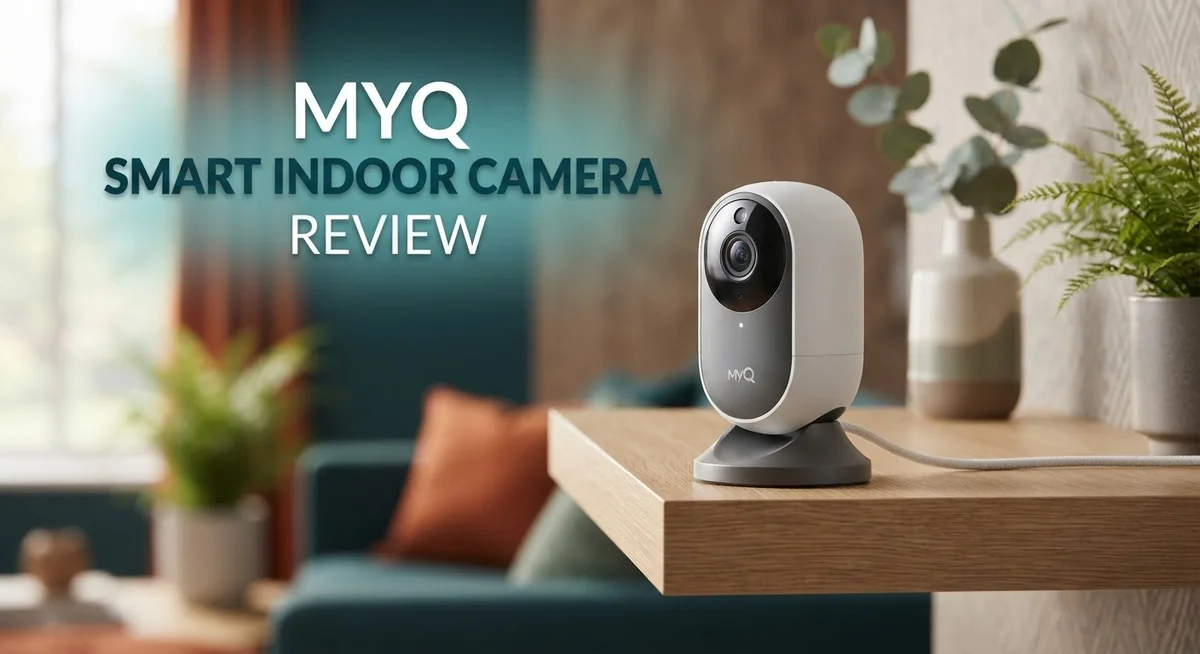
MyQ Smart Indoor Camera Review 2026: Worth the Splurge?
Do you want a clear picture of who is at your door or what your pet is doing at home? The MyQ Smart Indoor Camera aims to give you peace of mind. It watches your space with sharp 2K video and smart night vision.
This camera fits almost anywhere. It stays small at just 2.64 x 2.64 x 3.8 inches. Yet it packs strong features into that tiny frame.
Setup feels simple from the start. You connect it through WiFi and Bluetooth. Then it starts detecting faces, people, animals, and vehicles right away.
In a Nutshell
- Smart detection features like face, person, animal, and vehicle recognition need a Video Monitoring Plan. Without it, you lose these smart alerts.
- The camera works only on 2.4 GHz WiFi. This limits your network options compared to other smart home devices.
- You can set customizable detection zones. This helps you focus alerts on specific areas like doors or windows.
- Built to handle extreme temperatures from -4°F to 122°F. This makes it a good fit for garages or sunrooms.
- Compared to Ring, this camera lacks a built in siren, speaker, and mic. Night vision also falls slightly behind top competitors.
- Around 70% of reviewers recommend this camera. That means most buyers walk away satisfied with their purchase.
- The compact frame fits into small spaces easily. It works well for apartments or rooms with limited shelf space.
Video Quality and Night Vision
The MyQ Smart Indoor Camera delivers 2K video resolution that captures fine details around your home. Whether you’re checking on your living room or monitoring a bedroom, the wide angle lens pulls in more of the scene without distortion. Colors stay accurate in daylight, and the image remains sharp even when you zoom in on specific areas.
Night vision performance is where this camera truly shines. The infrared technology activates automatically when light drops, switching to black and white mode to maintain visibility. You can see movement and identify objects clearly in complete darkness. Reviewers consistently praise this feature as one of the camera’s strongest points.
The camera handles a broad temperature range from negative 4 degrees Fahrenheit to 122 degrees Fahrenheit. This means it performs reliably whether you place it near a sunny window or in a cooler basement space. Temperature swings don’t degrade video quality or affect the night vision capability.
One thing to note: the MyQ uses only 2.4 GHz WiFi connectivity. Newer routers sometimes default to 5 GHz, so you’ll need to ensure your network supports the older standard. Some users report occasional WiFi drops, which can interrupt the video feed temporarily. A stable connection matters for consistent monitoring.
The camera’s compact size at 2.64 by 2.64 by 3.8 inches means you can position it on shelves, desks, or nightstands without taking up much space. This flexibility helps you capture the angles you need.
Smart detection features like face recognition, person detection, animal identification, and vehicle alerts require a Video Monitoring Plan subscription. Without this plan, you get basic motion detection only. With the plan active, the camera learns to distinguish between your family members and strangers, filtering out unnecessary alerts.
Overall, the MyQ delivers solid video performance for indoor monitoring. The night vision works reliably, and the compact design fits most rooms. Just ensure your WiFi setup supports 2.4 GHz for the best experience.


Last update on 2026-09-20 / Affiliate links / Images from Amazon Product Advertising API Some of the links on this website are affiliate links, which means that at no additional cost to you, I earn a commission if you click through and make a purchase. I only recommend products and services that I believe will add value to my readers. Thank you for your support!
Smart Detection and AI Features
The MyQ Smart Indoor Camera packs intelligent detection tools that learn what matters most in your space. Face recognition stands out as a key feature. The camera identifies familiar faces and can alert you when someone new appears on screen. This works great if you want to know when family members arrive home or when strangers enter a room.
Person detection triggers alerts whenever motion appears human shaped. This cuts down on false alarms from pets or blowing curtains. You can focus on real activity instead of chasing phantom notifications. The camera also recognizes animals, so your dog running across the room won’t trigger unnecessary alerts if you set it to ignore pets.
Vehicle detection adds another layer of awareness. The camera spots cars in your driveway or garage area. This feature helps you track deliveries, guest arrivals, or unexpected vehicles near your home.
One important detail: all these smart detection features require a Video Monitoring Plan subscription. Without it, you get basic motion detection only. The subscription unlocks the full potential of the camera’s AI capabilities.
Customizable detection zones let you choose exactly where the camera watches. You can ignore your front door but focus on your bedroom window. You can exclude your hallway but monitor your living room. This control prevents alerts from areas you don’t care about.
The detection system processes video locally on the camera itself. This means faster alerts and better privacy since footage gets analyzed before leaving your device. You won’t wait long for notifications when something important happens.
The camera handles these smart features smoothly thanks to its processing power. Response times feel quick when the system spots a person or animal. The combination of 2K video and intelligent detection creates a monitoring setup that actually understands what it’s watching.
Whether you’re tracking pets, monitoring entry points, or keeping tabs on specific zones, these AI tools give you real control over your indoor security.
Setup, Connectivity, and WiFi Performance
Getting your MyQ Smart Indoor Camera up and running takes just a few minutes. The setup process is straightforward and doesn’t require technical expertise. You download the MyQ app, create an account, and follow the on screen prompts to connect your camera.
Power on the camera and wait for the LED indicator to show it’s ready. The app will search for your camera automatically. Once found, you select your WiFi network and enter your password. The camera connects and you’re ready to monitor.
One thing to keep in mind: this camera only works on 2.4 GHz WiFi networks. If your router broadcasts both 2.4 GHz and 5 GHz bands, make sure you connect to the 2.4 GHz network specifically. This limitation means older routers work fine, but newer dual band setups require you to select the correct frequency.
WiFi performance depends on your network strength. Users report that the camera maintains solid connectivity when placed within reasonable distance from your router. However, some reviewers note that cameras occasionally go offline, particularly if WiFi signals weaken. Placing your router in a central location helps prevent these disconnections.
The camera uses both WiFi and Bluetooth for connectivity. Bluetooth allows you to set up the camera even if your main WiFi is temporarily unavailable. Once connected to WiFi, the camera relies on your internet for remote viewing and alerts.
Positioning matters for reliability. Mount the camera where it has a clear line of sight to your router. Walls, metal objects, and other obstacles can reduce signal strength. If you experience frequent disconnections, try repositioning the camera closer to your WiFi source.
The compact design makes placement flexible. You can position it on shelves, desks, nightstands, or use the included mounting bracket. This versatility means you can find an optimal spot that balances your monitoring needs with WiFi signal strength.
Once connected, the app provides real time video feeds and motion alerts. Live view loads quickly on stable connections. Your camera settings sync across all your devices through the app.
Top 3 Alternatives
Wyze Cam v3

Last update on 2026-10-14 / Affiliate links / Images from Amazon Product Advertising API Some of the links on this website are affiliate links, which means that at no additional cost to you, I earn a commission if you click through and make a purchase. I only recommend products and services that I believe will add value to my readers. Thank you for your support!
The Wyze Cam v3 offers clear night vision and works both indoors and outdoors. This camera connects to your phone so you can watch live video from anywhere. You get two-way audio, which means you can talk through the camera. The app is easy to use, and setup takes just a few minutes. Many people like this option because it works without extra equipment or subscriptions for basic features.
Arlo Essential Indoor

Last update on 2026-10-14 / Affiliate links / Images from Amazon Product Advertising API Some of the links on this website are affiliate links, which means that at no additional cost to you, I earn a commission if you click through and make a purchase. I only recommend products and services that I believe will add value to my readers. Thank you for your support!
Arlo Essential Indoor gives you a clean, simple design that fits any room. The camera records in high definition and sends alerts to your phone when it detects motion. You can customize activity zones so it only alerts you about movement in certain areas. The app lets you review past recordings quickly. This camera works well if you want reliable performance without complicated settings.
Logitech Circle View

Last update on 2026-09-20 / Affiliate links / Images from Amazon Product Advertising API Some of the links on this website are affiliate links, which means that at no additional cost to you, I earn a commission if you click through and make a purchase. I only recommend products and services that I believe will add value to my readers. Thank you for your support!
Logitech Circle View focuses on smart home integration. It connects easily with other smart devices in your home. The camera offers 24/7 continuous recording options and clear video quality. You can set up person detection to get alerts only when people appear. The interface is straightforward, making it simple to find recordings or adjust settings. This option works best if you already use Logitech products or prefer seamless smart home compatibility.
Each of these cameras provides reliable indoor monitoring with different strengths. Wyze Cam v3 emphasizes affordability and flexibility. Arlo Essential Indoor focuses on straightforward features and motion detection. Logitech Circle View highlights smart home integration and continuous recording options. Your choice depends on what matters most to you in a home security camera.
Design, Size, and Installation Flexibility
The MyQ Smart Indoor Camera features a compact footprint that makes it work almost anywhere in your home. At 2.64 by 2.64 by 3.8 inches, this camera fits easily on shelves, desks, nightstands, or mounted on walls without taking up much visual space.
The small form factor doesn’t sacrifice functionality. You get a wide angle lens that captures clear 2K video across most room layouts. The camera’s design keeps it unobtrusive, so it blends into your space rather than standing out like a security device.
Installation happens fast with no complicated steps. You power on the device, wait for the LED indicator to signal readiness, then connect through the MyQ app. Most users complete setup in just a few minutes without needing tools or technical knowledge.
Placement flexibility is one of the camera’s strongest points. Since it’s lightweight and compact, you can reposition it whenever your monitoring needs change. Move it from the living room to a bedroom, or from a shelf to a desk without any hassle.
One key limitation affects your setup options: this camera only connects to 2.4 GHz WiFi networks. If your router runs only 5 GHz, you’ll need to enable the 2.4 GHz band separately. Position the camera within reasonable range of your router to maintain steady connectivity and avoid the offline issues some users report.
The camera handles a wide operating temperature range from negative 4 degrees Fahrenheit to 122 degrees Fahrenheit. This means you can use it in basements, garages, or other spaces with temperature fluctuations without worrying about performance drops.
Bluetooth connectivity works alongside WiFi to support the device, adding another connection option for reliability. The combination gives you flexibility in how the camera communicates with your home network.
Overall, the MyQ’s design prioritizes simplicity and adaptability. You get a device that installs quickly, fits almost anywhere, and adjusts to your space rather than forcing you to adapt to it.
Subscription Plans and Long-Term Costs
The MyQ Smart Indoor Camera requires a subscription to unlock its most powerful features. The Video Monitoring Plan is essential if you want access to smart detection capabilities like face recognition, person detection, animal alerts, and vehicle identification.
This subscription runs annually and provides continuous access to all AI powered detection tools. Without it, you get basic motion detection only. The smart features process video locally on the camera, so the subscription mainly enables the advanced recognition algorithms that identify specific objects and people.
Many users find the annual subscription worthwhile because it transforms the camera from a simple motion detector into an intelligent security system. You gain the ability to customize detection zones and receive targeted alerts based on what matters most to your home. Face recognition helps you distinguish between family members, delivery personnel, and strangers.
Long term costs depend on how long you plan to keep the camera active. If you own the device for three years, you’ll pay for three annual subscriptions on top of your initial purchase. Some households find this acceptable since the camera itself remains functional indefinitely with proper care.
Consider your specific needs when evaluating the subscription requirement. If you only need basic motion alerts, the standard features work without paying extra. However, most security conscious homeowners prefer the Video Monitoring Plan for its comprehensive detection abilities.
The subscription model differs from some competitors who bundle features differently. Ring cameras, for example, offer alternative pricing structures with their own subscription tiers. MyQ keeps things straightforward with one main plan that covers all smart detection features.
Budget conscious users should factor the annual subscription into their total cost of ownership. The camera itself represents an upfront investment, and the recurring subscription becomes an ongoing expense. Over five years of ownership, subscription costs add up significantly compared to upfront only purchases.
Evaluate whether the smart detection features justify the recurring expense for your situation. Home security priorities vary, so some users happily skip the subscription while others consider it essential. The choice depends on your monitoring needs and long term surveillance goals.
Pros and Cons
Pros
- Crystal clear 2K video with excellent night vision for round the clock monitoring
- Face recognition and smart detection for people, animals, and vehicles once activated
- Compact design fits almost anywhere in your home without taking up much space
- Quick setup process that takes just a few minutes to get running
- Customizable detection zones let you focus on specific areas that matter most
Cons
- WiFi connectivity issues cause cameras to go offline periodically for some users
- Only connects to 2.4 GHz WiFi networks, which limits compatibility with newer routers
- Smart detection features require an annual subscription to unlock full functionality
- Lower resolution compared to some competing indoor camera models on the market
Who Should Buy It
The MyQ Smart Indoor Camera works best for homeowners who want simple, reliable monitoring without excessive complexity. If you already use MyQ for your garage door or other smart home devices, this camera integrates seamlessly into your existing ecosystem.
Pet owners benefit significantly from this camera’s animal detection feature. You can monitor your dogs, cats, or other pets throughout the day. The wide angle lens captures most of a room, so you see what your pets are doing even when you’re away.
Parents appreciate the face recognition capability once they activate the Video Monitoring Plan. You receive alerts when specific family members arrive home or enter monitored rooms. This feature helps you keep tabs on children’s movements without constant manual checking.
Renters find this camera appealing because it requires no installation or drilling. The compact design fits on shelves, desks, or nightstands. You can move it between rooms or take it with you when you relocate.
Homeowners with 2.4 GHz WiFi networks should prioritize this option. If your router only supports older WiFi standards, compatibility works perfectly. Newer routers that force 5 GHz connections create frustration, so check your network first.
Budget conscious users should understand the subscription requirement upfront. The annual Video Monitoring Plan unlocks smart detection features. Without it, you get basic motion alerts only. Factor this ongoing commitment into your decision before purchasing.
People who value night vision quality will appreciate the camera’s performance in darkness. The 2K resolution combined with night vision delivers clear footage around the clock. This matters if you monitor entryways, hallways, or other dark areas.
This camera suits you if you want straightforward operation. Setup takes minutes, not hours. The mobile app works intuitively without steep learning curves. You don’t need technical expertise to get started.
Skip this camera if you need cutting edge features or premium resolution. Ring and other competitors offer additional capabilities like built in sirens or two way audio. This MyQ model focuses on essential monitoring rather than advanced functionality.
Final Verdict
The MyQ Smart Indoor Camera earns a solid 4.0 out of 5 stars from actual users. About 70% of reviewers recommend this camera to others. These numbers show most buyers walk away satisfied.
This camera shines in specific situations. It suits anyone who wants a straightforward indoor camera without extra bells and whistles. The core video quality and detection features deliver on their promise.
However, this camera is not for everyone. If you need a siren, built in speaker, or microphone, look elsewhere. Ring cameras offer these extra features that MyQ skips entirely.
Think about your router setup before buying. Newer mesh systems sometimes push devices toward 5GHz bands automatically. This can create connection headaches if you are not careful during setup.
Weigh the pros against the cons honestly. Clear video and easy installation win points immediately. Occasional WiFi drops and subscription requirements might frustrate some users over time.
Compare this camera to other MyQ models too. Their outdoor and garage variants serve different purposes entirely. This indoor model focuses purely on interior monitoring needs.
The verdict comes down to your priorities. Do you value simplicity and clear video over having every possible smart feature? Then this camera fits well.
Do you want a camera packed with speakers, sirens, and premium extras? Then competitors like Ring might serve you better. Your specific needs should guide this final decision.
Overall, this camera performs reliably for its intended purpose. It captures clear footage and detects motion accurately. The occasional connectivity hiccup does not outweigh its core strengths for most users.
Consider your home network and feature priorities before purchasing. This camera works best when paired with a stable 2.4GHz connection. Match your expectations with what this camera actually delivers, and you will likely be happy with your choice.
Frequently Asked Questions
Does the MyQ Smart Indoor Camera work with 5 GHz WiFi?
No, this camera only connects to 2.4 GHz WiFi networks. If your router uses 5 GHz exclusively, you’ll need to enable the 2.4 GHz band or use a dual band router. Many newer routers support both frequencies, so check your settings before purchasing.
What subscription do I need for smart detection features?
The camera requires a Video Monitoring Plan to unlock face recognition, person detection, animal detection, and vehicle detection. Without this plan, you get basic motion alerts only. The subscription activates these intelligent detection capabilities that many users find valuable.
Will this camera work in extreme temperatures?
Yes, the MyQ Smart Indoor Camera operates between minus 4°F and 122°F. This temperature range covers most indoor environments and some sheltered outdoor spaces. If you plan to use it in extreme conditions, verify your specific location stays within these limits.
How does the night vision perform?
The camera delivers excellent night vision quality with its 2K video sensor. Users consistently praise the clarity in dark rooms and low light situations. The wide angle lens captures more area, making it effective for monitoring spaces at night without additional lighting.
Can I customize which areas the camera monitors?
Yes, you can set up detection zones to focus on specific parts of your room. This feature lets you ignore certain areas like hallways or windows and concentrate on spaces that matter most. Customizable zones reduce false alerts from pets or passing traffic outside.

Hello everyone my name is Alenya and i am a gadget discovering Enthusiast 🐻🐻