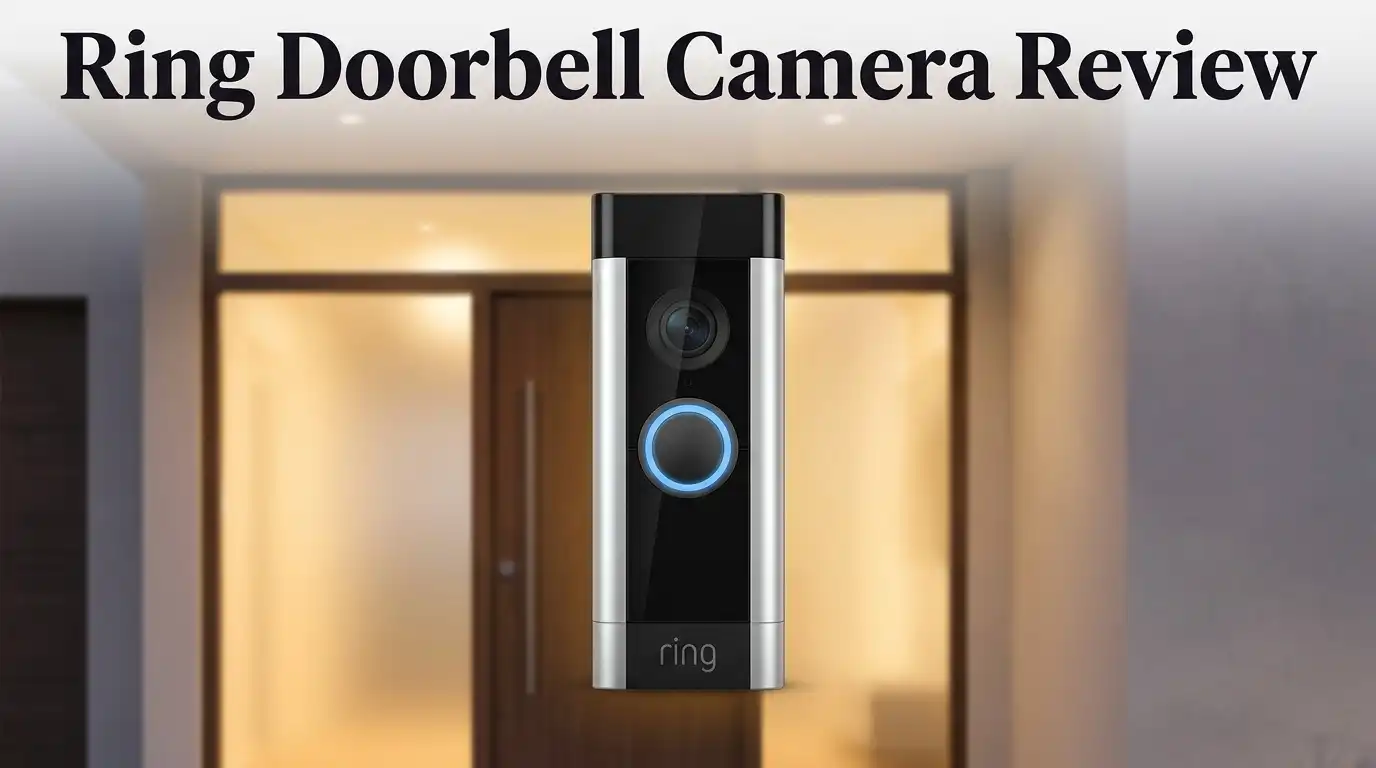
Ring Doorbell Camera Review 2026: Complete Guide
Are you thinking about a Ring doorbell camera for your home? You are not alone. Millions of homeowners want to see who is at their door before they open it.
This review looks at the real experience of using a Ring camera. We checked the video quality, the battery life, and the app features.
Ring offers 1080p HD video. It connects to your WiFi and stores footage on the cloud. You can watch live video and zoom in on activity outside your door.
In a Nutshell
- Battery life can drop fast, especially with heavy use. Charging often becomes a routine chore.
- All footage relies on cloud storage. There is no internal memory, so you need a stable WiFi connection at all times.
- A subscription plan unlocks key features like video history and smart alerts. Without it, functionality shrinks.
- Some users raise privacy concerns since every clip uploads to the cloud. This might worry security focused homeowners.
- Data protection stays strong. Ring uses solid encryption to keep your footage safe from outside access.
- Alternatives like Arlo and Blink offer different storage options. These brands might suit users who want more flexibility.
Key Features and Specifications
Ring’s doorbell camera comes with several standout technical features that shape how it performs in real world use. The 1080p HD video resolution captures clear footage of visitors and packages at your front door. This resolution works well for identifying faces and reading license plates from a reasonable distance.
The camera connects to your home WiFi network, which means it needs a stable internet connection to function properly. WiFi connectivity allows you to view live feeds and recordings from anywhere using the Ring app on your phone or tablet. The connection speed affects how quickly you receive alerts when motion is detected.
Battery powered convenience is a major selling point for Ring. You can install the doorbell without running wires through your walls. The battery option makes it simple to add security to rental properties or homes where hardwiring isn’t practical. However, battery life varies based on how often the camera records and sends alerts.
Cloud storage is where Ring keeps all your video footage. Every clip automatically uploads to Ring’s servers, which means you access your videos through the company’s app rather than storing files locally. This approach offers flexibility since you can review footage from any device with internet access.
The zoom functionality lets you get a closer look at specific details in your video feed. You can pinch and zoom on recorded clips to examine objects or faces more carefully. This feature proves helpful when you need to verify something you saw on the doorbell camera.
Fast response times mean you get alerts quickly when motion triggers the camera. The system detects movement and notifies you with minimal delay, so you can respond to visitors or suspicious activity promptly.
Ring also emphasizes strong data security for protecting your account and video files. The company uses encryption to safeguard information traveling between your camera and their servers. Understanding these security measures helps you feel confident about your footage privacy, even though all videos upload to the cloud automatically.


Last update on 2026-09-20 / Affiliate links / Images from Amazon Product Advertising API Some of the links on this website are affiliate links, which means that at no additional cost to you, I earn a commission if you click through and make a purchase. I only recommend products and services that I believe will add value to my readers. Thank you for your support!
Video Quality and Recording Performance
The Ring doorbell camera captures video at 1080p HD resolution, which provides clear footage for most home security needs. This resolution works well for identifying visitors and monitoring your front door area during daylight hours.
Video playback on Ring is smooth and easy to navigate. You can quickly scroll through your footage without lag or stuttering. The zoom feature lets you get a closer look at specific moments in your recordings, which helps when you need to examine details more carefully.
Recording performance depends heavily on your WiFi connection quality. A strong, stable internet signal ensures consistent video capture and fast uploads to the cloud. Weak WiFi can cause missed recordings or delayed alerts, so placement of your doorbell matters.
Ring stores all footage in the cloud rather than on a local device. This means your videos are accessible from anywhere through the app. However, it also means you need an active subscription to keep viewing your past recordings. Without a subscription, you lose access to your video history.
Motion detection triggers the camera to start recording automatically. The response time is fast, so you typically get alerts within seconds of motion at your door. This quick notification system helps you stay aware of activity in real time.
Battery performance is a notable limitation. The battery drains fairly quickly with regular use, especially if your doorbell gets frequent motion triggers. You’ll need to recharge it periodically, which means temporarily losing video coverage during the recharge process.
The camera performs best in good lighting conditions. Video quality drops noticeably in low light or at night, though Ring does include night vision capabilities. Competitors like Lorex offer sharper picture quality overall, while Reolink provides local storage options that don’t require cloud uploads.
For homeowners seeking reliable doorbell video with easy app access, Ring delivers solid performance. Just remember that ongoing cloud storage and consistent WiFi are essential for the best results.
Security, Storage, and Connectivity
Security remains a top priority for any home camera system. Ring takes this seriously by implementing strong encryption protocols that protect your account and video files from unauthorized access. Your login credentials stay safe, and Ring regularly updates its security infrastructure to defend against emerging threats.
Storage works differently with Ring compared to traditional cameras. The system relies entirely on cloud based storage, meaning every video clip uploads to Ring’s servers. This approach offers convenience since you access footage from anywhere using your smartphone. However, it also means you depend on an active internet connection to retrieve your videos.
A subscription plan is necessary to unlock the full storage experience. Without it, you miss key features like extended video history and smart alerts. The subscription determines how long Ring keeps your footage before it deletes automatically. This ongoing requirement is something to consider when evaluating the system.
Connectivity depends on your home WiFi network. Ring needs a stable connection to function properly and send real time alerts to your phone. Weak WiFi signals can cause delayed notifications and choppy video playback. Strong signal strength in your entryway area ensures smooth performance and faster response times.
Privacy considerations matter here. Since every clip uploads to the cloud, some users feel concerned about their data traveling across the internet. Ring maintains that their encryption keeps footage private, but you should review their privacy policy to understand exactly what happens with your videos.
Compared to alternatives like Reolink, Ring lacks local storage options. Reolink cameras record directly to SD cards without requiring subscriptions. Google Nest Video Doorbell offers similar cloud storage but includes additional AI features. Lorex focuses on superior picture quality with different connectivity options.
The bottom line: Ring’s security infrastructure is solid, but you’re committed to cloud storage and ongoing subscriptions. Your WiFi quality directly impacts how well the system performs. If you prefer local storage without subscriptions, alternatives exist. For users comfortable with cloud based systems, Ring delivers reliable protection and easy access to your footage.
Top 3 Alternatives
Wyze Video Doorbell

Last update on 2026-09-20 / Affiliate links / Images from Amazon Product Advertising API Some of the links on this website are affiliate links, which means that at no additional cost to you, I earn a commission if you click through and make a purchase. I only recommend products and services that I believe will add value to my readers. Thank you for your support!
The Wyze Video Doorbell gives you clear HD video of your front door. This device sends alerts to your phone when someone rings the bell or walks by. You get two-way audio so you can talk to visitors without opening the door.
The setup is simple. Most people install it in under 10 minutes. The doorbell works with existing wiring, which saves time and money. You can view live footage anytime through the Wyze app on your phone.
Logitech Circle View

Last update on 2026-09-20 / Affiliate links / Images from Amazon Product Advertising API Some of the links on this website are affiliate links, which means that at no additional cost to you, I earn a commission if you click through and make a purchase. I only recommend products and services that I believe will add value to my readers. Thank you for your support!
Logitech Circle View offers reliable video monitoring for your entryway. The camera records footage continuously and stores it safely in the cloud. You receive instant notifications when motion or a doorbell press happens.
This device works well in different lighting conditions. Night vision kicks in automatically when it gets dark. The app lets you review past events and share clips with family members. Installation takes about 15 minutes for most homes.
Arlo Essential Doorbell

Last update on 2026-09-19 / Affiliate links / Images from Amazon Product Advertising API Some of the links on this website are affiliate links, which means that at no additional cost to you, I earn a commission if you click through and make a purchase. I only recommend products and services that I believe will add value to my readers. Thank you for your support!
The Arlo Essential Doorbell keeps your home secure with smart detection features. It recognizes people, packages, and vehicles separately. You only get alerts for what matters to you, which reduces false notifications.
The battery lasts several months before needing a charge. You can also hardwire it if you prefer. Two-way audio lets you communicate with anyone at your door. The Arlo app shows you a timeline of all activity throughout the day, making it easy to catch important moments you might have missed.
Installation and Ease of Use
Setting up your Ring doorbell camera is straightforward. Most users complete the installation in under 30 minutes without professional help.
The battery powered model requires no wiring, which makes it the easiest option. You simply mount the camera to your doorframe using the included bracket and screws. The setup process involves downloading the Ring app, creating an account, and connecting the camera to your WiFi network.
Hardwired installation takes a bit longer if you choose that route. You’ll need to connect the camera to your existing doorbell wiring or hire an electrician. However, hardwired models eliminate battery concerns entirely and provide consistent power.
WiFi connection is essential for the Ring to function. The camera needs a strong signal to upload video to the cloud and send you alerts. If your WiFi router is far from your front door, consider moving it closer or using a WiFi extender.
The mobile app controls everything after installation. You can adjust motion detection settings, view live footage, and receive notifications directly on your phone. The app interface is clean and intuitive, so you won’t struggle to find what you need.
Initial setup includes naming your camera and selecting your monitoring preferences. You choose motion sensitivity levels and notification types. These settings take just a few minutes to configure.
One thing to note: the camera requires an active WiFi connection at all times. If your internet goes down, the doorbell stops working. This differs from local storage systems like Reolink, which record to an SD card without internet dependency.
Battery maintenance is simple if you choose the wireless model. You’ll swap out batteries every few months depending on usage. The app sends notifications when battery levels run low.
Overall, Ring prioritizes ease of use during installation and daily operation. The app handles everything, and you don’t need technical skills to get started. New users typically feel comfortable with their setup within the first day of ownership.
Battery Life and Power Options
The Ring doorbell camera offers two main power options to suit different installation needs. You can choose between a battery powered model or a hardwired version. Each option comes with its own advantages depending on your home setup.
The battery powered model is the most convenient choice for renters or homeowners who want to avoid electrical work. You simply mount the camera and charge the battery periodically. This flexibility means you can install it anywhere without drilling into your home’s wiring. The trade off is that battery performance is a notable limitation for this camera line. You’ll need to recharge the battery more frequently than you might expect.
The hardwired installation option connects directly to your existing doorbell wiring. This provides continuous power so you never worry about the battery draining. Hardwired models eliminate the need for regular charging cycles. However, this setup requires some electrical knowledge or professional installation help.
Charging the battery powered model is straightforward. You remove the battery pack and connect it to a standard USB charger. Ring estimates you’ll charge it every few months depending on activity levels. High motion areas will drain the battery faster than quiet entrances. Cold weather also reduces battery efficiency significantly.
WiFi connectivity directly impacts how long your battery lasts. The camera uses more power when it transmits video over a weak WiFi signal. A strong, stable connection keeps power consumption low. Make sure your router is positioned close enough for reliable signal strength.
Ring also offers solar panel accessories for battery powered models. These optional panels can keep your battery topped up automatically. Solar charging is especially useful if your doorbell gets regular sunlight exposure. This eliminates the need for manual recharging in many cases.
Both power options work seamlessly with the Ring mobile app. You control all functions from your smartphone regardless of which model you choose. The app lets you adjust motion sensitivity and notification settings. Either way, your Ring requires an active WiFi connection at all times to function properly and send you alerts.
Pros and Cons
Pros
- 1080p HD video gives you clear footage for identifying visitors and packages
- Zoom functionality lets you get a closer look at details without walking outside
- Strong data security keeps your video feed protected from unauthorized access
- Fast response time means you see live video almost instantly when motion is detected
- Smooth video playback makes reviewing recorded footage quick and easy
Cons
- 1080p resolution limits fine details compared to higher resolution cameras on the market
- Battery powered models drain quickly, especially in cold weather or with frequent motion alerts
- Cloud storage dependency means you cannot access footage without an internet connection
- Ongoing subscription required to unlock full features and extended video history
Who Should Buy It
The Ring doorbell camera works best for specific types of homeowners and renters. If you want an easy installation without hiring an electrician, this camera suits you perfectly. The battery powered model requires no wiring at all.
Renters benefit most from Ring’s wireless setup. You avoid permanent changes to your rental property. Simply mount it, connect to WiFi, and you’re done. No landlord approval needed for electrical modifications.
Homeowners who already have existing doorbell wiring should consider the hardwired option. This eliminates battery maintenance concerns entirely. Your camera runs continuously without charging interruptions.
You should buy this camera if you want quick setup and easy daily use. The mobile app handles everything after installation. Motion alerts reach your phone instantly. You can check live video from anywhere in seconds.
If you prioritize convenience over advanced features, Ring fits your needs. The zoom function lets you inspect packages and visitors without leaving your home. You get clear 1080p footage for identifying people and recognizing packages.
However, avoid this camera if you need the absolute highest video quality. The 1080p resolution doesn’t capture fine details like facial features from distance. Competitors like Lorex offer superior picture quality if detail matters most to you.
Skip Ring if you want zero subscription requirements. Cloud storage needs an active internet connection. You cannot access footage without WiFi. Reolink offers alternatives with local SD card recording and no ongoing fees.
Battery powered models drain quickly in cold weather. If your doorway experiences frequent motion alerts, you’ll charge often. This makes the hardwired option more practical for high traffic areas.
Consider Ring if you want strong data security and fast response times. Your video feed stays protected from unauthorized access. Live video appears almost instantly when motion triggers.
Choose Ring if you value simplicity and speed. Installation takes minutes. Daily operation requires minimal effort. The mobile app puts everything at your fingertips. If you’re willing to accept cloud dependency and moderate resolution in exchange for ease of use, Ring delivers exactly what you need.
Final Verdict
The Ring doorbell camera earns its spot as a popular choice for everyday home security. It offers a simple setup process and a friendly app experience. For most households, this makes daily use effortless.
Still, this camera is not the only option on the market. Reolink offers SD card recording without subscription fees. If you dislike relying on cloud storage, this competitor deserves a look.
Google Nest brings smarter AI detection to the table. It recognizes faces and packages with more precision. Buyers who want advanced automation might prefer this route.
Lorex stands out for sharper picture quality. Its footage shows finer details than Ring’s 1080p output. This matters most if you need crisp identification of visitors.
Arlo and Blink also compete in this space. Each brings its own mix of features and app design. Comparing these options helps you find the right fit for your home.
Privacy remains a valid concern with Ring. Your footage travels to the cloud before you can view it. Some users feel uneasy about this constant data transfer.
Despite this, Ring holds its ground for a specific type of buyer. Anyone who values convenience and quick setup will likely enjoy this camera. It works well for everyday monitoring without added complexity.
Ring fits best if you already use smart home devices. Its ecosystem integrates smoothly with other connected products. This makes it a natural addition to an existing setup.
However, think twice if flawless video detail is your top priority. Other brands on this list offer clearer resolution. Weigh your needs before making a final choice.
In the end, Ring delivers steady performance for typical households. It handles daily security tasks without fuss. For buyers who want ease over cutting edge specs, this camera remains a solid pick.
Frequently Asked Questions
Does the Ring doorbell camera work without WiFi?
No, the Ring doorbell camera needs WiFi to function properly. It sends live video to your phone through your home network. Without WiFi, you cannot view footage or receive alerts. The camera stores video in the cloud, so internet access is essential for playback.
Can I access my Ring footage if the internet goes down?
Unfortunately, you cannot access your recordings during an internet outage. Ring relies entirely on cloud storage for video files. This means a disconnected internet connection leaves you without access to your footage. Consider this limitation if you live in an area with frequent connectivity issues.
How often does the battery need charging on Ring doorbells?
Battery performance varies based on activity levels and weather. Cold temperatures drain the battery faster. High motion traffic in front of your door also reduces battery life. Ring recommends checking battery levels monthly and charging as needed.
Is my video feed private and secure with Ring?
Ring uses strong data security to protect your video feed from unauthorized access. However, your footage uploads to Ring’s cloud servers. Some users have privacy concerns about cloud storage of video data. You maintain control over who can view your footage through the mobile app.
What makes Ring different from competitors like Reolink or Google Nest?
Ring offers quick setup and easy mobile app control for everyday users. Reolink provides hardwired installation with no subscription fees and local storage on SD cards. Google Nest includes smarter AI detection features. Lorex delivers sharper picture quality. Choose based on what matters most to your needs.

Hello everyone my name is Alenya and i am a gadget discovering Enthusiast 🐻🐻